
Community listing page, reviews here may not be monitored by the author.
Custom totems

No reviews yet
Client-side Fabric mod that lets you replace the Totem of Undying with your own Image/GIF and optionally its use sound with an .mp3 - all from an in-game menu.
Community voices
Reviews
No reviews yet. Be the first to review this project!
Get it on
Available Platforms
Compatibility
Supported Environments
Runs entirely on the client. Works on vanilla servers.
About
Project Details
For authors
Embed Badge
If you're the author of this project, you can embed a live badge anywhere that supports HTML or Markdown. It updates automatically whenever ratings change.
Use HTML for any page that supports it, or Markdown for README files and Markdown-based descriptions.
Identifiers
Platform IDs
Resources
External Links
About
Description
⬇️Custom Totem
Turn any picture or GIF on your computer into the texture of your Totem of Undying — including full animation support for GIFs — and optionally swap the totem-use sound for your own .mp3.
Custom Totem (mod id gifotem) is a client-side Fabric mod for Minecraft 26.1.2. It doesn't add any new items or change gameplay — it lets you pick an image or GIF from your PC and bakes it into a resource pack on the fly that replaces the vanilla totem of undying texture.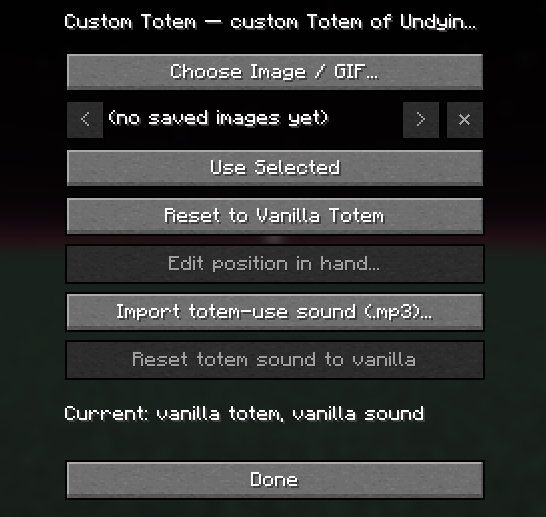
How it works
There's a "Custom Totem" button on the Title Screen and the in-game Pause (Esc) menu, added as an extra row right below the existing menu buttons so it sits naturally in the normal button column instead of floating off to the side. Click it to open the settings screen, or type /gifotem gui in chat.
From that screen:
- Click "Choose Image / GIF...".
- A native file picker window opens (it may appear behind the game window — check your taskbar).
- Choose a .png, .jpg, .jpeg, .bmp or .gif file.
- Custom Totem places the picture untouched onto a transparent canvas (pixel-for-pixel, no cropping, no blur/interpolation, no resizing) and, for GIFs, slices every frame with its own timing straight from the GIF's metadata.
- The item model is also swapped for a paper-thin, front/back-only quad instead of vanilla's auto-extruded totem shape, so the totem always shows as a flat 2D picture (in hand, on the ground, during the "pop" animation) with no visible 3D box/edge around it.
- The generated resource pack is written to resourcepacks/Gifotem_Totem, enabled automatically, and the game's resources are reloaded — no restart needed. Use "Reset to Vanilla Totem" to go back to the default look.
Editing the totem's position in your hand
Click "Edit position in hand..." (only available once a custom totem is active) to open a live editor with sliders for:
- Left/Right, Up/Down, Near/Far - where the totem sits relative to the default position
- Rotate X/Y/Z - its tilt/angle
- Size - how big it is
The editor is a small panel in the corner of the screen, not a full menu - the game world stays visible right next to it, so if you're holding a real Totem of Undying, you see the real, actual render update as you tweak things (no mock-up). Dragging a slider only changes the value in memory; the real transform is written and applied automatically a fraction of a second after you stop moving that slider, so it settles into an accurate preview quickly without flashing a reload on every tiny drag step. Press "Done" to close (any pending change is flushed first), or "Reset" to go back to vanilla's default hand position.
Screenshots
Gallery
-
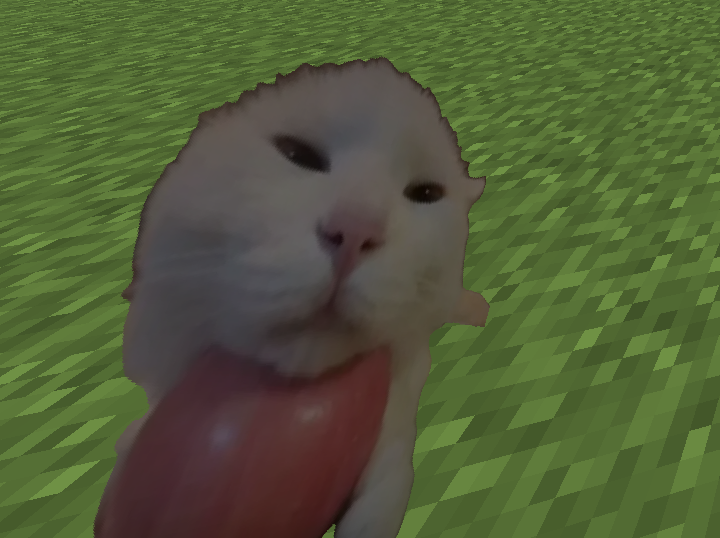 A cat A cat holding an apple
Versions
Files
Relations
Project Relations
More like this
Similar Mods
Suggestions use data such as tags, dependencies, dependents, descriptions, titles, and more to rank how much they overlap with this mod.
On ModDex
Community snapshot
By the numbers
Statistics

Want to reach Minecraft players?
We're looking for a server hosting partner to feature here and other parts of the site. Interested? Send us a message!
Get in touchGet it on
Available Platforms
On ModDex
Community snapshot
By the numbers
Statistics
Resources