![Custom Void [Fabric]](https://media.forgecdn.net/avatars/thumbnails/305/415/256/256/637380804480658045.png)
Community listing page, reviews here may not be monitored by the author.
Custom Void [Fabric]

No reviews yet
Configurable void
Community voices
Reviews
No reviews yet. Be the first to review this project!
Get it on
Available Platforms
About
Project Details
For authors
Embed Badge
If you're the author of this project, you can embed a live badge anywhere that supports HTML or Markdown. It updates automatically whenever ratings change.
Use HTML for any page that supports it, or Markdown for README files and Markdown-based descriptions.
Identifiers
Platform IDs
About
Description
Custom Void -- Configurable void color and position
Fabric API and Cloth Config are required!
This is a simple client-side Fabric mod that allows you to configure void color, starting position, and the height at which it appears. Useful for playing on Skylands or Skyblock-type maps, where you'll often go below sea level and have that ugly black void pop into existence.
Another companion mod to my old world gen mod, Modern Beta, you can also restore the blue void that was present in Alpha/Beta versions of Minecraft.
Works with Clear Skies, as of Custom Void v0.1 and Clear Skies v1.5.48!
=================================================================
Configuration
You can configure Custom Void through Mod Menu (recommended) or in the config/customvoid.json file.
The current options are:
- Render Void (default: true): Turn void on/off.
- Void Dynamic Height (default: true): Adjusts void position according to player height to always start at horizon.
- Void Type (default: DEFAULT): Select void type. See void types below.
- Void Height Threshold (default: 63): Player (eye-level) height at which the void starts to render. Setting to 256 or greater will ensure the void is always present. Setting to 0 or less will effectively disable the void (void will be the same color as fog).
- Void Translate Height (default: 0): Move down where the void starts. Lower values will lower the void and increase the thickness of the fog banding at the horizon.
Void Types:
- DEFAULT: Default black void.
- CLASSIC: Alpha/Beta blue void.
- MODERN: Classic void, but with a desaturated blue to match the vanilla water color.
- SKY: Sky color void.
- CUSTOM: Custom colored void.
For Alpha/Beta void, use the following values:
- Void Type: CLASSIC
- Void Height Threshold: 256 (or greater)
- Void Translate Height: -12
All other options should be left at default.
For early Release void, use the following values:
- Void Type: CLASSIC
- Void Dynamic Height: Yes
- Void Height Threshold: 256 (or greater)
All other options should be left at default.
Screenshots
Gallery
-
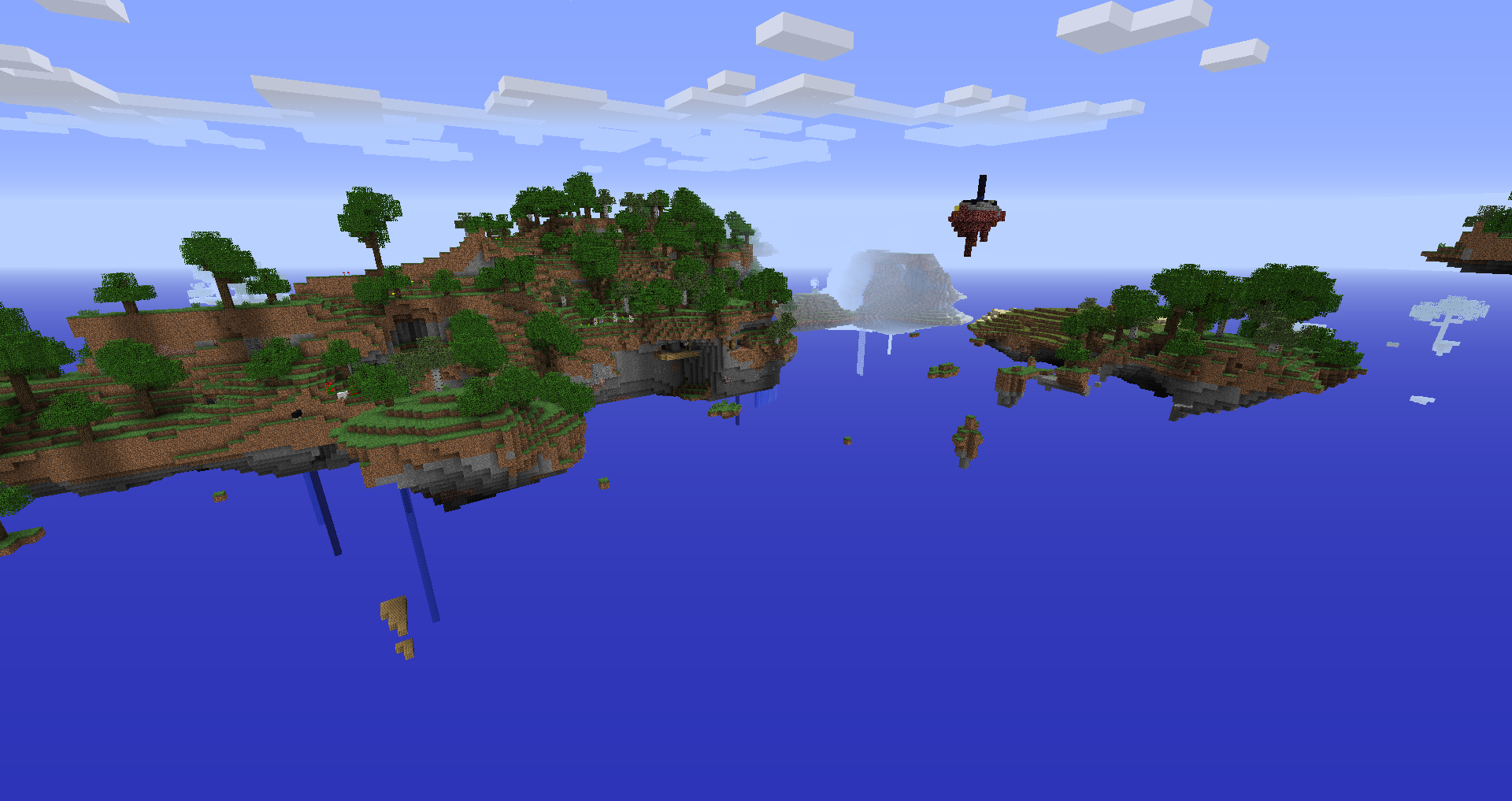 In the Sky Dimension
 -
 Blue Void with -50 Height Translation Void with starting height translated by -50.
 -
 Sky Void Void in sky color.
 -
 Blue Void Void in Alpha/Beta blue color.
Versions
Files
Relations
Project Relations
More like this
Similar Mods
Suggestions use data such as tags, dependencies, dependents, descriptions, titles, and more to rank how much they overlap with this mod.
On ModDex
Community snapshot
By the numbers
Statistics
Want to reach Minecraft players?
We're looking for a server hosting partner to feature here and other parts of the site. Interested? Send us a message!
Get in touchGet it on
Available Platforms
On ModDex
Community snapshot
By the numbers