Community listing page, reviews here may not be monitored by the author.
Cybernetics Vanity


No reviews yet
Control every installed Cybernetics visual without losing its effects, with synchronized first- and third-person vanity settings.
Community voices
Reviews
No reviews yet. Be the first to review this project!
Get it on
Available Platforms
Compatibility
Supported Environments
Must be installed on both the client and the server.
About
Project Details
For authors
Embed Badge
If you're the author of this project, you can embed a live badge anywhere that supports HTML or Markdown. It updates automatically whenever ratings change.
Use HTML for any page that supports it, or Markdown for README files and Markdown-based descriptions.
Identifiers
Platform IDs
About
Description
Cybernetics: Vanity
Choose how your chrome looks without uninstalling it or losing its effects.
Cybernetics: Vanity is a cosmetic and compatibility addon for Cybernetics on NeoForge 1.21.1. Install the Vanity Implant and open a synchronized Robosurgeon-inspired menu to hide or show each installed cyberware visual independently.
Official downloads
These are the only official download platforms. GitHub contains source code and documentation, but no compiled downloads.
Main features
- Per-implant visual toggles
- Master switch, Hide all, and Show all
- Live rotating player preview
- First- and third-person support
- Persistent multiplayer synchronization
- Synthskin-based Vanity Implant with tattoo support
- Configurable acquisition, permissions, and implant requirement
- Optional missing-limb rendering
Compatibility
- CPM Visual Bridge: optional companion for CPM models, Pehkui scaling, Sandevistan mirages, Holoprojector projections, and external player renderers. Its public release is still in development.
- Cyber Spells: compatible rune overlay visibility
- Create, Cyberchems, Cyber Spells, and CPM Visual Bridge are optional
Cybernetics: Vanity no longer contains CPM, Pehkui, Sandevistan projection, Holoprojector scaling, or Corpse rendering hooks. These responsibilities were moved to CPM Visual Bridge so each addon has one clear purpose.
Requirements
- Minecraft 1.21.1
- NeoForge
- Cybernetics
The addon must be installed on the server and connecting clients.
Getting started
- Obtain a Vanity Implant from a villager drop, or let the server disable the implant requirement.
- Install it through Cybernetics surgery as a skin replacement.
- Assign Open Cyber Vanity Menu in Controls.
- Choose the visuals you want to keep.
Full setup, configuration, compatibility, and troubleshooting information is available on the GitHub wiki. Problems can be reported through GitHub Issues.
Credits
- Cybernetics by Perigrine33
- Cybernetics: Vanity by Yo_Fred
- Original addon idea by OkarinY
Cybernetics: Vanity
Choose how your chrome looks without uninstalling it or losing its effects.
Cybernetics: Vanity is a cosmetic and compatibility addon for Cybernetics on NeoForge 1.21.1. Install the Vanity Implant and open a synchronized Robosurgeon-inspired menu to hide or show each installed cyberware visual independently.
Official downloads
These are the only official download platforms. GitHub contains source code and documentation, but no compiled downloads.
Main features
- Per-implant visual toggles
- Master switch, Hide all, and Show all
- Live rotating player preview
- First- and third-person support
- Persistent multiplayer synchronization
- Synthskin-based Vanity Implant with tattoo support
- Configurable acquisition, permissions, and implant requirement
- Optional missing-limb and Corpse appearance rules
Compatibility
- Customizable Player Models (CPM): prevents duplicate model passes and flickering; supports CPM Sandevistan mirages
- Pehkui: preserves scale in Sandevistan and Holoprojector projections
- Cyber Spells: compatible rune overlay visibility
- Corpse: optional preserved corpse appearance
- Create, Cyberchems, CPM, Pehkui, Cyber Spells, and Corpse are optional
CPM Sandevistan rendering adapts the number of full model copies for better performance and can be disabled completely in the client settings. Pehkui scale remains active when it is disabled.
Requirements
- Minecraft 1.21.1
- NeoForge
- Cybernetics
The addon must be installed on the server and connecting clients.
Getting started
- Obtain a Vanity Implant from a villager drop, or let the server disable the implant requirement.
- Install it through Cybernetics surgery as a skin replacement.
- Assign Open Cyber Vanity Menu in Controls.
- Choose the visuals you want to keep.
Full setup, configuration, compatibility, and troubleshooting information is available on the GitHub wiki. Problems can be reported through GitHub Issues.
Credits
- Cybernetics by Perigrine33
- Cybernetics: Vanity by Yo_Fred
- Original addon idea by OkarinY
Screenshots
Gallery
-
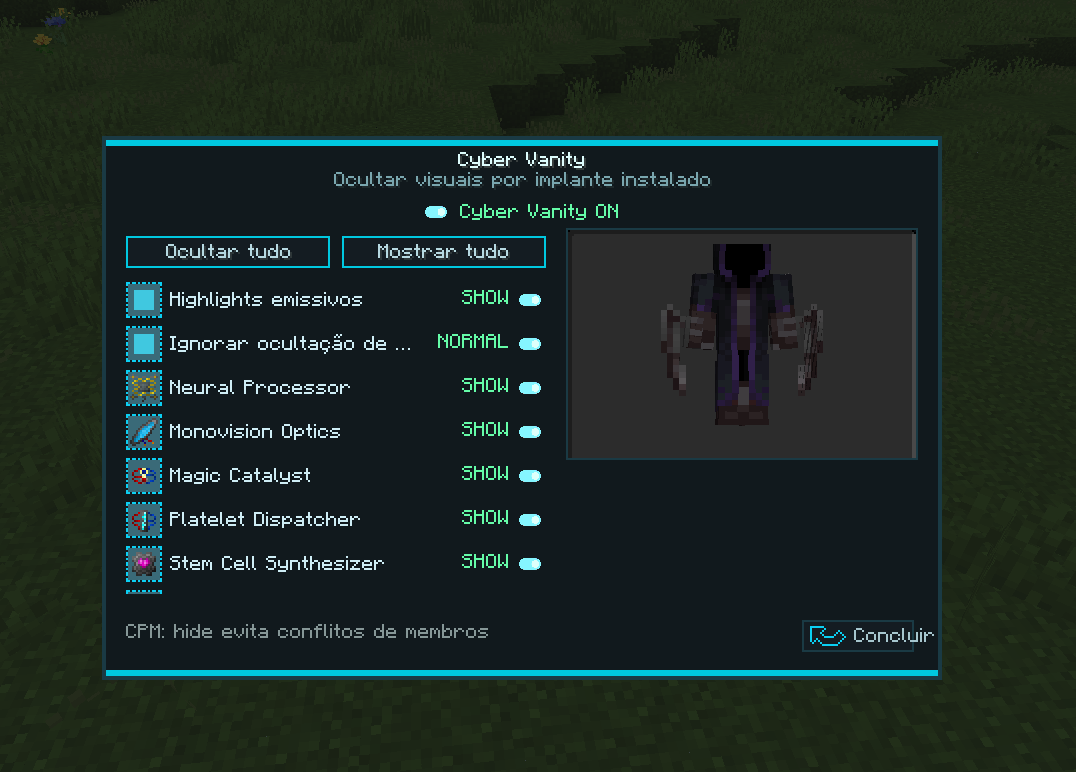 cyberneticsvanitywithoutvanitymenu.png Cybernetics Vanity Without Vanity Menu
 -
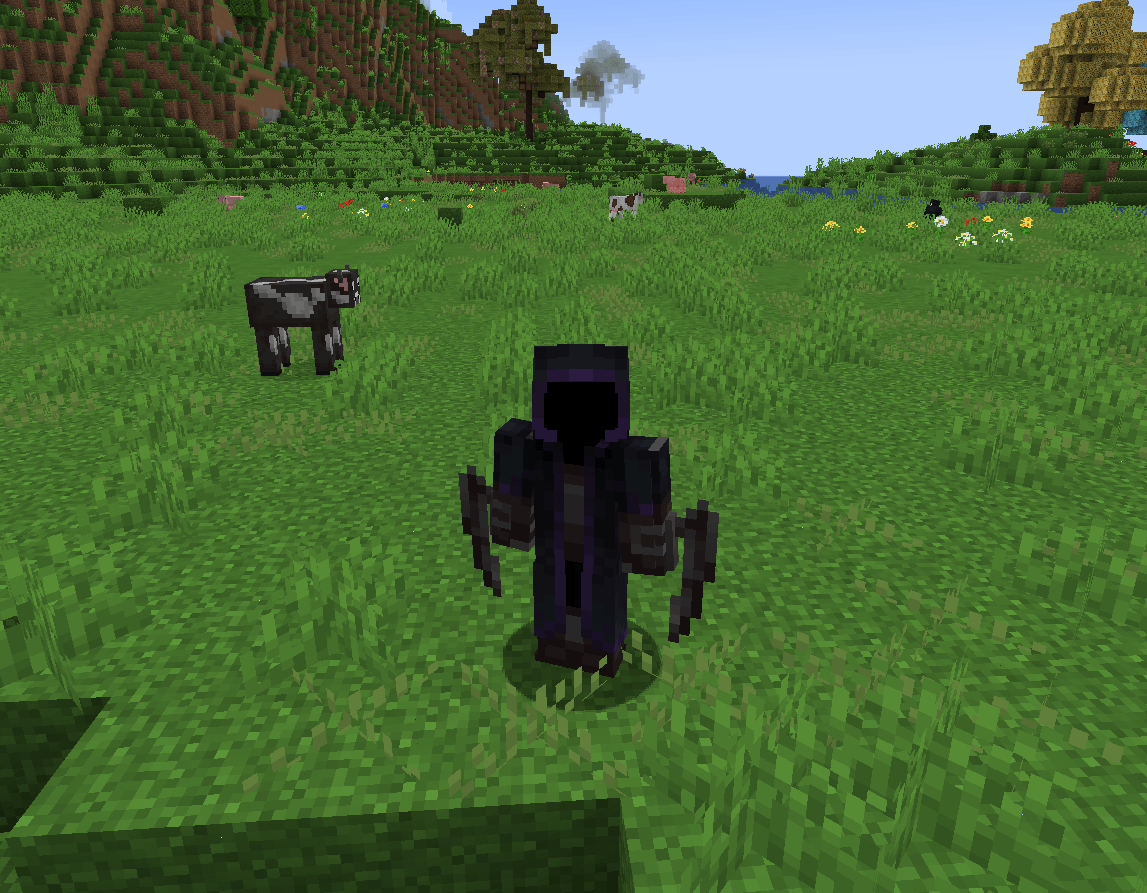 cyberneticsvanitywithvanity.png Cybernetics Vanity With Vanity Skin
 -
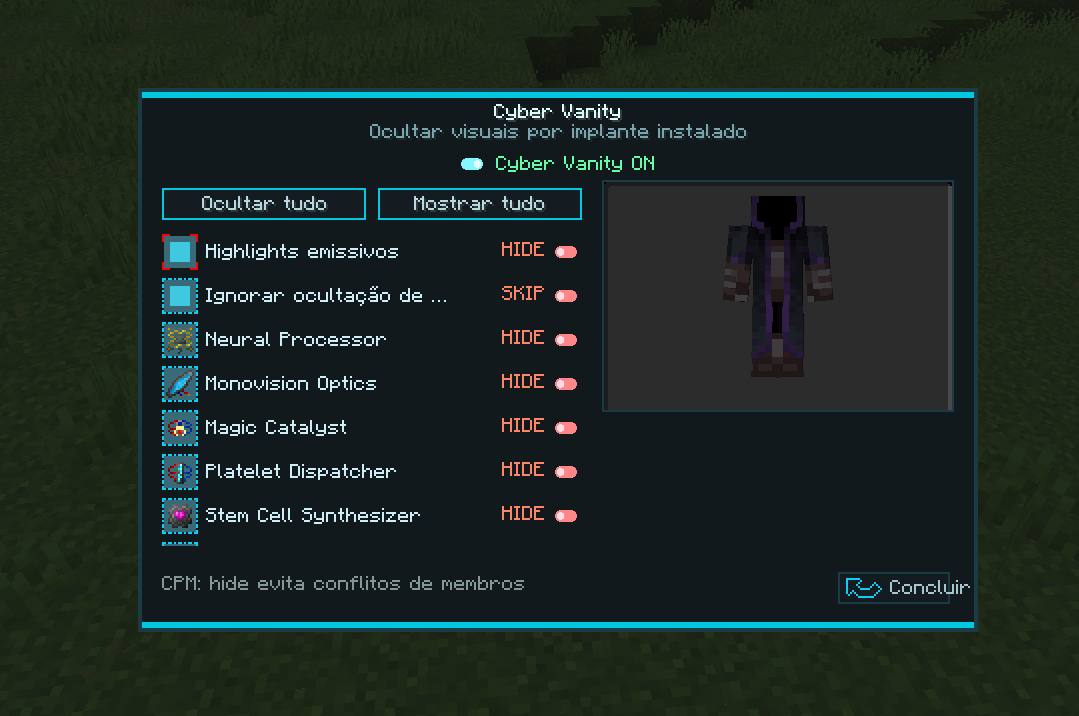 cyberneticsvanitywithvanitymenu.png Cybernetics Vanity With Vanity Menu
 -
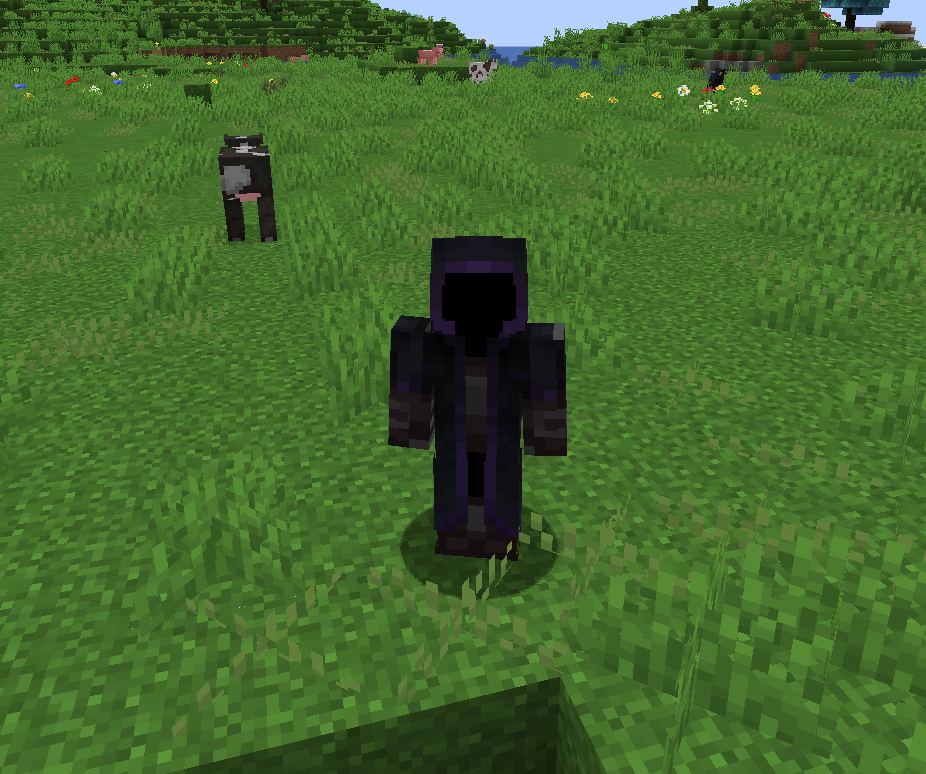 cyberneticsvanitywithvanity.png Cybernetics Vanity Without Vanity Skin
-
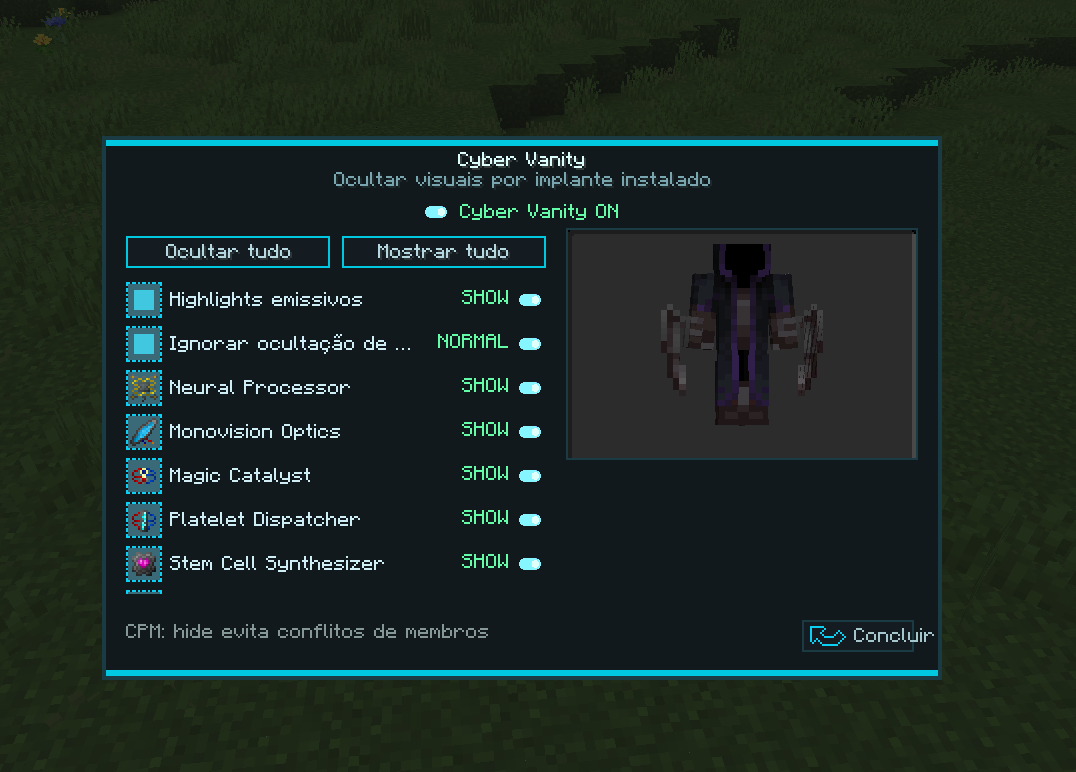 Cybernetics Vanity With Vanity Menu
 -
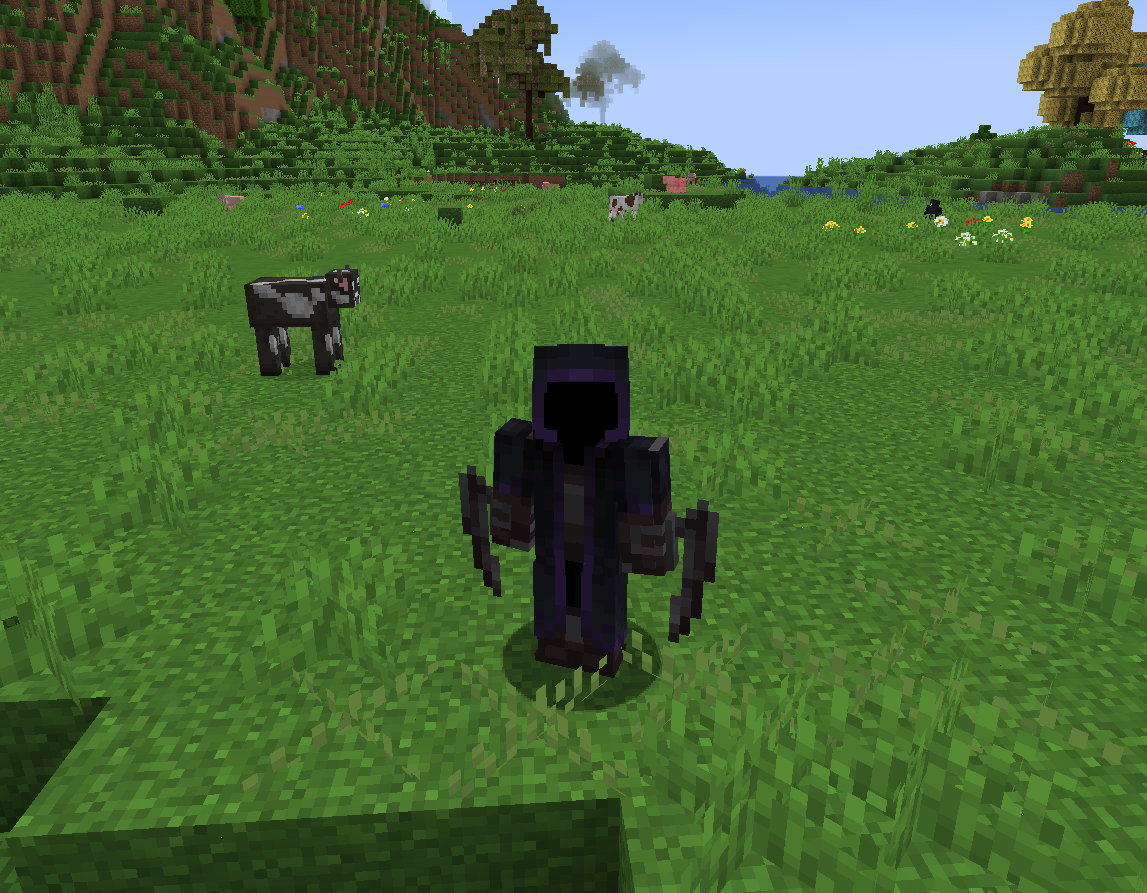 Cybernetics Vanity Without Vanity Skin
 -
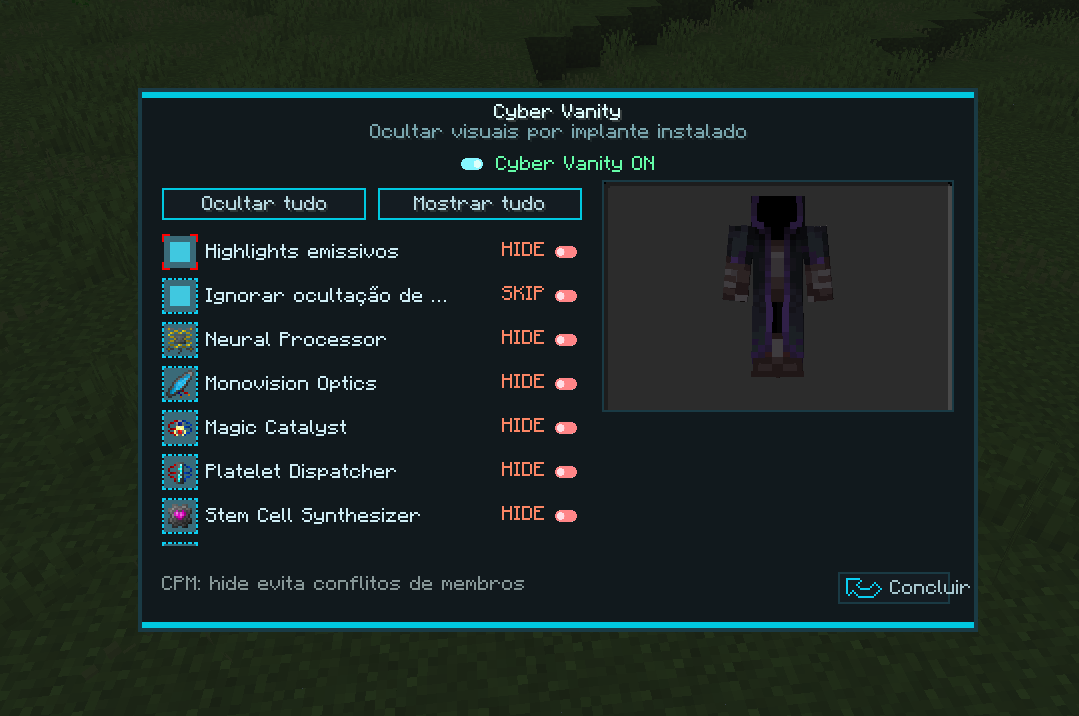 Cybernetics Vanity Without Vanity Menu
 -
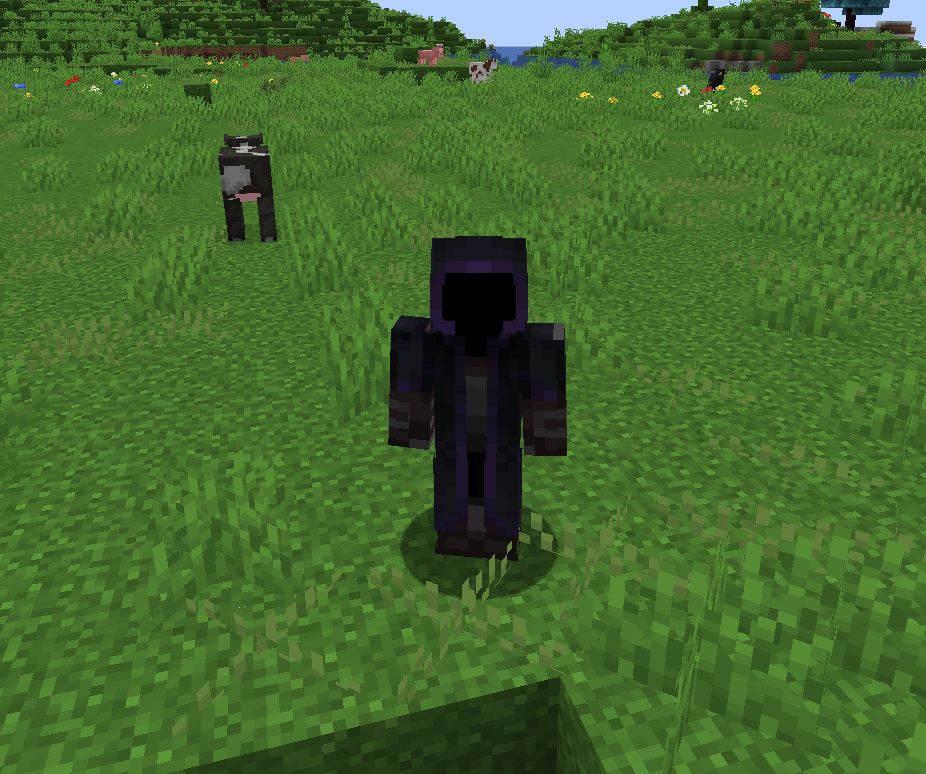 Cybernetics Vanity With Vanity Skin
Versions
Files
Relations
Project Relations
More like this
Similar Mods
Suggestions use data such as tags, dependencies, dependents, descriptions, titles, and more to rank how much they overlap with this mod.
On ModDex
Community snapshot
By the numbers
Statistics
Want to reach Minecraft players?
We're looking for a server hosting partner to feature here and other parts of the site. Interested? Send us a message!
Get in touchGet it on
Available Platforms
On ModDex
Community snapshot
By the numbers