
Community listing page, reviews here may not be monitored by the author.
Dark Graph

No reviews yet
A client mod that changes the debug graphs to use a dark theme.
Community voices
Reviews
No reviews yet. Be the first to review this project!
Get it on
Available Platforms
Compatibility
Supported Environments
Runs entirely on the client. Works on vanilla servers.
About
Project Details
For authors
Embed Badge
If you're the author of this project, you can embed a live badge anywhere that supports HTML or Markdown. It updates automatically whenever ratings change.
Use HTML for any page that supports it, or Markdown for README files and Markdown-based descriptions.
Identifiers
Platform IDs
About
Description
Dark Graph
A client mod that changes the debug graphs to use a dark theme. To access the frame time and Milliseconds per Tick (MSPT)/TPS graphs hold F3 then press 2, to switch to the network ping and bandwidth graphs hold F3 then press 3. The last open debug graph will stay open when you close the debug menu and you can select a graph either when opening the menu or while it is already open. Enter the keybind for the current open graph to toggle it off. For versions prior to 1.20.2 hold alt then press F3 to access the frame time and MSPT graphs.
When connected to a singleplayer world the bandwidth graph will be absent and the ping graph will be empty while listing 0ms ping. If you are connected to a dedicated server you will not see the MSPT graph as it is not sent to the client. If you would like to see it on your client you can install Server Tick on the server if it runs Fabric. Once you have done that all OPed players with Server Tick installed will be able to see it. You can also configure Server Tick to send it to all clients with the mod installed.
Inspiration
This mod was inspired by a mistake intentional design choice made by FoundationGames when making a promotional image for his mod Enhanced Block Entities.
Compatibility
This mod should work with almost any other mod unless if it modifies the part of the code this mod interfaces. Compatibility has been tested with other mods such as Sodium and Better F3. If you run into issues please report it on the issue tracker.
FAQ
-
Can you port to Forge?
- No, there are no plans to port to Forge at this time.
-
Can you port to another version?
- I will only port to newer versions of the game. All releases have their version limited to all minor releases of the current major version when released.
Screenshots
Gallery
-
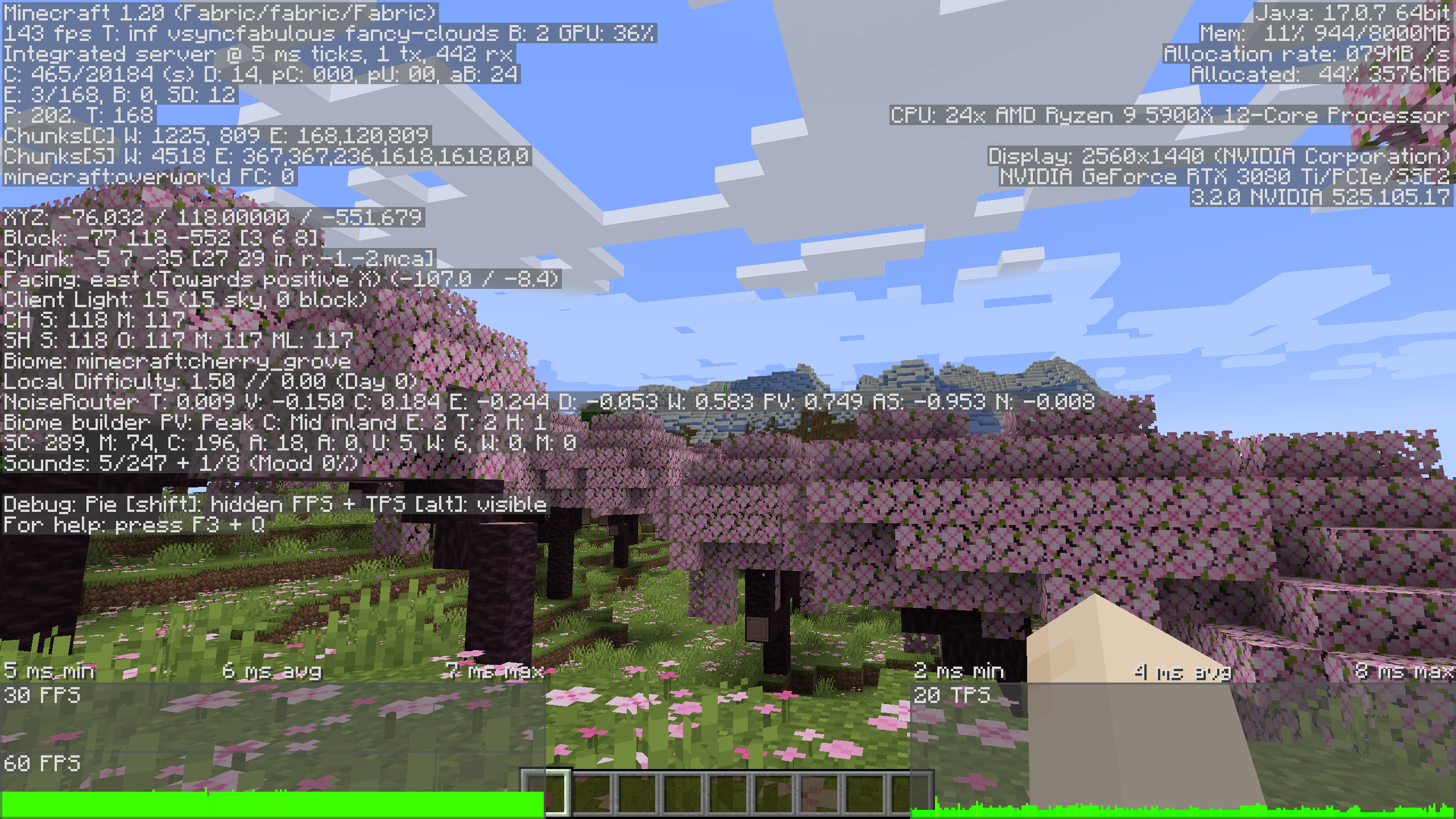 Dark Graph The outline of the frame and TPS graphs appear a dark gray opposed to white in Vanilla.
 -
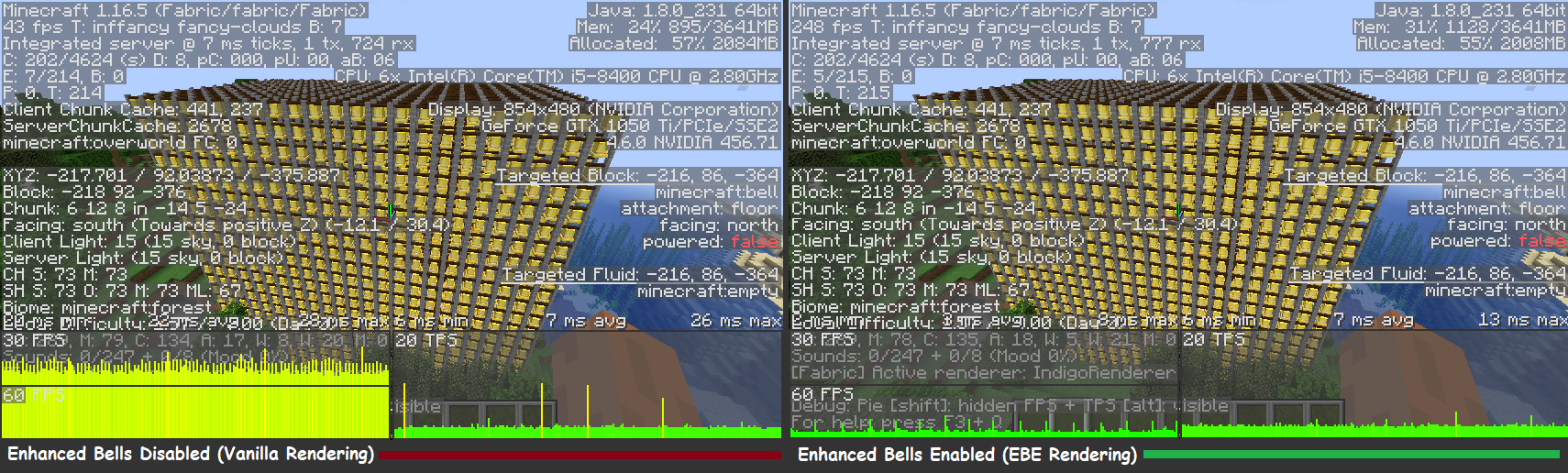 EBE promotional image This is the image made by FoundationGames that inspired the mod.
Versions
Files
Relations
Project Relations
More like this
Similar Mods
Suggestions use data such as tags, dependencies, dependents, descriptions, titles, and more to rank how much they overlap with this mod.
On ModDex
Community snapshot
By the numbers
Statistics

Want to reach Minecraft players?
We're looking for a server hosting partner to feature here and other parts of the site. Interested? Send us a message!
Get in touchGet it on
Available Platforms
On ModDex
Community snapshot
By the numbers