
Community listing page, reviews here may not be monitored by the author.
Dash - Dashboard

No reviews yet
A modern web admin dashboard for Minecraft servers with live stats, console access, files, player tools, permissions, backups, and NeoDash multi-server management.
Community voices
Reviews
No reviews yet. Be the first to review this project!
Get it on
Available Platforms
Compatibility
Supported Environments
Runs on a dedicated server only; does not work in singleplayer.
About
Project Details
For authors
Embed Badge
If you're the author of this project, you can embed a live badge anywhere that supports HTML or Markdown. It updates automatically whenever ratings change.
Use HTML for any page that supports it, or Markdown for README files and Markdown-based descriptions.
Identifiers
Platform IDs
Resources
External Links
About
Description
Dash
Dash is a self-hosted web admin dashboard for Minecraft servers.
Run a server without juggling terminal windows, FTP clients, config folders and disconnected admin plugins. Dash puts live performance, console access, player care, files, backups, reports, permissions, updates and recovery tools into one responsive browser workspace.
Dash is built as a family of native server dashboards:
| Project | Use it for | Install location |
|---|---|---|
| Dash | Paper, Purpur, Spigot, Bukkit and compatible servers | plugins/ |
| FabricDash | Fabric servers | mods/ |
| ForgeDash | NeoForge servers | mods/ |
| NeoDash | Optional central control plane for multiple servers | Linux host or Docker |
Each local dashboard is designed to manage the server it actually runs on. NeoDash is optional: use it when you want fleet-wide visibility, provisioning and signed handoff between multiple Dash-connected servers.
What Dash Gives You
Dash is not a generic hosting panel bolted onto Minecraft. It is a dashboard that understands a live server and its day-to-day operating work.
Use it to:
- See server health before players notice a problem
- Run commands and read the live console from a browser
- Manage players, moderation, inventories and linked Dash accounts
- Browse, edit, upload, download and safely organize server files
- Discover compatible plugins or mods through Modrinth
- Create verified backups, prepare maintenance and inspect recovery options
- Give staff exactly the permissions they need, with an audit trail behind sensitive actions
- Receive player reports through a dedicated public form without exposing the admin dashboard
- Move from one server to another through NeoDash without losing a secure, loader-native workflow
The interface is designed for real operations: compact controls, readable data, responsive layouts, keyboard support, useful loading and error states, reduced-motion support and navigation that keeps the current page visible until the next one is ready.
Server Overview and Live Console
The Dashboard gives you an immediate view of the state that matters:
- Server uptime and current Dash version
- TPS, MSPT, memory, CPU and loaded chunks
- Online player count and per-world activity
- Server start, restart and stop controls, protected by permissions
- Live charts for health and resource use
- Quick access to the live console and common administration actions
The remote console is built for browser-based administration, not just a static log viewer.
- Read current console output
- Send server commands from a focused command field
- Keep command history available for the session
- Clear the visible console view without deleting actual server logs
- Restrict access with server-side permissions
For historical metrics, Graphs provides real 1h, 6h, 24h and 7d ranges, live or paused refresh, responsive canvases, tooltips, empty states and JSON or CSV export.
Player Management and Player Profiles
Dash turns player administration into a proper workspace rather than a long, horizontally scrolling table.
- Responsive player cards for desktop and mobile
- Player names, UUIDs, status, ping, world and location
- Skin avatars and a click-to-open interactive 3D skin viewer
- Drag-to-rotate and scroll-to-zoom skin previews with a static fallback when 3D rendering is unavailable
- Player profiles, session history and staff notes
- Moderation controls for kick, ban, unban and whitelist actions where permitted
- Inventory and ender-chest tools where the active platform supports them
- Permission-aware actions instead of a one-size-fits-all admin surface
- Existing Dash-account links shown directly on the player record, with permitted account actions close by
The linked-account view matters for teams: an operator can see whether a Minecraft identity is already connected to a Dash user rather than having to guess from two separate systems.
Files, Plugins and Mods
The file manager is intentionally server-aware and guarded. It gives staff the useful controls without treating the server root like an unrestricted file browser.
- Whole-row file and folder interaction: click the file bubble, not a tiny filename target
- Browse folders, configuration, logs, worlds, plugins or mods
- Upload without throwing the page back to the top
- Create, edit, rename, download and delete files when the current role permits it
- Download folders as ZIP archives
- Detect binary files and preserve protected lock or PID files from unsafe actions
- Use canonical path handling, bounded uploads and safe archive rules behind the interface
The local Plugins or Mods workspace works together with Modrinth discovery:
- See installed plugins or mods and their local status
- Upload local JAR files when the server policy allows it
- Search Modrinth from the dashboard
- Filter results by the active server loader and exact Minecraft version
- Resolve an installable file for the correct platform and patch instead of showing unrelated projects
- Keep local loader maintenance in Dash, FabricDash or ForgeDash where the server context is exact
Tickets and Public Player Reports
Dash includes two connected but deliberately separate workflows: staff tickets inside Dash and public player reports outside it.
Staff tickets
The Tickets workspace includes:
- Inbox, My Tickets, New Report, Staff Notes and Report Links views
- Search, filters, pagination, statuses and priorities
- Replies and internal staff context
- Permission-aware status changes and deletion
- Clear empty, loading and validation states
Public reports without dashboard access
Every player can create a report without becoming a Dash administrator.
/dash ticketcreates a report link/dash report <player>prepares a player report- Links are short-lived, single-use and open a dedicated report-only website
- The report page never becomes a dashboard login screen and does not expose admin routes
- Reports can attach bounded automatic context such as reporter UUID, world, coordinates, ping and server version
- The public URL uses the configured HTTPS
report-url, so it can use the server's real SSL domain instead of a private IP or native HTTP address
Reports belong to the local Dash, FabricDash or ForgeDash server. NeoDash does not redirect an unauthenticated report user into the fleet panel.
Users, Roles, Permissions and Audit
Dash has its own dashboard user system for server teams.
- Create users, invite operators and assign role-based access
- Use built-in rank levels or configure custom roles
- Protect the Main Admin account and its sensitive controls
- Handle NeoDash-linked users through the signed bridge workflow
- Scope access to dashboard data, console, server controls, player actions, inventory tools, files, plugins or mods, users, settings, backups, reports, notifications and advanced workspaces
- Track important administrative actions in the audit log
The audit log provides useful operational evidence for events such as authentication, commands, file changes, settings changes, plugin or mod actions, backup workflows, report actions and approved high-risk changes.
Backups, Maintenance and Updates
Dash gives operators a more deliberate way to change and recover a server.
- Create verified backups with scoped content and retention controls
- Schedule backups and recurring server tasks such as
save-all - Keep restore points available for changes that need a recovery path
- Preview maintenance work and validate backups before high-risk actions
- Run restore drills, configuration-drift checks, capacity forecasts and compatibility checks
- Review installed extension state, update information and supported update paths
- Use digest-aware downloads rather than trusting a filename alone
Maintenance remains server-local. Fleet-wide planning, provisioning and lifecycle control belongs in NeoDash; loader-specific server work stays in the dashboard that owns the server.
Notifications and Delivery Health
Notifications are organized around actual destinations and delivery state rather than inactive placeholder fields.
- Overview of current notification state
- Destination configuration and test delivery
- Event selection for relevant server and security signals
- Delivery health and visible failure feedback
- Per-user or role-aware notification controls where configured
- Existing Discord delivery retained as a real server-backed integration
Intelligence Center
Intelligence is the advanced optional workspace for operators who need more than a health number. It is organized around the questions that arise during real incidents: what happened, what can safely change, who is affected and how do we recover?
Investigate
- Shadow Boot Lab with bounded input and safe failure results
- Root Cause Explorer
- Performance Regression Radar
- Plugin or mod Resource Attribution
- Guided Safe Mode
- Dependency and Impact Map
Change and recover
- State Time Machine
- Backup Content Explorer
- Adaptive Maintenance Window
- Action Guardrails
- Restore drills and recovery previews
- Configuration Drift and Capacity Forecasting
- Compatibility Center for loader-aware extension checks
Care for players and staff
- Player Journey Replay
- Support and Appeals Inbox
- Cross-Server Player Identity
- Player Experience Score
- Just-in-Time Staff Access
- Dual-Control Actions
Protect the service
- Retention Center
- Supply Chain Center
- Config Schema Assistant
- Universal Search
- World Health Center
- Storage Intelligence
- Service Level Dashboard
- Operator War Room
- Public Status Page
Intelligence is beta-gated by default. It can be enabled during setup or later in Settings, and can be disabled again without removing the standard dashboard.
Guardian
Guardian keeps security evidence, investigation and recovery in a focused workspace instead of an endless page.
- Investigate event evidence and nearby history
- Work with cases, staff notes and targeted search
- Review protection policies, activity and alerts
- Use recovery previews and guarded rollback or restore actions
- Configure retention while keeping destructive work permission-gated
- Page long activity streams so event timelines remain usable
Guardian is optional and can be disabled independently. High-impact actions stay server-authorized, previewed and audited.
Dash AI: Optional, Consent-First and Guarded
Dash AI replaces the former Dash Doctor tab as an optional AI assistant for analysis and guarded action proposals. It is disabled by default.
When a Main Admin explicitly enables it, Dash AI can use a server-side Google Gemini API key. The key is never sent to browser code. The workflow requires versioned owner consent and per-operator consent before provider calls are allowed.
- Encrypted local key vault or environment-provided key support
- Masked key fingerprint, test, rotation and removal controls
- Selectable model, thinking and bounded quota controls
- Sanitized, explicitly selected context only
- Redaction for credentials, tokens, cookies, email addresses and IP addresses
- Cancellable streaming replies, timeouts, bounded retries and clear provider errors
- Local user-isolated conversation retention for 30 days
- No provider calls or background agent work while AI is disabled
Read-only tools such as health, metrics, bounded logs, players, extension inventory, backups and Intelligence or Guardian summaries may run automatically when allowed. Mutations never run just because a model suggests them. A supported mutation becomes an expiring proposal, then must pass current permissions, CSRF checks, reason capture, confirmation, replay prevention, restore-point requirements and audit logging before it can execute.
Deterministic crash and log diagnostics remain available in Maintenance even when Dash AI is disabled.
A Dashboard That Fits Your Team
The first-run setup provides three sensible starting profiles:
- Light: dashboard, console, players, files, extensions, updates and essential settings
- Normal (recommended): Light plus tickets, notifications, graphs, users, audit and plugin settings
- Full functionality: Normal plus every advanced administration workspace
Advanced beta workspaces are a separate opt-in. Dash AI, Intelligence, Maintenance and Guardian can be controlled individually through feature availability settings.
The sidebar is customizable directly where it is used:
- Drag items with a mouse or touch and long-press interaction
- Reorder entries to match the team's working sequence
- Hide unused items
- Restore hidden items from the customization list
- Keep the chosen order locally between visits
English, German, Spanish and further interface languages are available through the user language selector.
NeoDash: Optional Multi-Server Management
NeoDash is the central control plane for the Dash ecosystem. Install it when you operate more than one server or want a dedicated Linux-host management surface.
NeoDash repository: https://github.com/Framepersecond/NeoDash
With NeoDash, you can:
- View connected servers and fleet health in one place
- Start, stop, restart, create, install and scan server directories
- Provision Paper, Fabric, Quilt, NeoForge and Vanilla servers
- Select Minecraft 1.21 through 1.21.11 or 26.2 with the appropriate Java runtime
- Resolve the correct stable Dash artifact from Modrinth by loader and exact Minecraft version
- Manage fleet users, roles, assignments, audit history, groups and updates
- Run verified backups, scoped restores and optional Google Drive mirroring
- Open Dash, FabricDash and ForgeDash through signed, replay-protected SSO
- Keep plugin dashboard return links on the configured public HTTPS NeoDash domain
NeoDash is optional. A single server can run Dash, FabricDash or ForgeDash perfectly well on its own.
NeoDash quick install
curl -sSL https://raw.githubusercontent.com/Framepersecond/NeoDash/main/install.sh | bash
Native Linux is recommended. Docker artifacts are also available. Java 25 is required when NeoDash directly manages Minecraft 26.2 workloads.
Compatibility and Installation
Choose the build that matches both the server loader and exact Minecraft version.
| Server | Artifact | Runtime |
|---|---|---|
| Paper, Purpur, Spigot, Bukkit 1.21.x | dash-*.jar |
Java 21 |
| Paper, Purpur, Spigot, Bukkit 26.2 | dash-*.jar |
Java 25 |
| Fabric 1.21 through 1.21.11 | matching fabricdash-mc1.21.x-*.jar |
Java 21 and Fabric Loader 0.19.5+ |
| Fabric 26.2 | fabricdash-mc26.2-*.jar |
Java 25 and Fabric Loader 0.19.5+ |
| NeoForge 1.21 through 1.21.11 | matching forgedash-mc1.21.x-*.jar |
Java 21 |
| NeoForge 26.2 | forgedash-mc26.2-*.jar |
Java 25 |
Paper, Spigot, Purpur and Bukkit
- Download Dash.
- Place the JAR in
plugins/. - Restart the server.
- Run
/dash registeras an operator. - Open the one-time setup link and create the first administrator.
Fabric and NeoForge
- Download the artifact built for the exact Minecraft version.
- Place it in
mods/. - Restart the server.
- Run
/dash registeras an operator. - Complete the one-time setup.
Security Notice
Dash is powerful because it can control a real server. Treat the dashboard with the same care as console or host access.
- Use HTTPS or a trusted reverse proxy
- Set
report-urlto the public HTTPS dashboard origin before sharing report links - Use strong, unique credentials and protect the Main Admin account
- Grant the smallest practical role to each operator
- Review the audit log and notification delivery health
- Keep console, files, updates, backups and advanced mutation permissions restricted to trusted staff
- Do not submit secrets or unnecessary personal data to Dash AI
Dash enforces authenticated sessions, CSRF protection, server-side permissions, canonical path checks, bounded requests and uploads, protected-file rules, guarded archive handling, digest-aware downloads and action audit logging. Sensitive key material stays server-side and is masked in the interface.
Projects
-
Dash - Paper, Purpur, Spigot, Bukkit and compatible servers
https://github.com/Framepersecond/Dash -
FabricDash - Fabric servers
https://github.com/Framepersecond/FabricDash -
ForgeDash - NeoForge servers
https://github.com/Framepersecond/ForgeDash -
NeoDash - optional central control plane
https://github.com/Framepersecond/NeoDash
Dash gives a single server a serious web administration surface. Add NeoDash when that server becomes a fleet.
Screenshots
Gallery
-
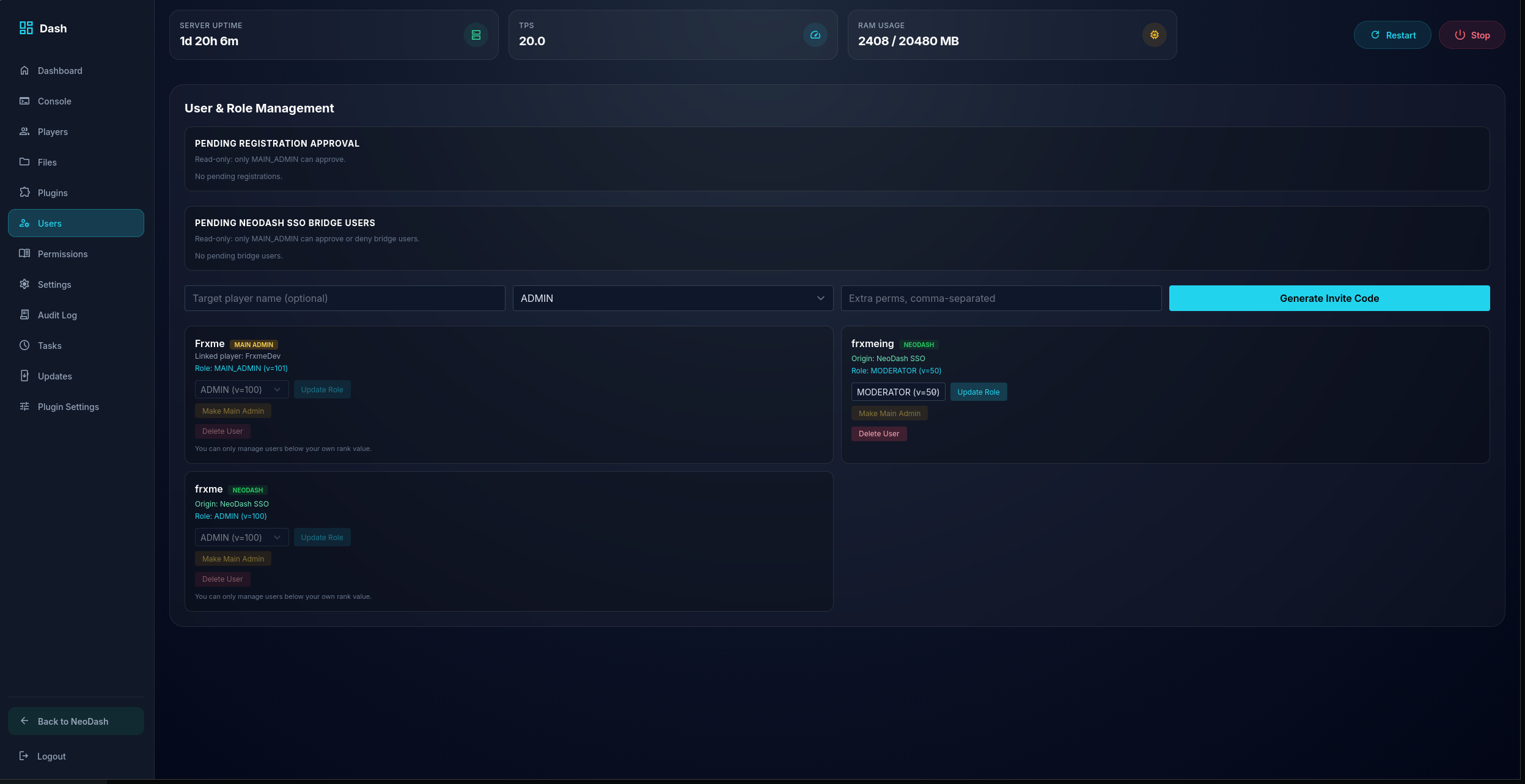 Dash - Users
 -
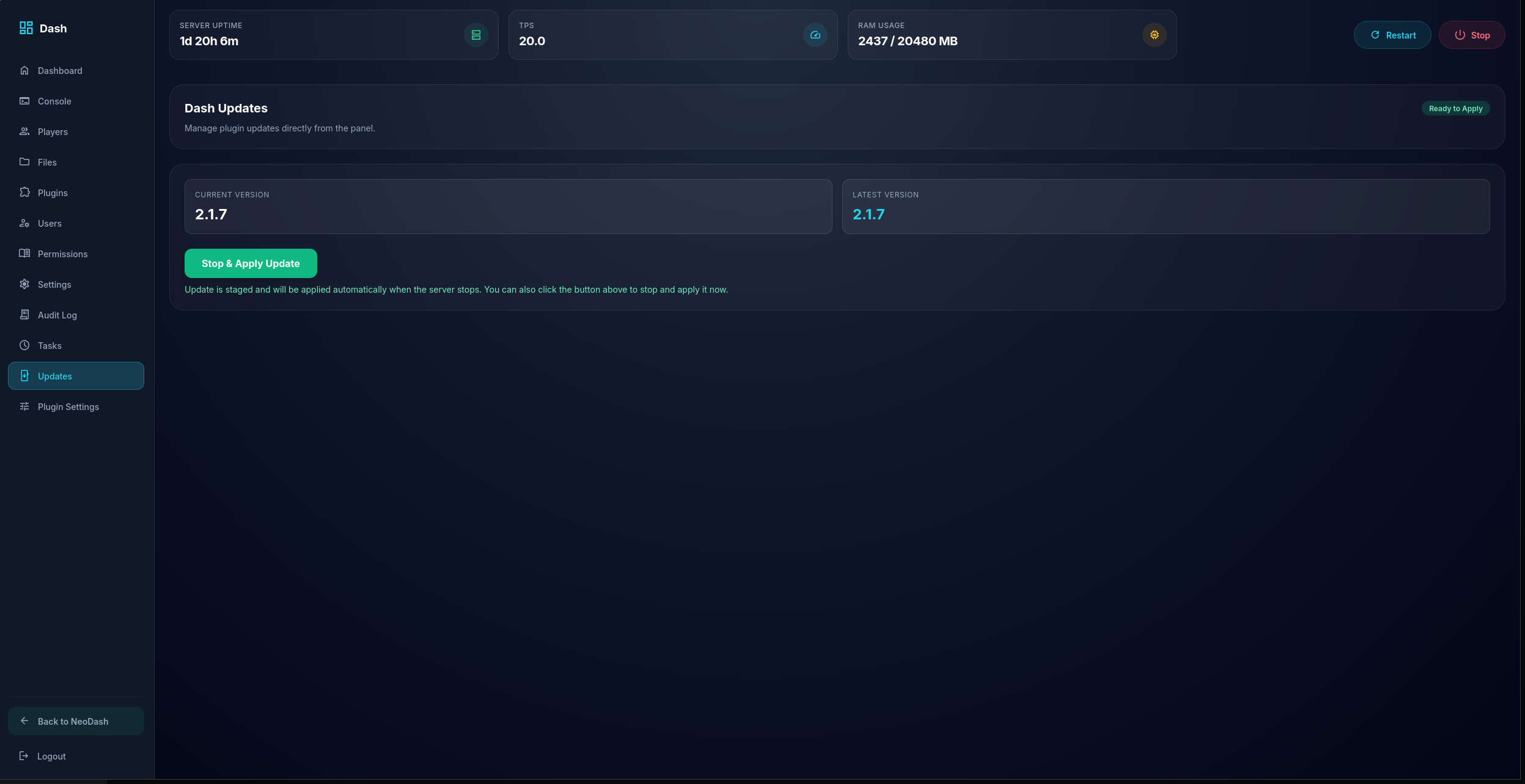 Dash - Auto Updater
 -
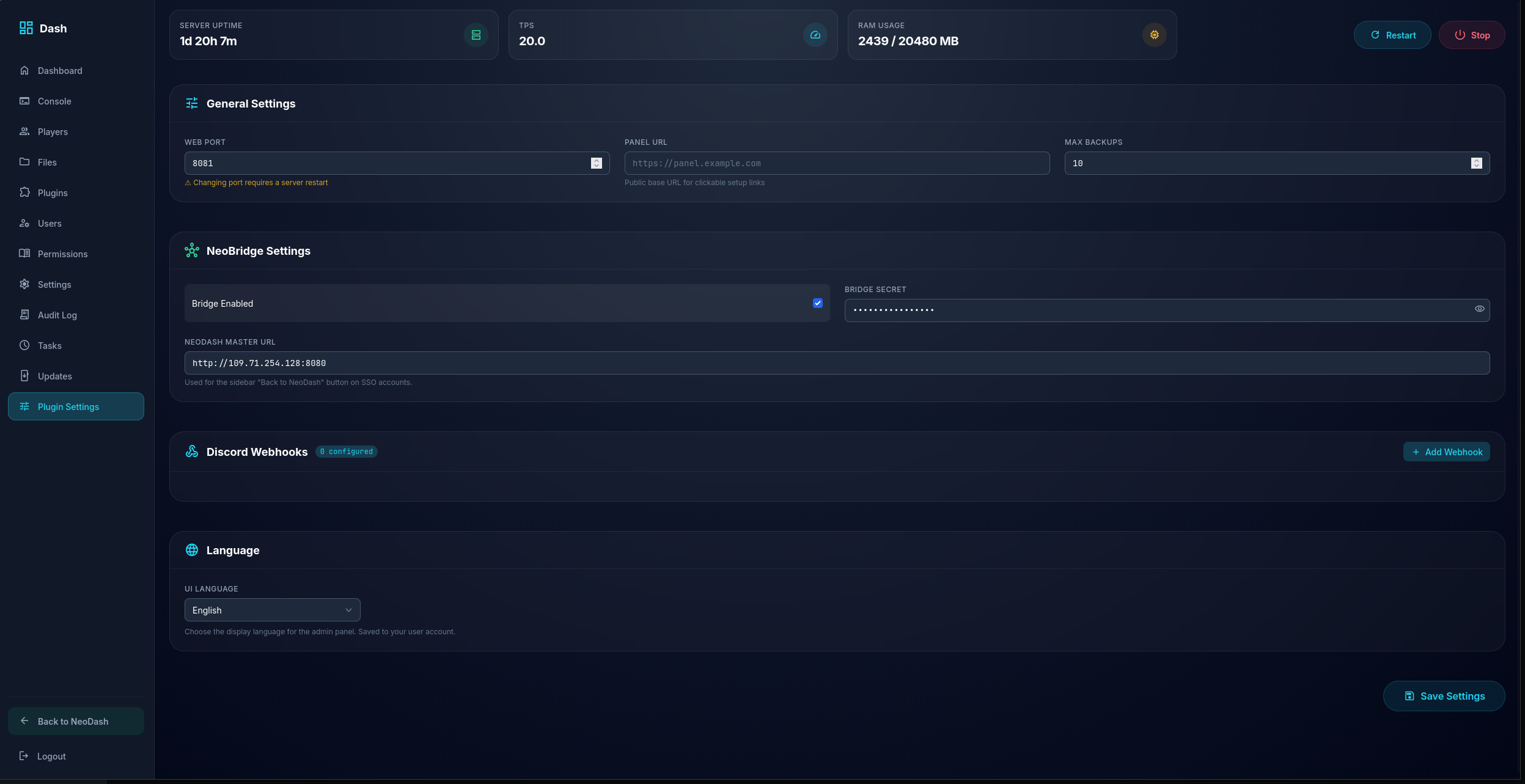 Dash - Plugin/Mod Settings May vary depending on you chosen version
 -
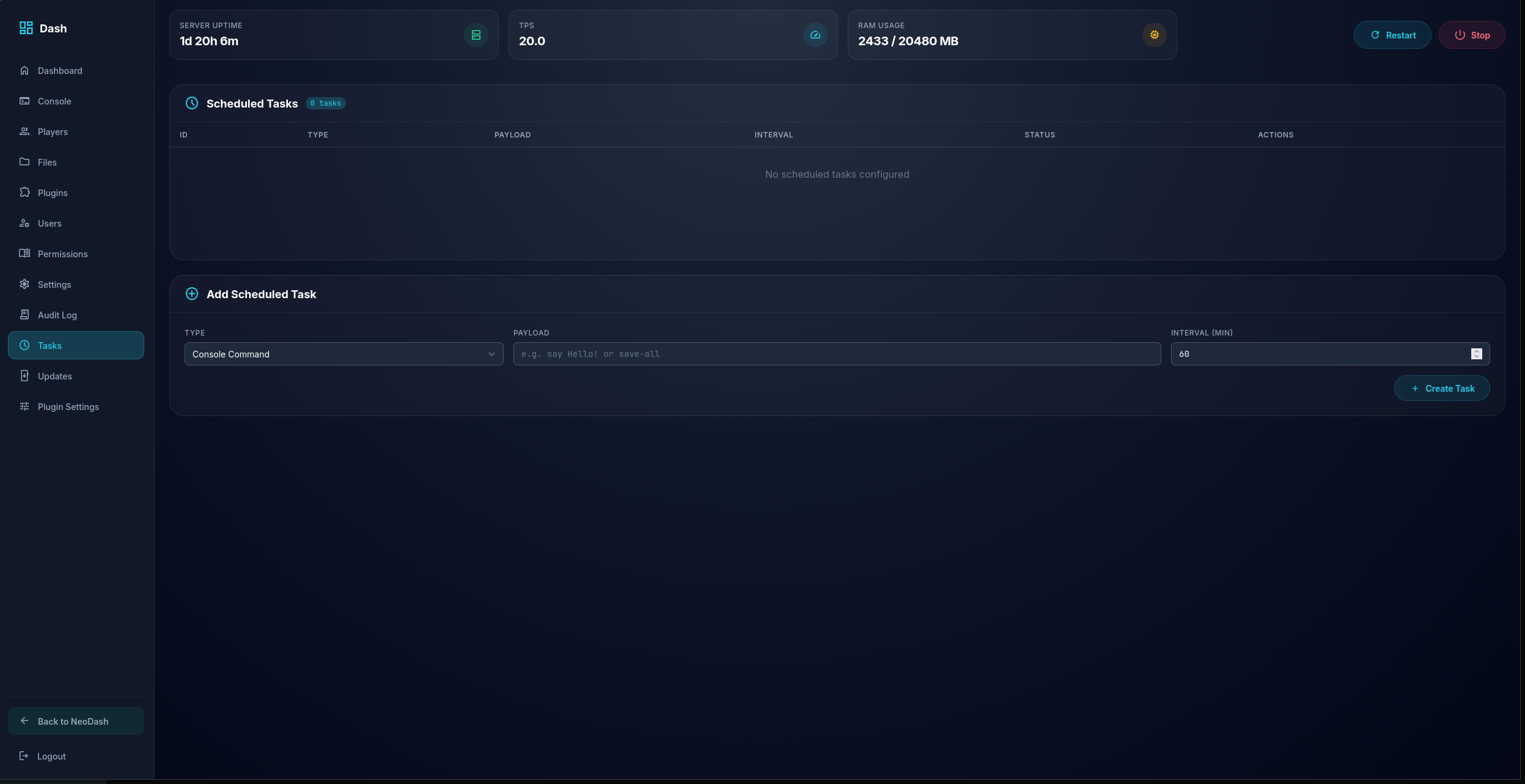 Dash - Tasks Schedule Tasks
 -
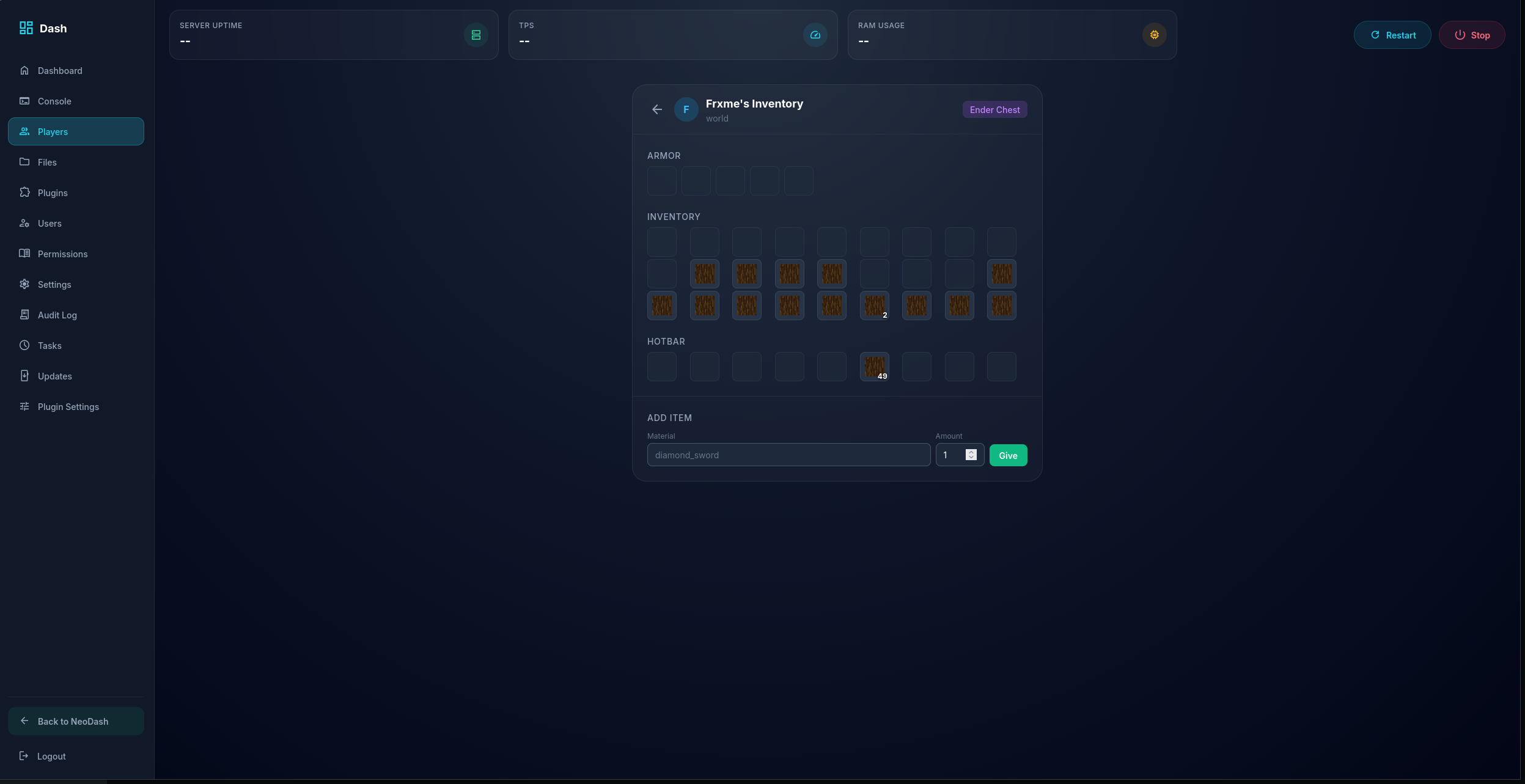 Dash - Inventory Example
 -
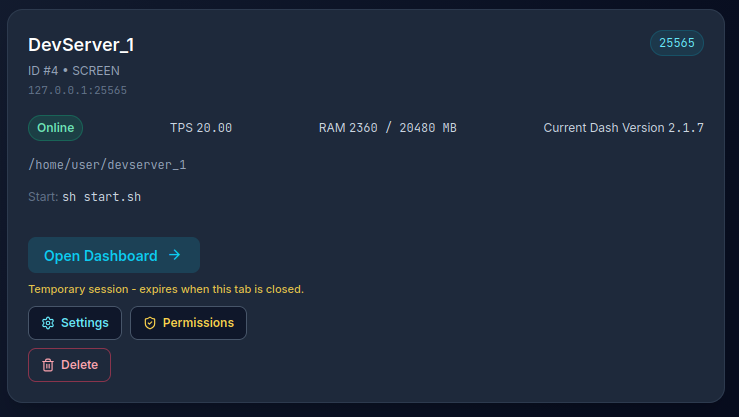 NeoDash - Server Panel
 -
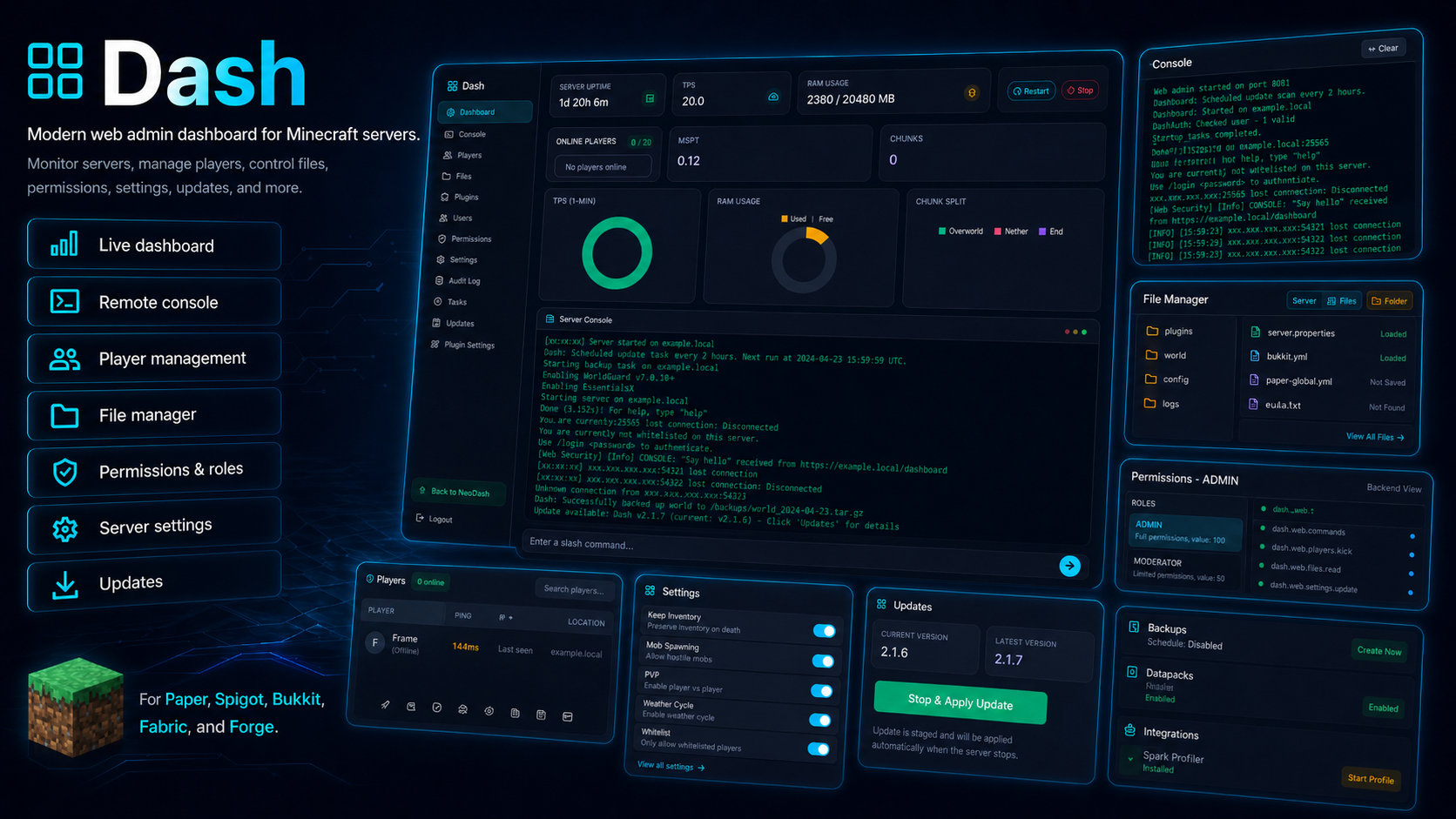 Dash - Overview
 -
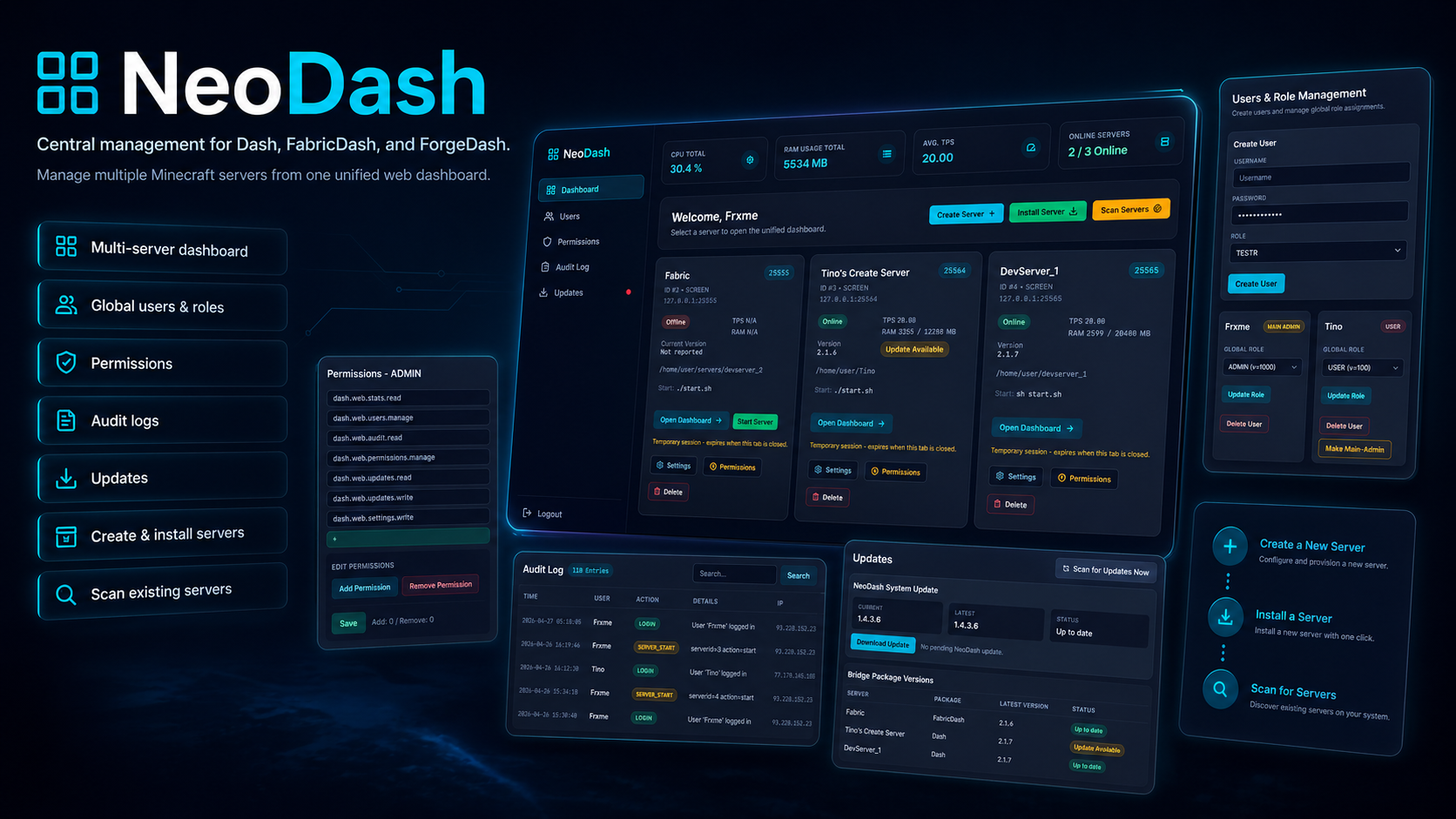 NeoDash - Feature
 -
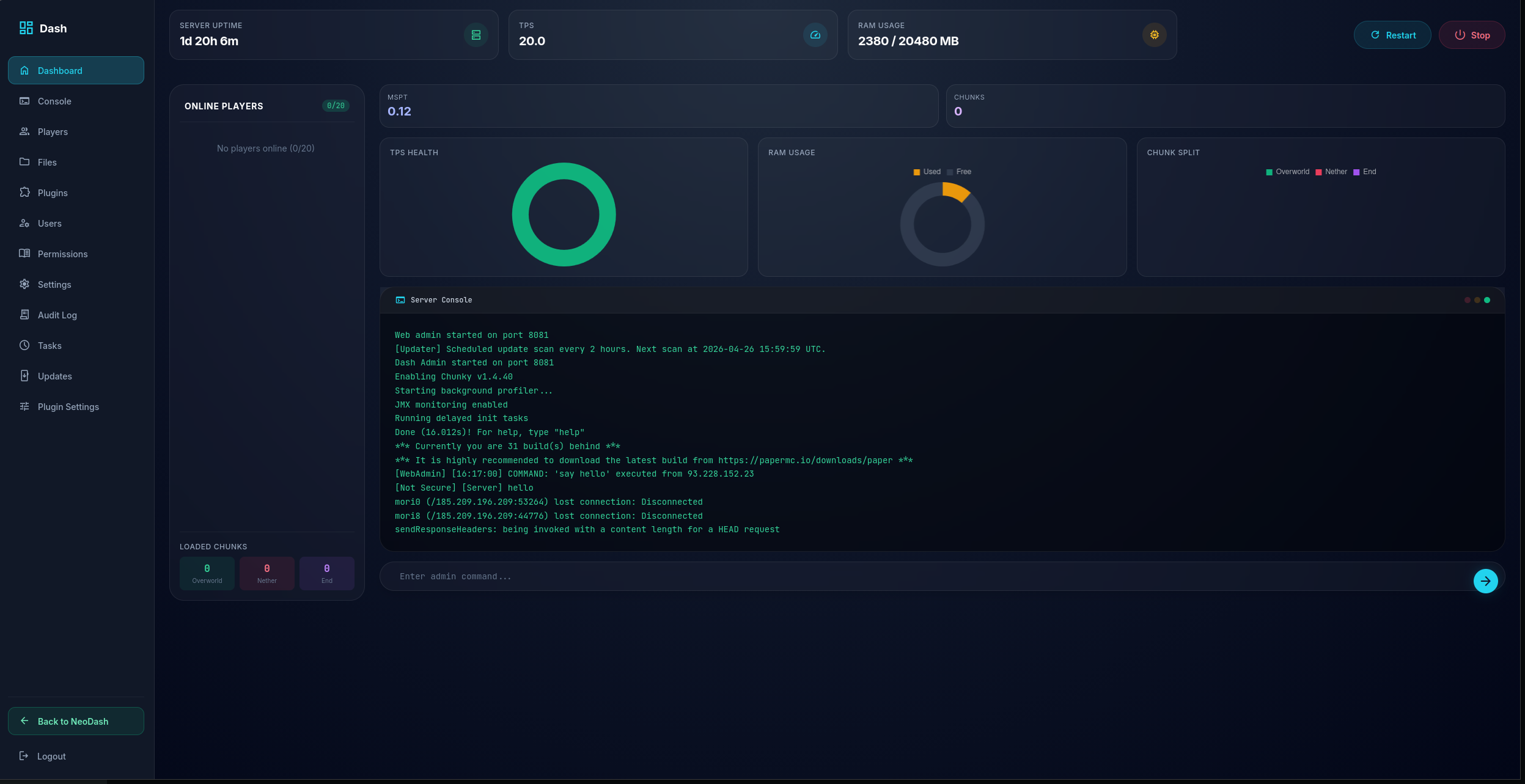 Dash - Dashboard
 -
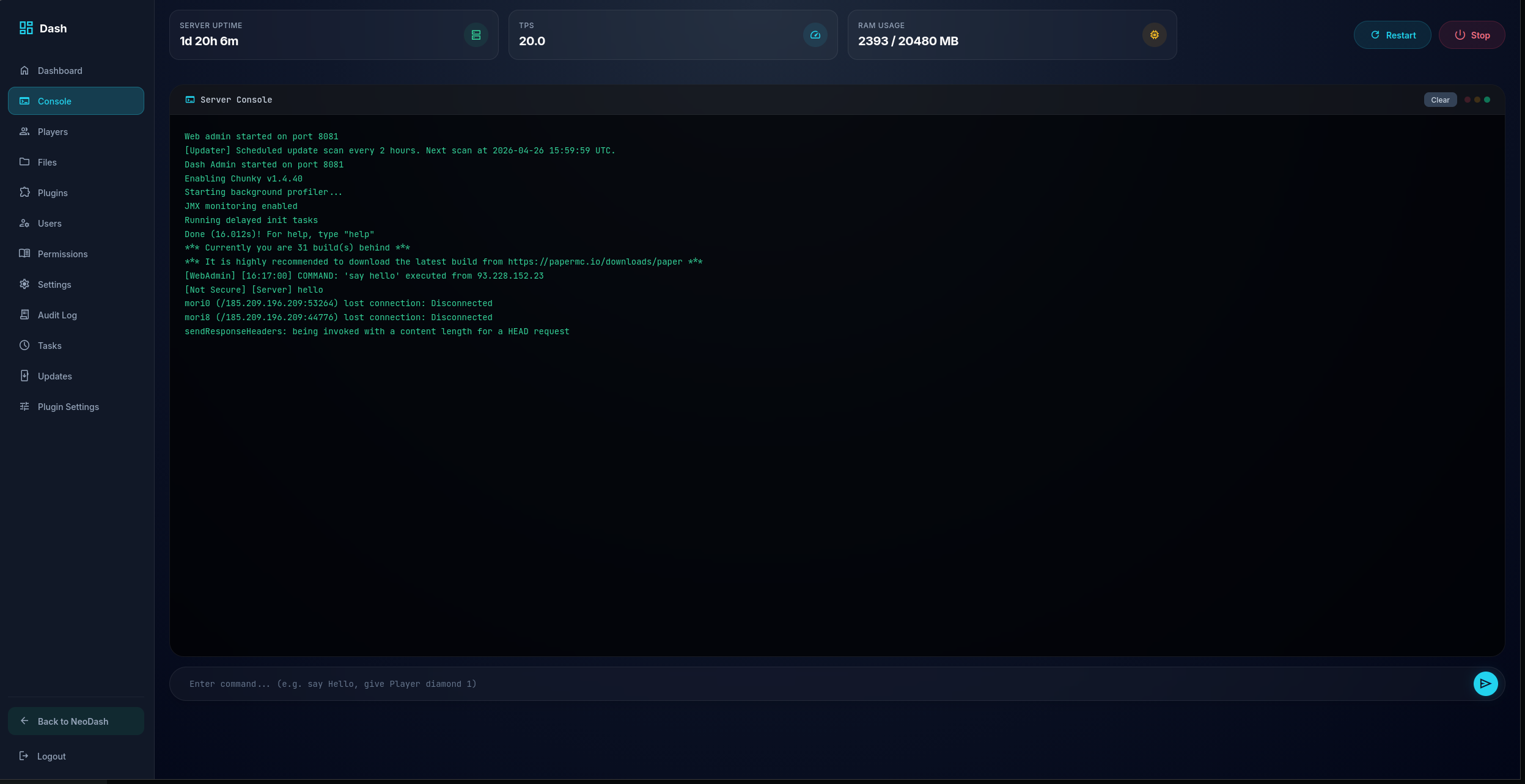 Dash - Console
 -
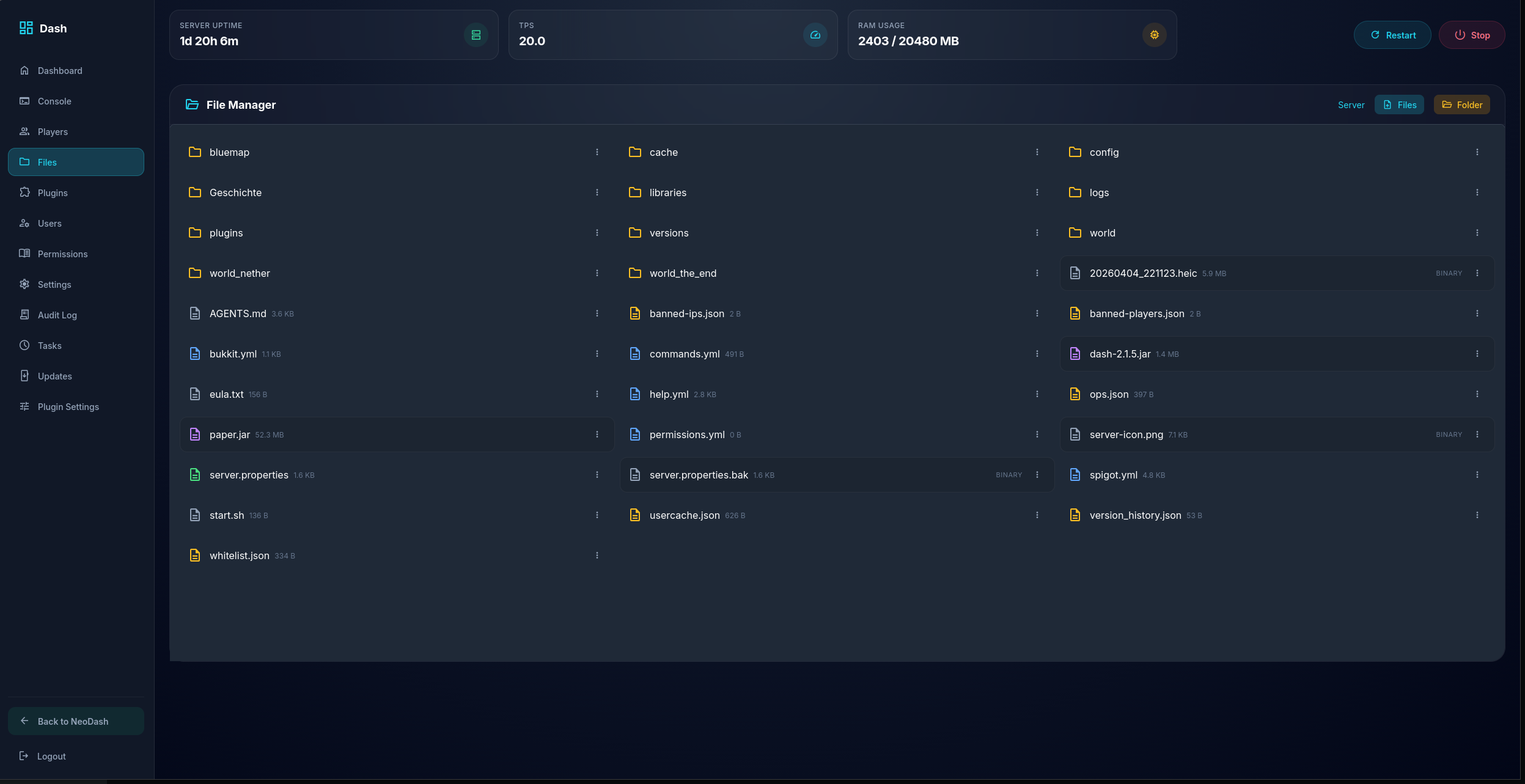 Dash - Files
 -
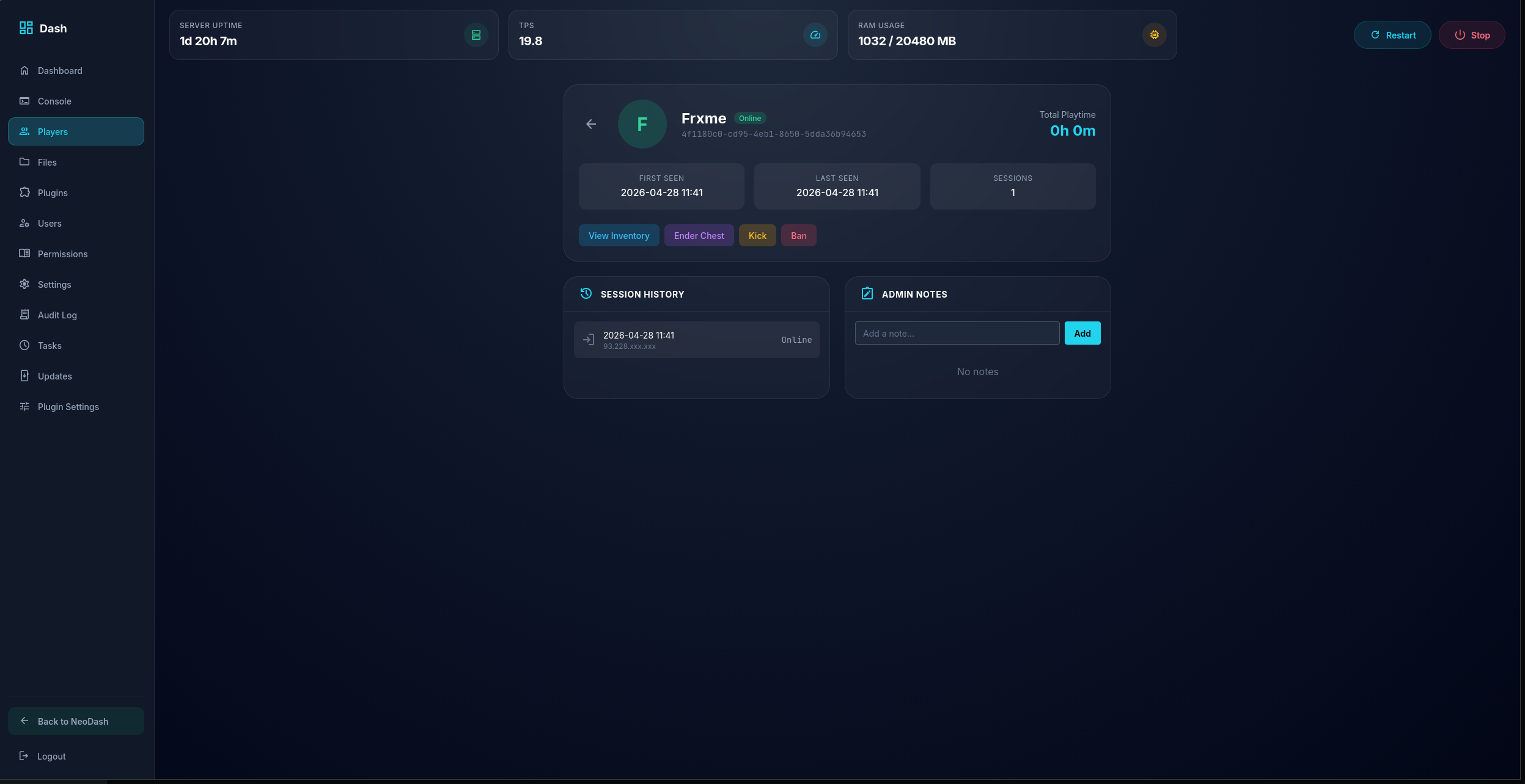 Dash - Player Page Example
 -
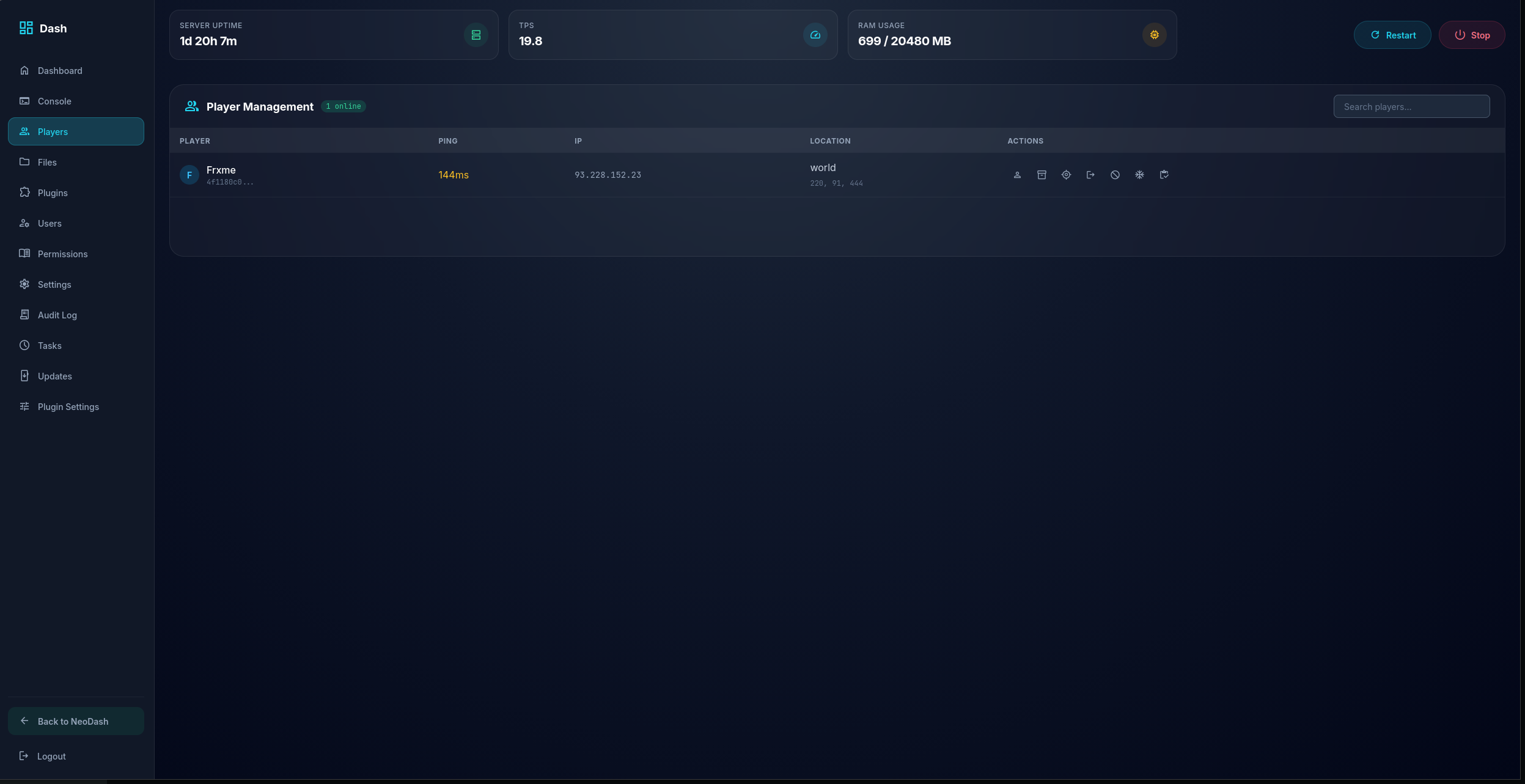 Dash - Player Management
 -
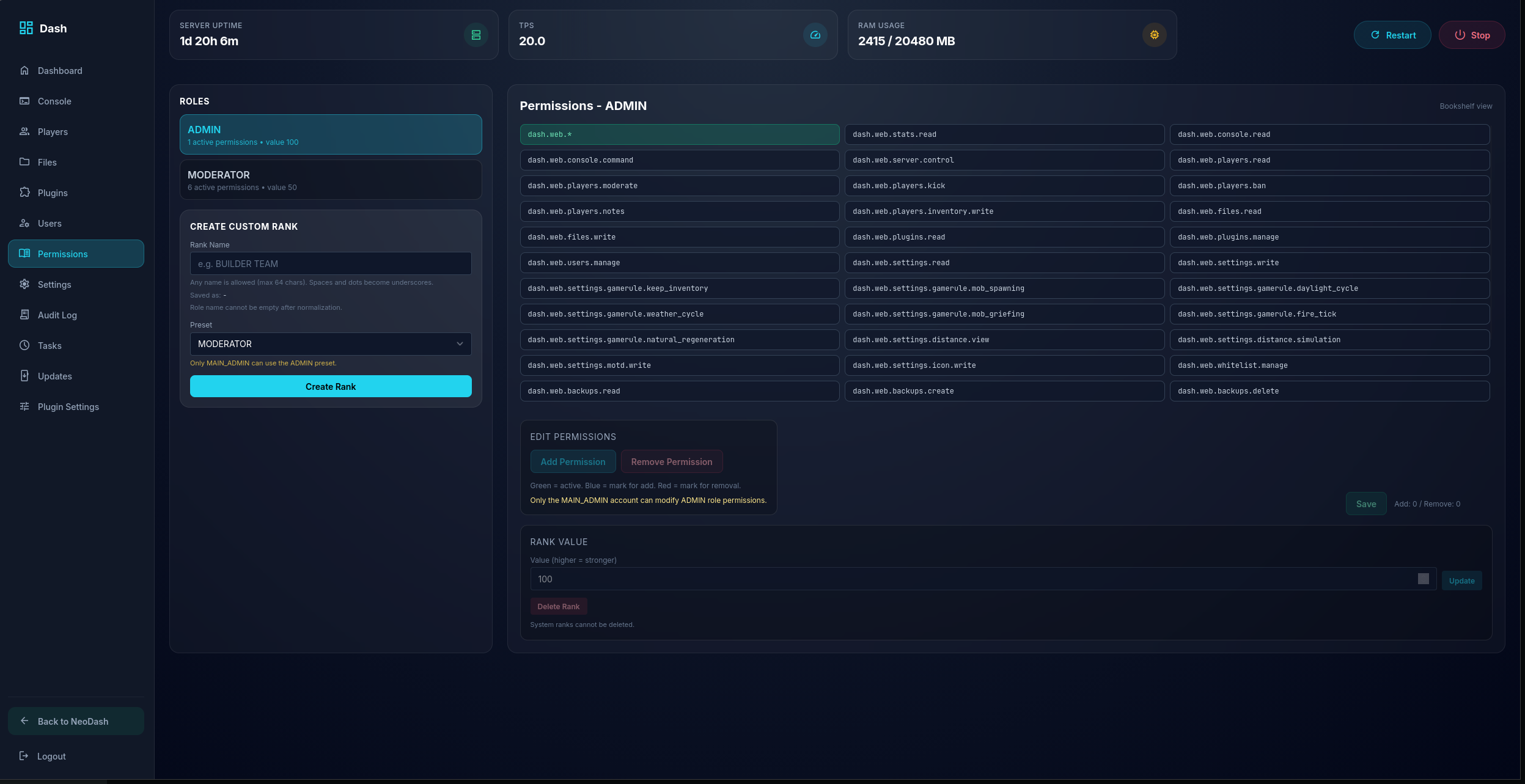 Dash - Permissions
 -
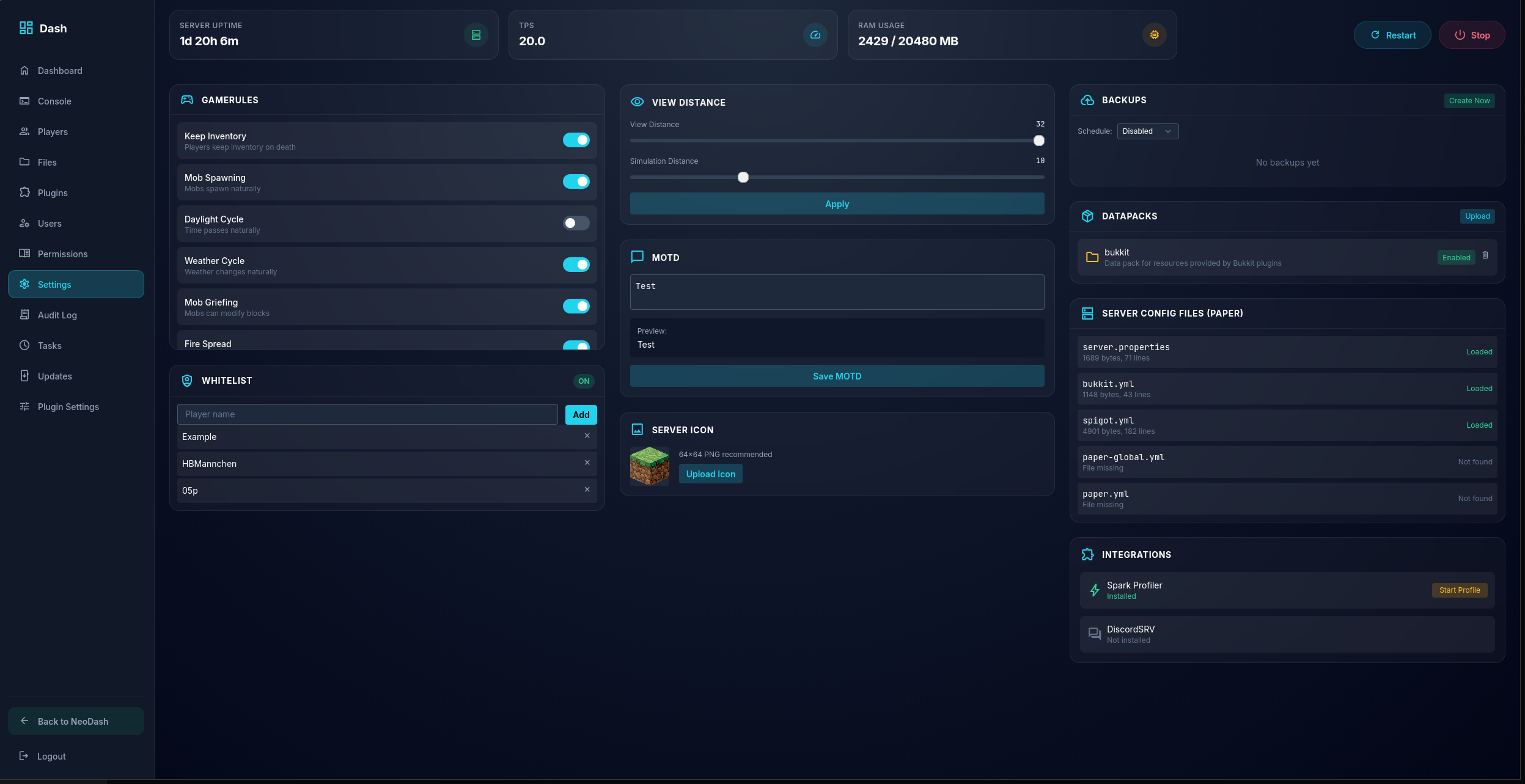 Dash - Settings May vary based on Version
 -
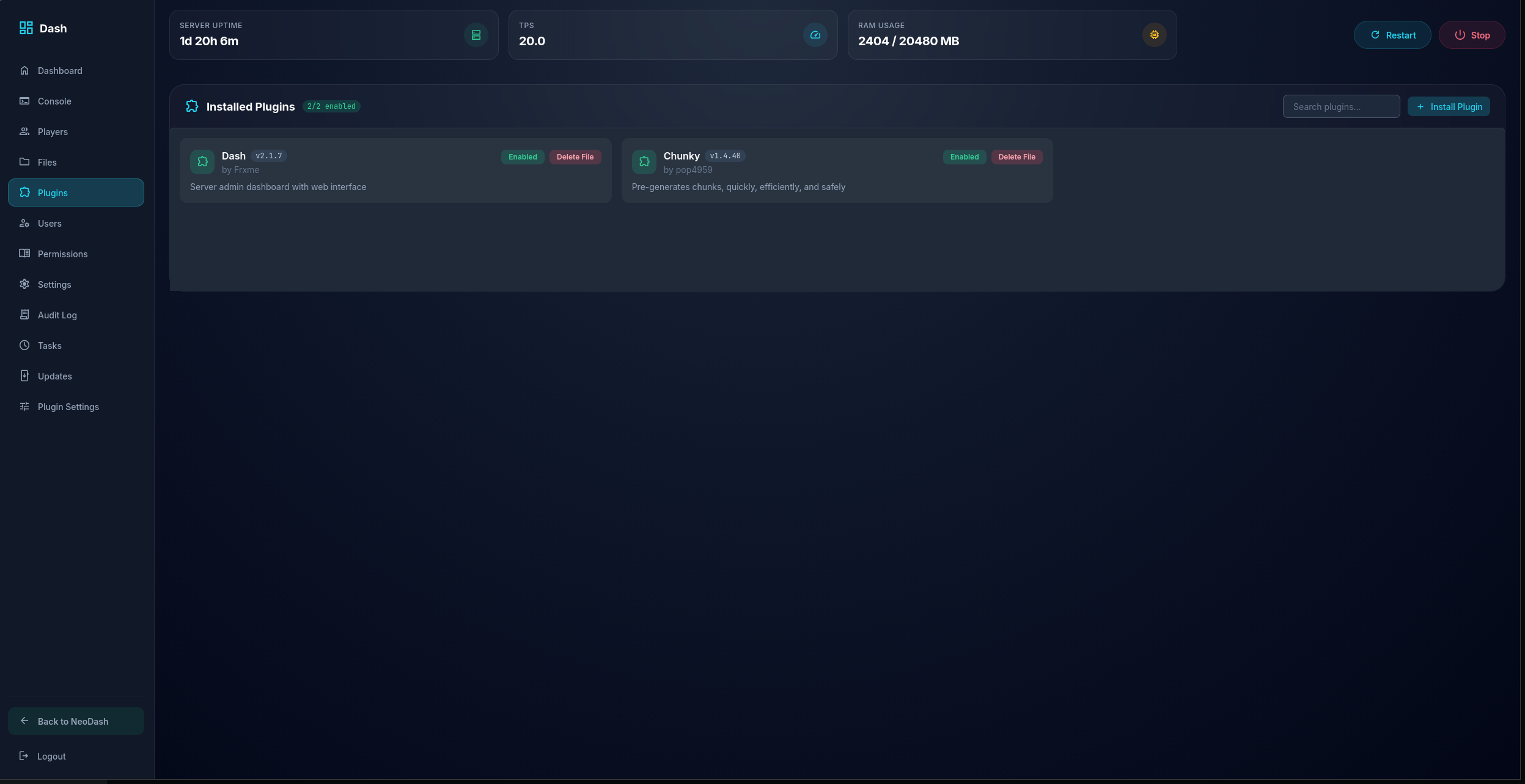 Dash - Plugins/Mods
 -
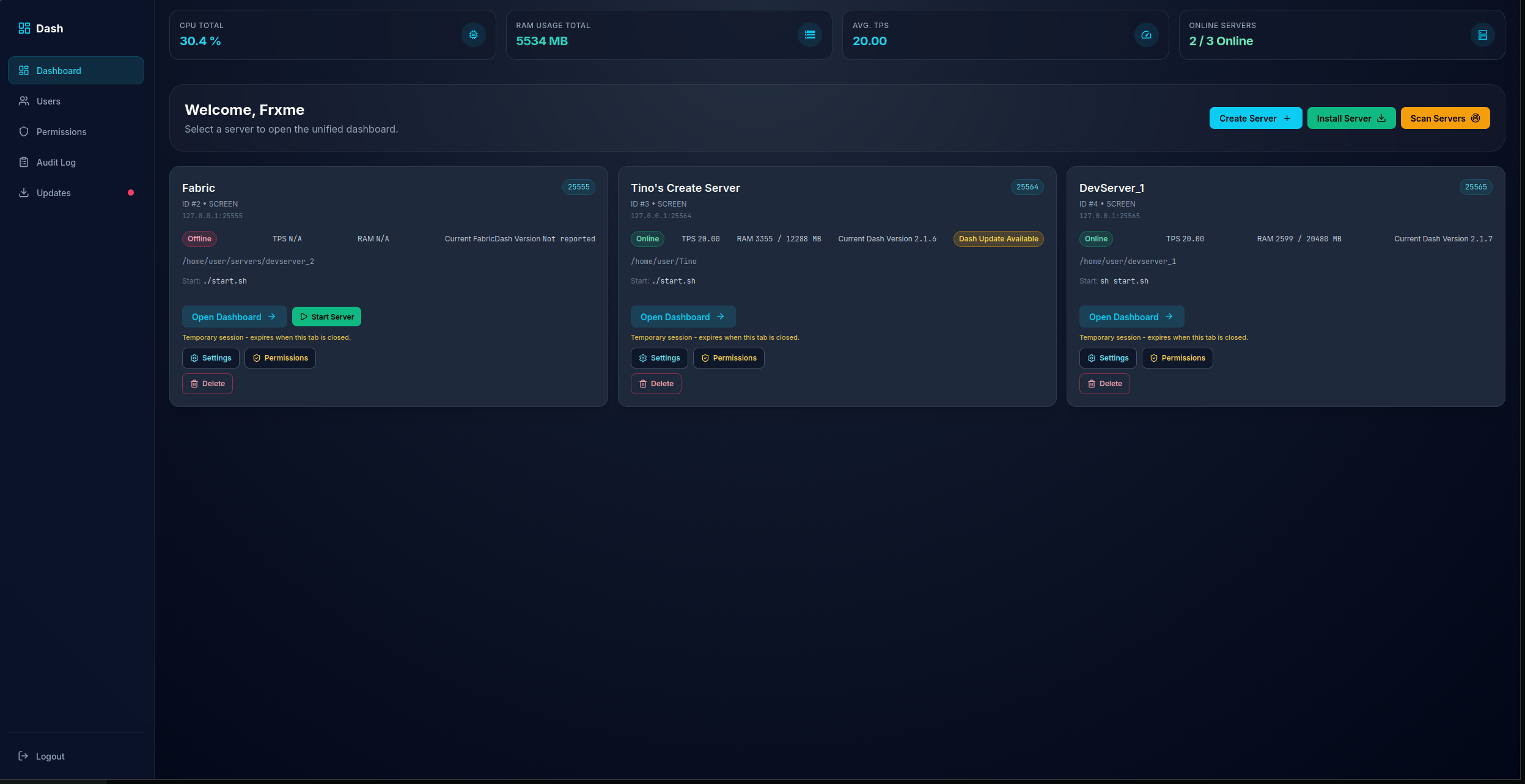 NeoDash - Dashboard
 -
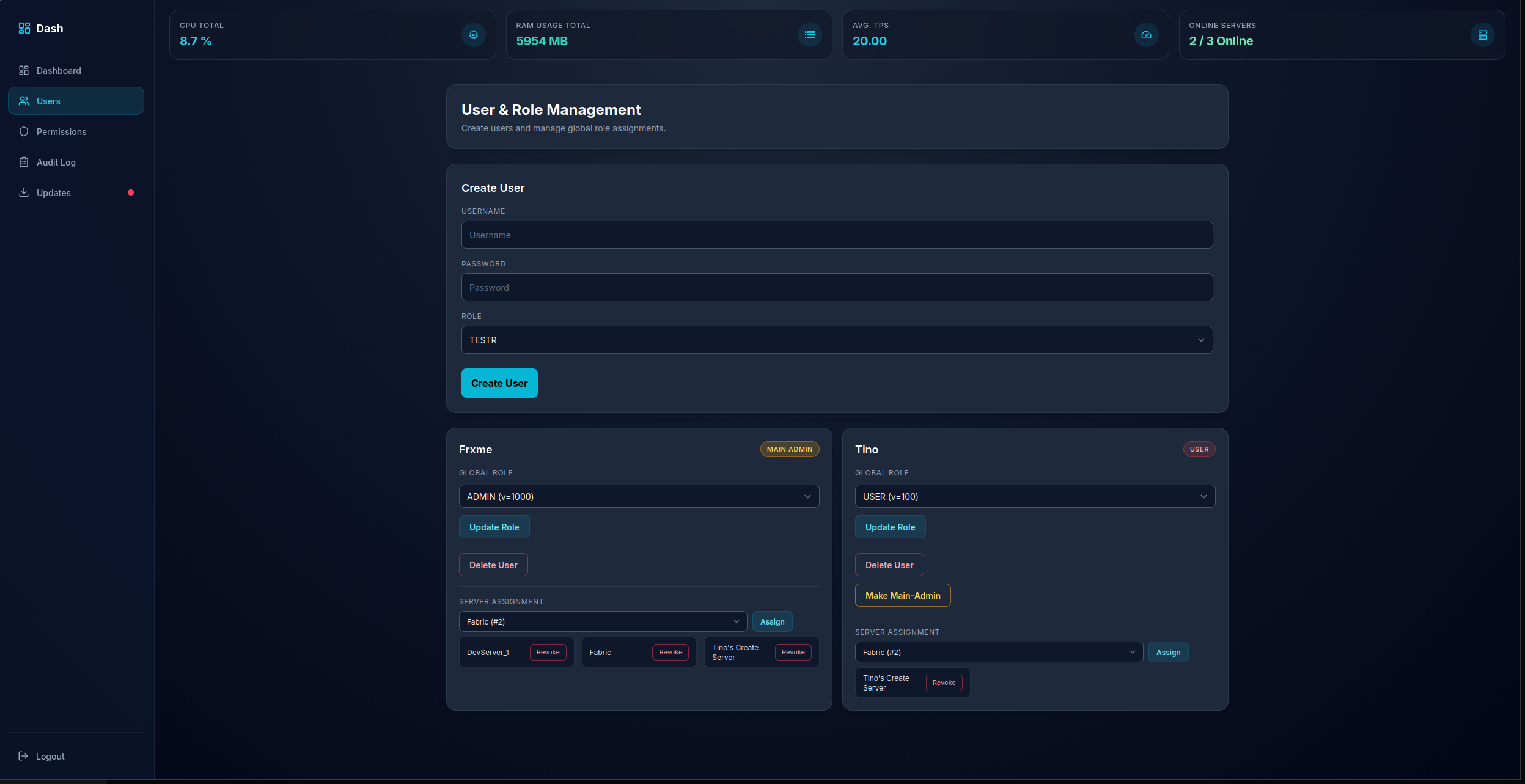 NeoDash - Users
 -
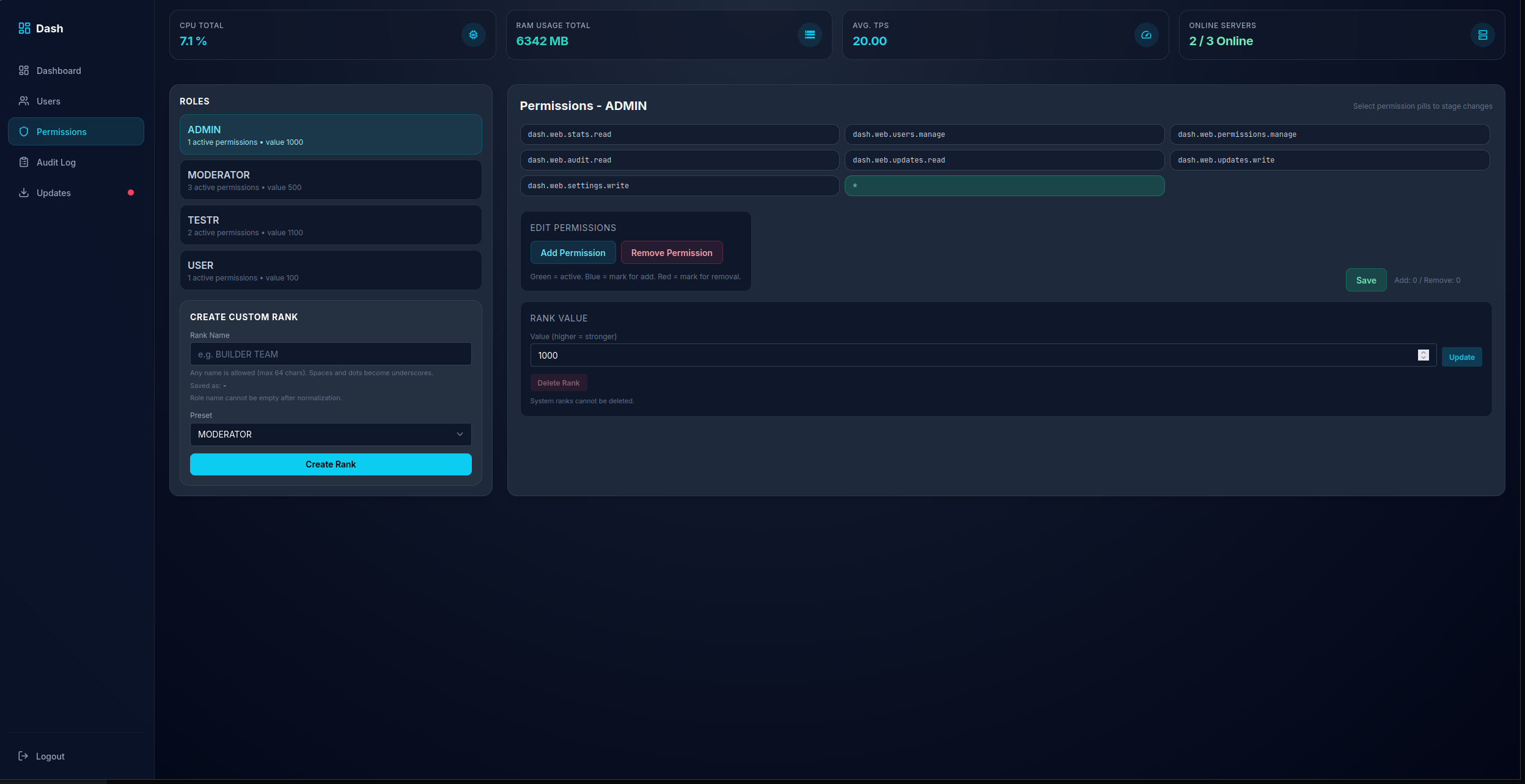 NeoDash - Permissions
 -
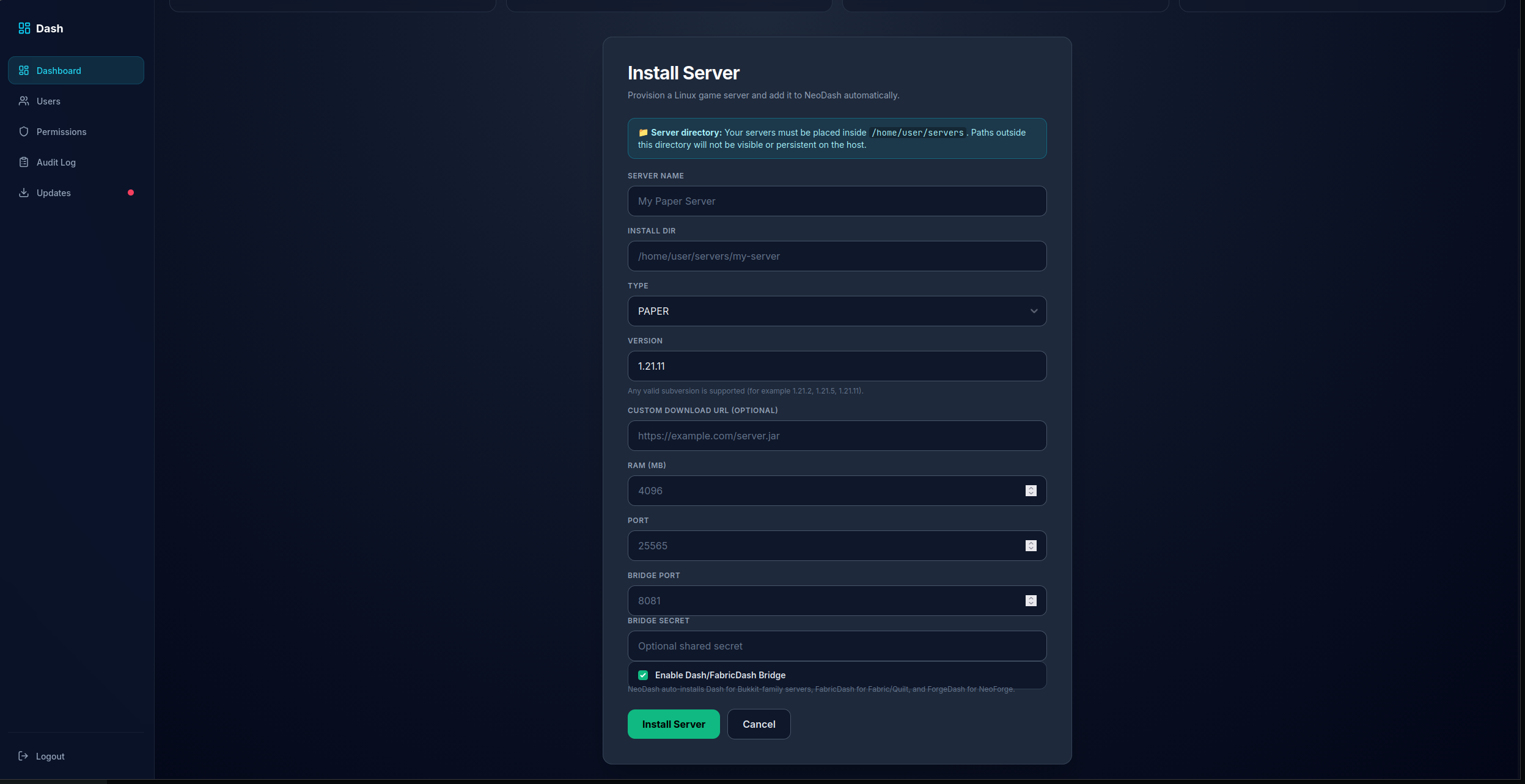 NeoDash - Install Server's
 -
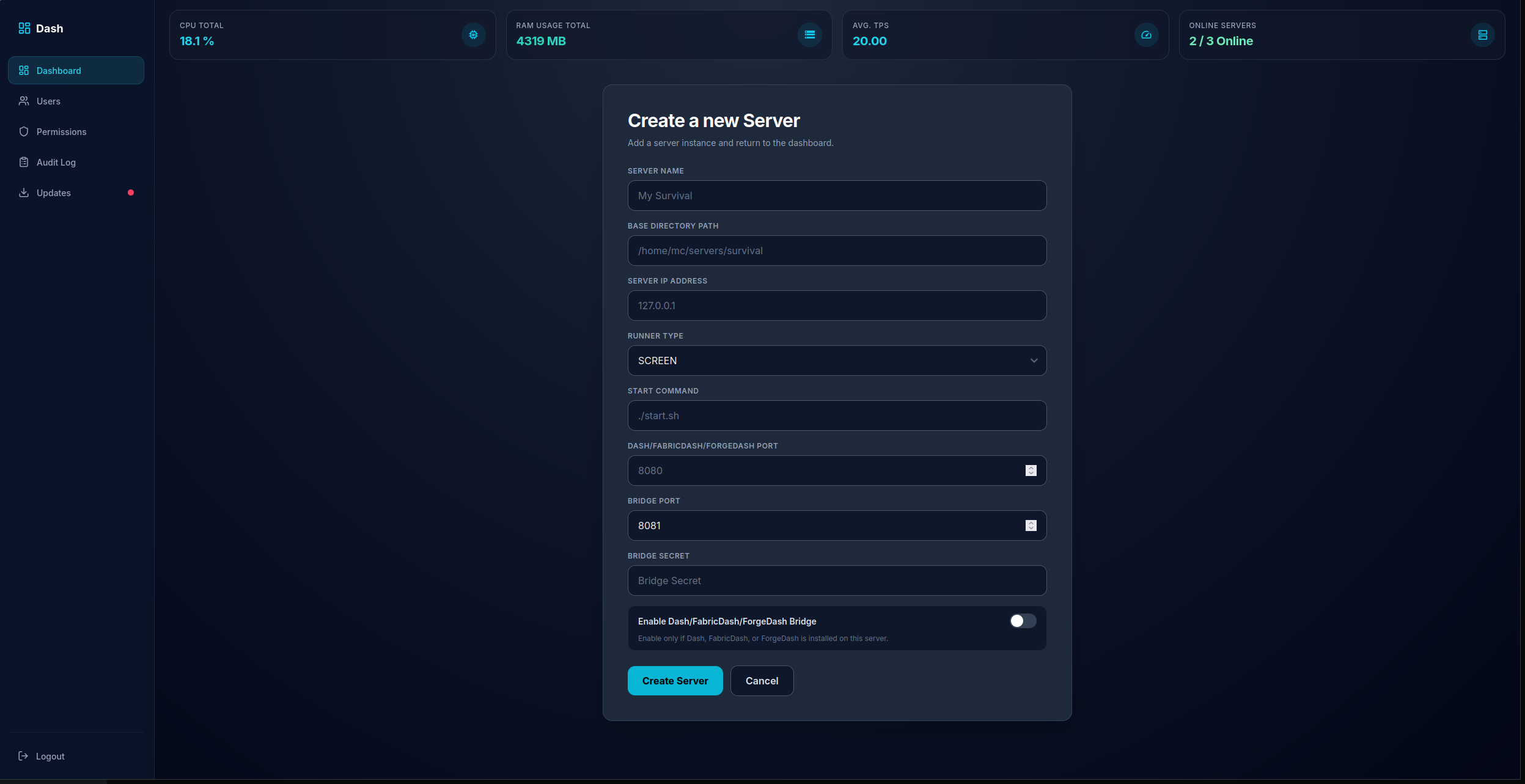 NeoDash - Create a new Server
 -
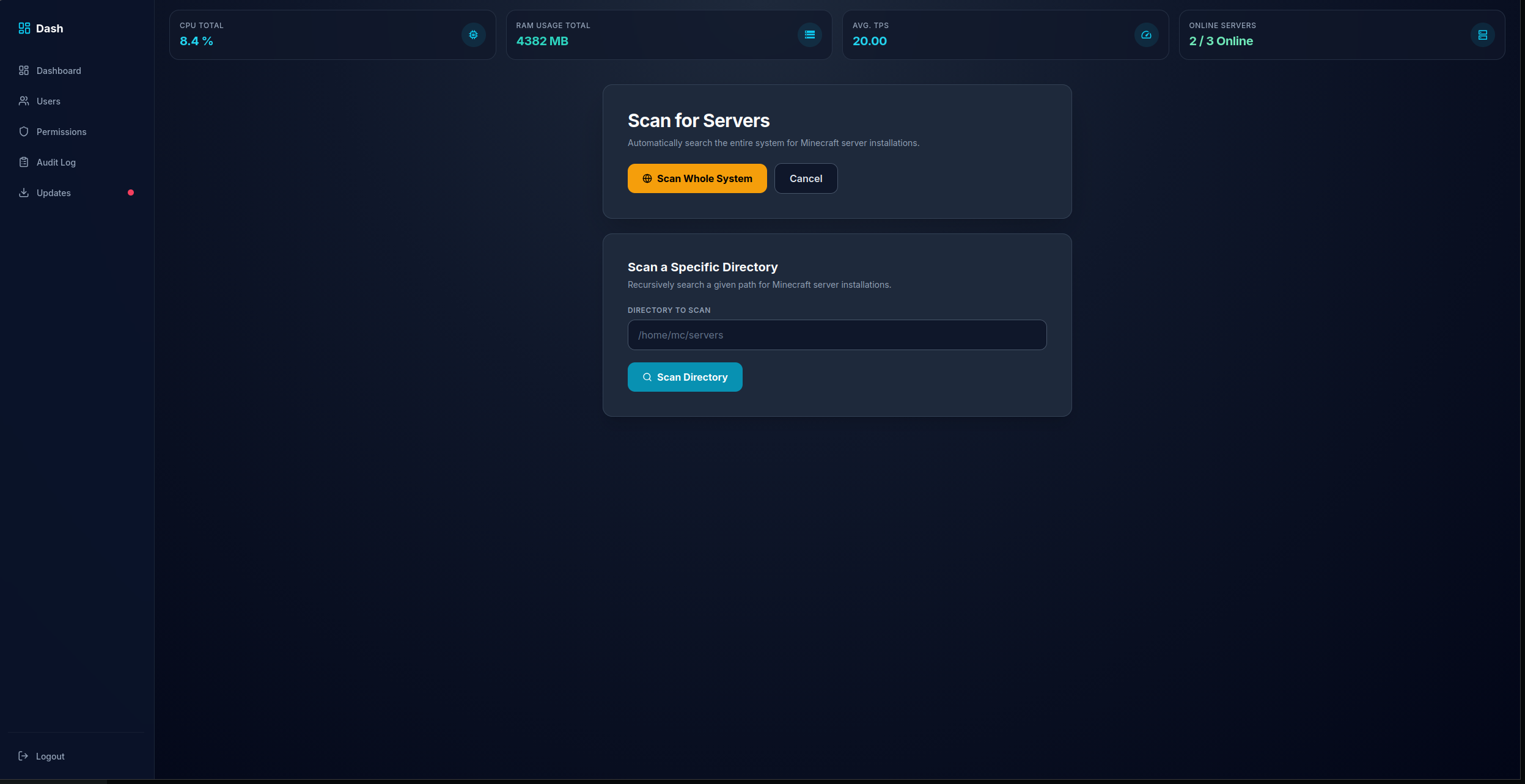 NeoDash - Server Scanner
 -
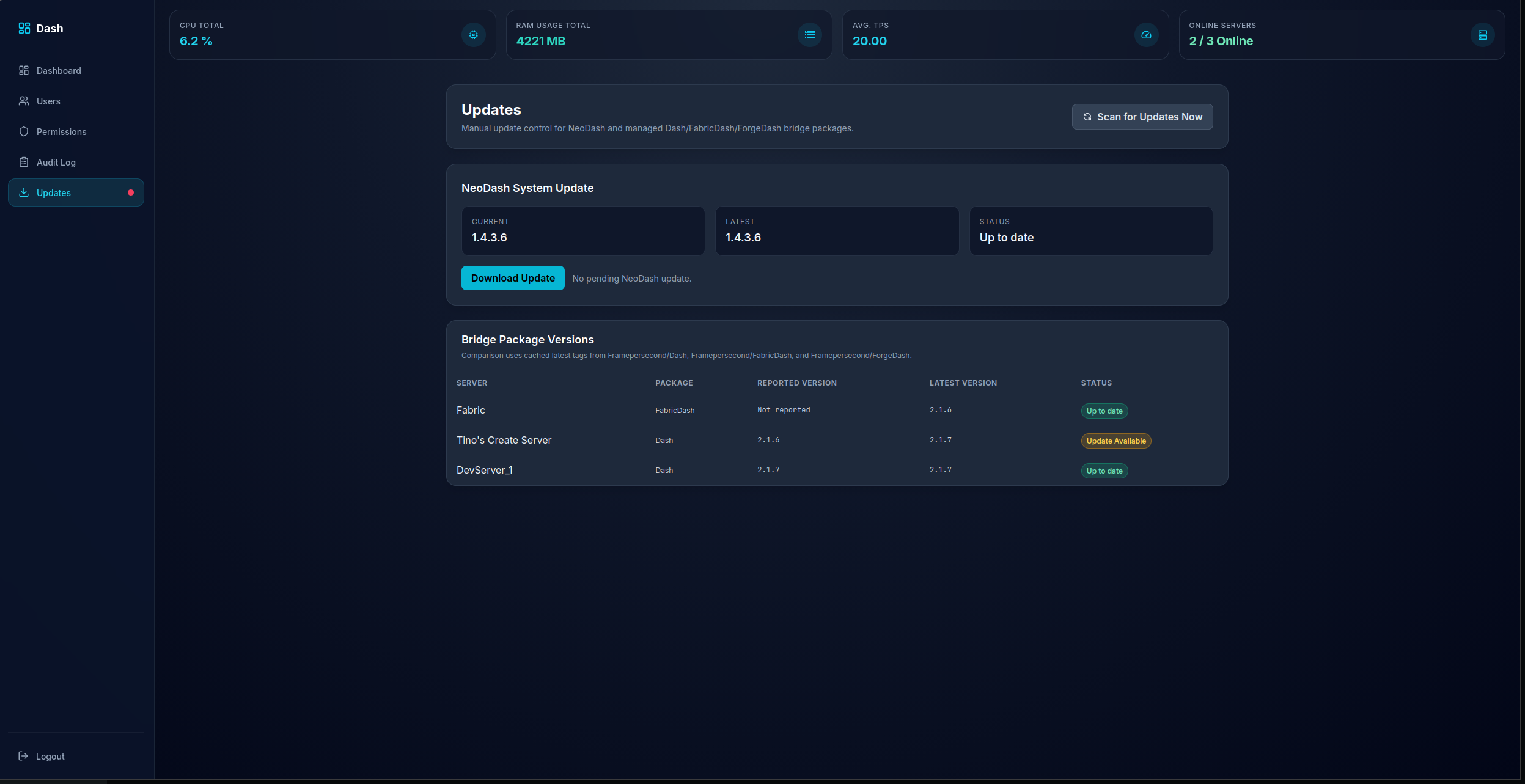 NeoDash - Auto Updater
 -
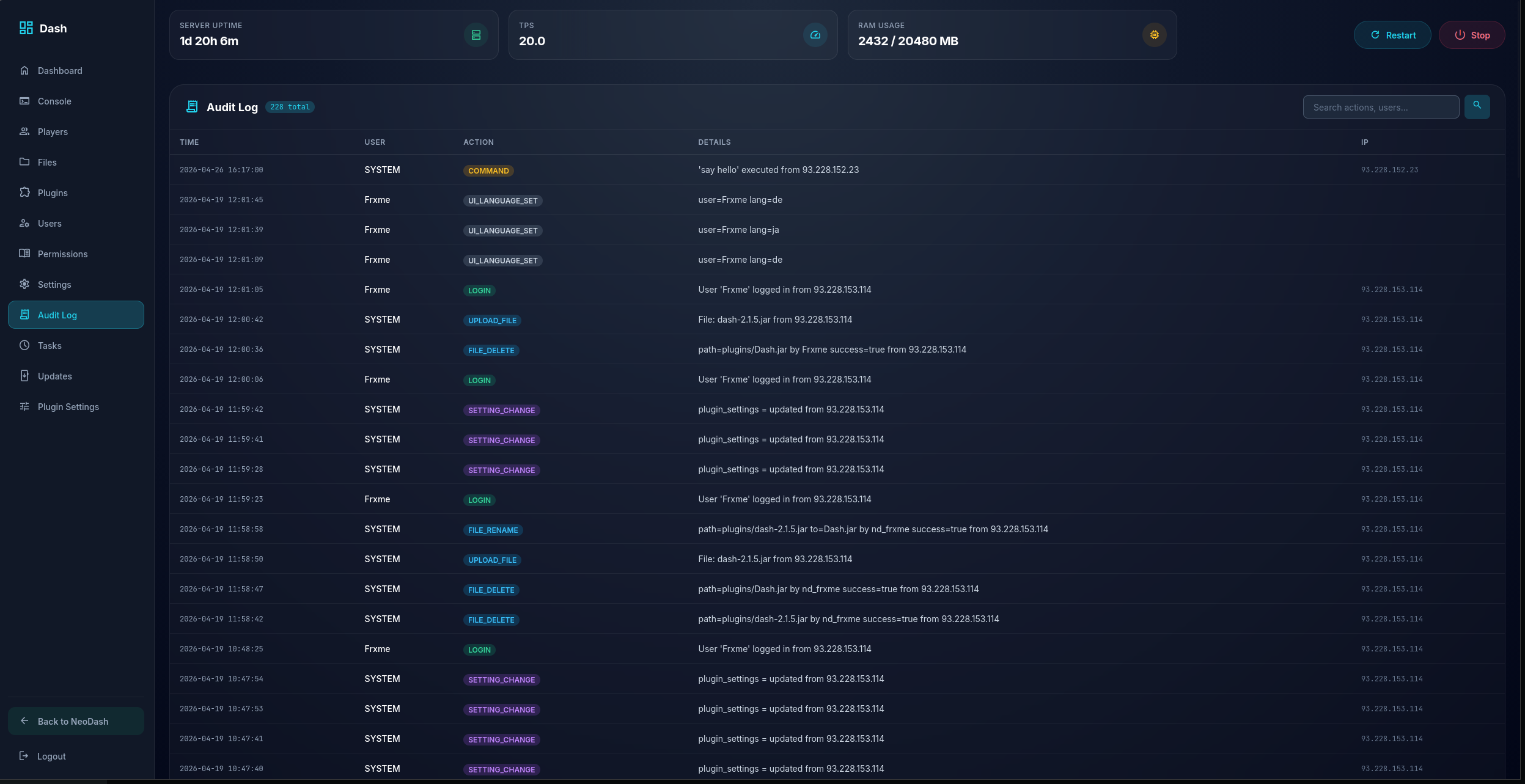 Dash - Audit Log
 -
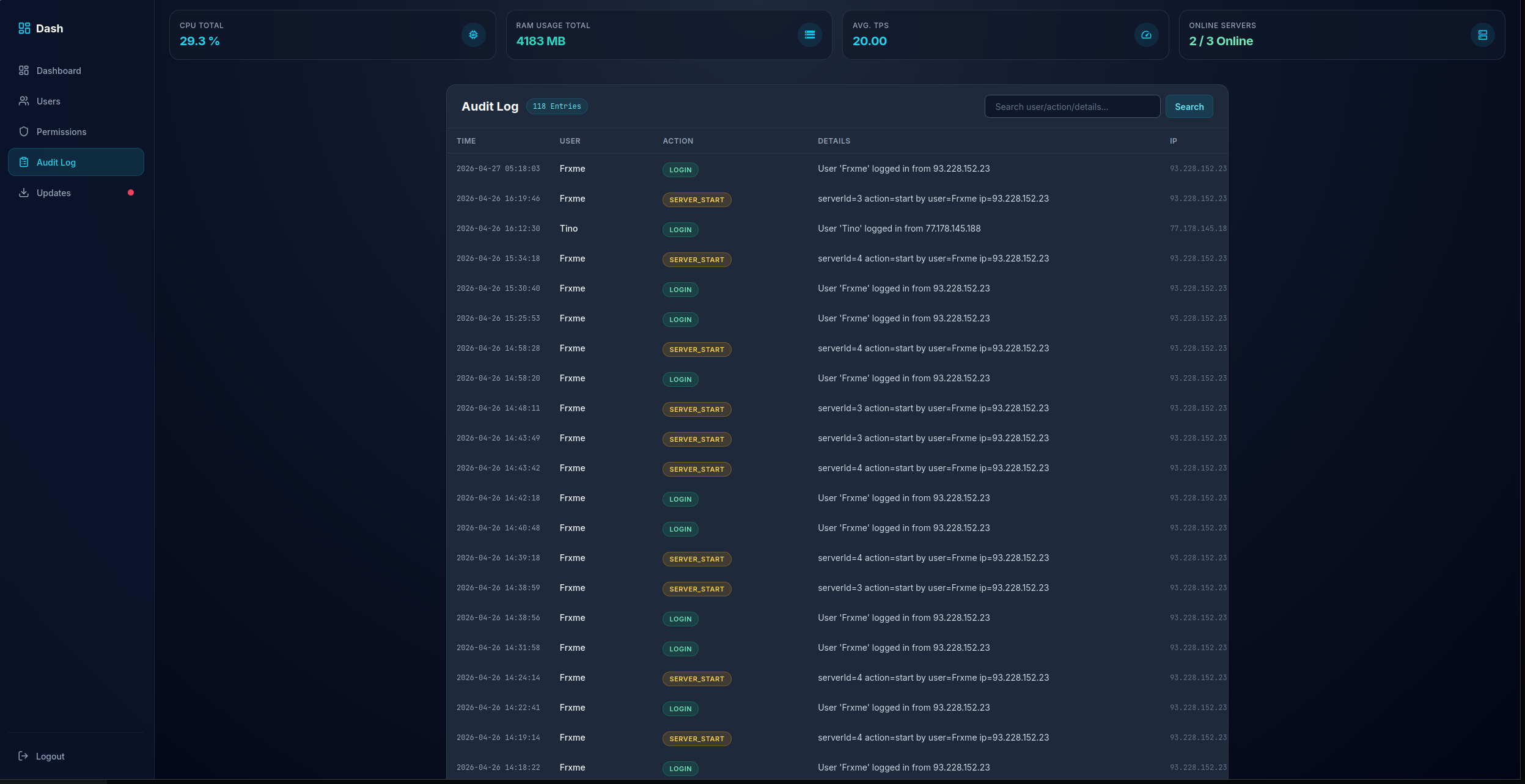 NeoDash - Audit Log
Versions
Files
Relations
Project Relations
More like this
Similar Mods
Suggestions use data such as tags, dependencies, dependents, descriptions, titles, and more to rank how much they overlap with this mod.
On ModDex
Community snapshot
By the numbers
Statistics

Want to reach Minecraft players?
We're looking for a server hosting partner to feature here and other parts of the site. Interested? Send us a message!
Get in touchGet it on
Available Platforms
On ModDex
Community snapshot
By the numbers
Statistics
Resources