
Community listing page, reviews here may not be monitored by the author.
Debug Keybind


No reviews yet
A basic mod that adds keybinds for the F3 menu.
Community voices
Reviews
No reviews yet. Be the first to review this project!
Get it on
Available Platforms
Compatibility
Supported Environments
Runs entirely on the client. Works on vanilla servers.
About
Project Details
For authors
Embed Badge
If you're the author of this project, you can embed a live badge anywhere that supports HTML or Markdown. It updates automatically whenever ratings change.
Use HTML for any page that supports it, or Markdown for README files and Markdown-based descriptions.
Identifiers
Platform IDs
About
Description



Ever felt annoyed that you needed to press FN + F3 JUST to open the F3 menu on a laptop?
</center> <center>Have you ever wanted to REBIND any of the keys related to the F3 menu but couldn't because they're HARD-CODED?
</center> <center>WELL ME TOO!
</center>Debug Keybind (the solution)
<center>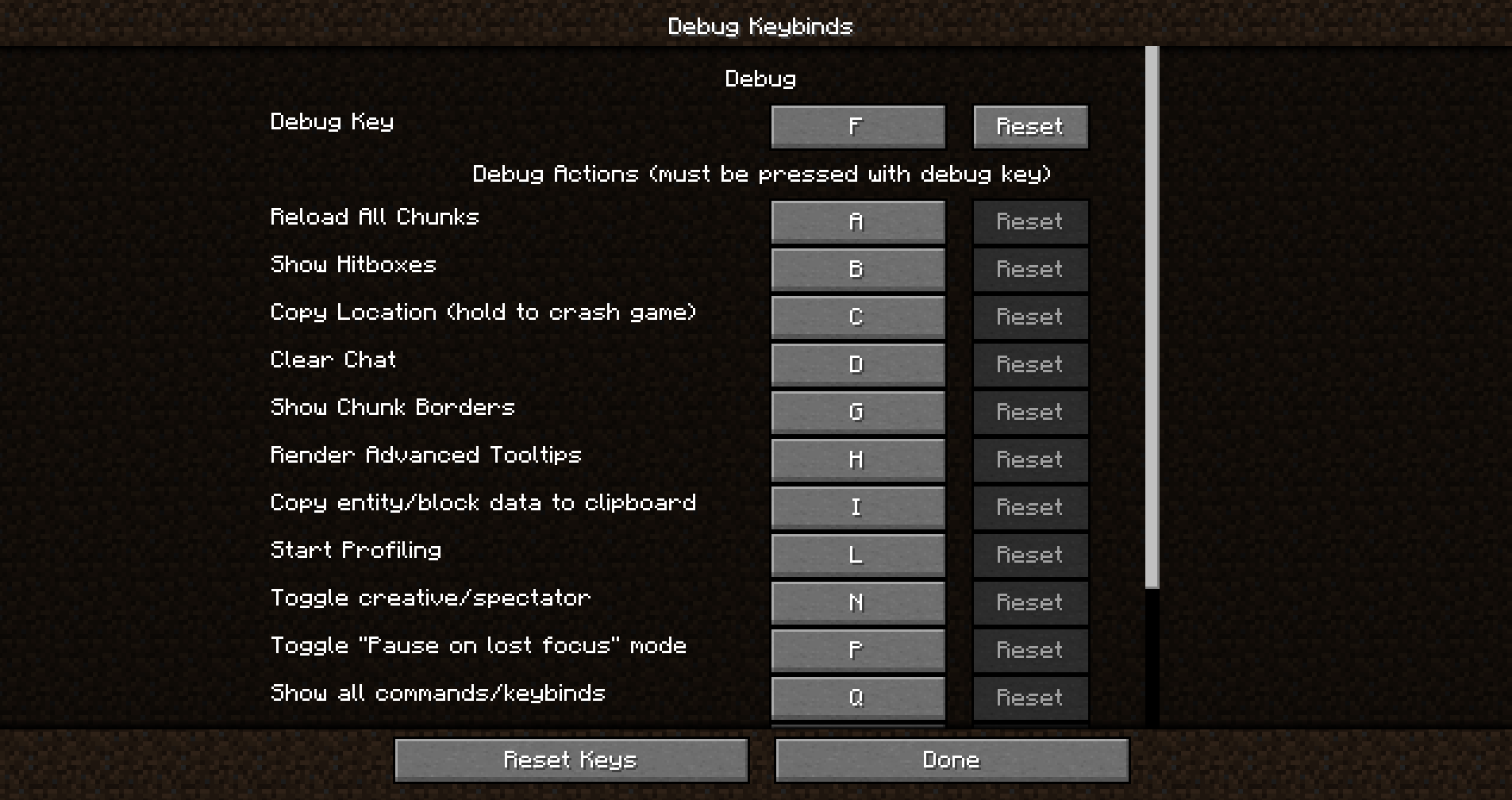 </center>
Debug keybind is a mod that allows you to rebind the (previously) hard-coded F3 menu and all of it's actions.
Didn't like F3+Q? You can easily rebind it as if it was a normal keybind. Don't like F3+G? It can be rebound in the exact same way.
Just open the debug keybinds menu, and you'll be on your way!
How do I open the Debug Keybinds menu?
Opening the menu is super simple. You can open it from your modloader's Config Screen, but it can also be opened with a conveniently placed button placed next to the normal keybinds button!
<center>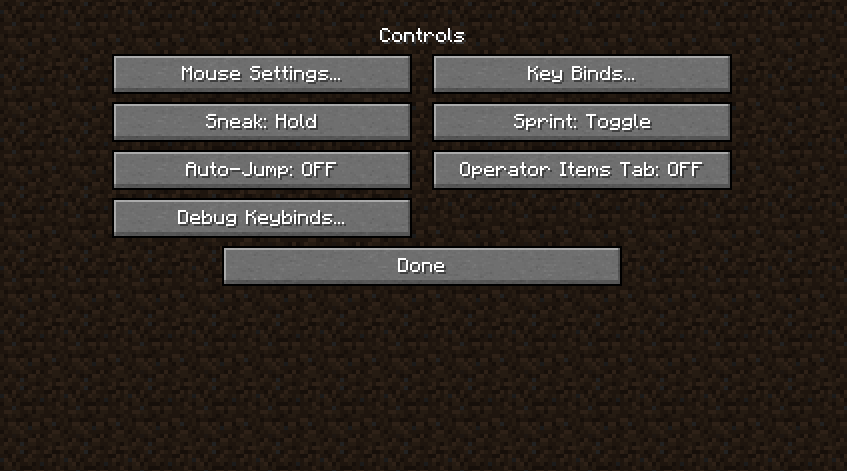 </center>
Features
- Bind any key on your keyboard to activate individual debug actions or combinations.
- Enhance gameplay convenience by placing these keys at your fingertips.
- Improve accessibility for users with specific keyboard layouts or preferences.
Installation/Dependencies
This mod requires BoxLib a Client-side library mod developed by me.
- Install Minecraft Forge/Fabric/Neoforge: Download and install the appropriate modloader for your Minecraft version.
- Download the mod: Download the latest release of Debug Keybind for your specific modloader and Minecraft version
- Download BoxLib: Download the latest release of BoxLib for your specific modloader and Minecaft version
- Place the mod jars: Drop the downloaded jar files into your Minecraft mods folder. The location of this folder varies depending on your operating system.
Fabric Dependencies

Mod Menu is recommended for configuration purposes.
Forge/NeoForge Dependencies
This mod requires BoxLib a Client-side library mod developed by me.
Contributing
We encourage contributions! Don't hesitate to open issues or pull requests through the GitHub Repository. Your input helps the mod improve and evolve.
Translations
We welcome translations! If you're interested in translating this mod, please locate the localization files and submit a pull request. Your contributions help make the mod accessible to more users worldwide.
Support
If you encounter any issues, please open an issue on the GitHub repository.
Building
If you'd like to build this mod on your own machine, follow these steps.
- Download the source code from GitHub (Code -> Download zip)
- Extract the zip file onto your local machine, and open the folder.
- Open a terminal prompt in said folder
- Run the command "gradlew build"
- The fabric build will be in "fabric/build/libs"
- The forge build will be in "forge/build/libs"
- The fabric build will be in "fabric/build/libs"

Ever felt annoyed that you needed to press FN + F3 JUST to open the F3 menu on a laptop?
Have you ever wanted to REBIND any of the keys related to the F3 menu but couldn't because they're HARD-CODED?
WELL ME TOO!
Debug Keybind (the solution)

Debug keybind is a mod that allows you to rebind the (previously) hard-coded F3 menu and all of it's actions.
Didn't like F3+Q? You can easily rebind it as if it was a normal keybind. Don't like F3+G? It can be rebound in the exact same way.
Just open the debug keybinds menu, and you'll be on your way!
How do I open the Debug Keybinds menu?
Opening the menu is super simple. You can open it from your modloader's Config Screen, but it can also be opened with a conveniently placed button placed next to the normal keybinds button!

Features
- Bind any key on your keyboard to activate individual debug actions or combinations.
- Enhance gameplay convenience by placing these keys at your fingertips.
- Improve accessibility for users with specific keyboard layouts or preferences.
Installation/Dependencies
This mod requires BoxLib a Client-side library mod developed by me.
- Install Minecraft Forge/Fabric/Neoforge: Download and install the appropriate modloader for your Minecraft version.
- Download the mod: Download the latest release of Debug Keybind for your specific modloader and Minecraft version
- Download BoxLib: Download the latest release of BoxLib for your specific modloader and Minecaft version
- Place the mod jars: Drop the downloaded jar files into your Minecraft mods folder. The location of this folder varies depending on your operating system.
Fabric Dependencies
Mod Menu is recommended for configuration purposes.
Forge/NeoForge Dependencies
This mod requires BoxLib a Client-side library mod developed by me.
Contributing
We encourage contributions! Don't hesitate to open issues or pull requests through the GitHub Repository. Your input helps the mod improve and evolve.
Translations
We welcome translations! If you're interested in translating this mod, please locate the localization files and submit a pull request. Your contributions help make the mod accessible to more users worldwide.
Support
If you encounter any issues, please open an issue on the GitHub repository.
Building
If you'd like to build this mod on your own machine, follow these steps.
- Download the source code from GitHub (Code -> Download zip)
- Extract the zip file onto your local machine, and open the folder.
- Open a terminal prompt in said folder
- Run the command "gradlew build"
- The fabric build will be in "fabric/build/libs"
- The forge build will be in "forge/build/libs"
Screenshots
Gallery
-
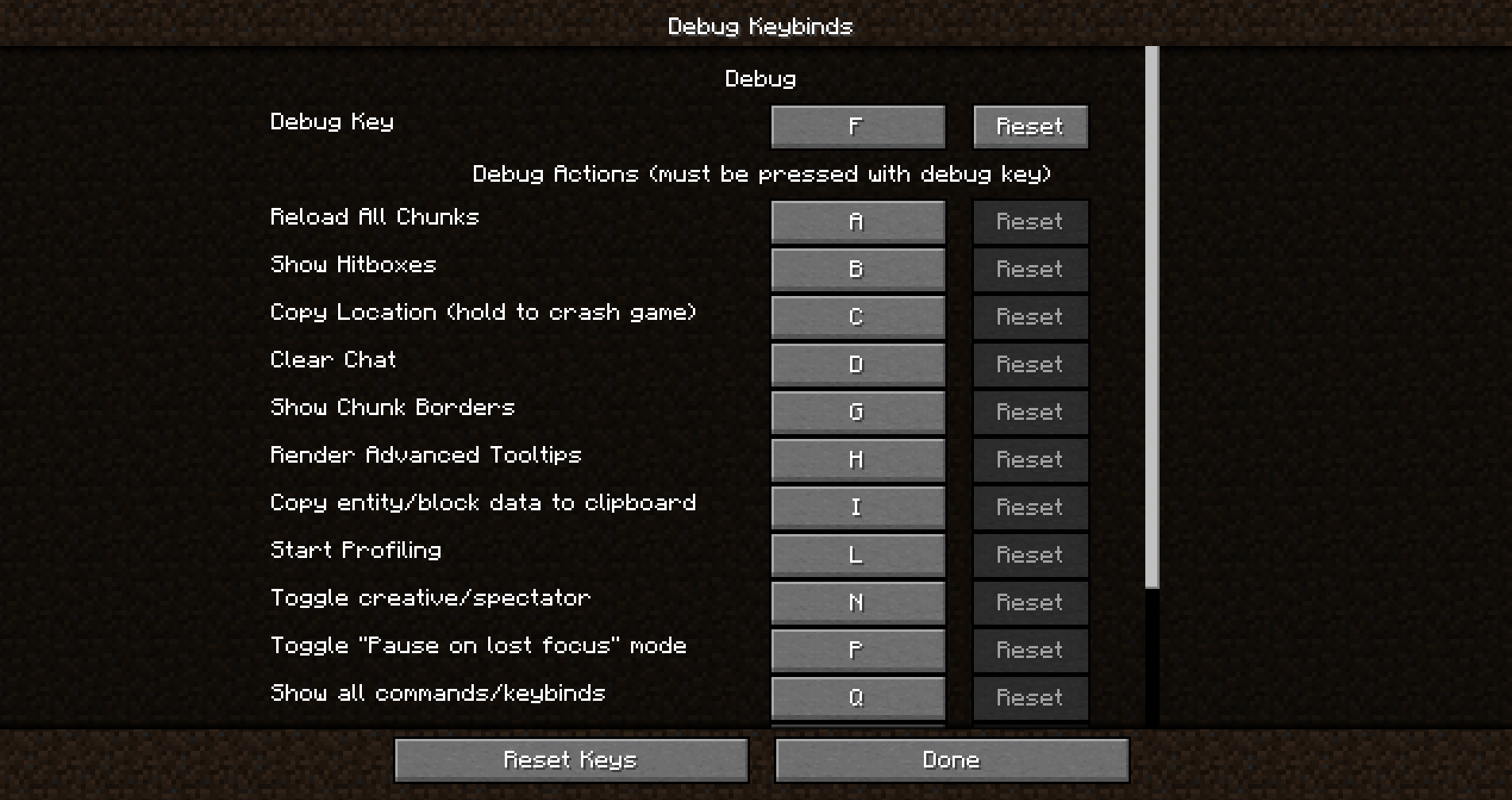 Debug Keybinds Screen This screen is where you can rebind the debug keys.
 -
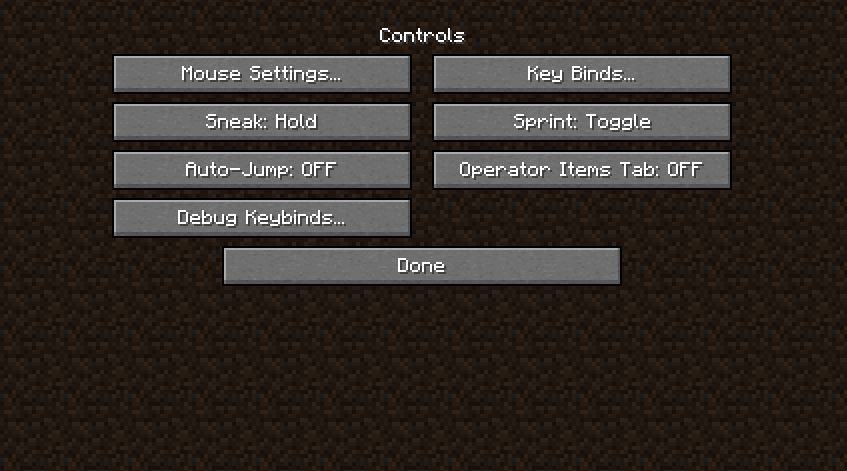 Controls Screen Button There is also a new button in the controls screen which opens the Debug Keybinds screen
Versions
Files
Relations
Project Relations
More like this
Similar Mods
Suggestions use data such as tags, dependencies, dependents, descriptions, titles, and more to rank how much they overlap with this mod.
On ModDex
Community snapshot
By the numbers
Statistics
Want to reach Minecraft players?
We're looking for a server hosting partner to feature here and other parts of the site. Interested? Send us a message!
Get in touchGet it on
Available Platforms
On ModDex
Community snapshot
By the numbers