
Community listing page, reviews may not be monitored by the author.
Dimension Hardcore

No reviews yet
Die in the Nether (or any dimension you choose) and you become a spectator, like Hardcore mode, with optional lives per dimension.

Community voices
Reviews
No reviews yet. Be the first to review this project!
Get it on
Available Platforms
About
Project Details
For authors
Embed Badge
If you're the author of this project, you can embed a live badge anywhere that supports HTML or Markdown. It updates automatically whenever ratings change.
Use HTML for any page that supports it, or Markdown for README files and Markdown-based descriptions.
Identifiers
Platform IDs
Resources
External Links
About
Description
Dimension Hardcore
English · 简体中文 and 日本語 further down the page
Make one dimension deadly. Die in the Nether (or any dimension you choose) and you become a spectator, just like in Hardcore mode. Deaths everywhere else are normal.
Server-side only. Install it on the server; players join with a normal, unmodded game. It also works in single player.
Available for Fabric 1.20.1, Forge 1.20.1, NeoForge 1.21.1 and Fabric 26.3.
This mod was made with AI: the author designed the features and tested them.
Features
- Hardcore dimensions. When a player dies in one of them, they respawn as a spectator at the spot where they died, so they can keep watching their friends. Everyone gets a chat message like "Steve has fallen in the Nether forever."
- Normal deaths elsewhere. Dying in the Overworld (or any dimension that isn't listed) works exactly like vanilla.
- Lives (optional). Give a dimension more than one life, e.g. 3 lives in the Nether: the third death there eliminates you. After each lost life the player sees how many are left.
- Respawn anchors (optional). Turn on
respawn_anchor_savesand a charged respawn anchor saves you: you respawn at it as usual, it loses one charge, and the death doesn't count. Every charge is one extra life. - Works with modded dimensions. Use any dimension ID, e.g.
twilightforest:twilight_forest. - Saved in the world. Eliminations and lost lives survive logging out and server restarts.
- Admin commands to revive players, check them, list them, and reload the config without a restart.
- Custom messages. Change every message players see, or turn single messages off.
- Safe config. A typo in the config never crashes the server. The mod logs a warning and uses the default for that setting.
/dimhardcore reloadshows the problems in chat.
Installation
Download the file that matches your Minecraft version and mod loader:
| Minecraft | Mod loader | File | Also needed | Java |
|---|---|---|---|---|
| 1.20.1 | Fabric Loader 0.15 or newer | dimhardcore-1.1.0+fabric-1.20.1.jar |
Fabric API | 17 or newer |
| 1.20.1 | Forge 47 or newer | dimhardcore-1.1.0+forge-1.20.1.jar |
nothing | 17 or newer |
| 1.21.1 | NeoForge 21.1.118 or newer | dimhardcore-1.1.0+neoforge-1.21.1.jar |
nothing | 21 or newer |
| 26.3 | Fabric Loader 0.20.1 or newer | dimhardcore-1.1.0+fabric-26.3.jar |
Fabric API | 25 or newer |
- Fabric server: put the Dimension Hardcore file and Fabric API (for the same Minecraft version) in the server's
modsfolder. - Forge / NeoForge server: put only the Dimension Hardcore file in the
modsfolder. Fabric API is not needed. - Players: don't need to install anything. Vanilla clients can join.
- Single player: put the same file(s) in your own
modsfolder. - Changing versions: every version uses the same
config/dimhardcore.json, so you can keep your config. - Minecraft 26.x servers have the whitelist turned on by default (
white-list=trueinserver.properties; this is vanilla, not this mod). Add players withwhitelist add <name>, or set it tofalse.
Configuration
The file config/dimhardcore.json is created on the first start:
{
  "hardcore_dimensions": ["minecraft:the_nether"],
  "default_lives": 1,
  "dimension_lives": {},
  "broadcast_message": true,
  "exempt_operators": false,
  "respawn_at_death_location": true,
  "respawn_anchor_saves": false,
  "messages": {
    "eliminated_broadcast": "{player} has fallen in {dimension} forever.",
    "eliminated_notice": "You died in {dimension}. You are now a spectator.",
    "life_lost_broadcast": "{player} lost a life in {dimension} ({lives} of {max_lives} left).",
    "life_lost_notice": "You lost a life in {dimension}. Lives left there: {lives} of {max_lives}.",
    "revived_notice": "You have been revived. Welcome back!",
    "anchor_saved_notice": "Your respawn anchor saved you and lost one charge. You will respawn there."
  }
}| Setting | Default | What it does |
|---|---|---|
hardcore_dimensions |
["minecraft:the_nether"] |
The dimensions where dying costs a life. Vanilla IDs: minecraft:overworld, minecraft:the_nether, minecraft:the_end. Modded dimensions work too. the_nether without a namespace means minecraft:the_nether. |
default_lives |
1 |
Lives in every hardcore dimension. 1 means the first death eliminates. |
dimension_lives |
{} |
Different lives for some dimensions, e.g. {"minecraft:the_nether": 3}. Lives are counted separately for each dimension. |
broadcast_message |
true |
Tell everyone when a player is eliminated or loses a life. |
exempt_operators |
false |
If true, operators (permission level 2+) never lose lives. |
respawn_at_death_location |
true |
Eliminated players spectate from where they died. If false, they spectate from the normal respawn point. |
respawn_anchor_saves |
false |
If true, a player whose respawn point is a charged respawn anchor is saved when they die in a hardcore dimension: no life is lost, they respawn at the anchor as usual, and the anchor loses one charge. See "Respawn anchors" below. |
messages |
see above | The chat messages. Placeholders: {player}, {dimension}, {lives} (lives left), {max_lives}. Write "" to turn a message off. Any language works. |
Run /dimhardcore reload after editing, or restart the server. Older config files get the new settings added automatically, and your values are kept.
If a dimension ID in the list doesn't exist (a typo, or a mod that isn't installed), the server log says so and lists the dimensions that do exist.
Commands
All commands need operator permission (level 2).
| Command | What it does |
|---|---|
/dimhardcore revive PlayerName |
Brings an eliminated player back in survival at the world spawn, and gives back all lost lives. It also works if the player is offline (they come back the next time they join) or on the death screen (they come back when they click Respawn). |
/dimhardcore status PlayerName |
Shows whether the player is eliminated (where and when), or how many lives they have left in each hardcore dimension. |
/dimhardcore list |
Lists all eliminated players. |
/dimhardcore reload |
Reloads config/dimhardcore.json and shows any problems in chat. |
Good to know
A Totem of Undying saves you as usual. Only a real death counts.
Respawn anchors (only with
respawn_anchor_saves: true): set your respawn point by right-clicking a charged anchor, like in vanilla. When you die in a hardcore dimension, the mod checks that anchor: it must still be there, have at least one charge, and have room to stand next to it. If so, nothing is counted, the anchor loses one charge right away, and you respawn at it. Because the charge is used the moment it saves you, one charge saves exactly one death, even when friends share the anchor or it was set with/spawnpoint. With no charge left, the next death counts as usual. Anchors only work in dimensions where vanilla allows them (the Nether)./killcounts as a death.keepInventory doesn't change anything. Items follow the game rule as usual.
Portals: a death counts in the dimension the player is in at that moment. Players can't be hurt during the moment they change dimension.
Eliminated players can't leave spectator mode on their own:
/gamemodeneeds operator permission. If someone's game mode is changed while they are eliminated (by an operator, a command block or another mod), they are put back into spectator mode right away. Use/dimhardcore reviveto bring someone back.If you lower the number of lives, players who have already used more lives are not eliminated right away, only at their next death there.
All data is stored in
world/data/dimhardcore.dat(Minecraft 26.3:world/data/dimhardcore/dimhardcore.dat; a world upgraded from an older version keeps its list automatically). Delete this file while the server is stopped to reset all eliminations and lives. The mod also keeps a backup,dimhardcore.dat_old: if the main file is ever damaged (for example by a power cut while saving), the list is restored from the backup and the damaged file is kept asdimhardcore.dat.corrupt-<date>."Fake players" from other mods (machines that act like a player, for example in Create) are never eliminated.
Known limits
Things this mod can't change, so server owners should know them:
- Offline-mode servers (
online-mode=false): player IDs come from the name, so an eliminated player can come back under a new name. Use online mode or a login plugin. - Second accounts: eliminations are per account.
- Logging out to escape: a player about to die can disconnect, and they come back in the same spot later. This is vanilla behaviour; use an anti-combat-log mod if it matters.
- Portals: a death counts in the dimension the player is in when they die. Burning in the Nether, running through a portal and dying in the Overworld is a normal death.
- Single player without cheats: nobody can run
/dimhardcore revive. Open the world to LAN with cheats allowed to use it. - Removing the mod: the game mode is saved with each player, so eliminated players stay spectators. Revive everyone (or use
/gamemode) before removing the mod. - Spectators load chunks: with the vanilla game rule
spectatorsGenerateChunks(on by default), farms near an eliminated player keep running. Turn the game rule off if you don't want that. - Spectators can see a lot: like in vanilla Hardcore, spectators fly through walls, can look into chests and can teleport to other players from the spectator menu. On competitive servers they could pass on what they see.
Made with AI
This mod was made with AI: the author designed the features and tested them, and the code was written by Claude (Anthropic) in Claude Code under the author's direction.
License
MIT. The mod contains no Minecraft textures or other Mojang assets.
Screenshots
Gallery
-
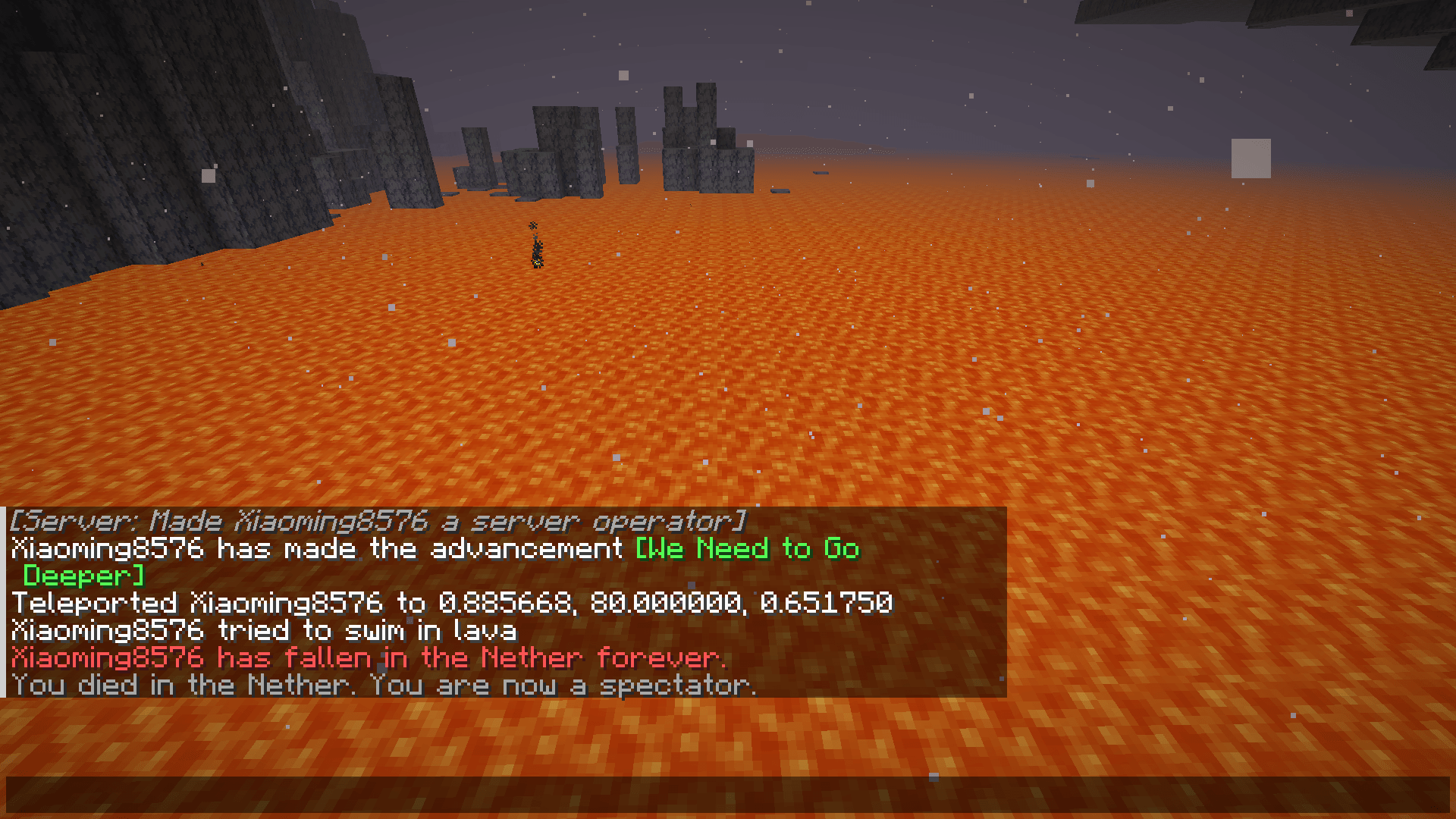 1-spectator-in-the-nether.png 1-spectator-in-the-nether.png
-
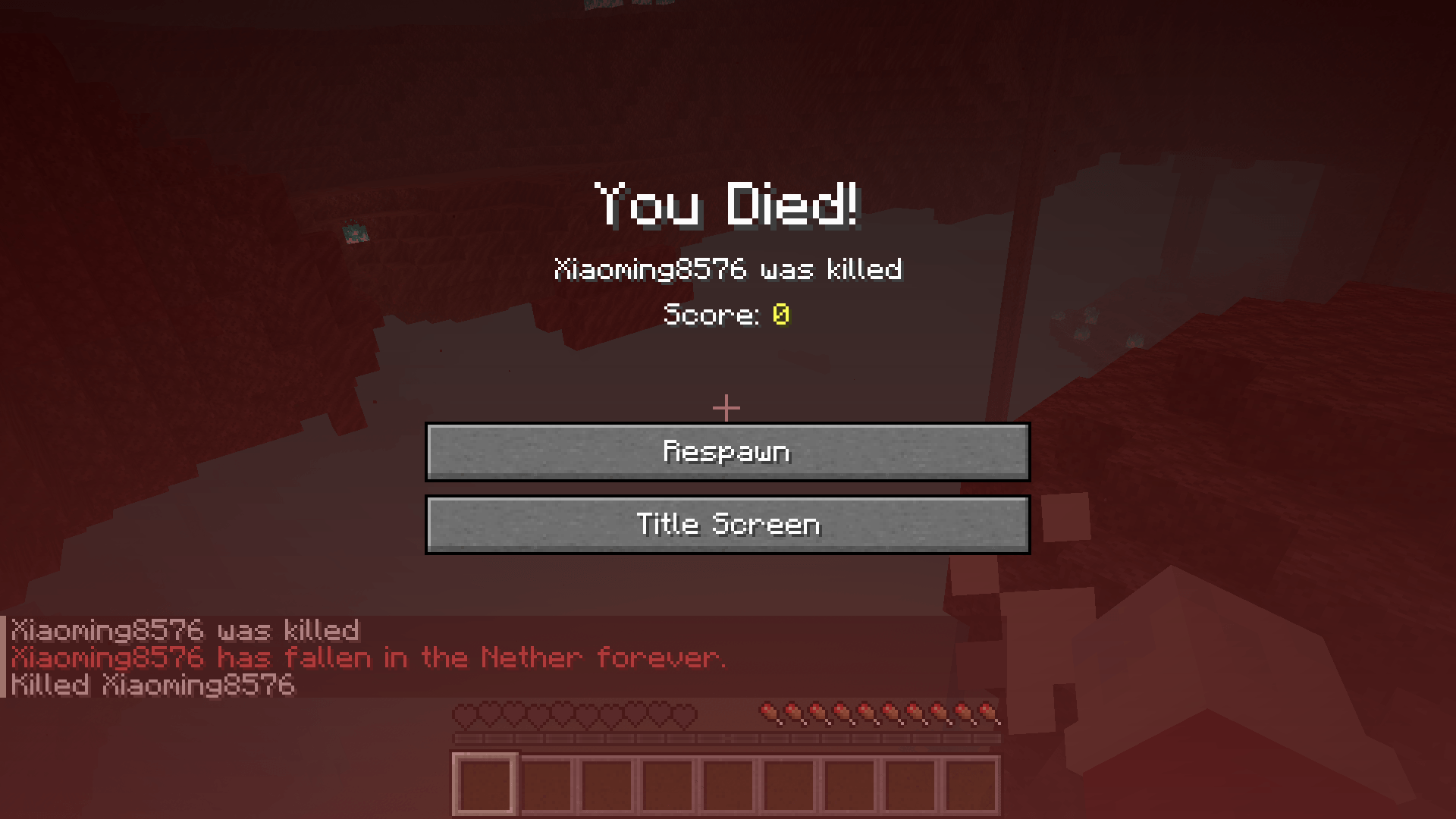 2-eliminated.png 2-eliminated.png
-
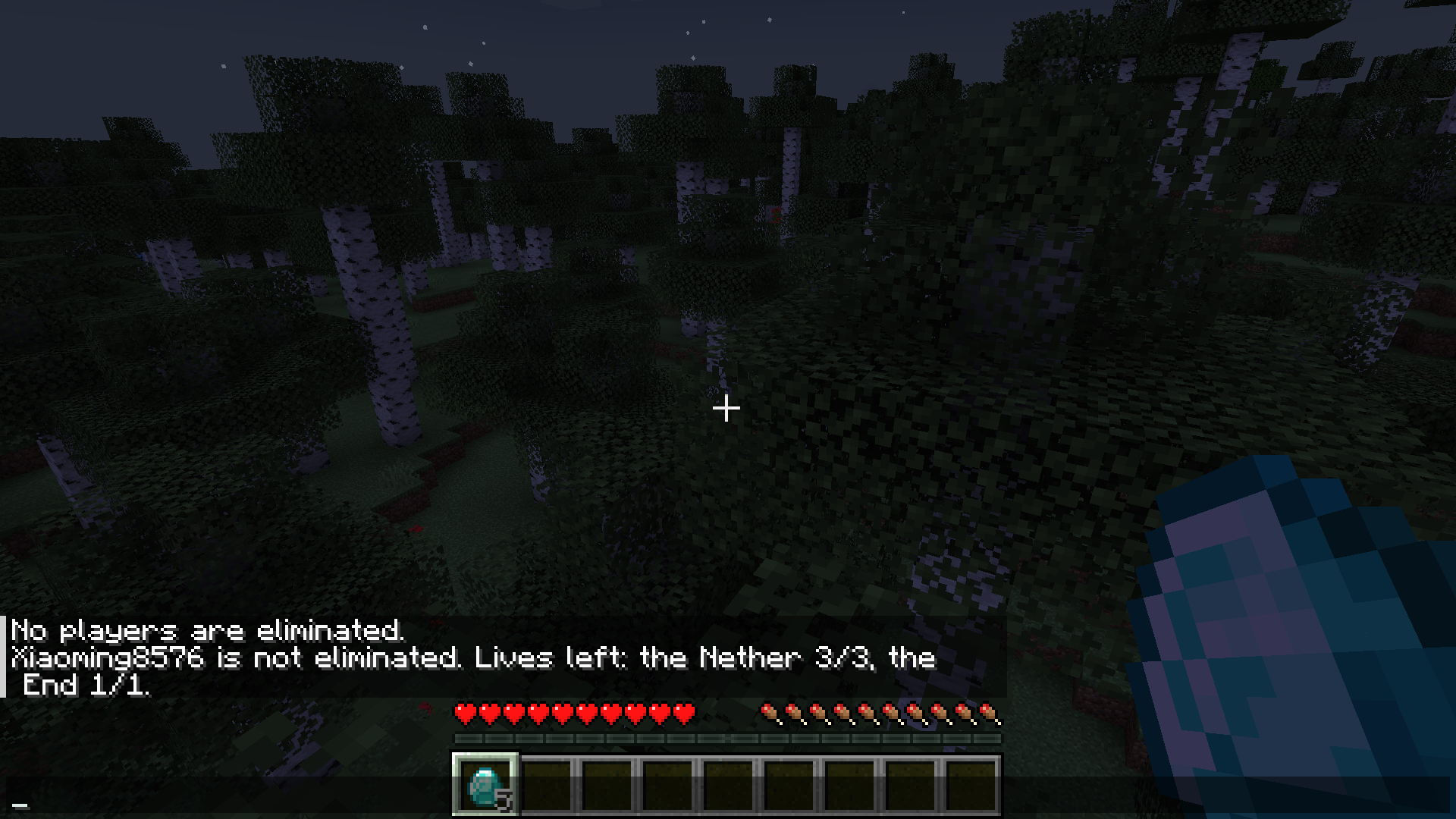 4-status-command.png 4-status-command.png
Versions
Files
Relations
Project Relations
More like this
Similar Mods
Suggestions use data such as tags, dependencies, dependents, descriptions, titles, and more to rank how much they overlap with this mod.
On ModDex
Community snapshot
By the numbers
Statistics

Get it on
Available Platforms
On ModDex
Community snapshot
By the numbers
Statistics
Resources