Community listing page, reviews here may not be monitored by the author.
Disable Fog


No reviews yet
Allows you to selectively disable different types of fog.
Community voices
Reviews
No reviews yet. Be the first to review this project!
Get it on
Available Platforms
Compatibility
Supported Environments
Runs entirely on the client. Works on vanilla servers.
About
Project Details
For authors
Embed Badge
If you're the author of this project, you can embed a live badge anywhere that supports HTML or Markdown. It updates automatically whenever ratings change.
Use HTML for any page that supports it, or Markdown for README files and Markdown-based descriptions.
Identifiers
Platform IDs
About
Description
Disable Fog
This is a client mod that allows you to selectively disable certain types of fog in Minecraft.


Toggleable Fog Types:
- Terrain Fog: Remove the fog that depends on the drawing distance, which hides the boundaries of the chunks.
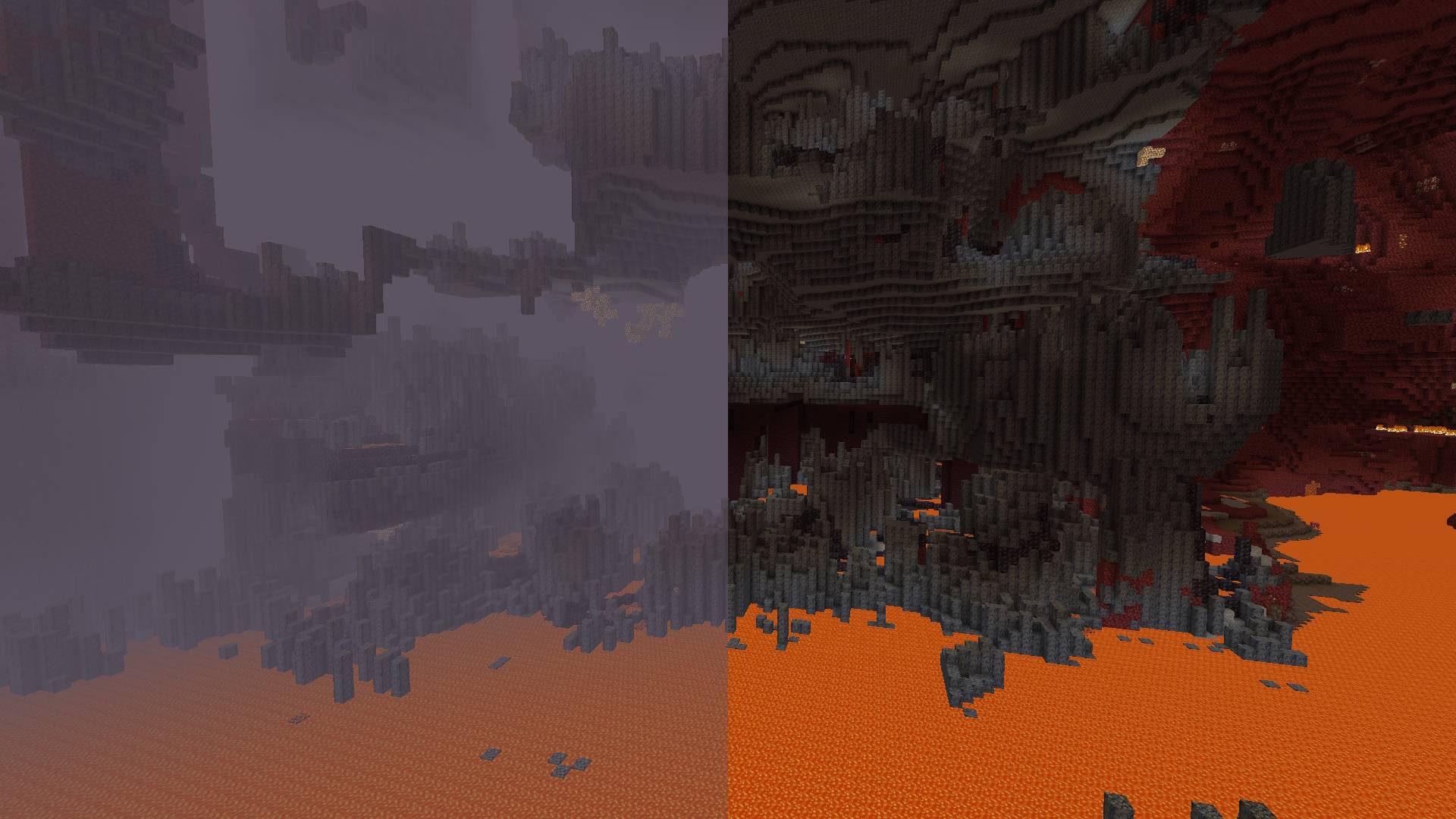
- Atmospheric Fog: Remove sky fog in the Overworld and thick fog in the Nether.
- Lava Fog: Remove fog in lava for clearer vision.
- Water Fog: Clear underwater fog for better visibility.
- Powder Snow Fog: Eliminate fog effects in powder snow.
- Blindness Fog: Disable fog caused by the blindness effect.
- Darkness Fog: Remove fog from the darkness effect (e.g., from wardens).
By default, the mod disables terrain fog and atmospheric fog. All other fog types can be configured individually, including per-dimension overrides.
Configuration:
Starting from version 2.0.0, the mod includes a built-in configuration screen available on all mod loaders — no additional mods required.
For Fabric and Quilt:
- Install ModMenu to access the configuration screen in-game.
For Forge and NeoForge:
- No additional mods required. Select the mod from the mod list and click the "Config" button.
Per-Dimension Settings:
Each dimension can independently override the global fog settings. If a dimension setting is set to DEFAULT, it inherits the value from the global configuration. Dimensions added by other mods are supported automatically.
⚠️ Note for versions below 2.0.0:
Built-in configuration is available starting from version 2.0.0. On older versions, install ClothConfig and ModMenu to configure the mod in-game.
Disable Fog
This is a client mod that allows you to selectively disable certain types of fog in minecraft.
Toggleable Fog Types:
- Terrain Fog: Remove the fog that depends on the drawing distance, which hides the boundaries of the chunks.
- Atmospheric Fog: Remove sky fog in the Overworld and thick fog in the Nether.
- Lava Fog: Remove fog in lava for clearer vision.
- Water Fog: Clear underwater fog for better visibility.
- Powder Snow Fog: Eliminate fog effects in powder snow.
- Blindness Fog: Disable fog caused by the blindness effect.
- Darkness Fog: Remove fog from the darkness effect (e.g., from wardens).
By default, the mod disables terrain fog and atmospheric fog. All other fog types can be configured individually, including per-dimension overrides.
Configuration:
Starting from version 2.0.0, the mod includes a built-in configuration screen available on all mod loaders — no additional mods required.
For Fabric and Quilt:
- Install ModMenu to access the configuration screen in-game.
For Forge and NeoForge:
- No additional mods required. Select the mod from the mod list and click the "Config" button.
Per-Dimension Settings:
Each dimension can independently override the global fog settings. If a dimension setting is set to DEFAULT, it inherits the value from the global configuration. Dimensions added by other mods are supported automatically.
⚠️ Note for versions below 2.0.0:
Built-in configuration is available starting from version 2.0.0. On older versions, install ClothConfig and ModMenu to configure the mod in-game.
Screenshots
Gallery
-
Nether Fog Nether Fog
-
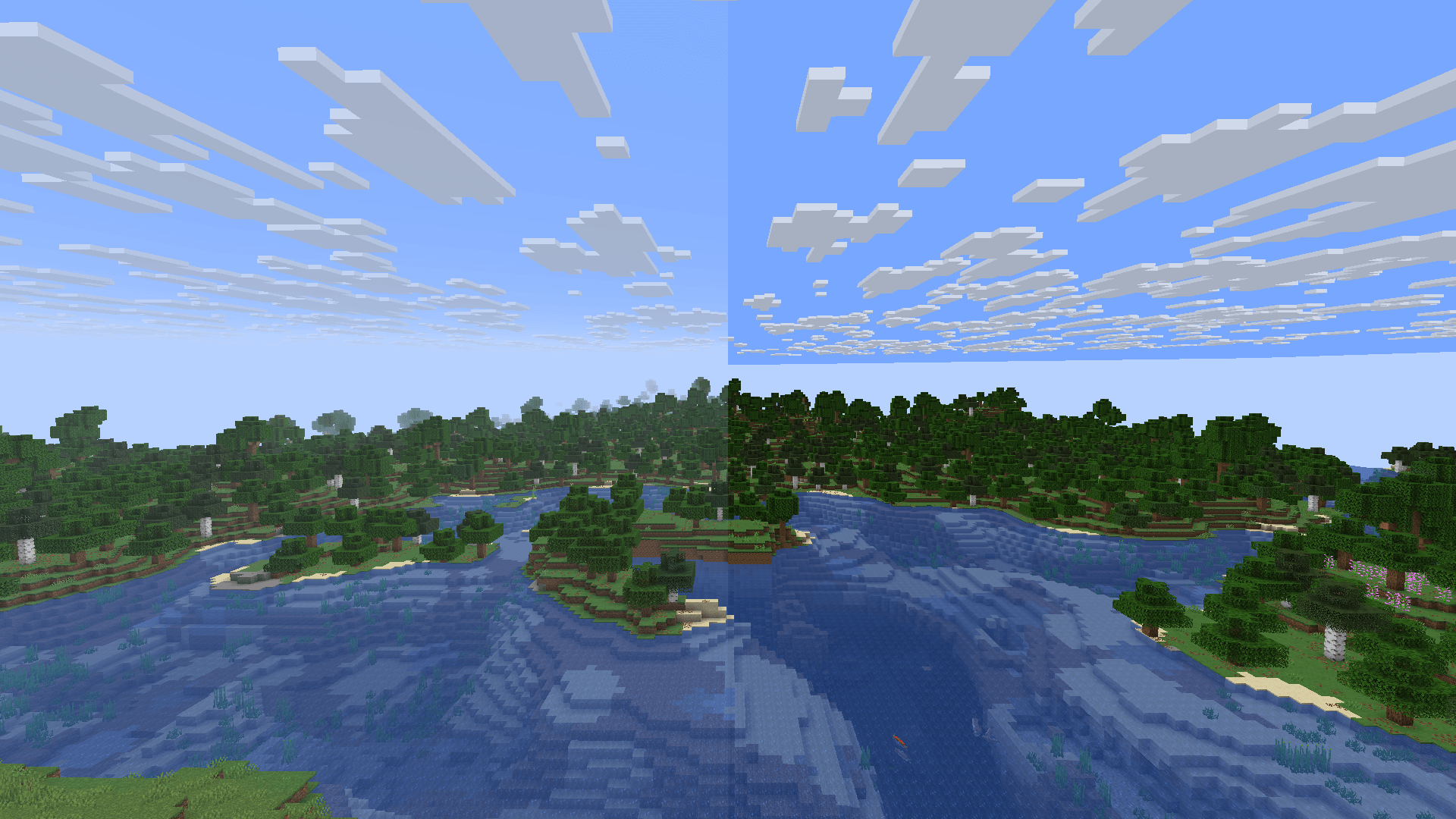 Terrain Fog Terrain Fog and Atmospheric Fog
 -
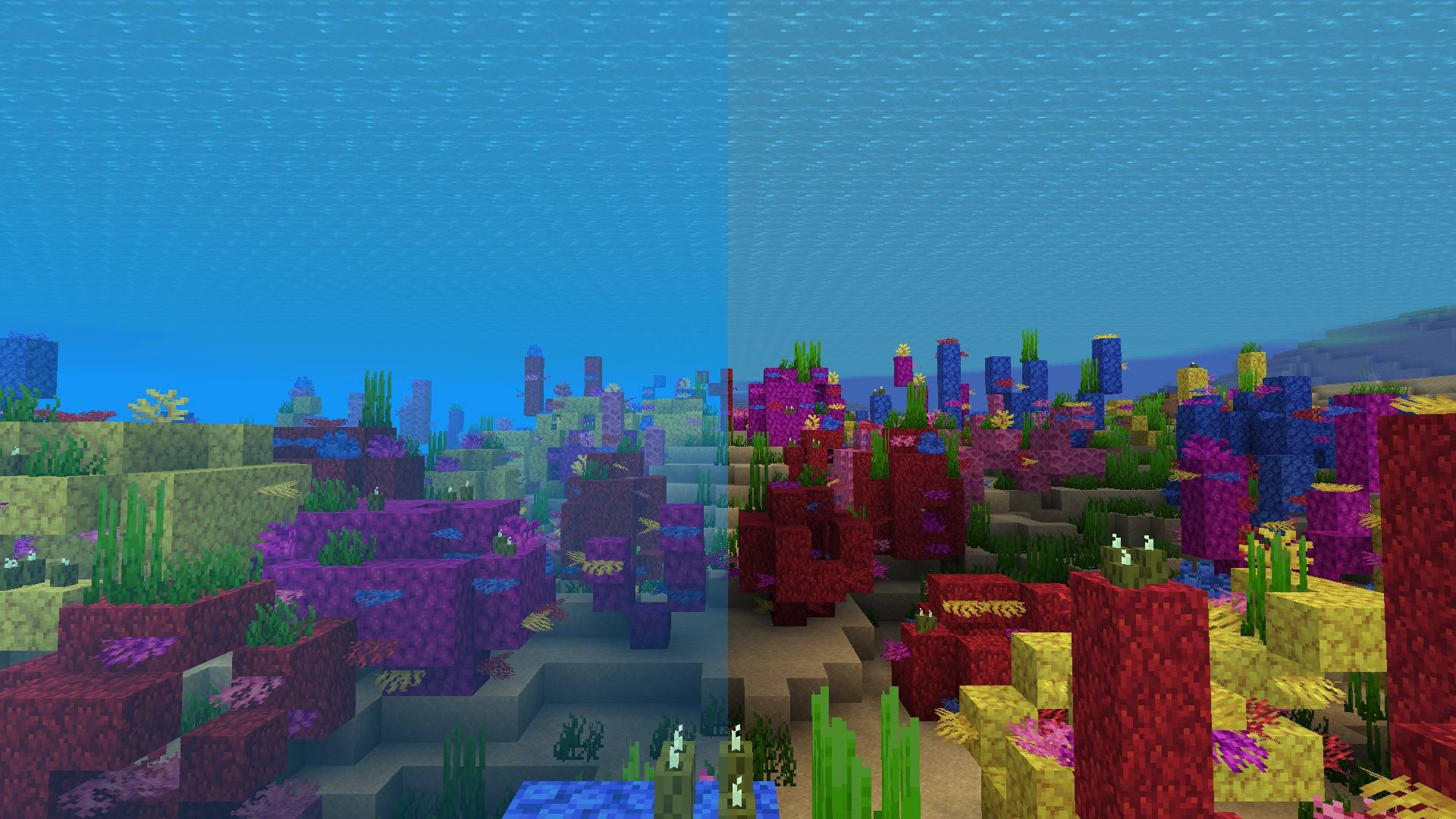 Water Fog Water Fog
 -
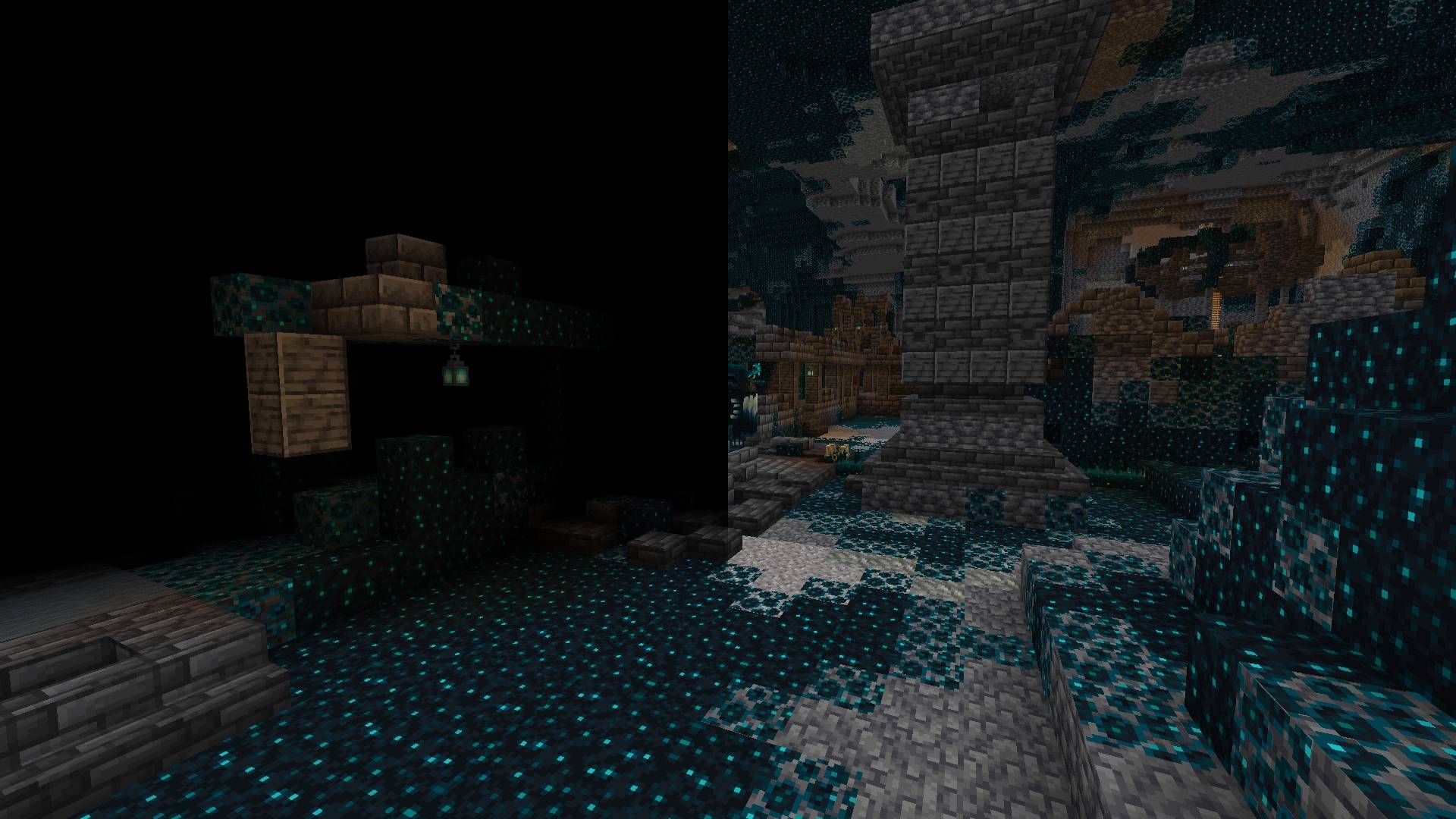 Darkness Fog Darkness Fog
 -
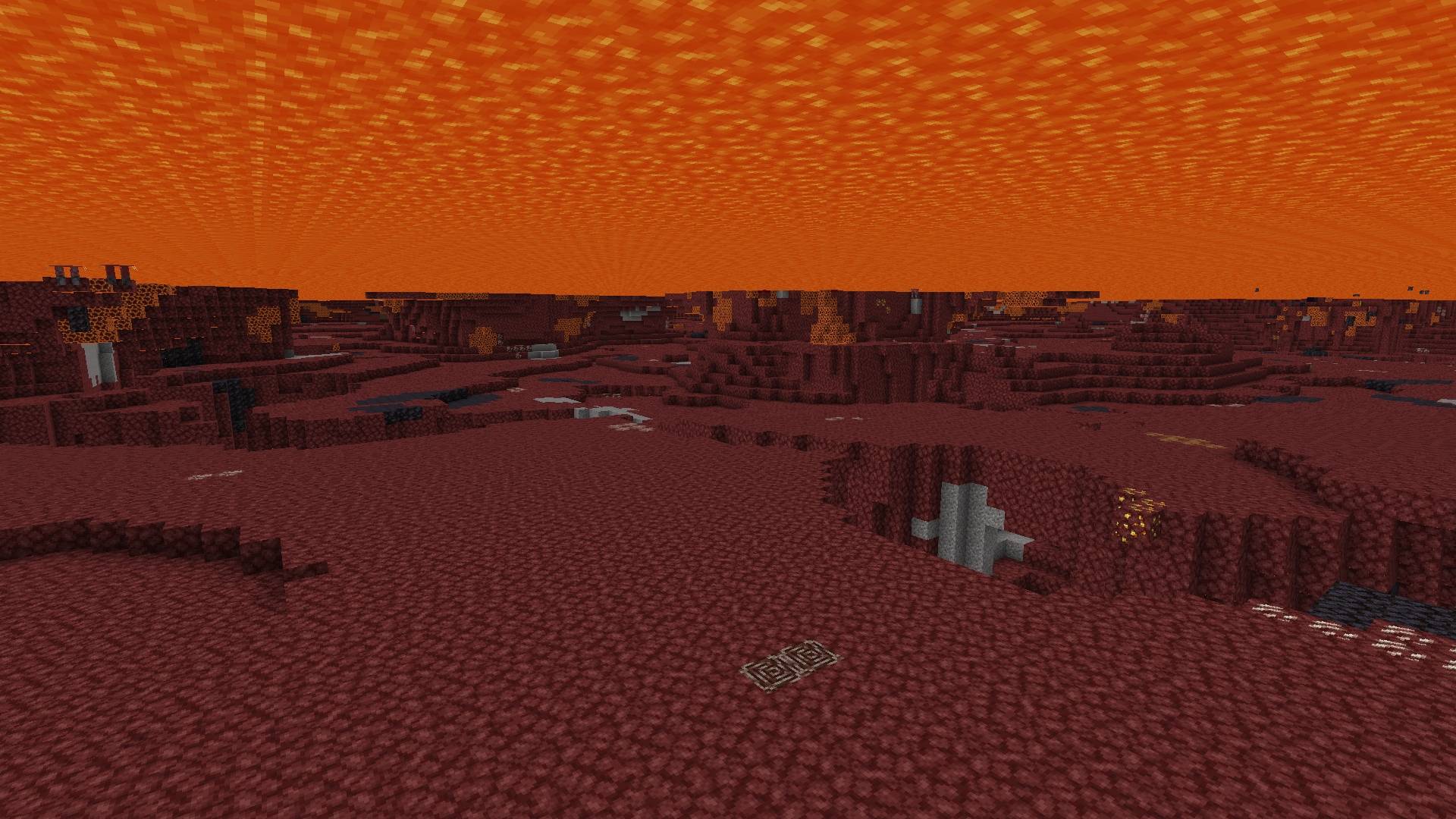 Lava Fog Lava Fog
 -
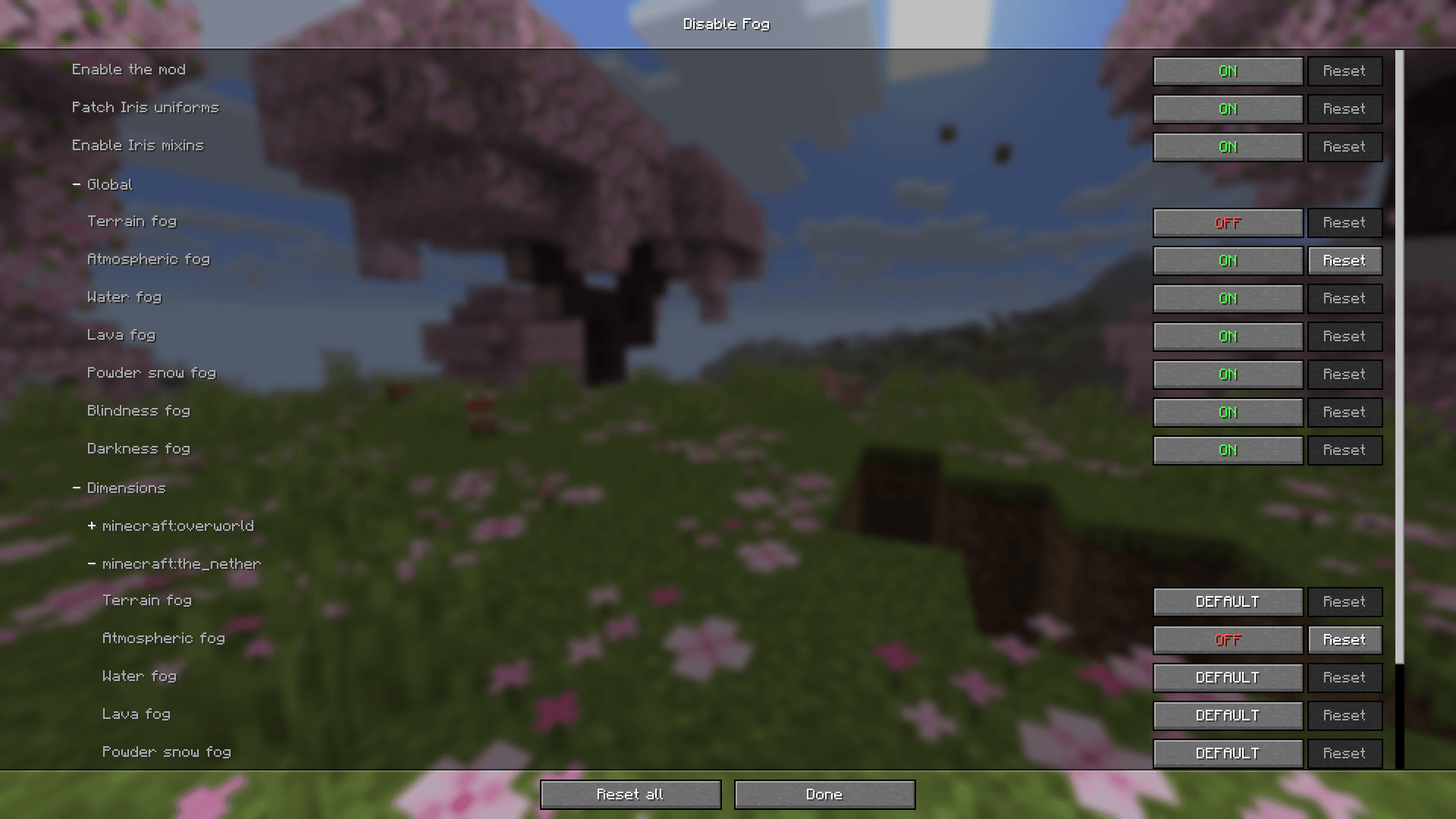 demo-config-v2.png Config Screen v2.0.0+
 -
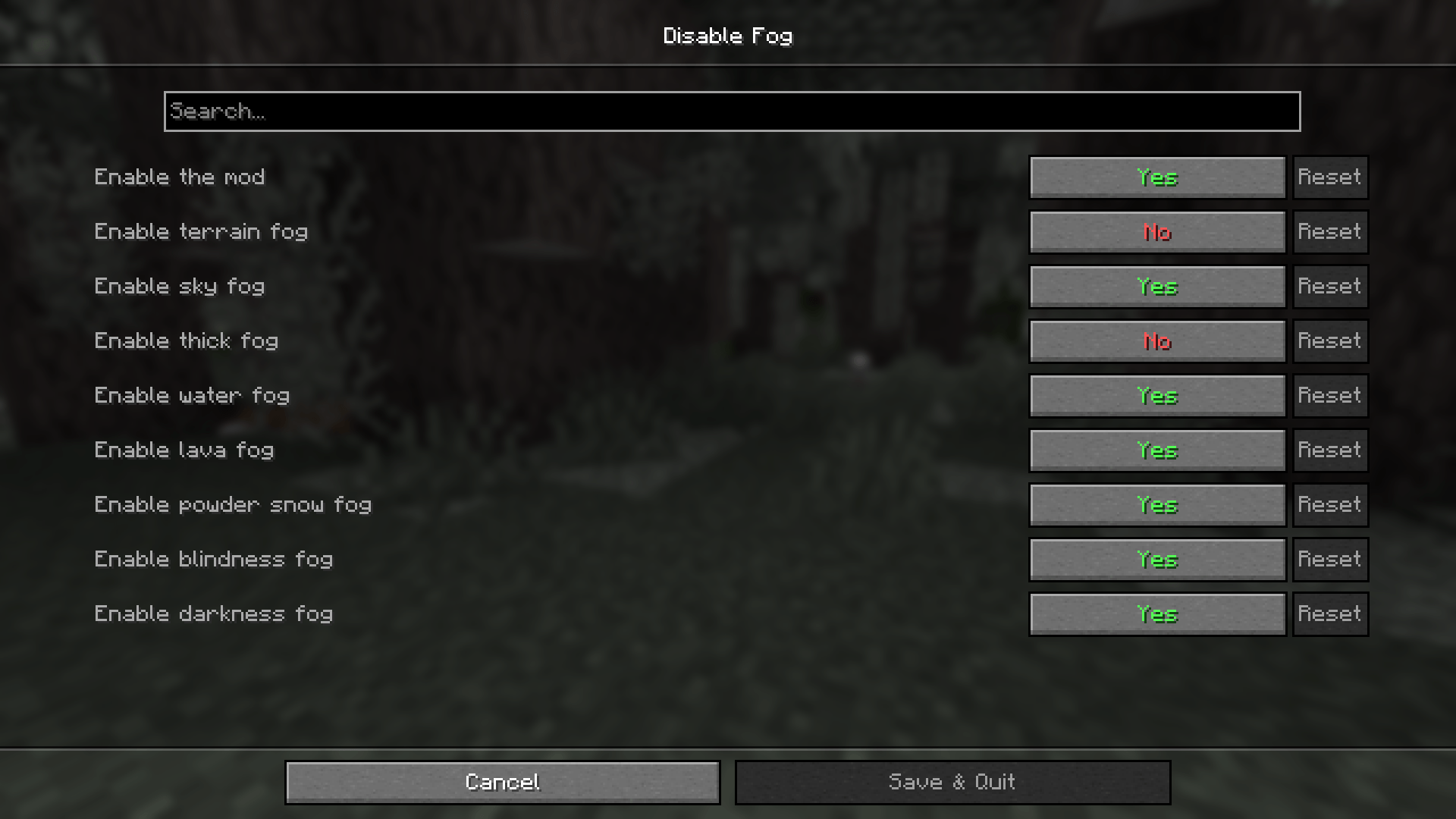 Config Screen Config Screen Old Version
-
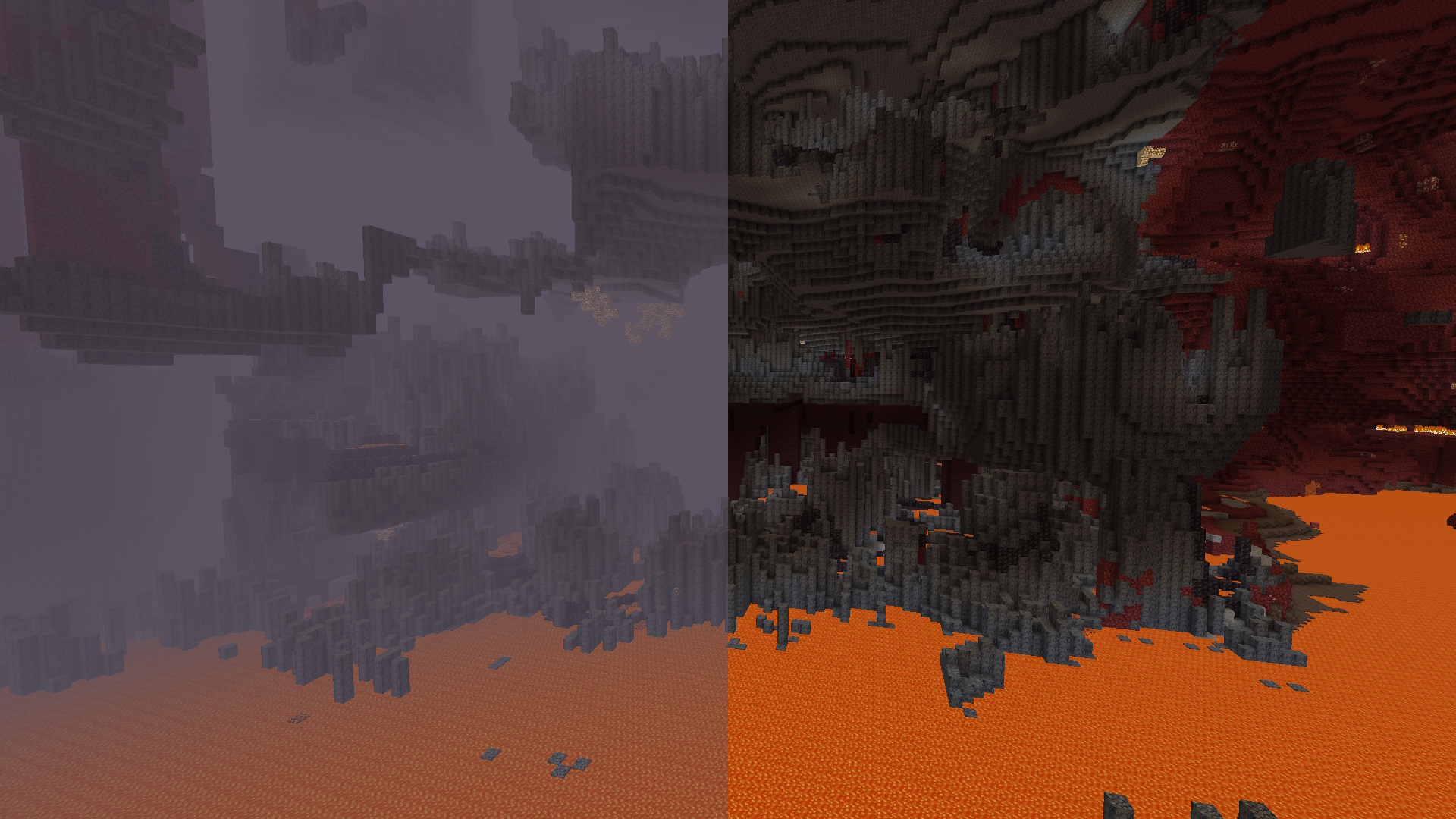 Nether Fog
 -
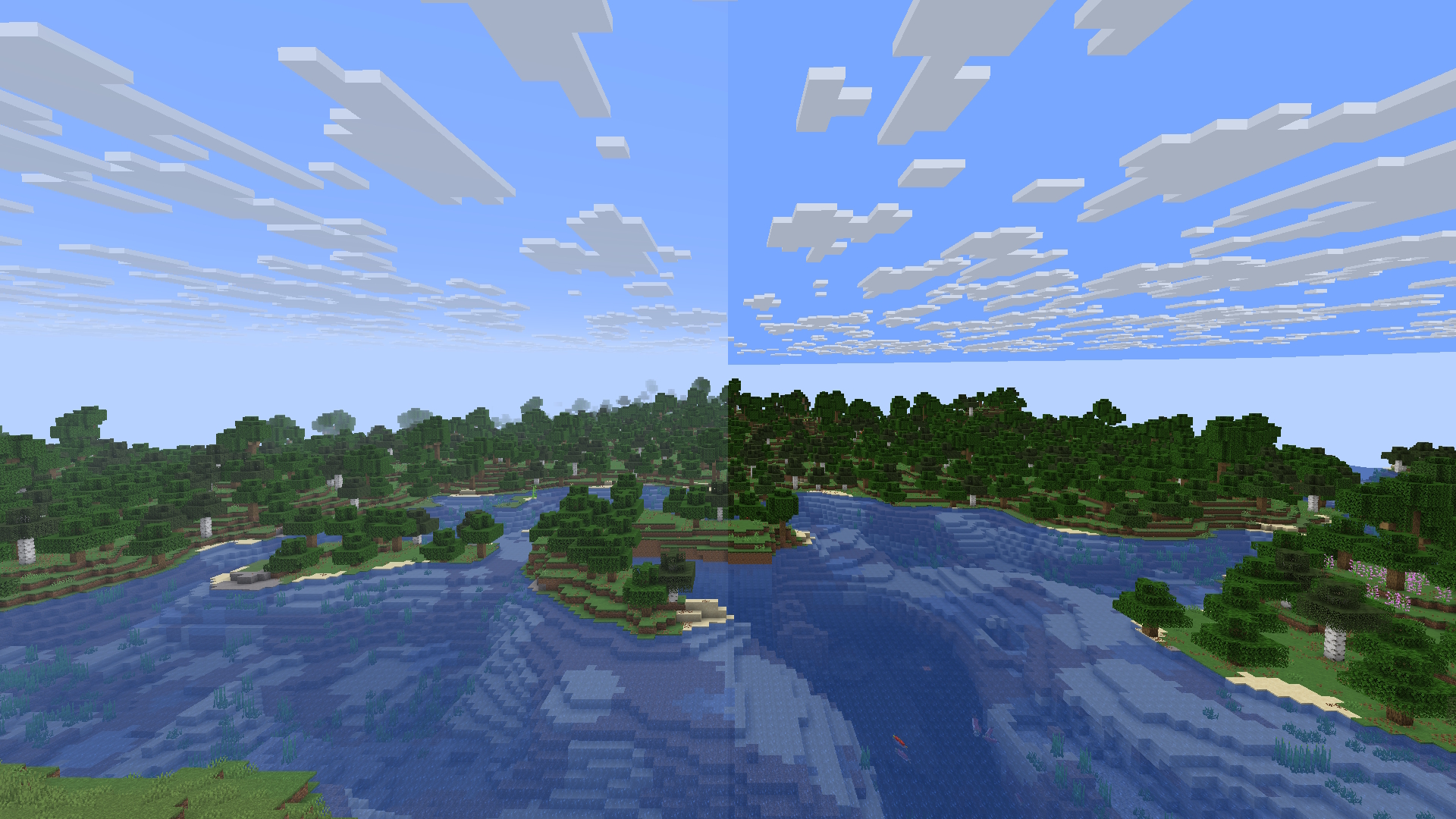 Terrain Fog and Atmospheric Fog
 -
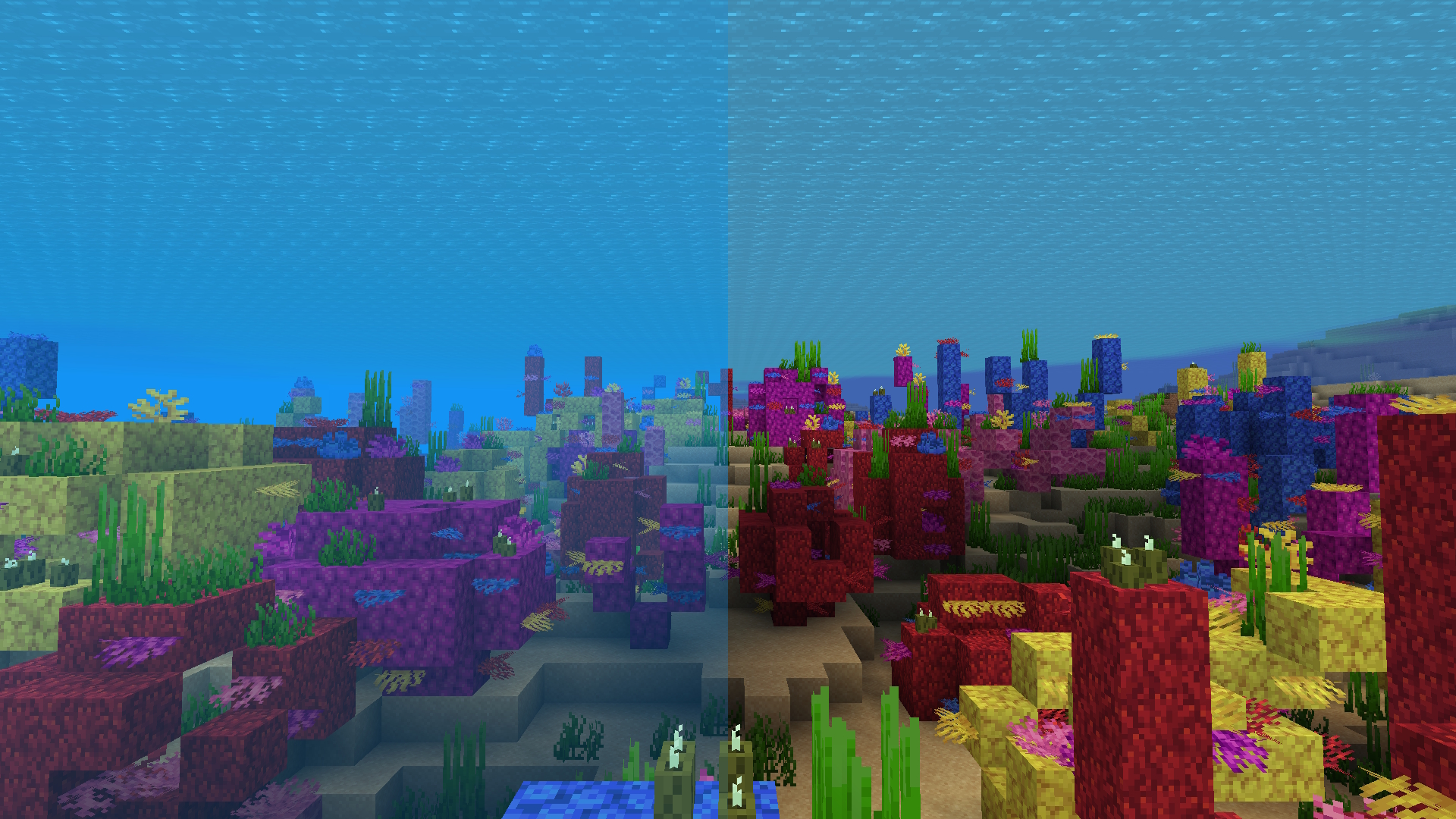 Water Fog
 -
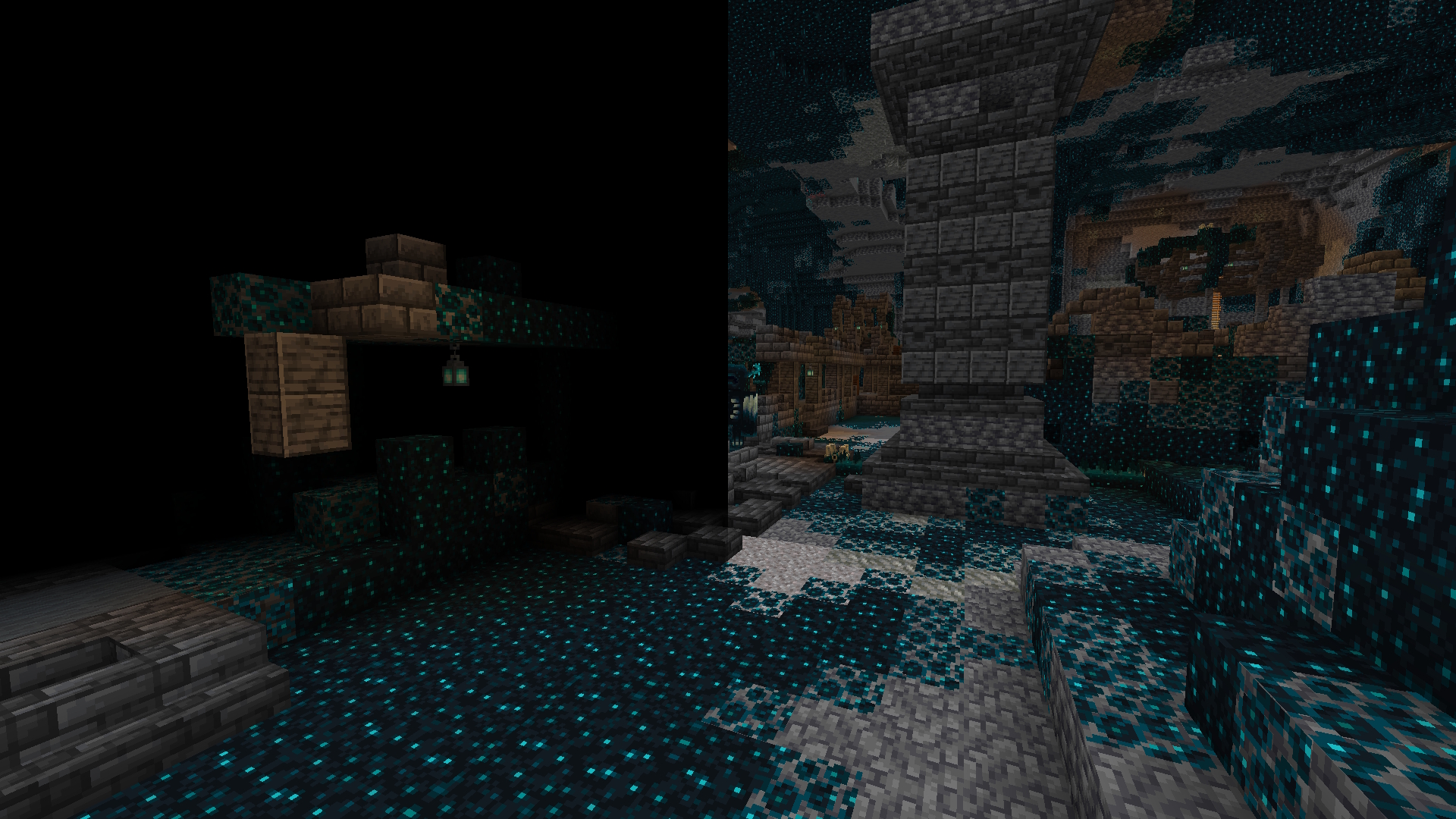 Darkness Fog
 -
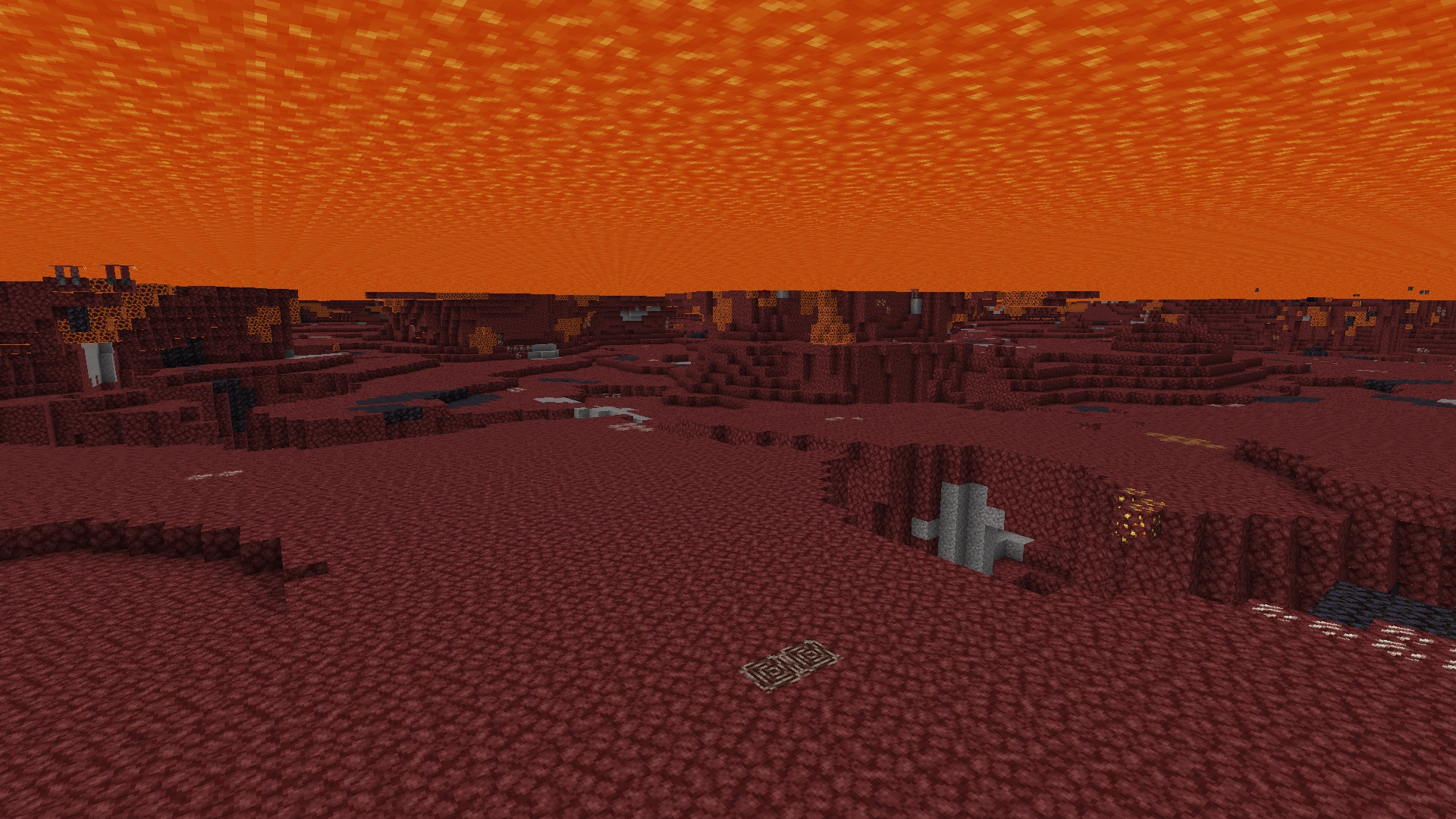 Lava Fog
 -
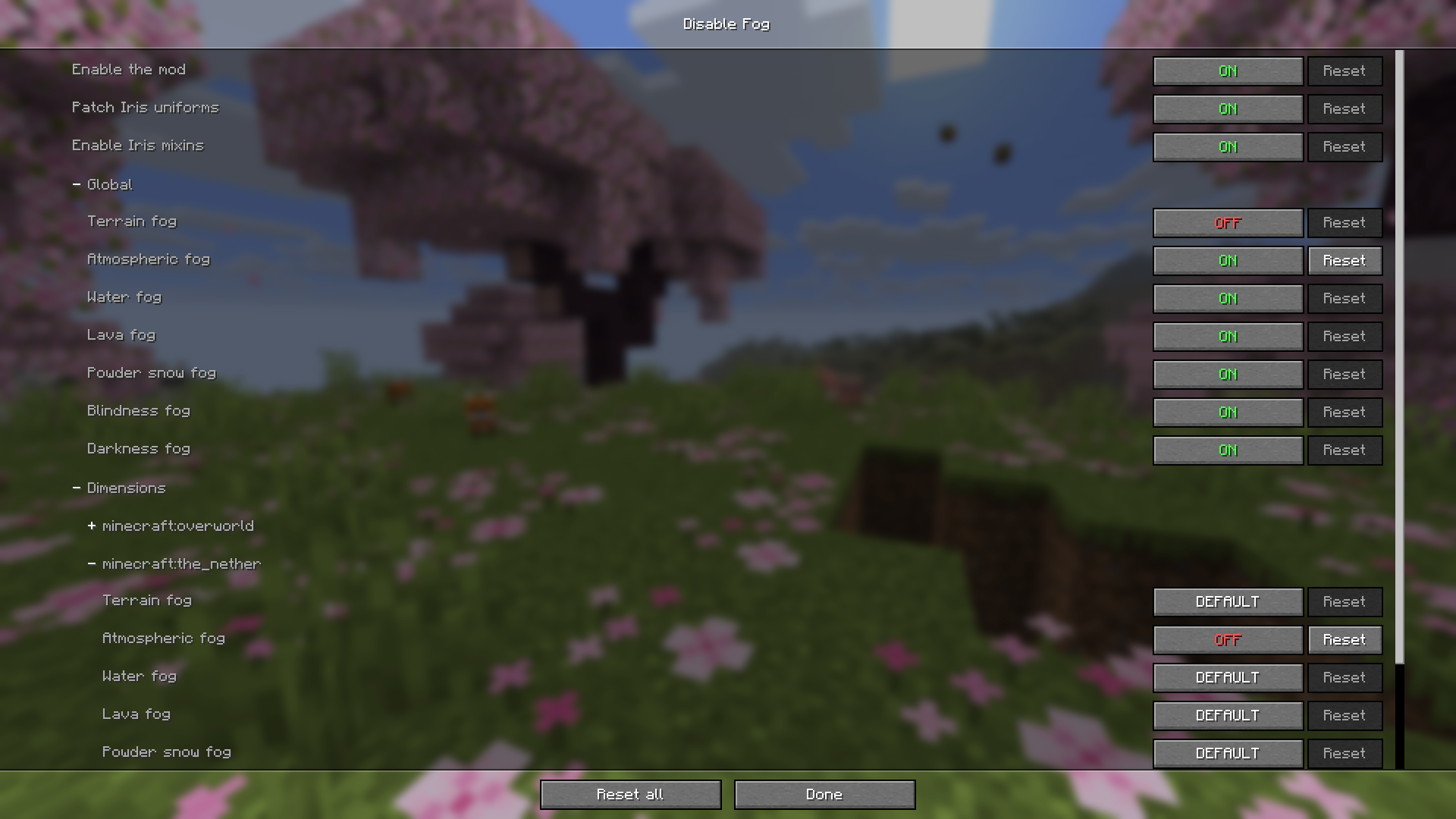 Config Screen v2.0.0+
 -
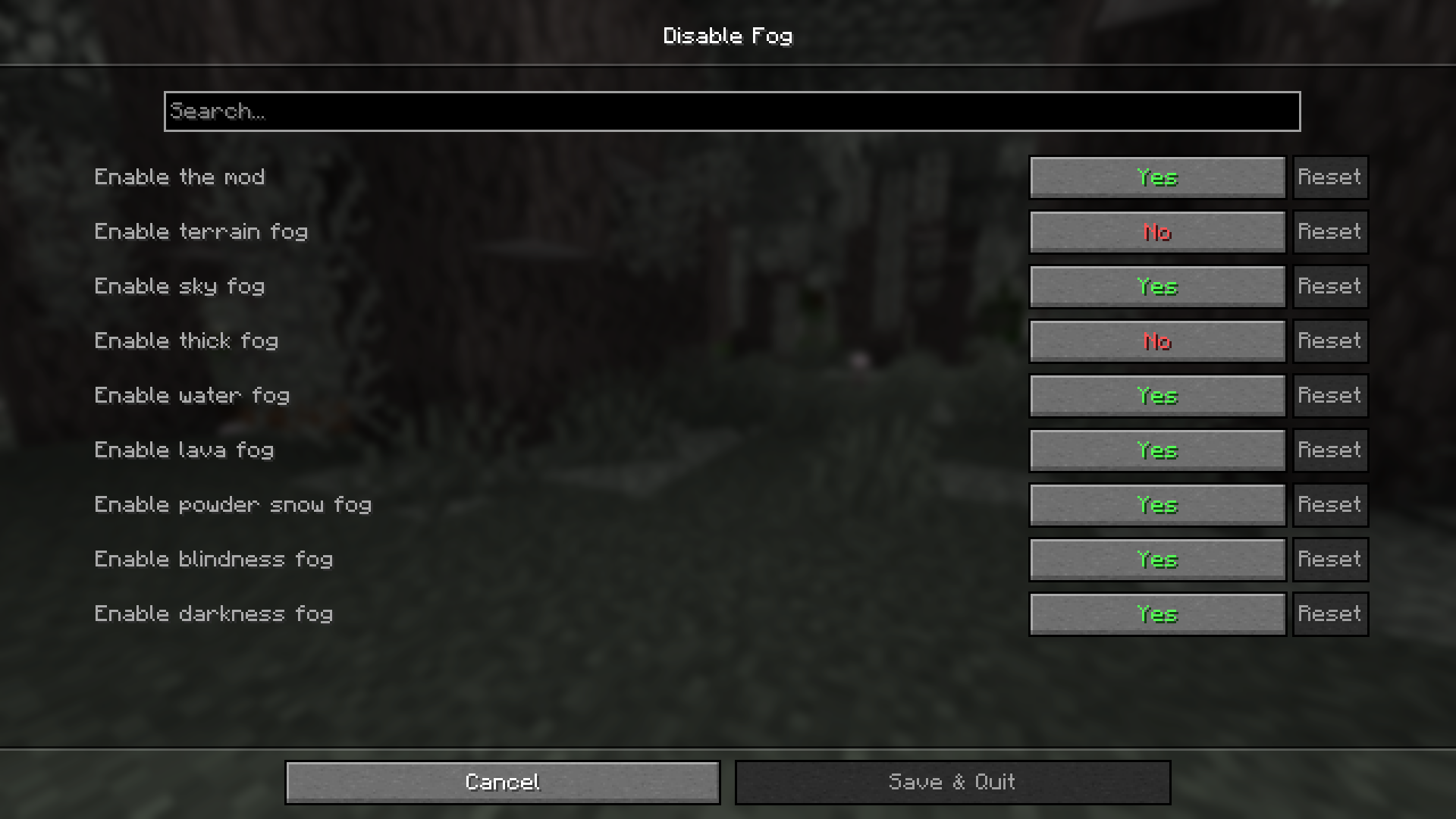 Config Screen Old Version
Versions
Files
Relations
Project Relations
More like this
Similar Mods
Suggestions use data such as tags, dependencies, dependents, descriptions, titles, and more to rank how much they overlap with this mod.
On ModDex
Community snapshot
By the numbers
Statistics
Want to reach Minecraft players?
We're looking for a server hosting partner to feature here and other parts of the site. Interested? Send us a message!
Get in touchGet it on
Available Platforms
On ModDex
Community snapshot
By the numbers