Domix's Guidebook
Simple Data-Driven Library for creating Guidebooks.
No ratings yet
Be the first to rate it.
Community listing page
Community listing page, reviews may not be monitored by the author.

Community voices
Reviews
No reviews yet. Be the first to review this project!
Get it on
Available Platforms
Compatibility
Supported Environments
Must be installed on both the client and the server.
About
Project Details
For authors
Embed Badge
If you're the author of this project, you can embed a live badge anywhere that supports HTML or Markdown. It updates automatically whenever ratings change.
Use HTML for any page that supports it, or Markdown for README files and Markdown-based descriptions.
Identifiers
Platform IDs
About
Description

Domix’s Guidebook is a simple, data-driven API for creating in-game guidebooks for Fabric mods.
It allows mod developers to define guidebook content entirely through JSON, including pages, images, items, and recipes, without needing to write custom UI or rendering code.
The API is designed to be lightweight, flexible, and easy to integrate. Mods can register their own guidebooks, provide custom assets, and extend the system with additional element types if needed.
The guidebook system was originally part of my Domix’s Creatures mod, and has since been reworked into a standalone API that can be reused across my own projects and integrated by other modders.
The guidebook is used by right-clicking an entity that has a corresponding entry, or by right-clicking while holding the guidebook in one hand and an item with an entry in the other. A small magnifying glass icon will appear under the cursor if an entry is available.

Domix’s Guidebook is a simple, data-driven API for creating in-game guidebooks for Fabric mods.
It allows mod developers to define guidebook content entirely through JSON, including pages, images, items, and recipes, without needing to write custom UI or rendering code.
The API is designed to be lightweight, flexible, and easy to integrate. Mods can register their own guidebooks, provide custom assets, and extend the system with additional element types if needed.
The guidebook system was originally part of my Domix’s Creatures mod, and has since been reworked into a standalone API that can be reused across my own projects and integrated by other modders.
The guidebook is used by right-clicking an entity that has a corresponding entry, or by right-clicking while holding the guidebook in one hand and an item with an entry in the other. A small magnifying glass icon will appear under the cursor if an entry is available.
Screenshots
Gallery
-
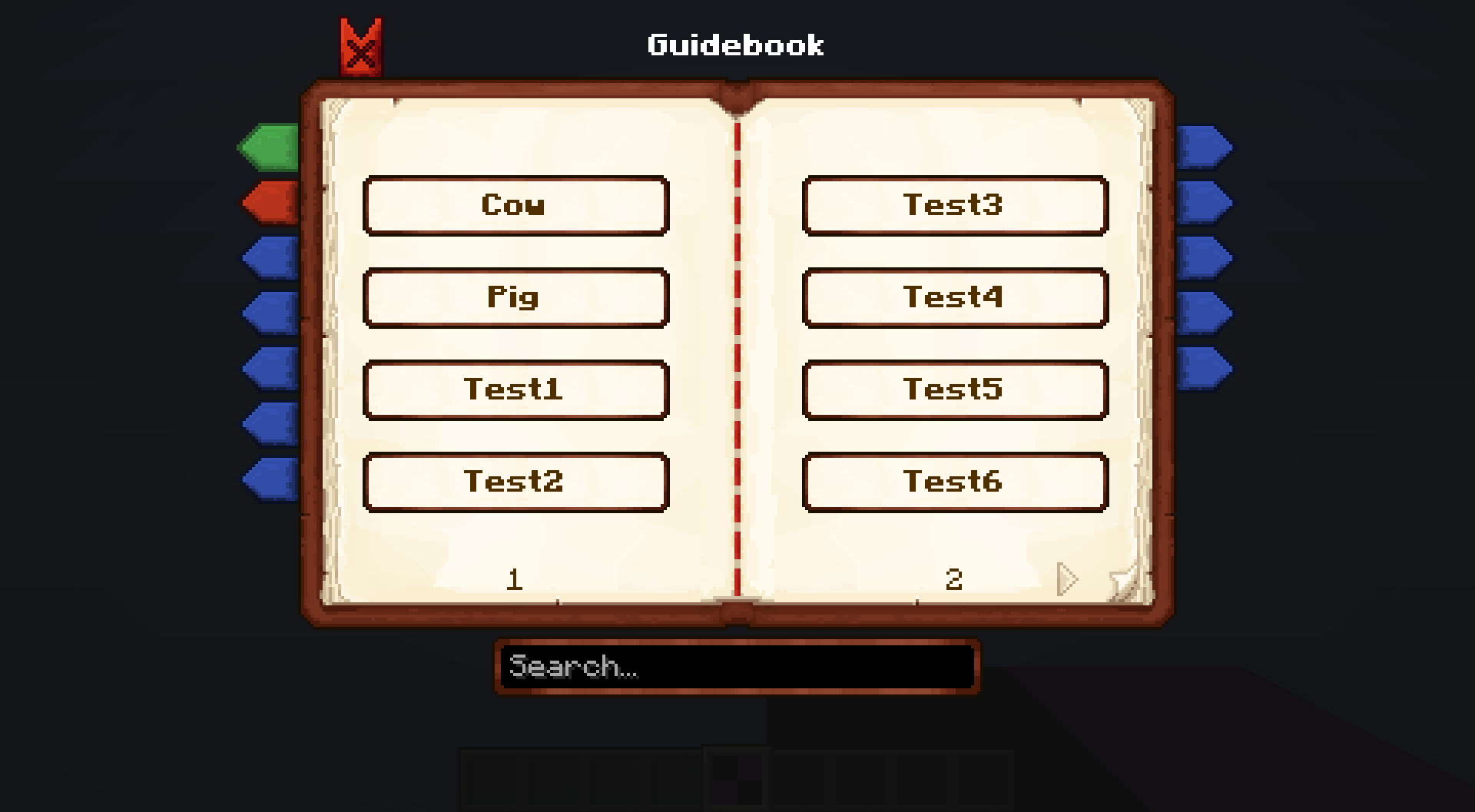 guidebook_1.png Example of a guidebook with multiple categories
-
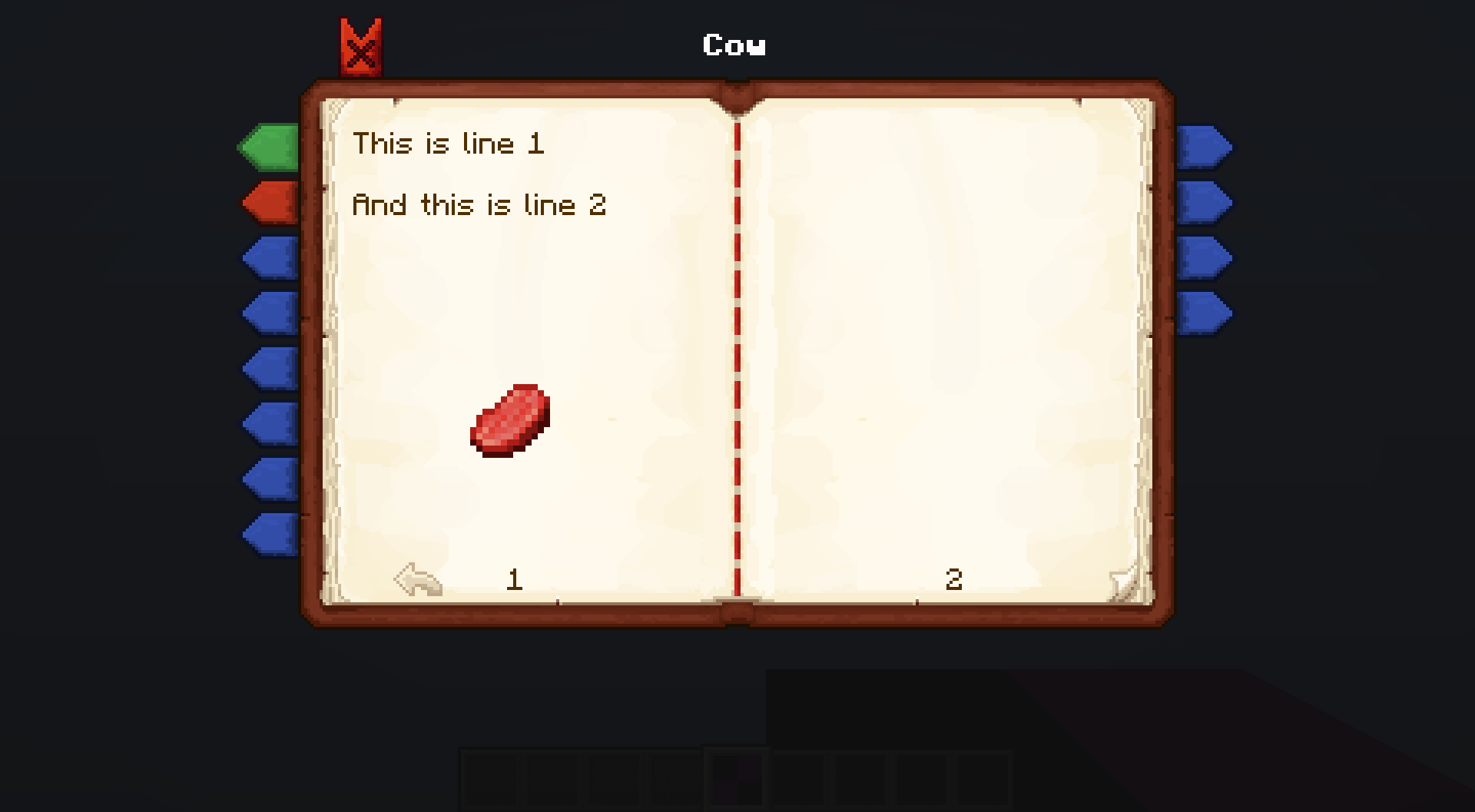 guidebook_2.png Example of an open entry
-
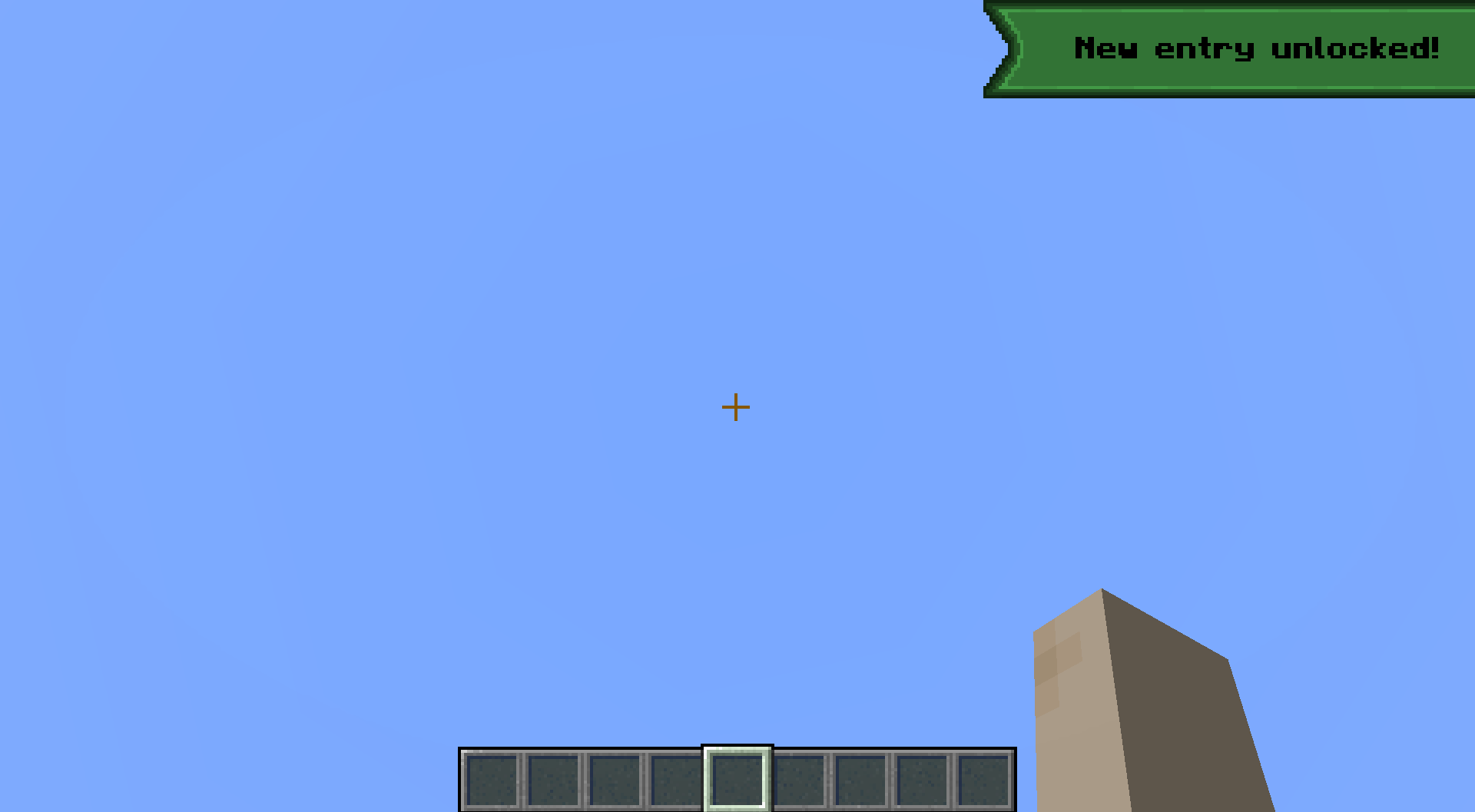 guidebook_3.png Toast that appears once a new entry is unlocked.
-
 Example of a guidebook with multiple categories (each bookmark represents a category) and several entries within an open category.
-
 Example of an open entry
-
 Toast that appears once a new entry is unlocked.
Versions
Files
Relations
Project Relations
More like this
Similar Mods
Suggestions use data such as tags, dependencies, dependents, descriptions, titles, and more to rank how much they overlap with this mod.
Stats
- Downloads
-
2k
 <1,000
 1k
- Used in
- 2 modpacks
- Followers
- 0
- In stacks
- 0
- Created
-
- Last synced
-
Nov 3, 2026 3:17 PM UTC
New file updates sync automatically.
When ModDex last fully re-synced this project from CurseForge or Modrinth. A new file release triggers a resync usually within minutes, and every project is also re-synced on a schedule. Edits that don't ship a file, such as a new description or screenshots, are checked every few hours and can appear before this date changes.
How syncing works
External Links

Stats
- Downloads
-
2k
<1,000
1k
- Used in
- 2 modpacks
- Followers
- 0
- In stacks
- 0
- Created
-
- Last synced
-
Nov 3, 2026 3:17 PM UTC
New file updates sync automatically.
When ModDex last fully re-synced this project from CurseForge or Modrinth. A new file release triggers a resync usually within minutes, and every project is also re-synced on a schedule. Edits that don't ship a file, such as a new description or screenshots, are checked every few hours and can appear before this date changes.
How syncing works