
Community listing page, reviews may not be monitored by the author.
Domum Ornamentum - BlueMap Integration

No reviews yet
Renders Domum Ornamentum blocks on BlueMap with the real materials they're made from, instead of gray placeholder textures. Great for MineColonies.

Community voices
Reviews
No reviews yet. Be the first to review this project!
Get it on
Available Platforms
About
Project Details
For authors
Embed Badge
If you're the author of this project, you can embed a live badge anywhere that supports HTML or Markdown. It updates automatically whenever ratings change.
Use HTML for any page that supports it, or Markdown for README files and Markdown-based descriptions.
Identifiers
Platform IDs
Resources
External Links
About
Description
Domum Ornamentum - BlueMap Integration
Make your Domum Ornamentum builds show up on BlueMap the way they look in game.
Domum Ornamentum lets you craft shingles, timber frames, pillars, paper walls, fancy doors and more from almost any block. A roof made from yellow concrete really is yellow, and a timber frame made from dark oak and stone uses exactly those textures.
BlueMap doesn't know about any of that. Without this addon it only sees Domum's gray placeholder textures, so every Domum roof and wall on your map looks the same. This is especially obvious with MineColonies, where most colony buildings are made from Domum blocks.
This addon teaches BlueMap how Domum blocks work. It reads the materials each block was crafted from and renders the block with those textures, so your map finally matches your world.
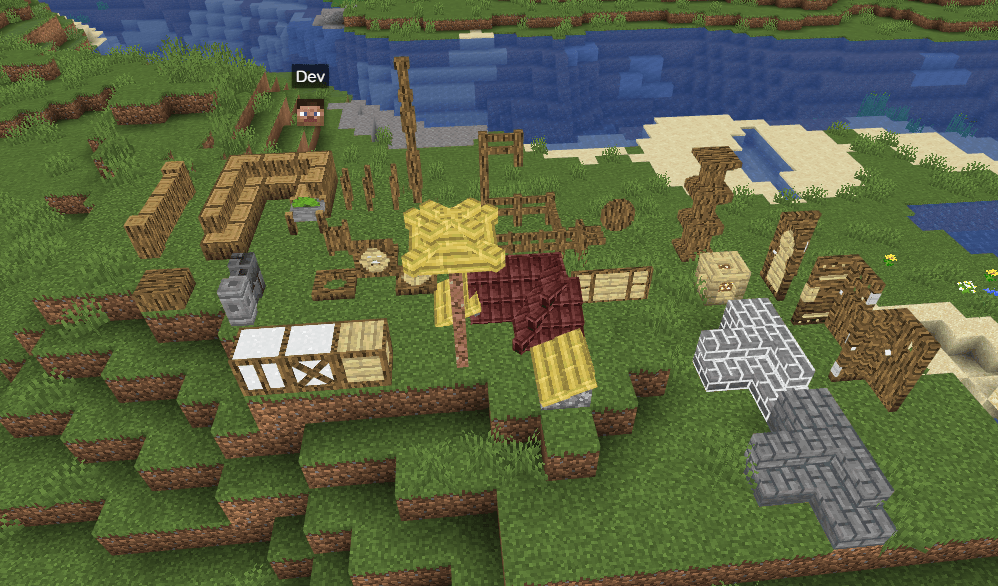
Features
- Renders all materially textured Domum Ornamentum blocks with their real materials
- Server-side only: players don't need to install anything
- Changes nothing in game, it only affects what BlueMap renders
Requirements
| Minecraft | Loader | Requires |
|---|---|---|
| 1.21.1 | NeoForge | BlueMap 5.7, Domum Ornamentum |
| 1.20.1 | Forge | BlueMap 5.12, Domum Ornamentum |
These are the BlueMap versions this addon is built and tested against. Other versions may work, but aren't guaranteed to.
Installation
- Install BlueMap and Domum Ornamentum.
- Drop this mod into your
mods/folder. - Start the server. If you already had a map, run
/bluemap force-updateonce to re-render it with the right colors.
FAQ
My Domum blocks are still gray on the map. Run /bluemap force-update. Tiles rendered before the addon was installed keep their old look until they're rendered again. Also make sure you're on the latest version: in 1.1.0 and earlier, whether the addon worked depended on how your server happened to list the files in mods/.
What is the config/bluemap/packs/domumornamentumbluemap folder? The addon puts a small resource pack there on every startup. It tells BlueMap to render Domum blocks using this addon. The folder is replaced on each start, so don't edit it.
I removed the addon. Do I need to clean anything up? Yes, delete the config/bluemap/packs/domumornamentumbluemap folder, because the addon can't remove it once it's gone. Leaving it won't break anything, but it could cause wrong-looking Domum blocks on your map after a future Domum update.
Do players need to install this? No. Install it wherever BlueMap runs. That's the server, or your own game in singleplayer.
Links
Screenshots
Gallery
-
2025-08-29_14_38_15-Window.png 2025-08-29_14_38_15-Window.png
Versions
Files
Relations
Project Relations
More like this
Similar Mods
Suggestions use data such as tags, dependencies, dependents, descriptions, titles, and more to rank how much they overlap with this mod.
On ModDex
Community snapshot
By the numbers
Statistics

Get it on
Available Platforms
On ModDex
Community snapshot
By the numbers
Statistics
Resources