Community listing page, reviews here may not be monitored by the author.
Drone FPV


No reviews yet
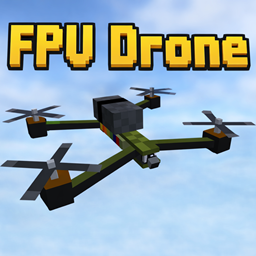
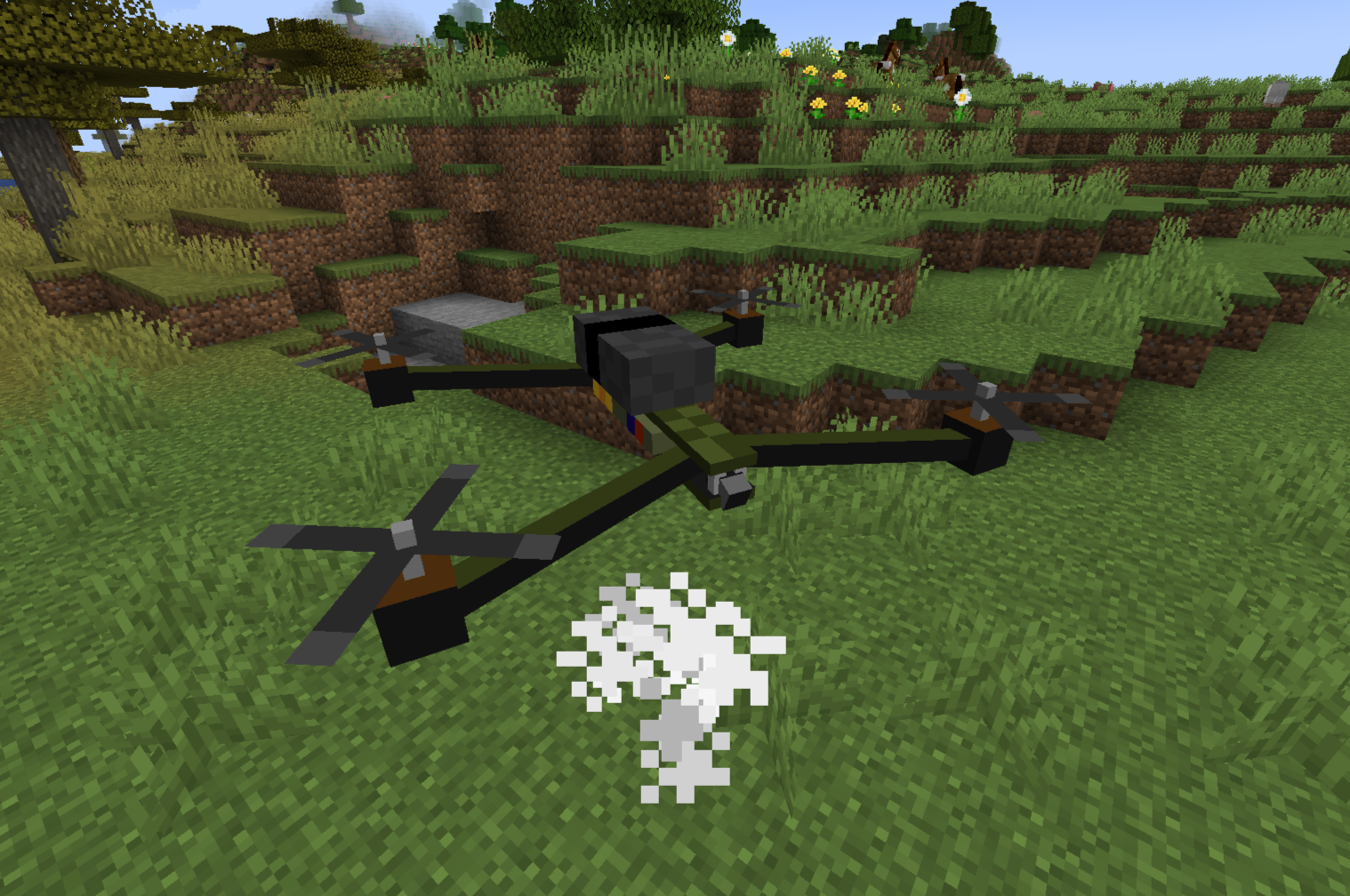
Drone FPV is a high-tech tactical drone mod for Minecraft that introduces a fully functional First-Person View (FPV) flight experience.
Community voices
Reviews
No reviews yet. Be the first to review this project!
Get it on
Available Platforms
Compatibility
Supported Environments
Must be installed on both the client and the server.
About
Project Details
For authors
Embed Badge
If you're the author of this project, you can embed a live badge anywhere that supports HTML or Markdown. It updates automatically whenever ratings change.
Use HTML for any page that supports it, or Markdown for README files and Markdown-based descriptions.
Identifiers
Platform IDs
Resources
External Links
About
Description
FPV Drone: Advanced UAV Simulator
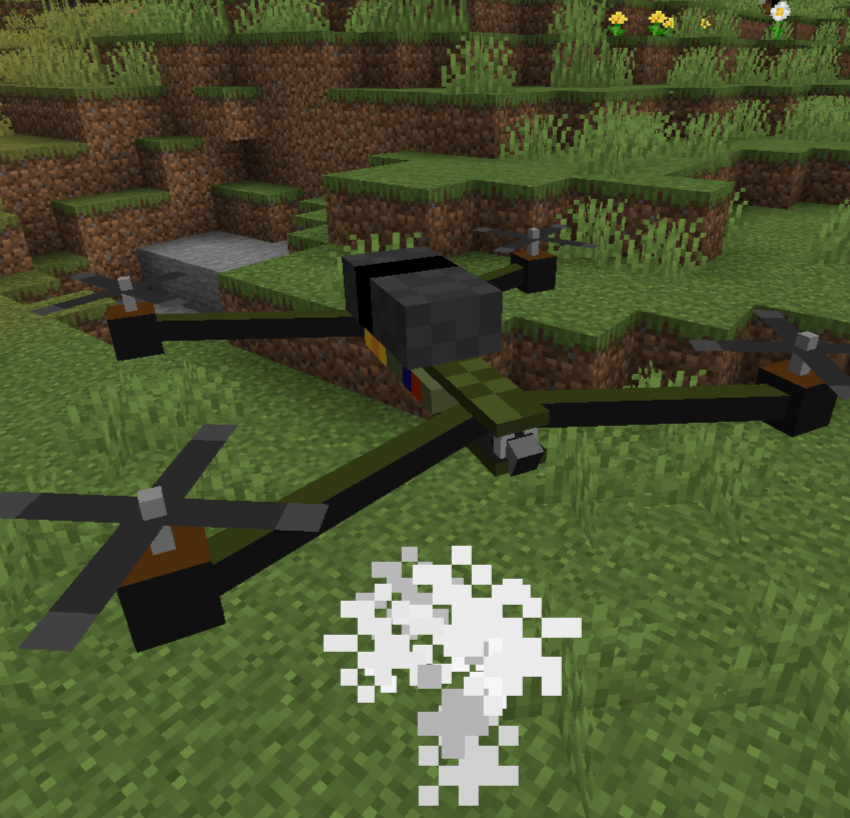
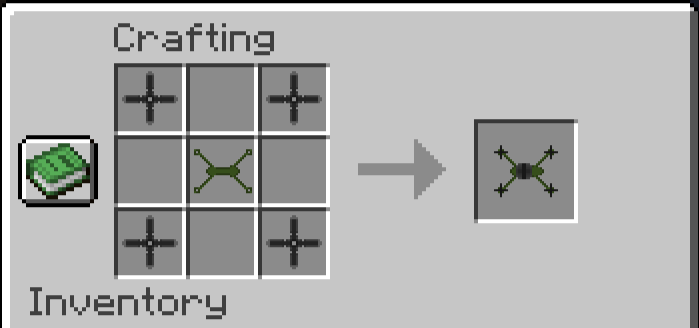
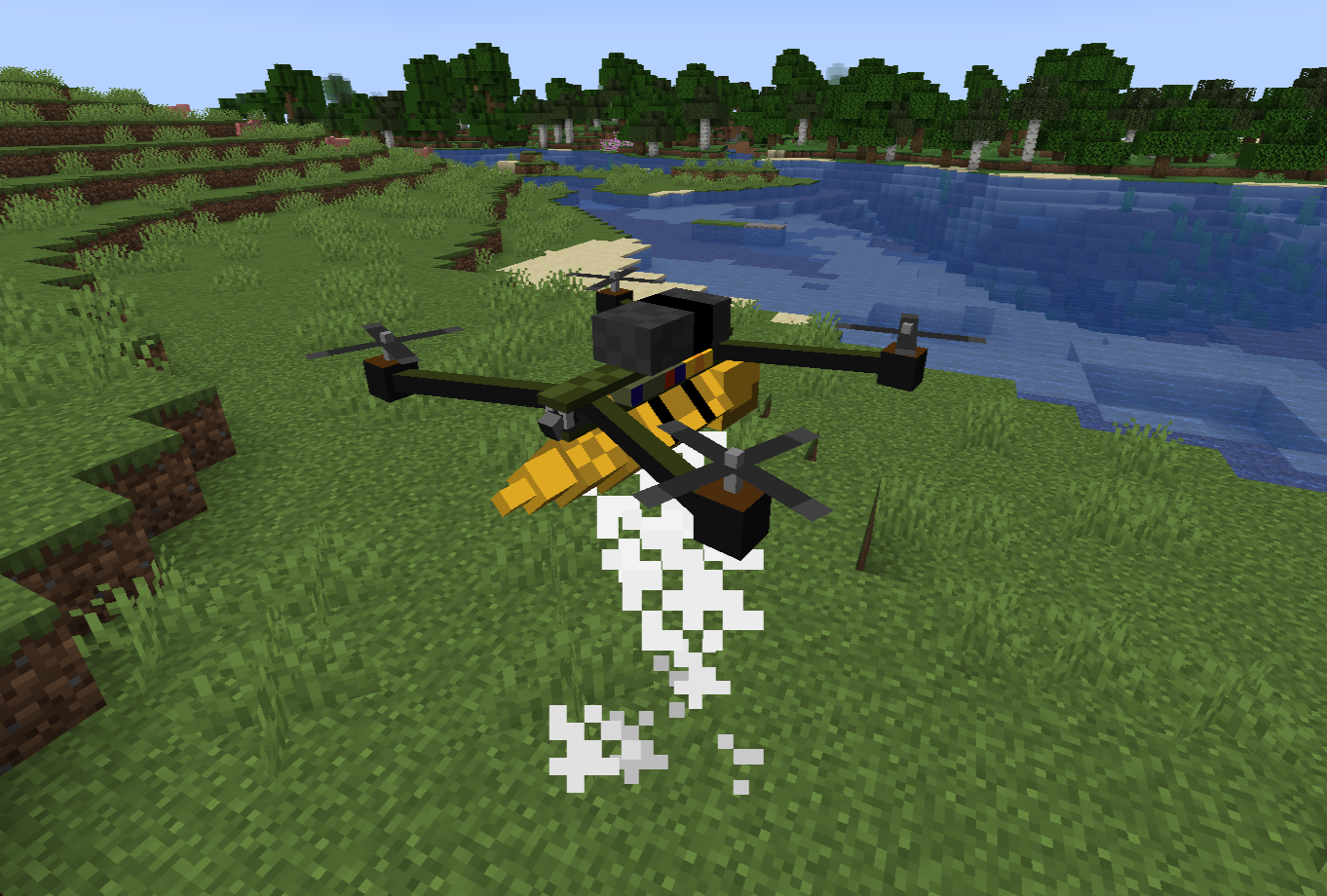
FPV Drone is a comprehensive, highly realistic tactical drone mod for Minecraft. It introduces a fully functional First-Person View (FPV) quadcopter with deep mechanics including signal interference, battery management, vehicle durability, and aerial payload deployment.
Whether you are scouting enemy bases, exploring ravines from the safety of your home, or dropping explosives on a zombie horde, **FPV Drone** provides an immersive piloting experience unlike any other.
⚙️ Requirements & Dependencies
To run this mod, you will need the following installed in your Minecraft client/server:
Mod Loader: Fabric
Required API: Fabric API
Minecraft Version: Fabric 1.20.1
🎮 Core Mechanics & Features
1. FPV Piloting & Custom HUD
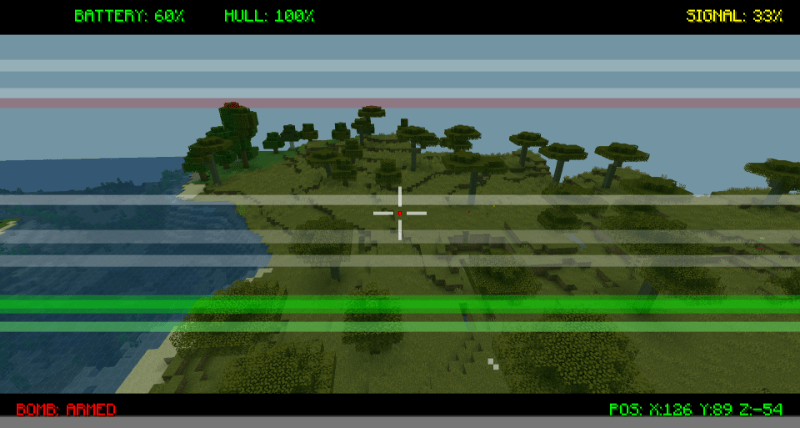
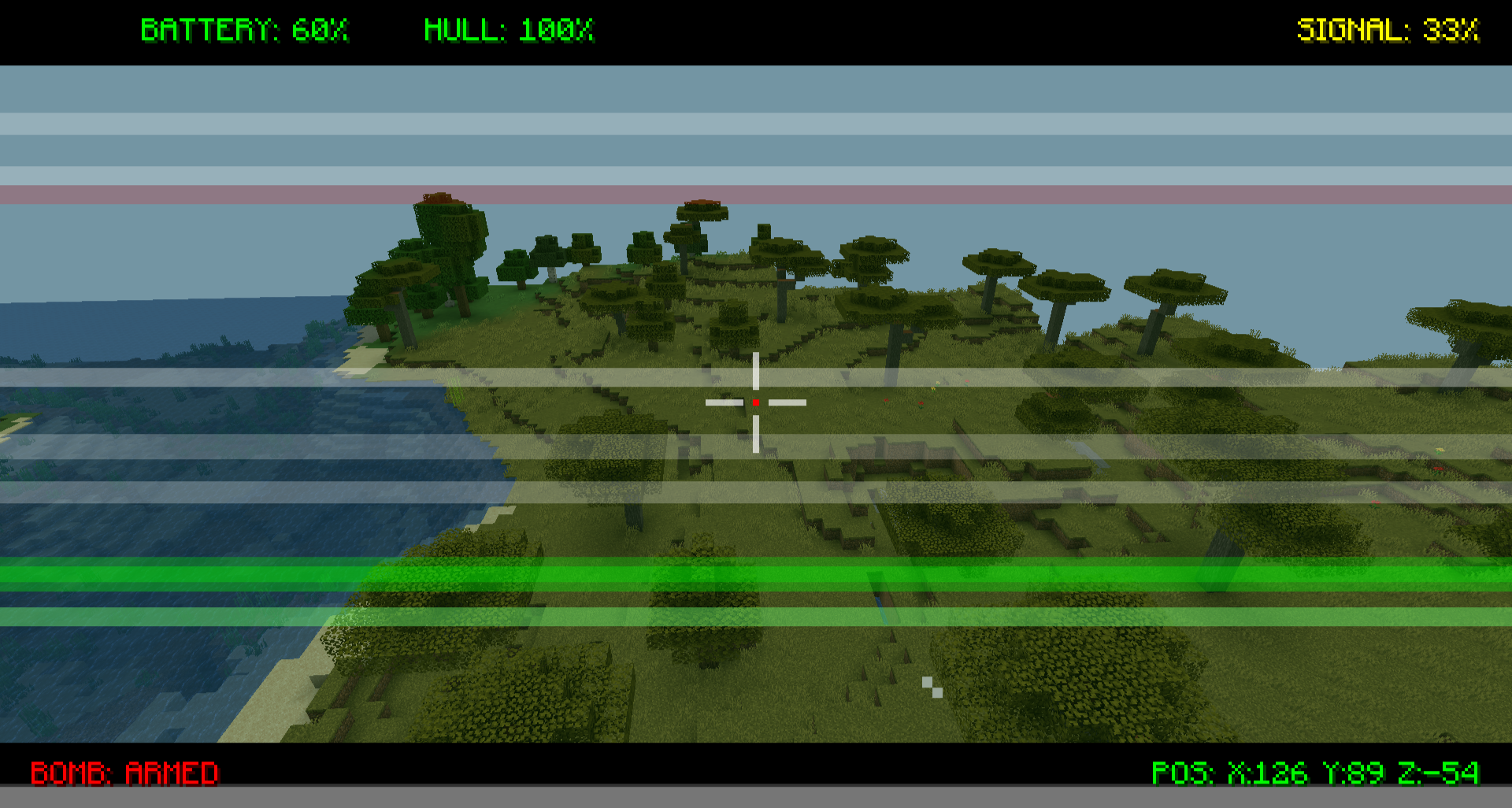
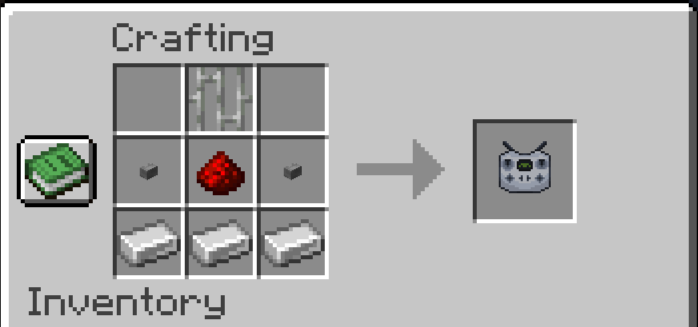
Take control of your drone using the Drone Controller. Once linked, your camera seamlessly shifts to the drone's perspective. The custom Heads-Up Display (HUD) provides critical real-time telemetry:
- Coordinates (POS): Exact X, Y, and Z location of the drone.
- Hull Integrity (HULL): Current health percentage.
- Battery Level (BATTERY): Remaining power percentage.
- Signal Strength (SIGNAL): Connection quality based on your distance.
- Payload Status (BOMB): Indicates if a bomb is currently armed and ready.
2. Signal Interference & Range
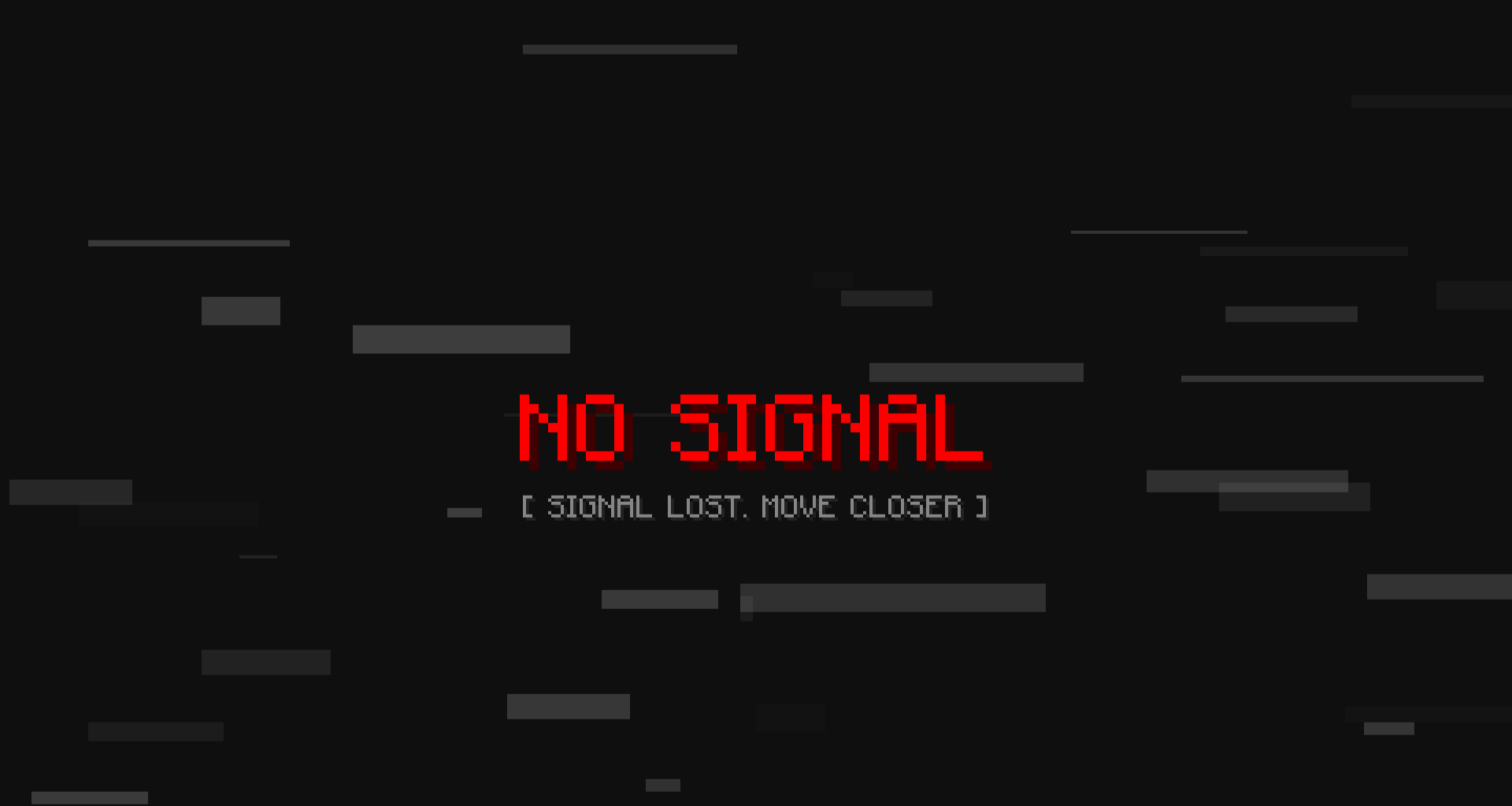
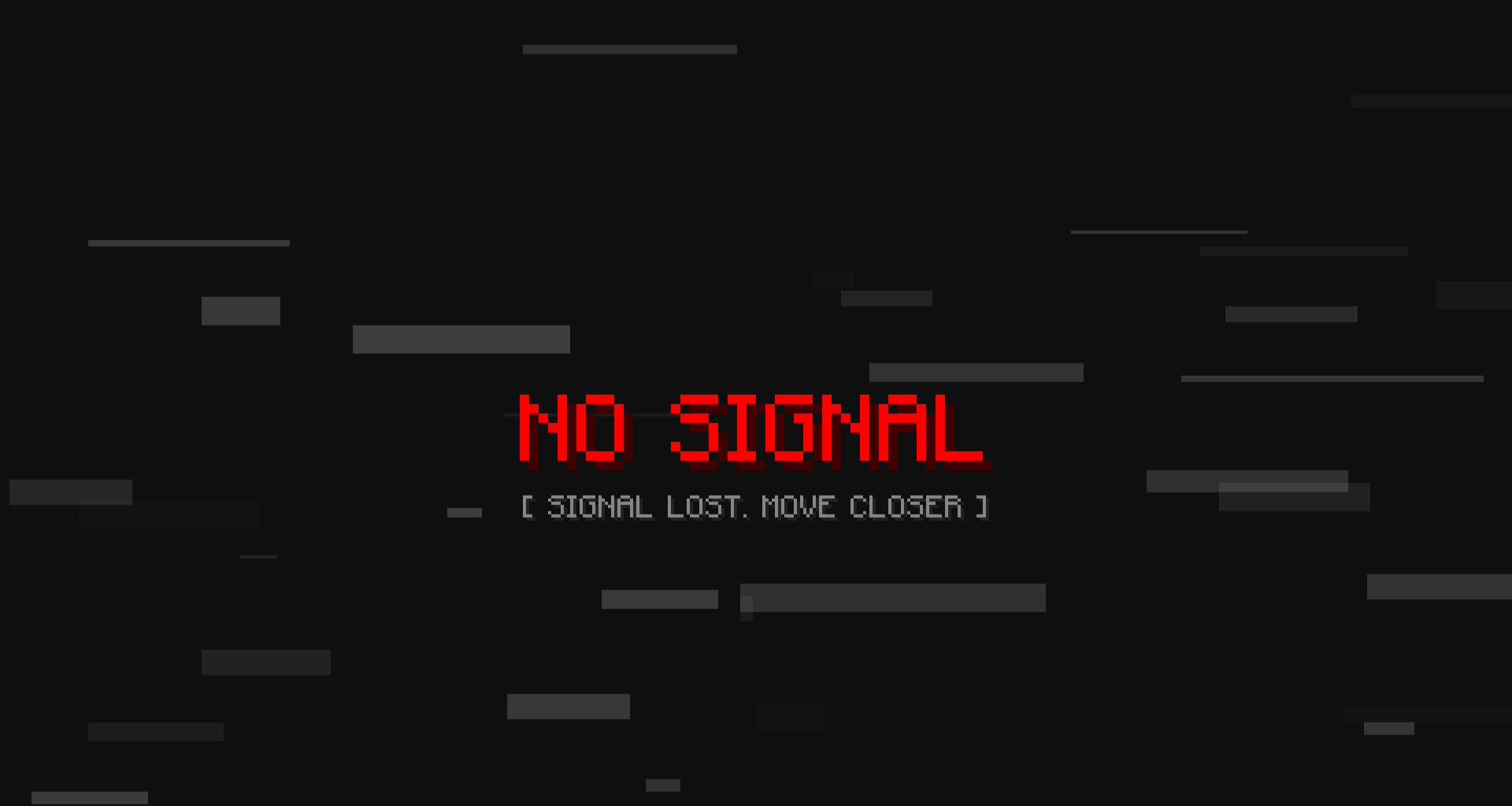
You can't fly forever. As the drone flies further away from the pilot (past 100 blocks), the video feed will begin to degrade. You will experience visual static, glitching, and a "WEAK SIGNAL" warning. If you exceed the absolute maximum range (150 blocks), the signal is entirely lost, your screen will turn to static, and the drone will hover in place until you get closer.
3. Battery & Power Management
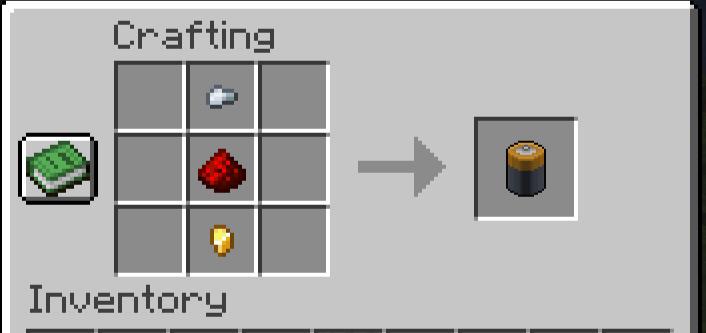
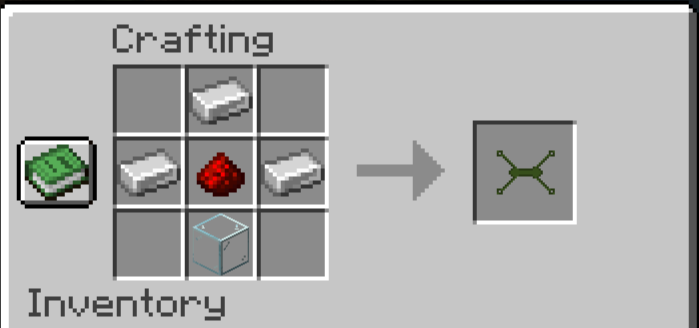
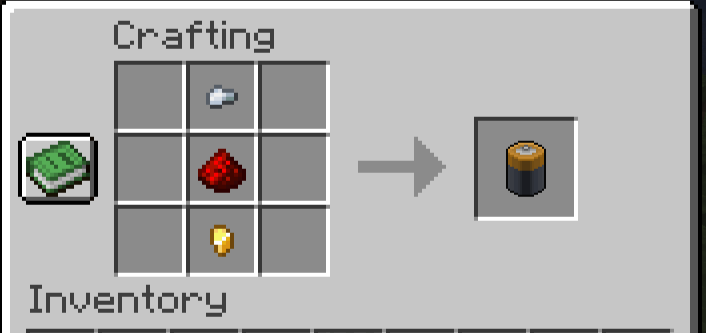
Drones require power to operate. A fully charged Drone Battery provides exactly 2 minutes of continuous flight time.
- At 15%, a flashing "LOW BATTERY" warning appears on your HUD.
- At 0%, the motors will shut down, the camera feed will die, and the drone will perform an emergency forced landing.
To recharge: Simply right-click the grounded drone with a fresh Drone Battery item.
4. Tactical Payload (Bombs)
Turn your reconnaissance drone into a strike aircraft.
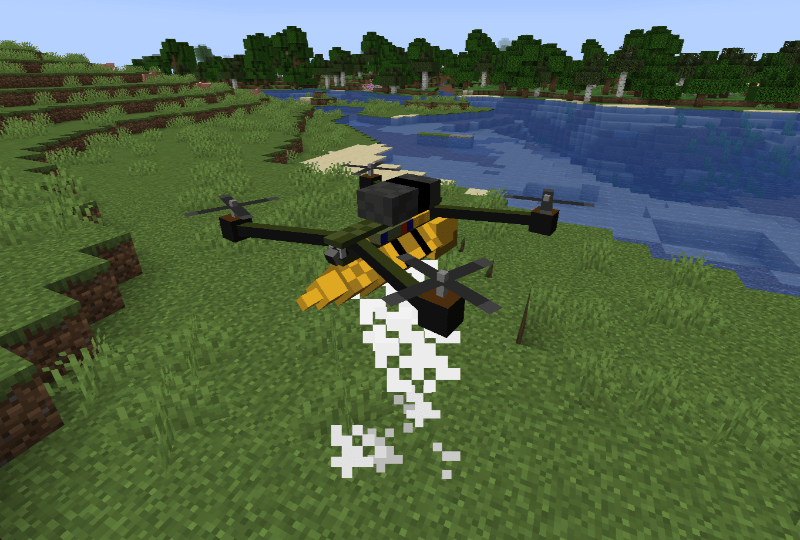
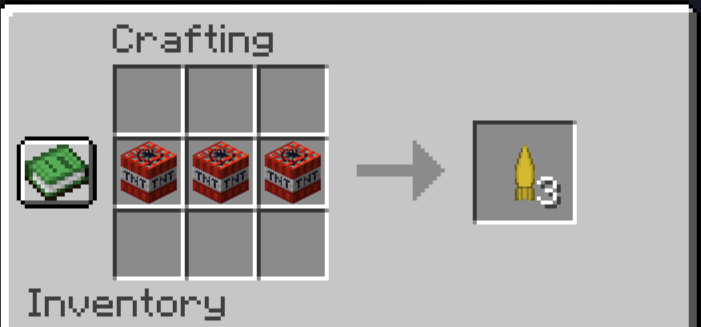
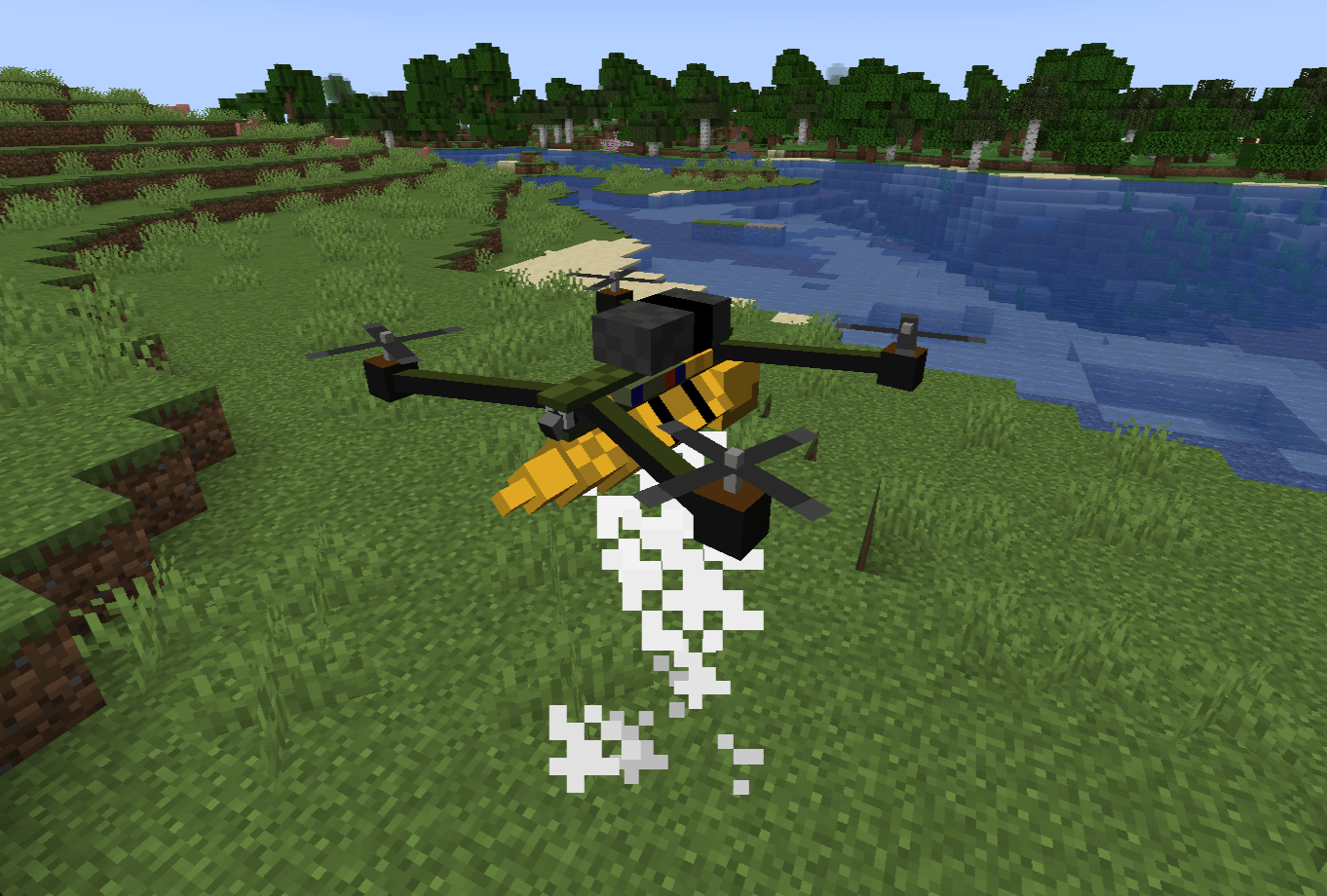
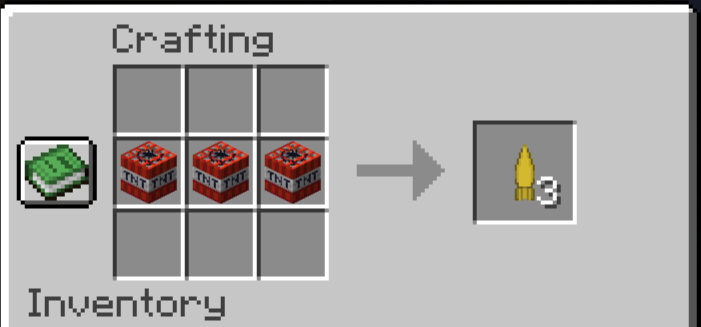
- Right-click the drone with a Drone Bomb item to attach it to the underbelly.
- While flying in FPV mode, press the drop key (customizable/default attack key) to release the payload.
5. Durability, Damage & Repairs
Your drone is a fragile piece of technology (20 HP / 10 Hearts). It can be shot down by projectiles or other players.
- Wear & Tear: As health drops below 50%, the motors will sustain damage. Top speed will decrease, thick black smoke will emit from the rotors, and the camera feed will glitch from the physical shock.
- Destruction: If HP reaches 0, the drone will be destroyed in a small electrical explosion (or a massive one, if it was carrying a bomb!).
- Maintenance: Use the Wrench item (Right-click on the drone) to repair it. Each click restores 5 HP and consumes 1 durability from the Wrench.
6. Dynamic Hazards
Short-Circuiting: Drones are not waterproof! If your drone touches a river, ocean, or any water block, it will instantly short-circuit, spark, and explode. Fly carefully around waterfalls!
🚀 Quick Start Guide (How to Fly)
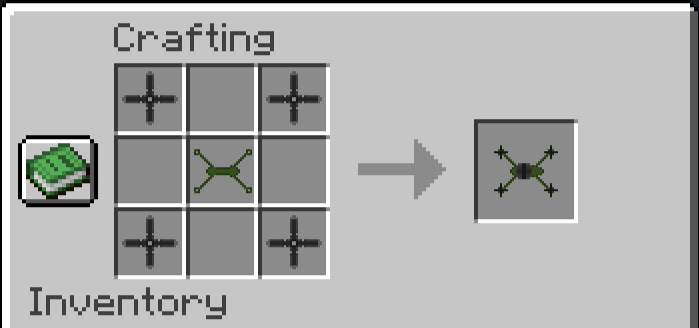
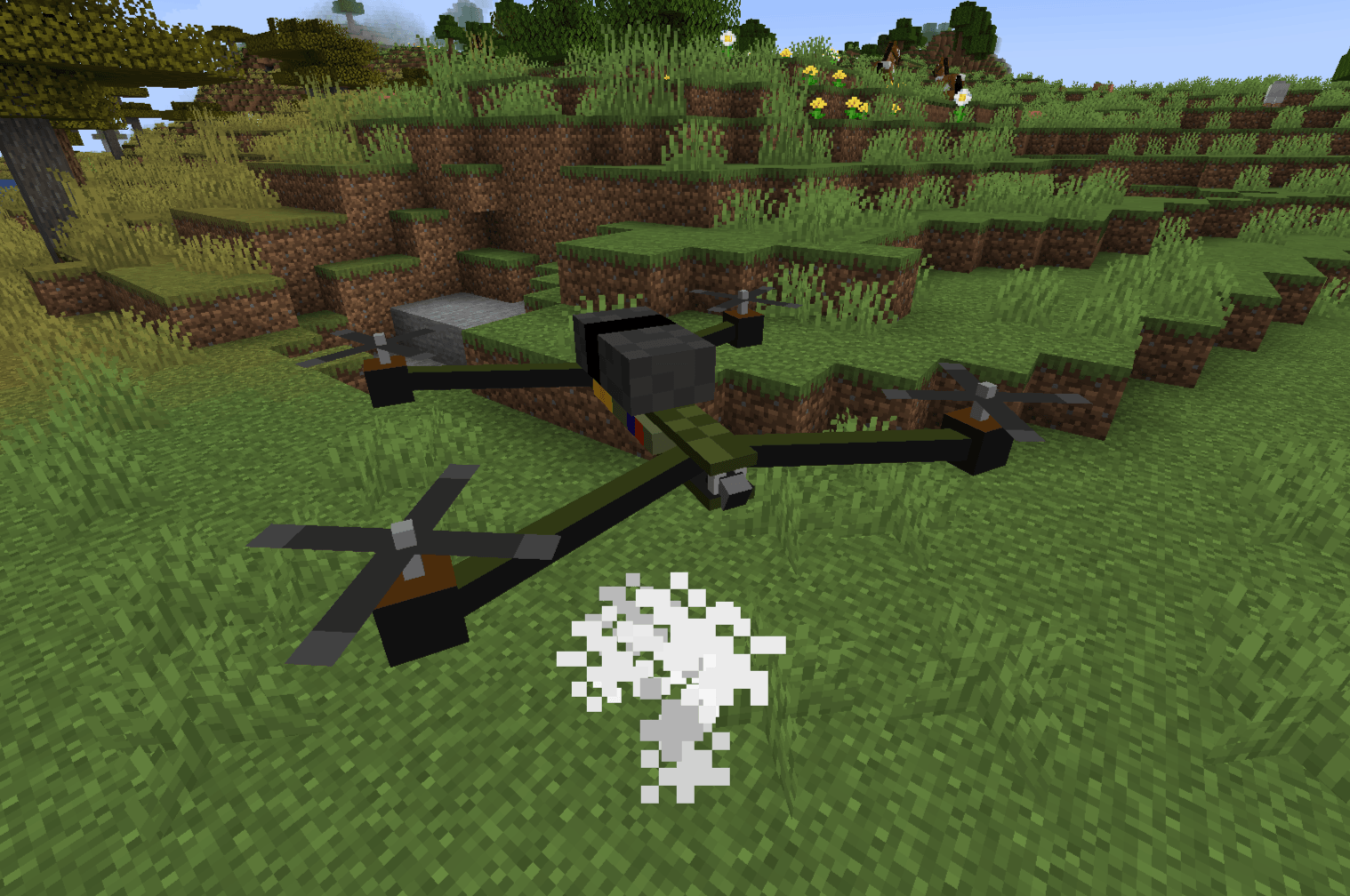
1. Place the Drone: Right-click the ground with the FPV Drone item.
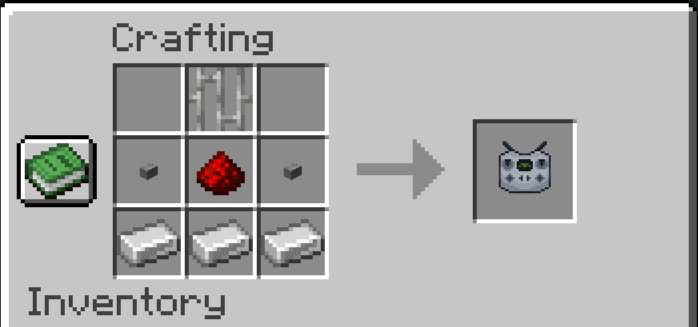
2. Bind the Controller: Hold the Drone Controller in your hand and Right-Click the drone. You are now the registered owner.
3. Connect the Camera: Right-Click the air with the bound controller to enter FPV mode.
4. Fly: Use your standard movement keys (W, A, S, D, Space, Ctrl) to pilot the drone.
FPV Drone: Advanced UAV Simulator
FPV Drone is a comprehensive, highly realistic tactical drone mod for Minecraft. It introduces a fully functional First-Person View (FPV) quadcopter with deep mechanics including signal interference, battery management, vehicle durability, and aerial payload deployment.
Whether you are scouting enemy bases, exploring ravines from the safety of your home, or dropping explosives on a zombie horde, FPV Drone provides an immersive piloting experience unlike any other.

⚙️ Requirements & Dependencies
To run this mod, you will need the following installed in your Minecraft client/server:
- Mod Loader: Fabric
- Required API: Fabric API
- Minecraft Version: Fabric 1.20.1
🎮 Core Mechanics & Features
1. FPV Piloting & Custom HUD
Take control of your drone using the Drone Controller. Once linked, your camera seamlessly shifts to the drone's perspective. The custom Heads-Up Display (HUD) provides critical real-time telemetry:
- Coordinates (POS): Exact X, Y, and Z location of the drone.
- Hull Integrity (HULL): Current health percentage.
- Battery Level (BATTERY): Remaining power percentage.
- Signal Strength (SIGNAL): Connection quality based on your distance.
- Payload Status (BOMB): Indicates if a bomb is currently armed and ready.

2. Signal Interference & Range
You can't fly forever. As the drone flies further away from the pilot (past 100 blocks), the video feed will begin to degrade. You will experience visual static, glitching, and a "WEAK SIGNAL" warning. If you exceed the absolute maximum range (150 blocks), the signal is entirely lost, your screen will turn to static, and the drone will hover in place until you get closer.
3. Battery & Power Management
Drones require power to operate. A fully charged Drone Battery provides exactly 2 minutes of continuous flight time.
- At 15%, a flashing "LOW BATTERY" warning appears on your HUD.
- At 0%, the motors will shut down, the camera feed will die, and the drone will perform an emergency forced landing.
- To recharge: Simply right-click the grounded drone with a fresh Drone Battery item.

4. Tactical Payload (Bombs)
Turn your reconnaissance drone into a strike aircraft.
- Right-click the drone with a Drone Bomb item to attach it to the underbelly.
- While flying in FPV mode, press the drop key (customizable/default attack key) to release the payload.
5. Durability, Damage & Repairs
Your drone is a fragile piece of technology (20 HP / 10 Hearts). It can be shot down by projectiles or other players.
- Wear & Tear: As health drops below 50%, the motors will sustain damage. Top speed will decrease, thick black smoke will emit from the rotors, and the camera feed will glitch from the physical shock.
- Destruction: If HP reaches 0, the drone will be destroyed in a small electrical explosion (or a massive one, if it was carrying a bomb!).
- Maintenance: Use the Wrench item (Right-click on the drone) to repair it. Each click restores 5 HP and consumes 1 durability from the Wrench.
6. Dynamic Hazards
- Short-Circuiting: Drones are not waterproof! If your drone touches a river, ocean, or any water block, it will instantly short-circuit, spark, and explode. Fly carefully around waterfalls!
🚀 Quick Start Guide (How to Fly)
- Place the Drone: Right-click the ground with the FPV Drone item.
- Bind the Controller: Hold the Drone Controller in your hand and Right-Click the drone. You are now the registered owner.
- Connect the Camera: Right-Click the air with the bound controller to enter FPV mode.
- Fly: Use your standard movement keys (W, A, S, D, Space, Ctrl) to pilot the drone.
Screenshots
Gallery
-
 2026-02-24_20-51-54.png 2026-02-24_20-51-54.png
 -
 2026-02-24_20-44-45.png 2026-02-24_20-44-45.png
 -
 2026-02-24_20-45-41.png 2026-02-24_20-45-41.png
 -
 2026-02-24_20-46-07.png 2026-02-24_20-46-07.png
 -
 2026-02-24_20-46-50.png 2026-02-24_20-46-50.png
 -
 2026-02-24_20-47-18.png 2026-02-24_20-47-18.png
 -
 2026-02-24_20-48-40.png 2026-02-24_20-48-40.png
 -
 2026-02-24_20-50-26.png 2026-02-24_20-50-26.png
Versions
Files
Relations
Project Relations
More like this
Similar Mods
Suggestions use data such as tags, dependencies, dependents, descriptions, titles, and more to rank how much they overlap with this mod.
On ModDex
Community snapshot
By the numbers
Statistics
Want to reach Minecraft players?
We're looking for a server hosting partner to feature here and other parts of the site. Interested? Send us a message!
Get in touchGet it on
Available Platforms
On ModDex
Community snapshot
By the numbers
Statistics
Resources