
Community listing page, reviews may not be monitored by the author.
Easy Mob Spawn Control


No reviews yet
Quickly adjust spawn rate, ban bad mobs, change mob limit and more with in-game menu

Community voices
Reviews
No reviews yet. Be the first to review this project!
Get it on
Available Platforms
Compatibility
Supported Environments
Required on the server. Installing it on the client adds functionality.
About
Project Details
For authors
Embed Badge
If you're the author of this project, you can embed a live badge anywhere that supports HTML or Markdown. It updates automatically whenever ratings change.
Use HTML for any page that supports it, or Markdown for README files and Markdown-based descriptions.
Identifiers
Platform IDs
About
Description
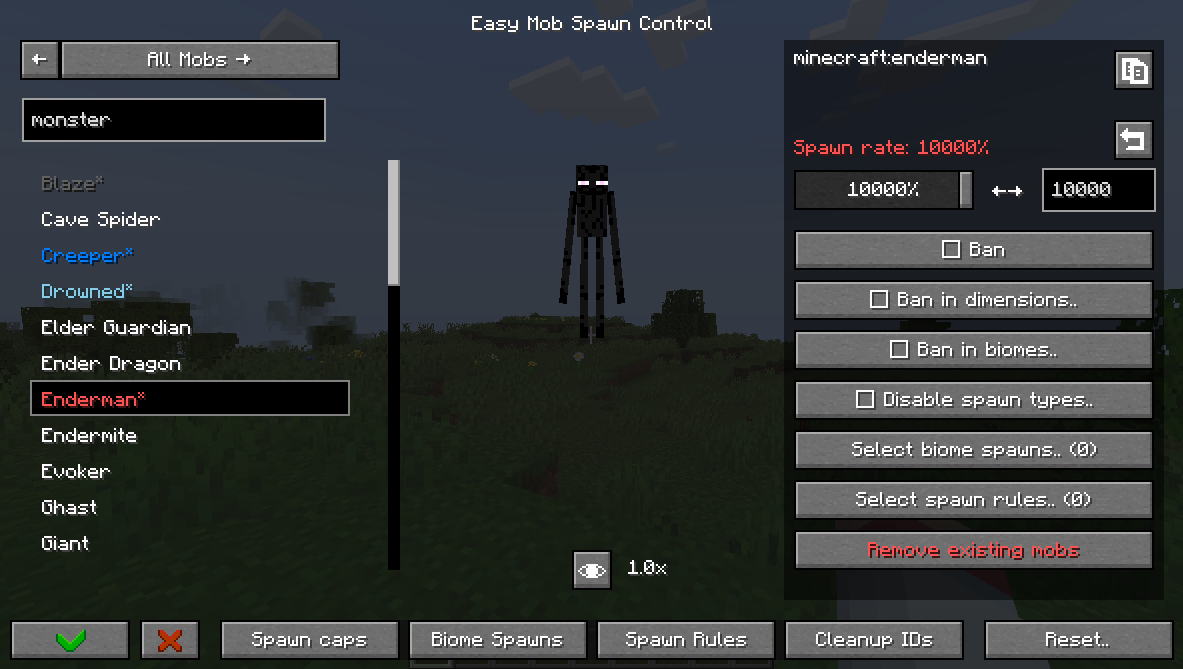
Easy Mob Spawn Control (EasyMSC) is a way to quickly disable mobs, adjust spawn rates, and modify mob caps without editing config files or looking up IDs.
This mod has an in-game menu accessible from:
- The Mods menu (via the config button)
- Pressing 'K'
- Typing in chat: /easymobspawncontrol or /easymsc
You can:
- Change spawn rate,
- Ban mobs globally, in dimesion or in biome,
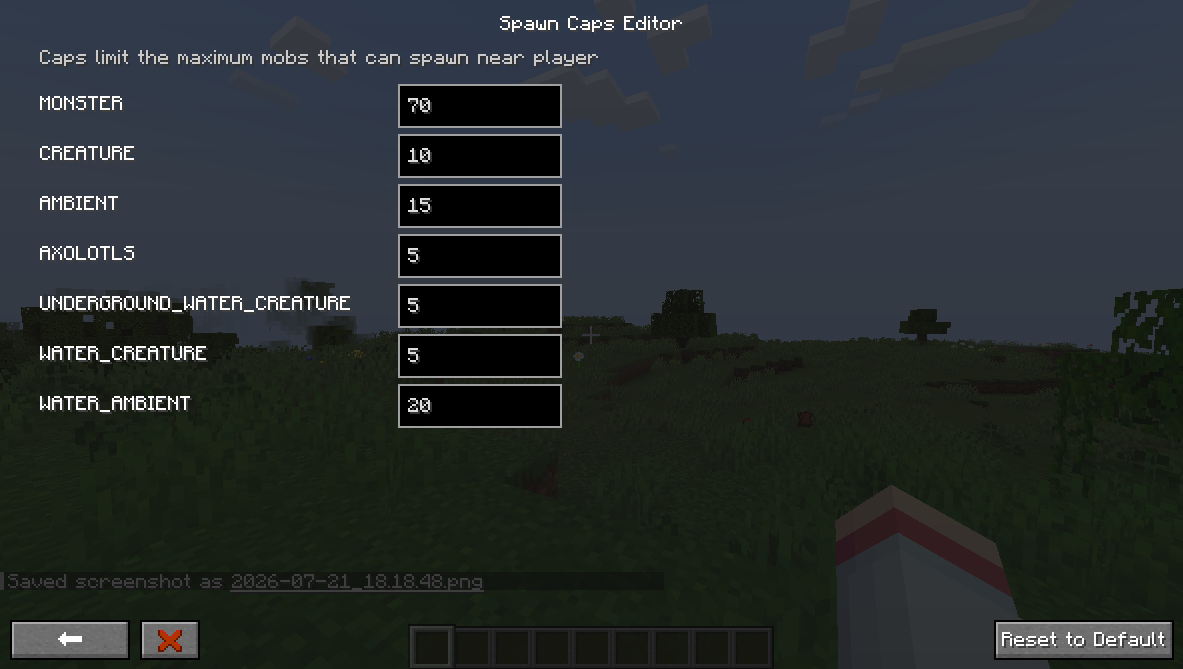
- Edit mob caps,
- Disable mob spawn types,
- Configure despawn,
- Add biome spawns,
- Add spawn rules,
- Edit equipment, drops, attributes,
- Override spawn data (weight, min/max count).
Versions other than NeoForge 1.21.1 and Forge 1.20.1 may lack features.
Guide:
Spawn Rate is the rate at which the game tries to spawn a mob.
Spawn Cap is the limit of mobs that can be spawned near a player.
If you reduce or increase the spawn rate of a mob, you create or take an opportunity for other mobs to fill the spawn cap. To reduce/increase the overall number of mobs, you need to change the spawn cap.
The 'In World' tab lists current mobs and their counts, so you can spot frequent ones and adjust spawns or bans.
The game has different spawn types that this mod can disable. For example, you can disable the 'NATURAL' spawn type to stop a mob from spawning naturally without banning it.
You can create biome spawns that let assigned mobs appear in specified biomes. Changes take effect only after a world reload. If if didn't work try creating a spawn rule aswell.
You can also create spawn rules to control mob spawn conditions and bypass strict requirements some mobs have. Spawn rules do not require a reload.
Using this mod on a server requires either permission level of 2 (Game master) or "easy_mob_spawn_control.admin" persmission.
Easy Mob Spawn Control (EasyMSC) is a way to quickly disable mobs, adjust spawn rates, and modify mob caps without editing config files or looking up IDs.
This mod has an in-game menu accessible from:
- The Mods menu (via the config button)
- Pressing 'K'
- Typing in chat: /easymobspawncontrol or /easymsc
You can:
- Change spawn rate,
- Ban mobs globally, in dimesion or in biome,
- Edit mob caps,
- Disable mob spawn types,
- Configure despawn,
- Add biome spawns,
- Add spawn rules,
- Edit equipment, drops, attributes,
- Override spawn data (weight, min/max count).
Versions other than NeoForge 1.21.1 and Forge 1.20.1 may lack features.
Guide:
Spawn Rate is the rate at which the game tries to spawn a mob.
Spawn Cap is the limit of mobs that can be spawned near a player.
If you reduce or increase the spawn rate of a mob, you create or take an opportunity for other mobs to fill the spawn cap. To reduce/increase the overall number of mobs, you need to change the spawn cap.
The 'In World' tab lists current mobs and their counts, so you can spot frequent ones and adjust spawns or bans.
The game has different spawn types that this mod can disable. For example, you can disable the 'NATURAL' spawn type to stop a mob from spawning naturally without banning it.
You can create biome spawns that let assigned mobs appear in specified biomes. Changes take effect only after a world reload. If if didn't work try creating a spawn rule aswell.
You can also create spawn rules to control mob spawn conditions and bypass strict requirements some mobs have. Spawn rules do not require a reload.
Using this mod on a server requires either permission level of 2 (Game master) or "easy_mob_spawn_control.admin" persmission.
Screenshots
Gallery
-
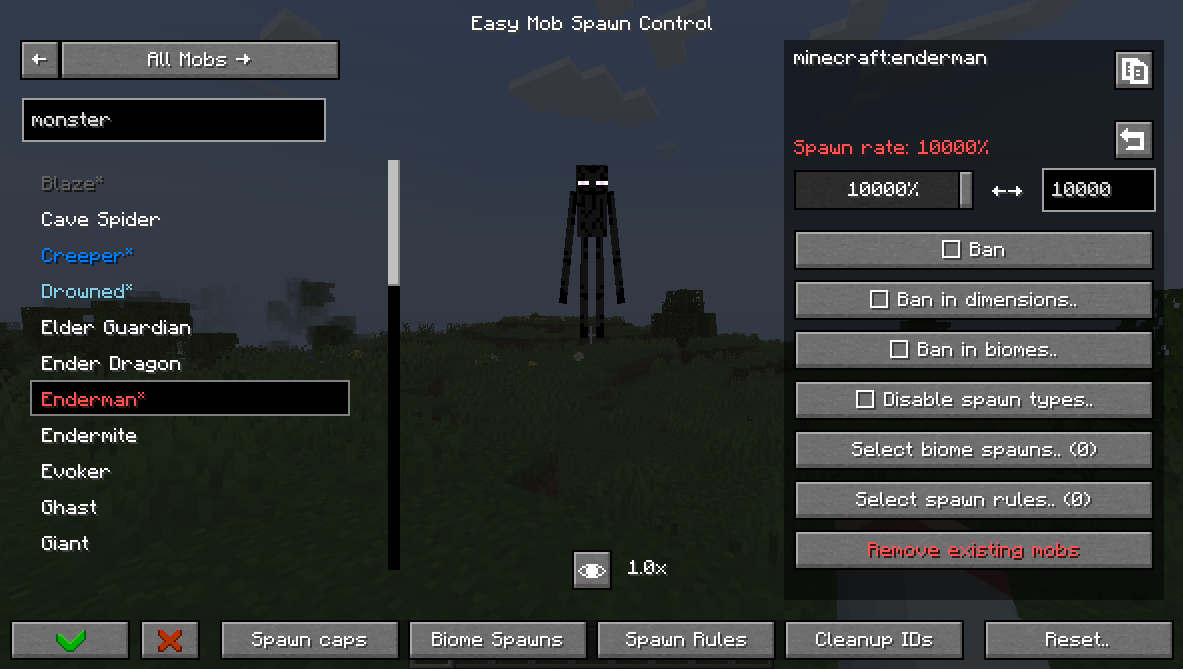 Main screen Main screen
 -
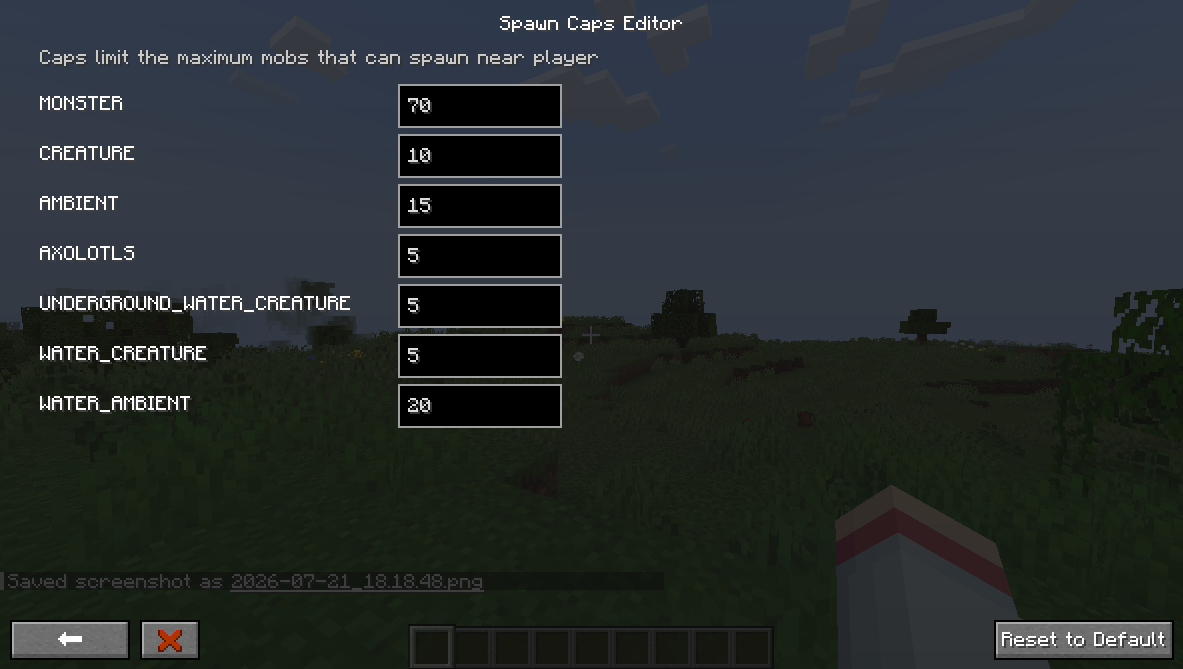 Mob caps screen Mob caps screen
 -
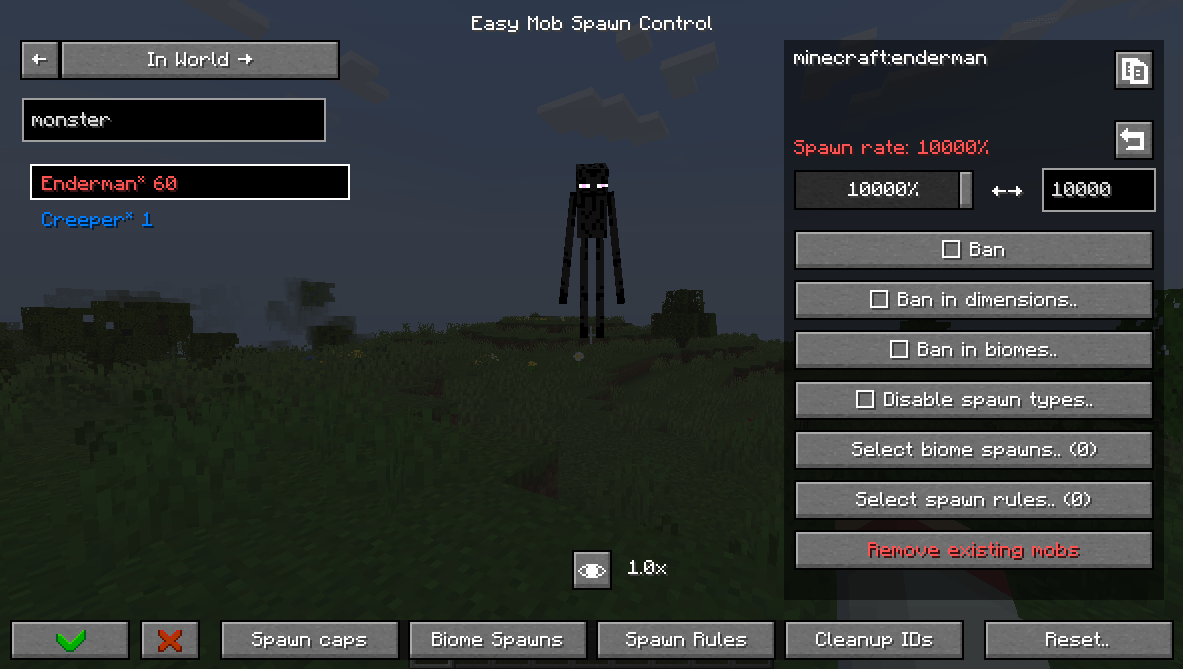 In World tab In World tab
-
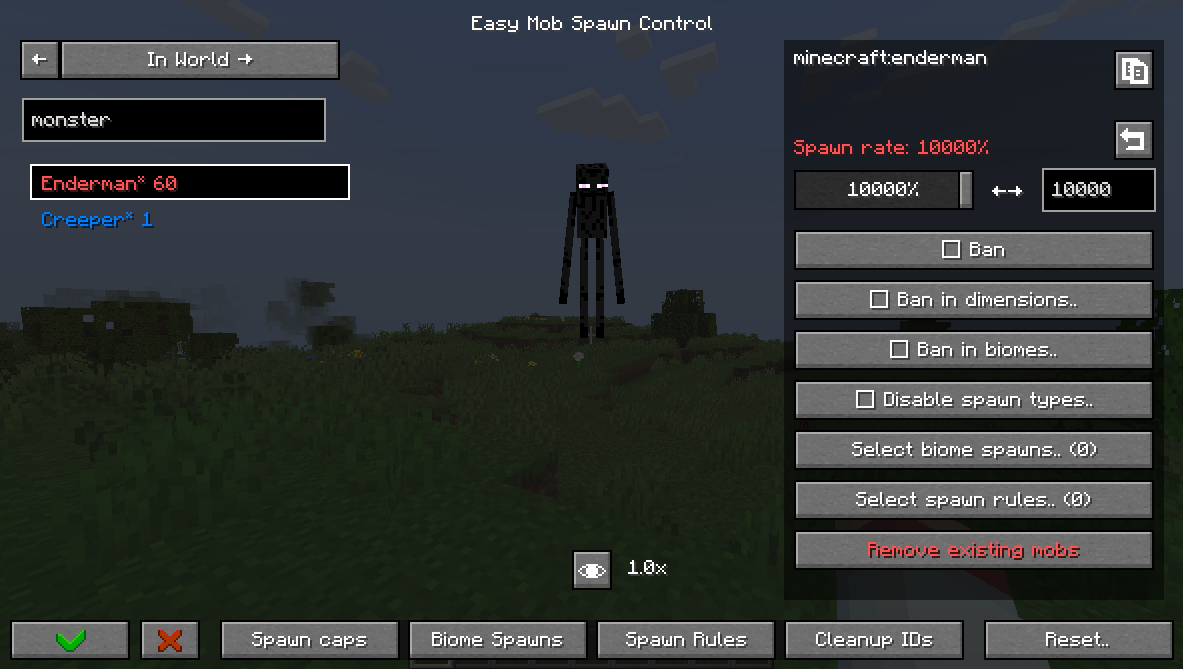 In World tab In World tab
 -
Mob caps screen Mob caps screen
-
Main screen Main screen
Versions
Files
Relations
Project Relations
More like this
Similar Mods
Suggestions use data such as tags, dependencies, dependents, descriptions, titles, and more to rank how much they overlap with this mod.
On ModDex
Community snapshot
By the numbers
Statistics

Get it on
Available Platforms
On ModDex
Community snapshot
By the numbers