
Community listing page, reviews here may not be monitored by the author.
EconomyCraft – Multiplayer Economy


No reviews yet
Fully customizable economy mod for Fabric and NeoForge servers.
Community voices
Reviews
No reviews yet. Be the first to review this project!
Get it on
Available Platforms
Compatibility
Supported Environments
Runs entirely on the server. Also works in singleplayer.
Must be installed on both the client and the server.
Varies by version.
About
Project Details
For authors
Embed Badge
If you're the author of this project, you can embed a live badge anywhere that supports HTML or Markdown. It updates automatically whenever ratings change.
Use HTML for any page that supports it, or Markdown for README files and Markdown-based descriptions.
Identifiers
Platform IDs
About
Description
EconomyCraft
A server-side economy for Fabric and NeoForge. Requires Architectury API.
Add-On: EconomyCraft Bounties
The /eco menu
| Buttom | Description |
|---|---|
| Shop | Buy and sell at fixed prices with unlimited stock. Left click buys, right click sells, shift-click uses the bulk amount. |
| Auction House | Buy items other players have listed, or list your own. |
| Sell Items | Drop items in, check the total, confirm. Unpriced items can not be sold. |
| Orders | Request an item, amount and price. Other players fill it and get paid. |
| Daily Reward | Claims the daily payout, once per day. |
| Pay a Player | Send money to another player. |
| Leaderboards | Top Balances, Earners, Spenders, Sellers, Buyers and Traders. |
| Item Value | The buy and sell price of any item. |
| Deliveries | Items or payouts that couldn't be delivered directly (full inventory/completed while offline). |
| Transactions | Your recent balance history. |
Each screen also has a command: /bal, /pay, /daily, /shop, /ah, /auction, /sell, /worth, /orders, /deliveries, /transactions.
The Admin (/eco admin) menu
Shop editor
Browse categories and click an item to edit it.
- Category editor: right-click a category to rename it, change its color, icon or visibility, or exclude it from dynamic pricing. Deleting a category moves its items to
miscand zeroes their buy prices. - Add item: pick any item in the game, or one from your inventory. Custom names, enchantments and container contents are kept.
- Buy Price / Sell Price: the price of one item;
0disables that direction. If dynamic pricing applies, this also shows the current price and multiplier. - Dynamic Pricing: opt this item out of dynamic pricing even while it's enabled server-wide.
- Bulk Amount: how many a shift-click buys or sells.
- Category: which shop page the item appears on.
blocks.woodcreates a sub-page. - Delete: removes the entry.
Dynamic shop pricing
Optional, off by default (dynamic_prices_enabled). Scales every buy price by:
current price = base price × active-player median balance / starting balanceThe scale is clamped between dynamic_price_min_multiplier and dynamic_price_max_multiplier, and recalculated at most once an hour. Sell prices are never affected. Opt out per category or item from the Shop editor above.
Settings
Every option in config.json, editable in-game.
Players
Select any player, online or not, to give, take or set their balance, remove them from the economy, or override their max active orders/auctions.
Reset Tools
| Tool | Does |
|---|---|
| Reset All Balances | Sets every player's balance back to startingBalance. |
| Reset Daily Reward Data | Everyone can claim their daily reward again immediately. |
| Reset Daily Sell Limits | Everyone's daily sell limit resets to full immediately. |
| Clear Auctions | Cancels every active listing. Items are returned to sellers' deliveries. |
| Clear Orders | Cancels every open order. Escrowed money is refunded to requesters. |
| Reset Entire Economy | All of the above, plus wipes the Leaderboards stats and deletes the entire transaction log. |
None of these touch shop prices/categories or permission settings.
Admin commands
/eco addmoney, /eco setmoney, /eco removemoney, /eco removeplayer.
Permissions
Admin and command access is gated by permission nodes. Any admin node not set by a permission plugin falls back to OP; any command node not set falls back to allowed for everyone.
Admin nodes
| Node | Grants |
|---|---|
economycraft.admin |
Everything below |
economycraft.admin.players |
/eco addmoney, /eco setmoney, /eco removemoney, /eco removeplayer, the Players screen |
economycraft.admin.settings |
The Settings screen |
economycraft.admin.shop |
The Shop editor (from the Admin menu or the in-shop edit button) |
economycraft.admin.reload |
The "Reload from disk" button |
economycraft.admin.reset |
The Reset Tools screen |
Command nodes
| Node | Grants |
|---|---|
economycraft.command.menu |
/eco, /eco menu |
economycraft.command.balance |
/bal |
economycraft.command.pay |
/pay |
economycraft.command.shop |
/shop |
economycraft.command.auction |
/ah, /auction |
economycraft.command.sell |
/sell |
economycraft.command.orders |
/orders |
economycraft.command.deliveries |
/deliveries |
economycraft.command.daily |
/daily |
economycraft.command.transactions |
/transactions |
economycraft.command.worth |
/worth |
Config files
Stored in config/economycraft/ on a server (or saves/<world>/economycraft/ per-world in singleplayer): config.json, webhook.json and prices.json at the top, player data under data/.
config.json
| Key | Default | Description |
|---|---|---|
startingBalance |
1000 |
Money new players start with. |
dailyAmount |
100 |
Money given by the daily reward. |
dailySellLimit |
10000 |
Most a player can earn per day from selling. 0 disables the limit. |
taxRate |
0.1 |
Tax on trades and orders, as a decimal (0.1 = 10%). |
standalone_commands |
true |
Allow /pay, /daily etc. without the /eco prefix. |
standalone_admin_commands |
false |
Allow /addmoney, /setmoney etc. without the /eco prefix. |
scoreboard_enabled |
true |
Show the balance sidebar. |
shop_enabled |
true |
Enable the fixed-price shop. |
auction_enabled |
true |
Enable the auction house. |
orders_enabled |
true |
Enable the orders board. Deliveries still work either way. |
sell_enabled |
true |
Enable selling. |
worth_enabled |
true |
Enable item value lookups (/worth). |
balance_separator |
"." |
Thousands separator, e.g. "," gives $1,000. |
transaction_log_enabled |
true |
Record every balance change to a daily log file. |
transaction_log_retention_days |
7 |
How many days of transaction logs to keep. |
order_expiration_hours |
168 |
Hours before an unfulfilled order expires and its escrow is refunded. 0 disables expiration. |
auction_expiration_hours |
168 |
Hours before an unsold auction expires and its item goes to deliveries. 0 disables expiration. |
max_active_orders_per_player |
0 |
Most open orders a player can have at once. 0 = unlimited. Overridable per player. |
max_active_auctions_per_player |
0 |
Most active auctions a player can have at once. 0 = unlimited. Overridable per player. |
dynamic_prices_enabled |
false |
Scale shop buy prices with the active-player median balance. See Dynamic shop pricing. |
dynamic_price_min_multiplier |
0.5 |
Lowest allowed price scale. |
dynamic_price_max_multiplier |
5.0 |
Highest allowed price scale. |
dynamic_price_min_active_days |
30 |
Players must have logged in within this many days to count as active. 0 includes everyone. |
webhook.json
| Key | Default | Description |
|---|---|---|
webhook_enabled |
false |
Post transactions to webhook_url. |
webhook_url |
"" |
Discord-compatible incoming webhook URL. |
webhook_min_amount |
0 |
Skip webhook posts for transactions smaller than this. |
prices.json
One entry per shop item, keyed by item id:
{
  "minecraft:diamond": {
    "category": "ores",
    "stack": 64,
    "unit_buy": 800,
    "unit_sell": 200
  }
}
category accepts top.sub for a sub-page, stack is the shift-click bulk amount, and unit_buy/unit_sell are the price of one item (0 disables that direction). Items from installed mods are added automatically, using their mod ID as category and 0 for both prices.
The editor also writes a few extra keys:
components: NBT for custom items (name, enchantments, container contents). A#labelsuffix distinguishes duplicates of the same item, e.g.minecraft:shulker_box#loot_rare."removed": true: marks a deleted default so it isn't restored on the next start. Delete the entry to restore it."dynamic_price_enabled": false: opts an item, or a category under_categories, out of dynamic pricing.
Placeholders
Exposes economy data to other mods via Text Placeholder API (Fabric) or Placeholder API NeoForge (NeoForge). Both are optional, the mod works without them, but the matching jar must be in mods/ for placeholders to resolve.
| Placeholder | Description |
|---|---|
%economycraft:balance% |
Raw balance, e.g. 1000. |
%economycraft:balance_formatted% |
Formatted balance, e.g. $1.000. |
%economycraft:balance_short% |
Abbreviated balance, e.g. $1.2k. |
%economycraft:daily_sell_remaining% |
How much the player can still earn from selling today. ∞ if unlimited. |
%economycraft:top_name <rank>% |
Name of the player at that rank (1 = richest). |
%economycraft:top_balance <rank>% |
Raw balance at that rank. |
%economycraft:top_balance_formatted <rank>% |
Formatted balance at that rank. |
%economycraft:top_balance_short <rank>% |
Abbreviated balance at that rank. |
Ranks beyond the number of players resolve as invalid.
Transaction logs and webhook
Every balance change is logged to logs/transactions-YYYY-MM-DD.log inside the config folder, and kept for transaction_log_retention_days days (default 7). Setting it above 90 logs a console warning on start.
Enable webhook_enabled in webhook.json to also POST each transaction to a Discord-compatible webhook; use webhook_min_amount to only notify on larger transactions.
Developer API
The normal EconomyCraft jar includes API v1 for other server-side mods, no separate runtime API mod to install. Covers balances and payments, money formatting, read-only item prices, leaderboard data and balance-change events. Public classes are under com.reazip.economycraft.api.v1.
See the Developer API wiki for setup, examples and the complete reference.
EconomyCraft
A server-side economy for Fabric and NeoForge. Requires Architectury API.
Add-On: EconomyCraft Bounties
The /eco menu
| Buttom | Description |
|---|---|
| Shop | Buy and sell at fixed prices with unlimited stock. Left click buys, right click sells, shift-click uses the bulk amount. |
| Auction House | Buy items other players have listed, or list your own. |
| Sell Items | Drop items in, check the total, confirm. Unpriced items can not be sold. |
| Orders | Request an item, amount and price. Other players fill it and get paid. |
| Daily Reward | Claims the daily payout, once per day. |
| Pay a Player | Send money to another player. |
| Leaderboards | Top Balances, Earners, Spenders, Sellers, Buyers and Traders. |
| Item Value | The buy and sell price of any item. |
| Deliveries | Items or payouts that couldn't be delivered directly (full inventory/completed while offline). |
| Transactions | Your recent balance history. |
Each screen also has a command: /bal, /pay, /daily, /shop, /ah, /auction, /sell, /worth, /orders, /deliveries, /transactions.
The Admin (/eco admin) menu
Shop editor
Browse categories and click an item to edit it.
- Category editor: right-click a category to rename it, change its color, icon or visibility, or exclude it from dynamic pricing. Deleting a category moves its items to
miscand zeroes their buy prices. - Add item: pick any item in the game, or one from your inventory. Custom names, enchantments and container contents are kept.
- Buy Price / Sell Price: the price of one item;
0disables that direction. If dynamic pricing applies, this also shows the current price and multiplier. - Dynamic Pricing: opt this item out of dynamic pricing even while it's enabled server-wide.
- Bulk Amount: how many a shift-click buys or sells.
- Category: which shop page the item appears on.
blocks.woodcreates a sub-page. - Delete: removes the entry.
Dynamic shop pricing
Optional, off by default (dynamic_prices_enabled). Scales every buy price by:
current price = base price × active-player median balance / starting balance
The scale is clamped between dynamic_price_min_multiplier and dynamic_price_max_multiplier, and recalculated at most once an hour. Sell prices are never affected. Opt out per category or item from the Shop editor above.
Settings
Every option in config.json, editable in-game.
Players
Select any player, online or not, to give, take or set their balance, remove them from the economy, or override their max active orders/auctions.
Reset Tools
| Tool | Does |
|---|---|
| Reset All Balances | Sets every player's balance back to startingBalance. |
| Reset Daily Reward Data | Everyone can claim their daily reward again immediately. |
| Reset Daily Sell Limits | Everyone's daily sell limit resets to full immediately. |
| Clear Auctions | Cancels every active listing. Items are returned to sellers' deliveries. |
| Clear Orders | Cancels every open order. Escrowed money is refunded to requesters. |
| Reset Entire Economy | All of the above, plus wipes the Leaderboards stats and deletes the entire transaction log. |
None of these touch shop prices/categories or permission settings.
Admin commands
/eco addmoney, /eco setmoney, /eco removemoney, /eco removeplayer.
Permissions
Admin and command access is gated by permission nodes. Any admin node not set by a permission plugin falls back to OP; any command node not set falls back to allowed for everyone.
Admin nodes
| Node | Grants |
|---|---|
economycraft.admin |
Everything below |
economycraft.admin.players |
/eco addmoney, /eco setmoney, /eco removemoney, /eco removeplayer, the Players screen |
economycraft.admin.settings |
The Settings screen |
economycraft.admin.shop |
The Shop editor (from the Admin menu or the in-shop edit button) |
economycraft.admin.reload |
The "Reload from disk" button |
economycraft.admin.reset |
The Reset Tools screen |
Command nodes
| Node | Grants |
|---|---|
economycraft.command.menu |
/eco, /eco menu |
economycraft.command.balance |
/bal |
economycraft.command.pay |
/pay |
economycraft.command.shop |
/shop |
economycraft.command.auction |
/ah, /auction |
economycraft.command.sell |
/sell |
economycraft.command.orders |
/orders |
economycraft.command.deliveries |
/deliveries |
economycraft.command.daily |
/daily |
economycraft.command.transactions |
/transactions |
economycraft.command.worth |
/worth |
Config files
Stored in config/economycraft/ on a server (or saves/<world>/economycraft/ per-world in singleplayer): config.json, webhook.json and prices.json at the top, player data under data/.
config.json
| Key | Default | Description |
|---|---|---|
startingBalance |
1000 |
Money new players start with. |
dailyAmount |
100 |
Money given by the daily reward. |
dailySellLimit |
10000 |
Most a player can earn per day from selling. 0 disables the limit. |
taxRate |
0.1 |
Tax on trades and orders, as a decimal (0.1 = 10%). |
standalone_commands |
true |
Allow /pay, /daily etc. without the /eco prefix. |
standalone_admin_commands |
false |
Allow /addmoney, /setmoney etc. without the /eco prefix. |
scoreboard_enabled |
true |
Show the balance sidebar. |
shop_enabled |
true |
Enable the fixed-price shop. |
auction_enabled |
true |
Enable the auction house. |
orders_enabled |
true |
Enable the orders board. Deliveries still work either way. |
sell_enabled |
true |
Enable selling. |
worth_enabled |
true |
Enable item value lookups (/worth). |
balance_separator |
"." |
Thousands separator, e.g. "," gives $1,000. |
transaction_log_enabled |
true |
Record every balance change to a daily log file. |
transaction_log_retention_days |
7 |
How many days of transaction logs to keep. |
order_expiration_hours |
168 |
Hours before an unfulfilled order expires and its escrow is refunded. 0 disables expiration. |
auction_expiration_hours |
168 |
Hours before an unsold auction expires and its item goes to deliveries. 0 disables expiration. |
max_active_orders_per_player |
0 |
Most open orders a player can have at once. 0 = unlimited. Overridable per player. |
max_active_auctions_per_player |
0 |
Most active auctions a player can have at once. 0 = unlimited. Overridable per player. |
dynamic_prices_enabled |
false |
Scale shop buy prices with the active-player median balance. See Dynamic shop pricing. |
dynamic_price_min_multiplier |
0.5 |
Lowest allowed price scale. |
dynamic_price_max_multiplier |
5.0 |
Highest allowed price scale. |
dynamic_price_min_active_days |
30 |
Players must have logged in within this many days to count as active. 0 includes everyone. |
webhook.json
| Key | Default | Description |
|---|---|---|
webhook_enabled |
false |
Post transactions to webhook_url. |
webhook_url |
"" |
Discord-compatible incoming webhook URL. |
webhook_min_amount |
0 |
Skip webhook posts for transactions smaller than this. |
prices.json
One entry per shop item, keyed by item id:
{
  "minecraft:diamond": {
    "category": "ores",
    "stack": 64,
    "unit_buy": 800,
    "unit_sell": 200
  }
}
category accepts top.sub for a sub-page, stack is the shift-click bulk amount, and unit_buy/unit_sell are the price of one item (0 disables that direction). Items from installed mods are added automatically, using their mod ID as category and 0 for both prices.
The editor also writes a few extra keys:
components: NBT for custom items (name, enchantments, container contents). A#labelsuffix distinguishes duplicates of the same item, e.g.minecraft:shulker_box#loot_rare."removed": true: marks a deleted default so it isn't restored on the next start. Delete the entry to restore it."dynamic_price_enabled": false: opts an item, or a category under_categories, out of dynamic pricing.
Placeholders
Exposes economy data to other mods via Text Placeholder API (Fabric) or Placeholder API NeoForge (NeoForge). Both are optional, the mod works without them, but the matching jar must be in mods/ for placeholders to resolve.
| Placeholder | Description |
|---|---|
%economycraft:balance% |
Raw balance, e.g. 1000. |
%economycraft:balance_formatted% |
Formatted balance, e.g. $1.000. |
%economycraft:balance_short% |
Abbreviated balance, e.g. $1.2k. |
%economycraft:daily_sell_remaining% |
How much the player can still earn from selling today. ∞ if unlimited. |
%economycraft:top_name <rank>% |
Name of the player at that rank (1 = richest). |
%economycraft:top_balance <rank>% |
Raw balance at that rank. |
%economycraft:top_balance_formatted <rank>% |
Formatted balance at that rank. |
%economycraft:top_balance_short <rank>% |
Abbreviated balance at that rank. |
Ranks beyond the number of players resolve as invalid.
Transaction logs and webhook
Every balance change is logged to logs/transactions-YYYY-MM-DD.log inside the config folder, and kept for transaction_log_retention_days days (default 7). Setting it above 90 logs a console warning on start.
Enable webhook_enabled in webhook.json to also POST each transaction to a Discord-compatible webhook; use webhook_min_amount to only notify on larger transactions.
Developer API
The normal EconomyCraft jar includes API v1 for other server-side mods, no separate runtime API mod to install. Covers balances and payments, money formatting, read-only item prices, leaderboard data and balance-change events. Public classes are under com.reazip.economycraft.api.v1.
See the Developer API wiki for setup, examples and the complete reference.
Screenshots
Gallery
-
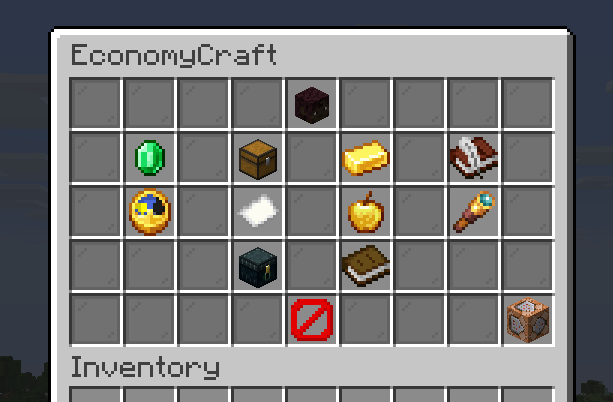 Main Menu Access all economy features in one place.
 -
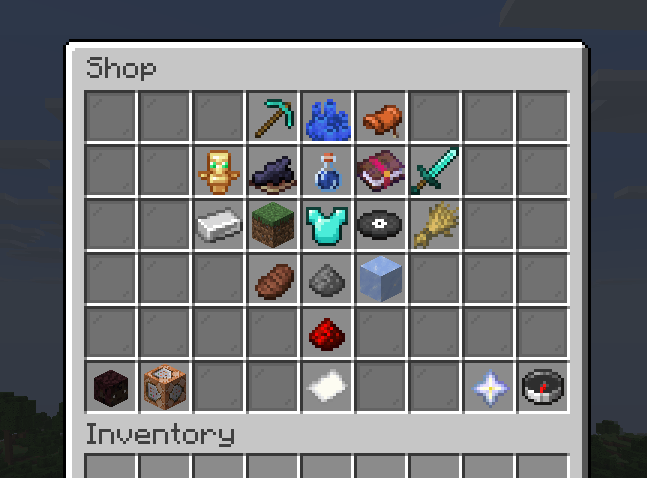 Servershop
 -
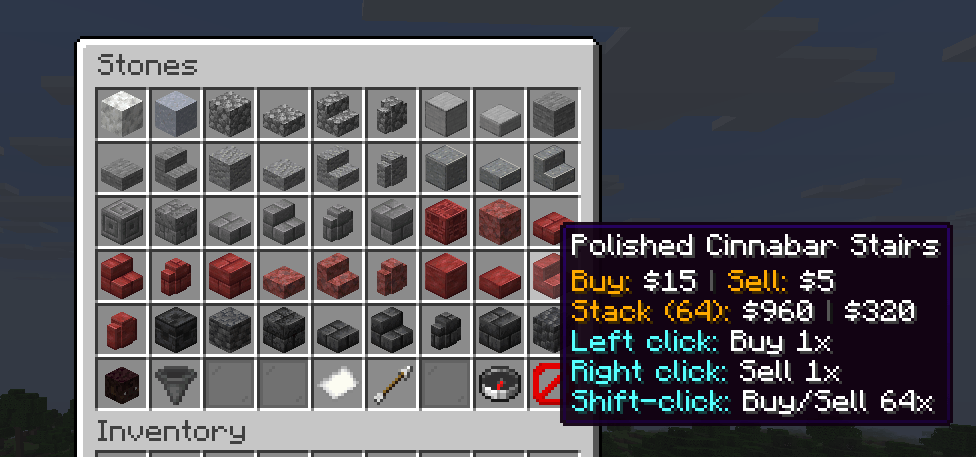 Server Shop Category
 -
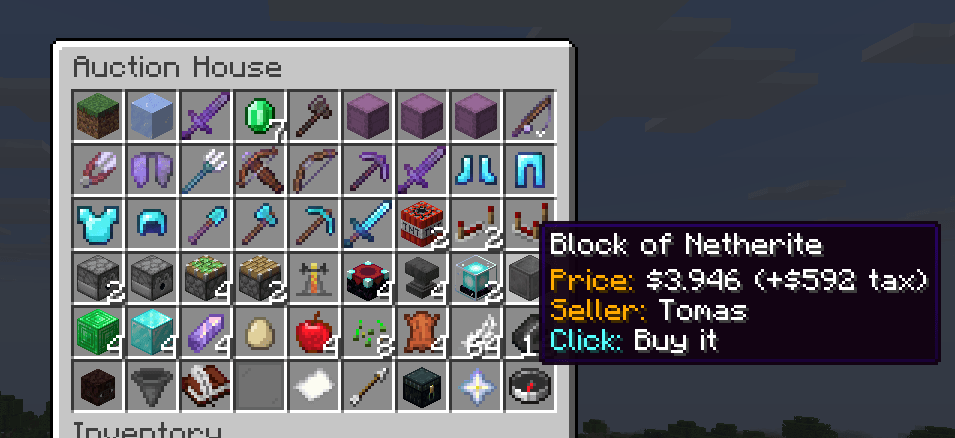 Auction House
 -
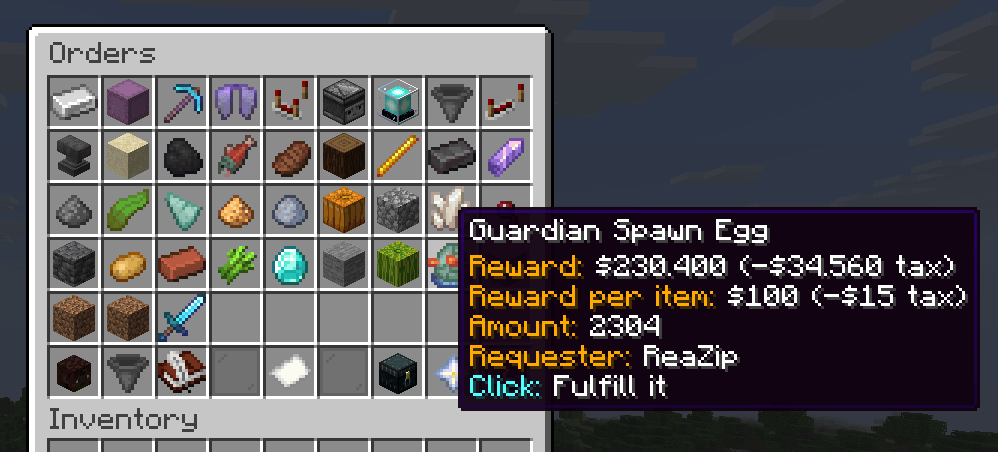 Orders
 -
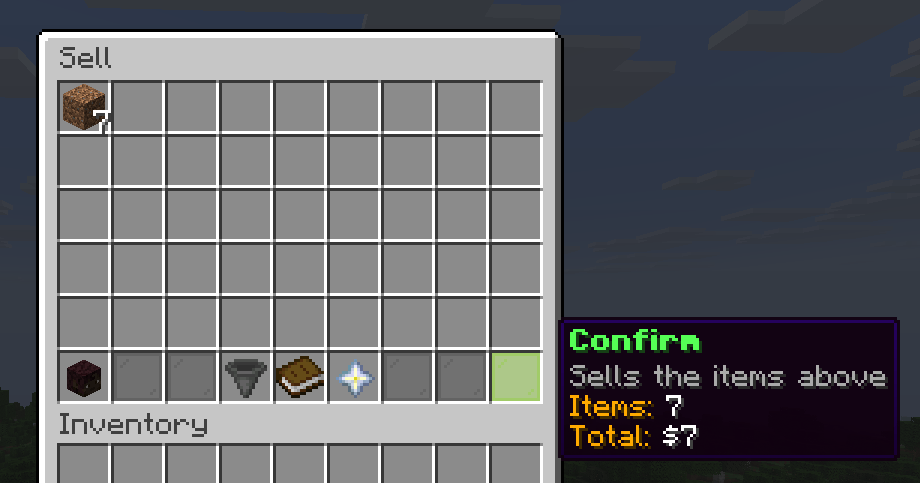 Selling
 -
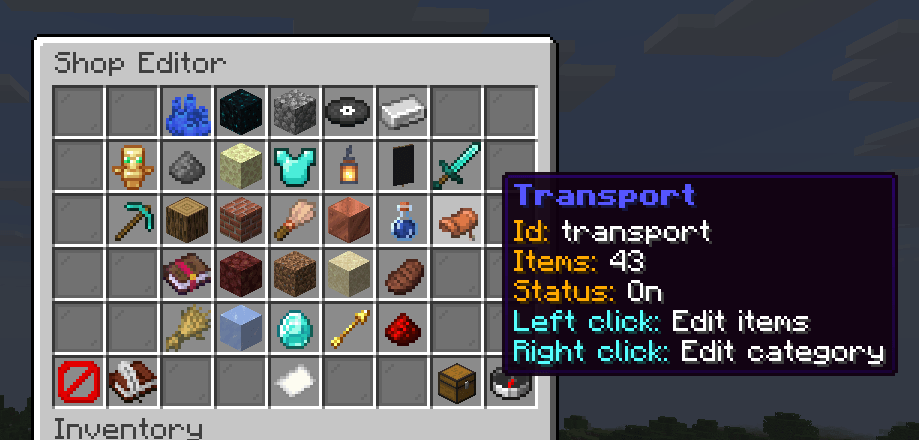 Shop Editor (Admin)
 -
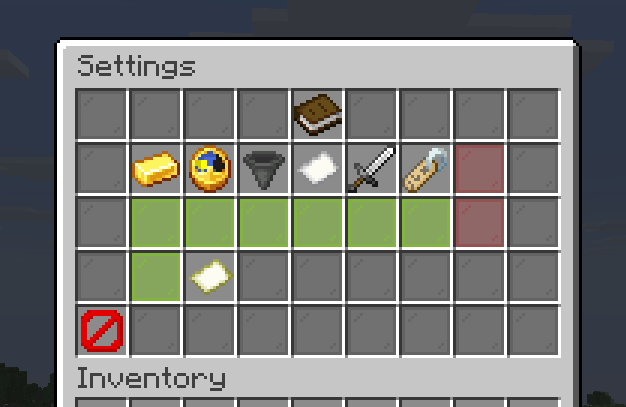 Settings
 -
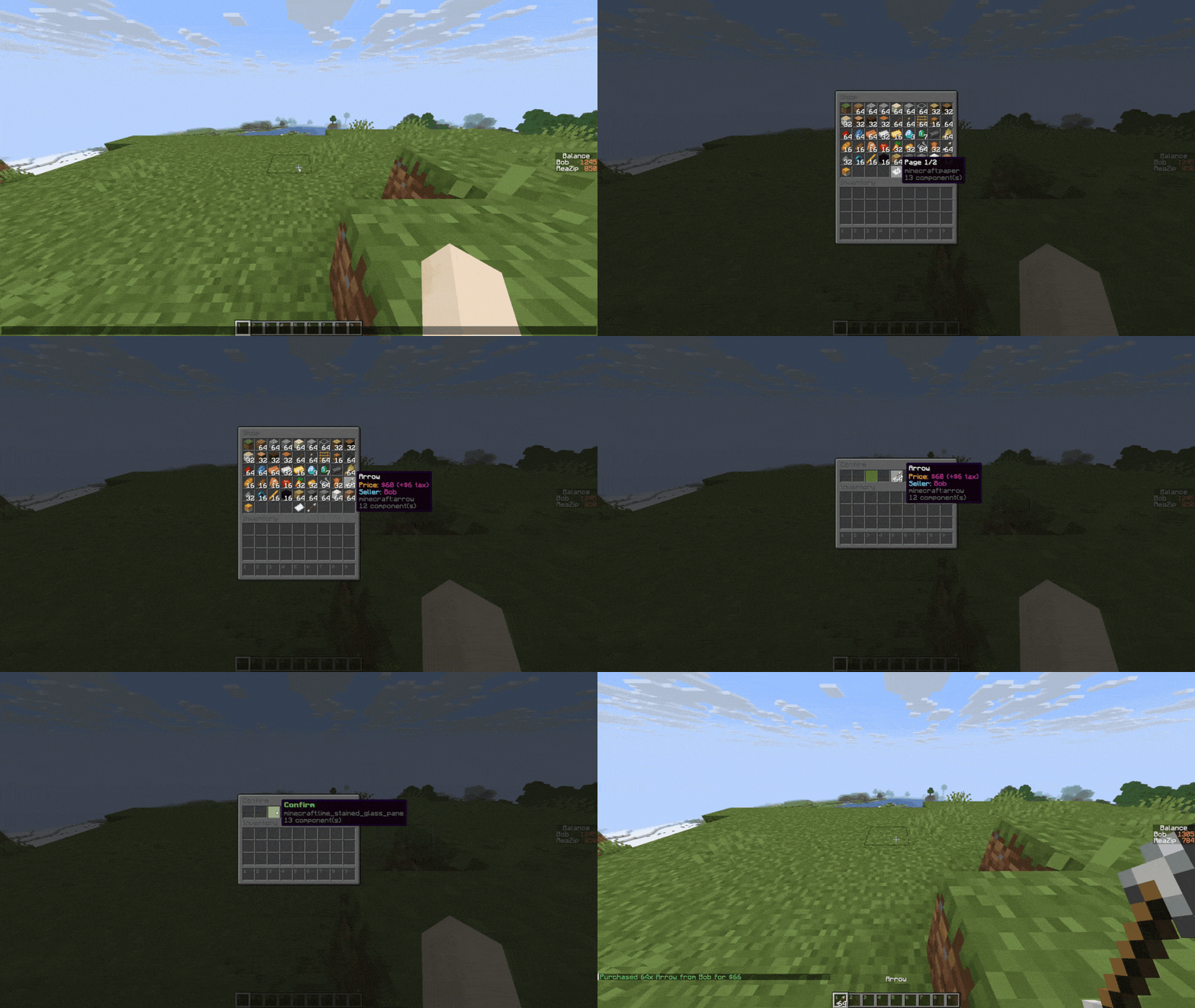 Shop Presentation (old)
-
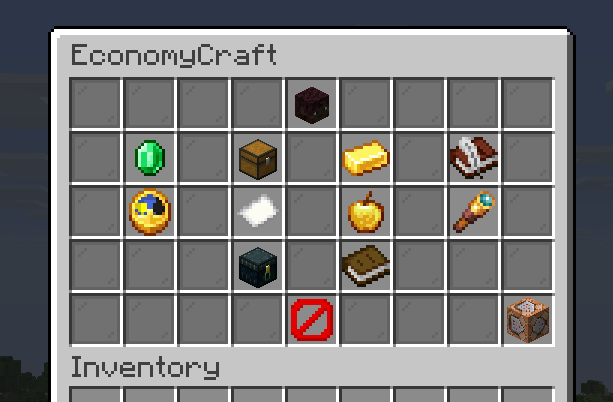 Main Menu Access all economy features in one place.
 -
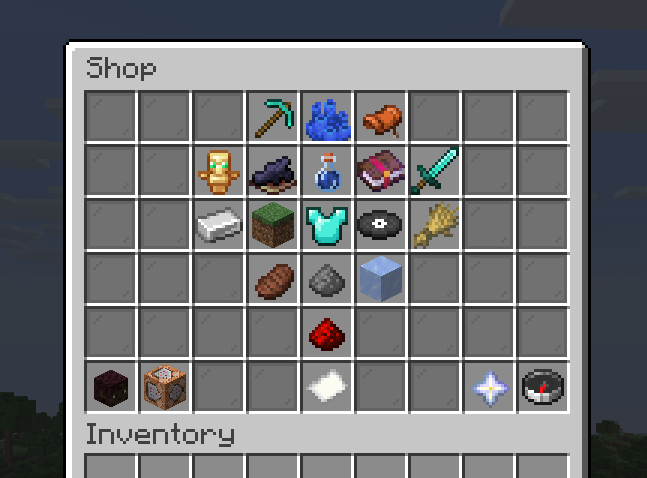 Server Shop Buy and sell items with unlimited stock
 -
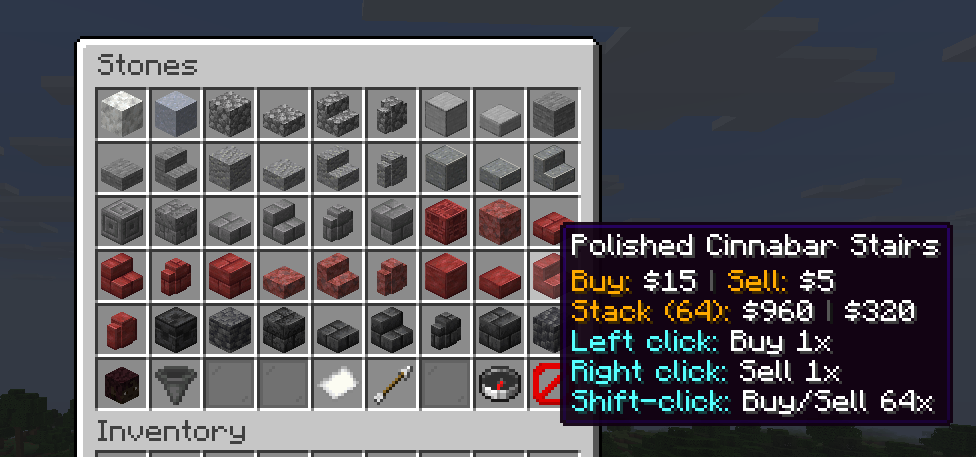 Server Shop Category
 -
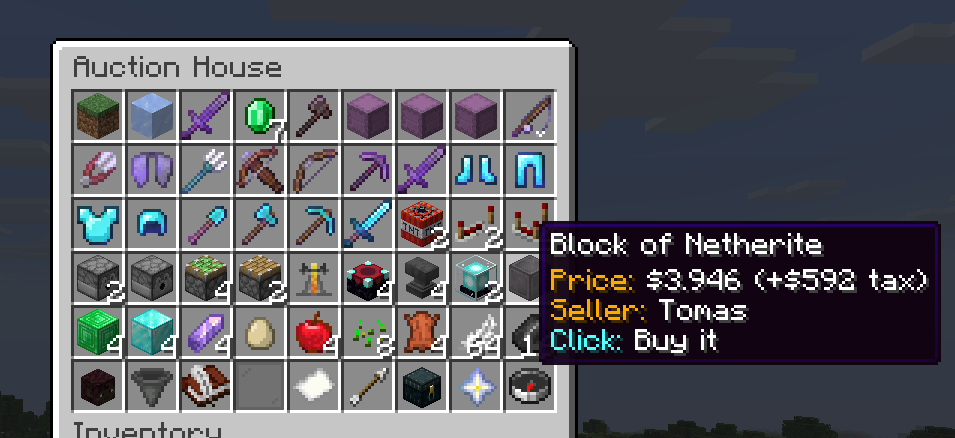 Auction House
 -
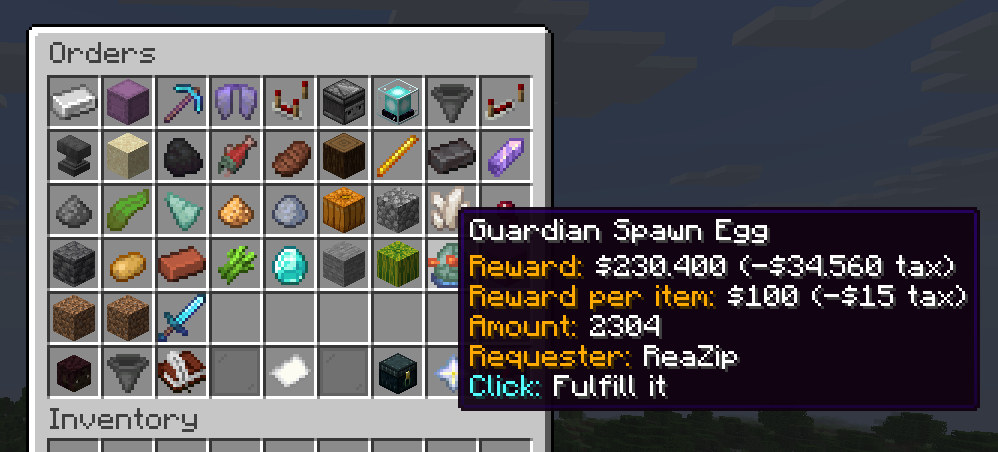 Orders
 -
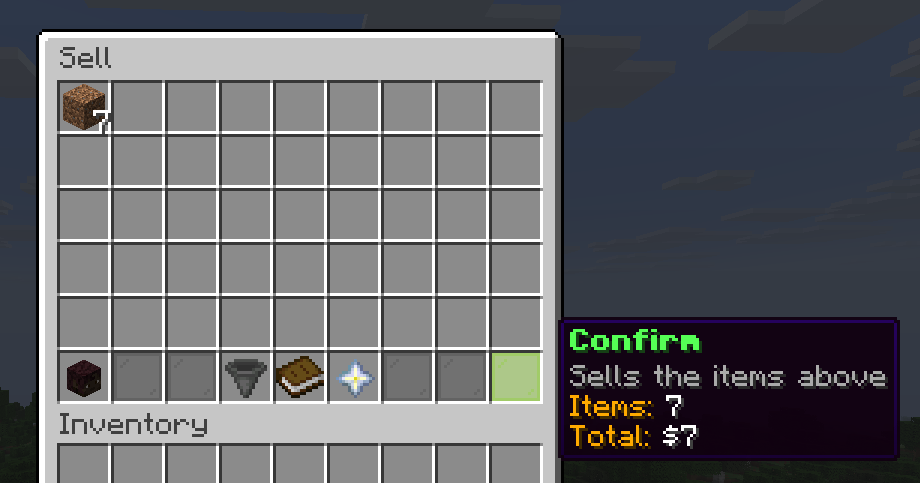 Selling
 -
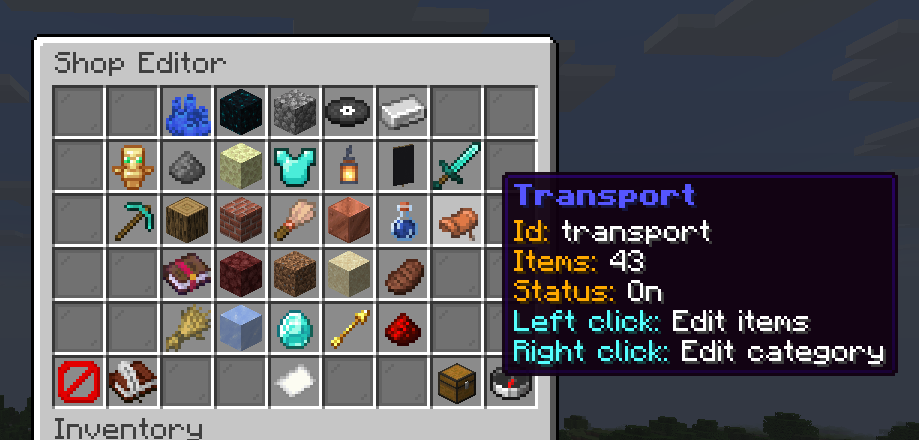 Shop Editor (Admin)
 -
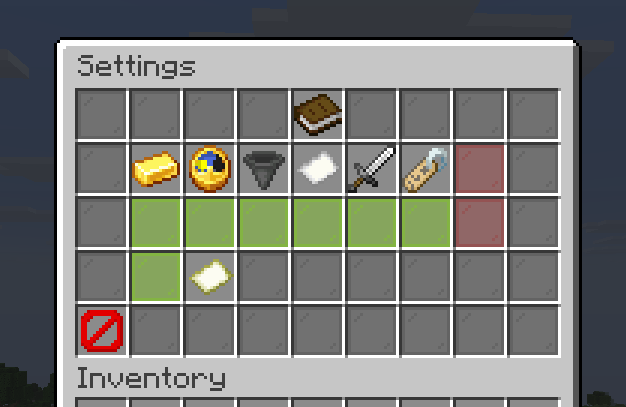 Settings (Admin)
 -
 Shop presentation (old)
Versions
Files
Relations
Project Relations
More like this
Similar Mods
Suggestions use data such as tags, dependencies, dependents, descriptions, titles, and more to rank how much they overlap with this mod.
On ModDex
Community snapshot
By the numbers
Statistics
Want to reach Minecraft players?
We're looking for a server hosting partner to feature here and other parts of the site. Interested? Send us a message!
Get in touchGet it on
Available Platforms
On ModDex
Community snapshot
By the numbers