Community listing page, reviews here may not be monitored by the author.
Emoji Type (Fabric/Quilt/NeoForge)


No reviews yet
A client-side mod that makes it easier to type emoji (in chat, on signs, etc).
Community voices
Reviews
No reviews yet. Be the first to review this project!
Get it on
Available Platforms
Compatibility
Supported Environments
Runs entirely on the client. Works on vanilla servers.
About
Project Details
For authors
Embed Badge
If you're the author of this project, you can embed a live badge anywhere that supports HTML or Markdown. It updates automatically whenever ratings change.
Use HTML for any page that supports it, or Markdown for README files and Markdown-based descriptions.
Identifiers
Platform IDs
About
Description
🙂 Emoji Type
We recommend Modrinth for a better browsing experience.
This is a client-side mod. Installing it on a server won't do anything.
This mod allows you to type some emoji/symbols more easily in Minecraft. To be clear, this mod (technically) does not add any emoji to the game, it only makes typing the ones already in the game easier. For this reason, emoji typed will be visible to anyone else on a server and will still be there (on signs, books, etc) if you uninstall the mod. I can not absolutely guarantee all symbols/emoji will work on all servers, some servers have plugins that mess with chat and there is really nothing I can do about that.
Typing Emojis
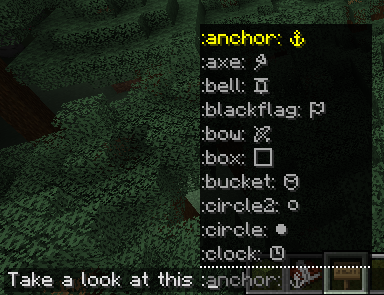
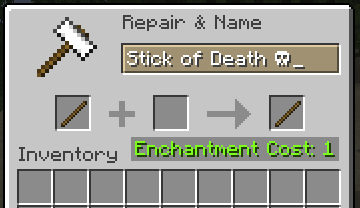
To type an emoji in chat, simply type a ":" (colon), after that a list of all possible emoji keywords will appear. Once you type a keyword it will be replaced with the corresponding emoji or symbol. If you want to type an emoji outside of chat (anvil, sign, etc) the list won't appear but the keywords all still work.
Gallery
In chat:
In anvil:
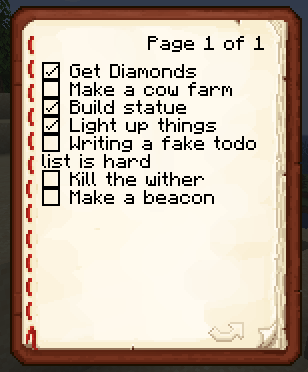
In book:
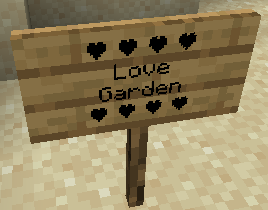
On sign:
Emoji Type allows you to instantly insert 200+ emojis into your game using intuitive keywords. Type :skull: and get ☠️ instantly. Works in chat, signs, books, anvils - everywhere text appears. No resource packs or texture changes needed.
🚀 Key Features
- Seamless Integration: Works in chat, signs, books, and even anvils.
- Smart Autocomplete: Type a colon (
:) in chat to see a real-time list of suggestions. - Vanilla Compatible: Emojis are standard Unicode. Other players can see your emojis even if they don't have the mod installed!
- Emoji Pack: Create, edit your own emoji packs via a built-in visual editor.
Bundled Emoji Packs
| Pack | Description | Examples |
|---|---|---|
| Minecraft Essentials | Tools, weapons, and status icons. | ⚔️ ⛏️ 🏹 ☀️ ❄️ |
| Text Art (Kaomoji) | Classic ASCII and Japanese emoticons. | ¯\_(ツ)_/¯ (╯°□°)╯ |
| Letter Emojis | Stylized circled alphabets. | ⓐ Ⓑ ⓒ Ⓓ |
🛠️ How to Use
- Install: Drop the mod into your
modsfolder (Client-side only!). - Trigger: Press
:in any text field. - Search: Start typing (e.g.,
:sw...) and use your arrow keys or mouse to select. - Anywhere Else: On signs or anvils, simply type the full code (e.g.,
:heart:) and watch it transform.
Customizing: Access the config via Mod Menu (Fabric) or the Mods setting (NeoForge) to enable/disable emoji packs or build your own from scratch!
❓ Frequently Asked Questions
Do I need this on my server?
Nope! It’s 100% client-side. It won’t do anything if installed on a server.
Can my friends see the emojis?
Yes! Since these are native Unicode characters, anyone on a modern Minecraft client can see them perfectly.
How do I share my custom packs?
Just send the .yaml file found in config/emojitype/emoji_packs/. Your friends can just drop it in their folder and they're good to go.
Why no autocomplete on signs?
Minecraft’s sign and anvil interfaces are a bit more restrictive than chat. For now, just type the full keyword (like :check:) and it will convert automatically.
🖼️ Gallery
| Chat Suggestions | Config Screen | Emoji Packs |
|---|---|---|
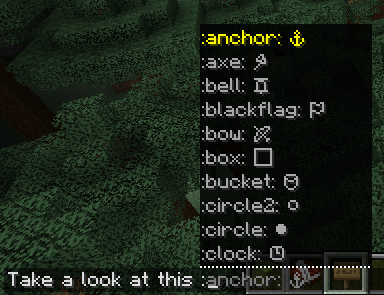 |
 |
 |
Screenshots
Gallery
-
chat2
-
Sign2
-
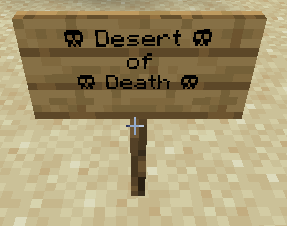 Sign
Sign -
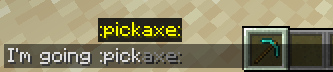 Chat
Chat -
Book
-
Anvil2
-
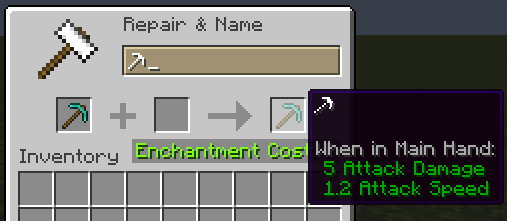 Anvil
Anvil
-
In chat
-
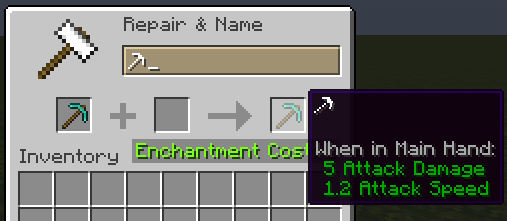 In anvil
 -
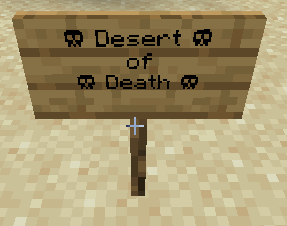 On sign
 -
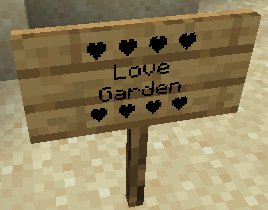 On sign
 -
Configuration menu New configuration menu added in 2.3.0
-
Emoji Packs feature Version 3.0.0 introduces emoji packs, allowing you to group emojis and keep them better organized.
-
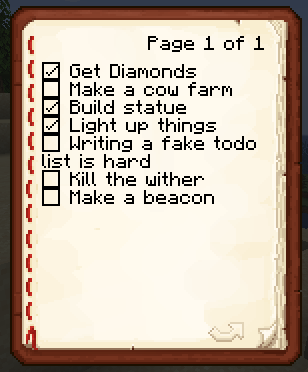 In book
 -
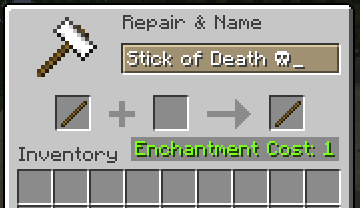 In anvil
Versions
Files
Relations
Project Relations
More like this
Similar Mods
Suggestions use data such as tags, dependencies, dependents, descriptions, titles, and more to rank how much they overlap with this mod.
On ModDex
Community snapshot
By the numbers
Statistics
Want to reach Minecraft players?
We're looking for a server hosting partner to feature here and other parts of the site. Interested? Send us a message!
Get in touchGet it on
Available Platforms
On ModDex
Community snapshot
By the numbers