
Community listing page, reviews here may not be monitored by the author.
Emotecraft: Borrow Their Emote (EBTE)


No reviews yet
Client-side addon for Emotecraft, that lets you borrow another player's emote and play it together.
Community voices
Reviews
No reviews yet. Be the first to review this project!
Get it on
Available Platforms
Compatibility
Supported Environments
Runs entirely on the client. Works on vanilla servers.
About
Project Details
For authors
Embed Badge
If you're the author of this project, you can embed a live badge anywhere that supports HTML or Markdown. It updates automatically whenever ratings change.
Use HTML for any page that supports it, or Markdown for README files and Markdown-based descriptions.
Identifiers
Platform IDs
About
Description
 |
      |

Emotecraft: Borrow Their Emote — A client-side addon for Emotecraft, that lets you borrow another player's emote and play it together.
Look at a player who is playing an emote and press [Shift + RMB] — you borrow it and start playing it too. Since you are crouched while holding Shift, the emote starts the moment you stand up.
Showcase


- Requires Emotecraft — it provides the emotes and broadcasts the one you join.
- Client-side only — multiplayer friendly, no server install required. Works on any server running Emotecraft or OnlineEmotes.
- Works with any emote, including custom ones added through Emotecraft.

- In-game config screen (YACL + Mod Menu)
- Sync emote — looping emotes join at the player's current frame instead of restarting from the beginning
- Borrow sound — borrowed emotes keep their sound and sfx
- Action bar message — toggle the notification shown above the hotbar when you borrow an emote
- Hold time — how long a borrowed emote waits for you to leave crouch before it plays. If you don't stand up within this window, the borrow is dropped.
Keybinds
Both keys are rebindable in Options → Controls, including other mouse buttons and multi-key combinations.
- Borrow emote —
[Shift + RMB]by default. Borrows the emote of the player you are looking at. - Reverse sound —
[Left Ctrl]by default. Hold it while borrowing to invert Borrow sound for that one emote.
| Borrow sound | Just borrow | Borrow + Reverse Button |
|---|---|---|
| Off (default) | silent | with sound |
| On | with sound | silent |


Want to support the mod and its authors? Just tell everyone about it!
Yeah, you got it right. Simply spreading the word is a great way to support the mod and its creators. The more people know about this mod, the more downloads it gets, and more downloads mean better motivation for the authors and more income from the site — literally a free donation. Just remember, advertising should never be intrusive or annoying!
What you can do?
- Make a video review / advertisement
- Share it on social media or Discord
- Tell your friends about this mod
- Add it to your modpack or just download and enjoy the game
Every mention matters — thank you for helping the community grow 🤍

The license terms for this project are defined in the LICENSE file in the source repository. That file always takes precedence over any license shown anywhere else.
View the source code
|
|
|
Emotecraft: Borrow Their Emote — A client-side addon for Emotecraft, that lets you borrow another player's emote and play it together.
Look at a player who is playing an emote and press [Shift + RMB] — you borrow it and start playing it too. Since you are crouched while holding Shift, the emote starts the moment you stand up.
Showcase
- Requires Emotecraft — it provides the emotes and broadcasts the one you join.
- Client-side only — multiplayer friendly, no server install required. Works on any server running Emotecraft or OnlineEmotes.
- Works with any emote, including custom ones added through Emotecraft.
- In-game config screen (YACL + Mod Menu)
- Sync emote — looping emotes join at the player's current frame instead of restarting from the beginning
- Borrow sound — borrowed emotes keep their sound and sfx
- Action bar message — toggle the notification shown above the hotbar when you borrow an emote
- Hold time — how long a borrowed emote waits for you to leave crouch before it plays. If you don't stand up within this window, the borrow is dropped.
Keybinds
Both keys are rebindable in Options → Controls, including other mouse buttons and multi-key combinations.
- Borrow emote —
[Shift + RMB]by default. Borrows the emote of the player you are looking at. - Reverse sound —
[Left Ctrl]by default. Hold it while borrowing to invert Borrow sound for that one emote.
| Borrow sound | Just borrow | Borrow + Reverse Button |
|---|---|---|
| Off (default) | silent | with sound |
| On | with sound | silent |
Want to support the mod and its authors? Just tell everyone about it!
Yeah, you got it right. Simply spreading the word is a great way to support the mod and its creators. The more people know about this mod, the more downloads it gets, and more downloads mean better motivation for the authors and more income from the site — literally a free donation. Just remember, advertising should never be intrusive or annoying!
What you can do?
- Make a video review / advertisement
- Share it on social media or Discord
- Tell your friends about this mod
- Add it to your modpack or just download and enjoy the game
Every mention matters — thank you for helping the community grow 🤍
The license terms for this project are defined in the LICENSE file in the source repository. That file always takes precedence over any license shown anywhere else.
View the source code
Screenshots
Gallery
-
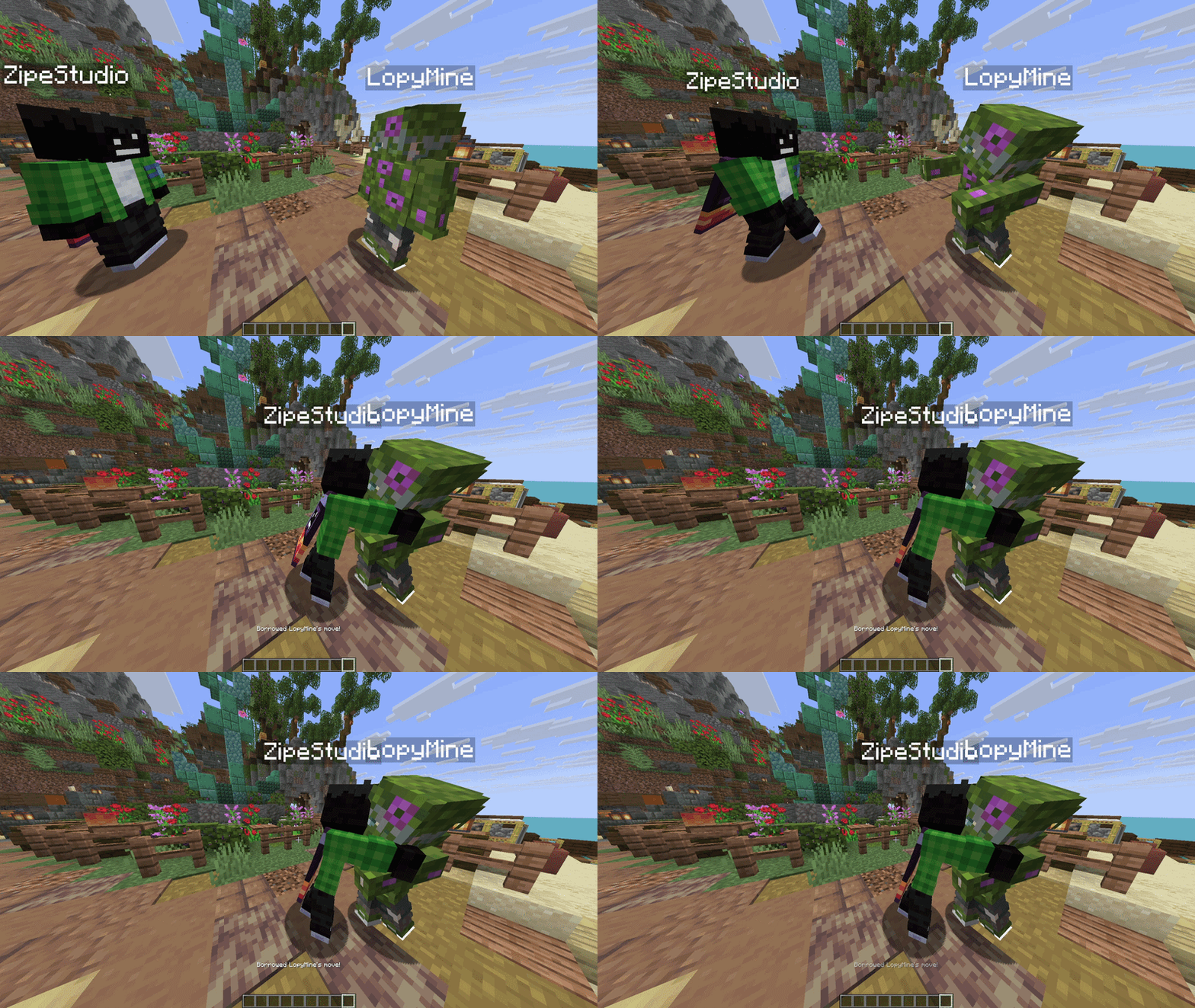 Hugs
Hugs -
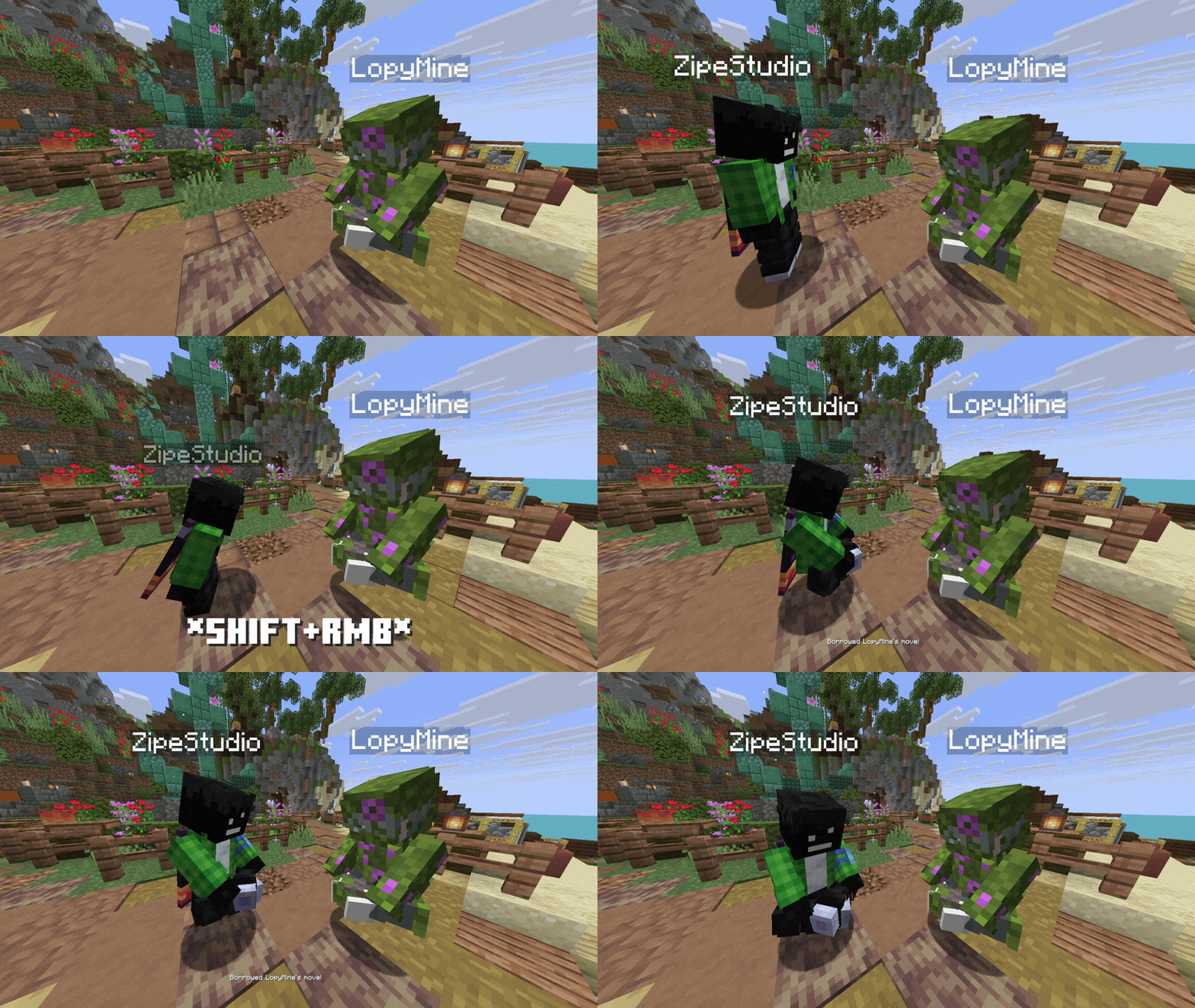 Showcase
-
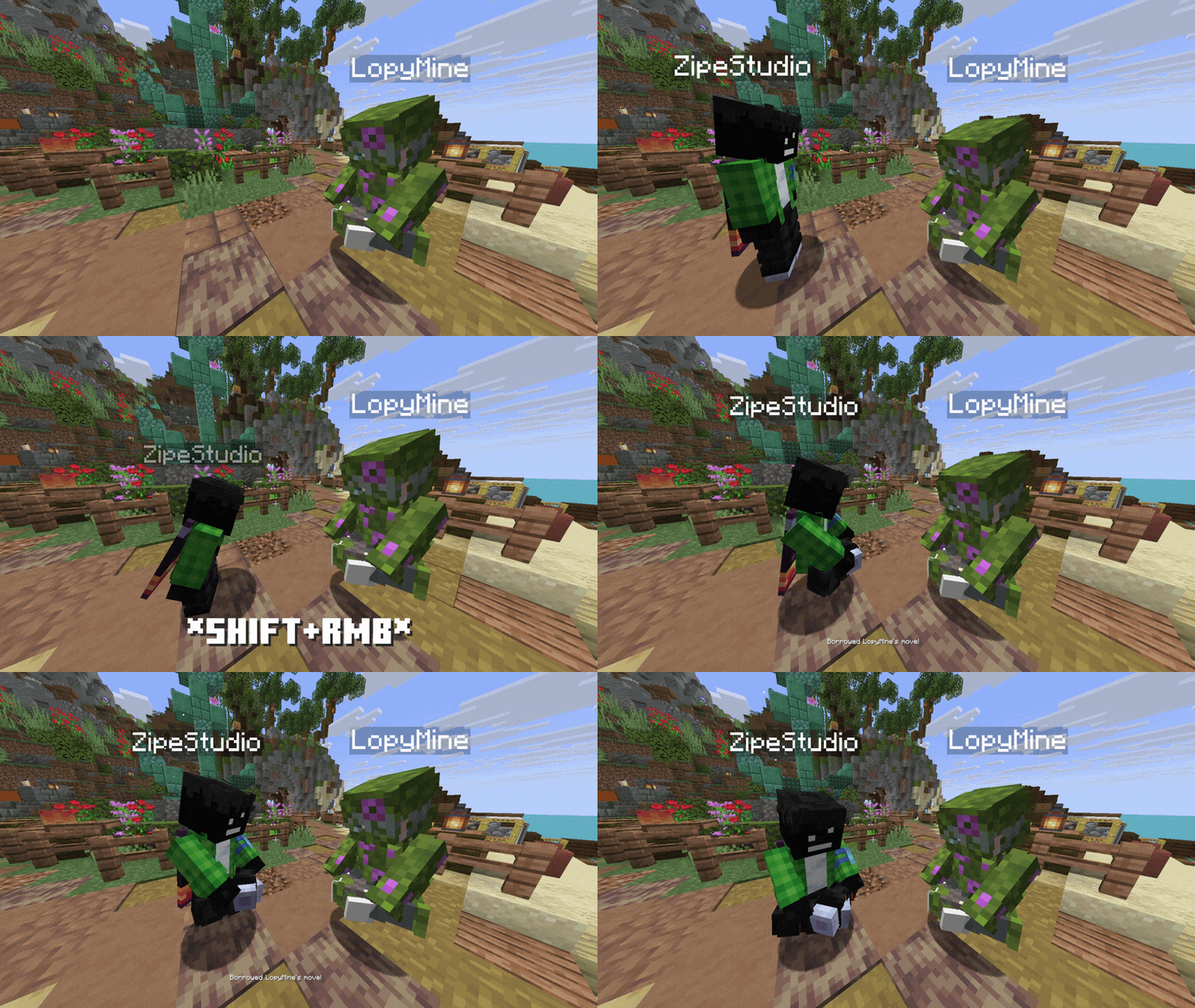 Showcase
 -
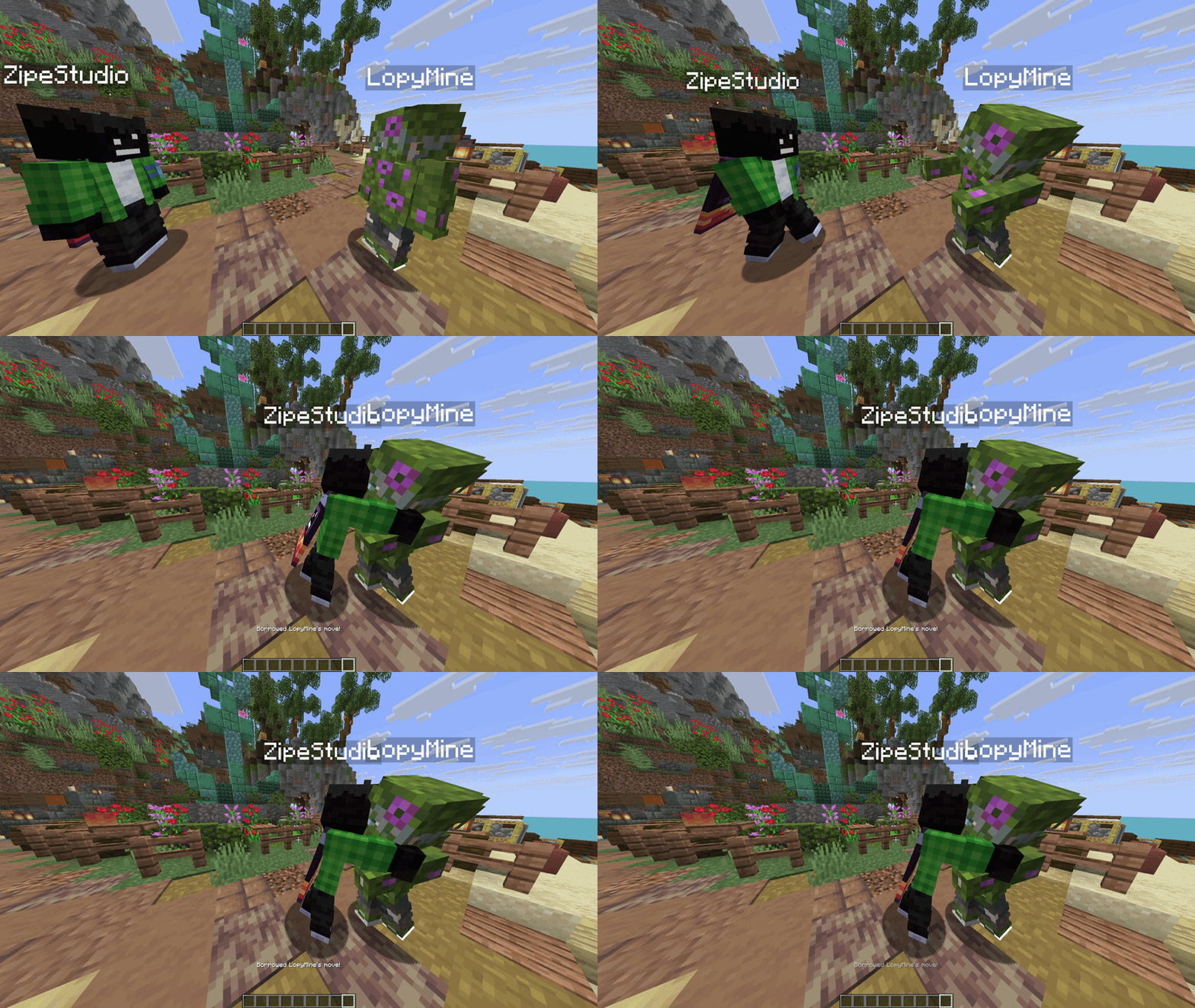 Hugs
Hugs
Versions
Files
Relations
Project Relations
More like this
Similar Mods
Suggestions use data such as tags, dependencies, dependents, descriptions, titles, and more to rank how much they overlap with this mod.
On ModDex
Community snapshot
By the numbers
Statistics
Want to reach Minecraft players?
We're looking for a server hosting partner to feature here and other parts of the site. Interested? Send us a message!
Get in touchGet it on
Available Platforms
On ModDex
Community snapshot
By the numbers