
Community listing page, reviews here may not be monitored by the author.
EmotesChat

No reviews yet
Add emotes to your chat

Community voices
Reviews
No reviews yet. Be the first to review this project!
Get it on
Available Platforms
About
Project Details
For authors
Embed Badge
If you're the author of this project, you can embed a live badge anywhere that supports HTML or Markdown. It updates automatically whenever ratings change.
Use HTML for any page that supports it, or Markdown for README files and Markdown-based descriptions.
Identifiers
Platform IDs
Resources
External Links
About
Description
What is EmotesChat
EmotesChat is a plugin that allows players to send emotes in the chat. PlaceholderAPI & MiniMessage Compatible
Example

Commands and permissions
| Command | Description | Permission |
|---|---|---|
| /emoteschat | EmotesChat main command | emoteschat.reload |
| /emotes | List available emotes | none |
Bungee config
config:
  # Allow emotes usage on these commands (you can also use emoteschat.emotesoncommand.<command> permission)
  allow-on-commands:
    - "/message"
    - "/msg"
    - "/w"
    - "/whisper"
    - "/tell"
    - "/reply"
    - "/r"
  # Strip color tags on commands `§ca` -> `a`. Default: false
  strip-color-on-commands: false
  emotes:
    # This is an example emote. The section name is the ID of the emote.
    happy:
      # The text which will be replaced by the emote.
      code: ':happy:'
      # The text that will replace the code (compatible with legacy colors).
      emote: '☺'
      # The permission that the player needs to use the emote (leave in blank if you want it to be used by everyone).
      permission: 'emoteschat.emote.happy'
    heart:
      code: ':heart:'
      emote: '§c♡§r' # Remember to close colors as they affect the rest of the message.
      permission: ''

messages:
  emotes-list-header: '§b§lYour emotes:'
  emotes-list-no-emotes: '§8No emotes.'
  emotes-list-emote-identifier: '%EMOTECODE% §e- §r%EMOTE%'
Paper config
config:
  # Allow emotes usage on these commands (you can also use emoteschat.emotesoncommand.<command> permission)
  allow-on-commands:
  - "/message"
  - "/msg"
  - "/w"
  - "/whisper"
  - "/tell"
  - "/reply"
  - "/r"
  # Strip minimessage tags on commands `<red>a` -> `a`. Default: false
  strip-mm-on-commands: false
  emotes:
    # This is an example emote. The section name is the ID of the emote.
    happy:
      # The text which will be replaced by the emote.
      code: ':happy:'
      # The text that will replace the code (compatible with PlaceHolderAPI & MiniMessage).
      emote: '☺'
      # The permission that the player needs to use the emote (leave in blank if you want it to be used by everyone).
      permission: 'emoteschat.emote.happy'
    heart:
      code: ':heart:'
      emote: '<red>♡</red>' # Remember to close MiniMessage tags as they affect the rest of the message.
      permission: ''

messages:
  emotes-list-header: '<aqua><bold>Your emotes:'
  emotes-list-no-emotes: '<dark_gray>No emotes.'
  emotes-list-emote-identifier: '%EMOTECODE% <yellow>-</yellow> %EMOTE%'
Screenshots
Gallery
-
Example
-
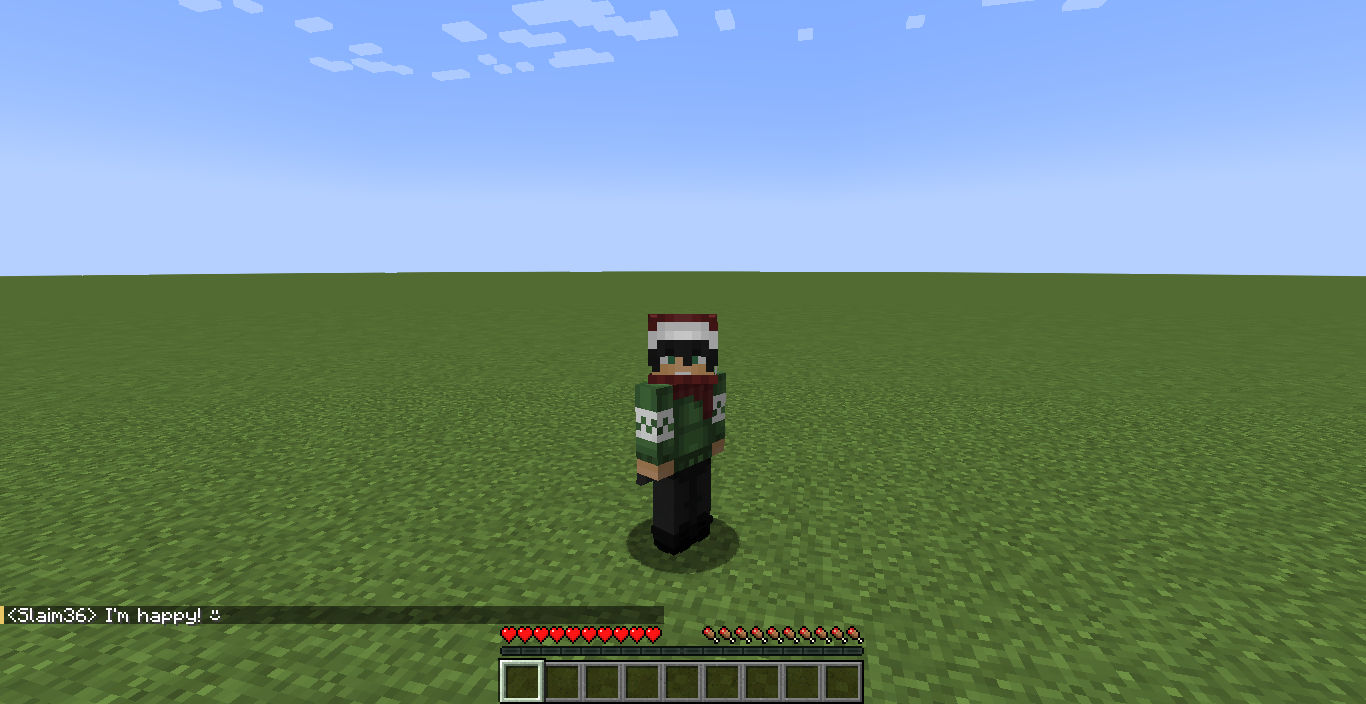 In-game demonstration
 -
 Modified warning
Versions
Files
Relations
Project Relations
More like this
Similar Mods
Suggestions use data such as tags, dependencies, dependents, descriptions, titles, and more to rank how much they overlap with this mod.
On ModDex
Community snapshot
By the numbers
Statistics

 (opens in a new tab)
Get it on
Available Platforms
On ModDex
Community snapshot
By the numbers
Statistics
Resources