Community listing page, reviews may not be monitored by the author.
EnchantingPlusPlus

No reviews yet
Fork of Enchanting Plus that adds treasure enchantments

Community voices
Reviews
No reviews yet. Be the first to review this project!
Get it on
Available Platforms
About
Project Details
For authors
Embed Badge
If you're the author of this project, you can embed a live badge anywhere that supports HTML or Markdown. It updates automatically whenever ratings change.
Use HTML for any page that supports it, or Markdown for README files and Markdown-based descriptions.
Identifiers
Platform IDs
Resources
External Links
About
Description
Seeing as Enchanting Plus seems to no longer be supported (or hasn't been in years) I made a fork so I could get treasure enchantments.
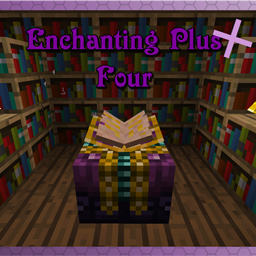
Enchanting Plus is a mod which allows the player to have full control over the enchantments on their items at the cost of significantly more EXP.
How to use this mod?
Once you have the mod and it's dependencies installed, you will be able to use the Advanced Enchanting Table. This table can be crafted in a crafting table, or you can craft the table upgrade item to convert an existing table in the world into the advanced table. Once you have the new advanced enchanting table, you can right click the table to access it.
In the advanced table menu, there is an item slot near the top for putting in the item you want to enchant. When an item is in this slot, the center area will fill up with a list of all the valid enchantments that you can modify. If there are more than four possible enchantments you can use the bar on the side to scroll through them. Sliding the bar to the right will increase the level of the enchantment, and sliding it to the left will decrease it. If an enchantment is listed with a green background it means you can modify that enchantment. If the background is red it means that enchantment is not available. Enchantments normally become unavailable when another enchantment that they are not compatible with has been selected. For example, Silk Touch is not compatible with Fortune, so you can not try to put both on the same tool.
As you modify the enchantments, the enchanting cost will change. This mod uses EXP points for cost rather than levels. The amount of EXP points the player has, and the cost are both shown in the top left info box. This info box will also show other bits of information such as tips about the mod. Once you are ready to enchant your item, and you have enough EXP points, clicking on the enchanted book button will enchant your item.
Curses & Treasures
Some enchantments in the game are given the special classification of curses or treasures. These enchantments are not available to the player under normal circumstances and special conditions must be met in order for them to be available.
Curses such as the curse of binding can only be applied near midnight, on a night with a full moon. The player has a four real life minutes to work with curses, two minutes before and after in-game midnight. You can check if it is midnight by looking in the sky for the moon. If it is directly above the player it is likely midnight. Full moons happen once every 7 days in Minecraft. You can verify the conditions are right by standing close enough to the table for the book to open. If several candles of purple smoke appear around the table then all the conditions have been met.
Treasure enchantments can be gained if it is daytime and the advanced enchanting table is on top a 3x3 of beacon-base blocks.
Configuration
This mod provides a bunch of configuration options which allow you to do things like change how much EXP certain enchantments cost, and also blacklist certain enchantments or items from being allowed in the advanced table. I am planning to add more configuration options in the future. If you would like to see a specific option, please create a new issue on the GitHub page requesting the feature.
Mod Support
This mod fully supports all enchantments that have been added to the game, including enchantments added by other mods. If an enchantment from another mod is not working as intended, it should be reported as an issue.
CraftTweaker
This mod has special support for CraftTweaker. You can use ZenScript to apply configuration changes to the mod.
- mods.eplus.Eplus.blacklistItem(IItemStack item); Can be used to blacklist an item.
- mods.eplus.Eplus.blacklistEnchantment(IEnchantment enchantment); can be used to blacklist an enchantment.
JEI - Just Enough Items
This mod has special support for Just Enough Items. If you look at the uses for any of the items/blocks added by this mod, there will be an info tab which gives a summary of what it does.
Screenshots
Gallery
Versions
Files
Relations
Project Relations
More like this
Similar Mods
Suggestions use data such as tags, dependencies, dependents, descriptions, titles, and more to rank how much they overlap with this mod.
- Brooms Unofficial
- Oaks Enchantments Backport
- Magic Feather: Replumed
- Hydraulic's Crystalline
- Alez's Combat Upgrades
- Random Enchants 2
- Soul Shards Respawn
- CreeperHost Presents Soul Shards
- MarbleGate's Exotic Enchantment: Reborn
- ReForbidden Magic
- Spellbound Enchantments - Forge Port
- Enchanting Infuser Backport
On ModDex
Community snapshot
By the numbers
Statistics

Get it on
Available Platforms
On ModDex
Community snapshot
By the numbers
Statistics
Resources