
Community listing page, reviews here may not be monitored by the author.
Enhanced Anvils


No reviews yet
Allows you to use colors / fonts and set lore when renaming items in an anvil.

Community voices
Reviews
No reviews yet. Be the first to review this project!
Get it on
Available Platforms
Compatibility
Supported Environments
Must be installed on both the client and the server.
About
Project Details
For authors
Embed Badge
If you're the author of this project, you can embed a live badge anywhere that supports HTML or Markdown. It updates automatically whenever ratings change.
Use HTML for any page that supports it, or Markdown for README files and Markdown-based descriptions.
Identifiers
Platform IDs
About
Description
Enhanced Anvils changes the vanilla anvil screen to add extra buttons.
- 16 colored buttons which correspond to each color code Minecraft supports
- 6 buttons corresponding to each formatting code allowing you to make obfuscated, bold, strikethrough, underlined, italic or reset the formatting of text
- 4 custom buttons corresponding to each Font in the Minecraft Java edition
- 3 custom lore buttons allowing which turn the current text into lore (up to 3 different lore lines)
Each of the buttons inserts the formatting code at the current cursor position in the edit box. (or at the start if using the font or lore buttons)
These buttons allows users to use colors / fonts / lore when naming items.
The lore feature is mostly untested, please report any problems with the feature on the issue tracker.

Need a server? Get 20% off your first month by using promo code "mrbysco"
For questions feel free to join my Discord.

Want to support us?
 -Mrbysco
-ShyNieke
Enhanced Anvils changes the vanilla anvil screen to add extra buttons.
- 16 colored buttons which correspond to each color code Minecraft supports
- 6 buttons corresponding to each formatting code allowing you to make obfuscated, bold, strikethrough, underlined, italic or reset the formatting of text
- 4 custom buttons corresponding to each Font in the Minecraft Java edition
- 3 custom lore buttons allowing which turn the current text into lore (up to 3 different lore lines)
Each of the buttons inserts the formatting code at the current cursor position in the edit box. (or at the start if using the font or lore buttons)
These buttons allows users to use colors / fonts / lore when naming items.
The lore feature is mostly untested, please report any problems with the feature on the issue tracker.
Screenshots
Gallery
-
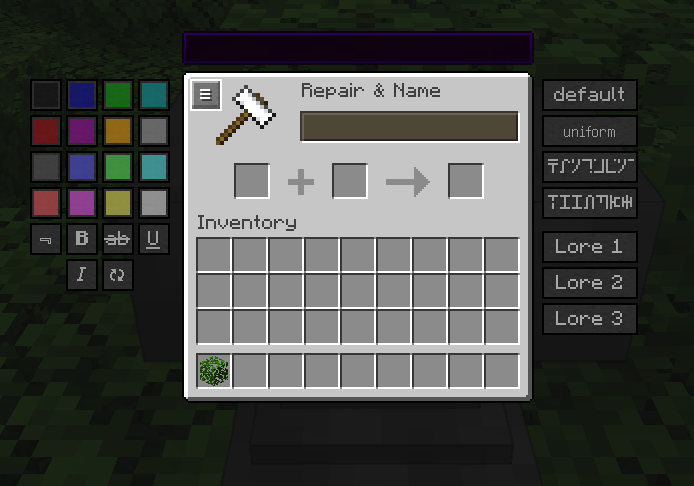 Anvil Gui The changed Anvil GUI
-
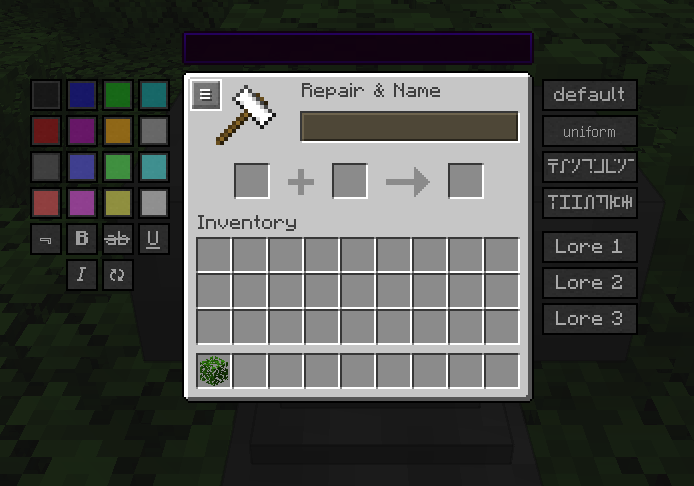 Anvil Gui The changed Anvil GUI
Versions
Files
Relations
Project Relations
More like this
Similar Mods
Suggestions use data such as tags, dependencies, dependents, descriptions, titles, and more to rank how much they overlap with this mod.
On ModDex
Community snapshot
By the numbers
Statistics
 (opens in a new tab)
Get it on
Available Platforms
On ModDex
Community snapshot
By the numbers