
Community listing page, reviews here may not be monitored by the author.
Epic Engine


No reviews yet
A Minecraft mod that enhances terrain generation with majestic mountains and provides customizable interface features.
Community voices
Reviews
No reviews yet. Be the first to review this project!
Get it on
Available Platforms
Compatibility
Supported Environments
Must be installed on both the client and the server.
About
Project Details
For authors
Embed Badge
If you're the author of this project, you can embed a live badge anywhere that supports HTML or Markdown. It updates automatically whenever ratings change.
Use HTML for any page that supports it, or Markdown for README files and Markdown-based descriptions.
Identifiers
Platform IDs
About
Description
Welcome to Epic Engine (EE)!
I originally developed this mod for my own modpack, integrating most of the customization features a modpack might need. I warmly welcome its use in any non-commercial Minecraft creations.
What does it accomplish?
Modular custom features suitable for modpacks—Each module and its internal features can be individually toggled on or off.
-
Main Menu Customization(For the result, see image 1-1.)
-
Custom background image
Function: Replaces the default main-menu background with a custom image.
Resource location:config/epic_engine/custom/textures/background.png(EE automatically stretches the image). -
Custom main-menu title image
Function: Replaces the game title logo with a custom image.
Resource location:config/epic_engine/custom/textures/title.png(EE automatically stretches the image).
-
-
Game Window Customization
-
Custom window title
Function: Changes the text in the game window’s title bar.
Default: “Epic Engine: a good tool to make your modpack!” -
Custom window icon
Function: Replaces the game window icon and task-bar icon.
Resource locations:
• Small icon (16 × 16):config/epic_engine/custom/textures/icon16.png(EE automatically stretches the image)
• Large icon (32 × 32):config/epic_engine/custom/textures/icon32.png(EE automatically stretches the image)
-
3.Preset Commands(For the result, see image 1-2.)
Function: Automatically executes preset commands when a player joins the server for the first time; in multiplayer, server settings override client settings.
Default: say [EPIC ENGINE]: Welcome to Epic Engine!; xp add @a 1 (use “;” to separate commands)
Planned features: Custom loading screen and loading-screen tips
Welcome to Epic Engine (EE)!
I originally developed this mod for my own modpack, integrating most of the customization features a modpack might need. I warmly welcome its use in any non-commercial Minecraft creations.
What does it accomplish?
Modular custom features suitable for modpacks—Each module and its internal features can be individually toggled on or off.
1.Main Menu Customization(For the result, see image 1-1.)
1.Custom background image Function: Replaces the default main-menu background with a custom image.
Resource location: config/epic_engine/custom/textures/background.png (EE automatically stretches the image).
2.Custom main-menu title image Function: Replaces the game title logo with a custom image.
Resource location: config/epic_engine/custom/textures/title.png (EE automatically stretches the image).
2.Game Window Customization
1.Custom window title
Function: Changes the text in the game window’s title bar.
Default: “Epic Engine: a good tool to make your modpack!”
2.Custom window icon Function: Replaces the game window icon and task-bar icon.
Resource locations:
•Small icon (16 × 16): config/epic_engine/custom/textures/icon16.png (EE automatically stretches the image)
•Large icon (32 × 32): config/epic_engine/custom/textures/icon32.png (EE automatically stretches the image)
3.Preset Commands(For the result, see image 1-2.)
Function: Automatically executes preset commands when a player joins the server for the first time; in multiplayer, server settings override client settings.
Default: say [EPIC ENGINE]: Welcome to Epic Engine!; xp add @a 1 (use “;” to separate commands)
Planned features: Custom loading screen and loading-screen tips
Screenshots
Gallery
-
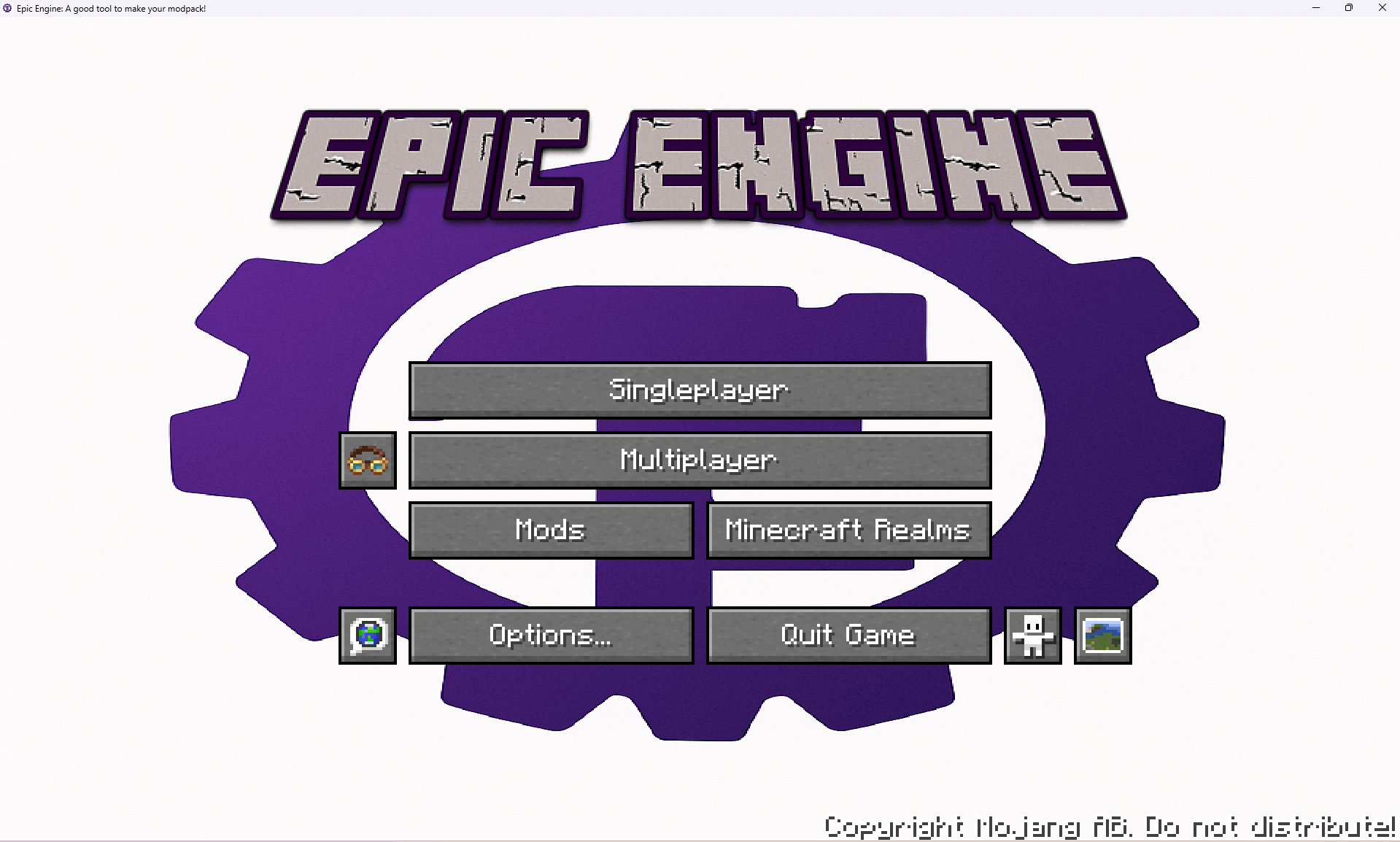 1-1.png Here is the screenshot showing the effect of the Main Menu Customization.
 -
 1-2.png Here is the screenshot showing the effect of the Preset Commands.
-
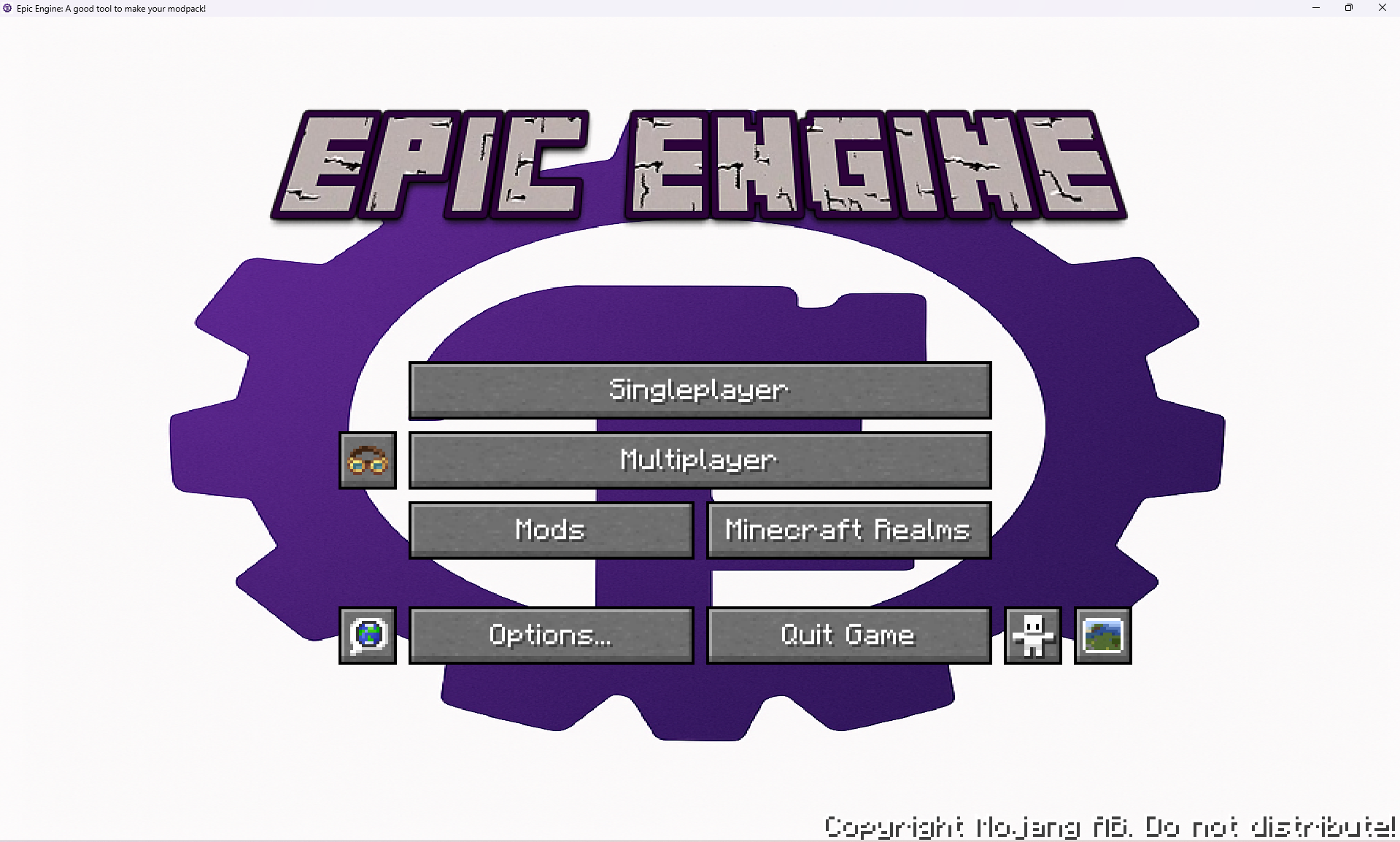 1-1 Here is the screenshot showing the effect of the Main Menu Customization.
 -
 1-2 Here is the screenshot showing the effect of the Preset Commands.
Versions
Files
Relations
Project Relations
More like this
Similar Mods
Suggestions use data such as tags, dependencies, dependents, descriptions, titles, and more to rank how much they overlap with this mod.
On ModDex
Community snapshot
By the numbers
Statistics
Want to reach Minecraft players?
We're looking for a server hosting partner to feature here and other parts of the site. Interested? Send us a message!
Get in touchGet it on
Available Platforms
On ModDex
Community snapshot
By the numbers