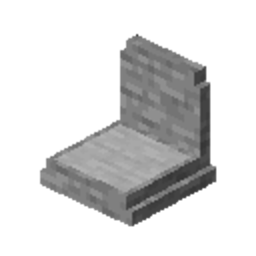
Community listing page, reviews here may not be monitored by the author.
Epitaphs

No reviews yet
A basic grave mod that does just that
Community voices
Reviews
No reviews yet. Be the first to review this project!
Get it on
Available Platforms
About
Project Details
For authors
Embed Badge
If you're the author of this project, you can embed a live badge anywhere that supports HTML or Markdown. It updates automatically whenever ratings change.
Use HTML for any page that supports it, or Markdown for README files and Markdown-based descriptions.
Identifiers
Platform IDs
About
Description
Epitaphs




Epitaphs is just a basic grave mod that does it's job of spawning graves and that's it.
Also has compatability with the following mods:
- curios
- accessories (1.21.1 only)
- toolbelt (26.1.2 only)
Features
- Creates a snapshot of the player data on death and spawns a grave with a reference point to it
- Tracks all graves of the player and allows players to track them to find them more easily
- Graves are locked to the player who owns them and cannot be opened by anyone else besides operators
- Provides commands for recovering save states in case something goes wrong and periodically performs a backup of all players
- Commands can be applied to both online and offline players
- Adds
SoulboundandExperience Soulboundenchantments, which allow players to retain items and xp throughout death
Behavior
- Graves are fully indestructible to anything but creative mode or operator commands
- Graves try to bypass any sort of claim or spawn-chunk restriction. If you find a scenario in which this doesn't work please report it on the issue tracker!
- Graves will try to find a safe spot to spawn on the ground to prevent them from floating in the air if for example the player dies in the void
- Files are generally saved as a UTC timestamp! Convert them to your local time first if you're unsure.
- Reclaiming the grave restores items into the spots they were on death if they are free, if not it'll attempt to insert them into the inventory and drop them on the ground as a last resort
- On death a chat message is sent to allow players to easily find their death location.
Client Features
- Looking at a grave shows a tooltip with:
- the name of the owning player
- the grave timestamp (a config allows you to choose between ISO8601 or System Default for the display)
- the uuid of the owning player
- an access/bypass warning if the grave is not yours, or you have operator perms
/epitaphs highlightlets a player track a grave location with a glowing outline and distance display- When a grave is highlighted, the client shows:
- a distance display if the grave is in the same dimension
- the target dimension if it is not
- a glowing outline to make the grave visible through blocks
Soul in a Bottle
- The Soul in a Bottle is an item that can be obtained by right-clicking a grave with a lingering soul with a bottle.
- Upon consumption, it teleports the player to their last grave location.
- When combined with a valid item in an anvil, it will apply the Soulbound enchantment to the item.
Enchantments
Soulbound
- Keeps the item on the player through death
- Applied when an item is combined with a Soul in a Bottle in an anvil.
- With curio items sometimes may not be inserted into the exact slot as they were before death due to the way slot modifiers apply
Experience Soulbound
- Same features as Soulbound
- Applied when an armor piece with the soulbound enchantment is combined with an experience bottle in an anvil.
- Additionally, also retains 1/4th of the players total xp per enchanted armor piece
- With all four armor pieces enchanted, the player keeps 100% of their XP.
Commands
- All
<player>,<uuid>and<timestamp>arguments will autocomplete
Available To All Players
/epitaphs uuid <player>- Shows a player's name and UUID
/epitaphs list- Lists all your current grave locations
/epitaphs list latest- Shows your latest grave location
/epitaphs highlight clear- Clears the current tracked grave
/epitaphs highlight latest- Highlights your latest grave
/epitaphs highlight deaths <timestamp>- Highlights one of your grave timestamps
Operator Commands
/epitaphs save <players>- Manually creates a snapshot for the targeted players
/epitaphs list player <player>/epitaphs list uuid <uuid>- Lists all grave locations for the target player
/epitaphs files player <player>/epitaphs files uuid <uuid>- Lists all backup files for a player
/epitaphs highlight player <player> <timestamp>/epitaphs highlight uuid <uuid> <timestamp>- Highlights the tracked grave for the targeted player at the given timestamp
/epitaphs preview player <player> <timestamp>/epitaphs preview uuid <uuid> <timestamp>- Opens a preview screen with a fake inventory of all items present in the backup.
- When run from a server console, this simply prints out a list of all items.
/epitaphs recover player <player> <timestamp>/epitaphs recover uuid <uuid> <timestamp>- Restores a backup and merges the data into the target player. This is a graceful reset and will retain existing data
/epitaphs reset player <player> <timestamp>/epitaphs reset uuid <uuid> <timestamp>- Replaces the target player's playerdata with the chosen backup. This is a forceful reset and will lose existing data
Screenshots
Gallery
Versions
Files
Relations
Project Relations
More like this
Similar Mods
Suggestions use data such as tags, dependencies, dependents, descriptions, titles, and more to rank how much they overlap with this mod.
On ModDex
Community snapshot
By the numbers
Statistics
Want to reach Minecraft players?
We're looking for a server hosting partner to feature here and other parts of the site. Interested? Send us a message!
Get in touchGet it on
Available Platforms
On ModDex
Community snapshot
By the numbers