![[ESH] Extra Special Hub](https://media.forgecdn.net/avatars/thumbnails/1992/829/256/256/639226835393787903.png)
Community listing page, reviews here may not be monitored by the author.
[ESH] Extra Special Hub

No reviews yet
ExtraSpecialHub is the F9 start menu for Extra Special Studio. It organises studio docs, tool hubs, and other mods’ menus in one place. Requires [ESC] ExtraSpecialCore, and [ESL] ExtraSpecialLIB

Community voices
Reviews
No reviews yet. Be the first to review this project!
Get it on
Available Platforms
About
Project Details
For authors
Embed Badge
If you're the author of this project, you can embed a live badge anywhere that supports HTML or Markdown. It updates automatically whenever ratings change.
Use HTML for any page that supports it, or Markdown for README files and Markdown-based descriptions.
Identifiers
Platform IDs
Resources
External Links
About
Description
ExtraSpecialHUB
Extra Special Studio presents ExtraSpecialHub. One key for studio menus, a uniform ESC layout, a showcase of what ESC (and soon ESG) can do, and a hook for other mods.
Mostly built to put all of Extra Special Studio’s menus and studio stuff under one key (F9) and give them a uniform layout, instead of a pile of mismatched screens and hotkeys. ExtraSpecialHub (ESH) is the studio start menu, not a content pack—it doesn’t add items, biomes, or a gameplay loop. Gameplay item UIs stay on their items.
What it does:
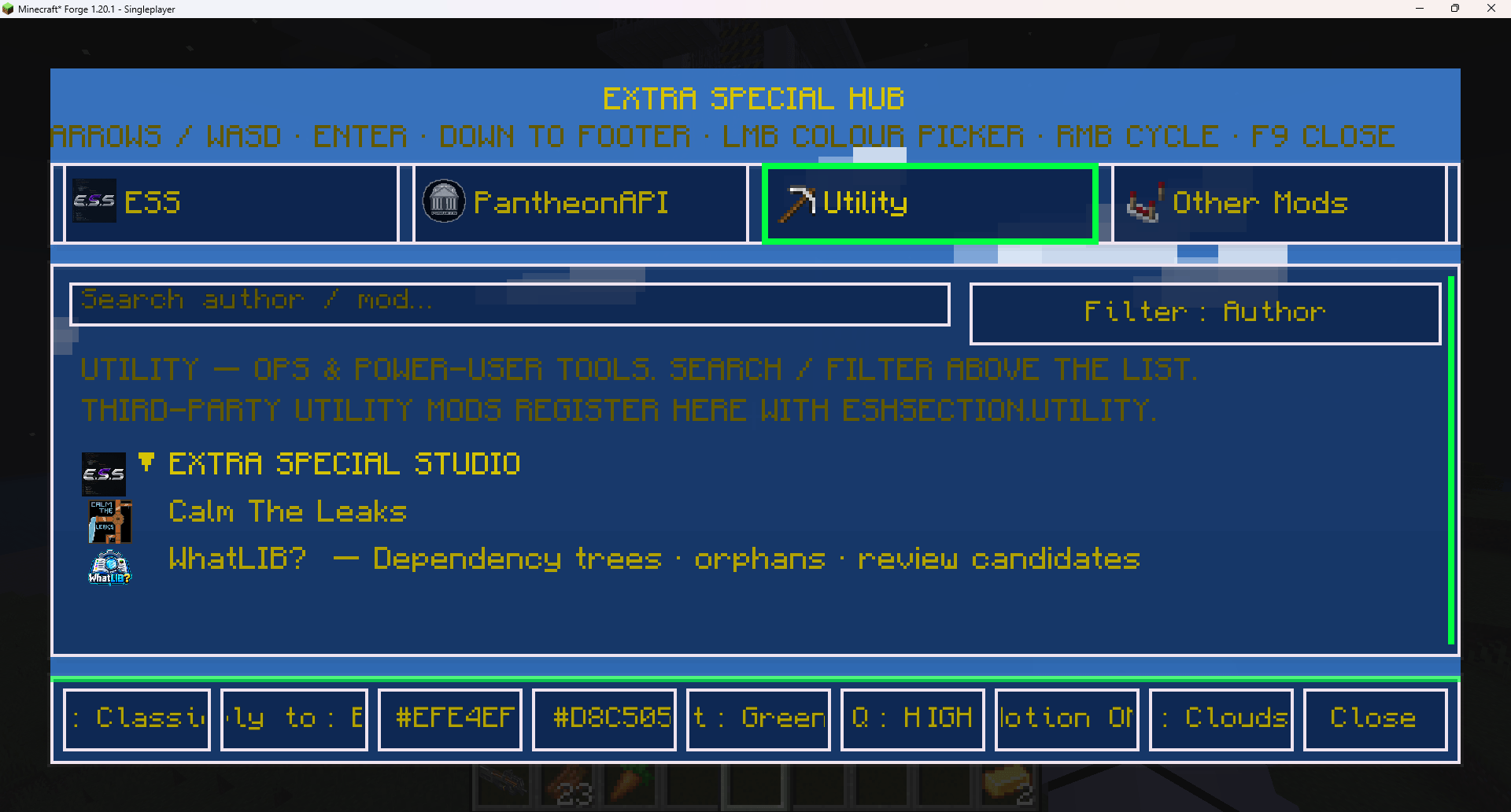
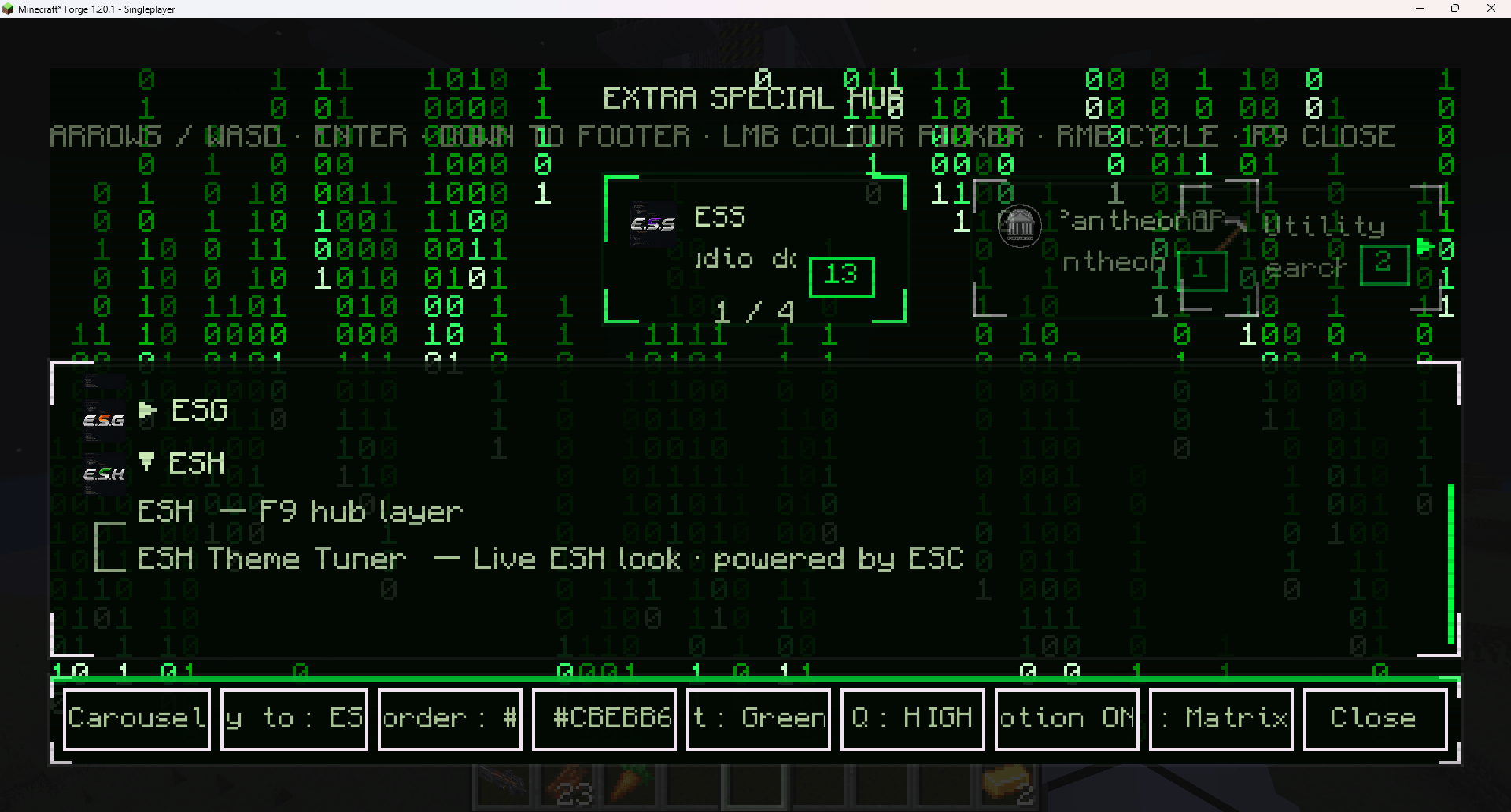
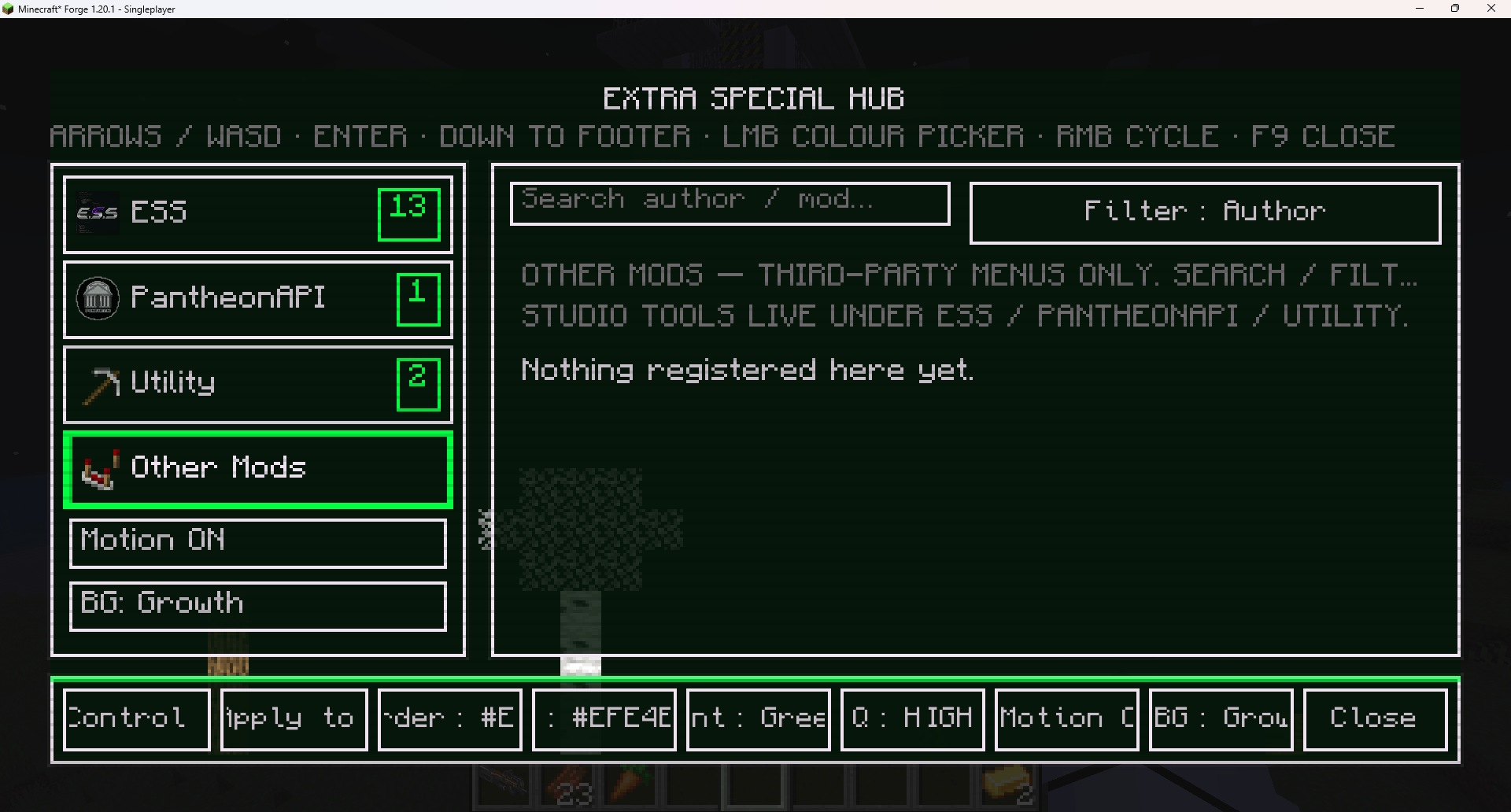
Press F9. Studio docs, ESC demos, Theme Tuner, and other Extra Special Studio tools live in one hub. Layout profiles and colours come from ESC, so everything in the hub looks like it belongs together. Hosted menus get a way back to the hub so you are not dumped into the world. It also shows off what’s possible with ExtraSpecialCore (ESC) — themes, layouts, motion, chrome — and ExtraSpecialGUI (ESG), which is coming soon for authoring those screens.
How it works:
ESH lists windows other mods register and opens the screen they supply. Layout and theme chrome come from ESC; ESH just hosts them under F9. Third-party mods hook in with EshApi.registerModWindow on client setup. Use EshSection.MODS (Other Mods) for third-party menus, or EshSection.UTILITY for ops tools.
How to use it:
Players: Install ExtraSpecialHub with matching ExtraSpecialCore (ESC) and ExtraSpecialLIB (ESL) for your loader (Forge / NeoForge are separate). Press F9 in-game. If a mod’s page lists ESH, you want the hub for that mod’s menu as well as studio docs. Authors: Depend on extraspecialhub (plus extraspecialcore and extraspeciallib). On client setup, register a window — ESH lists it and opens the screen you supply.
Optional:
.group("family", "Family name") to nest related windows, .subtitle("…"), .icon(...). Prefer EshApi.openHub() when leaving a hosted screen. If you already have your own Back control, implement EshOwnsHubNav (or ESC’s EscOwnsBackNav) so ESH does not inject ← Hub.Important:
ESH is a hub, not a standalone content pack. Match Minecraft + loader with ESC and ESL (Forge and NeoForge variants are separate if published that way). If F9 does nothing, confirm ESH is on the client and ESC/ESL versions match the pack.
Screenshots
Gallery
-
 Screenshot 2026-08-20 135659.png Screenshot 2026-08-20 135659.png
 -
 Screenshot 2026-08-20 140101.png Screenshot 2026-08-20 140101.png
 -
 Screenshot 2026-08-20 140235.png Screenshot 2026-08-20 140235.png
Versions
Files
Relations
Project Relations
More like this
Similar Mods
Suggestions use data such as tags, dependencies, dependents, descriptions, titles, and more to rank how much they overlap with this mod.
On ModDex
Community snapshot
By the numbers
Statistics
 (opens in a new tab)
Get it on
Available Platforms
On ModDex
Community snapshot
By the numbers
Statistics
Resources