Community listing page, reviews here may not be monitored by the author.
FlatBedrock Xplosion's Edition

No reviews yet
Customizable Flat Bedrock generation
Community voices
Reviews
No reviews yet. Be the first to review this project!
Get it on
Available Platforms
About
Project Details
For authors
Embed Badge
If you're the author of this project, you can embed a live badge anywhere that supports HTML or Markdown. It updates automatically whenever ratings change.
Use HTML for any page that supports it, or Markdown for README files and Markdown-based descriptions.
Identifiers
Platform IDs
About
Description
FlatBedrock Xplosion's Edition
This mod by default generates the bedrock layer from the overworld en both bedrock layers in the nether flat. Other dimensions can easily be added to this list by creating a custom JSON file (see below). Most dimensions should work with this.
The 1.9.4 version also works on 1.10
Config:
Which layers and in which dimensions you have a flat layer can be configured. Navigate to the /config/flatbedrock/dimensions/ folder. By default there should two files there: overworld.json and nether.json. They should look like this:
{
"dimID": 1,
"genTop": false,
"genBottom": true,
"retroGenTop": false,
"retroGenBottom": false,
"fillBlock": "minecraft:stone"
}
The dimID stands for the numerical ID of the dimension. 1 in this case being the overworld. The genTop and genBottom require a true or false value. When true it means that it needs to generate a flat layer there, when false it doesn't care. The retroGenTop and retroGenBottom will be explained below. Last is the fillBlock. Here you specify what block should replace the bedrock, for the overworld that is minecraft:stone.
Add a modded dimensions (for users):
If you have a mod installed that adds a new dimension, you can also make sure that it will get a nice flat bedrock layer. Go to the config folder and navigate to the /flatbedrock/dimensions/ folder. You create a new file or copy one of the defaults and name it eg twilightforrest.json.
{
"dimID": 7,
"genTop": false,
"genBottom": true,
"retroGenTop": false,
"retroGenBottom": false,
"fillBlock": "minecraft:stone"
}
Just edit the values to what is needed for that dimension and you're done. Note that the only difference here with the overworld is that the Twilight Forrest has a dimension ID of 7.
Generating a flat bedrock layer in an already existing world:
Yes, it is possible to apply this flat bedrock layer to an already generated world. But make sure you backup first! To enable the retroactive generation in a dimension you navigate (again) to the /config/flatbedrock/dimensions folder. Open the file that corresponds to the dimensions you want to edit. and change the retroGenBottom and retroGenTop values to true. Open your world again and you should see a nice flat bedrock layer.
Add a modded dimension (for other modders):
Other dimensions can also be specified by IMC messages like in this example:
NBTTagCompound compound = new NBTTagCompound();
compound.setString("fileName", "testDimension");
compound.setInteger("dimensionID", 555);
compound.setBoolean("generateFlatTop", true);
compound.setBoolean("generateFlatBottom", false);
compound.setString("fillBlock", "minecraft:end_stone");
FMLInterModComms.sendRuntimeMessage(Reference.MOD_ID, Reference.MOD_ID, "addDimension", compound);
MC 1.7:
Recommended:
It's recommended that you install UniversalCore for extra utilities and functionality (explained below)
The mod on its own:
the mod on its own simply generates the bedrock in the overworld and nether (floor and roof) flat. Other dimensions can be added to that list by the player itself by creating a custom JSON file (see below at "add modded dimensions"). This should work for most of the modded dimensions that use the normal system of world generation. note: Mystcraft dimensions don't work for this but when it updates to 1.7.10 I'll add compatibility for them by adding a new Mystcraft page.
When using UniversalCore:
When you use UniversalCore together with FlatBedrock, FlatBedrock will get it's full blown VersionChecker which is also compatible with the VersionChecker mod. UniversalCore will also allow you to retroactively generate your Minecraft worlds (read more about this at "generating flat bedrock in an existing world"). I actually recommend using FlatBedrock with UniversalCore because this is such a small and more utility mod I figured it would be nice to not be dependent on other mods. you can get UniversalCore here.
Generating FlatBedrock in an existing world:
If this mod is installed alongside UniversalCore, this will add a way to regenerate the bedrock in your existing world to a nice flat layer. before doing make sure that you Then you simply have to go to the dimensions folder, located at config/flatbedrock/dimensions/ and choose the the file that corresponds with the dimensions you want to regenerate and open it in a text editor of your choice (although I recommend using TextWrangler for mac and notepad++ for windows). after this you simple have to change either "retroGenBottom" or "retroGenTop" to true. When this is done you save the file and just reopen your beloved minecraft world but now it should have a flat bedrock layer.
Add modded dimensions (for users)
When a mod adds a custom dimensions and you to flatten it's bedrock you simply have to go to the config/flatbedrock/dimensions directory and create a new JSON file. The file has to be in the JSON format and should have following objects: "dimID" the dimension id, "genTop" wether the top of the dimension should be generated flat (like the nether roof), "genBottom" wether the bottom of the dimension should be generated flat, "retroGenTop" and "retroGenBottom" should only be used when UniversalCore is installed on you can find more about those above and the "fillBlock" a string value with the ID of the block that should be used for replacing the bedrock. you can look at the default overworld.json and nether.json files to look how it's used. Here is also an example of how it would be used by a modded dimension, twilightforest.json:
{
"dimID": 7,
"genTop": false,
"genBottom": true,
"retroGenTop": false,
"retroGenBottom": false,
"fillBlock": "minecraft:stone"
}
note: modders may have done this already in code so run minecraft first before creating a new JSON and look if it pops up.
Add modded dimension via IMC Messages (for modders):
modders can also send IMC Messages to register a dimension to the generation list like this.
Screenshots
Gallery
-
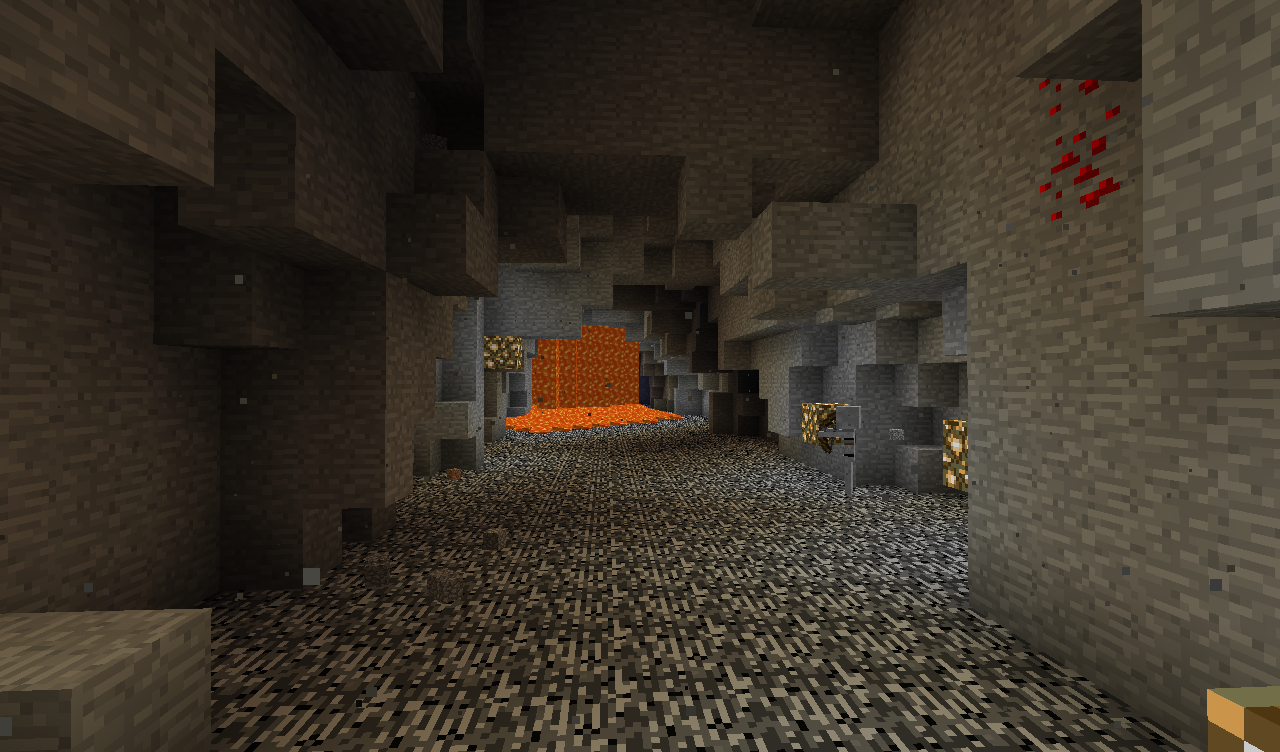 FlatBedrock overworld this is how the bedrock layer looks with the flat bedrock generation turned on.
 -
 FlatBedrock nether roof the roof of the nether with flatbedrock installed
 -
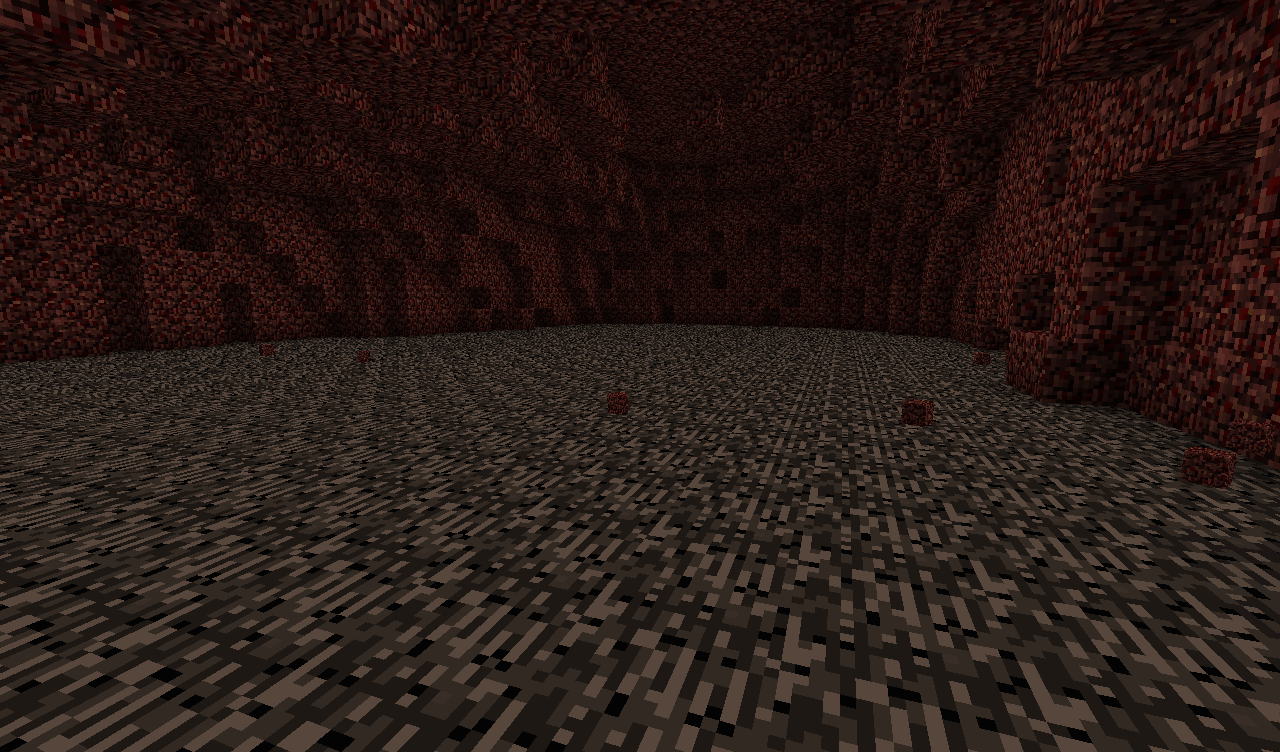 FlatBedrock nether floor the floor of the nether with FlatBedrock installed
Versions
Files
Relations
Project Relations
More like this
Similar Mods
Suggestions use data such as tags, dependencies, dependents, descriptions, titles, and more to rank how much they overlap with this mod.
On ModDex
Community snapshot
By the numbers
Statistics
Want to reach Minecraft players?
We're looking for a server hosting partner to feature here and other parts of the site. Interested? Send us a message!
Get in touchGet it on
Available Platforms
On ModDex
Community snapshot
By the numbers