
Community listing page, reviews here may not be monitored by the author.
Freecam World Freeze (Extension)


No reviews yet
Adds world freezing/pausing or slow-motion to almost any Freecam mod in singleplayer.

Community voices
Reviews
No reviews yet. Be the first to review this project!
Get it on
Available Platforms
Compatibility
Supported Environments
Works in singleplayer only; does not function in multiplayer.
About
Project Details
For authors
Embed Badge
If you're the author of this project, you can embed a live badge anywhere that supports HTML or Markdown. It updates automatically whenever ratings change.
Use HTML for any page that supports it, or Markdown for README files and Markdown-based descriptions.
Identifiers
Platform IDs
About
Description
Freecam World Freeze
Allows you to freeze or slow down your singleplayer world while in the freecam of almost any mod.
This is an extension, it does not provide a Freecam itself!
By default when the extension is set to freeze, only the world is frozen and the player keeps moving.
Some mods may have a Freeze Player option to also freeze the player. This will also be part of this extension in the future.
Compatible Mods
| Mod | Freezing | Slow-Mo |
|---|---|---|
| Freecam & derivatives | ✅ | 🟨¹ |
| Freecam by Zergatul | ✅ | 🟨² |
| Freecam by Kapiteon | ✅ | 🟨¹ |
| FreeCamMC | ✅ | 🟨¹ |
| Camera Tweaks | ✅ | 🟨² |
| Camera Enhancements | ✅ | 🟨¹ |
| (Easy) Freecam | 🟨³ | ✅ |
| WI Freecam (Wurst) | ✅ | 🟨¹ |
Markings (¹²³):
- ¹ Freecam affected by slow-motion.
- ² Input delay in freecam.
- ³ Stuttering-like movement.
Installation
To install, first download one of these base mods listed above.
Now, you can download this mod and drop it into your ./mods/ folder aswell.
That's it! You can start Minecraft and enjoy the extension.
Features
Configure Freeze/Slow-Motion
Using the mod menu of your platform (on Fabric, you need to install "Mod Menu" for this), you can access the extension's configuration screen.
There, you can move the slider for three different modes:
- Left: Freeze the world
- Middle: Slow down the world (configurable intensity)
- Right: Do nothing (not recommended)
Toggle the Extension while in Freecam
The default key to toggle is F6. It can be modified in Minecraft's keybind settings.
Some freecam mods may use this to activate their freecam. You will need to manually remap the keybind in those cases case.
Pressing the set key will enable or disable the freeze/slow-motion in your world.
Planned Features
- Freeze the player in freezing mode (if the freecam mod does not have this already).
- Normal freecam flight speeds when slowing down the game.
How this mod works
This mod contains adapaters for the most downloaded freecam mods and automatically detects which of the mods is installed, loading only those adapters.
Once this is done, it uses the same mechanisms as the /tick command does internally while hooking into the installed freecam mod to apply automatically when using the freecam.
There's also a bunch of other black magic going on which is kinda boring. If it still interests you, the whole project is open-source on GitHub for you to check out.
Contact
You can join my Discord server for support, message me directly on Discord (@marcpg1905), or email me at [email protected].
Freecam World Freeze
Allows you to freeze or slow down your singleplayer world while in the freecam of almost any mod.
This is an extension, it does not provide a Freecam itself!
By default when the extension is set to freeze, only the world is frozen and the player keeps moving.
Some mods may have a Freeze Player option to also freeze the player. This will also be part of this extension in the future.
Compatible Mods
| Mod | Freezing | Slow-Mo |
|---|---|---|
| Freecam & derivatives | ✅ | 🟨¹ |
| Freecam by Zergatul | ✅ | 🟨² |
| Freecam by Kapiteon | ✅ | 🟨¹ |
| FreeCamMC | ✅ | 🟨¹ |
| Camera Tweaks | ✅ | 🟨² |
| Camera Enhancements | ✅ | 🟨¹ |
| (Easy) Freecam | 🟨³ | ✅ |
| WI Freecam (Wurst) | ✅ | 🟨¹ |
Markings (¹²³)
- ¹ Freecam affected by slow-motion.
- ² Input delay in freecam.
- ³ Stuttering-like movement.
Installation
To install, first download one of these base mods listed above.
Now, you can download this mod and drop it into your ./mods/ folder aswell.
That's it! You can start Minecraft and enjoy the extension.
Features
Configure Freeze/Slow-Motion
Using the mod menu of your platform (on Fabric, you need to install "Mod Menu" for this), you can access the extension's configuration screen.
There, you can move the slider for three different modes:
- Left: Freeze the world
- Middle: Slow down the world (configurable intensity)
- Right: Do nothing (not recommended)
Toggle the Extension while in Freecam
The default key to toggle is F6. It can be modified in Minecraft's keybind settings.
Some freecam mods may use this to activate their freecam. You will need to manually remap the keybind in those cases case.
Pressing the set key will enable or disable the freeze/slow-motion in your world.
Planned Features
- Freeze the player in freezing mode (if the freecam mod does not have this already).
- Normal freecam flight speeds when slowing down the game.
How this mod works
This mod contains adapaters for the most downloaded freecam mods and automatically detects which of the mods is installed, loading only those adapters.
Once this is done, it uses the same mechanisms as the /tick command does internally while hooking into the installed freecam mod to apply automatically when using the freecam.
There's also a bunch of other black magic going on which is kinda boring. If it still interests you, the whole project is open-source on GitHub for you to check out.
Contact
You can join my Discord server for support, message me directly on Discord (@marcpg1905), or email me at [email protected].
Screenshots
Gallery
-
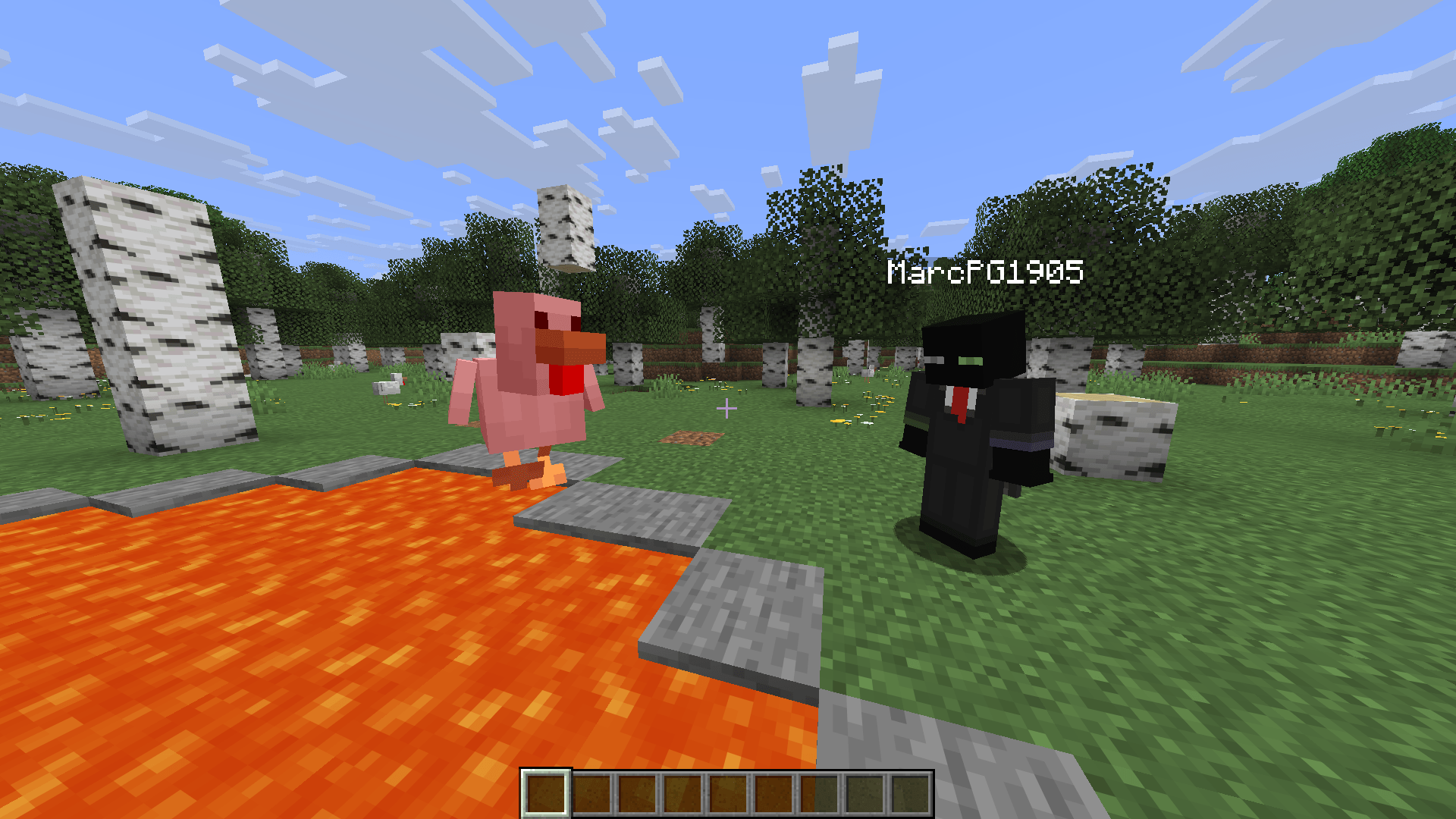 Punching a Chicken Hitting a chicken and immediately pressing F4 afterwards to freeze time before it hits the lava.
 -
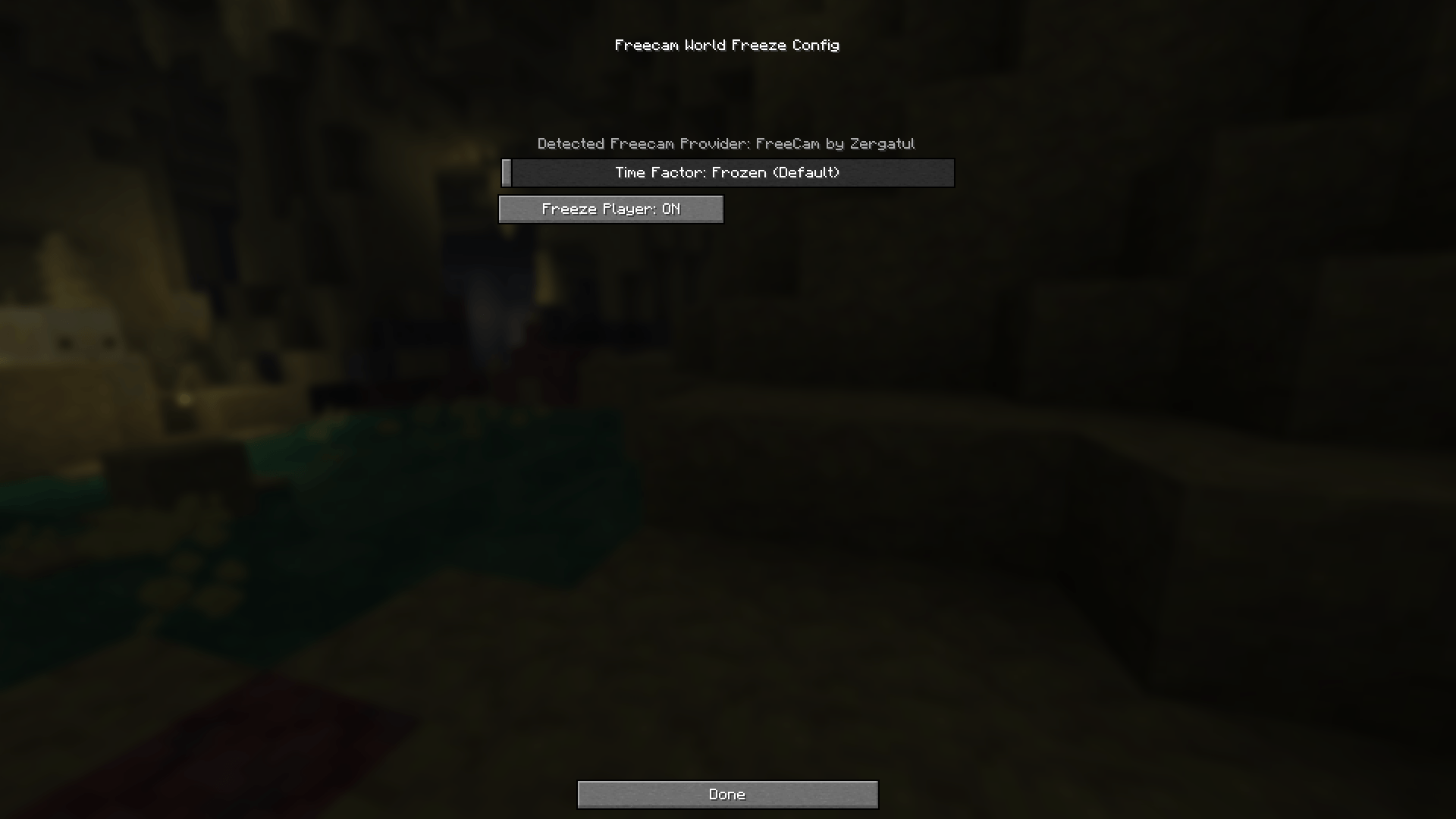 Configuration Screen The simple but easy to use configuration screen.
 -
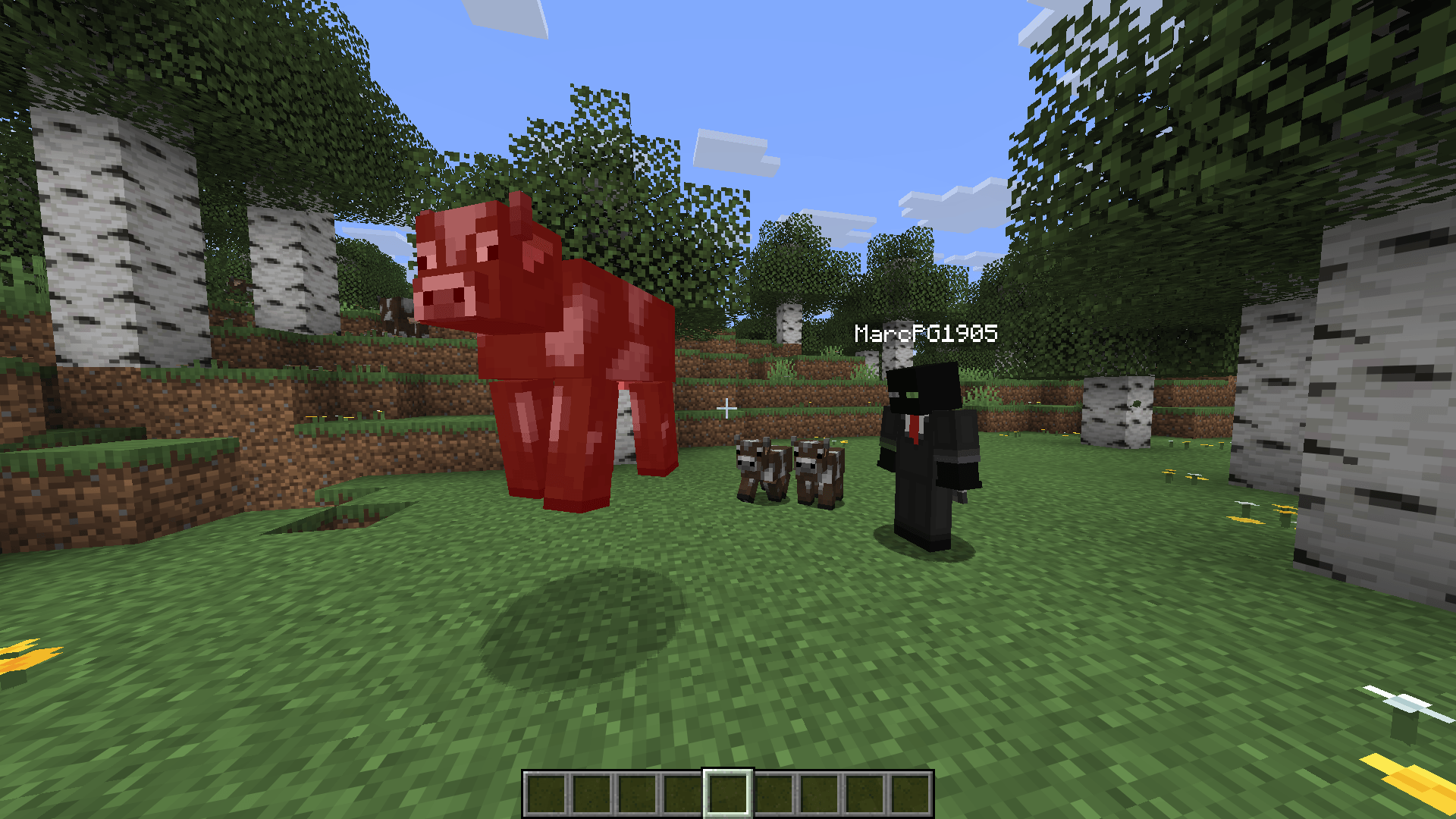 Punching a Cow Hitting a cow and immediately pressing F4 afterwards to freeze time.
-
 Punching a Chicken Hitting a chicken and immediately pressing F4 afterwards to freeze time before it hits the lava.
 -
 Configuration Screen The simple but easy to use configuration screen.
 -
 Punching a Cow Hitting a cow and immediately pressing F4 afterwards to freeze time.
Versions
Files
Relations
Project Relations
More like this
Similar Mods
Suggestions use data such as tags, dependencies, dependents, descriptions, titles, and more to rank how much they overlap with this mod.
On ModDex
Community snapshot
By the numbers
Statistics
 (opens in a new tab)
Get it on
Available Platforms
On ModDex
Community snapshot
By the numbers