
Community listing page, reviews here may not be monitored by the author.
Frostbyte's Improved Inventory


No reviews yet
Makes parts of the inventory and HUD more useful
Community voices
Reviews
No reviews yet. Be the first to review this project!
Get it on
Available Platforms
Compatibility
Supported Environments
Runs entirely on the client. Works on vanilla servers.
About
Project Details
For authors
Embed Badge
If you're the author of this project, you can embed a live badge anywhere that supports HTML or Markdown. It updates automatically whenever ratings change.
Use HTML for any page that supports it, or Markdown for README files and Markdown-based descriptions.
Identifiers
Platform IDs
About
Description


Overview:
This mod adds new behaviors to Minecraft's inventory, HUD, containers, and screens. All features can be toggled and customized using the config file or the modmenu config screen.
Inventory:
Hotbar Stack Refilling: Refills the hotbar with a new stack of the same item from the inventory.
Automatic Tool Selection: Automatically swaps to the hotbar slot with the best tool when mining and the best weapon when attacking.
Inventory Sorting: Sorts the current container.
Inventory Search Bar: Adds a search bar to all container blocks.
Tab to Nearby Containers: Allows the player to access all containers within reach using either a keybind or the tab created in the inventory screen.
HUD:
Armor Durability Display: Displays the currently equipped armor items on the screen.
Slot Cycling: Cycles to another item in the same column of the inventory as the selected hotbar slot.
Bedrock Paperdoll: Displays the player model on the screen like in Bedrock Edition.
Text Display: Displays a list of informational text strings.
WAILA (What Am I Looking At?): Displays the targeted block or entity.
Held Items Visible In Boats: Stops held items being hidden while rowing a boat.
Colored Armor Bar: Colors the armor bar icons to match the materials of the equipped armor.
Status Effect Timer: Adds bars to the status effect overlay that show the remaining durations of active effects.
Don't Hide Experience Bar: Renders the locator bar on top of the experience bar, instead of replacing it.
Players' Waypoints Use Their Skins: Waypoints that point to a player use that player's head as the sprite.
Tooltips:
Compass Target Tooltip: Adds a compass's target position to its tooltip.
Clock Daytime Tooltip: Adds the time of day to the clock's tooltip.
Food Nutrition Tooltip: Adds the nutrition and saturation of a food item to its tooltip.
Shulker Box Preview: Displays a shulker box's inventory in its tooltip.
Map Preview: Displays a map's contents in its tooltip.
Expanded Bundle Tooltip: Displays the entire contents of a bundle in its tooltip.
Bundle Progress Bar Fraction: Displays a bundle's fullness as a fraction of 64 on top of its progress bar.
Screen Effects:
Zoom: Drops the field of view to zoom into the center of the screen.
Gamma: Increases the brightness past the maximum value.
FAQs:
Will this be updated to [Insert Version]?
I plan on updating this mod for as long as I can. Expect to wait a few weeks after major Minecraft updates for an updated version of this mod. There may be longer pauses between minor versions depending on how busy I am.
Will you make a Forge version?
I don't make Forge mods, but feel free to make your own unofficial port as long as you credit my code and/or assets.
Can I use this in my mod pack?
Yes! I made this mod for people to use!
Download:
Modrinth - https://modrinth.com/mod/frostbytes-improved-inventory
Curseforge - https://www.curseforge.com/minecraft/mc-mods/frostbytes-improved-inventory




Overview:
This mod adds new behaviors to Minecraft's inventory, HUD, containers, and screens. All features can be toggled and customized using the config file or the modmenu config screen.
Inventory:
Hotbar Stack Refilling: Refills the hotbar with a new stack of the same item from the inventory.
Automatic Tool Selection: Automatically swaps to the hotbar slot with the best tool when mining and the best weapon when attacking.
Inventory Sorting: Sorts the current container.
Inventory Search Bar: Adds a search bar to all container blocks.
Tab to Nearby Containers: Allows the player to access all containers within reach using either a keybind or the tab created in the inventory screen.
HUD:
Armor Durability Display: Displays the currently equipped armor items on the screen.
Slot Cycling: Cycles to another item in the same column of the inventory as the selected hotbar slot.
Bedrock Paperdoll: Displays the player model on the screen like in Bedrock Edition.
Text Display: Displays a list of informational text strings.
WAILA (What Am I Looking At?): Displays the targeted block or entity.
Held Items Visible In Boats: Stops held items being hidden while rowing a boat.
Colored Armor Bar: Colors the armor bar icons to match the materials of the equipped armor.
Status Effect Timer: Adds bars to the status effect overlay that show the remaining durations of active effects.
Don't Hide Experience Bar: Renders the locator bar on top of the experience bar, instead of replacing it.
Players' Waypoints Use Their Skins: Waypoints that point to a player use that player's head as the sprite.
Tooltips:
Compass Target Tooltip: Adds a compass's target position to its tooltip.
Clock Daytime Tooltip: Adds the time of day to the clock's tooltip.
Food Nutrition Tooltip: Adds the nutrition and saturation of a food item to its tooltip.
Shulker Box Preview: Displays a shulker box's inventory in its tooltip.
Map Preview: Displays a map's contents in its tooltip.
Expanded Bundle Tooltip: Displays the entire contents of a bundle in its tooltip.
Bundle Progress Bar Fraction: Displays a bundle's fullness as a fraction of 64 on top of its progress bar.
Screen Effects:
Zoom: Drops the field of view to zoom into the center of the screen.
Gamma: Increases the brightness past the maximum value.
FAQs:
Will this be updated to [Insert Version]?
I plan on updating this mod for as long as I can. Expect to wait a few weeks after major Minecraft updates for an updated version of this mod. There may be longer pauses between minor versions depending on how busy I am.
Will you make a Forge version?
I don't make Forge mods, but feel free to make your own unofficial port as long as you credit my code and/or assets.
Can I use this in my mod pack?
Yes! I made this mod for people to use!
Download:
Modrinth - https://modrinth.com/mod/frostbytes-improved-inventory
Curseforge - https://www.curseforge.com/minecraft/mc-mods/frostbytes-improved-inventory

Screenshots
Gallery
-
 Improved Inventory
 -
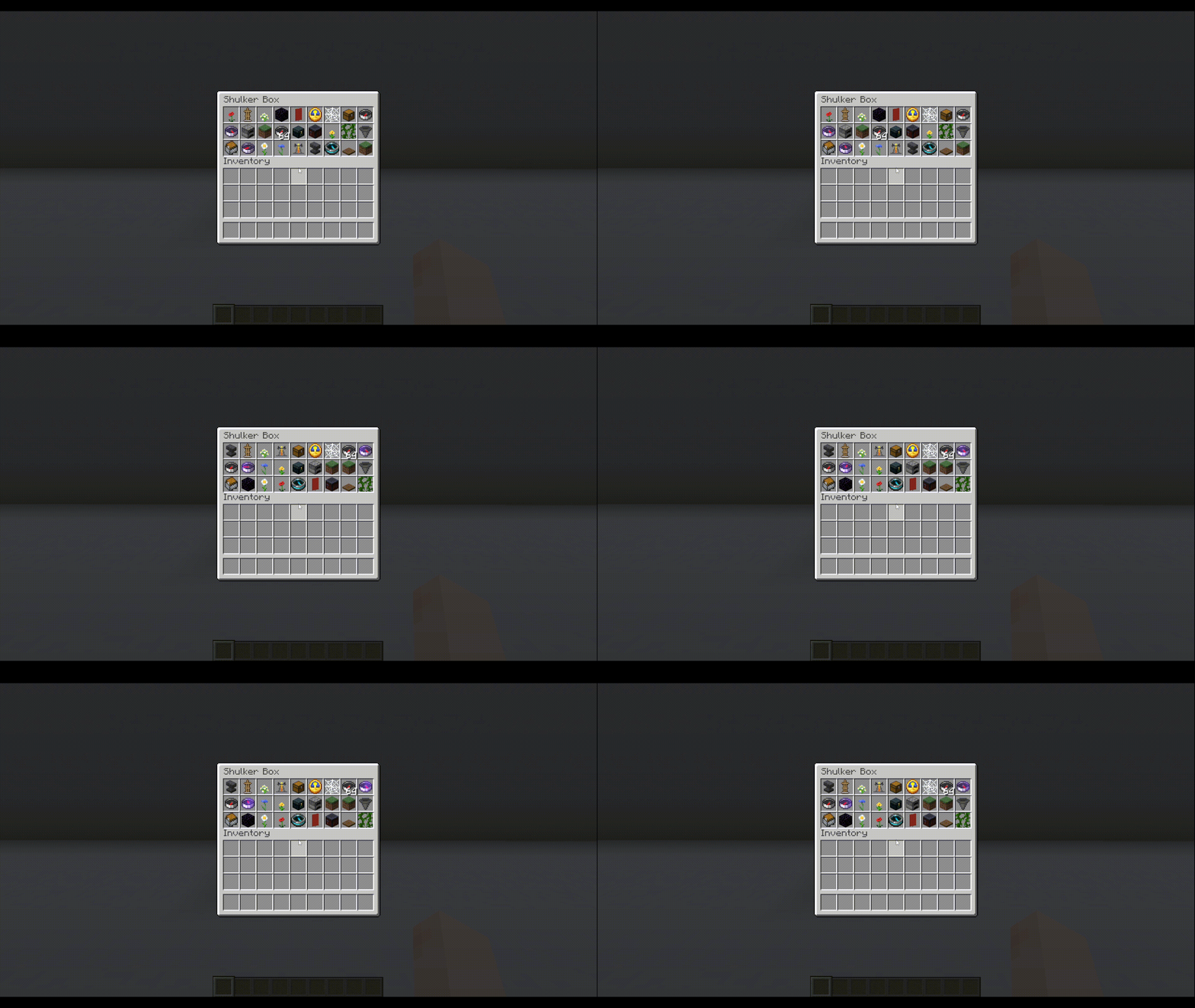 Inventory Sorting.gif Inventory Sorting.gif
 -
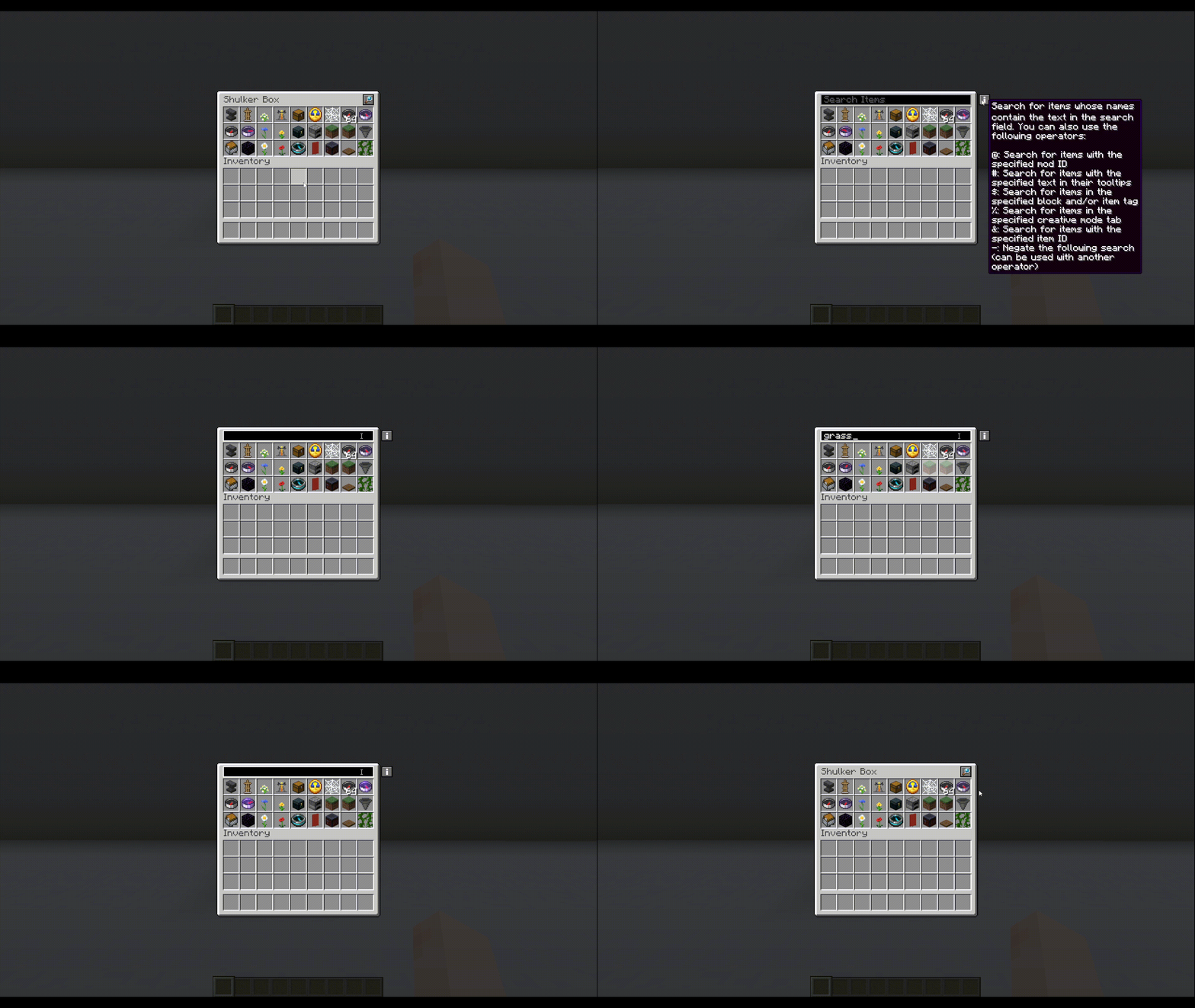 Inventory Search Bar.gif Inventory Search Bar.gif
 -
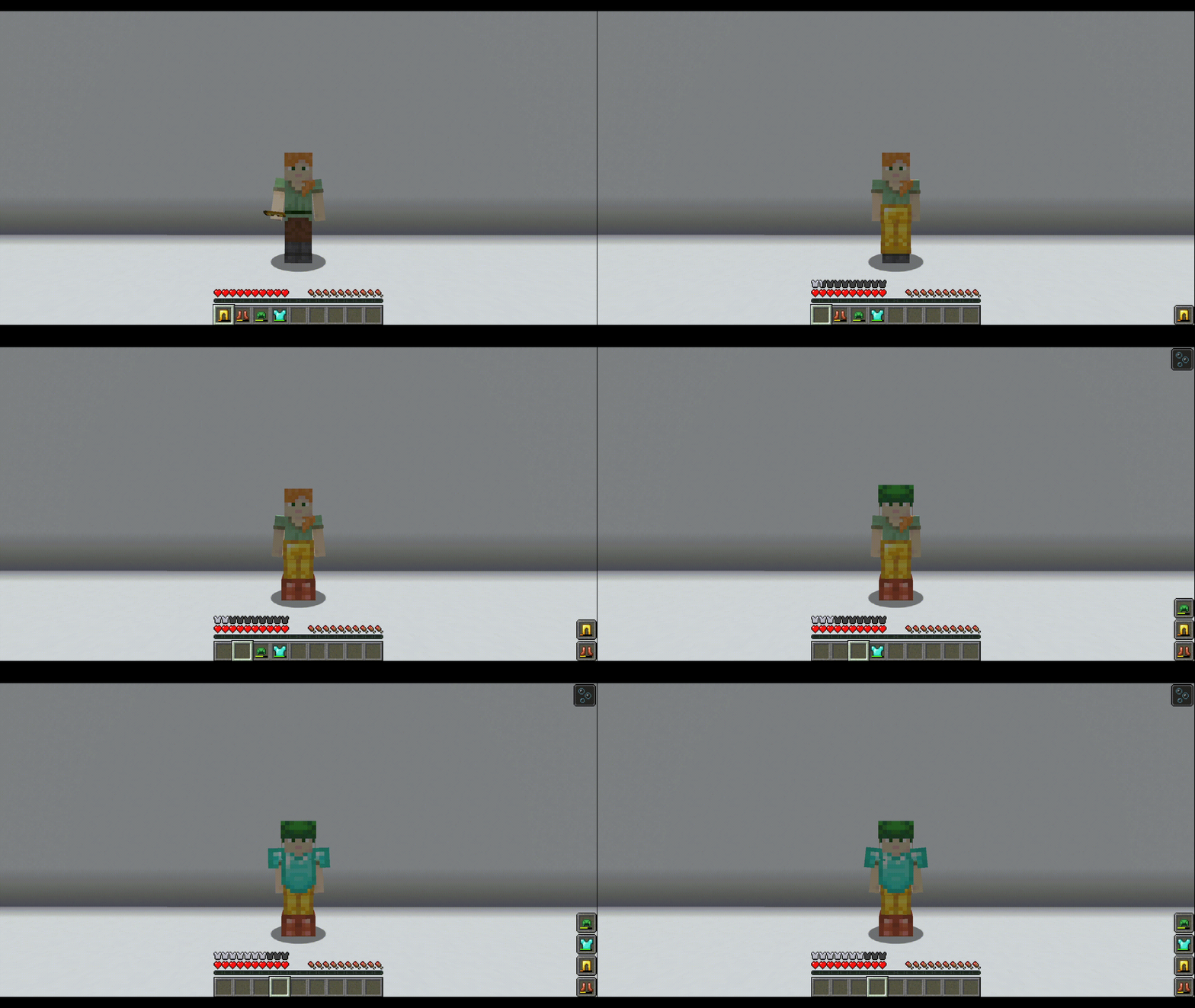 Armor Durability Display.gif Armor Durability Display.gif
 -
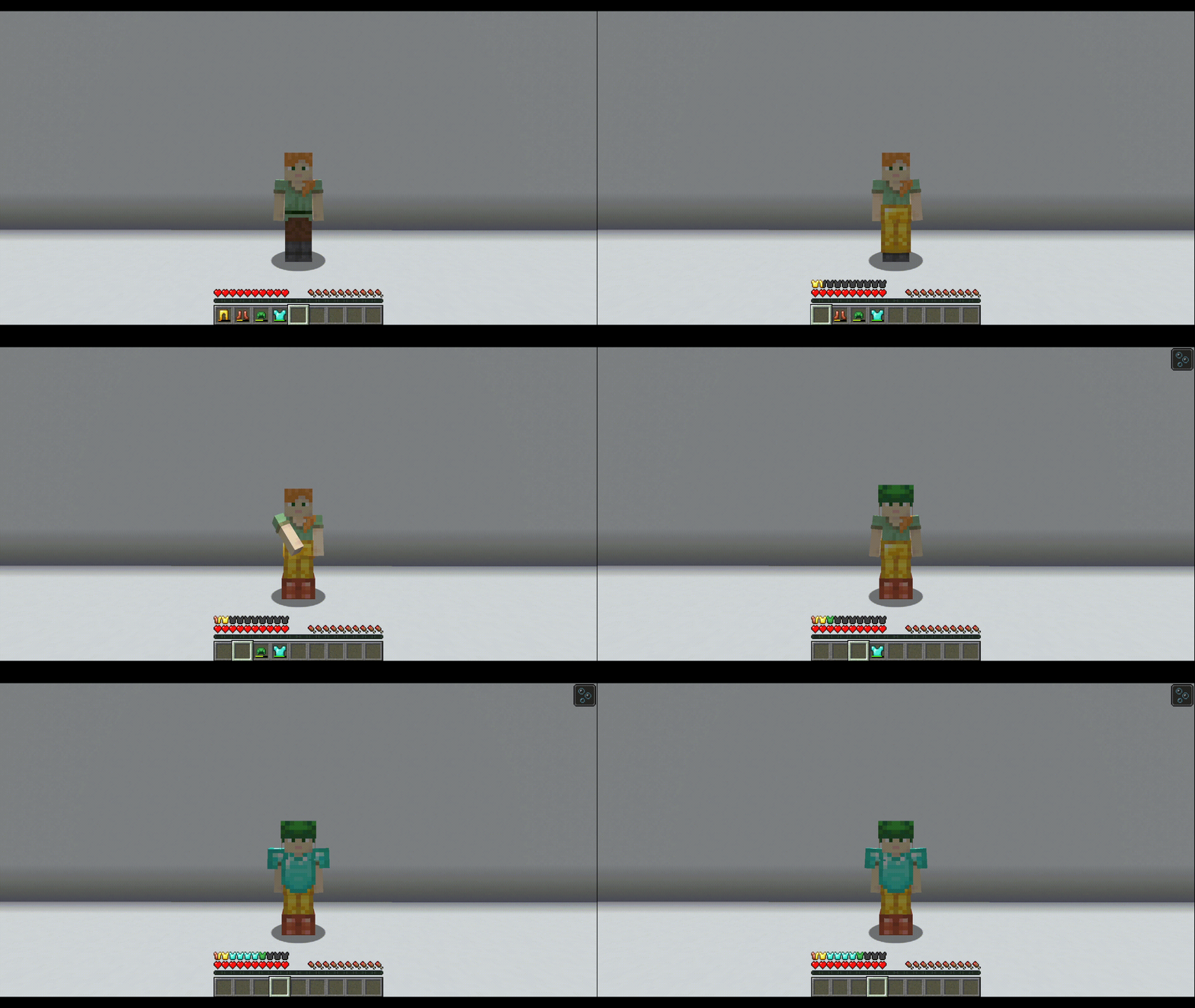 Colored Armor Bar.gif Colored Armor Bar.gif
 -
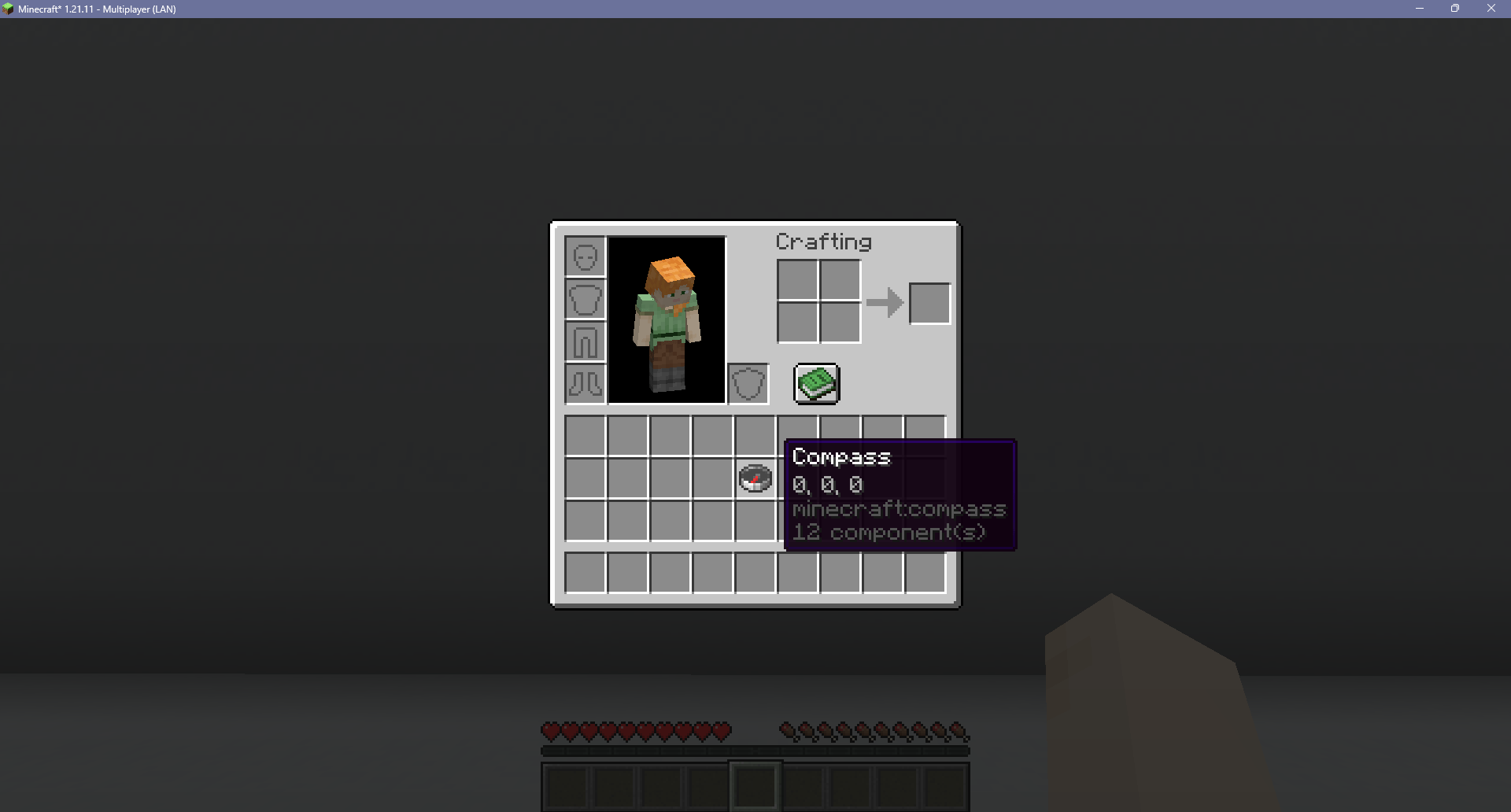 Compass Target Tooltip.png Compass Target Tooltip.png
 -
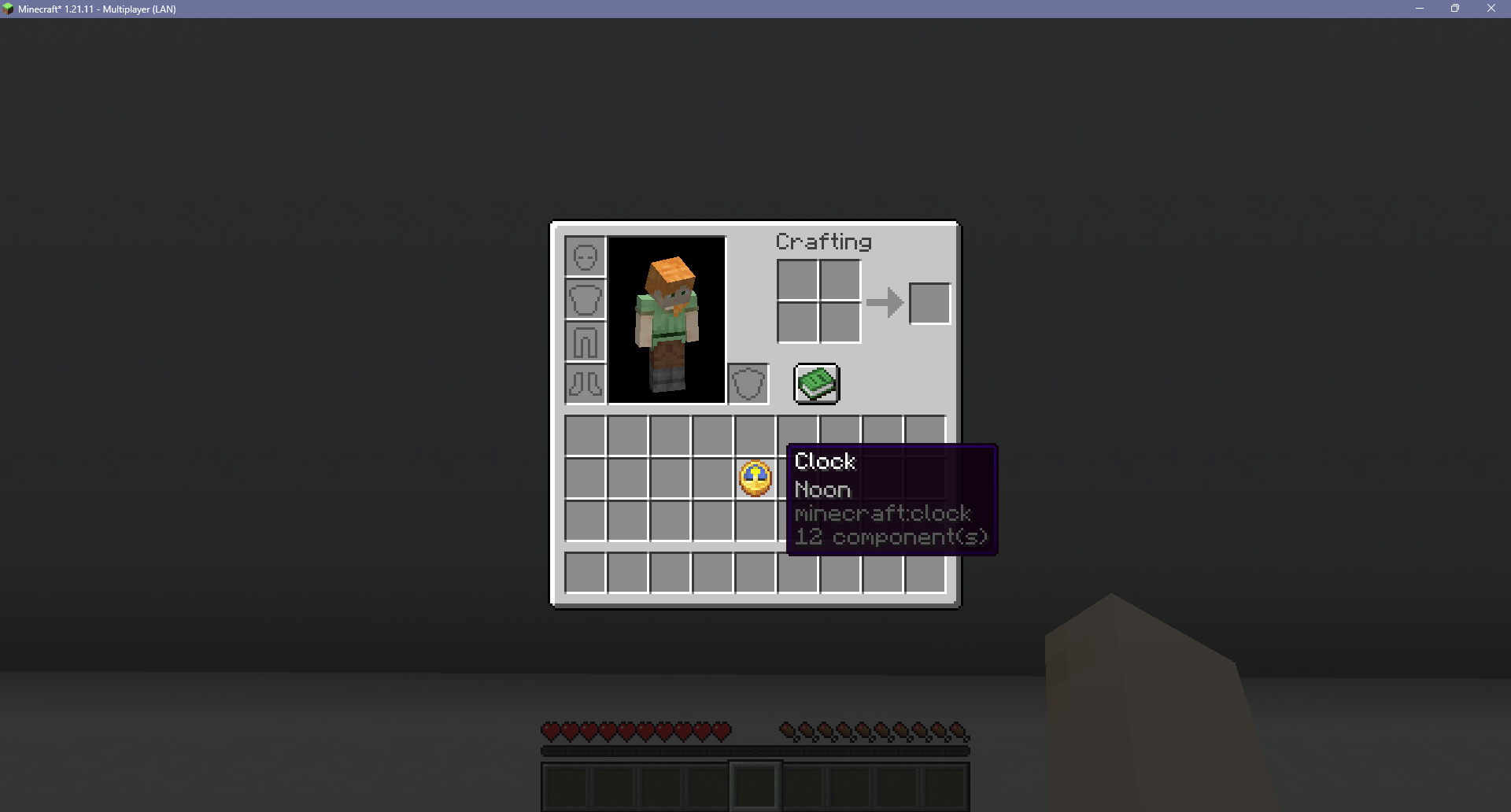 Clock Daytime Tooltip.png Clock Daytime Tooltip.png
 -
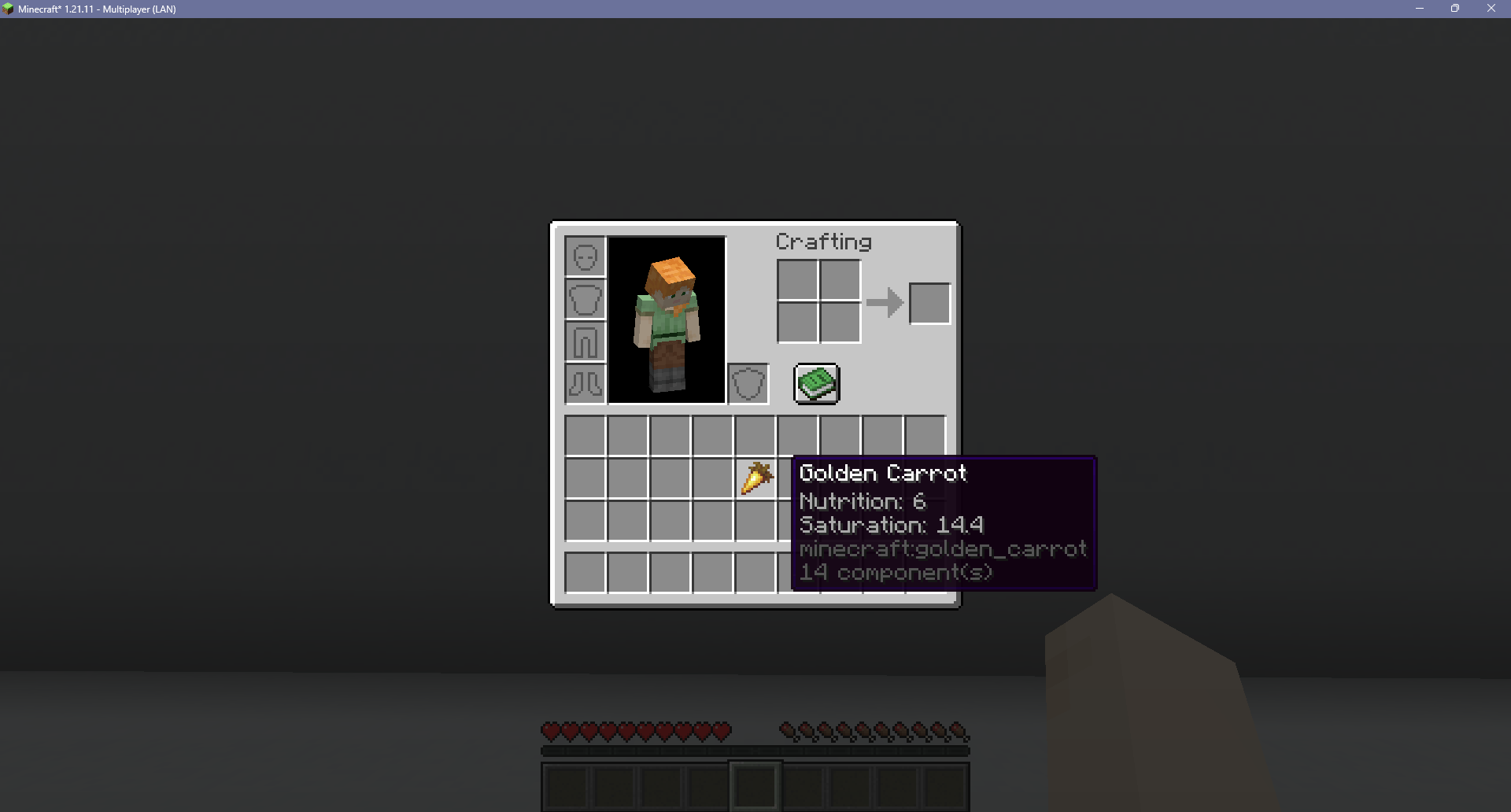 Food Nutrition Tooltip.png Food Nutrition Tooltip.png
 -
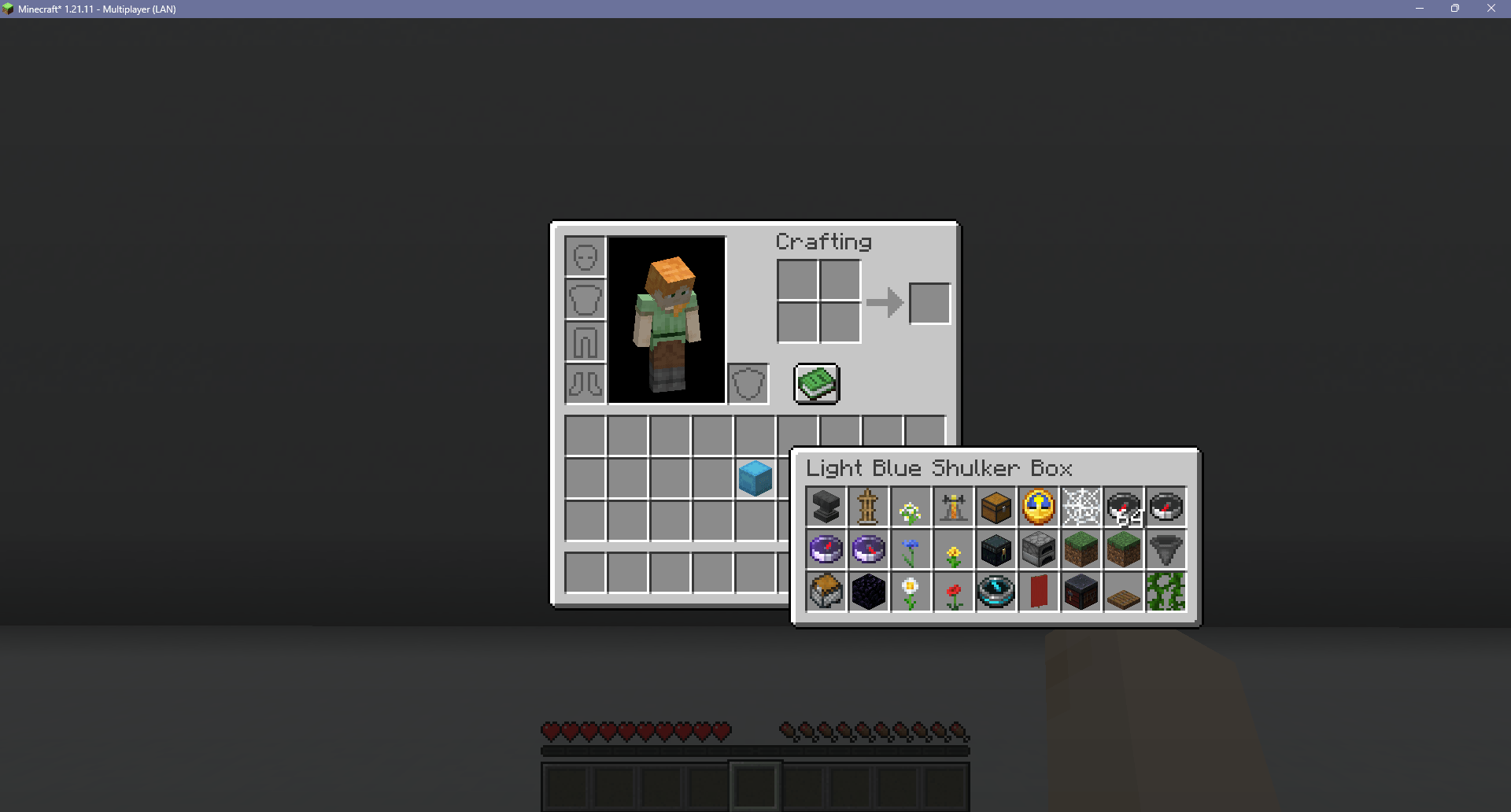 Shulker Box Preview.png Shulker Box Preview.png
 -
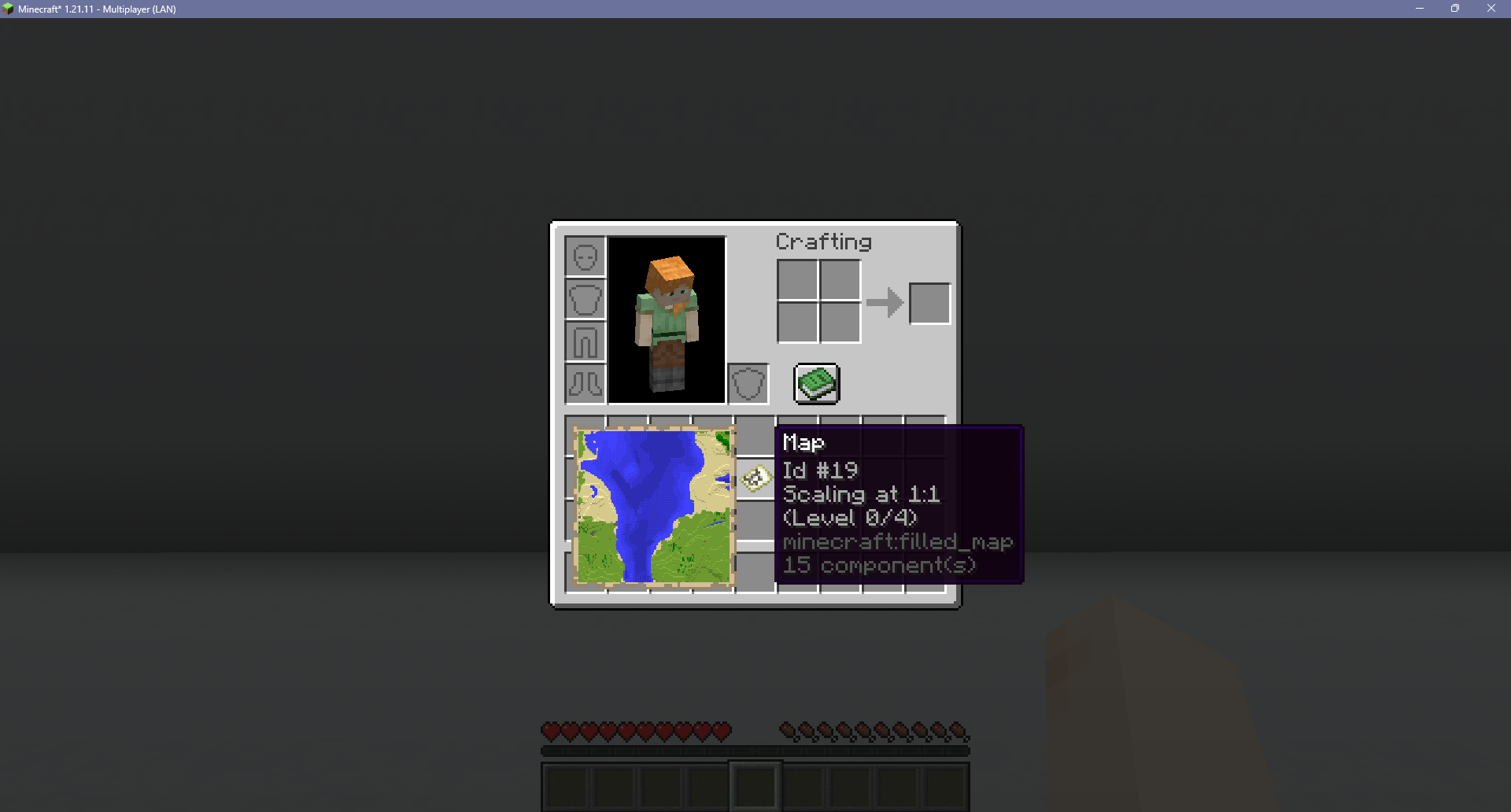 Map Preview.png Map Preview.png
 -
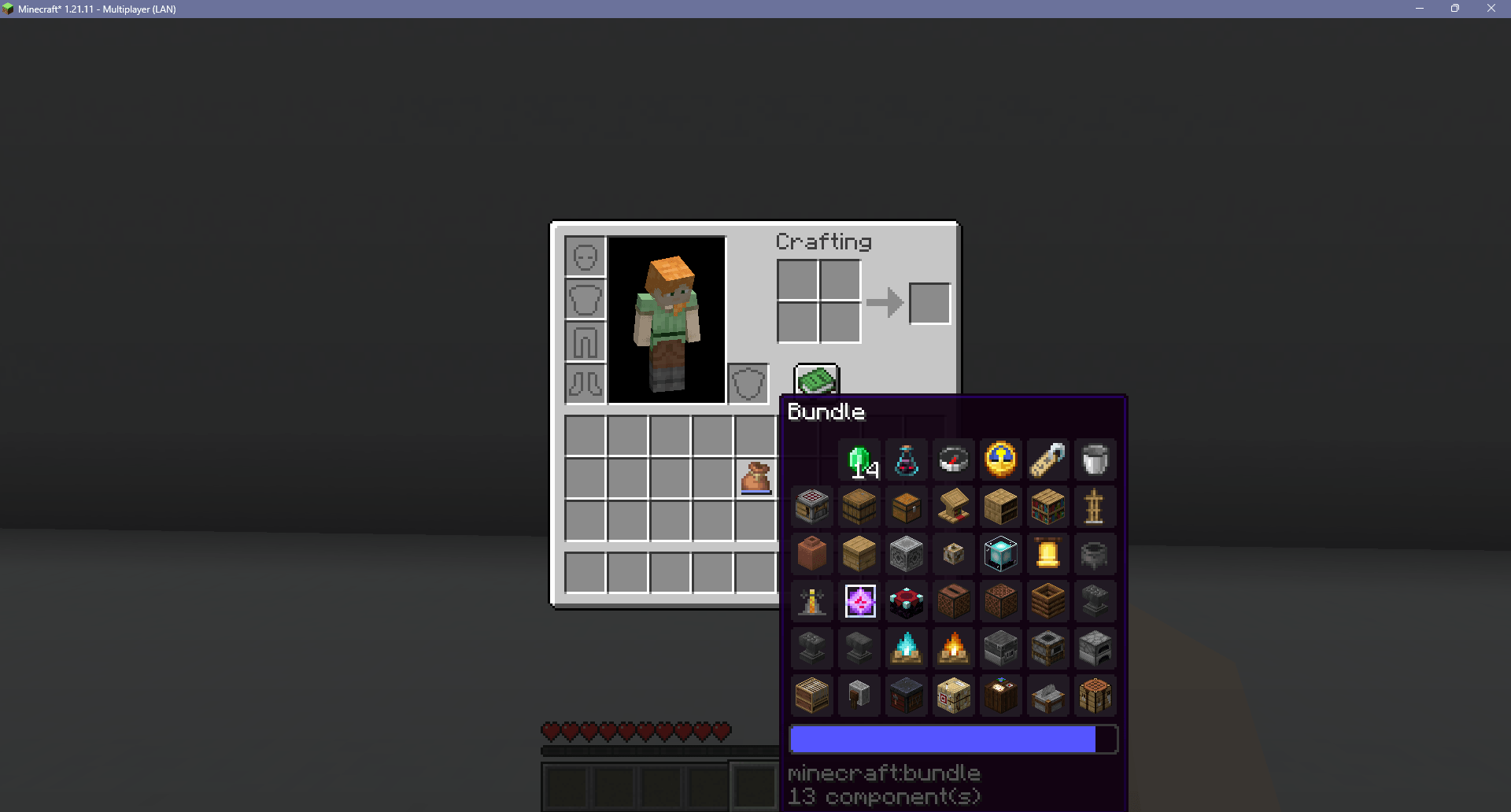 Expanded Bundle Tooltip.png Expanded Bundle Tooltip.png
 -
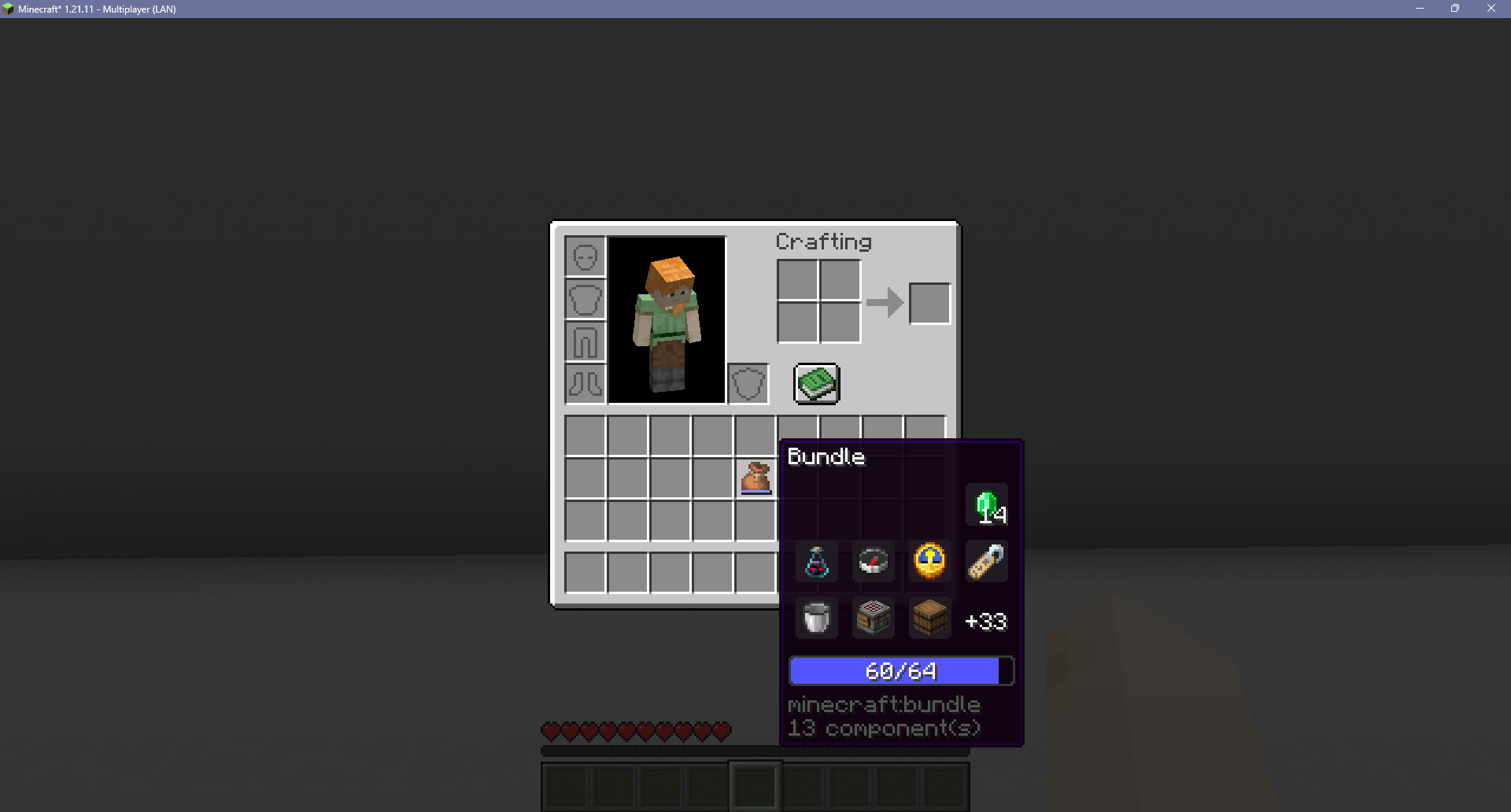 Bundle Progress Bar Fraction.png Bundle Progress Bar Fraction.png
-
 Improved Inventory
 -
 Hotbar Stack Refilling Refills the hotbar with a new stack of the same item from the inventory
 -
 Inventory Sorting Sorts the current container
 -
 Inventory Search Bar Adds a search bar to all container blocks
 -
 Tab to Nearby Containers Allows the player to access all containers within reach using either a keybind or the tab created in the inventory screen
 -
 Armor Durability Display Displays the currently equipped armor items on the screen
 -
 Slot Cycling Cycles to another item in the same column of the inventory as the selected hotbar slot
 -
 Held Items Visible In Boats Stops held items being hidden while rowing a boat
 -
 Colored Armor Bar Colors the armor bar icons to match the materials of the equipped armor
 -
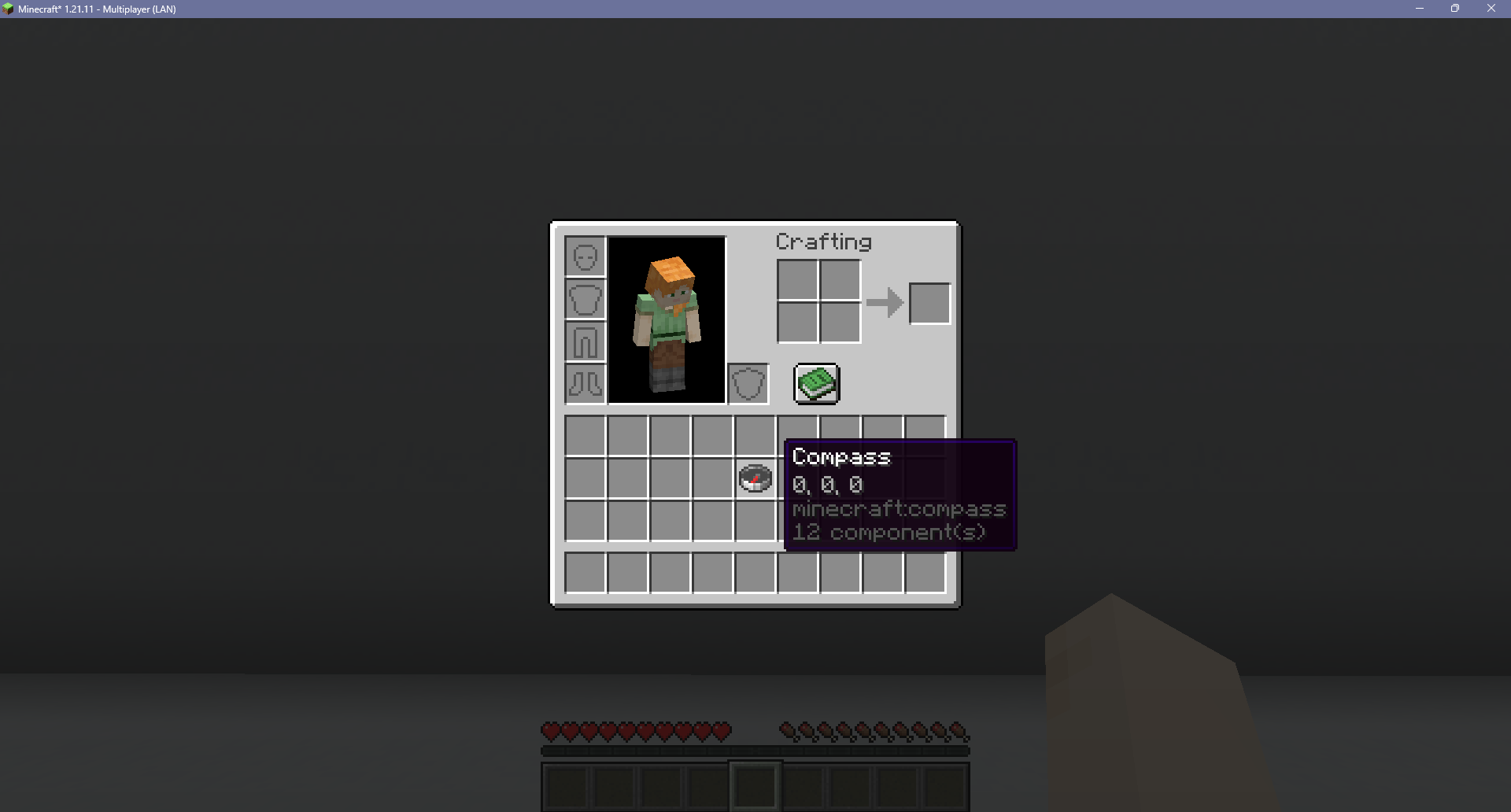 Compass Target Tooltip Adds a compass's target position to its tooltip
 -
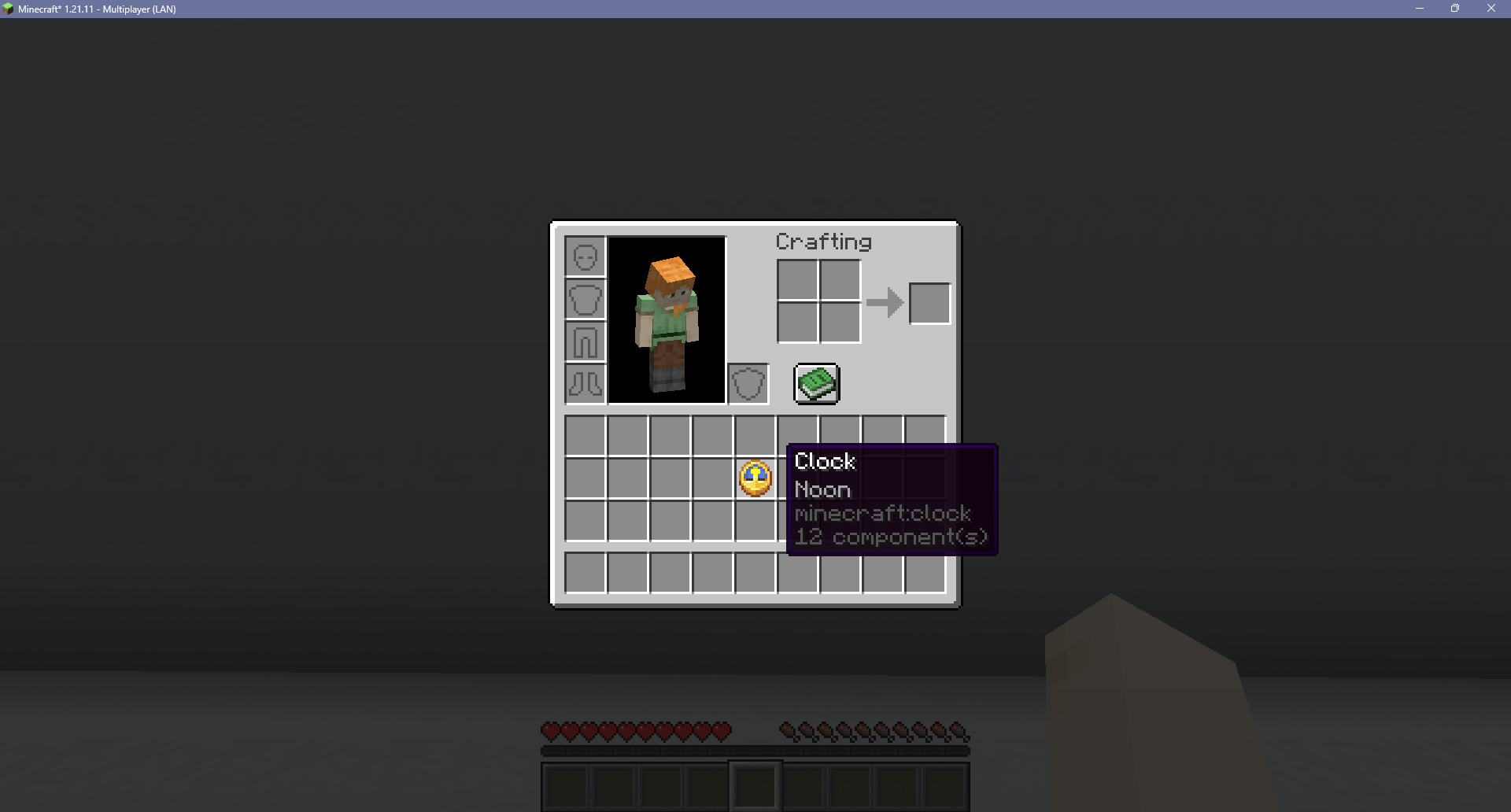 Clock Daytime Tooltip Adds the time of day to the clock's tool
 -
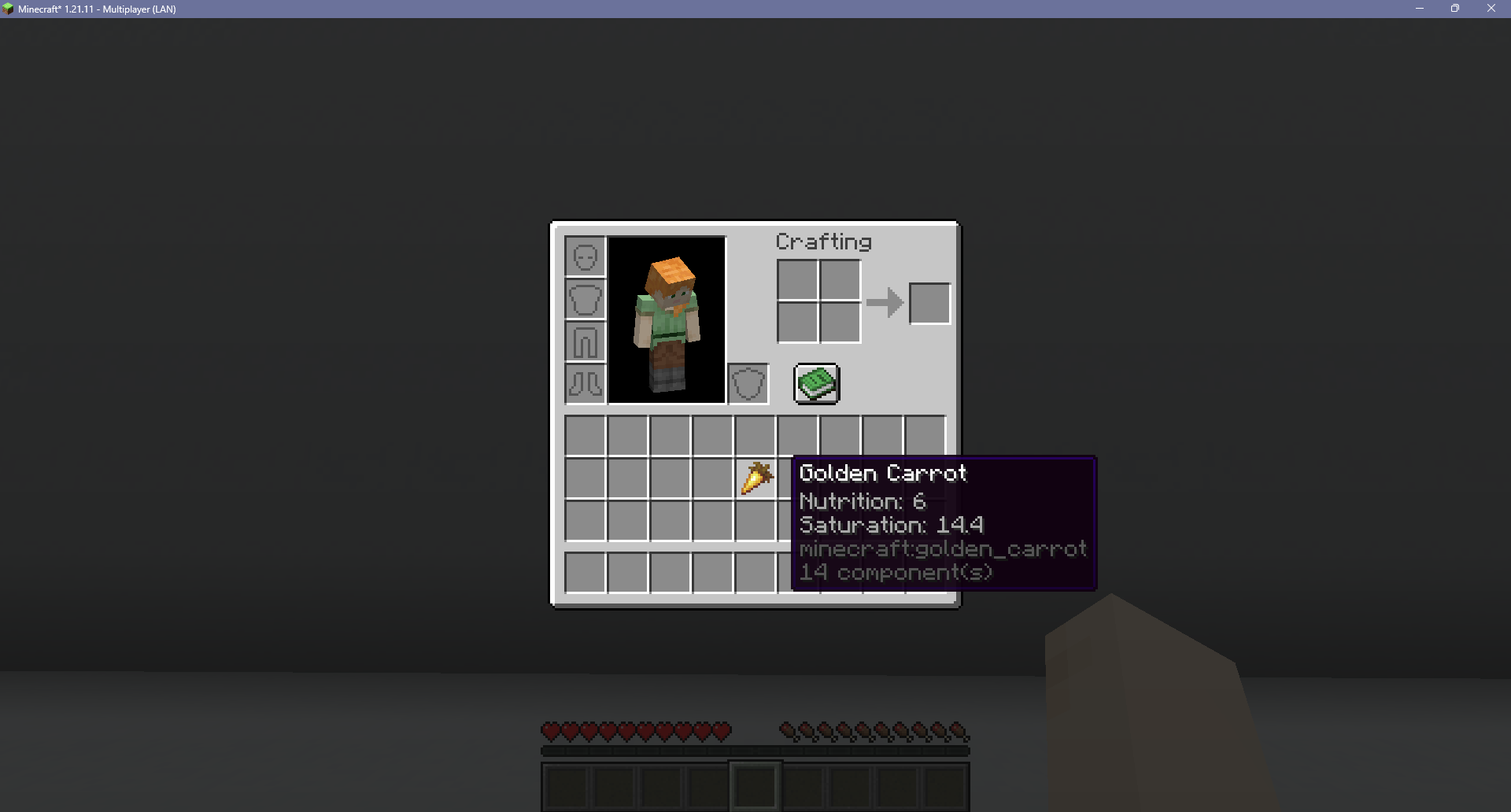 Food Nutrition Tooltip Adds the nutrition and saturation of a food item to its tooltip
 -
 Shulker Box Preview Displays a shulker box's inventory in its tooltip
 -
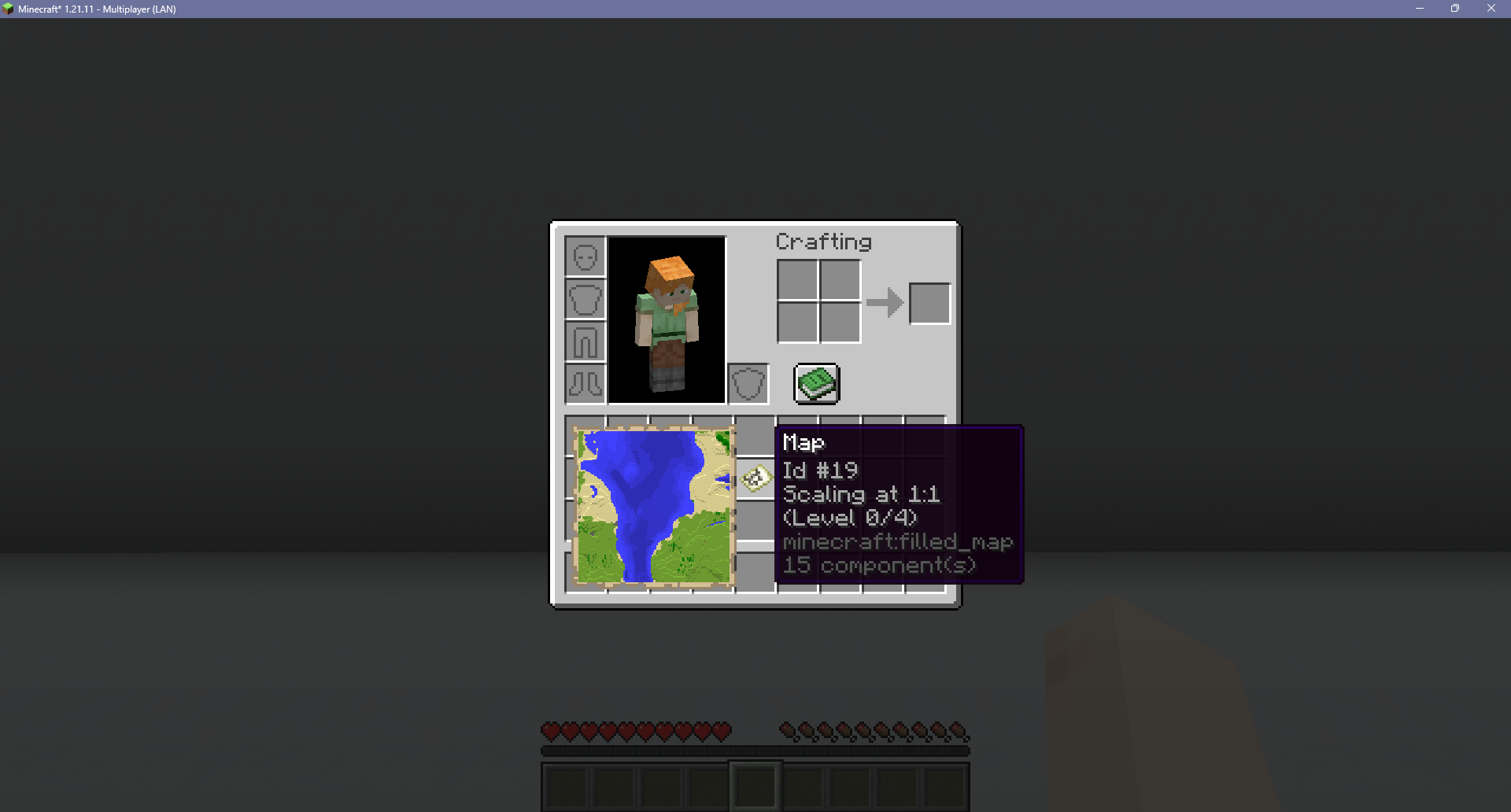 Map Preview Displays a map's contents in its tooltip
 -
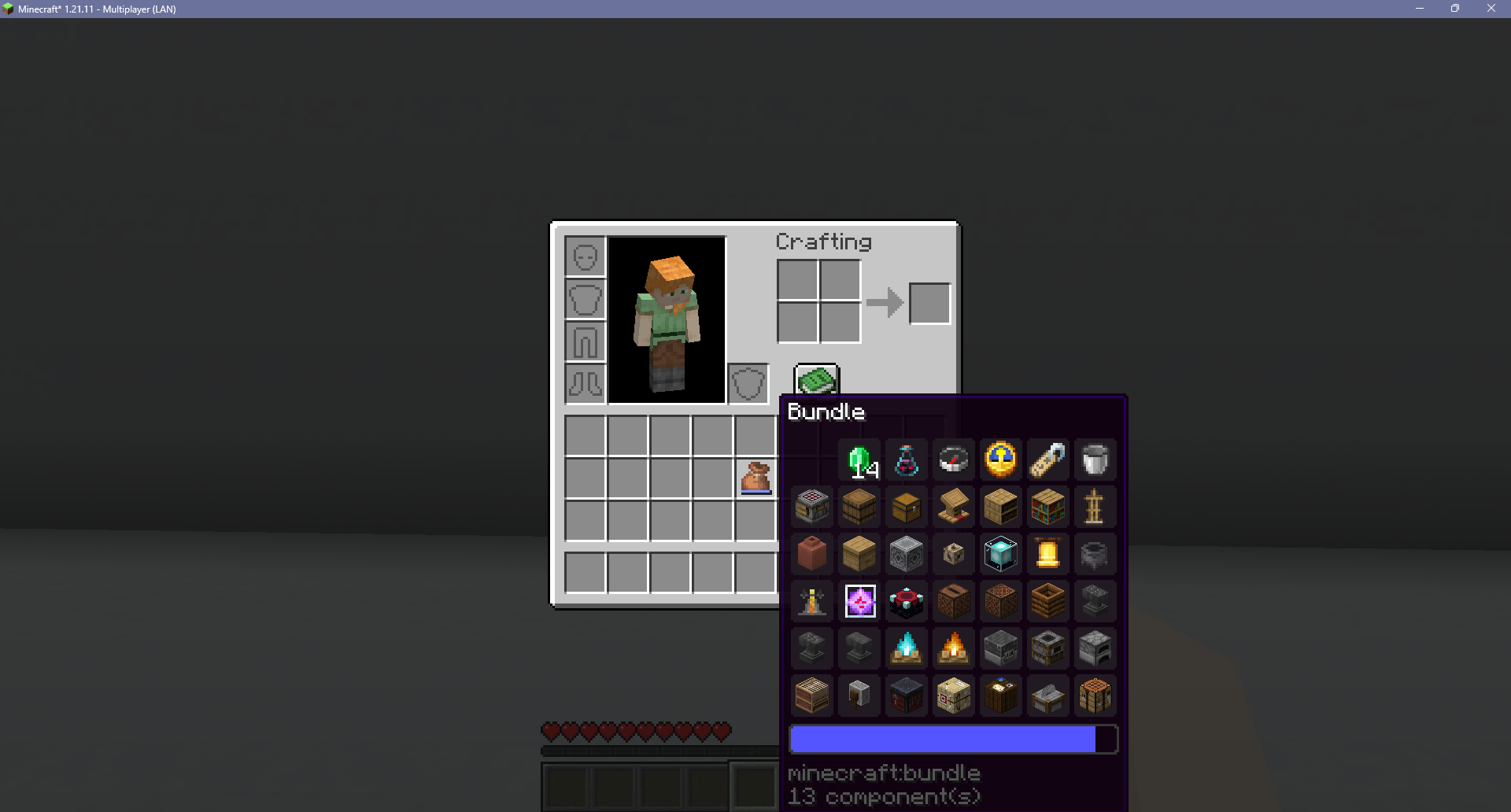 Expanded Bundle Tooltip Displays the entire contents of a bundle in its tooltip
 -
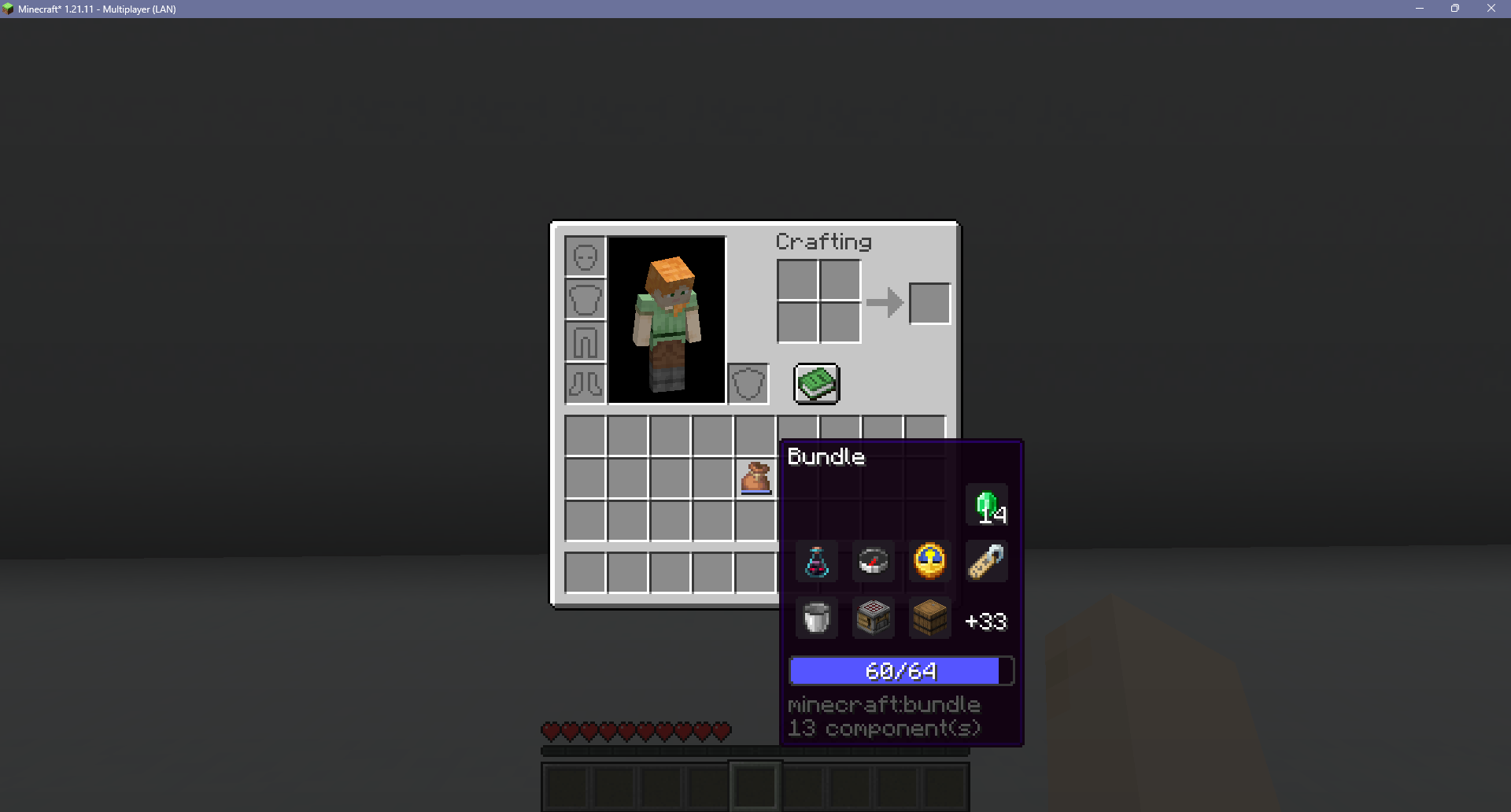 Bundle Progress Bar Fraction Displays a bundle's fullness as a fraction of 64 on top of its progress bar
 -
 Zoom Drops the field of view to zoom into the center of the screen
 -
 Gamma Increases the brightness past the maximum value
Versions
Files
Relations
Project Relations
More like this
Similar Mods
Suggestions use data such as tags, dependencies, dependents, descriptions, titles, and more to rank how much they overlap with this mod.
On ModDex
Community snapshot
By the numbers
Statistics
Want to reach Minecraft players?
We're looking for a server hosting partner to feature here and other parts of the site. Interested? Send us a message!
Get in touchGet it on
Available Platforms
On ModDex
Community snapshot
By the numbers