
Community listing page, reviews here may not be monitored by the author.
FTB Quests UI Overhaul!


No reviews yet
A client-side vanilla RPG style visual overhaul for FTB Quests, fully compatible with existing quests!
Community voices
Reviews
No reviews yet. Be the first to review this project!
Get it on
Available Platforms
Compatibility
Supported Environments
Runs entirely on the client. Works on vanilla servers.
About
Project Details
For authors
Embed Badge
If you're the author of this project, you can embed a live badge anywhere that supports HTML or Markdown. It updates automatically whenever ratings change.
Use HTML for any page that supports it, or Markdown for README files and Markdown-based descriptions.
Identifiers
Platform IDs
About
Description

FTB Quests UI Overhaul is a client-side visual addon for FTB Quests that gives the quest system a more vanilla, RPG game-like experience, while keeping the underlying quest logic and progression intact.
Instead of changing how quests work, this mod focuses on how they feel to use. It replaces the standard quest screen with a custom interface designed to be smoother to navigate, easier to read, vanilla-friendly, and more immersive for players used to RPG video games.
ℹ️ Click the gallery section for tutorial slides! ℹ️
Features
- Simpler, more intuitive interface.
- Vanilla-like textures.
- Quest Book shortcut button in inventory - with red notifications for completable quests.
- UI tweaks that simplify starting, tracking, and completing quests.
- Creative mode activated customisation options.
- Ability to customise questline background.
- Options if questline panning scrolls in a fixed path like Advancements or is free-pan.
- Simple UI making it easy to create your own custom UI resource packs!
Icons
 Lockpad means quest isn't unlocked yet.
 Red '!' Means a quest can be completed.
- 🟡 Yellow wheel means a quest is in progress and is being tracked on your FPV screen.
 Green checkbox means quest is completed.
Hotkeys & Buttons
- F7 To cancel all active quests.
- F8 to just toggle visibility of active quests on the FPV.
- In creative mode: Press Editing Mode button to switch to default FTB quests, good for quest building.
- In creative mode: Press Clean UI mode to switch back to the overhaul UI again.
- In creative mode: Toggle free-pan or railroad pan with Free-pan button.
- In creative mode: Change the Quest tree tile background with Change Tile button.
- Press Quest Book button in your inventory to check quests quickly. Directly opens completable quests with a red "!".
If you love quests and want FTB Quests to feel more integrated into Minecraft as an RPG system, then this is the mod for you.
Dependencies
Minecraft 1.20.1 Forge. (No ports for now)
FTB Quests.
FTB Library.
FTB Teamchitectury.
Credits
Coding: R2bEEaton
Game Design/UI: richcareylol
We worked really hard on this mod, feel free to leave a comment if you find any bugs!
FTB Quests UI Overhaul is a client-side visual addon for FTB Quests that gives the quest system a more vanilla, RPG game-like experience, while keeping the underlying quest logic and progression intact.
Instead of changing how quests work, this mod focuses on how they feel to use. It replaces the standard quest screen with a custom interface designed to be smoother to navigate, easier to read, vanilla-friendly, and more immersive for players used to RPG video games.
ℹ️ Click the gallery section for tutorial slides! ℹ️
Features
- Simpler, more intuitive interface.
- Vanilla-like textures.
- Quest Book shortcut button in inventory - with red notifications for completable quests.
- UI tweaks that simplify starting, tracking, and completing quests.
- Creative mode activated customisation options.
- Ability to customise questline background.
- Options if questline panning scrolls in a fixed path like Advancements or is free-pan.
- Simple UI making it easy to create your own custom UI resource packs!
Icons
- Lockpad means quest isn't unlocked yet.
- Red '!' Means a quest can be completed.
- 🟡 Yellow wheel means a quest is in progress and is being tracked on your FPV screen.
- Green checkbox means quest is completed.
Hotkeys & Buttons
- F7 To cancel all active quests.
- F8 to just toggle visibility of active quests on the FPV.
- In creative mode: Press Editing Mode button to switch to default FTB quests, good for quest building.
- In creative mode: Press Clean UI mode to switch back to the overhaul UI again.
- In creative mode: Toggle free-pan or railroad pan with Free-pan button.
- In creative mode: Change the Quest tree tile background with Change Tile button.
- Press Quest Book button in your inventory to check quests quickly. Directly opens completable quests with a red "!".
If you love quests and want FTB Quests to feel more integrated into Minecraft as an RPG system, then this is the mod for you.
Dependencies
Minecraft 1.20.1 Forge. (No ports for now)
FTB Quests.
FTB Library.
FTB Teamchitectury.
Credits
Coding: R2bEEaton
Game Design/UI: richcareylol
Screenshots
Gallery
-
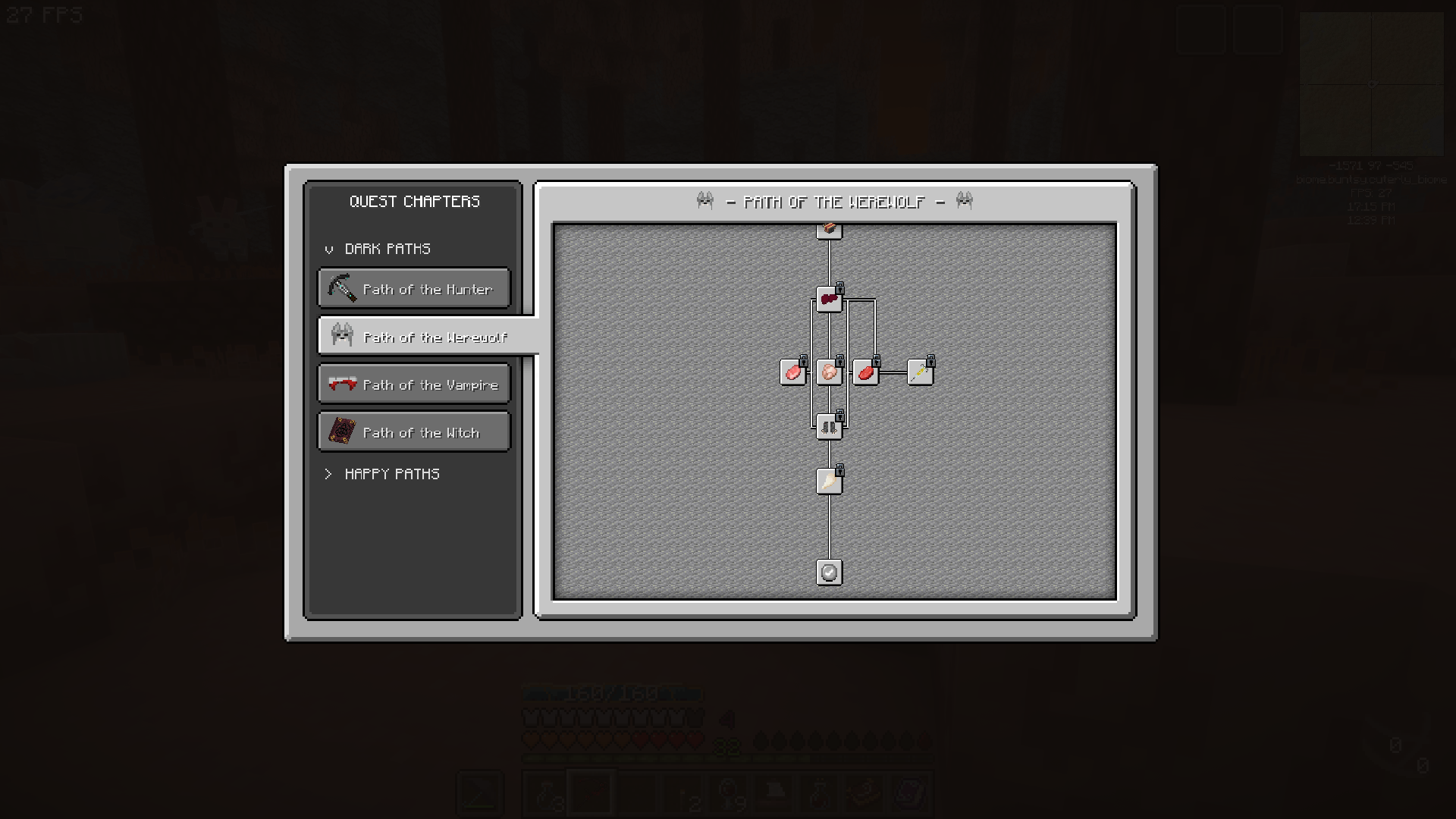 WELCOME! Welcome to the Overhauled UI of FTB Quests! Drag mouse to pan, scroll wheel to scroll.
 -
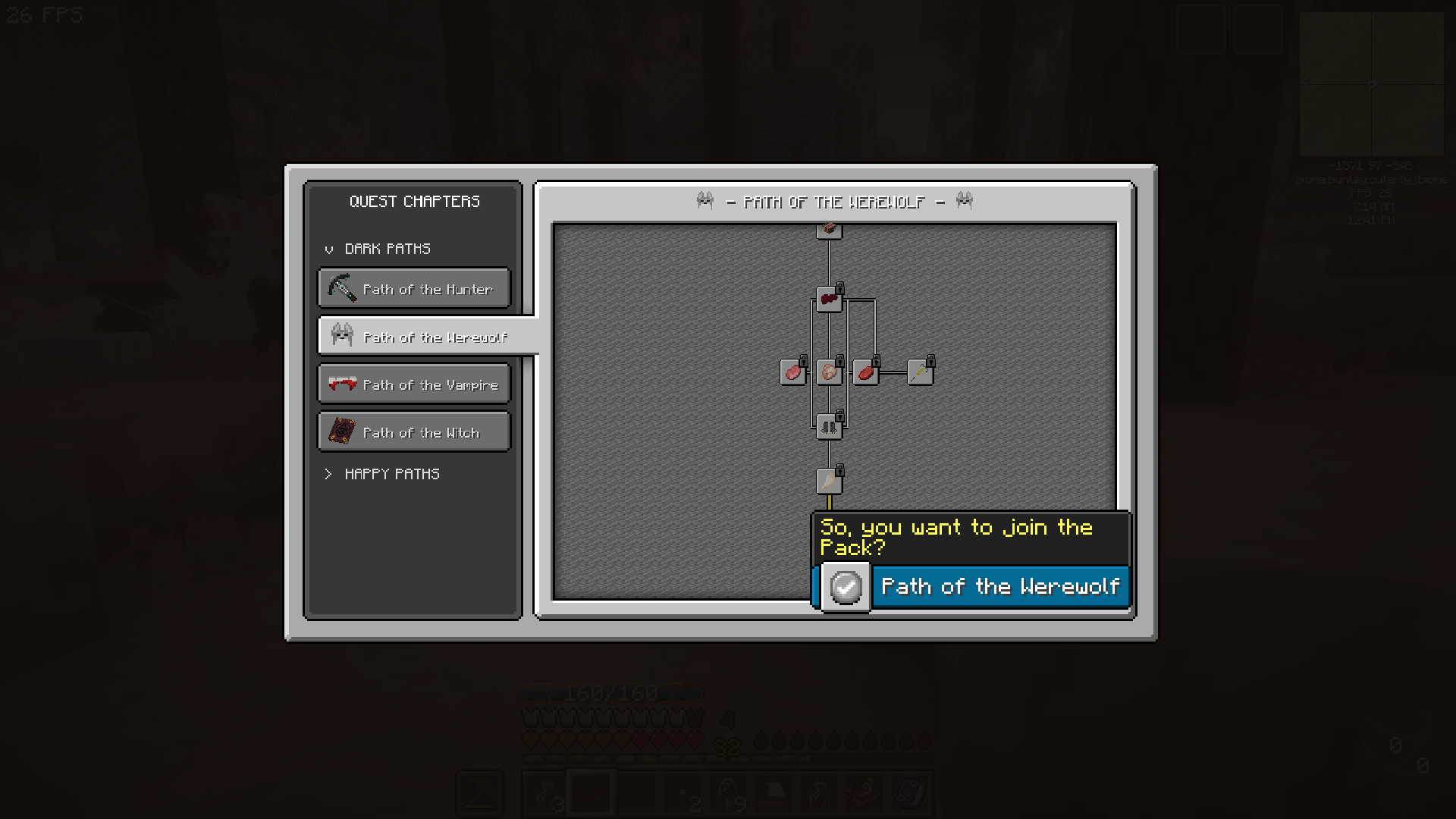 Mouse Hover Quickly check the quest by hovering mouse over quest tree. Click to see more info.
 -
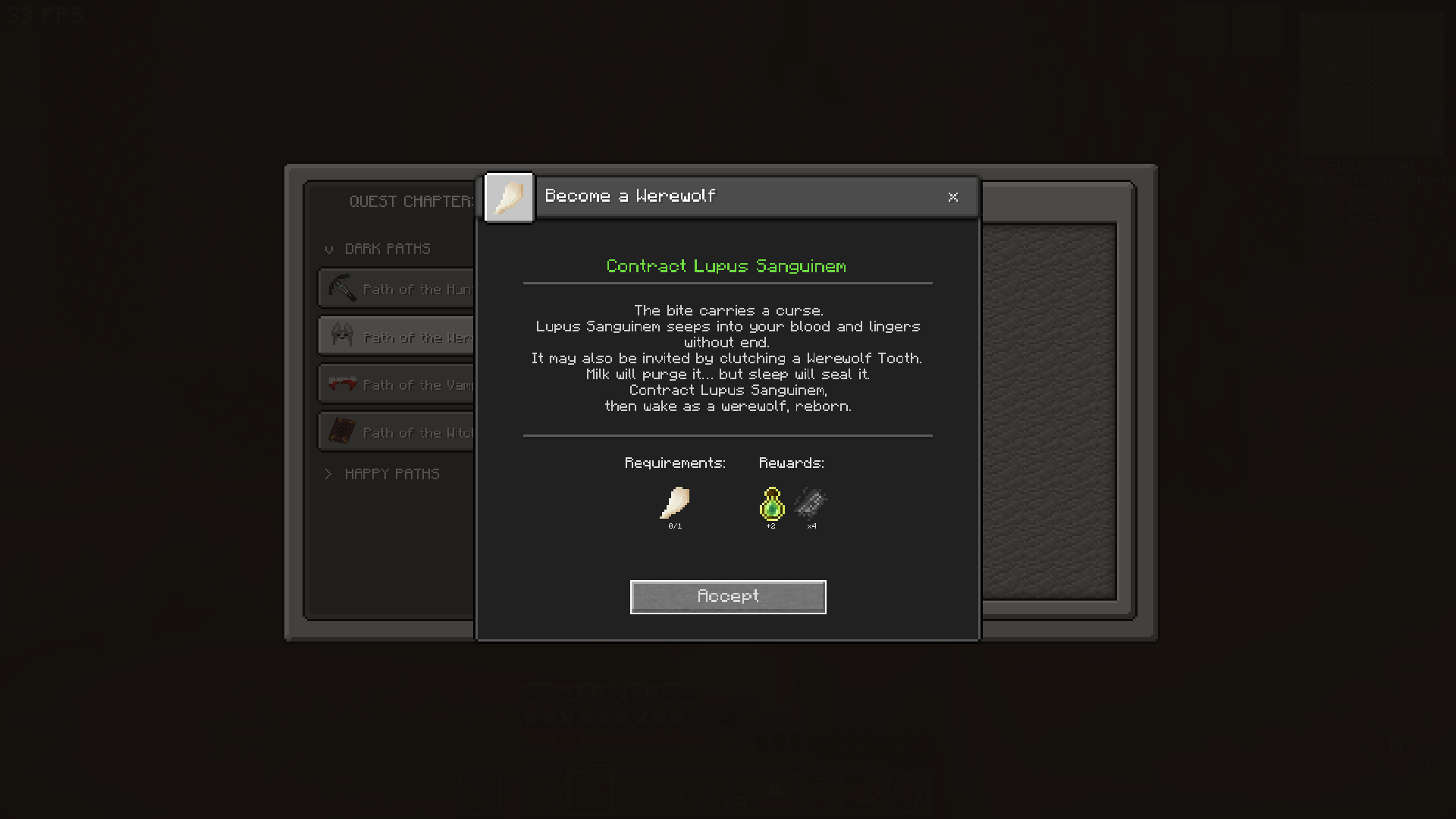 Quest Window Quest Window has been simplfied - Press Accept to start tracking the quest.
 -
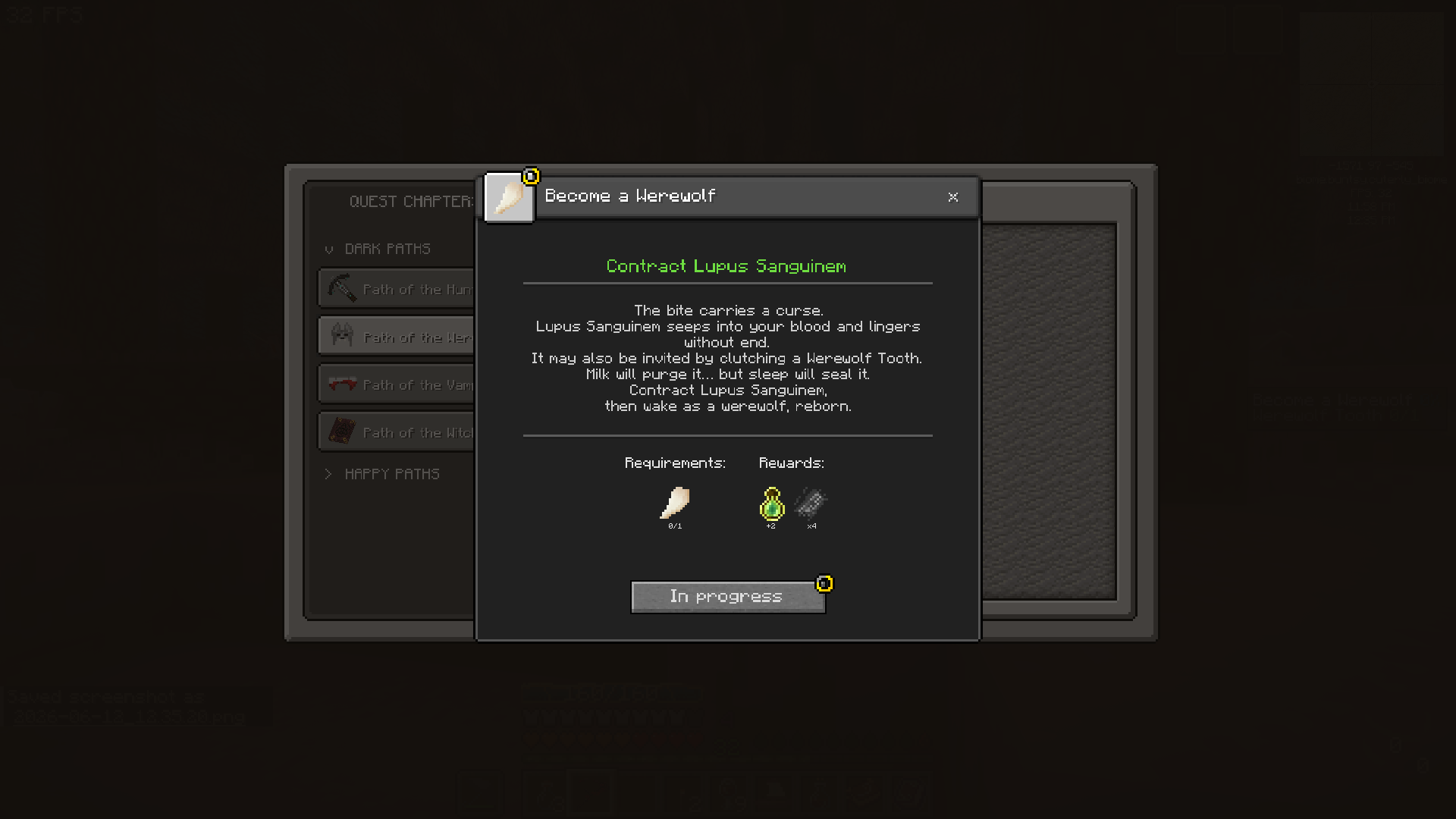 Tracking The quest is now in progress - requirements will be displayed on FPV screen. F8 to hide tracking info. Cancel with cancel button or F7.
 -
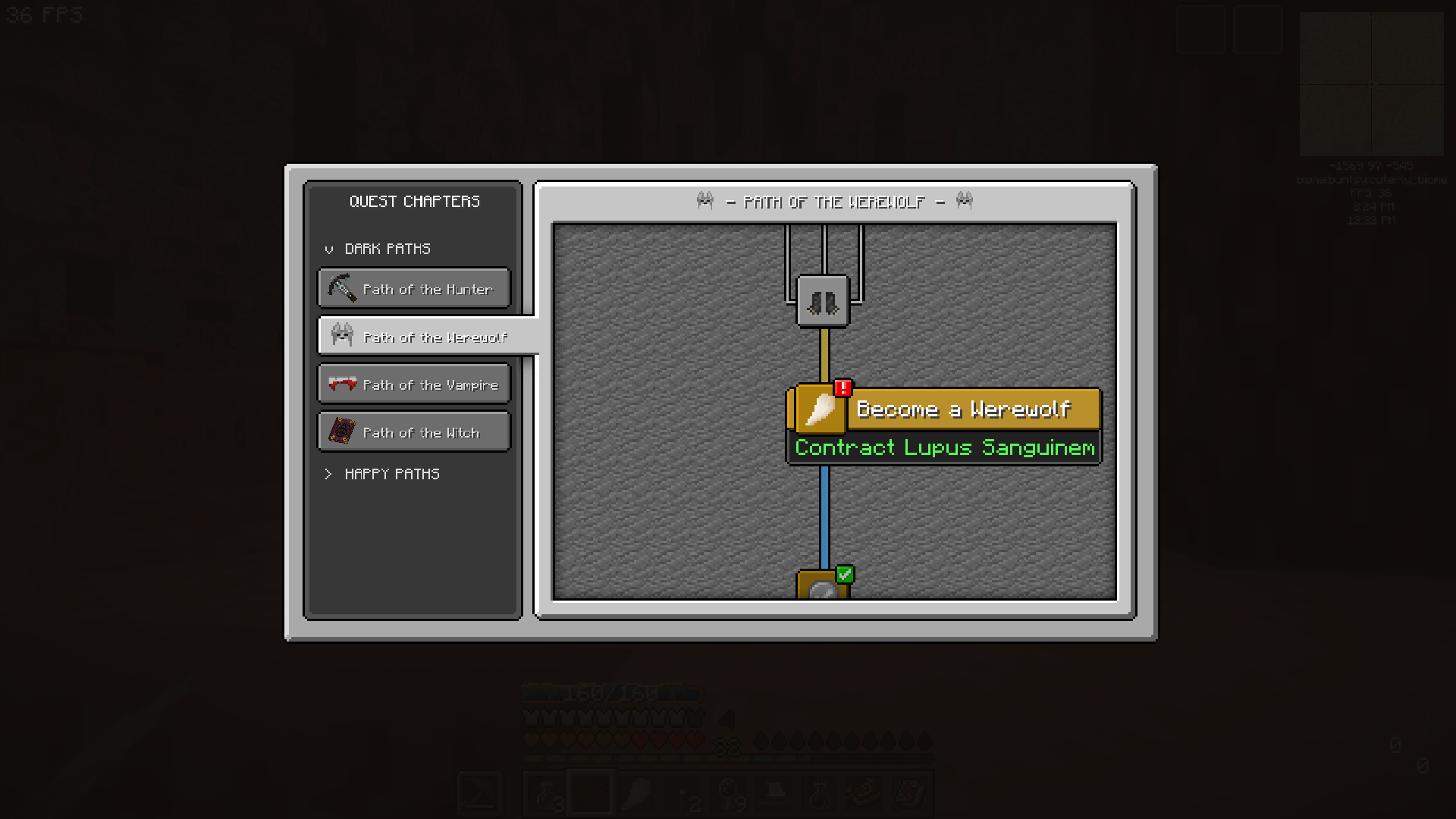 ! The red '!' will be displayed on various parts of the UI to alert you that a quest can be handed in.
 -
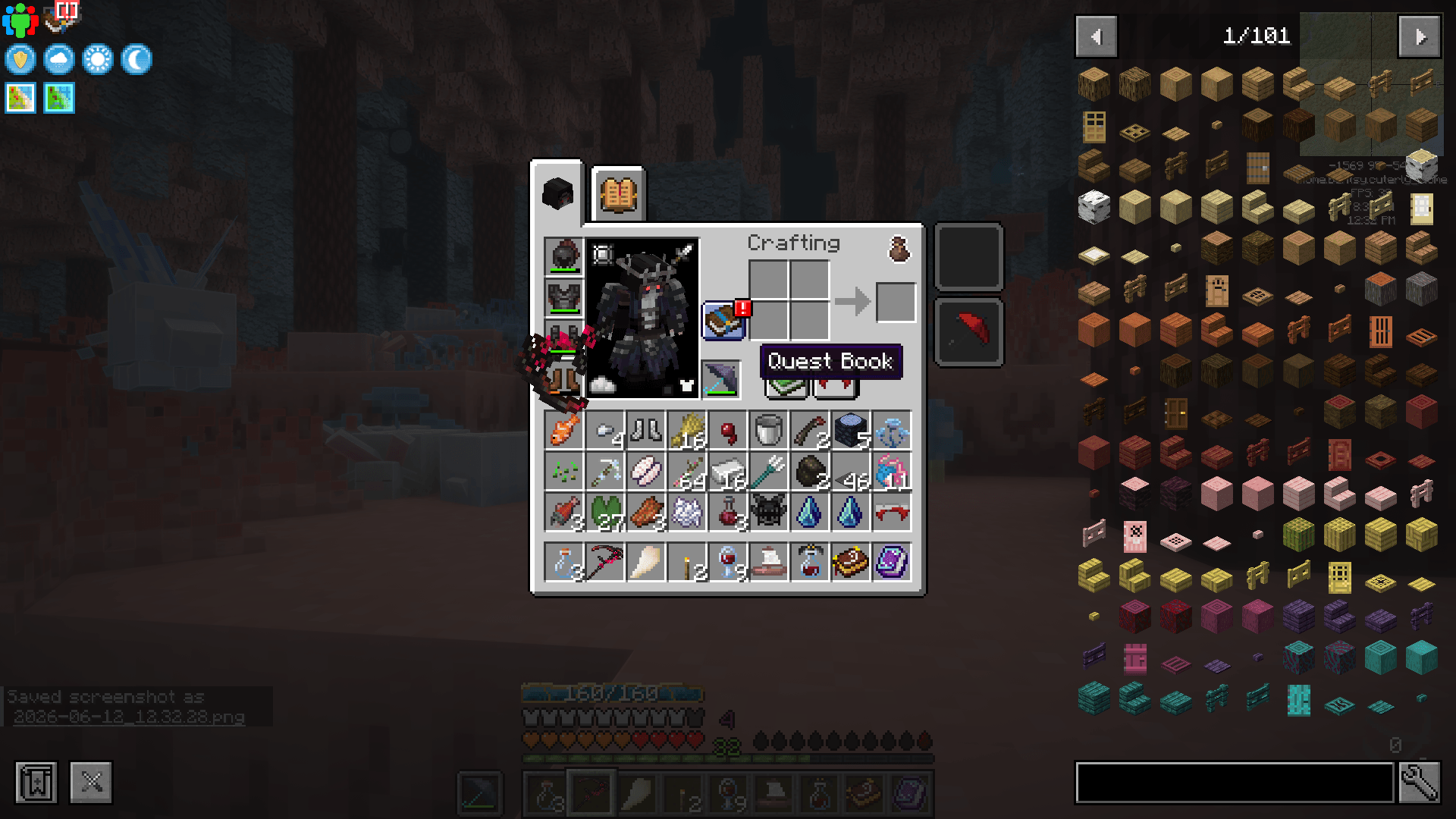 Quest book UI Button Useful shortcut button for the Quest Book
 -
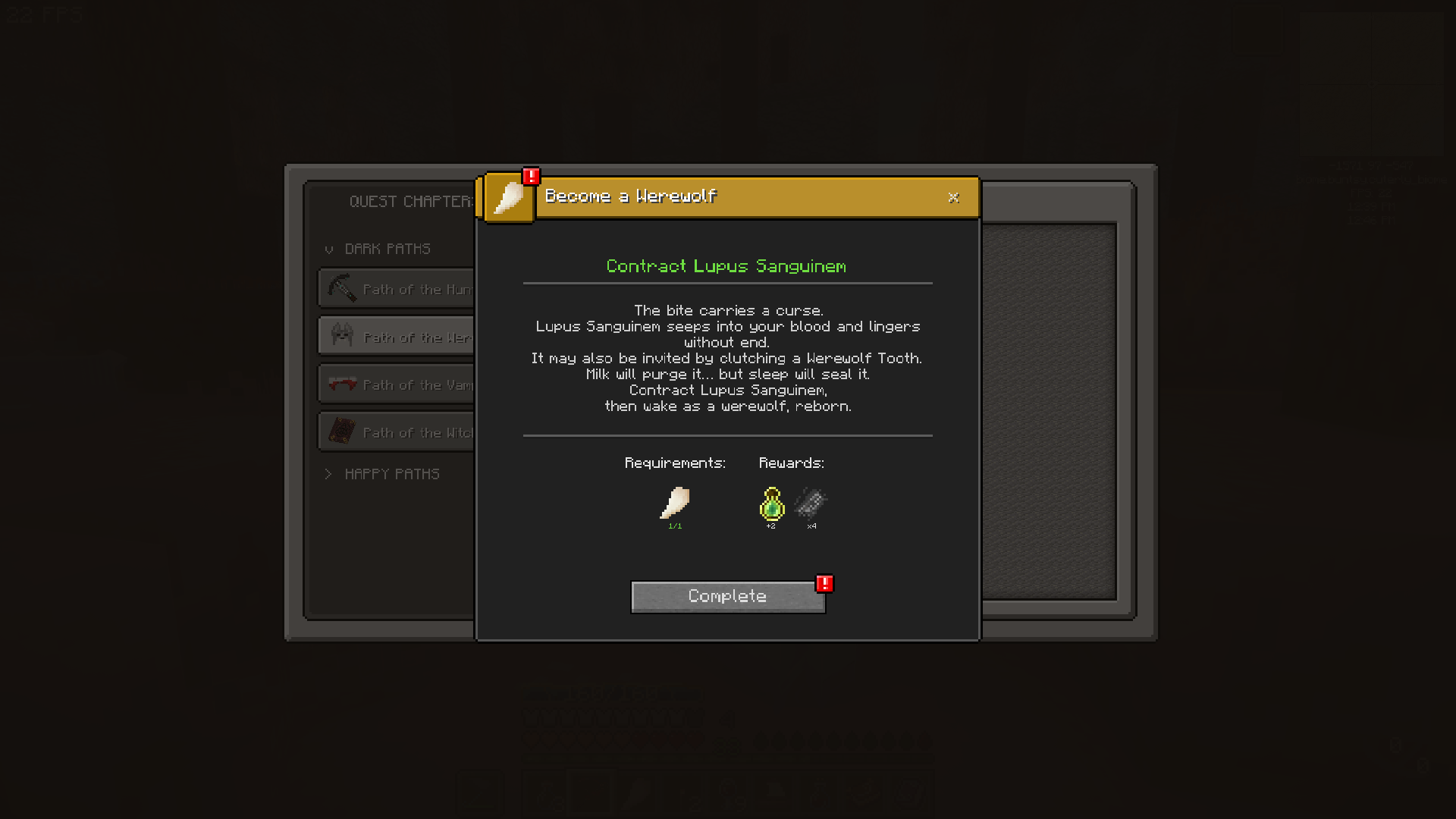 Completable When you have completed the requirements, a quest can be handed in.
 -
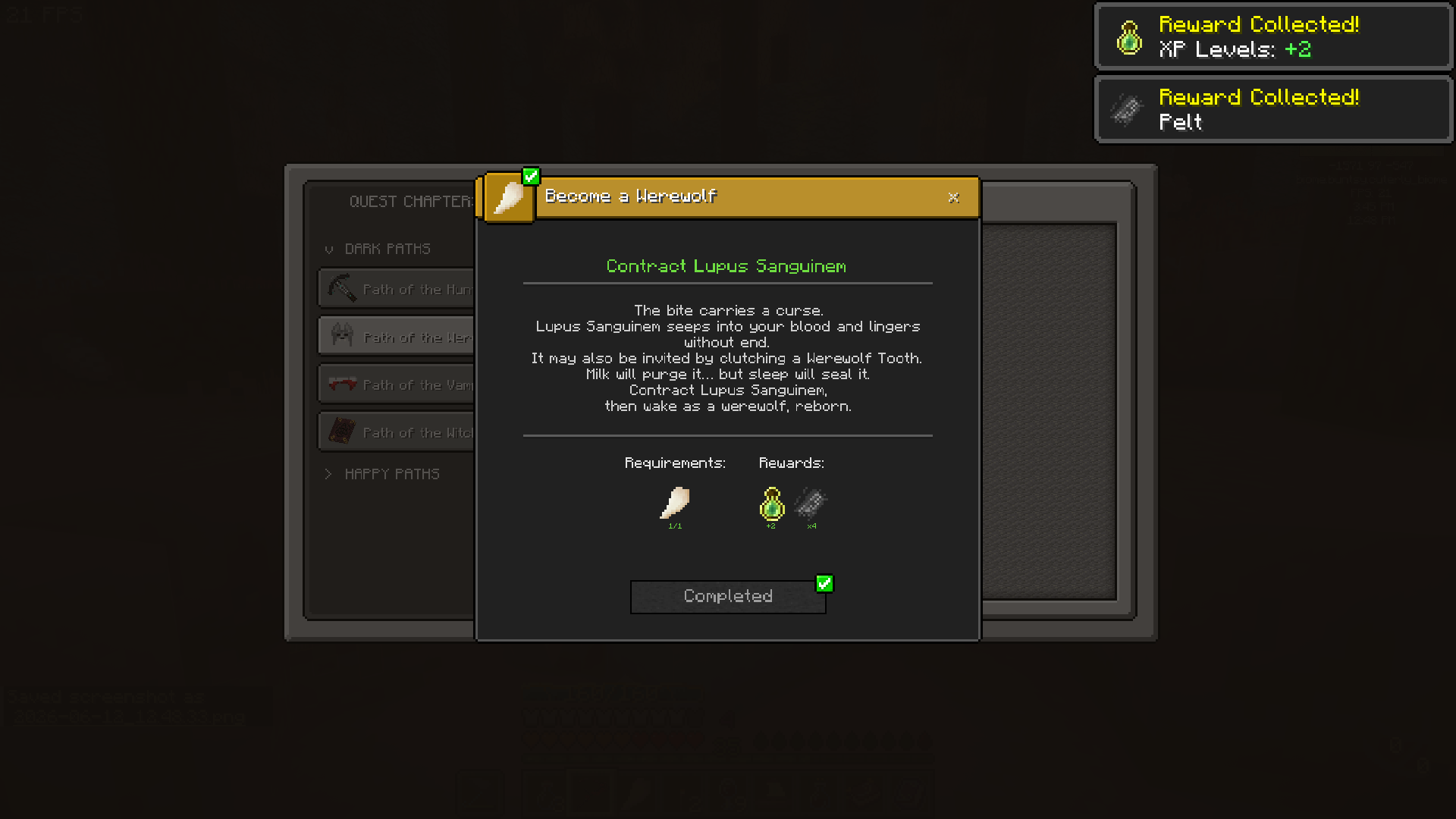 Complete to collect all your rewards! Click Complete to collect all your rewards! *Jingle Sound!*
 -
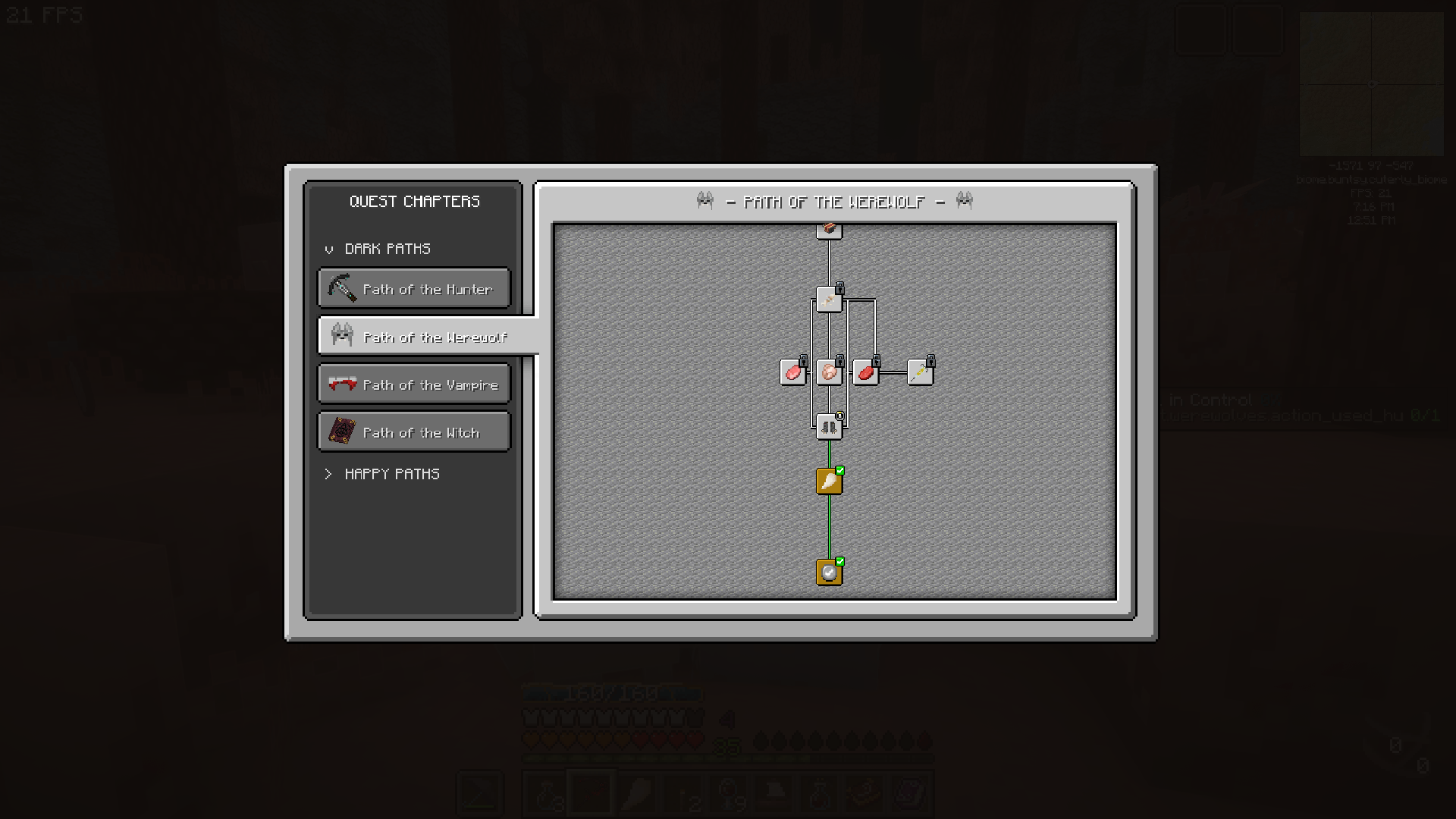 Easily see your completed and in progress quests on the quest tree. Easily see your completed and in progress quests on the quest tree.
 -
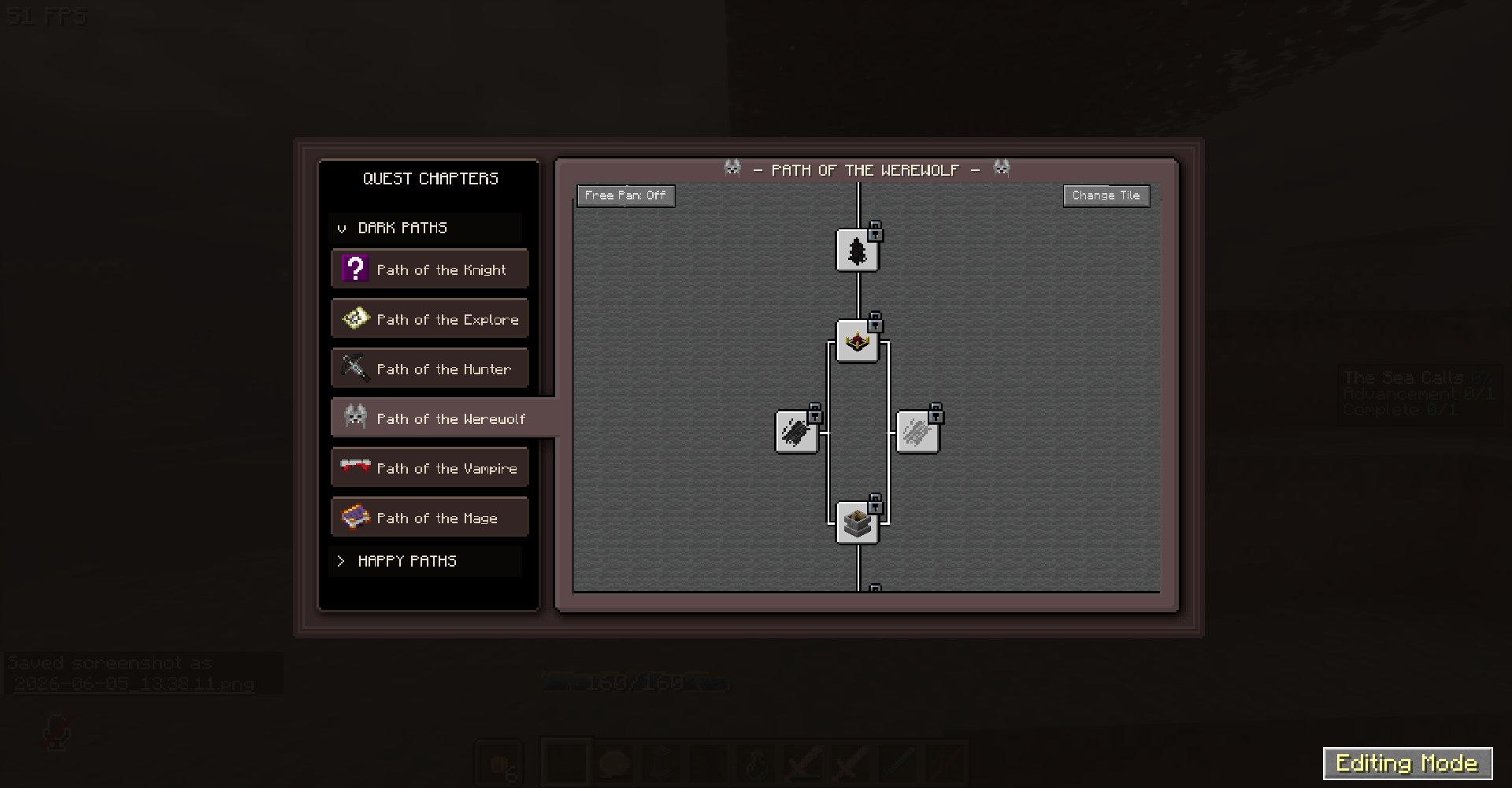
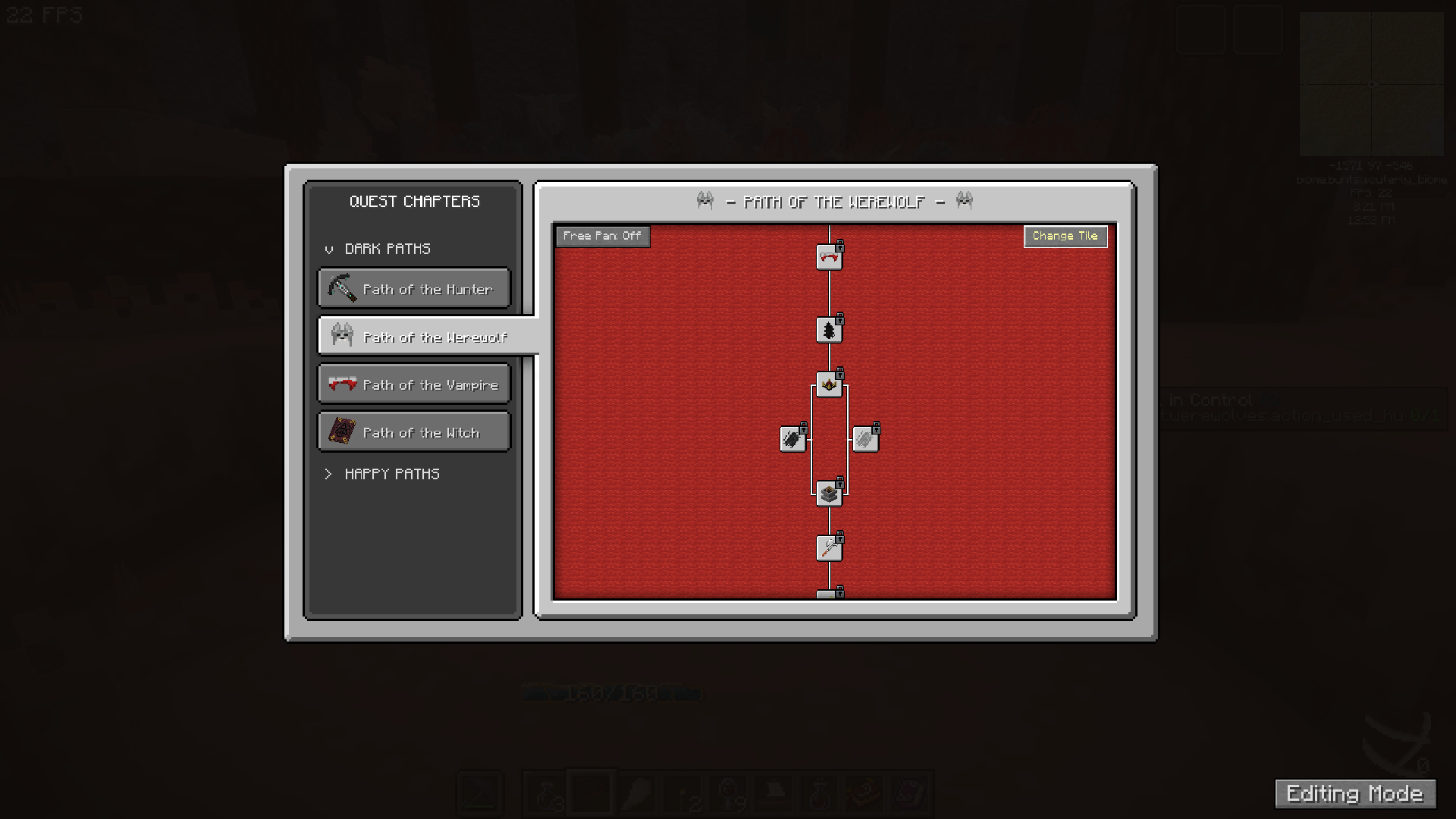 When in Creative mode - Customisation buttons appear. Click 'Change Tile' to change quest tree background. When in Creative mode - Customisation buttons appear. Click 'Change Tile' to change quest tree background. Or toggle the panning mode.
 -
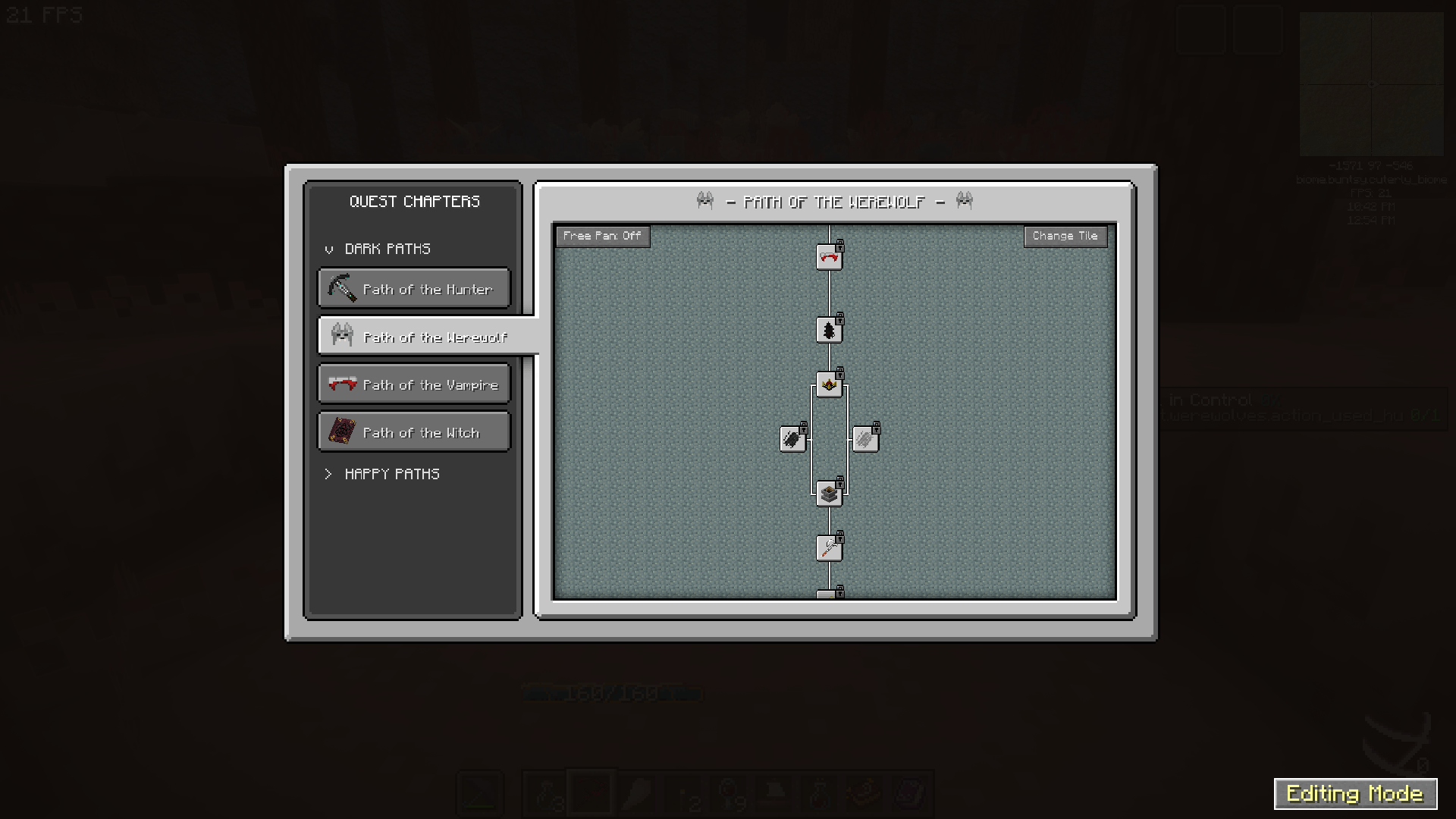 In creative mode, click 'Editing Mode' to switch to default FTB quests UI - to edit quests and chapters as usual. One option that appears is 'Editing Mode' , click it to switch to default FTB quests UI - then you can edit quests and chapters as usual.
 -
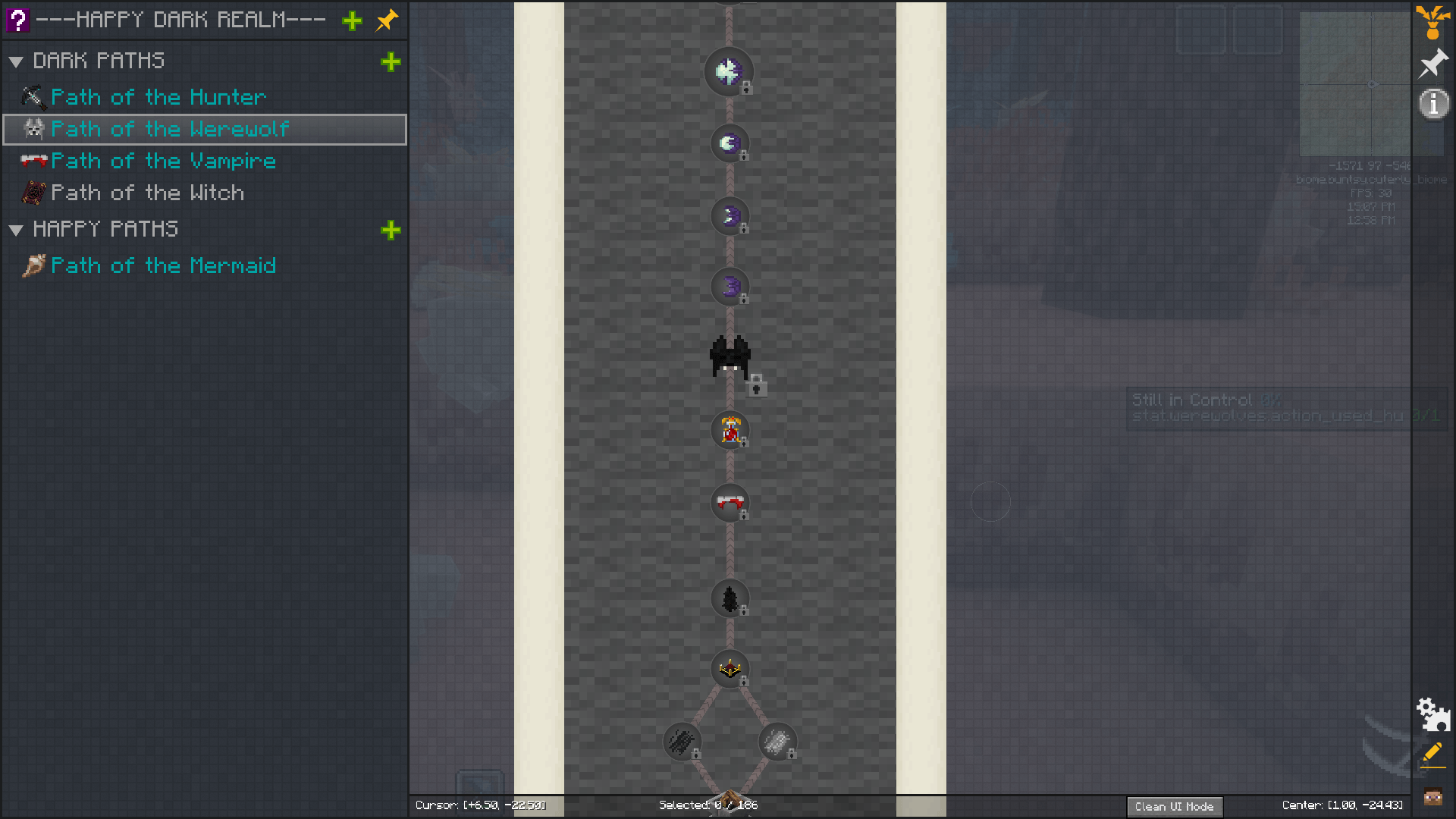 To switch back to Overhauled UI, click 'Clean UI Mode' at the bottom right. (Small button) To switch back to Overhauled UI, click 'Clean UI Mode' at the bottom right. (Small button)
 -
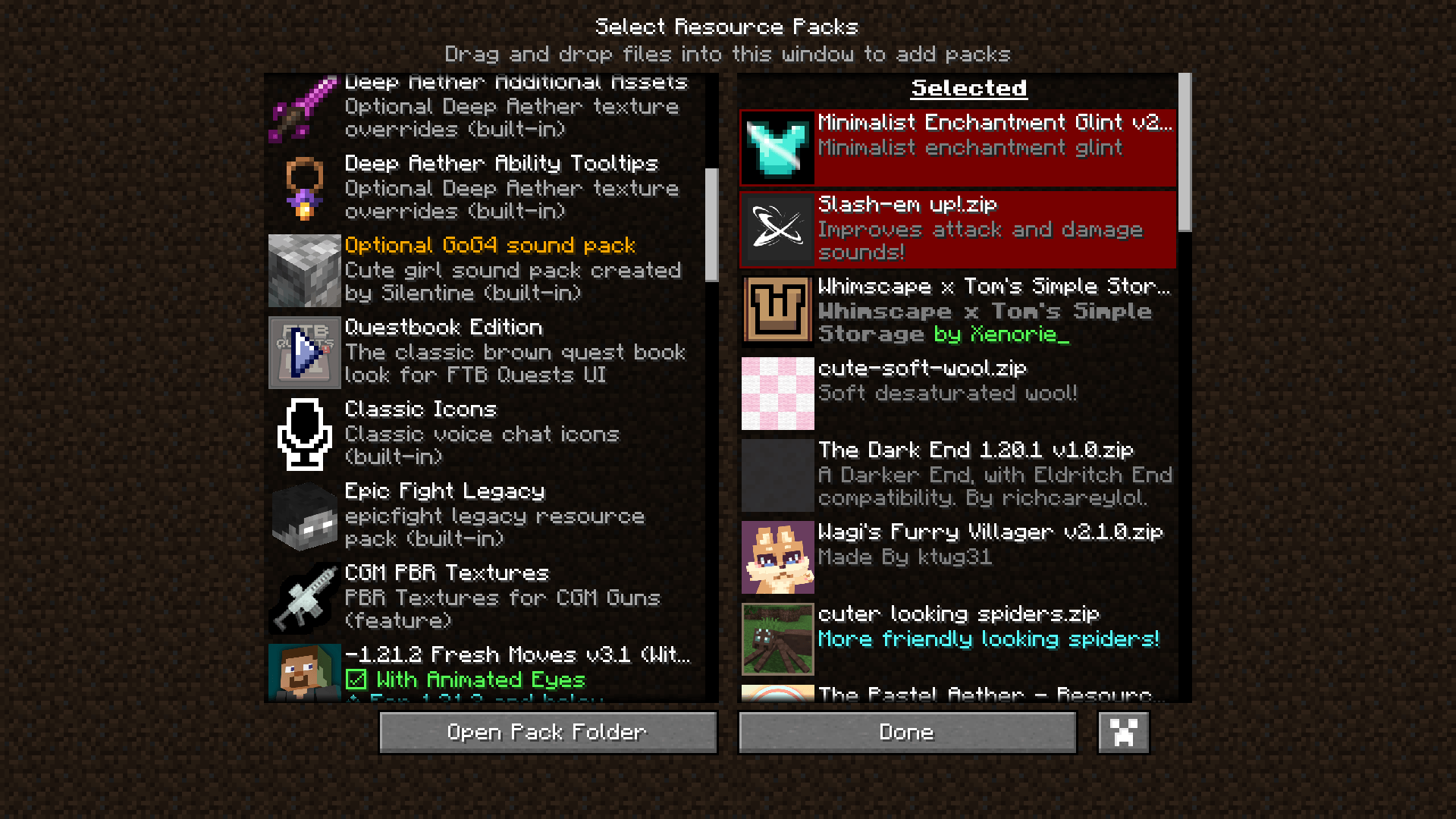 Change the look By default there is a brown Questbook Edition resource pack included, choose this for a more RPG fantasy questbook vibe!
 -
 Resource Packs The UI is very simple - So you can get creative making resource packs to match your modpack!
-
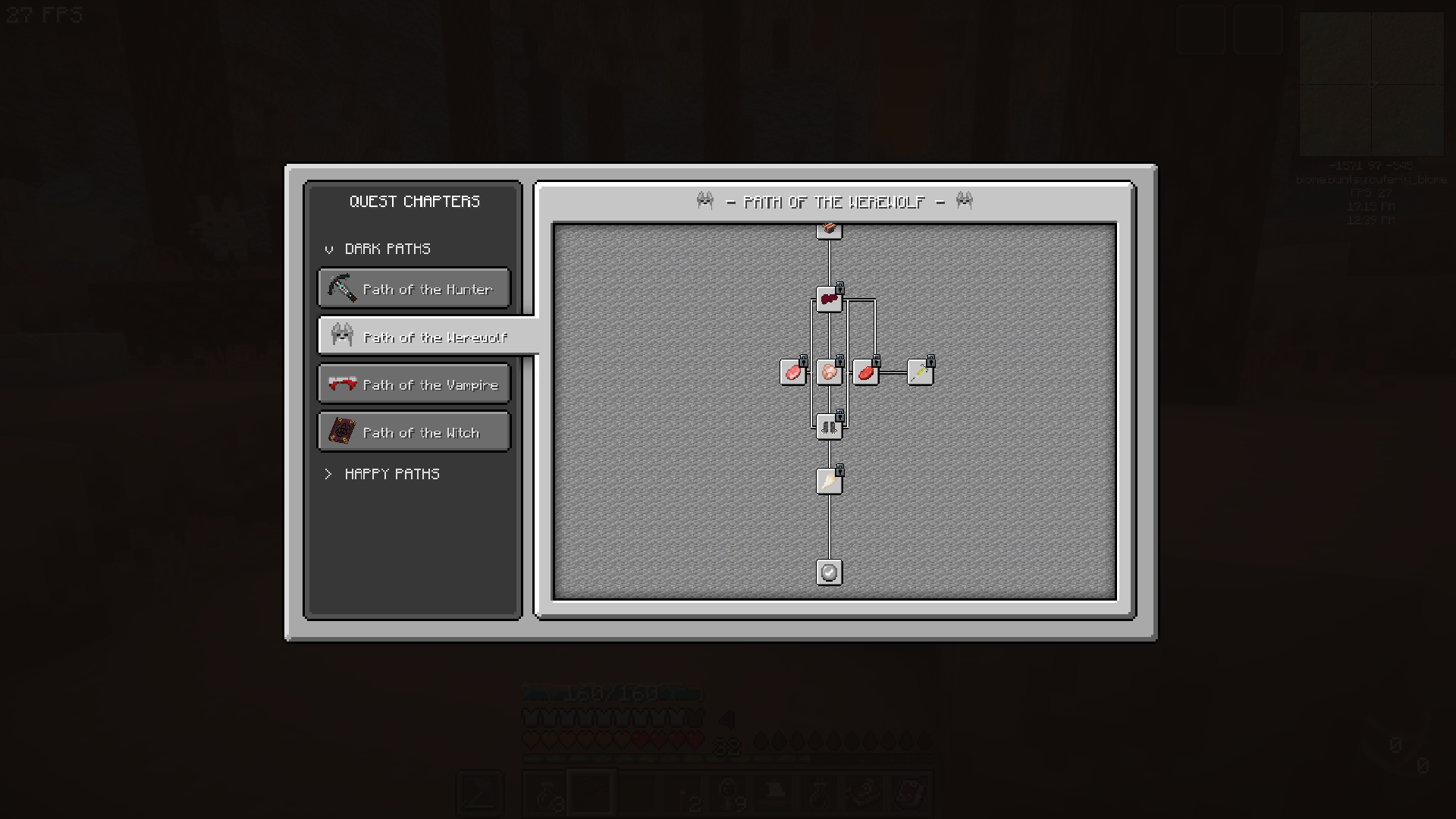 WELCOME! Welcome to the Overhauled UI of FTB Quests! Drag mouse to pan, scroll wheel to scroll.
 -
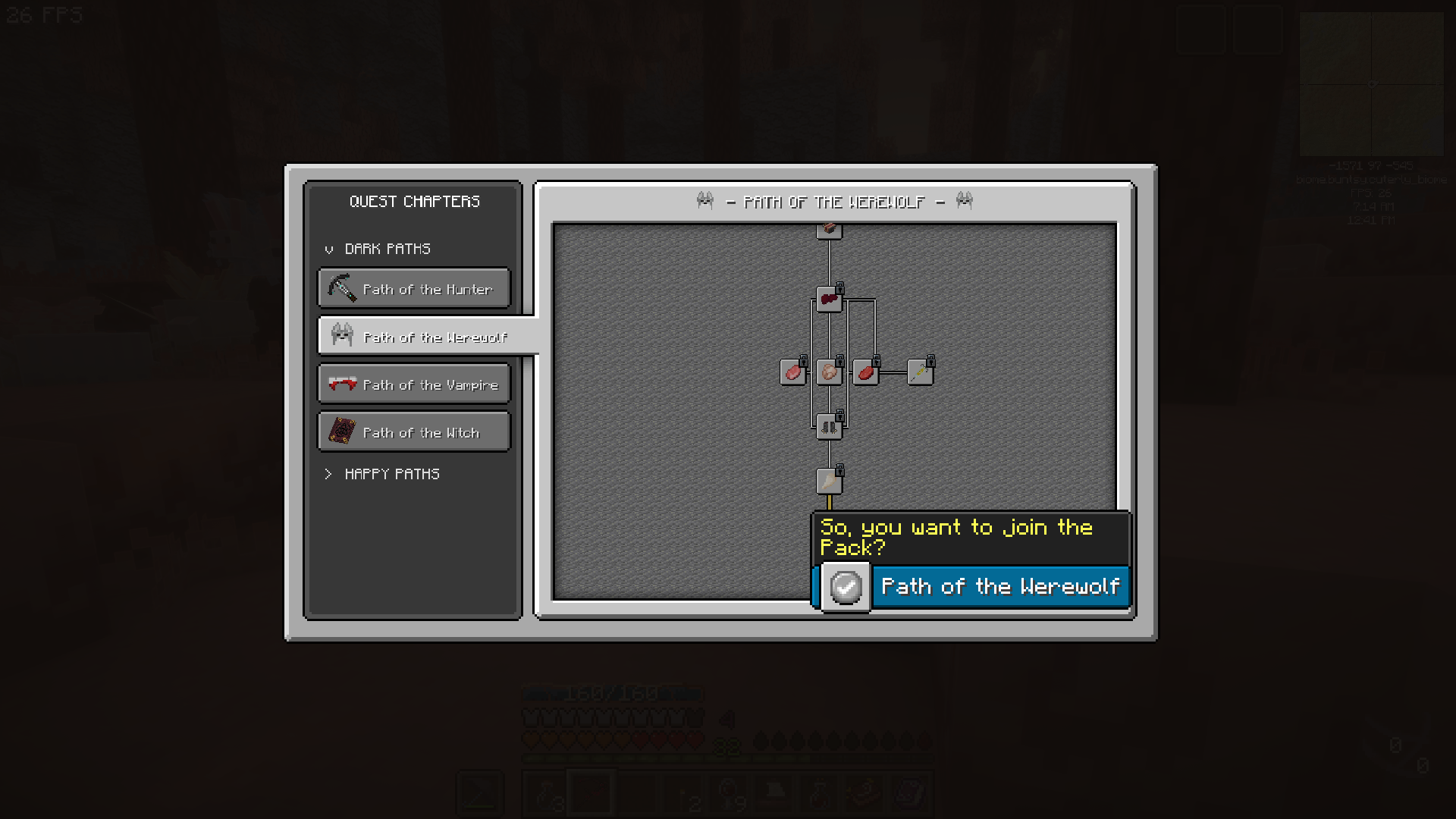 Mouse Hover Quickly check the quest by hovering mouse over quest tree. Click to see more info.
 -
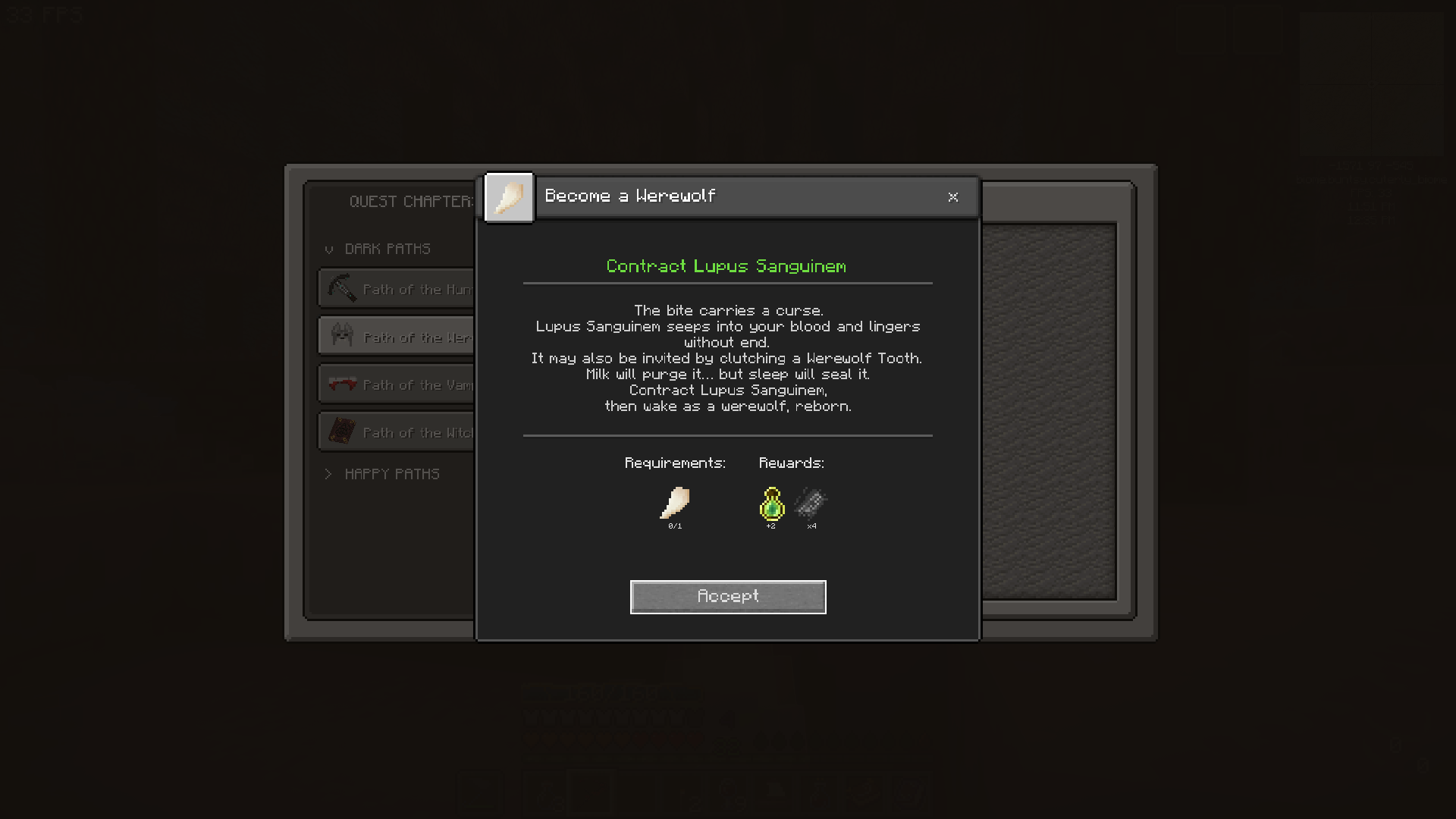 Quest Window Quest Window has been simplfied - Press Accept to start tracking the quest.
 -
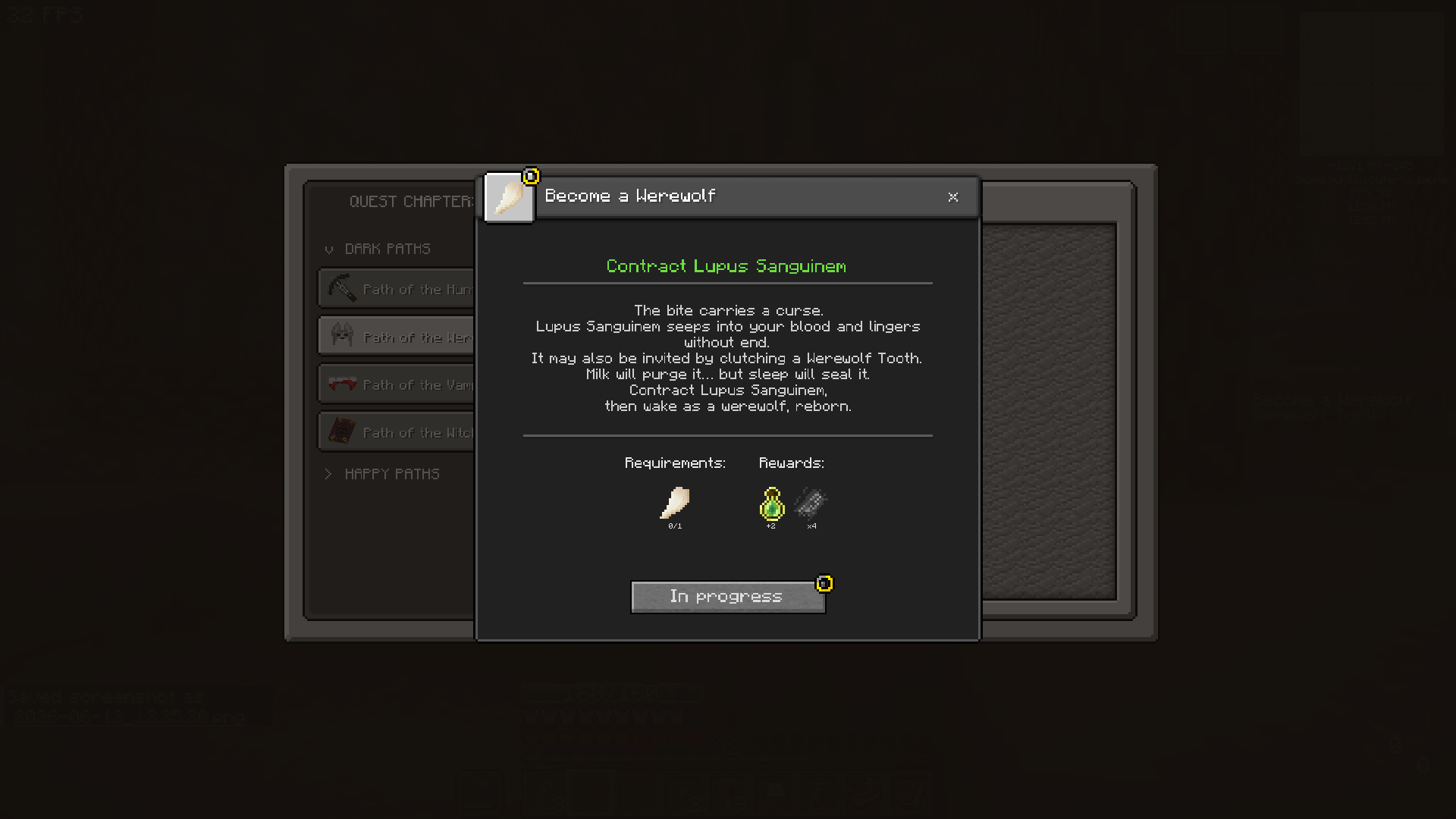 Tracking The quest is now in progress - requirements will be displayed on FPV screen. F8 to hide tracking info. Cancel with cancel button or F7.
 -
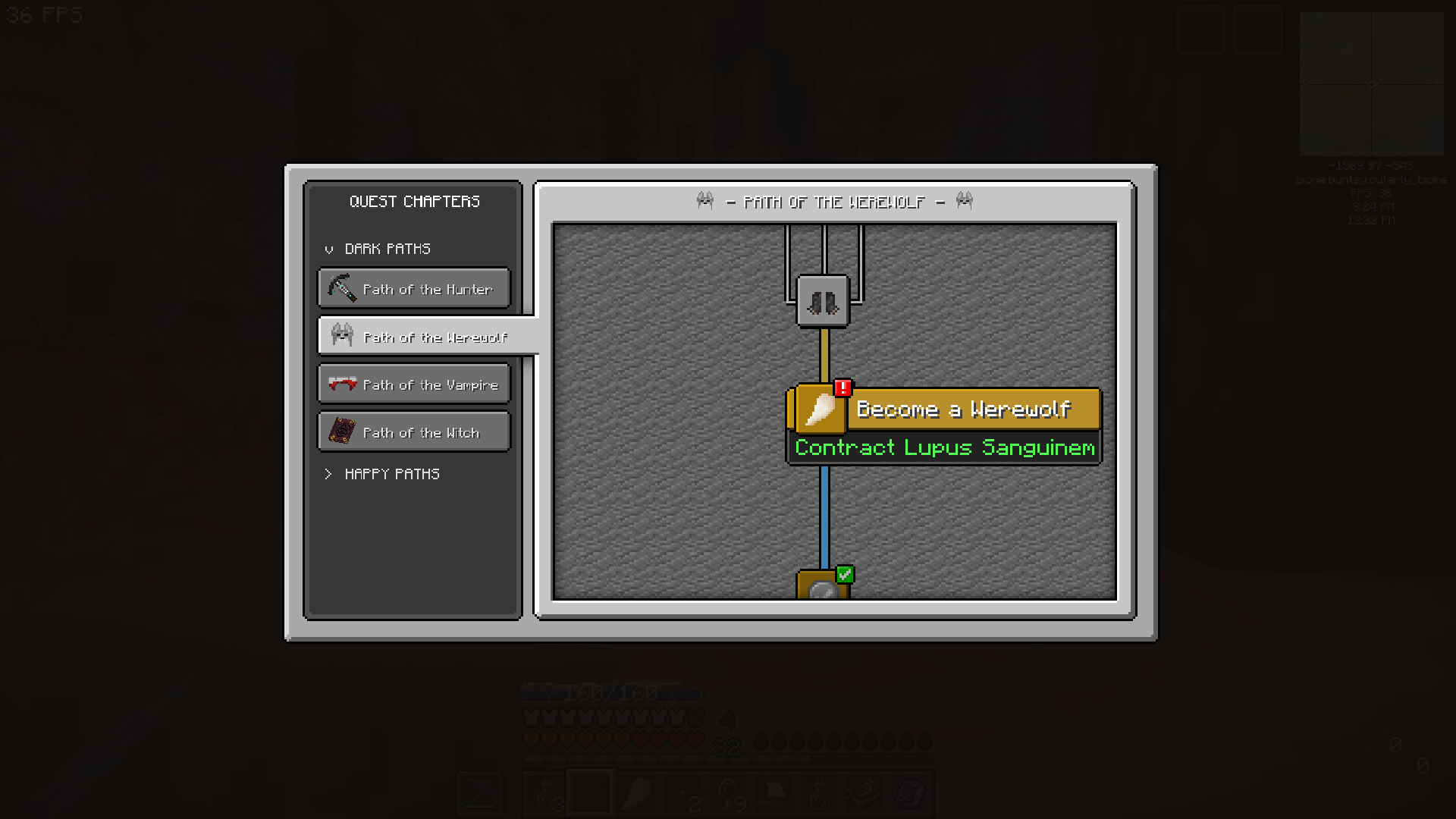 ! The red '!' will be displayed on various parts of the UI to alert you that a quest can be handed in.
 -
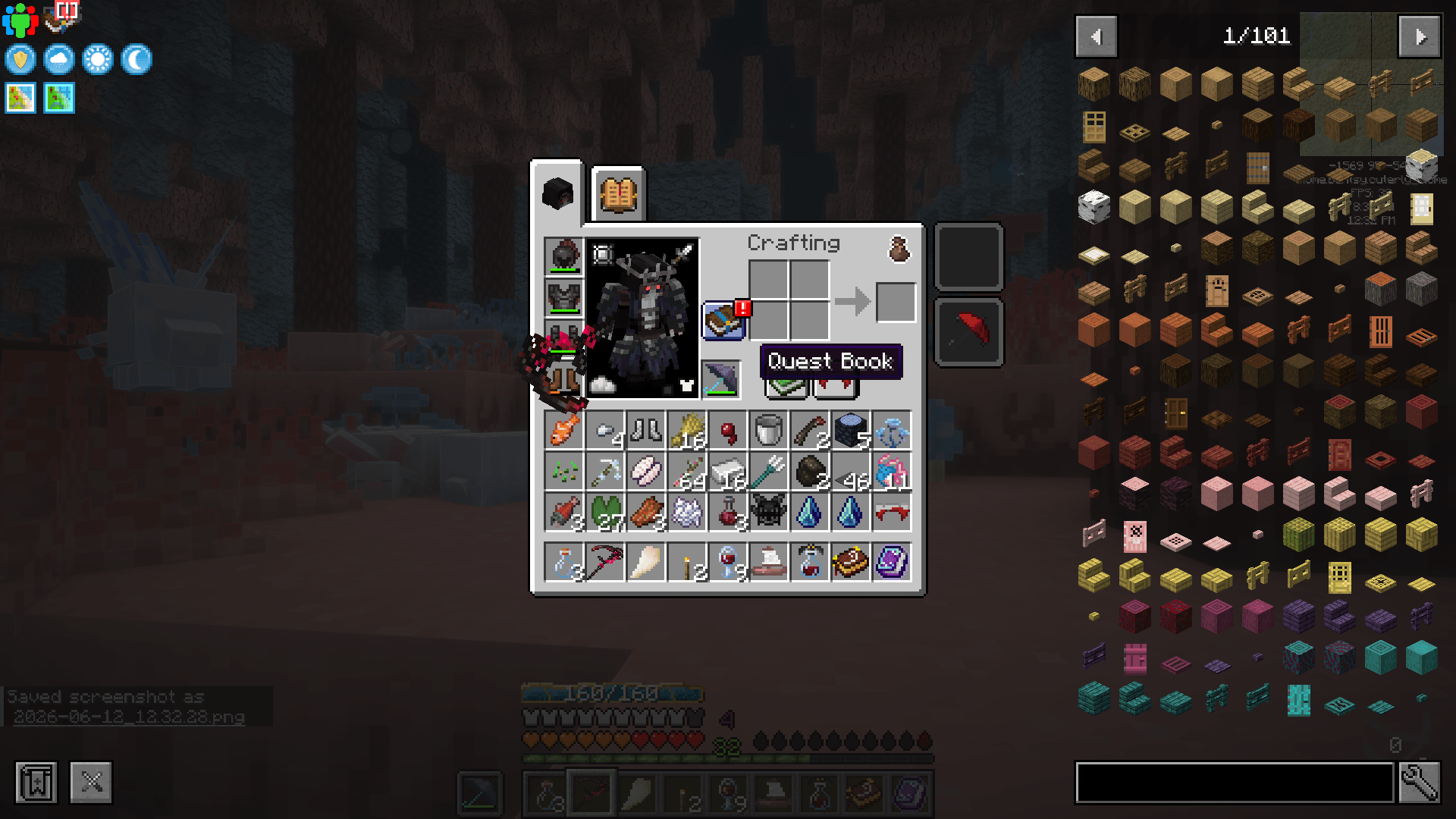 Quest book UI Button Useful shortcut button for the Quest Book
 -
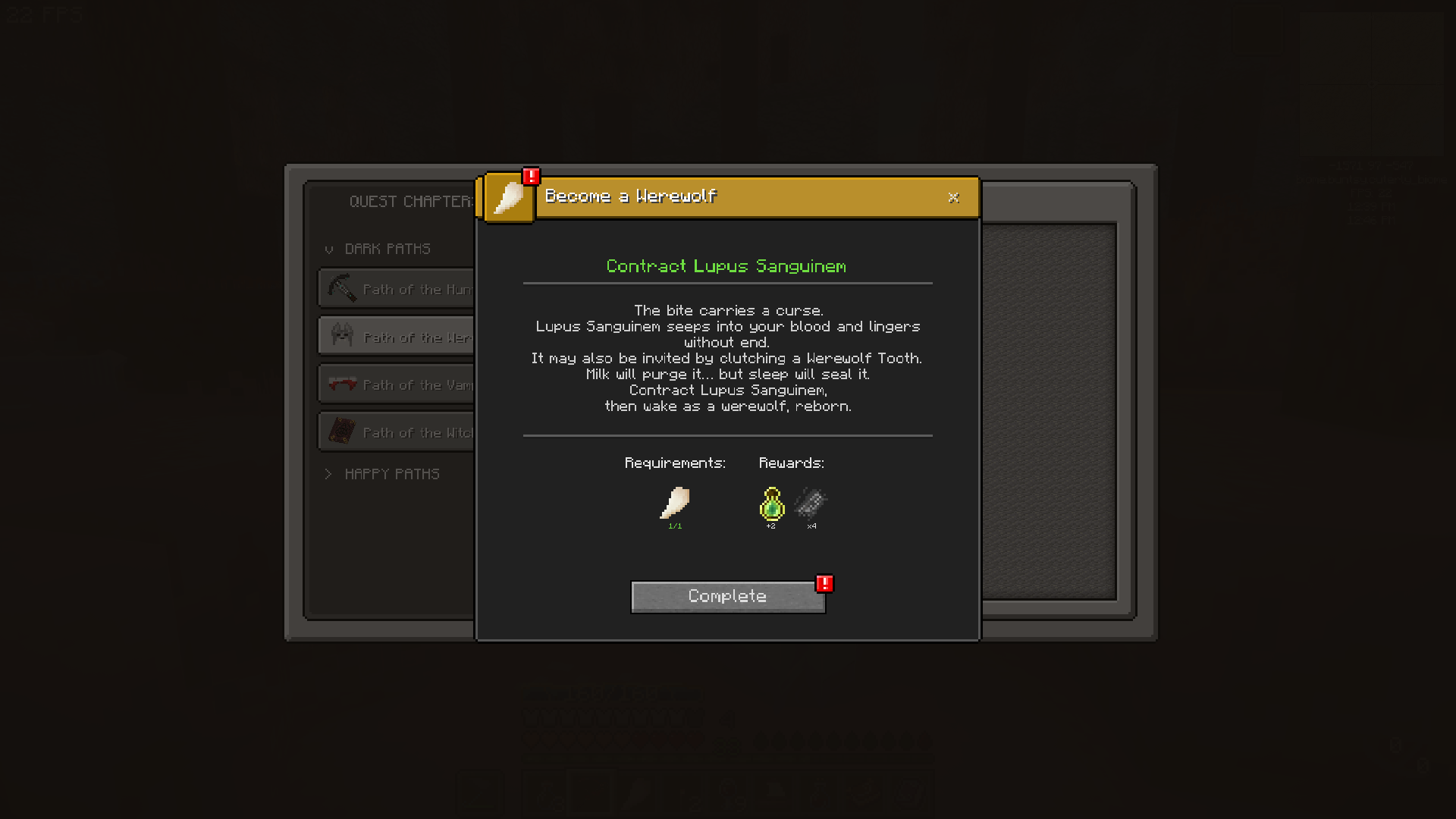 Completable When you have completed the requirements, a quest can be handed in.
 -
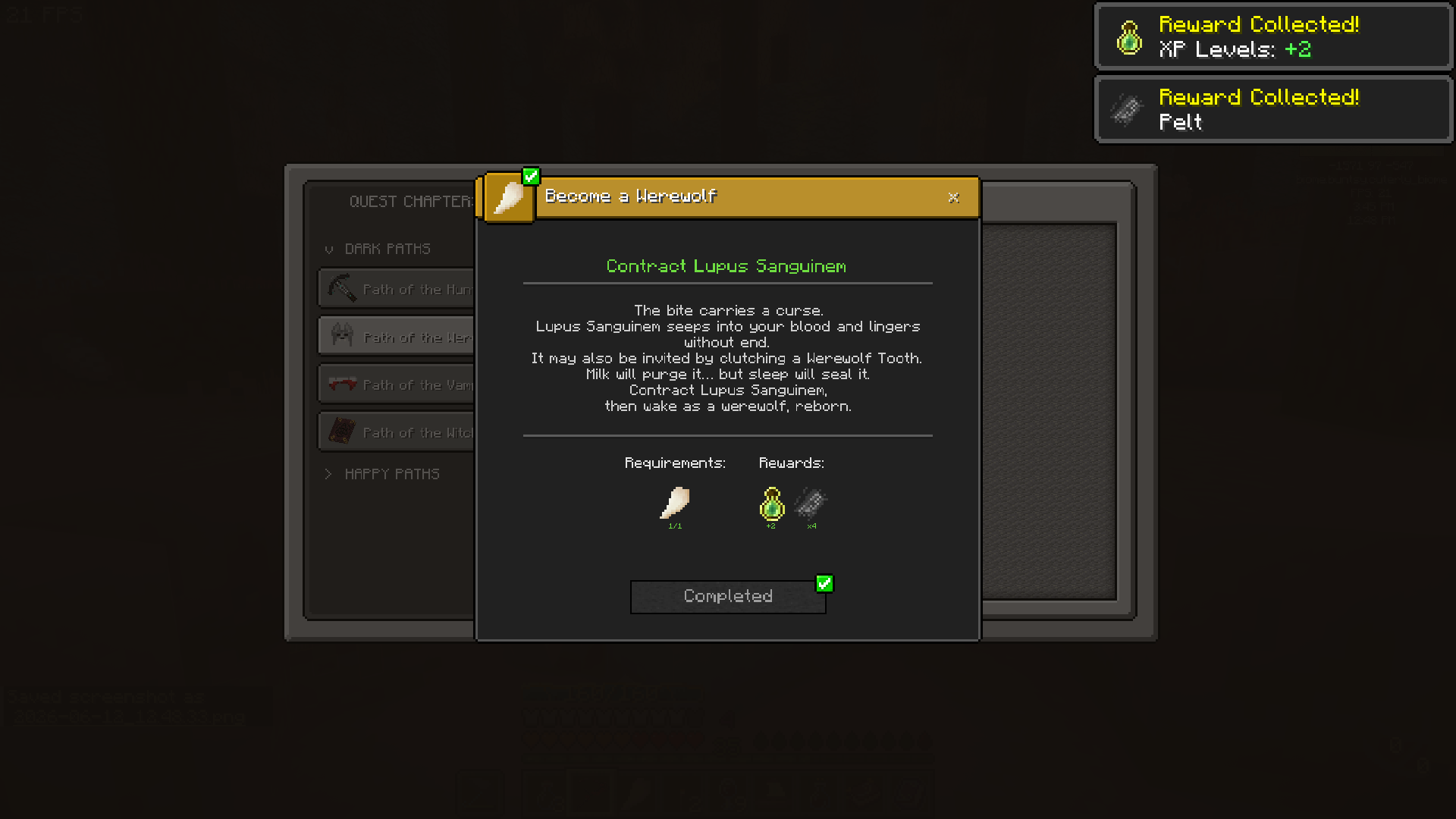 Complete to collect all your rewards! Click Complete to collect all your rewards! *Jingle Sound!*
 -
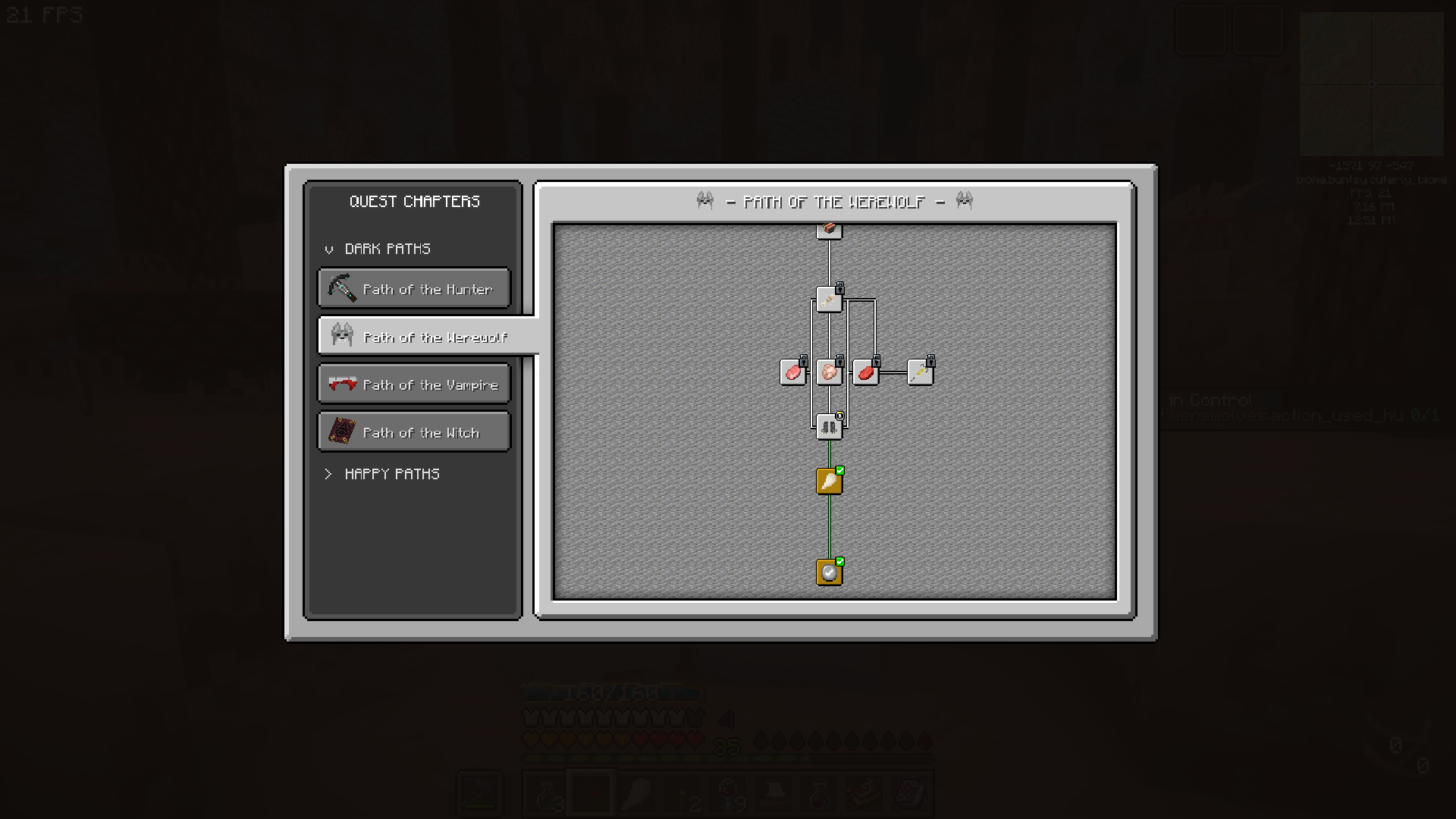 Completed and in progress quests Easily see your completed and in progress quests on the quest tree.
 -
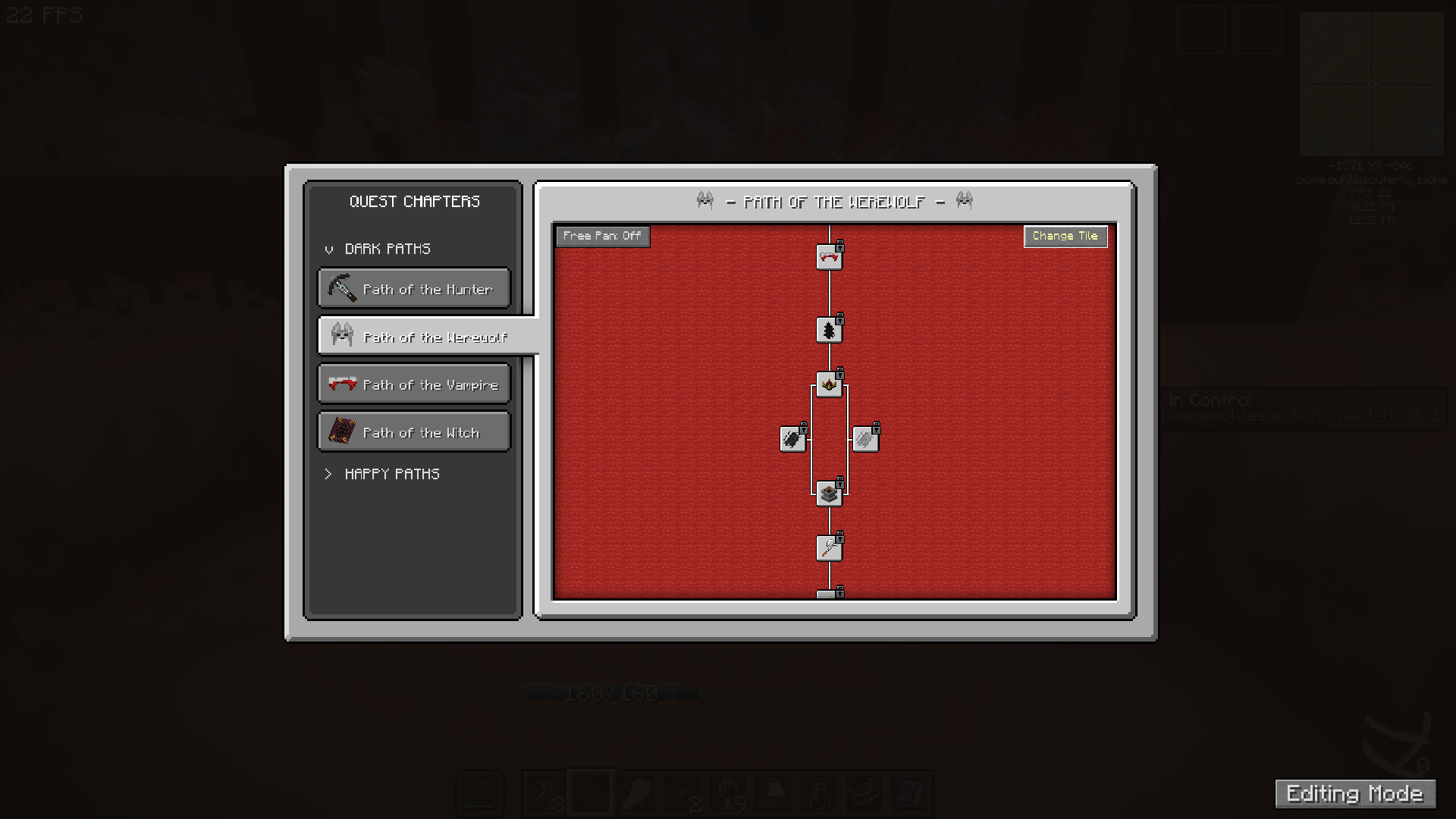 When in Creative mode - Customisation buttons appear. When in Creative mode - Customisation buttons appear. Click 'Change Tile' to change quest tree background. Or toggle the panning mode.
 -
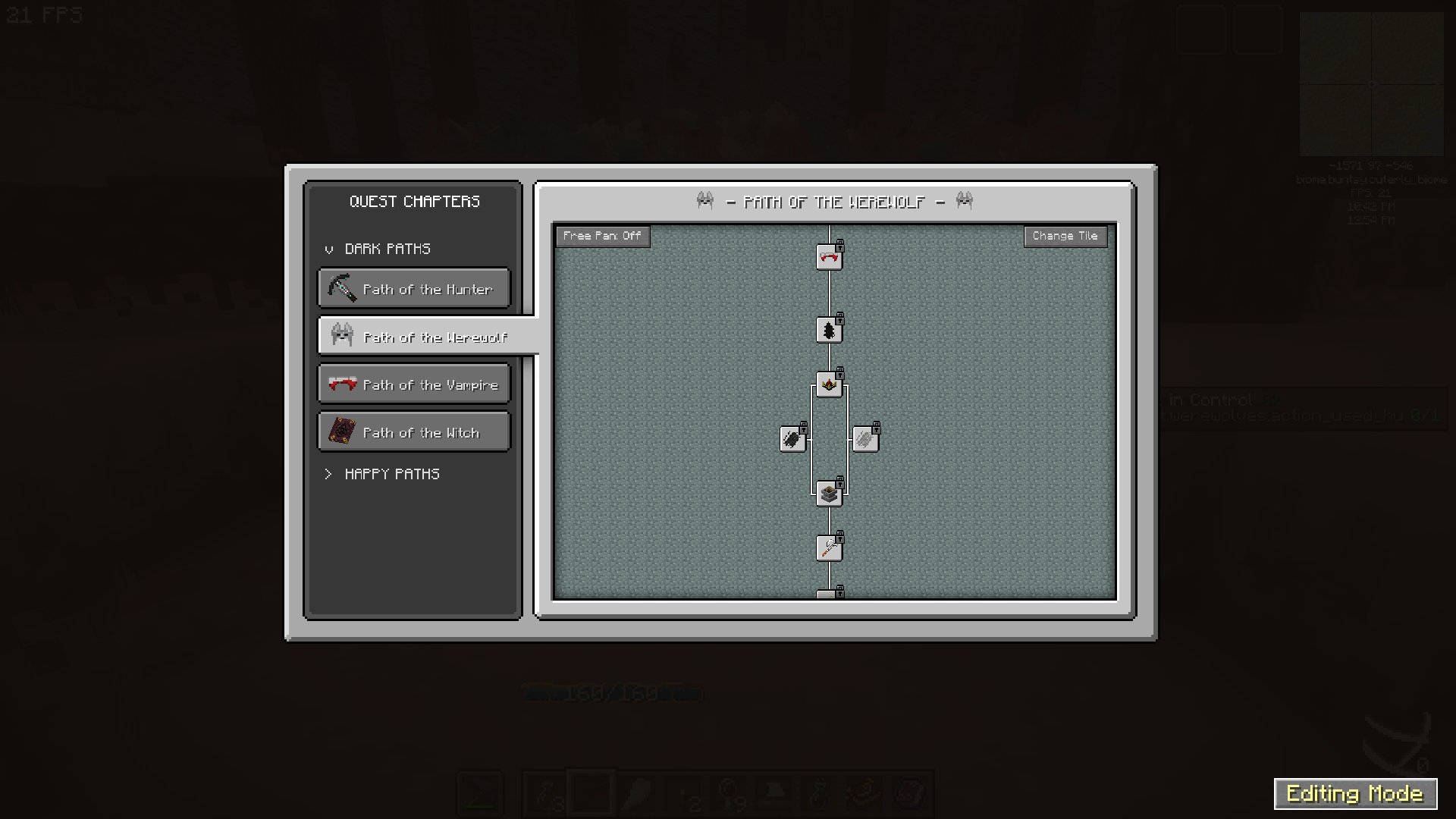 Editing Mode One option that appears is 'Editing Mode' , click it to switch to default FTB quests UI - then you can edit quests and chapters as usual.
 -
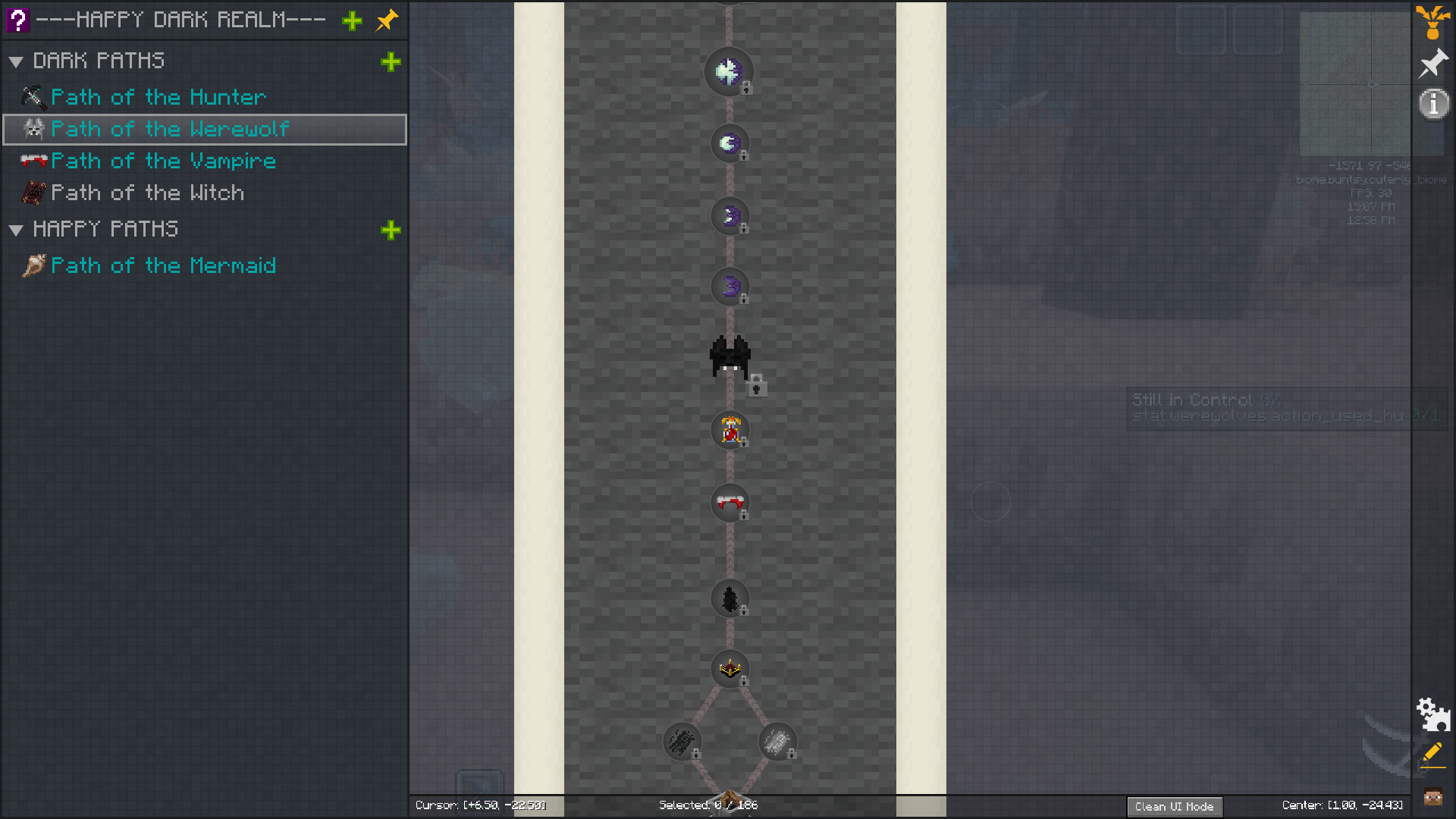 Clean UI Mode To switch back to Overhauled UI, click 'Clean UI Mode' at the bottom right. (Small button)
 -
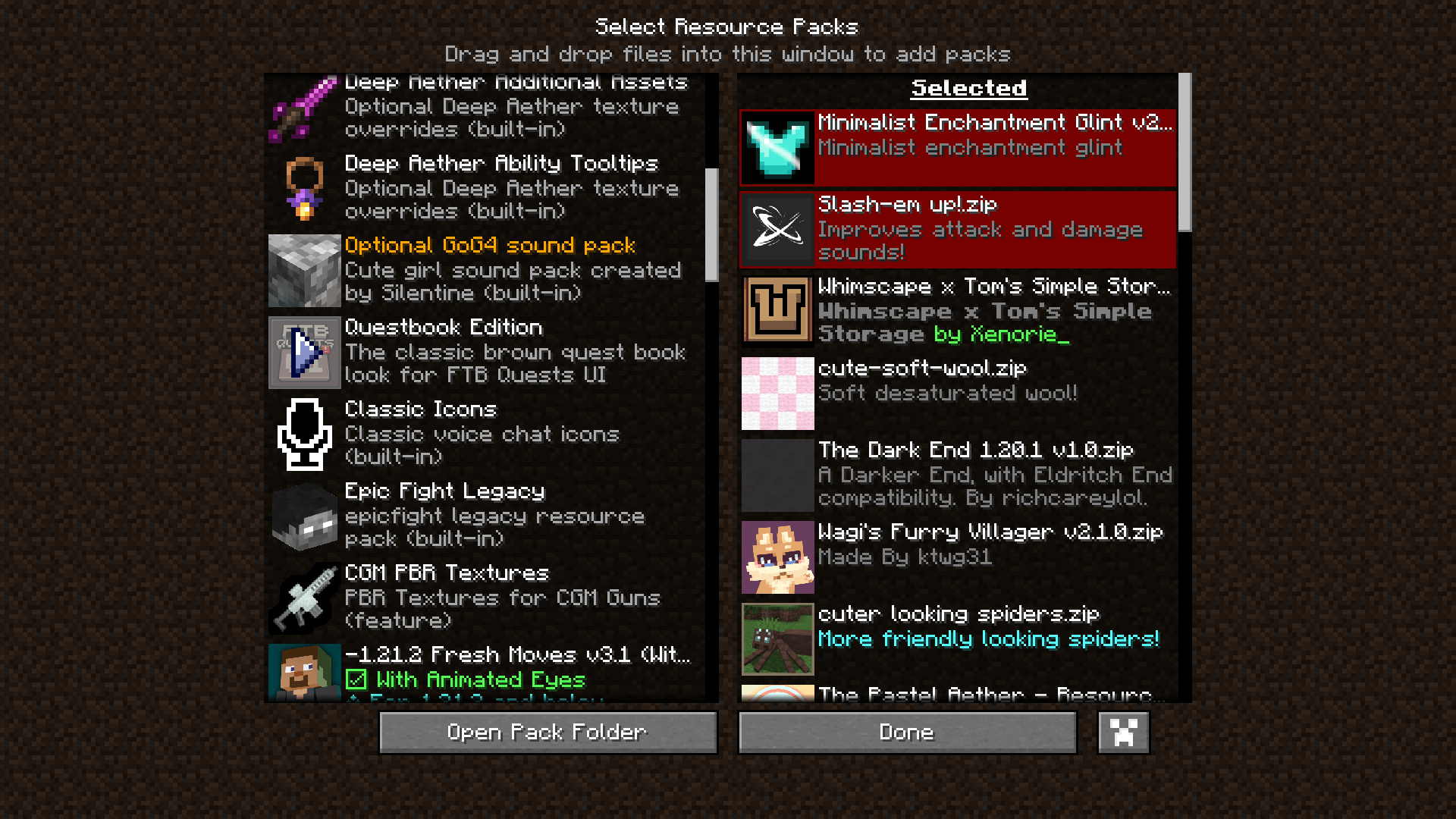 Change the look By default there is a brown Questbook Edition resource pack included, choose this for a more RPG fantasy questbook vibe!
 -
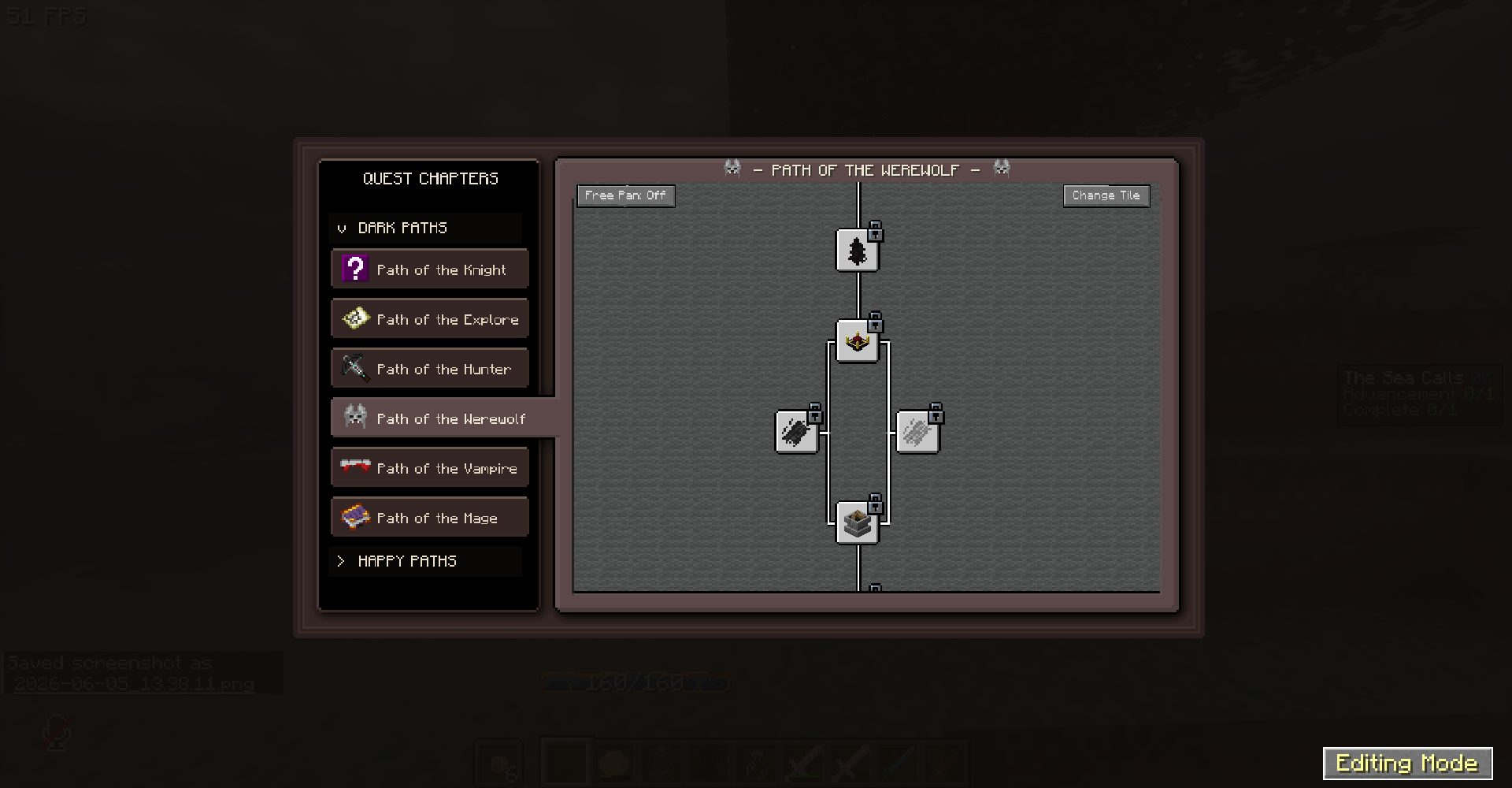 Resource Packs The UI is very simple - So you can get creative making resource packs to match your modpack!
Versions
Files
Relations
Project Relations
More like this
Similar Mods
Suggestions use data such as tags, dependencies, dependents, descriptions, titles, and more to rank how much they overlap with this mod.
On ModDex
Community snapshot
By the numbers
Statistics
Want to reach Minecraft players?
We're looking for a server hosting partner to feature here and other parts of the site. Interested? Send us a message!
Get in touchGet it on
Available Platforms
On ModDex
Community snapshot
By the numbers