Community listing page, reviews here may not be monitored by the author.
UIQuest

No reviews yet
A client-side addon that adds a UI for FTB Quests

Community voices
Reviews
No reviews yet. Be the first to review this project!
Get it on
Available Platforms
About
Project Details
For authors
Embed Badge
If you're the author of this project, you can embed a live badge anywhere that supports HTML or Markdown. It updates automatically whenever ratings change.
Use HTML for any page that supports it, or Markdown for README files and Markdown-based descriptions.
Identifiers
Platform IDs
About
Description
Due to issues in my life, this mod won't be updated for about 2 years (6.27.2026)
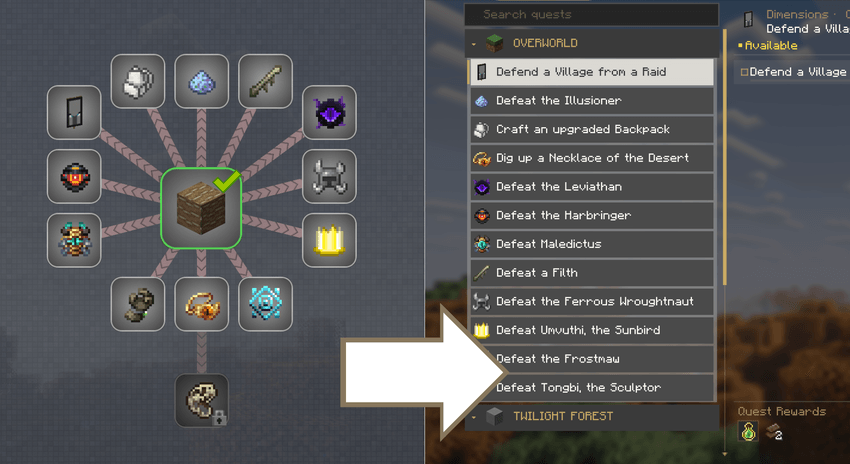
(Example quest content from BMC 5 modpack)
If you've ever found FTB Quests's mind-map style UI overwhelming, this mod is here to help.
This Mod an alternative UI synced with FTB Quests, making it easier to browse and progress your quests.
GUI
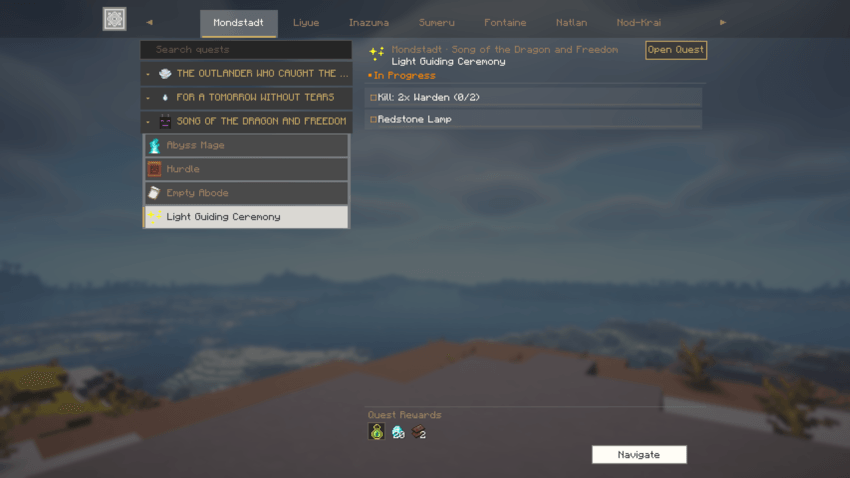
Press the Quest GUI key (default: J) to open the list-based UI. You can see the chapter and the available quests currently available at a glance, as well as more information about goals and rewards
Quest Navigating
Select any quest in the GUI to navigate it on your HUD. Upon completing a quest, the next one is automatically navigated — this behavior can be configured in the settings
HUD
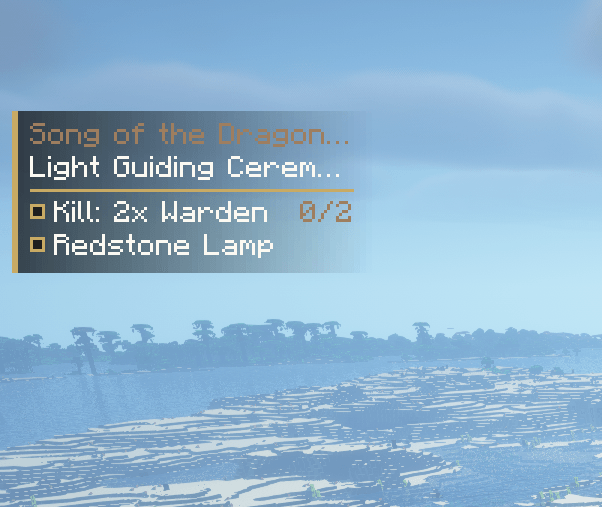
Displays a compact overlay showing your currently tracked quest. Press the Action key (default: K) to open a popup for submitting items, claiming rewards, and more
Settings
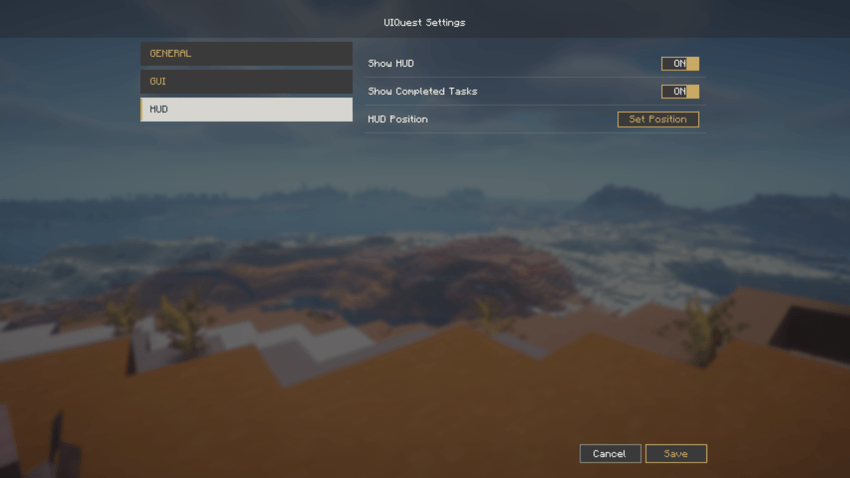
Customize GUI and HUD display options directly from the in game settings menu
Required
Note: This mod has not been fully tested for compatibility with all FTB Quests features. Some functionality may break or conflict when used alongside FTB Quests addon mods.
Screenshots
Gallery
Versions
Files
Relations
Project Relations
More like this
Similar Mods
Suggestions use data such as tags, dependencies, dependents, descriptions, titles, and more to rank how much they overlap with this mod.
On ModDex
Community snapshot
By the numbers
Statistics
 (opens in a new tab)
Get it on
Available Platforms
On ModDex
Community snapshot
By the numbers