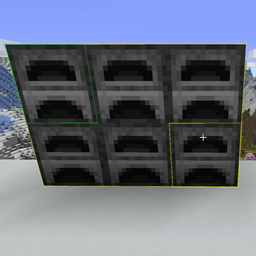
Community listing page, reviews may not be monitored by the author.
Furnace Distributor - Distribute Items Between Furnaces

No reviews yet
Manage entire furnace setups at once — distribute items, collect outputs and XP without opening every furnace.

Community voices
Reviews
No reviews yet. Be the first to review this project!
Get it on
Available Platforms
About
Project Details
For authors
Embed Badge
If you're the author of this project, you can embed a live badge anywhere that supports HTML or Markdown. It updates automatically whenever ratings change.
Use HTML for any page that supports it, or Markdown for README files and Markdown-based descriptions.
Identifiers
Platform IDs
Resources
External Links
About
Description
🔥 Furnace Distributor
Distribute items, collect outputs, and manage entire furnace setups in just a few clicks.
Tired of opening dozens of furnaces one by one?
Furnace Distributor is a quality-of-life Minecraft mod that makes managing furnace setups faster, smarter, and easier.
Simply select an area to distribute items across multiple furnaces, collect finished outputs, or distribute several inventory stacks in a single operation.
Whether you're running a small smelting station or a massive furnace factory, Furnace Distributor helps you spend less time managing furnaces and more time playing Minecraft.
Supports Fabric and NeoForge, with optional Iron Furnaces integration on NeoForge.
🎬 See It in Action
Here's what you can do with Furnace Distributor:
| Distribute Items | Bulk Distribution |
|---|---|
 |
 |
| Reuse a Saved Area | Collect Finished Items |
 |
 |
✨ What's New in 4.0.0
Version 4.0.0 brings a major improvement to item management, along with a more polished and responsive experience.
- Bulk Inventory Distribution — NEW! Select multiple inventory stacks and distribute them in a single operation.
- Redesigned HUD: A cleaner, more compact interface with smoother animations and transitions.
- Improved Distribution Feedback: See how many items were transferred, which furnaces received items, and how many were skipped.
- Contextual Tips: Helpful on-screen instructions make discovering features and controls easier.
- Enhanced Visual Effects: Smoother selection transitions and optimized furnace outlines.
- Performance Optimizations: More efficient rendering and selection previews, especially in larger furnace setups.
⭐ Key Features
- Area-Based Distribution: Distribute items across multiple furnaces without opening each one.
- Bulk Inventory Distribution: Select and distribute multiple inventory stacks at once.
- Instant Item Collection: Collect finished outputs from an entire furnace area.
- Reusable Selections: Save time by reusing previously selected areas.
- Dedicated Collection Areas: Configure separate areas for distribution and collection.
- Smart Item Balancing: Distribute items according to available furnace capacity.
- Automatic Compatibility Checks: Respect furnace types, recipes, fuels, and inventory restrictions.
- Visual Selection System: Easily identify selected furnaces through in-world outlines.
- Contextual HUD: Get real-time selection information, helpful tips, and operation feedback.
- Experience Collection: Receive stored smelting experience when collecting eligible outputs.
- Iron Furnaces Integration: Support for Normal, Factory, and Generator modes on NeoForge.
- Customizable Settings: Adjust controls, gameplay behavior, and visual preferences.
- Multiplayer Support: Server-side validation for safe and consistent operations.
- 12 Languages: Built-in translations for players around the world.
🎮 How to Use
1. Distributing Items
Distribute items across an entire furnace setup in three simple steps:
- Hold the item you want to distribute.
- Look at a furnace and press
Rto select the first corner. - Look at another furnace and press
Ragain to complete the selection.
The two selected furnaces define an area.
Furnace Distributor automatically finds compatible furnaces inside that area and distributes your held items according to their available capacity.
The system checks existing items, stack limits, valid recipes, compatible fuels, and furnace types before transferring anything.
Items that cannot be inserted remain in your inventory.
2. Bulk Inventory Distribution — NEW!
Need to distribute several stacks of items? You no longer need to handle them one at a time.
With Bulk Inventory Distribution, you can select multiple inventory stacks, including different item types, and distribute them in a single operation.
- Select the furnace area you want to use.
- Press
Bto open the Bulk Distribution screen. - Choose the inventory stacks you want to distribute.
- Confirm your selection.
The mod automatically validates item compatibility and available furnace space before transferring items.
Perfect for large smelting setups with multiple materials.
3. Reusing a Saved Area
Frequently using the same furnace setup?
There's no need to select the area again every time.
Simply press Sneak + R to reuse your previously selected distribution area.
This shortcut respects your configured Sneak key, even if you've changed it in Minecraft's controls.
4. Collecting Finished Items
Once your furnaces finish processing items, press C to collect their outputs from your saved area.
Finished items are transferred directly into your inventory, and stored processing experience is awarded when appropriate.
Note: Collected items are transferred instantly rather than physically flying toward your character.
5. Creating a Dedicated Collection Area
You can also create a separate area specifically for collecting finished items.
- Hold your Sneak key and look at a furnace.
- Press
Cto select the first corner. - Look at another furnace.
- Press
Cagain to confirm the collection area.
Collection areas use purple outlines, making them easy to distinguish from distribution selections.
This is especially useful for setups where you want different areas for distributing and collecting items.
6. Canceling a Selection
Press X to cancel your current selection.
Selections are also cleared when necessary, such as when disconnecting, dying, or changing dimensions.
⌨️ Default Keybindings
| Action | Default Key |
|---|---|
| Select Area / Distribute Items | R |
| Reuse Saved Distribution Area | Sneak + R |
| Open Bulk Distribution | B |
| Collect Finished Items | C |
| Select Dedicated Collection Area | Sneak + C |
| Cancel Selection | X |
All keybindings can be customized through:
Options → Controls → Key Binds → Furnace Distributor
🔥 Supported Furnaces
Vanilla Furnaces
Furnace Distributor supports all three vanilla furnace types:
- Furnace
- Blast Furnace
- Smoker
Items are automatically validated against the recipes supported by each furnace type.
For example, ores are only distributed to furnaces capable of processing them, while incompatible items are safely skipped.
Iron Furnaces Integration (NeoForge)
Furnace Distributor also provides optional integration with compatible versions of Iron Furnaces on NeoForge.
The integration supports three operating modes:
Normal Mode
Distribute processable items and collect finished outputs from supported Iron Furnaces.
Factory Mode
Factory furnaces can process multiple item stacks simultaneously.
Furnace Distributor supports:
- Multiple input and output slots.
- Capacity-aware distribution across processing slots.
- Correct collection of finished outputs.
- Fair balancing between Factory and regular furnaces.
To maintain balanced distribution, each Factory furnace counts as a single furnace, regardless of its number of processing slots.
Generator Mode
Furnaces equipped with the Generator Augment can receive compatible fuels through Furnace Distributor.
The integration respects Iron Furnaces' fuel validation rules, including compatible fuels introduced by other mods.
It also handles fuels that leave empty containers behind after use.
Iron Furnaces is completely optional. Furnace Distributor works normally without it.
⚖️ Smart Distribution
Furnace Distributor doesn't simply divide items equally. It considers how much space each furnace can actually accept.
For example:
- Furnace A: Space for 32 additional items.
- Furnace B: Space for 64 additional items.
Instead of attempting to insert too many items into Furnace A, the mod can redirect the remaining items to furnaces with available capacity.
This system takes into account:
- Existing inventory contents.
- Maximum stack sizes.
- Available input slots.
- Recipe and item compatibility.
- Furnace type and operating mode.
- Compatible fuels and applicable restrictions.
The same principles apply to supported Iron Furnaces, including Factory Mode.
The result is more efficient distribution while respecting inventory limits.
🛡️ Safe Item Handling
Furnace Distributor includes safeguards designed to make item transfers reliable.
The mod:
- Prevents incompatible items and fuels from being inserted.
- Respects existing inventory contents and item stacks.
- Enforces stack-size and furnace-capacity limits.
- Only removes items from the player when they are successfully transferred.
- Revalidates furnaces before executing operations.
- Accounts for changes to furnace contents, modes, and upgrades.
- Avoids force-loading unloaded chunks.
- Includes protections against item loss and duplication during normal operations.
Any items that cannot be distributed remain with the player.
🖥️ Visual Feedback & HUD
Furnace Distributor features a contextual interface designed to provide useful information without cluttering your screen.
Contextual HUD
The HUD displays information such as:
- Current selection mode.
- Number of selected furnaces.
- Selection progress.
- Contextual instructions and tips.
- Temporary confirmation and operation feedback.
Version 4.0.0 introduces a more compact HUD with smoother animations and transitions.
Furnace Outlines
Selected furnaces are highlighted directly in the world, making it easy to identify which furnaces belong to your selection.
Dedicated collection selections use purple outlines.
Operation Feedback
After distributing or collecting items, the mod provides useful feedback.
Depending on the operation, this can include the number of items transferred, furnaces that received items, skipped furnaces, and other relevant details.
Messages primarily use the HUD and action bar to minimize unnecessary chat spam.
✨ Experience Collection
Collecting finished outputs also awards stored processing experience when appropriate.
- Vanilla Furnaces: Preserve Minecraft's normal recipe and experience behavior.
- Supported Iron Furnaces: Provide stored processing experience when collecting eligible processed outputs.
- Generator Mode: Does not generate processing experience.
Experience is only awarded when the corresponding collection actually occurs.
⚙️ Configuration
Customize Furnace Distributor to match your preferred playstyle.
Available options include keybindings, selection behavior, visual feedback, and gameplay preferences.
Fabric: Access the configuration screen through Mod Menu when installed.
NeoForge: Access the configuration screen directly from the mod list.
Mod Menu is optional.
🌐 Multiplayer Support
Furnace Distributor supports both singleplayer and multiplayer.
Gameplay operations are validated by the server, including checks for:
- Player distance and current state.
- Selection dimensions and furnace count.
- Loaded chunks.
- Furnace accessibility.
- Valid item transfers.
The mod does not force-load unloaded chunks just to complete an operation.
Visual effects, HUD elements, and configuration interfaces remain client-side.
🚀 Performance
Furnace Distributor is designed to handle both small smelting stations and larger furnace setups efficiently.
Optimizations include:
- Efficient selection previews.
- Rendering visibility checks.
- Optimized furnace outlines.
- Configurable selection and operation limits.
- Server-side validation when operations are executed.
These optimizations help minimize unnecessary work while maintaining reliable distribution and collection behavior.
🌍 Supported Languages
Furnace Distributor includes built-in translations for 12 languages:
- 🇺🇸 English
- 🇧🇷 Brazilian Portuguese
- 🇪🇸 Spanish
- 🇫🇷 French
- 🇩🇪 German
- 🇮🇹 Italian
- 🇵🇱 Polish
- 🇷🇺 Russian
- 🇨🇳 Simplified Chinese
- 🇹🇼 Traditional Chinese
- 🇯🇵 Japanese
- 🇰🇷 Korean
📦 Requirements & Compatibility
Furnace Distributor 4.0.0 targets:
- Minecraft: Java Edition 26.2
- Java: 25
- Mod Loaders: Fabric and NeoForge
Fabric
Required:
- Fabric Loader
- Fabric API
- Architectury API
Optional:
- Mod Menu (for the configuration screen)
NeoForge
Required:
- NeoForge
- Architectury API
Optional:
- Compatible Iron Furnaces version
Important: Download the Furnace Distributor file that matches your Minecraft version and mod loader.
Iron Furnaces is not required to use Furnace Distributor.
❤️ Feedback & Suggestions
Furnace Distributor is built to make managing large furnace setups simpler, faster, and more enjoyable.
If you enjoy the mod, consider leaving a comment, reporting bugs, or sharing your ideas for future updates.
Your feedback helps make Furnace Distributor even better!
Less clicking. More smelting. More Minecraft.
Screenshots
Gallery
-
Distributing Items Quickly distribute held items across all compatible furnaces in the selected area.
-
Reusing a Saved Area Reuse your previously selected furnace area instantly with Sneak + R.
-
Bulk Inventory Distribution Select multiple inventory stacks and distribute them all at once.
-
Collecting Finished Items Press C to instantly collect finished items from your saved furnace area.
Versions
Files
Relations
Project Relations
More like this
Similar Mods
Suggestions use data such as tags, dependencies, dependents, descriptions, titles, and more to rank how much they overlap with this mod.
On ModDex
Community snapshot
By the numbers
Statistics

Get it on
Available Platforms
On ModDex
Community snapshot
By the numbers
Statistics
Resources