Community listing page, reviews here may not be monitored by the author.
Gravestone | Death Grave & Loot Protection


No reviews yet
Automatically protects your inventory on player death by placing a safe 3D gravestone in the world.
Community voices
Reviews
No reviews yet. Be the first to review this project!
Get it on
Available Platforms
Compatibility
Supported Environments
Must be installed on both the client and the server.
About
Project Details
For authors
Embed Badge
If you're the author of this project, you can embed a live badge anywhere that supports HTML or Markdown. It updates automatically whenever ratings change.
Use HTML for any page that supports it, or Markdown for README files and Markdown-based descriptions.
Identifiers
Platform IDs
Resources
External Links
About
Description
About Gravestone | Death Grave & Loot Protection
Keep your inventory safe after death and find your way back without guessing. Gravestone places a protected grave near your death location, stores your items and equipment, and records every active grave until its contents are recovered.
Features
- Protects your inventory, armor, hands, and all six Zero Accessories slots when that mod is installed
- Searches for a safe nearby position instead of placing the grave in lava or water
- For void deaths, tries the last safe ground in the same dimension before creating a rescue platform
- Rescue platforms look like stone or end stone and resist explosions, the Ender Dragon, the Wither, and pistons
- If placement is blocked, keeps your items saved and automatically retries when a safe location becomes available
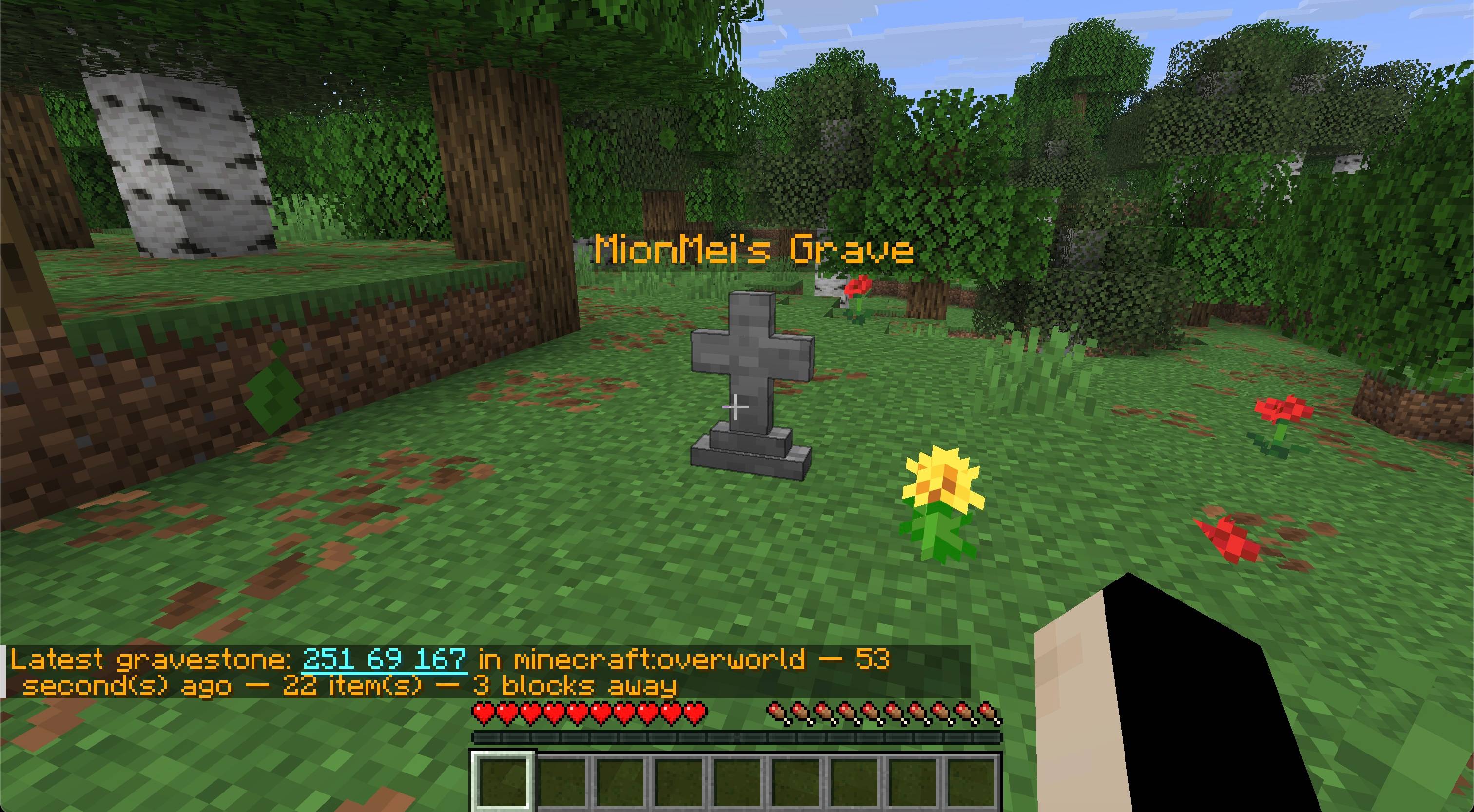
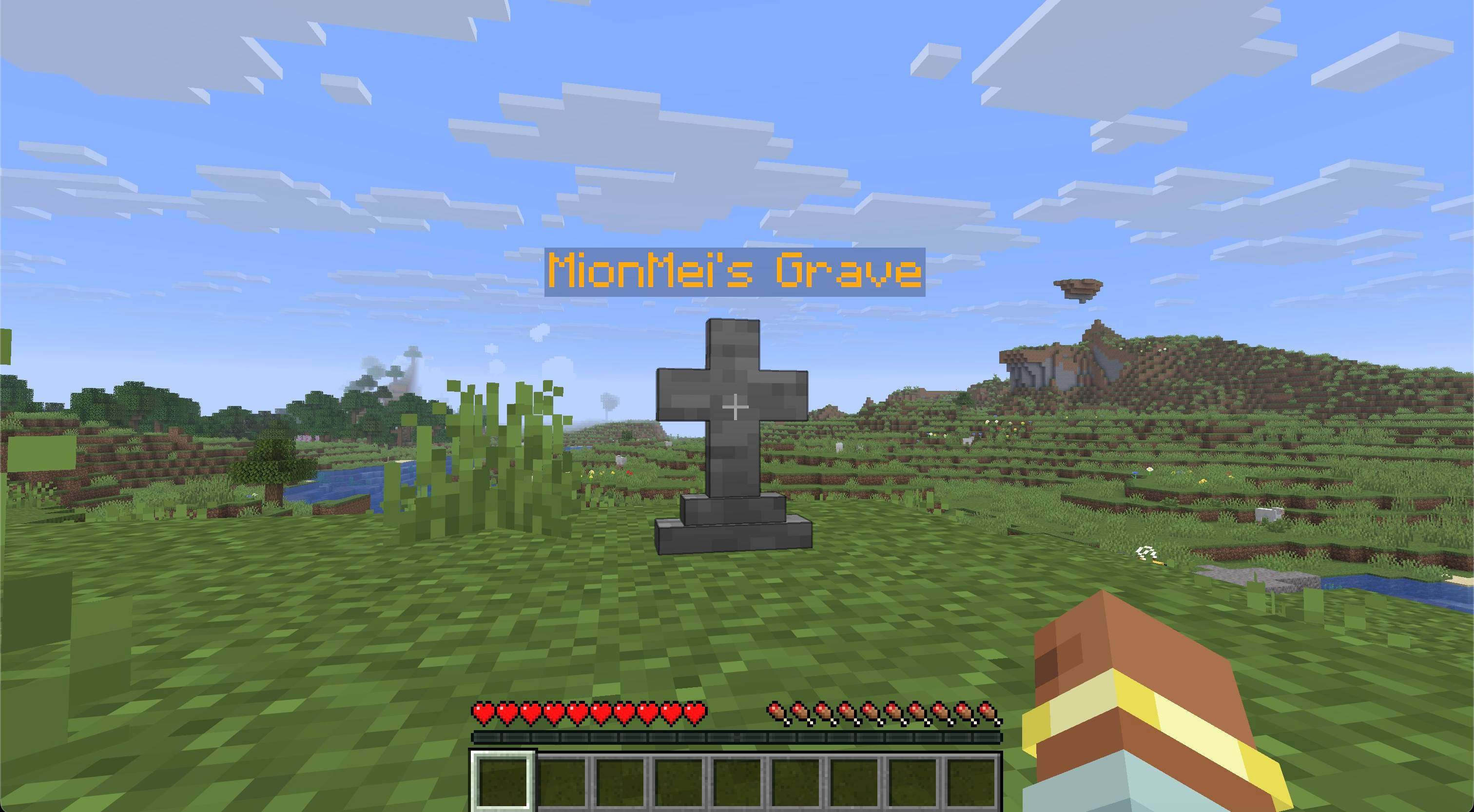
- Shows the owner's name above the grave with a floating label
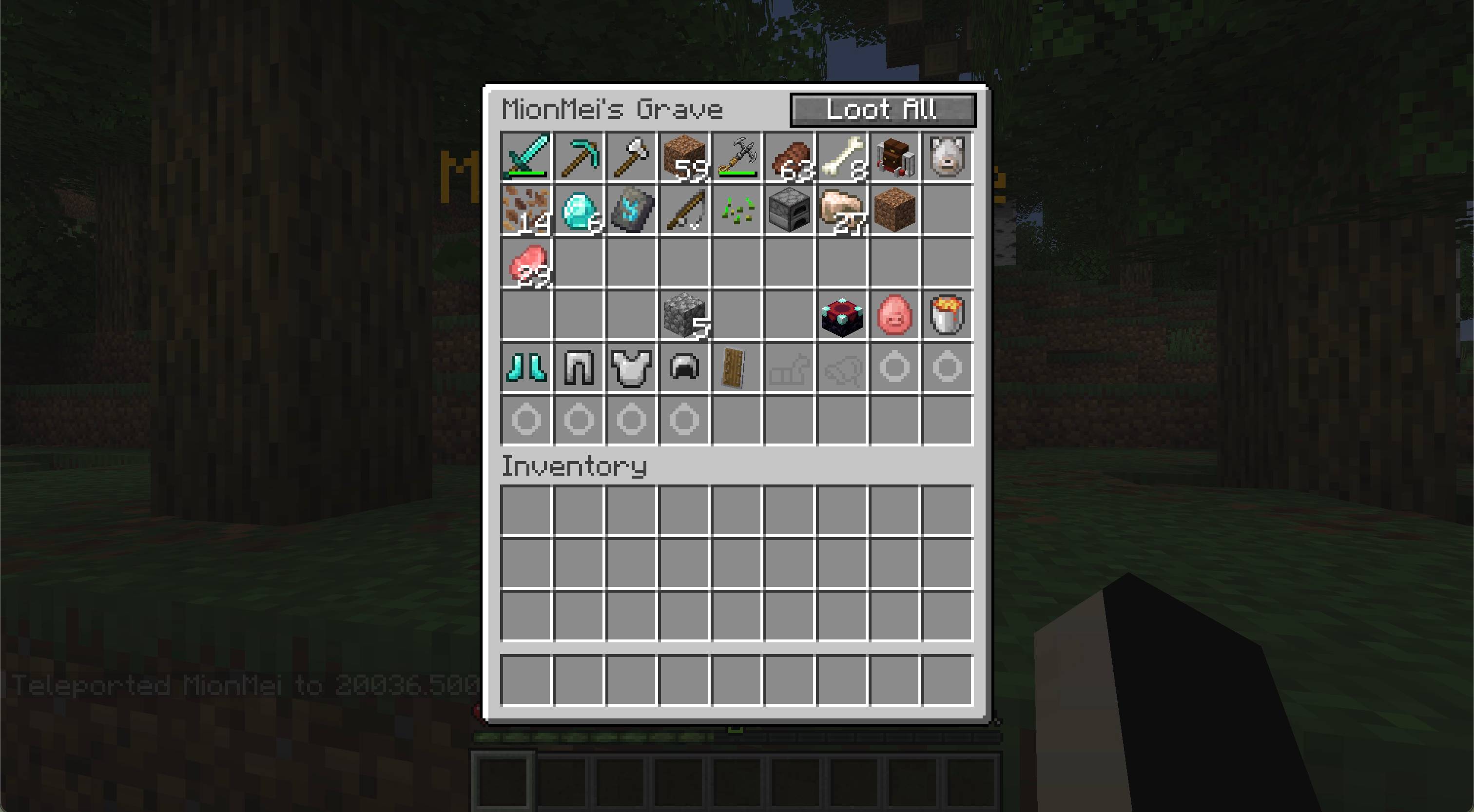
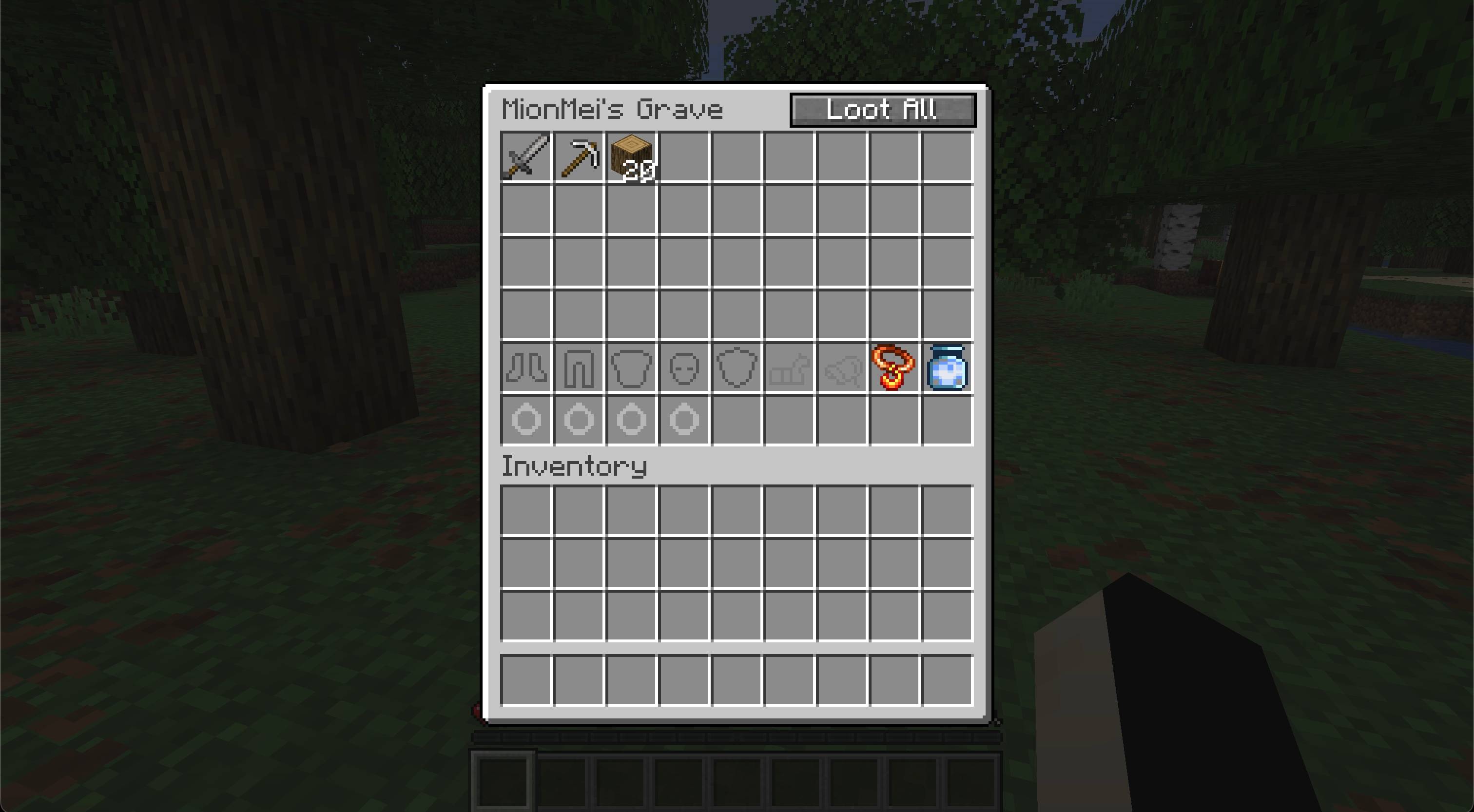
- Opens a 54-slot grave screen for inspecting and withdrawing stored items
- Supports quick looting with sneak + right-click
- Restores inventory, armor, hands, body equipment, and Zero Accessories to their original slots
- Leaves anything that does not fit safely inside the grave
- Prevents unrelated items from being inserted into the grave
- Blocks hoppers, pistons, fire, lava, explosions, and unauthorized players
- Supports multiple active graves for the same player
- Provides clickable, copyable coordinates after death
- Works in single-player, integrated servers, and dedicated-server multiplayer
- Dedicated Fabric and NeoForge builds
Finding your graves
After a grave is created, its coordinates appear in chat. Click the coordinates to copy them; hover over them to see the dimension, age, and remaining item count.
/grave locate— show your latest active grave, its distance, age, and remaining contents/grave list— show all your active graves, newest first/grave locate <player>— allow server administrators to locate another player's latest grave/grave list <player>— allow server administrators to list another player's active graves
Graves from older installations are added to search when their chunks are loaded. A recovered grave disappears from the active list automatically.
Recovering your items
Right-click your grave to inspect its contents. Sneak and right-click to recover everything that fits immediately. You can also break your own grave to recover its contents, but the grave stays protected if your inventory cannot hold the remaining items.
Only the owner and server administrators can open or break a grave.
Installation
Install Gravestone and Zero Lib builds matching your mod loader and Minecraft version. Architectury API is also required; Fabric installations additionally require Fabric API.
The mod and its dependencies must be installed on both the client and server.
Requirements
- Minecraft Java Edition 26.2 and 26.3
- Java 25 or newer
- Zero Lib 1.0.1 or newer
- Architectury API
- Fabric API on Fabric
License
Copyright © 2026 Zero Team. All rights reserved. Personal play, multiplayer servers, and free modpacks distributed through CurseForge or Modrinth are permitted under the license included with the mod. Rehosting or redistributing the files elsewhere requires prior written permission.
Gravestone
Keep your inventory safe after death and find your way back without guessing. Gravestone places a protected grave near your death location, stores your items and equipment, and records every active grave until its contents are recovered.
Features
- Protects your inventory, armor, hands, and all six Zero Accessories slots when that mod is installed
- Searches for a safe nearby position instead of placing the grave in lava, water, or the void
- Shows the owner's name above the grave with a floating label
- Opens a 54-slot grave screen for inspecting and withdrawing stored items
- Supports quick looting with sneak + right-click
- Restores inventory, armor, hands, body equipment, and Zero Accessories to their original slots
- Leaves anything that does not fit safely inside the grave
- Prevents unrelated items from being inserted into the grave
- Blocks hoppers, pistons, fire, lava, explosions, and unauthorized players
- Supports multiple active graves for the same player
- Provides clickable, copyable coordinates after death
- Works in single-player, integrated servers, and dedicated-server multiplayer
- Dedicated Fabric and NeoForge builds
Finding your graves
After a grave is created, its coordinates appear in chat. Click the coordinates to copy them; hover over them to see the dimension, age, and remaining item count.
/grave locate— show your latest active grave, its distance, age, and remaining contents/grave list— show all your active graves, newest first/grave locate <player>— allow server administrators to locate another player's latest grave/grave list <player>— allow server administrators to list another player's active graves
Graves from older installations are added to search when their chunks are loaded. A recovered grave disappears from the active list automatically.
Recovering your items
Right-click your grave to inspect its contents. Sneak and right-click to recover everything that fits immediately. You can also break your own grave to recover its contents, but the grave stays protected if your inventory cannot hold the remaining items.
Only the owner and server administrators can open or break a grave.
Installation
Install Gravestone and Zero Lib builds matching your mod loader and Minecraft version. Architectury API is also required; Fabric installations additionally require Fabric API.
The mod and its dependencies must be installed on both the client and server.
Requirements
- Minecraft Java Edition 26.2
- Java 25 or newer
- Zero Lib 1.0.1 or newer
- Architectury API
- Fabric API on Fabric
AI-assisted content disclosure
Generative AI assistance was used to prepare and edit the project-page text. Gravestone does not connect to an AI service, generate content during gameplay, or require AI to function.
Screenshots
Gallery
-
 Screen 1
 -
 Screen 2 Screen 2.jpg
 -
 Screen 3
 -
 Screen 5 Screen-1.jpg
-
 Screen 1
 -
 Screen 2
Versions
Files
Relations
Project Relations
More like this
Similar Mods
Suggestions use data such as tags, dependencies, dependents, descriptions, titles, and more to rank how much they overlap with this mod.
- Dynamite | ZT
- Zero Accessories
- Grappling Hook | Movement & Exploration
- Combat Indicators | Health Bars & Damage Numbers
- Pet Status | Remote Pet Tracker
- Auto Hotbar Refill | Inventory Quality of Life
- Durability HUD | Tools & Armor
- Death Keeper - Grave Stones
- Grave after death
- GraveBound
- Arky's Death Graves (FORGE)
- Graves
On ModDex
Community snapshot
By the numbers
Statistics
Want to reach Minecraft players?
We're looking for a server hosting partner to feature here and other parts of the site. Interested? Send us a message!
Get in touchGet it on
Available Platforms
On ModDex
Community snapshot
By the numbers
Statistics
Resources