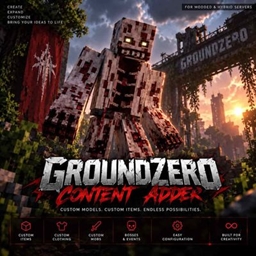
Community listing page, reviews here may not be monitored by the author.

Community voices
Reviews
No reviews yet. Be the first to review this project!
Get it on
Available Platforms
About
Project Details
For authors
Embed Badge
If you're the author of this project, you can embed a live badge anywhere that supports HTML or Markdown. It updates automatically whenever ratings change.
Use HTML for any page that supports it, or Markdown for README files and Markdown-based descriptions.
Identifiers
Platform IDs
Resources
External Links
About
Description
🧩 GroundZero Content Adder
Add custom Blockbench content to Minecraft without creating a new mod for every piece of content.
GroundZero Content Adder is a Minecraft 1.20.1 content framework originally developed for the GroundZero Hybrid Server. It allows custom Blockbench models, items, clothing and mobs to be added through one expandable system.
It works on normal Forge modded servers as well as Hybrid servers combining Forge with Bukkit/Spigot plugins.
🧱 Blockbench Content
Content Adder is designed around custom Blockbench models.
The framework can be used for:
-
⚔️ Custom items & tools
-
👕 Custom clothing
-
🧟 Custom mobs
-
👹 Custom bosses
-
🎨 Custom models & textures
-
🎬 Animations
-
💥 Custom attacks & abilities
-
⚙️ Configurable stats
The goal is to make adding future content increasingly drag-and-drop and configuration based.
➕ Adding Your Own Items
Custom content is separated into organized Content Adder folders so you don't need to modify the entire mod for every new item.
1. Create your model
Create your item/model in Blockbench and prepare its model and texture files.
2. Add the files
Place the exported model, textures and required Content Adder files into the appropriate Content Adder item folder on your installation/server.
Items, clothing and mobs are kept separately to make larger content packs easier to manage.
3. Configure the item
Create/edit the item's configuration and define its supported properties.
Depending on the content type, this can include things such as:
Name • Model • Texture • Damage • Protection • Effects • Durability • Other supported properties
This means you can rebalance supported content without recreating the entire model.
4. Load the content
Start/reload Content Adder so the new configuration is loaded.
Your registered content can then be tested in-game.
5. Test before publishing
Always test custom models, textures, animations and stats before distributing them to players.
Incorrect model paths or missing textures can prevent your custom content from displaying correctly.
⌨️ Commands
Content Adder includes administrative commands for managing and testing registered content.
Use the mod's help command in-game to see the commands available in your installed version.
These tools are intended for things such as:
-
Listing registered content
-
Testing custom items
-
Spawning registered mobs/bosses
-
Giving custom items
-
Reloading supported configuration
-
Development/testing
Commands require the appropriate server permissions.
⚠️ Command availability can change between Content Adder versions. Always use the help command from your installed build for the current command list.
👹 Content Included
Content Adder is not an empty framework.
The GroundZero release already comes with:
-
👹 2 custom bosses
-
⚔️ Custom items & tools
-
👕 Custom clothing
-
🎨 Custom Blockbench models
-
🎬 Boss animations
-
💥 Custom attacks & abilities
-
🔥 Multi-stage boss mechanics
-
🎁 Custom content/rewards
The included content can be used immediately while the framework can also be expanded with your own creations.
🔗 Hybrid Server Support
Content Adder works in a normal Forge environment but was specifically created with Hybrid servers in mind.
On GroundZero, modded content can be combined with the plugin side of the server.
This makes it possible to build experiences such as:
Custom Boss → Server Event → Plugin/Skript Logic → Rewards & Progression
This opens the door for custom content to interact with server systems such as events, quests, economy, jobs and progression instead of existing as isolated mod content.
🚧 Development
Content Adder was originally created specifically for GroundZero and is still actively being expanded.
My goal is to make importing custom Blockbench content increasingly simple, eventually allowing server owners to add much of their custom content through models + textures + configuration instead of developing separate Forge mods.
🧩 GroundZero Content Adder
Create. Configure. Add. Expand.
Screenshots
Gallery
-
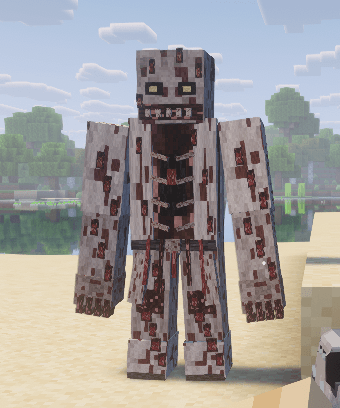 Patient_Zero
 -
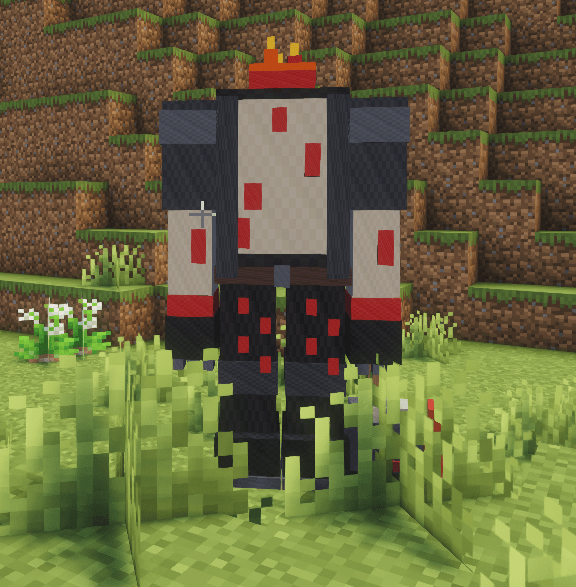 Headless Survivor
 -
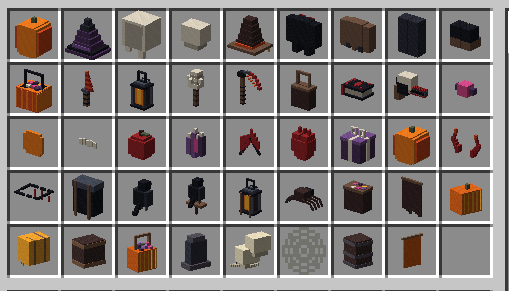 Halloween Event Items
 -
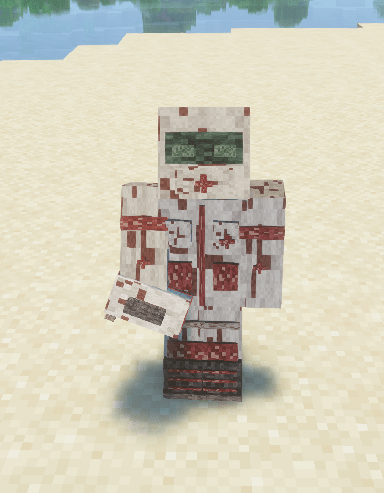 Medic Cosmetic
Versions
Files
Relations
Project Relations
More like this
Similar Mods
Suggestions use data such as tags, dependencies, dependents, descriptions, titles, and more to rank how much they overlap with this mod.
On ModDex
Community snapshot
By the numbers
Statistics
Want to reach Minecraft players?
We're looking for a server hosting partner to feature here and other parts of the site. Interested? Send us a message!
Get in touchGet it on
Available Platforms
On ModDex
Community snapshot
By the numbers
Statistics
Resources