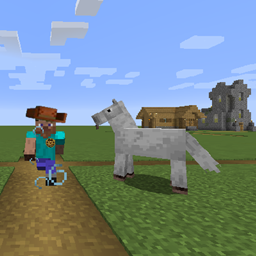
Community listing page, reviews here may not be monitored by the author.
Happy Trails - Control Movement Speed

No reviews yet
This project lets you control movement speed. This can reward road building; allowing faster movement on dirt paths and brick roads; or make walking through tall grass or on desert sands slower;
Community voices
Reviews
No reviews yet. Be the first to review this project!
Get it on
Available Platforms
About
Project Details
For authors
Embed Badge
If you're the author of this project, you can embed a live badge anywhere that supports HTML or Markdown. It updates automatically whenever ratings change.
Use HTML for any page that supports it, or Markdown for README files and Markdown-based descriptions.
Identifiers
Platform IDs
About
Description
Happy Trails rewards and encourages path and road building.
Happy Trails allows the server operator (or single player) to make player movement faster or slower on/in blocks like grass paths, stone brick blocks, grass, tall grass, water, and most other blocks.
Happy Trails also allows the server operator (or single player) to configure player and steed movement to be faster or slower on or in blocks (so solid or non-solid blocks except kinds of air).
Happy Trails supports both potion effects and movement attribute modifiers.
Happy Trails can also modify speed in non-solid blocks- including liquids so you can make players slower or faster in water if it suits your world.
Happy Trails movement attribute modifiers stack with attribute modifiers from other mods and gear.
Happy trails to you, until we mine again.
Who cares about creepers when we're together?
Just sing a song and bring the sunny /weather.
Happy trails to you, until we... mine... again.
Horse not included...
Ready to Play Default Settings!
No configuration needed! By default, you can move faster by making grass paths (Speed 22), stone brick roads (Speed 33), and slower in sand (Slow -11).
On the other hand, Happy Trails has powerful, easy configuration system for Server Operators, Mod makers, and Mapmakers.
Building roads and paths are productive and rewarding!
And traveling thru dense undergrowth will slow the player down.
Player steeds are supported. Any modded steed based on "LivingEntity" should work!
Single Player & Server Side Mod
1.14.4, 1.15.2, 1.16.1, 1.17.1, 1.18.1
This mod is only required on the server. This includes single player games of course. On Servers, clients without it will see a red "X" but will load fine and still get the movement bonuses when on paths of configured blocks.
1.12.2
There is a "server only" version which doesn't need to be on the client (in the "files" section) but it will not load in single player local mode. The default 1.12.2 download will load in single player local mode and must be on both server and client. When playing on a server- the client copy is ignored and the server copy controls movement.
Debugging Levels
There are three debugging levels to help develop modpacks and values:
- 0 = Off, No debugging information will be displayed. (default value)
- 1 = Logged, Debugging information will be added to the text log file.
- 2 = Chat, Debugging information will be sent to the Chat screen and added to the text log file.
Note: as of 04/07/2020 there is a few more debugging statements to add.
Commands
Requires Operator Level or local Creative.
/happytrails info
- Tells you about the block you are standing on and the debugging level.
Current Values
- Standing On...........: minecraft:grass_path>0
- Speed Level...........: 1
- Player Position.......: PosX(173) PosY(67) PosZ(1034)
- Debug Level...........: 0
- Particles.................: ON
/happytrails report (version 1.18.1)
Prints a report of all configured blocks in chat like this one.
"minecraft:cut_copper_slab,22;minecraft:tall_grass,-30;minecraft:exposed_cut_copper_slab,33;minecraft:fern,-22;minecraft:grass,-22;minecraft:diamond_block,99;minecraft:water,11;minecraft:dirt_path,11;minecraft:stone_brick_slab,33;minecraft:weathered_cut_copper_slab,44;minecraft:stone_bricks,33;minecraft:large_fern,-30;minecraft:sand,-22;";
/happytrails setHappyTrailsSpeed (-99 to -11, -10 to -1, 0 , 1 to 10, 11 to 99)
- Allows you to configure block speed modifiers from within the game.
- Updates or Adds the block you are standing on to the configuration file with desired speed.
- Speed 0 removes the block and returns it to default speed.
- Speeds -10 to 10 use potion effects. They last about a second after leaving the block. Speed 10 is much faster ("plaid" speed). Players don't move at -7 to -10 except by jumping.
- Speeds -99 to -11 slow the player down by changing the player attribute: "movement speed". . -11 is a little slower. -99 is very slow (about 1/100th as fast).
- Speeds 11 to 99 speed the player up by changing the player attribute: "movement speed". 11 is a little faster. 99 is a lot faster (about 20x faster).
/happytrails particlesOn [true]
- Lets you control whether speed and slowness particles display (true) or do not display (false) when using potion effects.
- Thanks, Partonetrain for this suggestion!
/happytrails debugLevel 0,1,2
- Sets the debugging level. 0 is no debugging. 1 is some debugging info in the log. 2 is maximum debugging info in the log. In some mods, also in chat.
Key Difference Between 1.12.2 vs later versions.
- The block key in 1.12.2 ends with ">#" where "#" is the 'meta' data for a block. The "info" report shows this value and the "set" command automatically handles this for you.
For example,
- "minecraft:grass_path>0,1" (v1.12.2)
- "minecraft:grass_path,1" (v1.15.2)
For a better example.
- "minecraft:stone_slab>5,2" (v1.12.2)
- "minecraft:strone_brick_slab,2" (v1.15.2)
Versions:
NOTE THERE ARE TWO 1.12.2 VERSIONS.
Single Player / Client / Server version 1.0.0.5 - This version will work in both single player worlds and when used in a client/server setting but must be loaded on both the client and the server.
SERVER Only version 1.0.0.4 - This will not work for single player and does not require clients to have Happy Trails loaded to work. It works if it is on the server only. It will also work if the clients have various versions of happy trails on their clients but it will ignore them while they are connected.
Modpack Permission
You have permission to use Happy Trails in modpacks. Please drop a comment below when you publish it and have it running somewhere. I'd love to see Happy Trails in play and building brick roads, bridges, and grass path networks because they provide real benefits as they do in real life!
Like this Mod?
Check out our other mods...
Beekeeper: Beekeepers tend to the bees and buy and sell products like other villagers.
Enameled Armor: Cover your Diamond Armor with colored enamel and control whether the enchantment glow is on or off.
Nasty Mobs: Six Smarter Skeletons with custom AI, abilities, completely configurable.
Harder Branch Mining: Tools to make branch mining more difficult in various ways to encourage caving.
Easy Redstone Extras: Tools to reduce redstone annoyance and make it more fun.
Regrowth :Animals eat grass and promote regrowth. Villagers improve their villages.
Vending Machine: A vending machine which restocks with 7 random* items every morning. (*or Fixed by Map Designers)
Happy Trails: Travel faster by building roads and paths! Travel slower on selected blocks (like sand!)
Villagers Respawn: Villagers who have a bed will respawn at them when they die.
Poor Golems: Hey Buddy, can you spare an ingot? Control over how often and how many iron ingots iron golems drop.
Save Your Pets: Instead of dying immediately, pets fall down wounded. You have a while to save them with bandages or golden bandages.
FAQ
Q: Where is the configuration file?
A: Starting with 1.14.4, Forge now saves configuration files as "toml" files in the folder : "saves/Worldname/serverconfigurations/<modname>.toml".
Q: How do I save one configuration for all worlds?
A: Save a copy of your desired configuration in the "defaultconfigs" folder. When you create a new world, Forge copies from there first before asking a mod to create a default configuration file.
SPECIAL NOTE: Forge changed the way command line /commands are registered as of 32.0.67.
use Happy Trails Version 1.16.1 v1.0.0.2 for Forge versions 32.0.24 to 32.0.66
use Happy Trails Version 1.16.1 v1.0.98.6 for Forge versions 32.0.67 to 32.0.98 (and hopefully higher!).
Patron Supporters
Happy Trails is supported by Bangwell_Putt. It's available on alternative mod loaders. Alternate mod-loaders sell advertising but don't share any revenue with developers. We rely on curseforge and our patrons.

You can join us on our Discord Server at the link below.

Screenshots
Gallery
-
New Banner For the Description Section.
-
 Happy Trails Banner Working Banner for Happy Trails
Versions
Files
Relations
Project Relations
More like this
Similar Mods
Suggestions use data such as tags, dependencies, dependents, descriptions, titles, and more to rank how much they overlap with this mod.
- Stupendous Travels
- Happy Ghast Backport
- Happy Go Lucky - RPG Random Teleportation
- Happy Ghast 1.19+ [FORGE/NEOFORGE]
- Happy Ghasts Boost
- Happy Ghast Legacy
- Happy Ghast [1.20+1.21++ Backport] [deprecated]
- Happy ghast and ghast origins
- (Happy) Ghasts Crash
- Happy Ghasts
- Happy Pride Moth!
- Happy Ghast / Ghastlings
On ModDex
Community snapshot
By the numbers
Statistics
Want to reach Minecraft players?
We're looking for a server hosting partner to feature here and other parts of the site. Interested? Send us a message!
Get in touchGet it on
Available Platforms
On ModDex
Community snapshot
By the numbers