
Community listing page, reviews here may not be monitored by the author.
Height Meter

No reviews yet
A clean, customizable HUD height meter featuring a detailed altimeter scale, compact hotbar mode, and 10 supported languages!
Community voices
Reviews
No reviews yet. Be the first to review this project!
Get it on
Available Platforms
Compatibility
Supported Environments
Runs entirely on the client. Works on vanilla servers.
About
Project Details
For authors
Embed Badge
If you're the author of this project, you can embed a live badge anywhere that supports HTML or Markdown. It updates automatically whenever ratings change.
Use HTML for any page that supports it, or Markdown for README files and Markdown-based descriptions.
Identifiers
Platform IDs
Resources
External Links
About
Description
📏 HEIGHT METER
A clean, customizable HUD height meter featuring a detailed altimeter scale, compact hotbar mode, and multi-language support!



🌟 Overview
Height Meter is a lightweight, clean, and fully customizable HUD mod for Minecraft that displays your current elevation and altitude with style! It allows you to seamlessly track your vertical position using either a full-scale altimeter ruler or a minimal hotbar display.
✨ Key Features
- 📐 Two Display Modes:
- Full Altimeter Mode: Displays a stylish vertical ruler on the right side of your screen with world bounds, major 10-block labels, and 5-block ticks.
- Compact Hotbar Mode: A minimal, non-intrusive height number placed neatly right next to your hotbar slot!
- ⚙️ In-Game Configuration Screen:
- Toggle display mode on the fly.
- Adjust position (X/Y Offsets) and scale (size) for both modes.
- Custom keybind option.
- Quick Reset Position button.
- 🎨 7 Color Presets:
- Gold, White, Green, Cyan, Red, Purple, and Orange!
- 💾 Persistent Settings: Automatically saves your preferences smoothly.
- 🌐 Full Internationalization: Fully localized across 20+ languages for a seamless global experience!
- ⚡ Ultra-Lightweight & Client-Side: Runs 100% on the client. Works flawlessly on multiplayer servers and Vanilla Realms without server-side installation!
🎮 Controls & Keybindings
| Action | Default Key | How to Rebind |
|---|---|---|
| Open Menu | H |
Options ➔ Controls ➔ Key Binds ➔ Scroll to bottom |
💡 Tip: You can rebind the menu key to any key you prefer (e.g.,
Hor a side mouse button) directly from the in-game control settings!
🛠️ Installation & Requirements
- ⚙️ Loader: Fabric Loader
- 📌 Minecraft Version: Works across multiple 1.21.11 versions (Check the Versions tab)
- 🧩 Dependencies: Fabric API
- Download the latest
.jarfile from the Versions tab. - Place the file into your
.minecraft/modsdirectory. - Launch your game and press
Hto configure your height meter!
💬 Community & Support
Have a suggestion, found a bug, or want to report an issue? Join our official community!
- 💬 Discord: Join Craftify Discord Server
🔗 Check Out My Other Lightweight Mods!
Enhance your vanilla Minecraft experience with my collection of minimalist, client-side utilities:
| Mod | Description |
|---|---|
| 🌍 Where Am I? | Color-coded biome & dimension notifications as you explore. |
| ⏳ Playtime Toast | Track your current world playtime instantly with a single keypress. |
| 🛡️ Clean Durability | Minimalist item durability tooltips & break warning toast alerts. |
Screenshots
Gallery
-
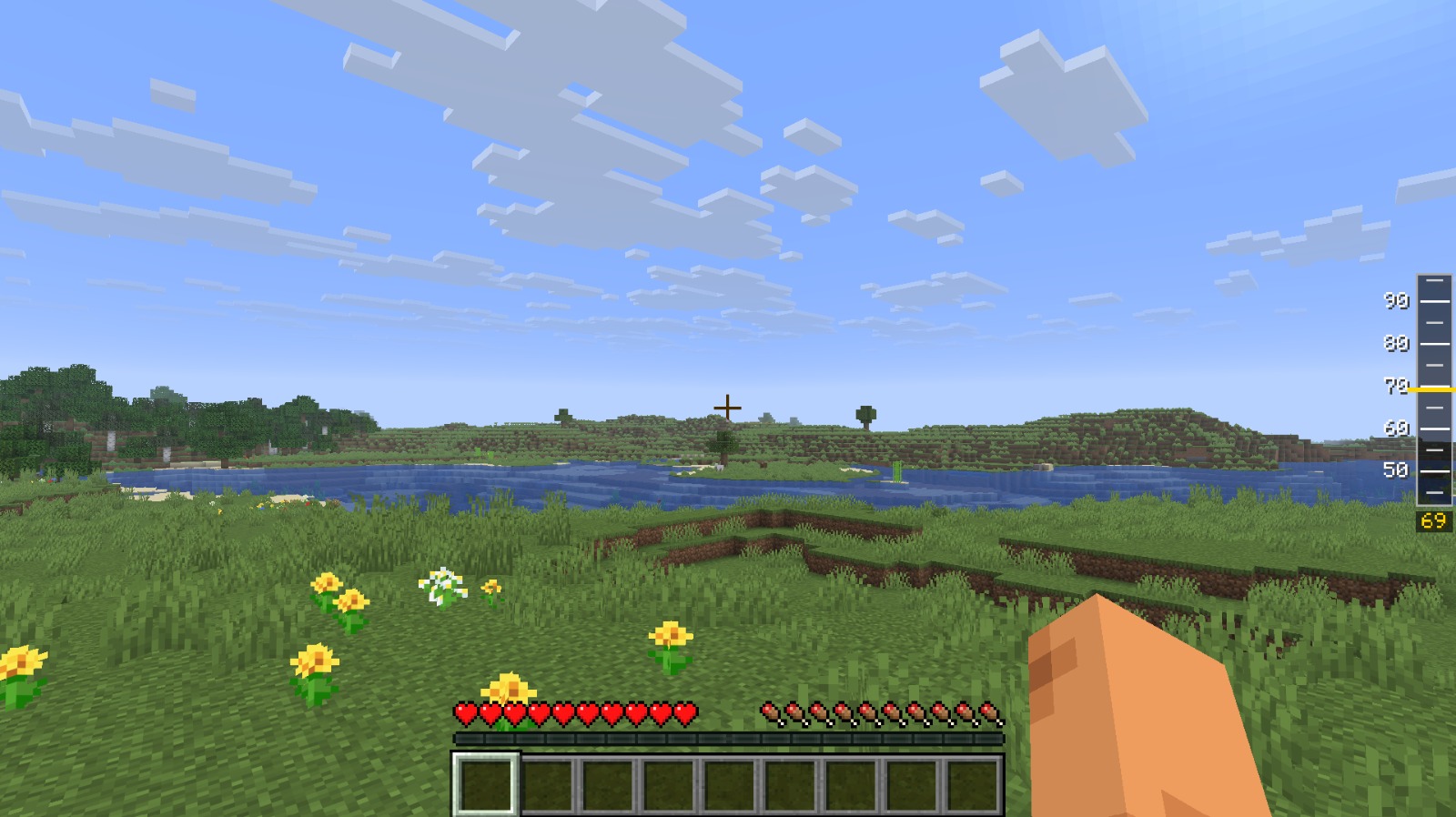 In-Game HUD Display Shows the height meter integrated directly into the right side of the screen.
 -
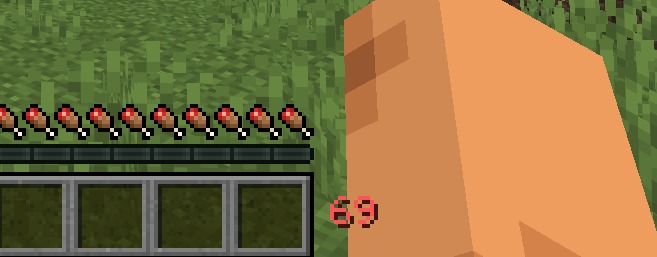 Compact Height Display A minimal height counter positioned neatly above the hotbar.
 -
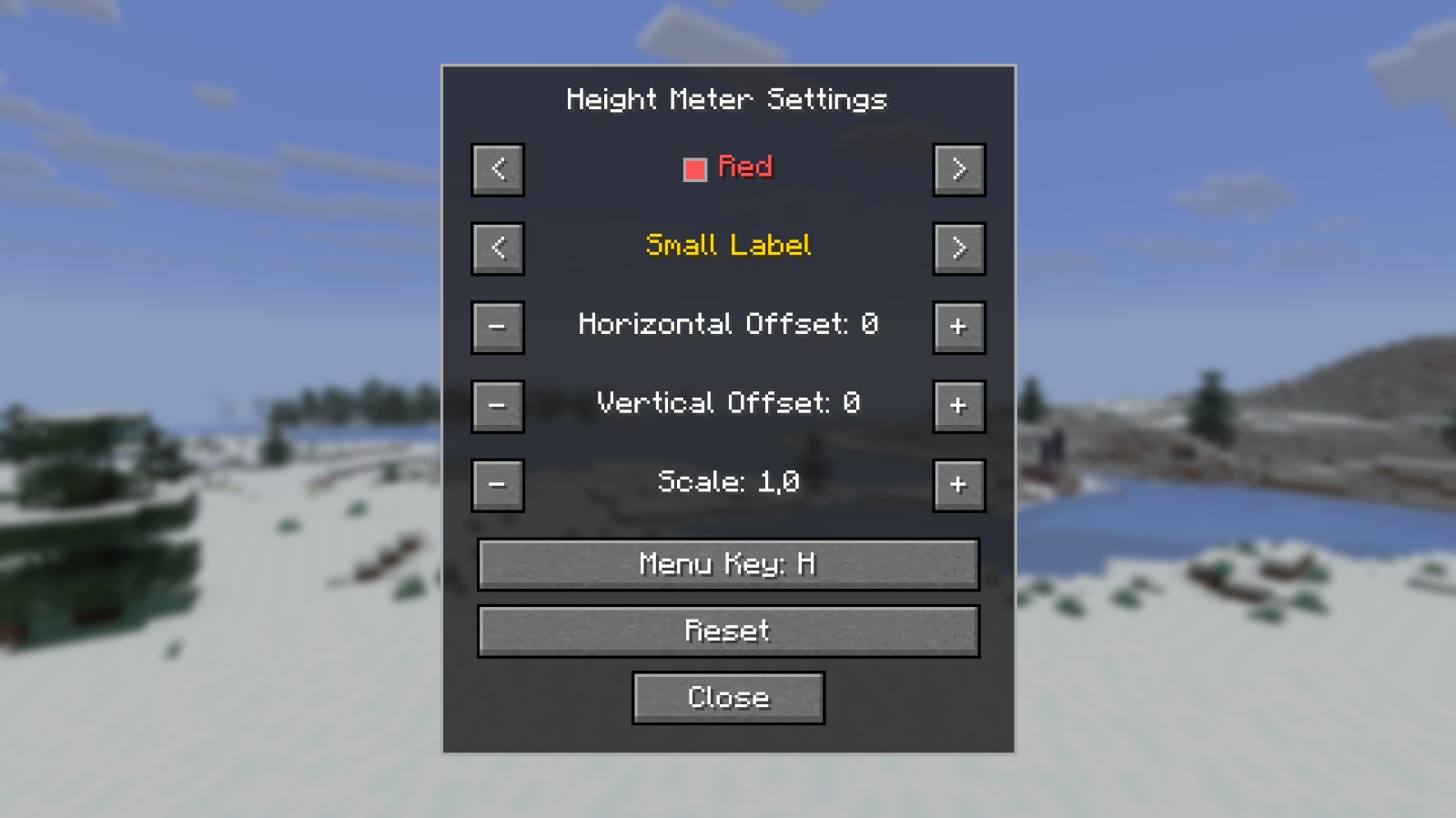 In-Game Settings Menu Customize HUD color, label size, horizontal/vertical offsets, and scale with real-time in-game live preview!
 -
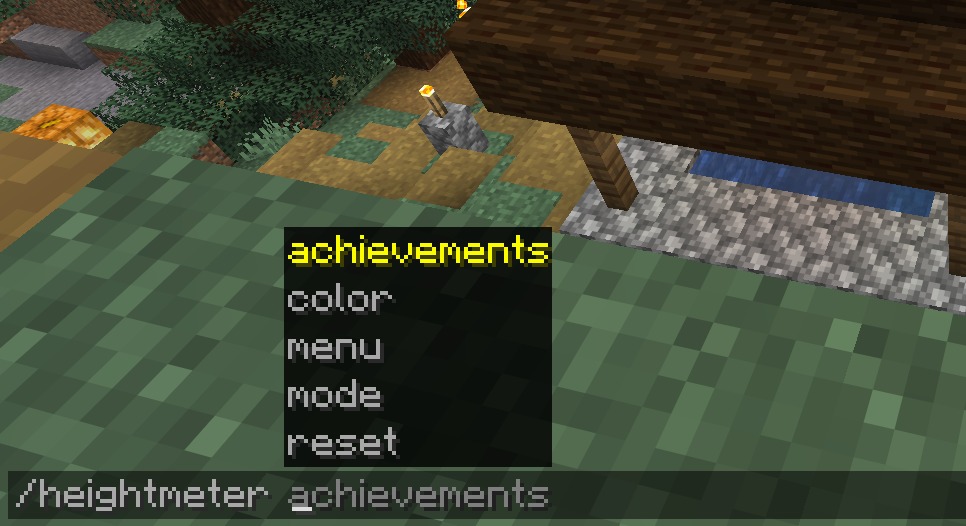 In-Game Commands (/heightmeter) Quickly manage your HUD settings, switch colors, reset preferences, or view your achievements using the new /heightmeter command line!
Versions
Files
Relations
Project Relations
More like this
Similar Mods
Suggestions use data such as tags, dependencies, dependents, descriptions, titles, and more to rank how much they overlap with this mod.
On ModDex
Community snapshot
By the numbers
Statistics

Want to reach Minecraft players?
We're looking for a server hosting partner to feature here and other parts of the site. Interested? Send us a message!
Get in touchGet it on
Available Platforms
On ModDex
Community snapshot
By the numbers
Statistics
Resources