Community listing page, reviews here may not be monitored by the author.
Hey, Listen! - Make Your Own Tutorials

No reviews yet
Write your own in-game tutorials and quests that dim the screen, point at the exact button, and refuse to continue until the player actually does it.
Community voices
Reviews
No reviews yet. Be the first to review this project!
Get it on
Available Platforms
About
Project Details
For authors
Embed Badge
If you're the author of this project, you can embed a live badge anywhere that supports HTML or Markdown. It updates automatically whenever ratings change.
Use HTML for any page that supports it, or Markdown for README files and Markdown-based descriptions.
Identifiers
Platform IDs
Resources
External Links
About
Description
Hey, Listen! - Make Your Own Tutorials
Teach your pack instead of linking a wiki.
Every big modpack has the same problem. A new player joins, opens a machine they have never seen, and the only help you can give them is a link to a wiki written for a different version. So they alt tab, or they ask in chat, or they leave.
Hey, Listen! lets you write the help yourself, in game, pointing at the actual thing. A step darkens the screen, cuts a hole over the one button that matters, says a single line, and refuses to move on until the player has actually done it.
A step does three things
- Dim. Everything except the thing you are pointing at goes dark, so there is nothing else to look at.
- Point. A hole in that darkness, an arrow, a box, a circle, or your own image, placed over a slot, a button, a HUD region, or anywhere on screen.
- Gate. The step will not advance until the player does the thing. Opening a screen, clicking a slot, pressing a key, mining a block, picking up an item, or earning an advancement.
Highlights stay where they belong
This is the part that makes a tutorial survive your pack getting updated.
Nothing is stored as a pixel coordinate. Every mark hangs off a parent: slot 36, the button labelled Craft, the hotbar, or a letterboxed virtual canvas. That parent is resolved fresh every single frame.
Change your GUI scale mid step and the highlight stays on the slot. Resize the window, switch resolution, let a mod shift its own window by four pixels: the hole is still in the right place, because it was never told about pixels.
Quests, not just tutorials
A step can wait on things the server proves for itself, which means a tutorial is also a quest.
Gate a step on an advancement and it cannot be faked or half met: the game already decided what counts as having done the thing. Ask for five cobblestone and a counter keeps score in the corner. Reward the player with any command when they finish.
The guide knows when to shut up
There are two states, and the mod picks the right one on its own.
While it is talking you get the full panel and a portrait. The moment a step is only waiting for you to go and do something, the guide shrinks into a small corner card holding just the objective, the darkness lifts, and the screen is yours to play in.
Characters are folders
A character is a folder of images. An expression is a filename.
Drop neutral.png and happy.png into config/heylisten/characters/herald/ and you have a guide. Add happy_talk.png and the mouth moves while the line types itself out. No JSON needed for any of it. PNG, JPG, BMP and TGA all load.
Dialogue replaces the NPC
Portrait, a line, and two to four reply buttons that branch. Replies can set per player variables that later steps read, and those survive death and logout.
Everything a talking NPC used to do for your pack, without an NPC that has to be walked to, and without dialogue stored inside the world save where it dies with the save.
Writing one takes a command
| command | does |
|---|---|
/heylisten new <name> |
writes a working starter tutorial and loads it |
/heylisten new quest <name> |
the same, but a quest: replies, gated steps, a reward |
/heylisten reload |
re-reads your tutorials instantly, without a full datapack reload |
/heylisten folder |
opens the tutorials folder in your file browser |
/heylisten start <id> |
run one |
/heylisten validate |
reports any step a player could get stuck on |
/heylisten debug |
prints what the open screen actually exposes to point at |
Tutorials are plain JSON files in config/heylisten/tutorials/. Drop one in, reload, done. Pack authors can ship them in a datapack instead, where they are version controlled next to the rest of the pack.
It teaches you itself
The mod ships with two lessons, and they are written in the mod, so you learn it by being walked through it.
How to make a tutorial takes itself apart while you are standing in it. It shows you the line you are reading and names the field it came from, darkens the screen and tells you which element did that, punches a hole over your hotbar to show you what a parent is, and then stops talking and waits for you to actually open your chat, so you feel a gated step from the inside.
How to make a quest offers you a choice so you can watch a branch happen, writes a variable onto you and tells you the command to go and read it back, then sends you off to break a block and gets out of your way while you do it.
Run /heylisten start heylisten:how-to-make-a-tutorial and go from there.
The folder explains itself
You never have to leave the game to look up syntax. Every launch regenerates HOW-TO-WRITE-A-TUTORIAL.md in that same folder: the complete format in one document, every key, every legal value, the slot indices for the vanilla inventory, and the warnings about screens that do not use vanilla widgets.
Nothing you write can break the game either. A key the file does not recognise is ignored instead of failing to load, and /heylisten validate tells you exactly what it ignored and why.
Nobody gets stuck
A tutorial that traps a player is worse than no tutorial, so the mod refuses to be one.
/heylisten validatecatches a step that locks the player out of the very thing it is asking for, before it ever ships.- Every input lock has a hard ceiling from the config, whatever a step asked for.
- Dying releases the lock and then picks the quest back up where you left off, rather than quietly deleting it.
- Logging out releases everything.
Requirements
| Minecraft | 1.21.1 |
| Loader | NeoForge |
| Sides | client and server |
| Required mods | none |
| Optional | FTB Quests |
Works in single player and on a server. State is per player and server authoritative, so one player's tutorial never touches anybody else's.
Honest status
This is an early alpha. The runtime is complete and has been played end to end, but two things are worth knowing before you install it.
No default guide art ships yet, so your first tutorial will have a voice and no face until you drop a character folder in. And mods that draw their own UI instead of using vanilla widgets, such as Create and MineColonies, are not yet verified for slot and widget highlighting. Run /heylisten debug on a screen to see exactly what it offers, and fall back to a screen parent where it offers nothing.
Bug reports are welcome and wanted.
Support the Mods
These mods are free and they stay free. If one of them runs on your server, you can back the next version, the next port, and the next mod at patreon.com/epicwarborn. Patrons get their name in the credits, a direct line to me for bugs, early builds, and a vote on what gets built next.
Stop linking the wiki. Point at the button.
Part of The Warborn Realm, by barunn
Screenshots
Gallery
-
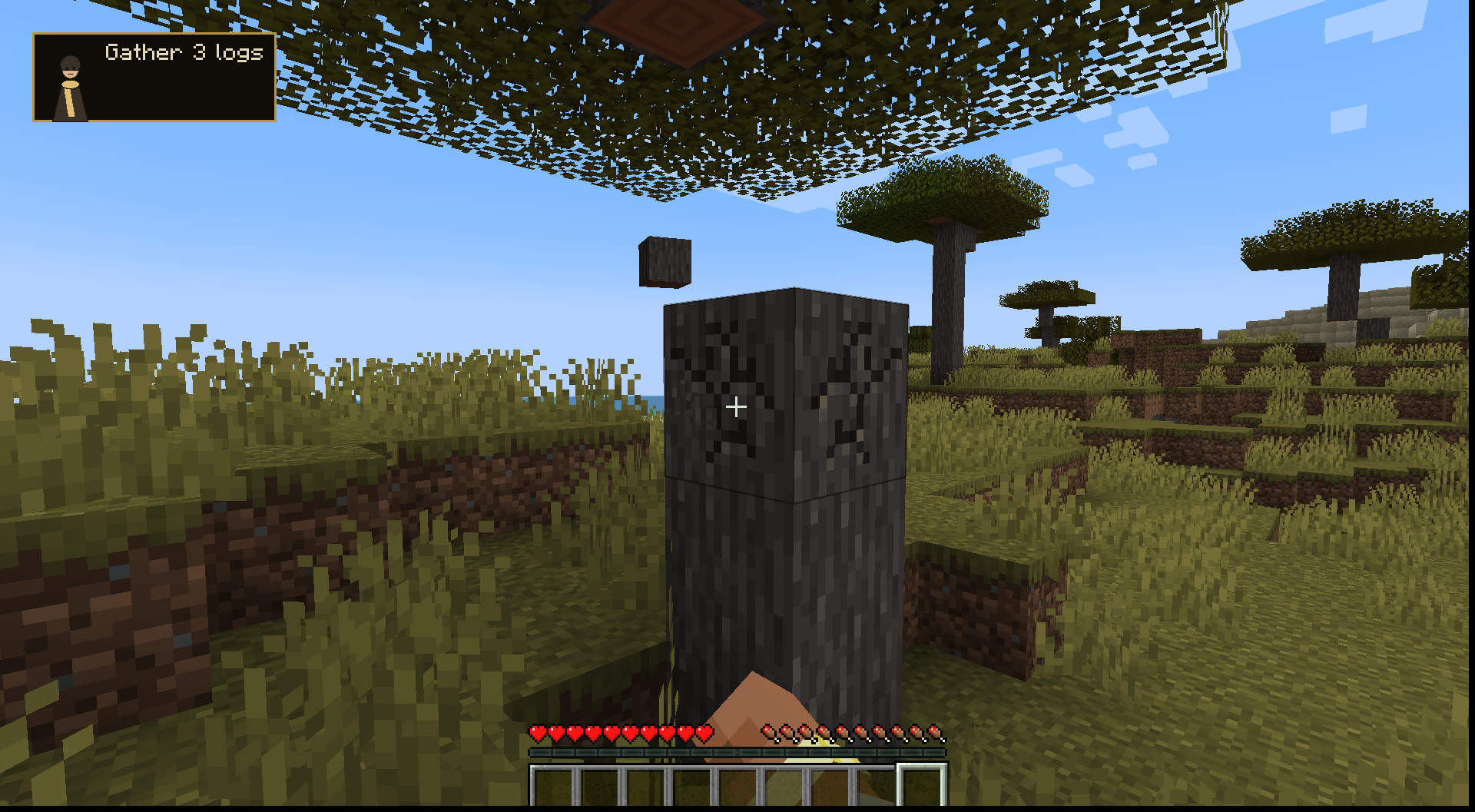 05-steps-aside-while-you-play.png 05-steps-aside-while-you-play.png
 -
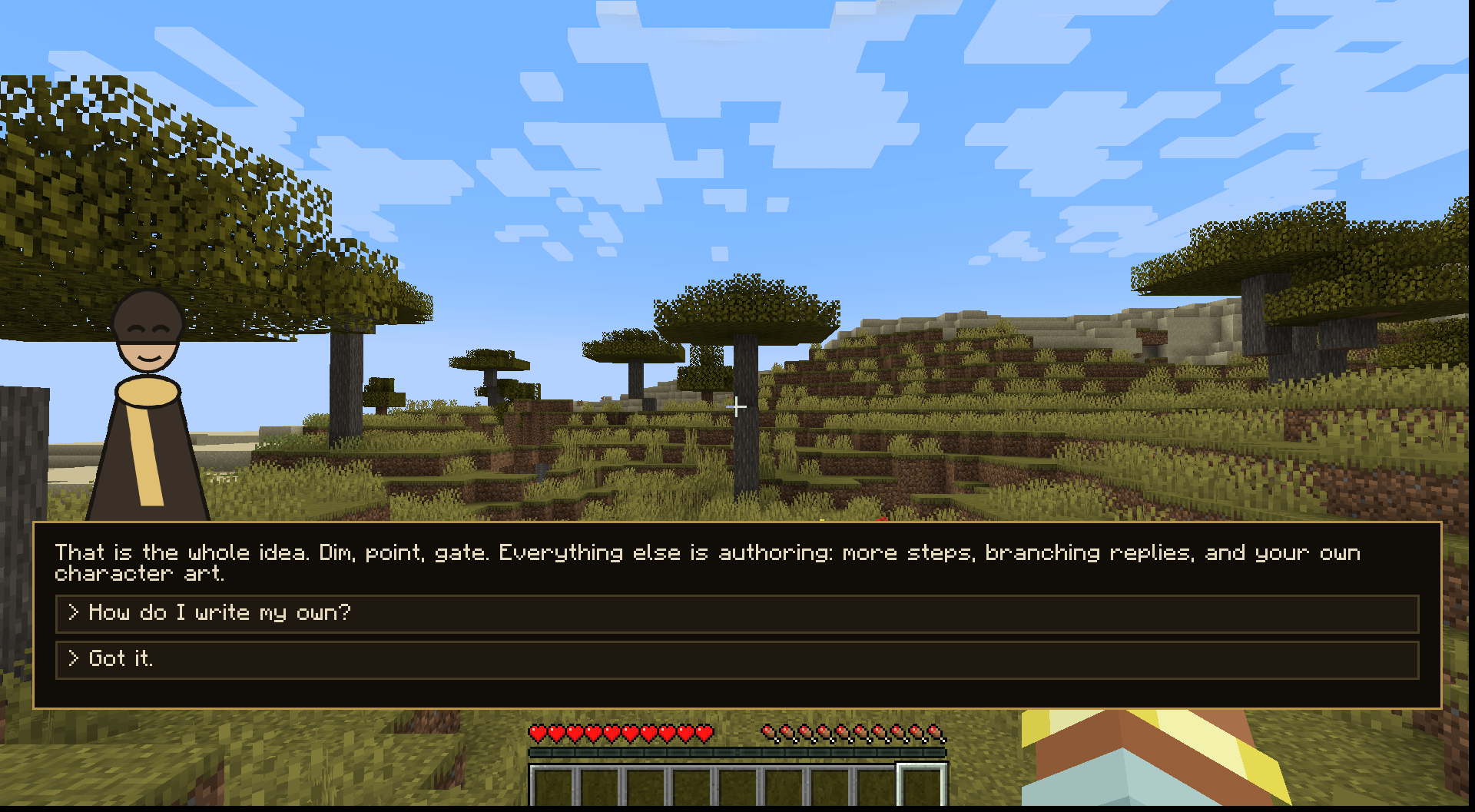 04-dialogue-with-branching-replies.png 04-dialogue-with-branching-replies.png
 -
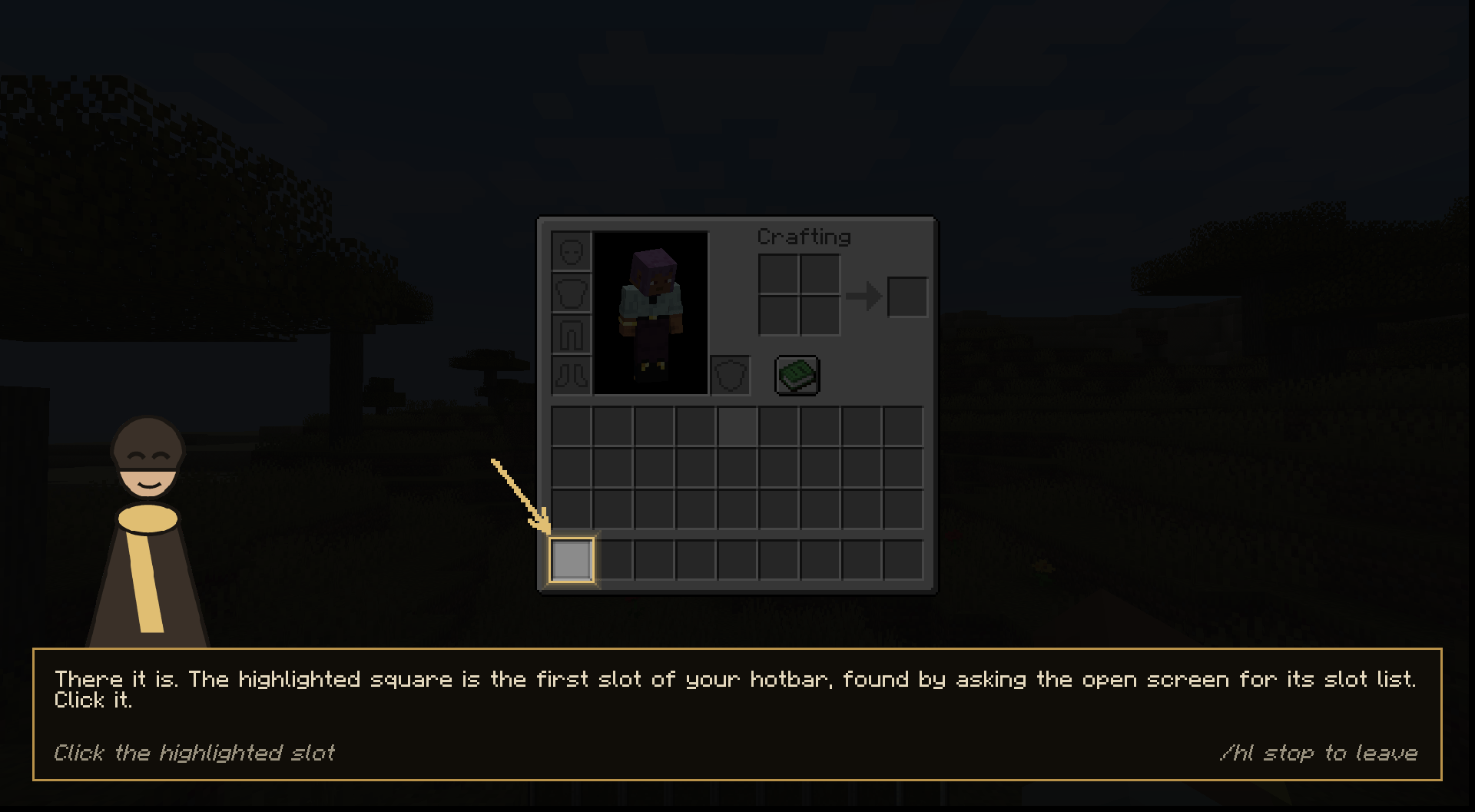 03-point-at-one-exact-slot.png 03-point-at-one-exact-slot.png
 -
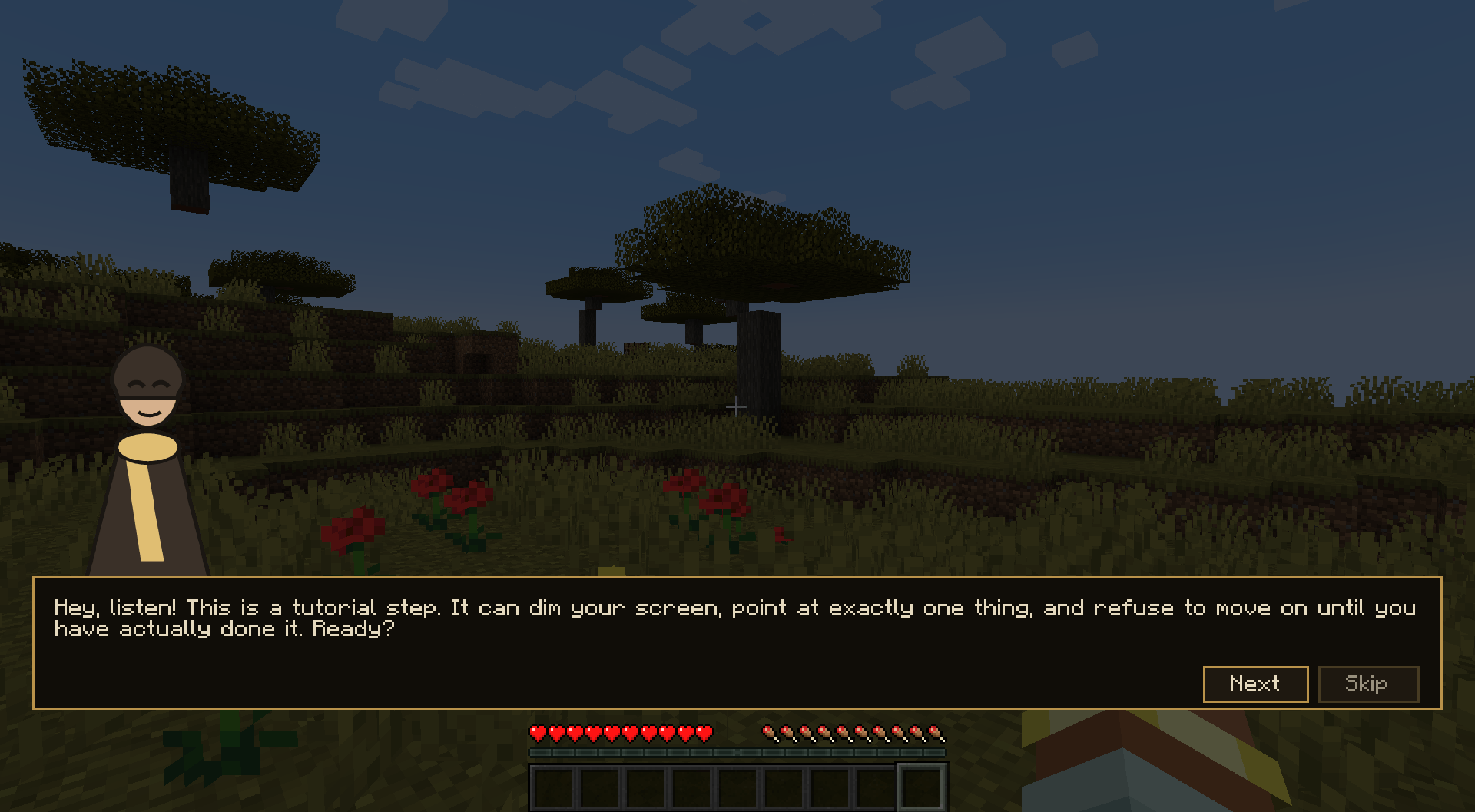 01-dim-the-screen-and-say-one-line.png 01-dim-the-screen-and-say-one-line.png
 -
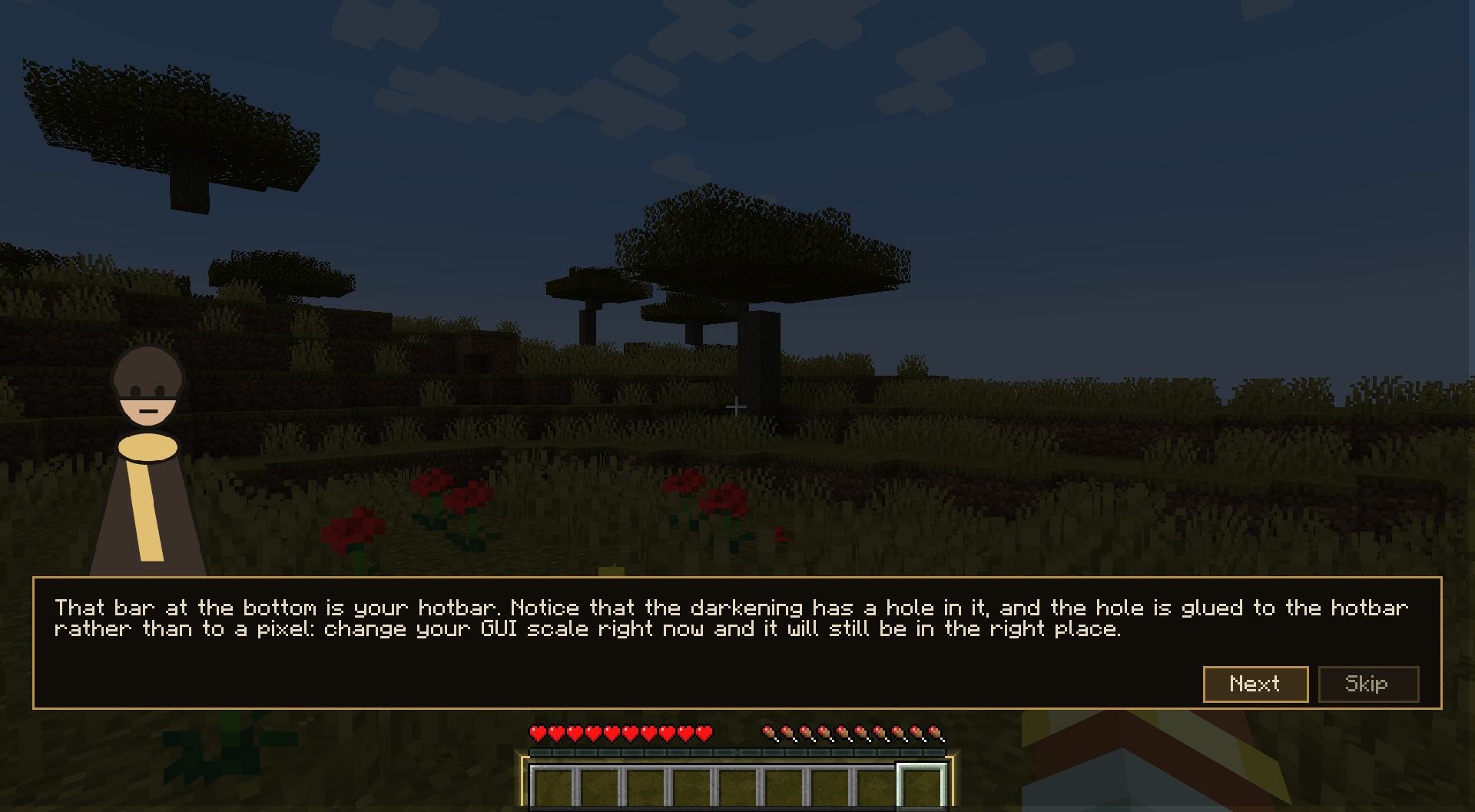 02-cut-a-hole-over-the-hotbar.png 02-cut-a-hole-over-the-hotbar.png
 -
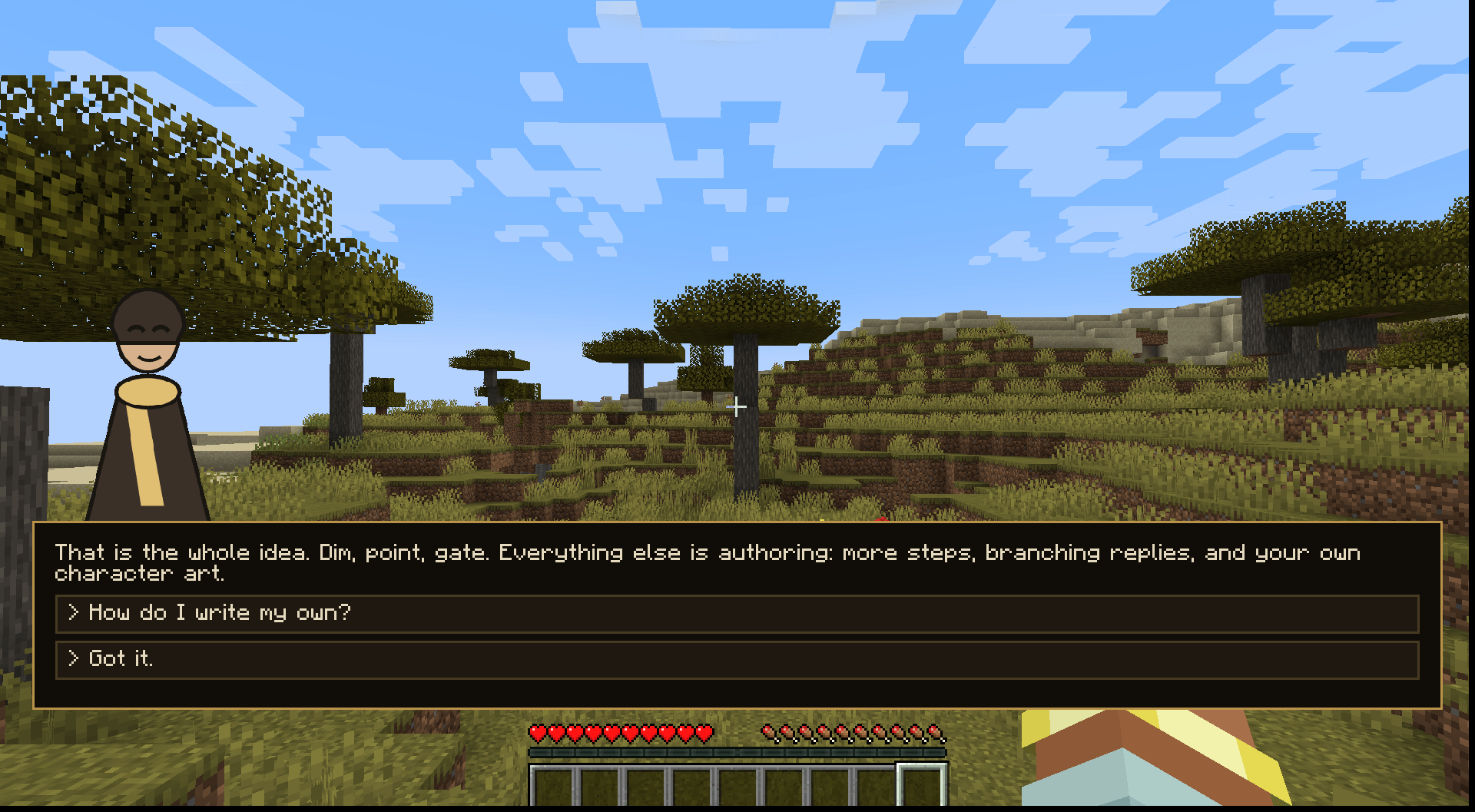 04-dialogue-with-branching-replies.png 04-dialogue-with-branching-replies.png
 -
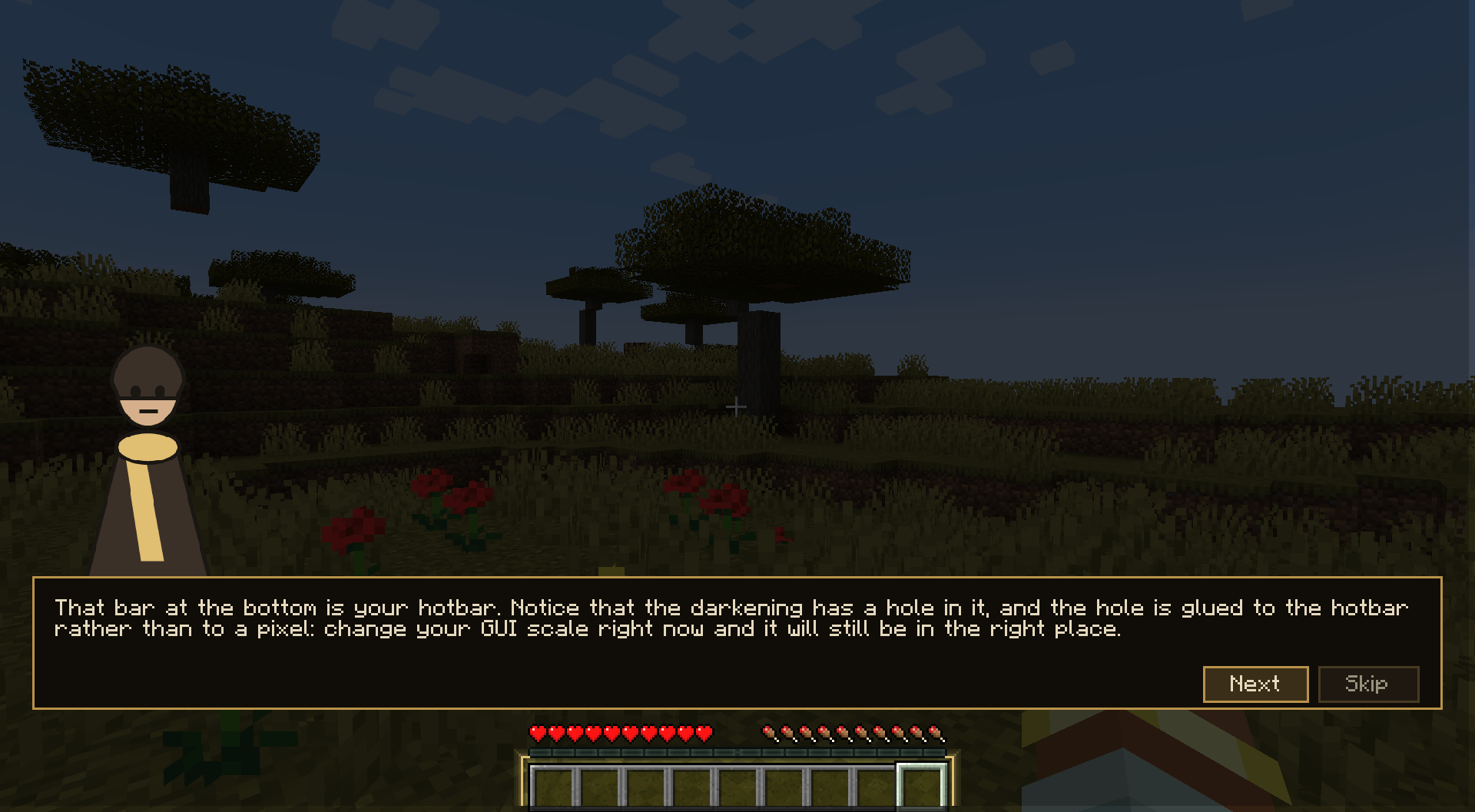 02-cut-a-hole-over-the-hotbar.png 02-cut-a-hole-over-the-hotbar.png
Versions
Files
Relations
Project Relations
More like this
Similar Mods
Suggestions use data such as tags, dependencies, dependents, descriptions, titles, and more to rank how much they overlap with this mod.
On ModDex
Community snapshot
By the numbers
Statistics
Want to reach Minecraft players?
We're looking for a server hosting partner to feature here and other parts of the site. Interested? Send us a message!
Get in touchGet it on
Available Platforms
On ModDex
Community snapshot
By the numbers
Statistics
Resources