Community listing page, reviews here may not be monitored by the author.
HoloFrames


No reviews yet
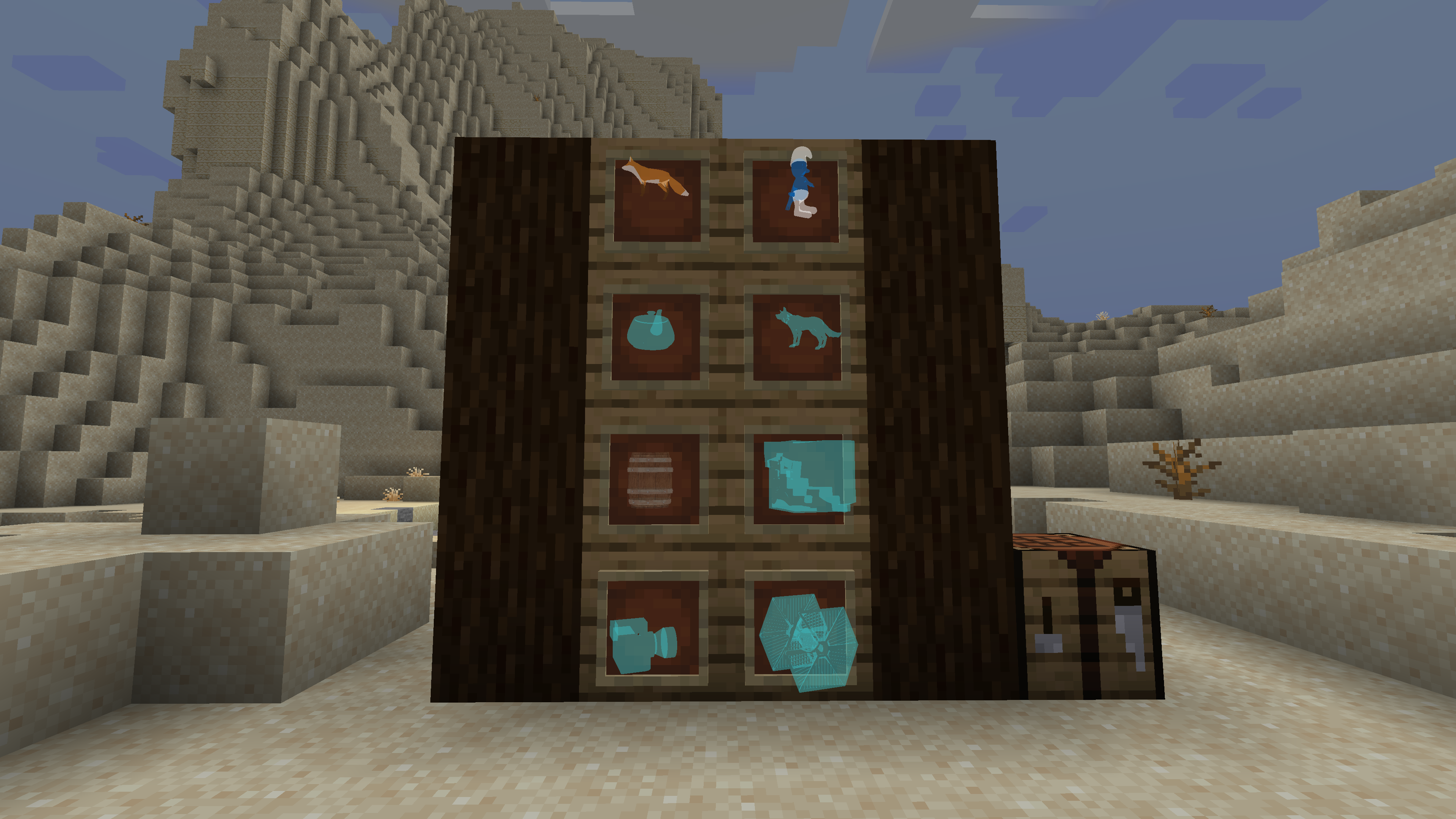
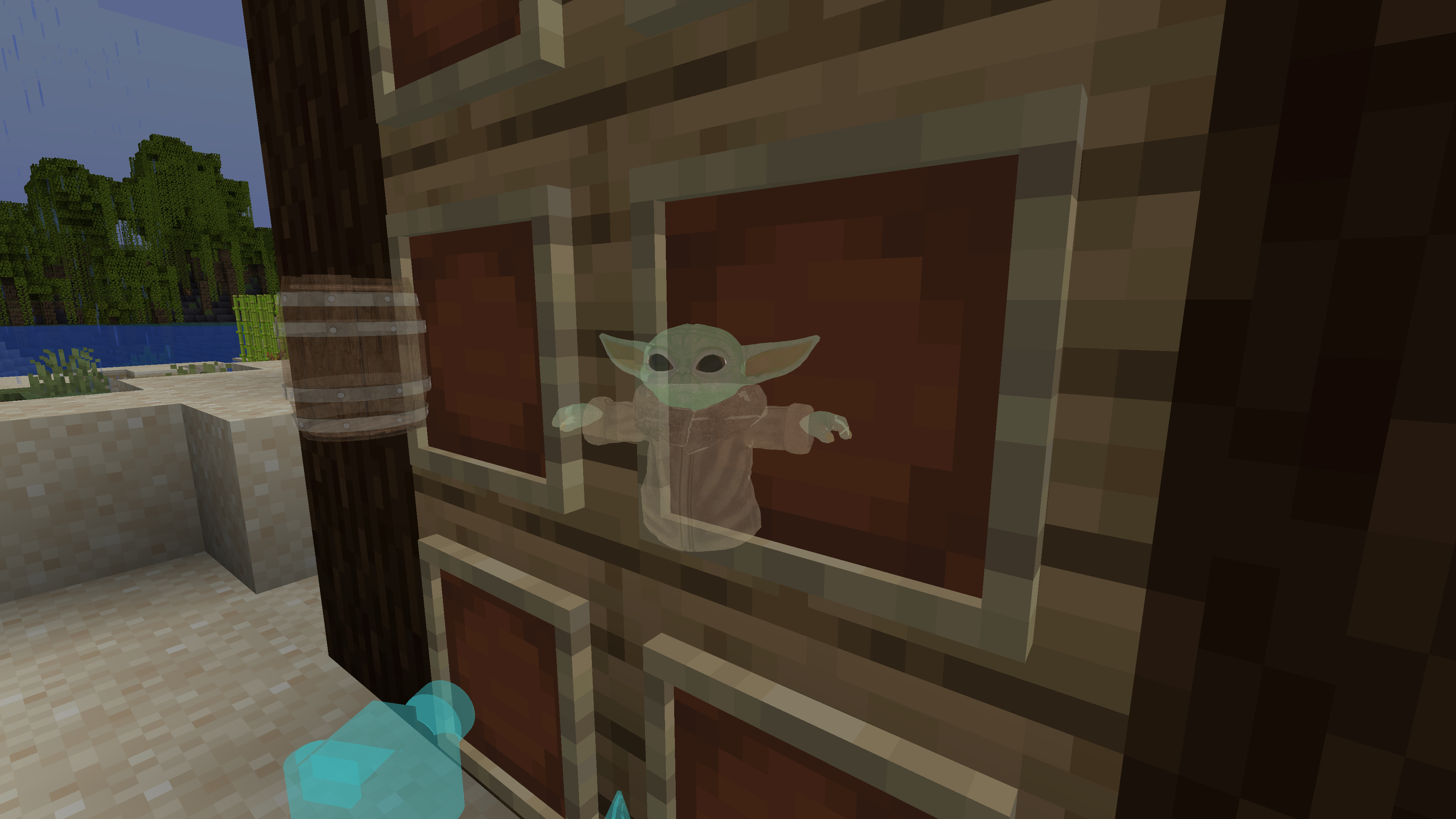
A Minecraft Fabric mod that allows you to display custom 3D hologram models in item frames using OBJ files and textures.
Community voices
Reviews
No reviews yet. Be the first to review this project!
Get it on
Available Platforms
Compatibility
Supported Environments
Must be installed on both the client and the server.
About
Project Details
For authors
Embed Badge
If you're the author of this project, you can embed a live badge anywhere that supports HTML or Markdown. It updates automatically whenever ratings change.
Use HTML for any page that supports it, or Markdown for README files and Markdown-based descriptions.
Identifiers
Platform IDs
About
Description
HoloFrames
A Minecraft Fabric mod that allows you to display custom 3D hologram models in item frames using OBJ files and textures.
Features
- Place hologram models in item frames using the Hologram item
- Supports custom OBJ models and PNG textures
- In-game GUI for selecting hologram models
- Server-client synchronization of model data
Screenshots
Getting Started
Requirements
- Minecraft 1.21.5
- Fabric Loader 0.16.14 or newer
- Fabric API
Adding Custom Hologram Models
- Place your
.objmodel files and corresponding texture files (PNG) in:
config/holoframes/models/
2. The texture file name must match the reference in the OBJ file (e.g., `mtllib`/`usemtl`).
3. Restart Minecraft or reload the mod to load new models.

## Usage
- Craft the Hologram item using glass and lapis lazuli.
- Right-click with the Hologram item to open the model selection screen.
- Place the Hologram item in an item frame to display the selected hologram.

## Credits
- [FabricMC](https://fabricmc.net/)
- [Jackson Hoggard](mailto:[email protected])
HoloFrames
A Minecraft Fabric mod that allows you to display custom 3D hologram models in item frames using OBJ files and textures.
Features
- Place hologram models in item frames using the Hologram item
- Supports custom OBJ models and PNG textures
- In-game GUI for selecting hologram models
- Server-client synchronization of model data
Screenshots
Getting Started
Requirements
- Minecraft 1.21.5
- Fabric Loader 0.16.14 or newer
- Fabric API
Adding Custom Hologram Models
- Place your
.objmodel files and corresponding texture files (PNG) in:config/holoframes/models/ - The texture file name must match the reference in the OBJ file (e.g.,
mtllib/usemtl). - Restart Minecraft or reload the mod to load new models.
Usage
- Craft the Hologram item using glass and lapis lazuli.
- Right-click with the Hologram item to open the model selection screen.
- Place the Hologram item in an item frame to display the selected hologram.
Credits
Screenshots
Gallery
-
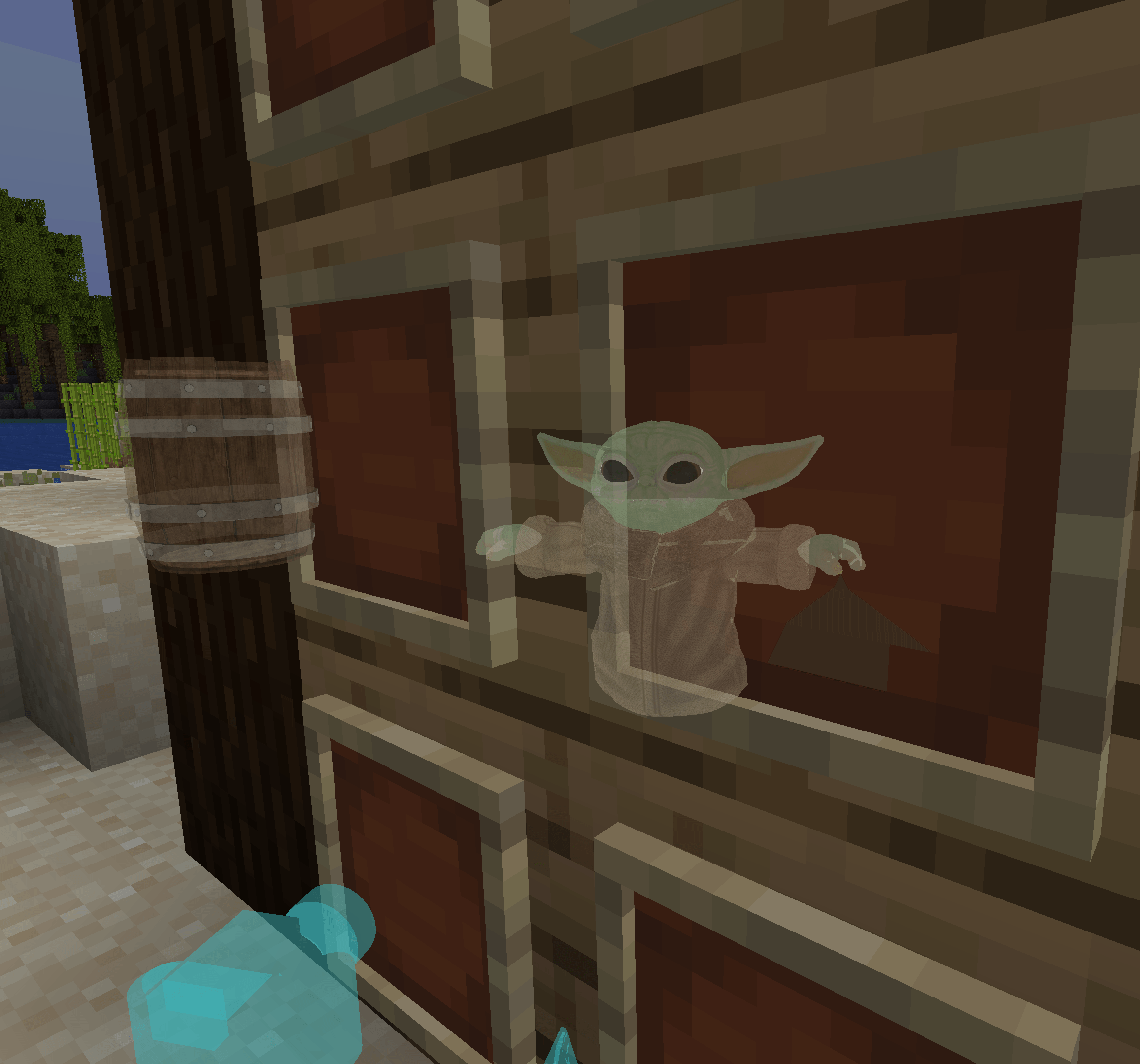 Textured models demo_1.png
 -
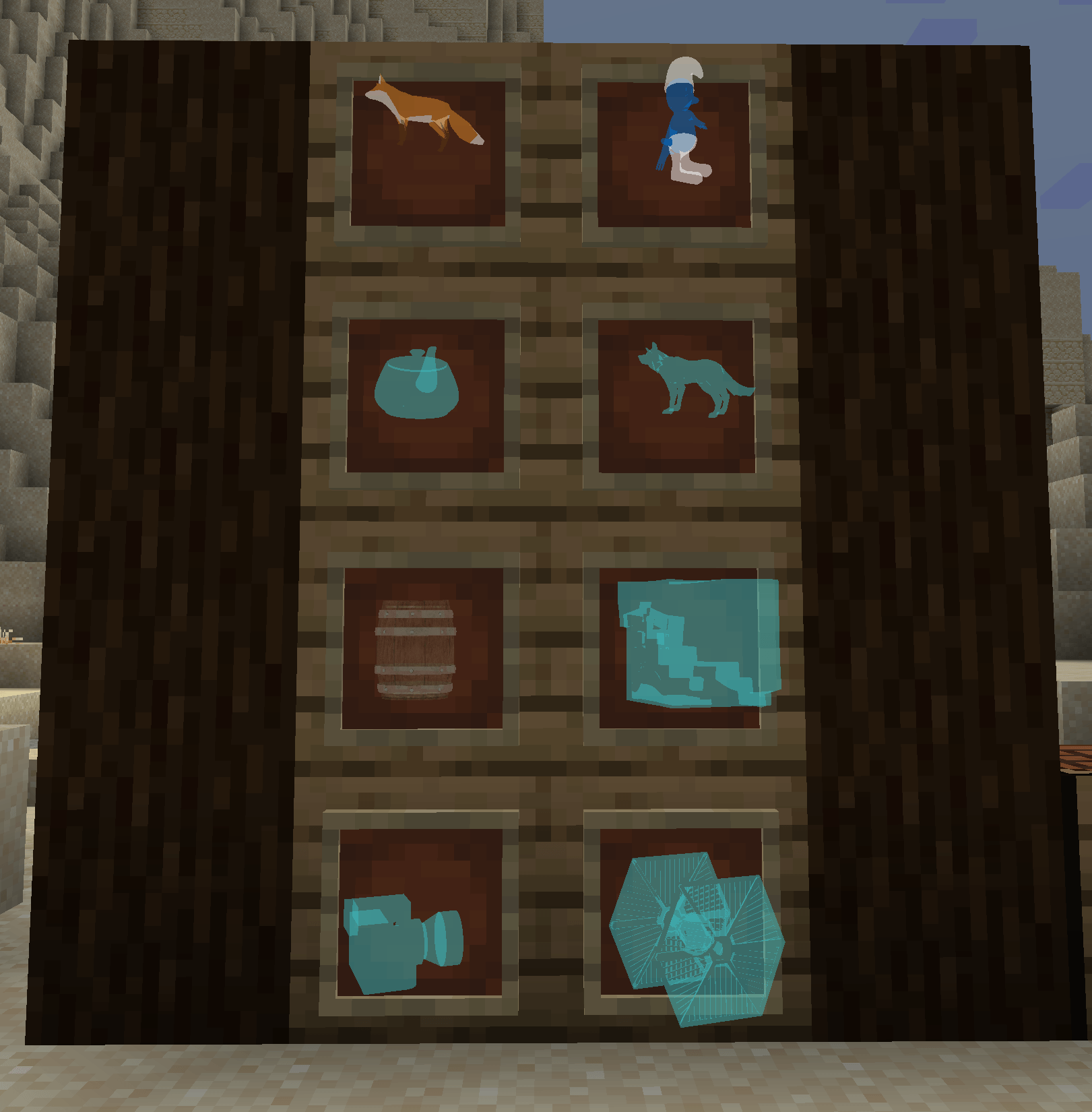 Demo demo.png
-
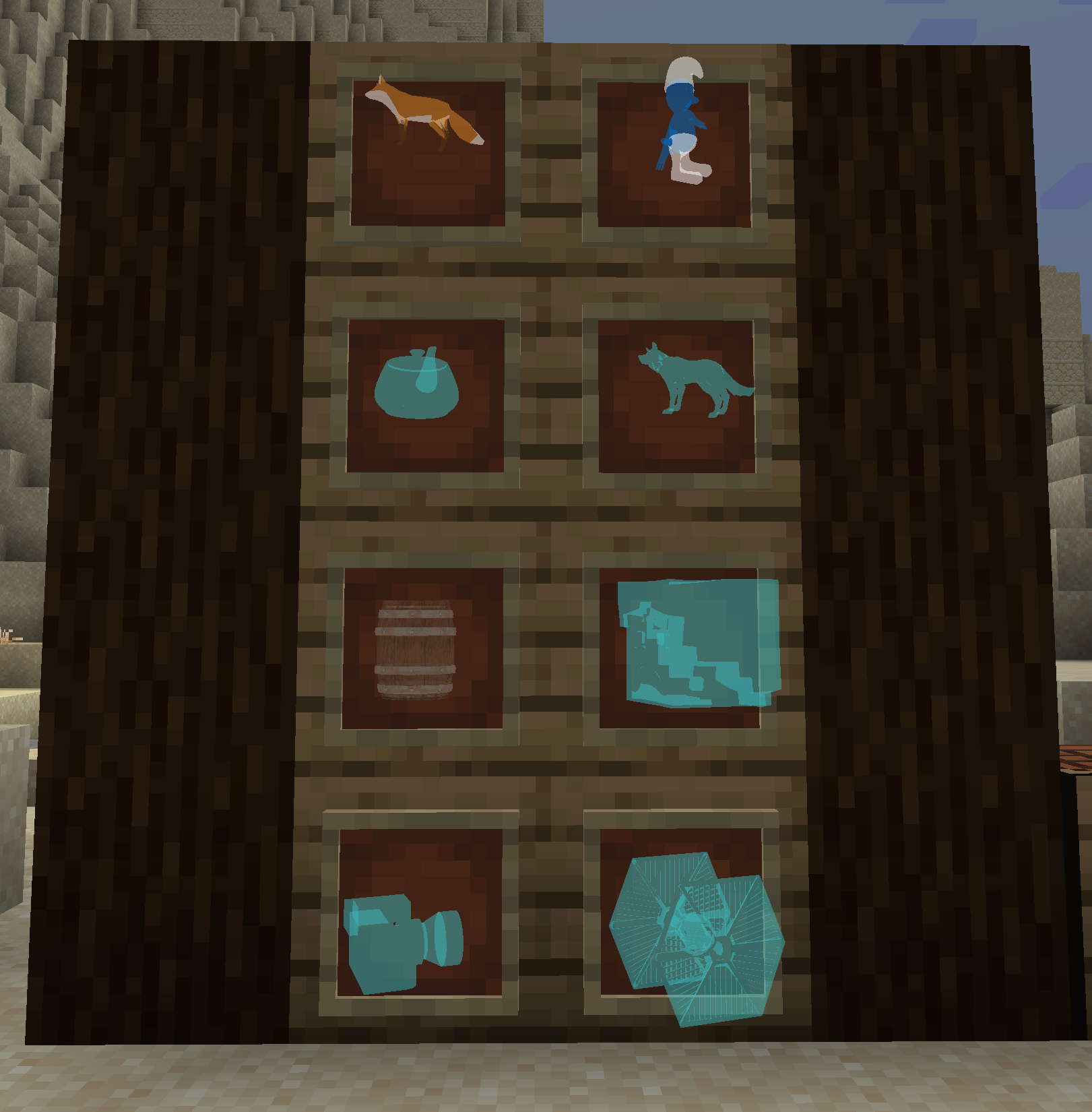 Custom Models Custom models displayed as holograms in item frames
 -
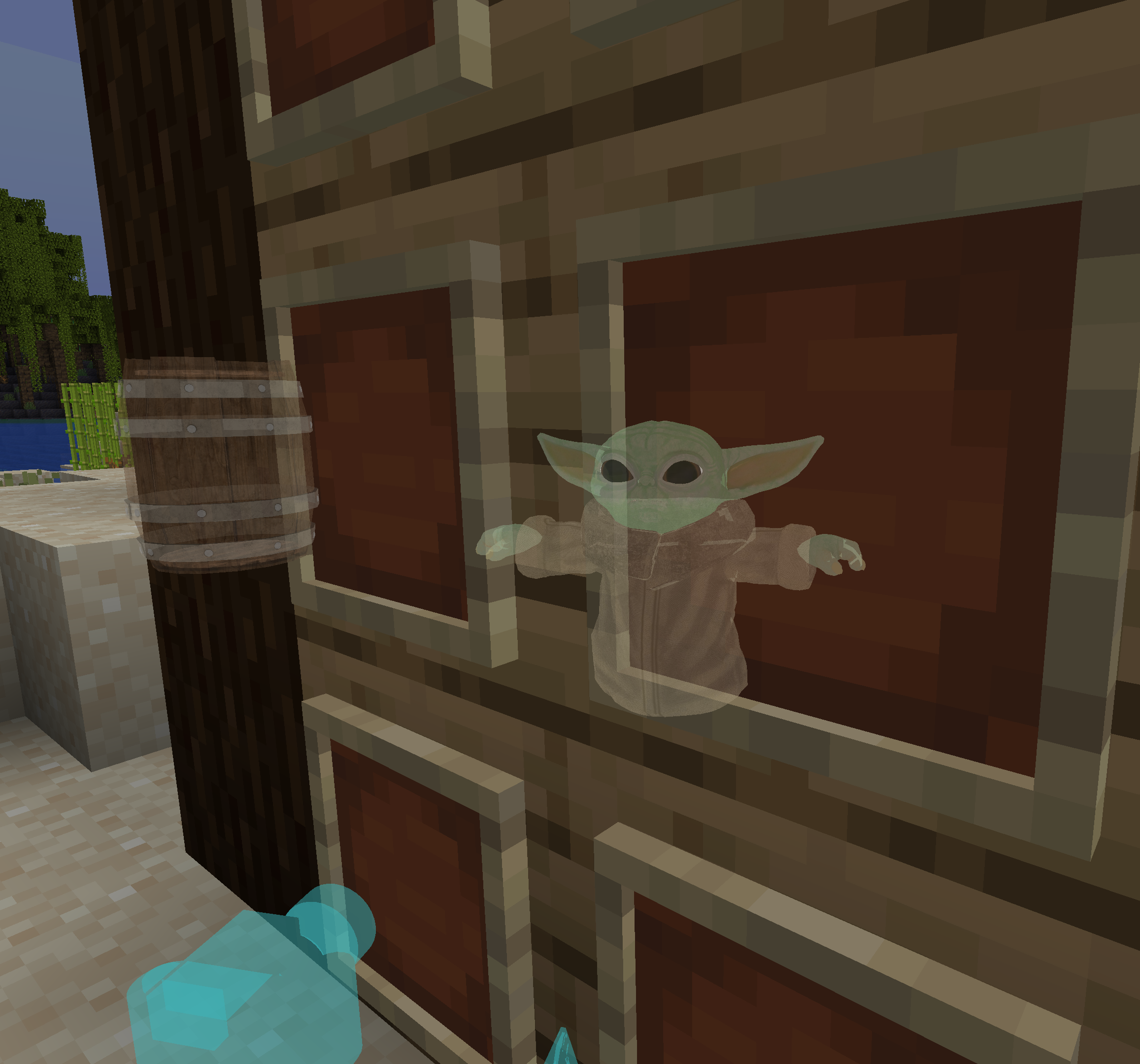 Textured Models Supports models and textures
Versions
Files
Relations
Project Relations
More like this
Similar Mods
Suggestions use data such as tags, dependencies, dependents, descriptions, titles, and more to rank how much they overlap with this mod.
On ModDex
Community snapshot
By the numbers
Statistics
Want to reach Minecraft players?
We're looking for a server hosting partner to feature here and other parts of the site. Interested? Send us a message!
Get in touchGet it on
Available Platforms
On ModDex
Community snapshot
By the numbers