Community listing page, reviews here may not be monitored by the author.
Hot Swap


No reviews yet
Automatically Swaps To The Best Weapon/Tool
Community voices
Reviews
No reviews yet. Be the first to review this project!
Get it on
Available Platforms
Compatibility
Supported Environments
Runs entirely on the client. Works on vanilla servers.
About
Project Details
For authors
Embed Badge
If you're the author of this project, you can embed a live badge anywhere that supports HTML or Markdown. It updates automatically whenever ratings change.
Use HTML for any page that supports it, or Markdown for README files and Markdown-based descriptions.
Identifiers
Platform IDs
About
Description



HotSwap
HotSwap is a lightweight, client-side Minecraft mod that automatically selects the optimal tool or weapon in your hotbar based on what you’re doing—be it mining, chopping, fighting, or digging. By leveraging Minecraft’s built-in item tags, HotSwap ensures you always have the right tool in hand without manual inventory juggling.
Features
- Context-Aware Swapping
Automatically switches to the “best” tool in your hotbar for the block you’re breaking or mob you’re hitting, based on enchantments and material tiers. - Customizable Priority
Define your own tag priorities and blacklists inhotswap.json5to fine-tune which tools should be preferred or skipped. - On-the-Fly Enable/Disable
Toggle HotSwap with a single keybind (default:;). When disabled, your hotbar remains unchanged. - Lightweight & Non-Invasive
No extra GUIs or big configuration menus—just an easy-to-edit JSON5 file and a small, performant mod jar.
Installation
- Install Fabric (or Forge, depending on build) for Minecraft 1.20+
- Download the latest
HotSwap-x.y.z.jarfrom CurseForge. - Copy the jar into your Minecraft
mods/folder. - Launch Minecraft with the Fabric (or Forge) profile.
Usage
- Toggle — press your configured toggle key (default
;) to enable or disable HotSwap. - Mine or Chop — break a block; HotSwap will swap in your best pickaxe/axe/shovel according to the tags in your hotbar.
- Fight — left-click a mob; HotSwap will switch to the highest-damage sword or tool.
- Return — once the action ends (block broken or mob dead), your previous hotbar slot is restored automatically.
Changelog
See the changelog for a full history of changes and releases.



HotSwap
HotSwap is a lightweight, client-side Minecraft mod that automatically selects the optimal tool or weapon in your hotbar based on what you’re doing—be it mining, chopping, fighting, or digging. By leveraging Minecraft’s built-in item tags, HotSwap ensures you always have the right tool in hand without manual inventory juggling.
Features
- Context-Aware Swapping
Automatically switches to the “best” tool in your hotbar for the block you’re breaking or mob you’re hitting, based on enchantments and material tiers. - Customizable Priority
Define your own tag priorities and blacklists inhotswap.json5to fine-tune which tools should be preferred or skipped. - On-the-Fly Enable/Disable
Toggle HotSwap with a single keybind (default:;). When disabled, your hotbar remains unchanged. - Lightweight & Non-Invasive
No extra GUIs or big configuration menus—just an easy-to-edit JSON5 file and a small, performant mod jar.
Installation
- Install Fabric (or Forge, depending on build) for Minecraft 1.20+
- Download the latest
HotSwap-x.y.z.jarfrom Modrinth. - Copy the jar into your Minecraft
mods/folder. - Launch Minecraft with the Fabric (or Forge) profile.
Usage
- Toggle — press your configured toggle key (default
;) to enable or disable HotSwap. - Mine or Chop — break a block; HotSwap will swap in your best pickaxe/axe/shovel according to the tags in your hotbar.
- Fight — left-click a mob; HotSwap will switch to the highest-damage sword or tool.
- Return — once the action ends (block broken or mob dead), your previous hotbar slot is restored automatically.
🛠️ Keybinds & Commands
| Action | Default Key | Description |
|---|---|---|
| Toggle HotSwap | ; |
Enable or disable the auto-swap |
| Hold Off | Left Alt |
Temporarily disable auto-swapping |
Tip: You can change or assign these in Minecraft’s Options → Controls menu under “HotSwap.”
Changelog
See the changelog for a full history of changes and releases.
Screenshots
Gallery
-
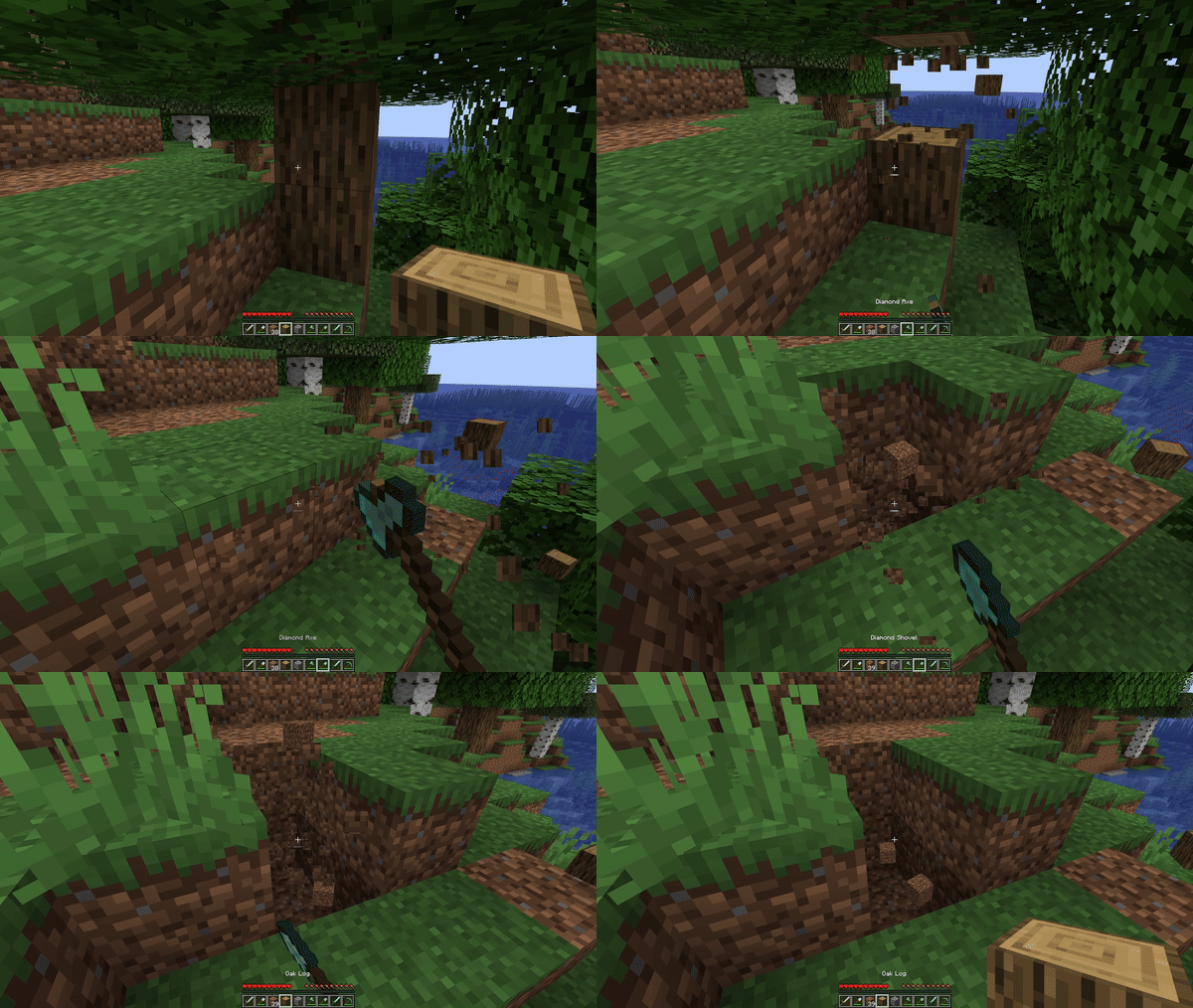 Demo
Demo
Versions
Files
Relations
Project Relations
More like this
Similar Mods
Suggestions use data such as tags, dependencies, dependents, descriptions, titles, and more to rank how much they overlap with this mod.
On ModDex
Community snapshot
By the numbers
Statistics
Want to reach Minecraft players?
We're looking for a server hosting partner to feature here and other parts of the site. Interested? Send us a message!
Get in touchGet it on
Available Platforms
On ModDex
Community snapshot
By the numbers