
Community listing page, reviews here may not be monitored by the author.
HrdaTools

No reviews yet
Useful Commands for Servers and Scripted SMPs
Community voices
Reviews
No reviews yet. Be the first to review this project!
Get it on
Available Platforms
Compatibility
Supported Environments
Runs on a dedicated server only; does not work in singleplayer.
About
Project Details
For authors
Embed Badge
If you're the author of this project, you can embed a live badge anywhere that supports HTML or Markdown. It updates automatically whenever ratings change.
Use HTML for any page that supports it, or Markdown for README files and Markdown-based descriptions.
Identifiers
Platform IDs
About
Description
HrdaTools

HrdaTools is a versatile utility plugin designed for SMP servers and content creators who need advanced control over their world, items, and player interactions. Originally inspired by the "Unstable SMP" style of gameplay, it offers a unique mix of administration tools and immersive features.
Need Hosting? Use PROMO CODE!
 (https://www.neyhost.com/?ref=HRDA)
✨ Key Features
👤 Player Management & Stealth
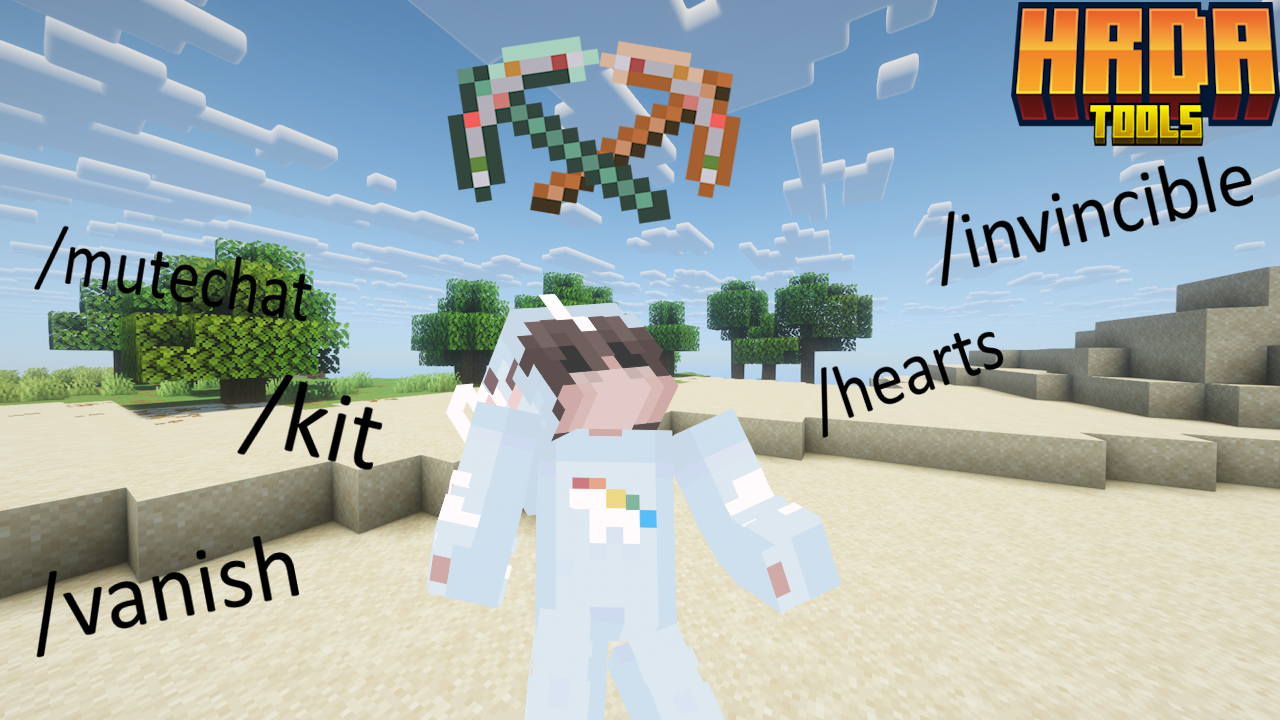
/vanish– Become completely invisible. This hides you from the world, removes you from the TAB list, blocks your name from Tab-Complete, and sends a fake "left the game" message to others./hearts <player> <amount>– Set a player's maximum health (e.g.,/hearts Hrda 10for 10 hearts)./invincible [player]– Toggle a special "Fake Immortality" mode. Players stay at 0.5 hearts and cannot die from standard damage./invsee <player> [armor]– Peek into any player's inventory. Use thearmorargument to open a protected preview of their equipment and off-hand./ec [player]– Access your own or someone else's Ender Chest./freeze <player> [time]– Freezes or Unfreezes specific player.
📦 Kit System
/kit save <name>– Save your current inventory (including armor and off-hand) as a kit./kit gui- Opens GUI with all kits and their previews/kit <name> <player|all>– Give a saved kit to a specific player or everyone online./kit delete <name>– Remove a kit from the database.
⚔️ Item & Enchantment Overdrive
/enchant <target> <enchantment> <level>– Apply any enchantment up to level 255. Bypass all standard limits! Supports selectors (@a,@p,@s,@r)./durability <value>– Precisely set the durability of the item in your hand./book <sign|unsign|author|title>– Advanced book editing. Change authors, revert signed books to editable drafts, or change titles with color support.
🔊 Immersive Proximity System
- Proximity Messages – Join, quit, and death messages are only shown to players within a certain range (configurable).
- Death Effects – Adds a visual lightning bolt (no damage) and optional Wither spawn sound at the player's death location.
/proximity– Quickly toggle the proximity system on or off.
🛡️ Server Administration
/mutechat– Instantly lock the chat for everyone except players with bypass permissions./toggletab– Instantly shows/hides player names in the TAB list for ultimate anonymity./clearall [survival|creative|adventure|offline|permission]– Clears inventory (including armor and off-hand) for specified players or based on their gamemode/permissions. Useofflineto wipe all player data files./kickall [survival|creative|adventure|permission] [reason]– Kicks all specified players from the server with an optional custom reason./banall [survival|creative|adventure|permission] [reason]– Permanently bans all specified players and kicks them from the server./hrdatools reload– Reload the configuration file without restarting the server.
⚙️ Configuration
The plugin comes with a config.yml that allows you to customize:
- Proximity distance (default: 50 blocks).
- Toggle for proximity chat features.
- Toggle for death sound effects and lightning summons.
- Kit storage and management in
kits.db
🔑 Permissions
hrdatools.admin– Access to all commands (default: OP).hrdatools.mutechat.bypass– Ability to speak when chat is muted.hrdatools.kickall.bypass- Bypass for/kickall permissionhrdatools.banall.bypass- Bypass for/banall permissionhrdatools.clearall.bypass- Bypass for/clearall permission
Placeholders
For working placeholders you need to have PAPI Installed.
%hrdatools_chat_muted%- Shows if chat is muted or not.%hrdatools_is_frozen%- Shows if you are frozen or not.%hrdatools_is_vanished%- Shows if you are vanished or not.%hrdatools_is_invincible%- Shows if you have invinciblity on or off.

Contact
If you have any problems with the plugin, just message me on my Discord server: https://dsc.gg/hrda-plugins Thanks for downloading!
Screenshots
Gallery
-
 HrdaTools
Versions
Files
Relations
Project Relations
More like this
Similar Mods
Suggestions use data such as tags, dependencies, dependents, descriptions, titles, and more to rank how much they overlap with this mod.
On ModDex
Community snapshot
By the numbers
Statistics

Want to reach Minecraft players?
We're looking for a server hosting partner to feature here and other parts of the site. Interested? Send us a message!
Get in touchGet it on
Available Platforms
On ModDex
Community snapshot
By the numbers