Community listing page, reviews here may not be monitored by the author.
HUD Manager


No reviews yet
Manages HUD elements gracefully.
Community voices
Reviews
No reviews yet. Be the first to review this project!
Get it on
Available Platforms
Compatibility
Supported Environments
Runs entirely on the client. Works on vanilla servers.
About
Project Details
For authors
Embed Badge
If you're the author of this project, you can embed a live badge anywhere that supports HTML or Markdown. It updates automatically whenever ratings change.
Use HTML for any page that supports it, or Markdown for README files and Markdown-based descriptions.
Identifiers
Platform IDs
About
Description
HUD Manager
Enables you to configure the entire HUD layout to make it looks just best for you.
Especially useful for servers with lots of things on the screen such as MCC Island.
Compatible with Apple Skin, Better F3, Shulker Box Tooltip, Tooltip Scroll, etc.
Feature: All in One
You can simply manage everything via the Mod Menu, either Fabric or NeoForge.
You will no longer need any other stuff like Scoreboard Tweaks or Title Fixer.
All configurable elements include:
Action Bar, Boss Bar, Closed Caption, Crosshair, Debug Screen, Hotbar Group,
Player List, Scoreboard, Screen Title, Status Effect, Toast Message, Tooltip.
All configurable options include:
Display - Whether to show on the screen.
Resizer - Multiplies to vanilla GUI scale.
Opacity - Multiplies to vanilla GUI alpha.
X/Y Offset - Adds to vanilla GUI position.
HUD Manager
Enables you to configure the entire HUD layout to make it looks just best for you.
Especially useful for servers with lots of things on the screen such as MCC Island.
Compatible with Apple Skin, Better F3, Shulker Box Tooltip, Tooltip Scroll, etc.
Feature: All in One
You can simply manage everything via the Mod Menu, either Fabric or NeoForge.
You will no longer need any other stuff like Scoreboard Tweaks or Title Fixer.
All configurable elements include:
Action Bar, Boss Bar, Closed Caption, Crosshair, Debug Screen, Hotbar Group,
Player List, Scoreboard, Screen Title, Status Effect, Toast Message, Tooltip.
All configurable options include:
Display - Whether to show on the screen.
Resizer - Multiplies to vanilla GUI scale.
Opacity - Multiplies to vanilla GUI alpha.
X/Y Offset - Adds to vanilla GUI position.
Screenshots
Gallery
-
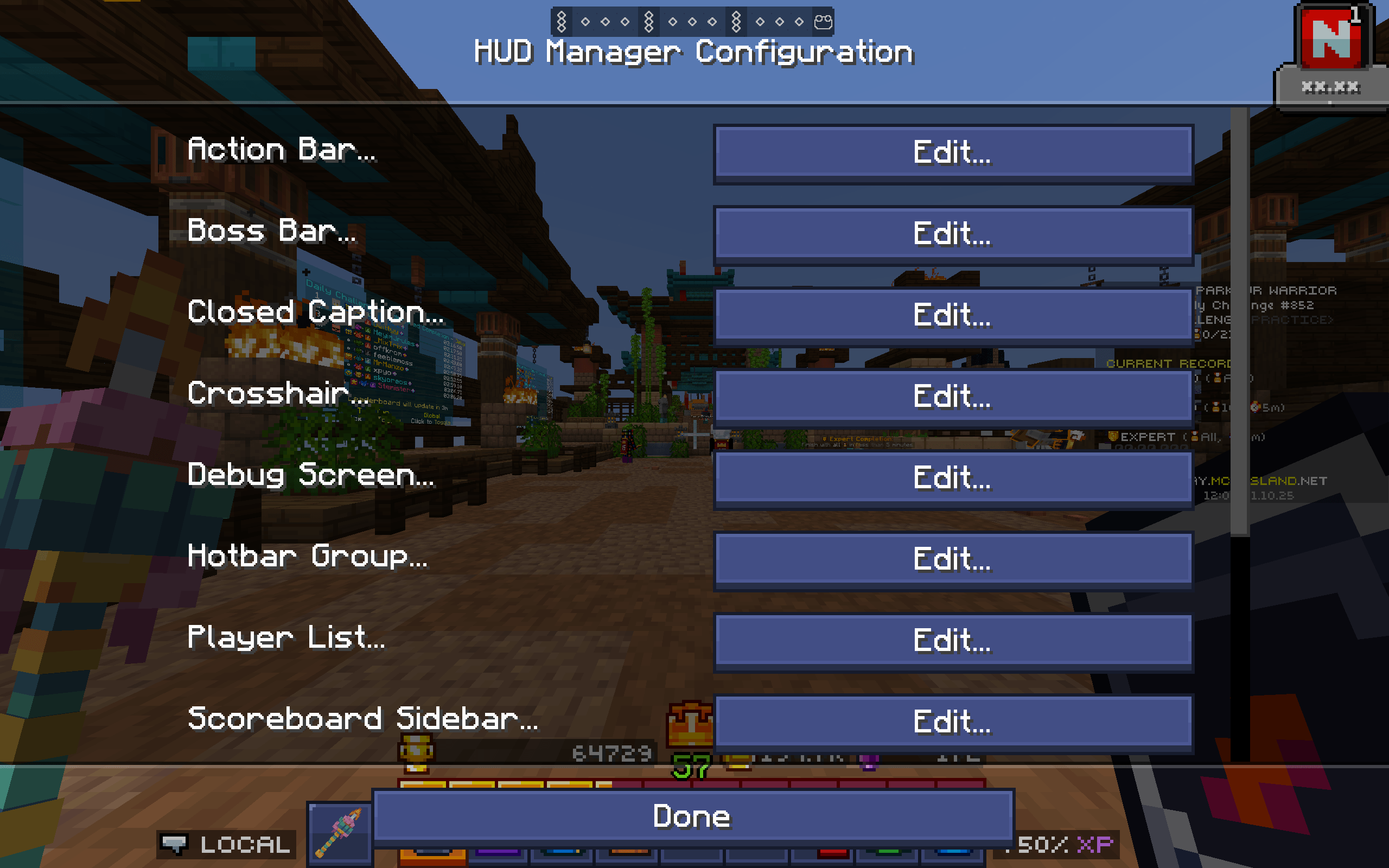 Configuration Screen Easily manage everything here!
 -
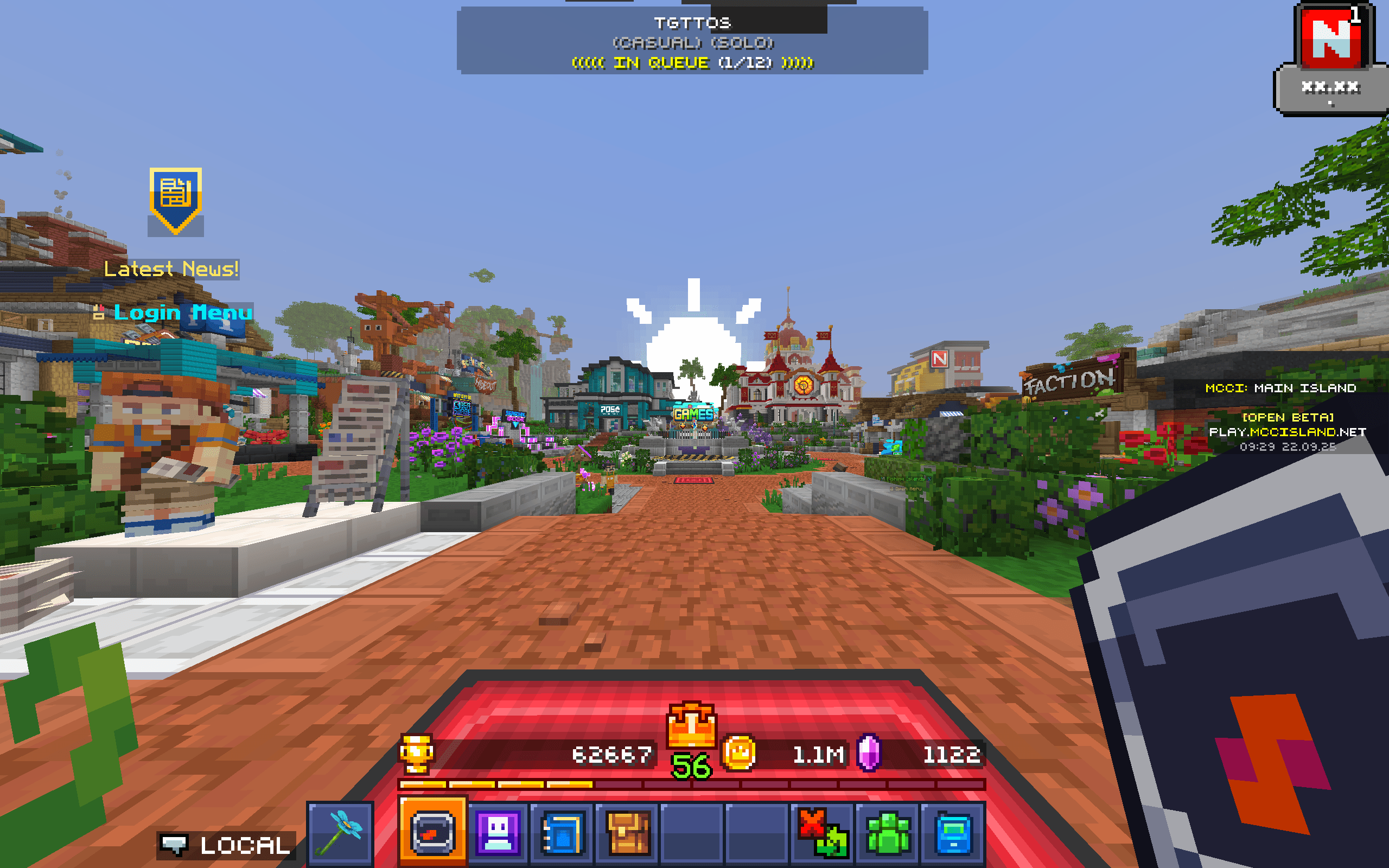 HUD Management Clean your screen up without lowering your GUI Scale!
-
 Configuration Screen Easily manage everything here!
 -
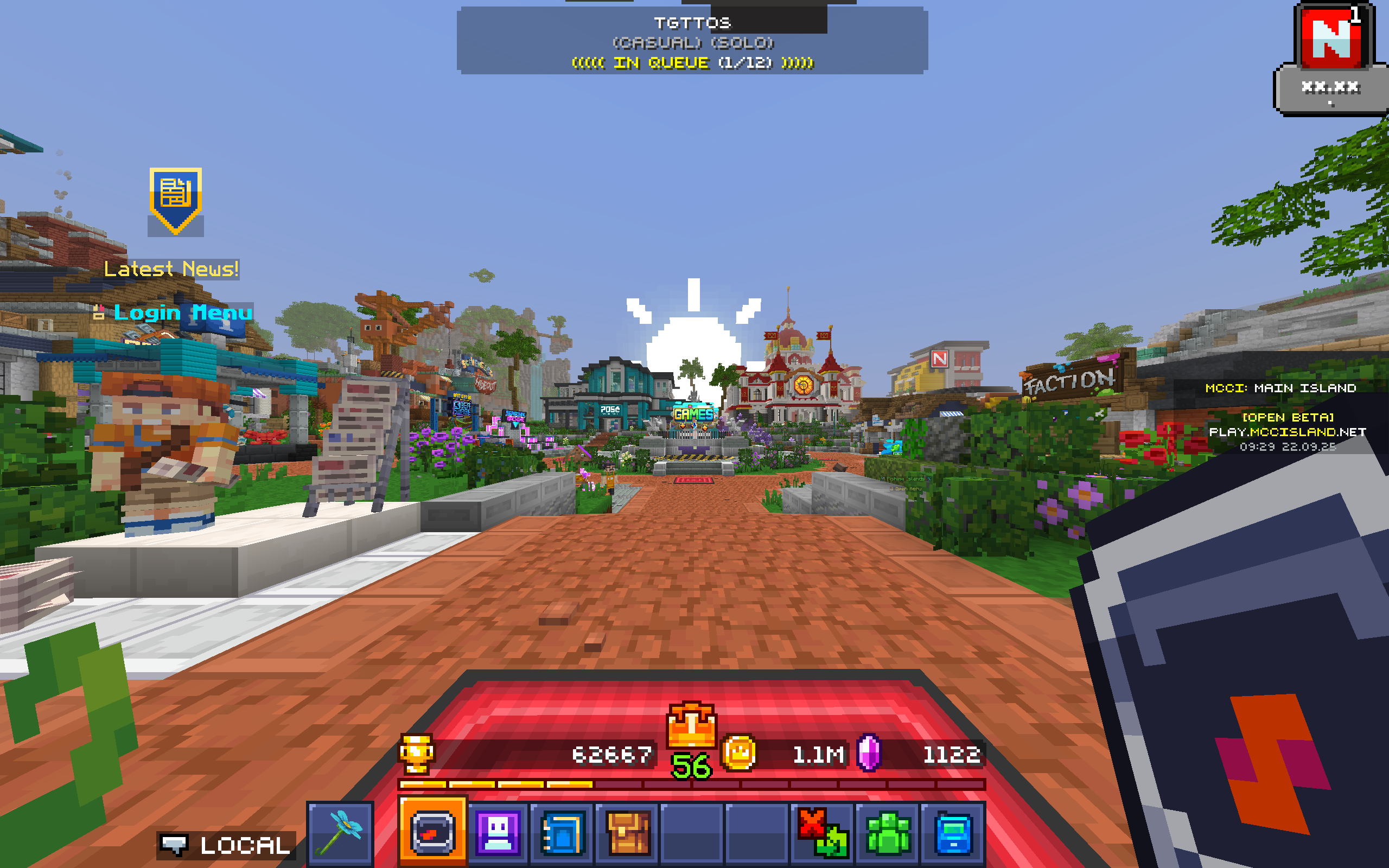 HUD Management Clean your screen up without lowering your GUI Scale!
Versions
Files
Relations
Project Relations
More like this
Similar Mods
Suggestions use data such as tags, dependencies, dependents, descriptions, titles, and more to rank how much they overlap with this mod.
On ModDex
Community snapshot
By the numbers
Statistics
Want to reach Minecraft players?
We're looking for a server hosting partner to feature here and other parts of the site. Interested? Send us a message!
Get in touchGet it on
Available Platforms
On ModDex
Community snapshot
By the numbers