Community listing page, reviews here may not be monitored by the author.
HudToggle


No reviews yet
This mod allows for hiding/showing various HUD elements for both vanilla and modded.
Community voices
Reviews
No reviews yet. Be the first to review this project!
Get it on
Available Platforms
Compatibility
Supported Environments
Runs entirely on the client. Works on vanilla servers.
About
Project Details
For authors
Embed Badge
If you're the author of this project, you can embed a live badge anywhere that supports HTML or Markdown. It updates automatically whenever ratings change.
Use HTML for any page that supports it, or Markdown for README files and Markdown-based descriptions.
Identifiers
Platform IDs
Resources
External Links
About
Description
Features
- Toggle any vanilla HUD overlay — hotbar, crosshair, health, hunger, chat, scoreboard, boss bars, debug text, and more.
- Detects modded overlays — including unregistered
RenderGuiEvent.Postrenderers, attributed automatically to their source mod. - Click-to-hide editor — press H in-game, click any highlighted element to hide it, scroll to cycle stacked elements.
- Search, Basic/Advanced categories, Reset — find elements fast, filter by complexity, restore everything with one click.
- Per-element persistence — choices saved to
config/hudtoggle.json, survives restarts and mod updates. - Client-side only — no server install needed. Works on any server.
Installation
- Forge 47.2.0+ on Minecraft 1.20.1
- Download the latest
.jarfrom Modrinth or CurseForge - Drop it into your
mods/folder
Usage
- Press H in-game (rebindable in Controls → HUD Toggle).
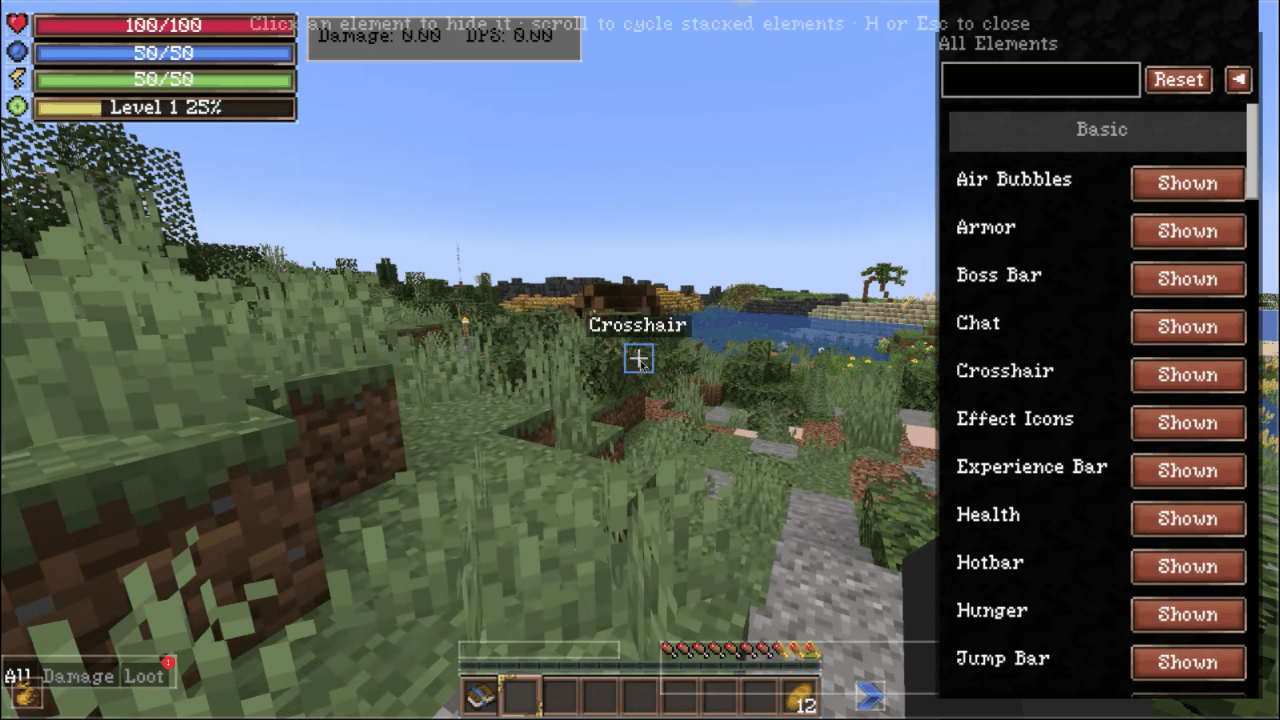
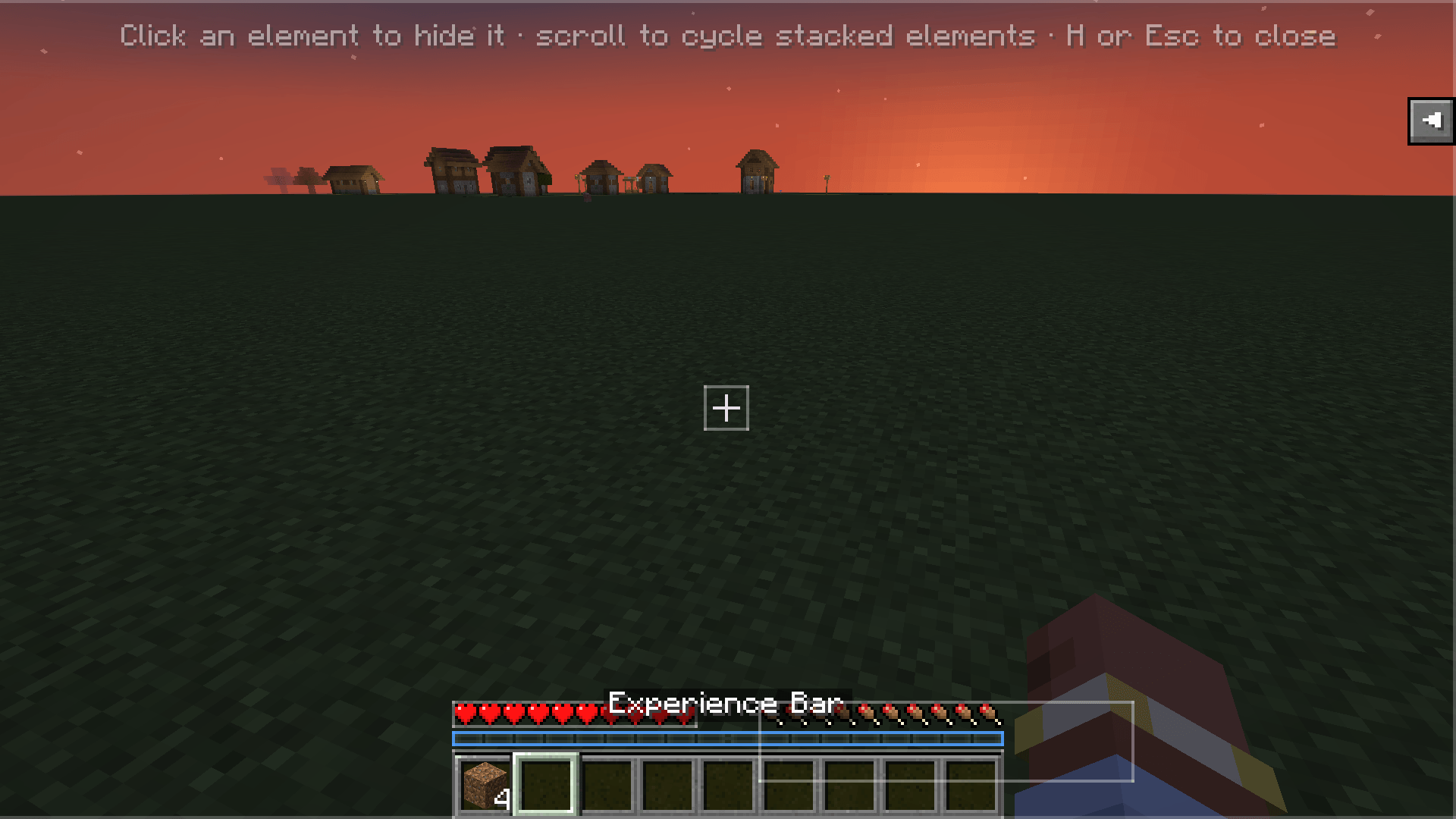
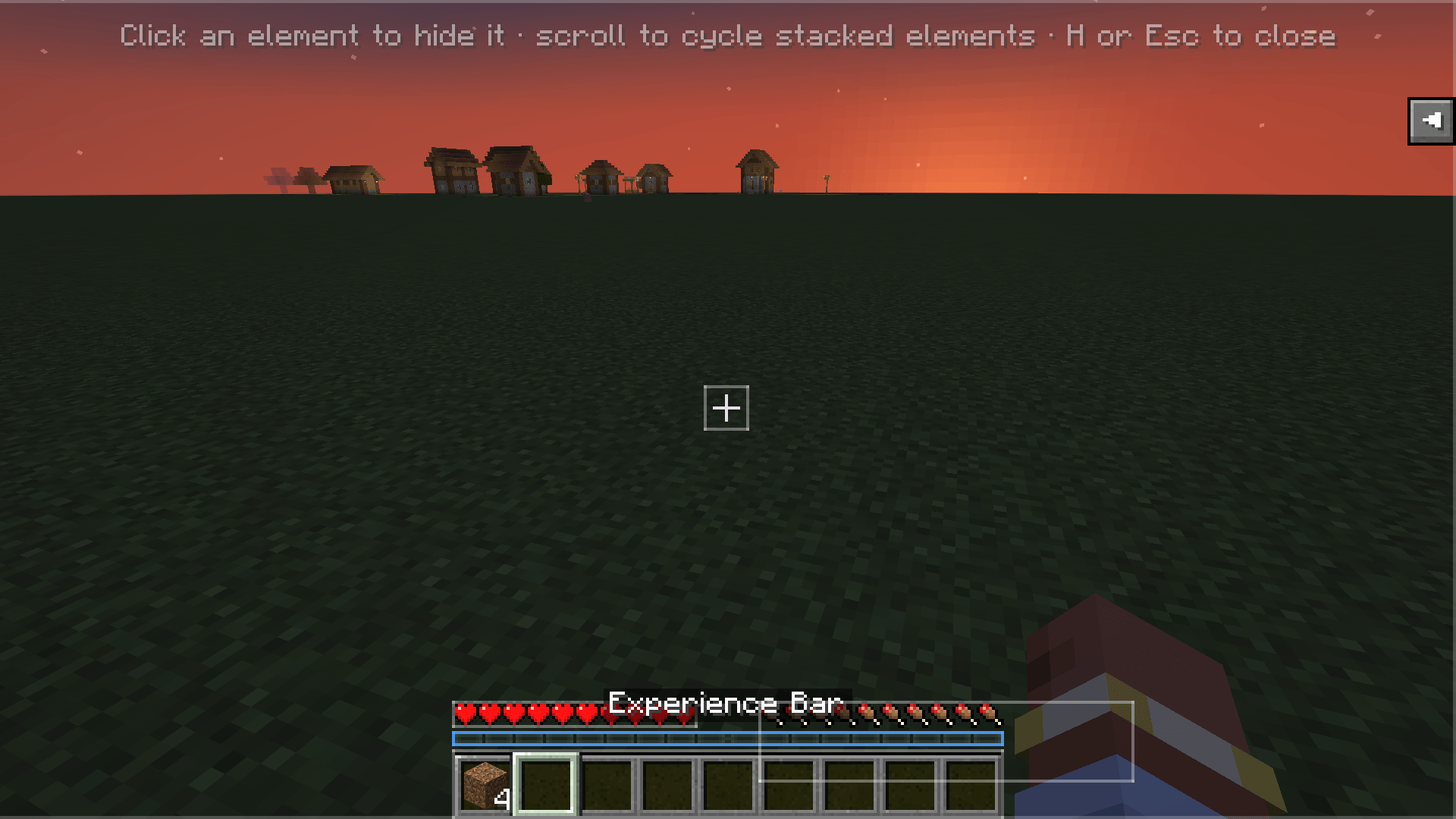
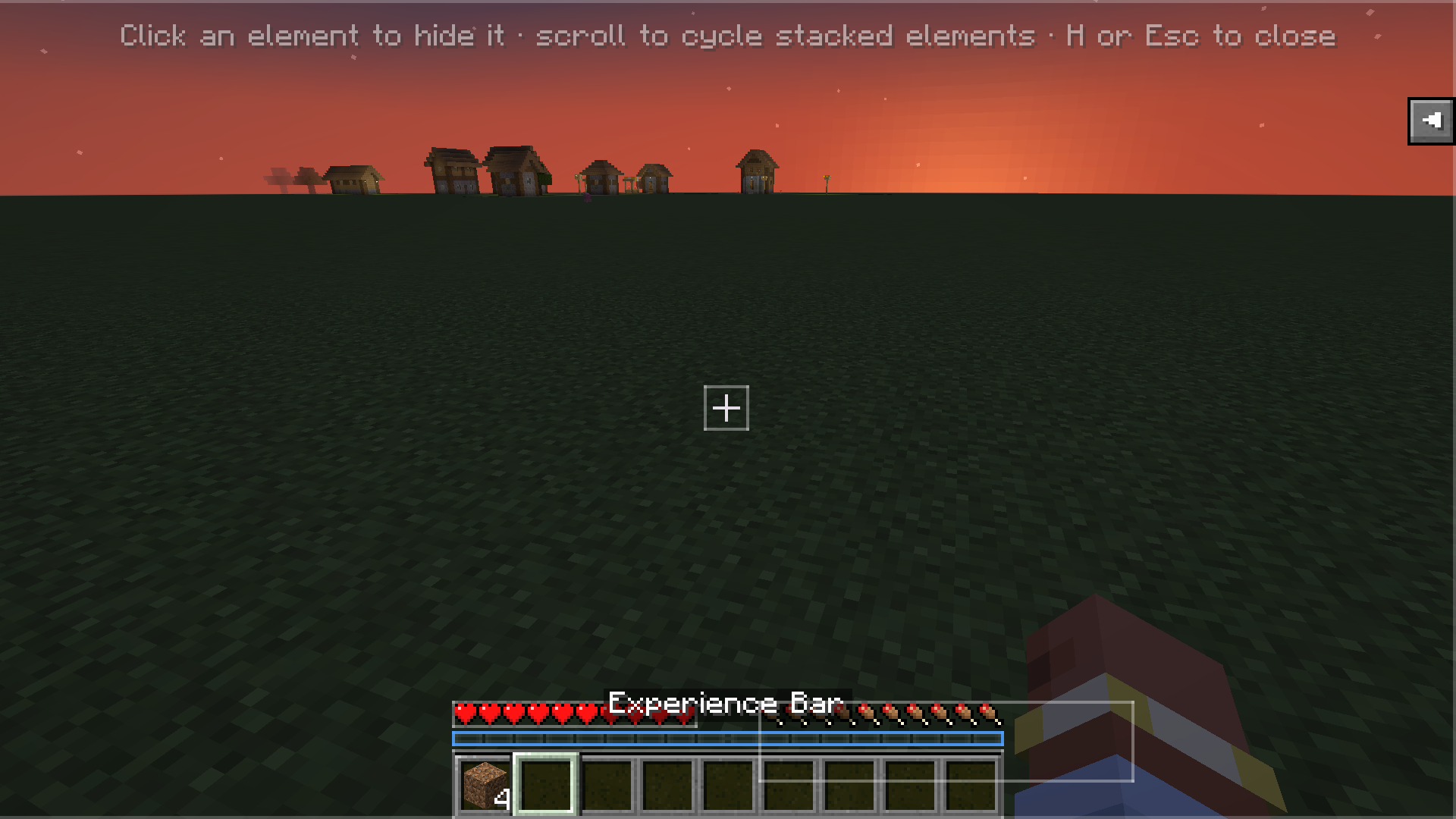
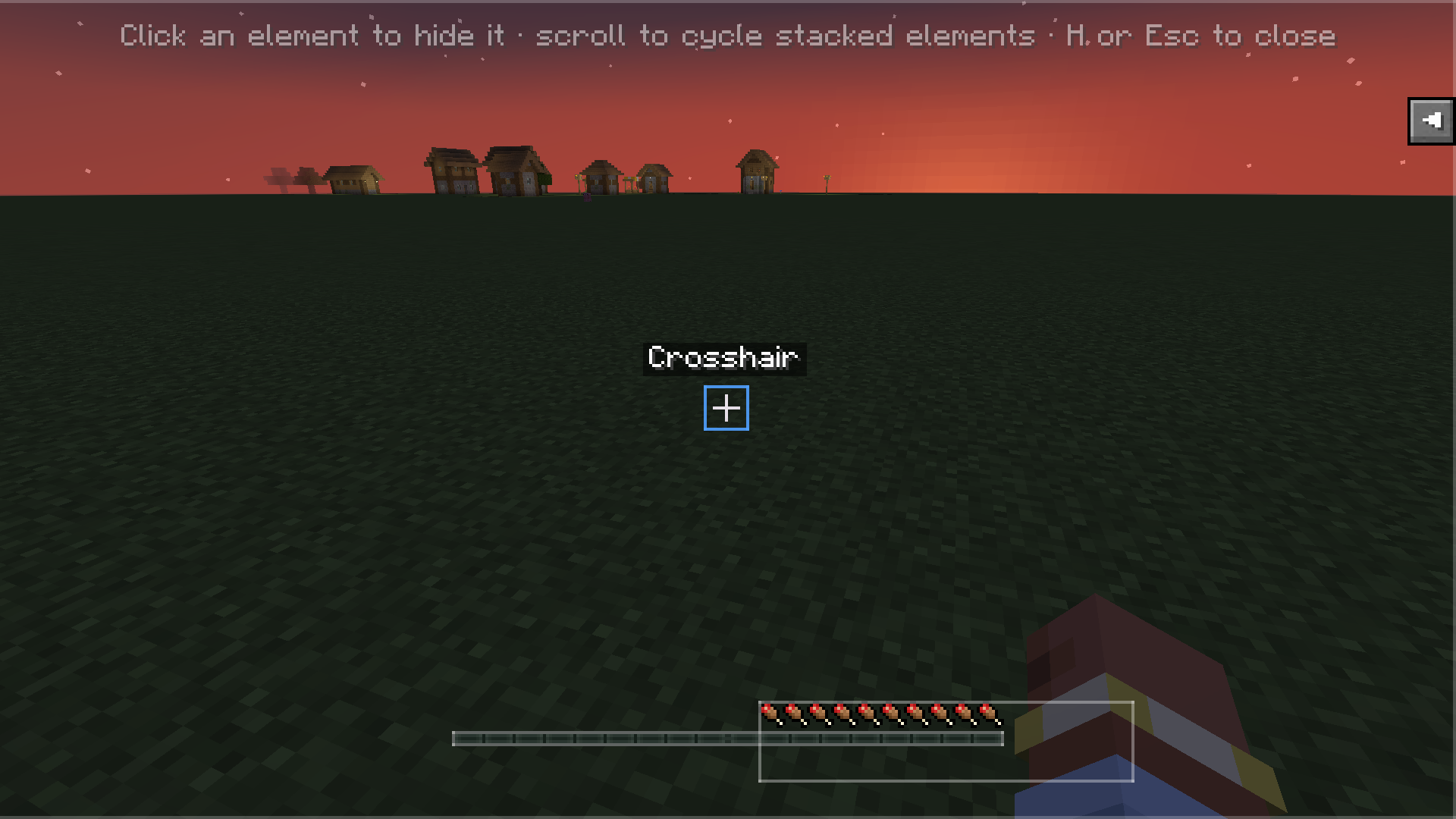
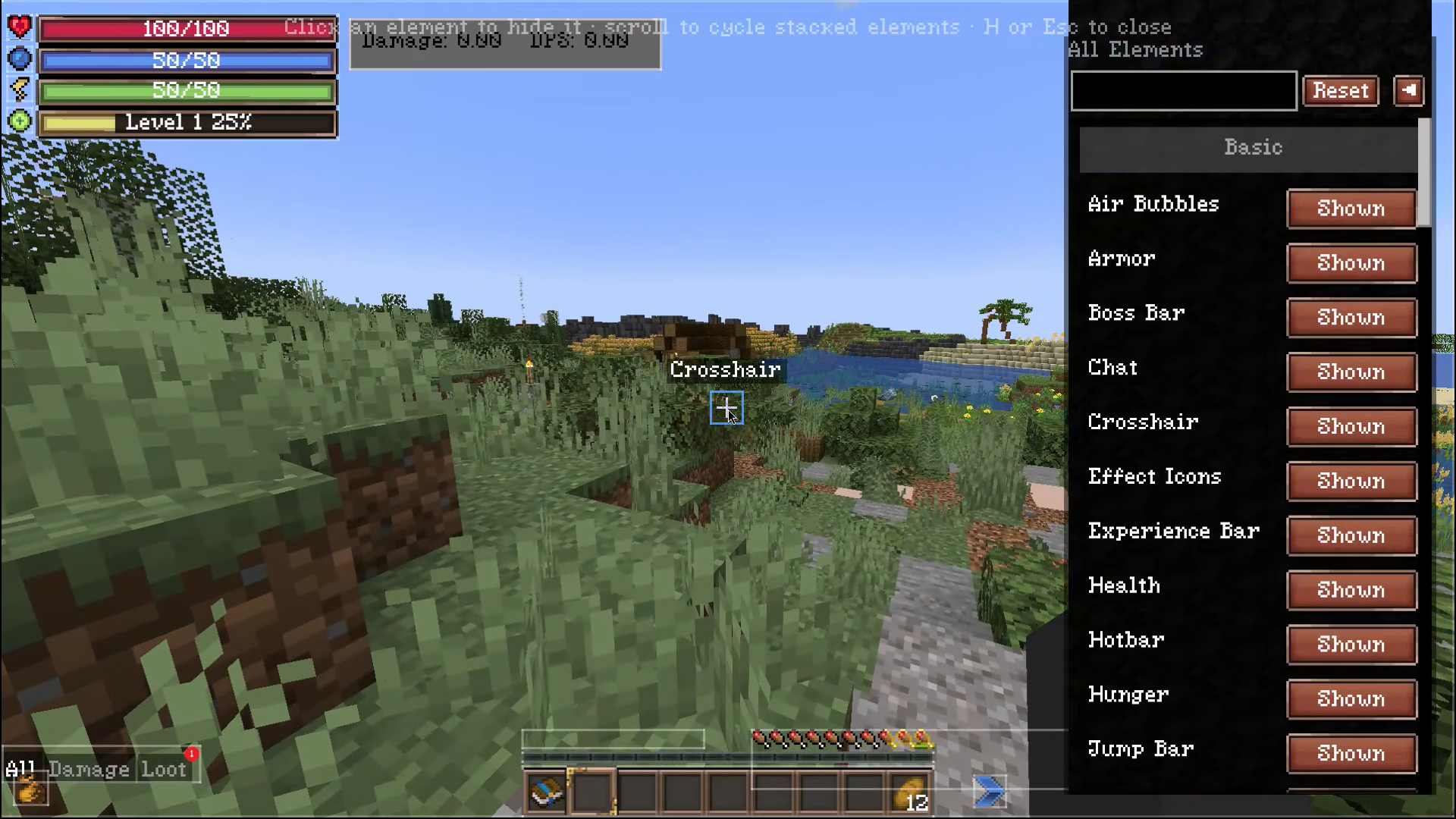
- The HUD Editor overlay opens — every HUD element is highlighted with a translucent box.
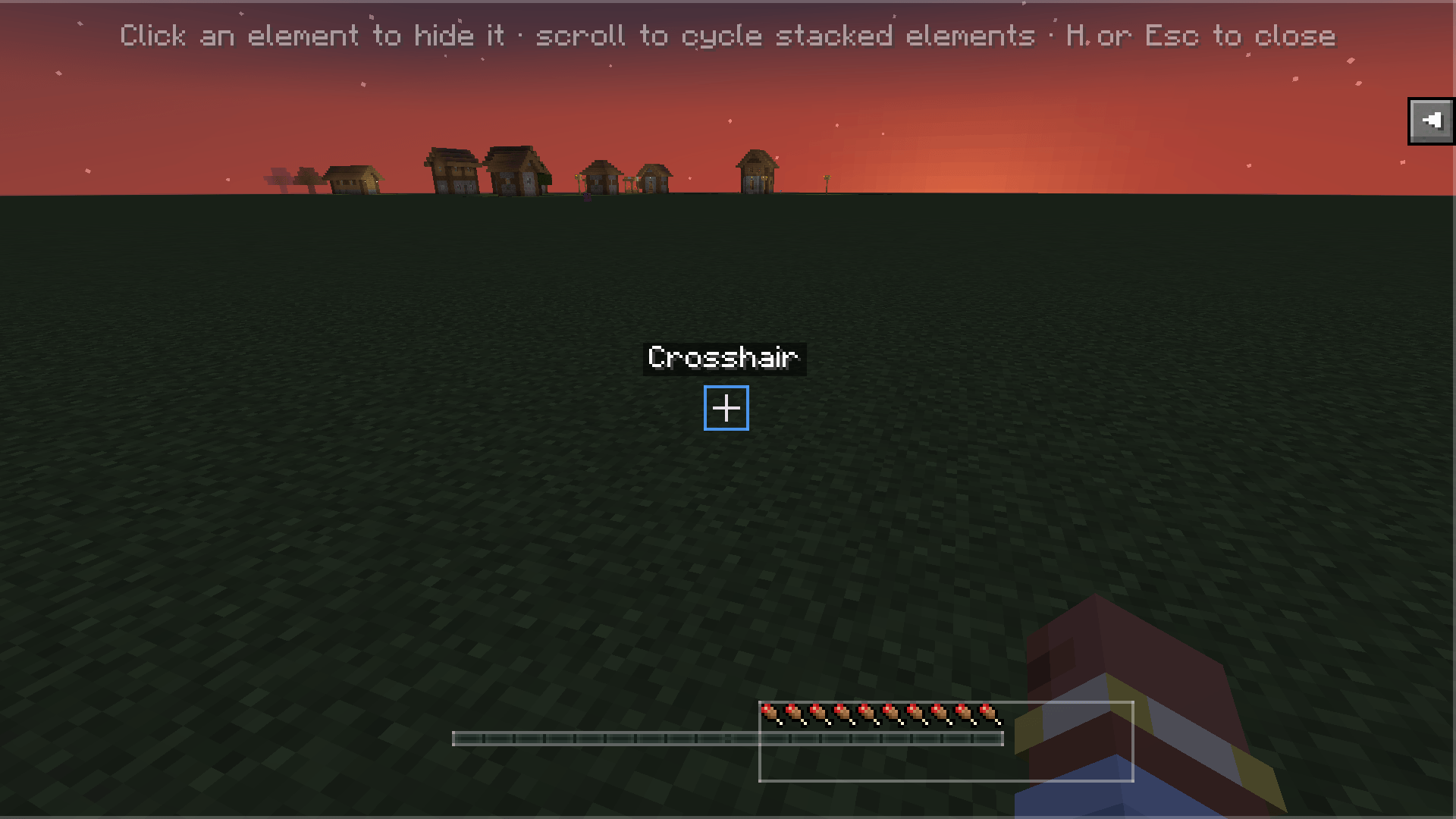
- Click an element to hide/show it. Scroll to cycle through stacked elements under the cursor.
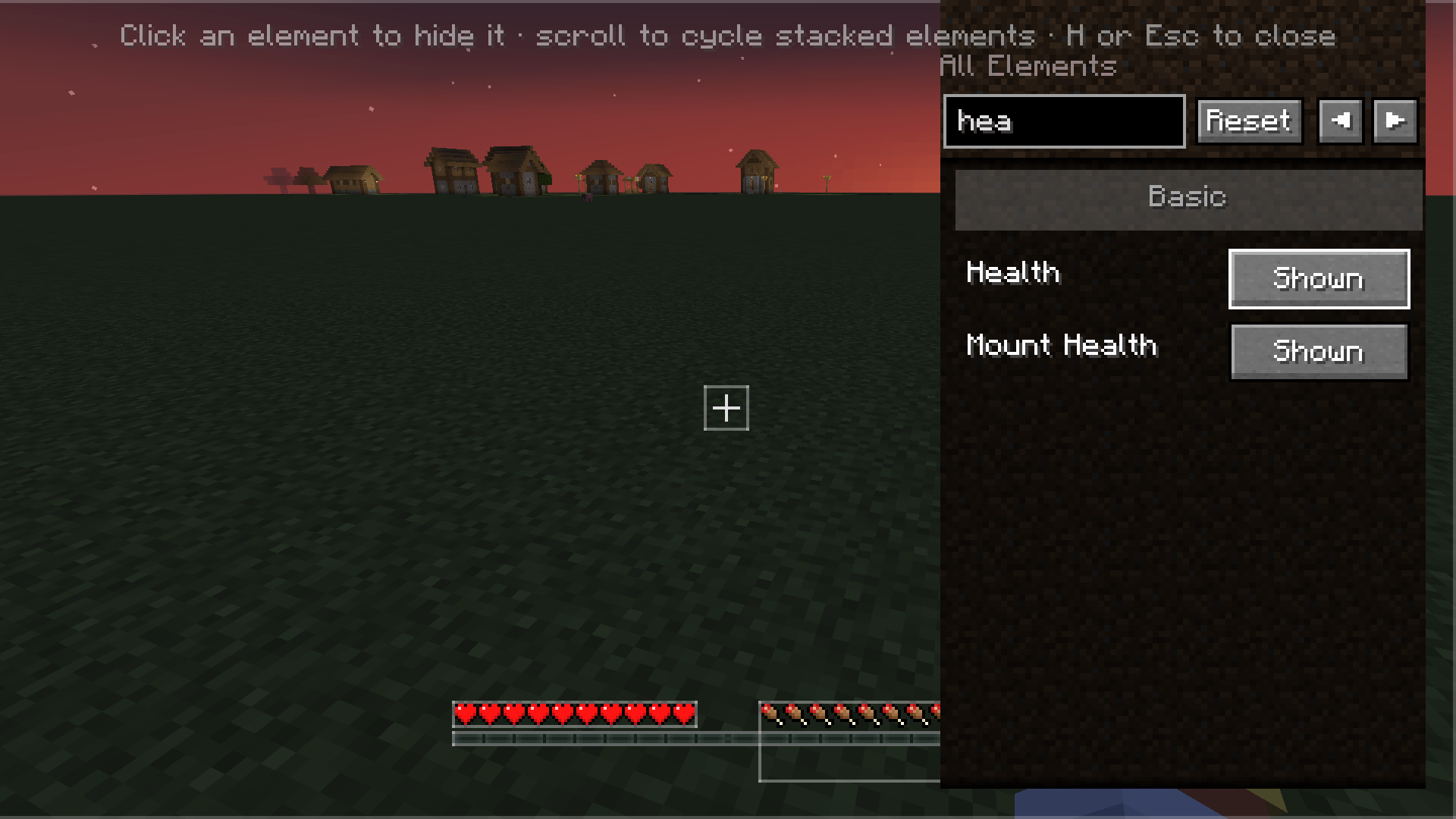
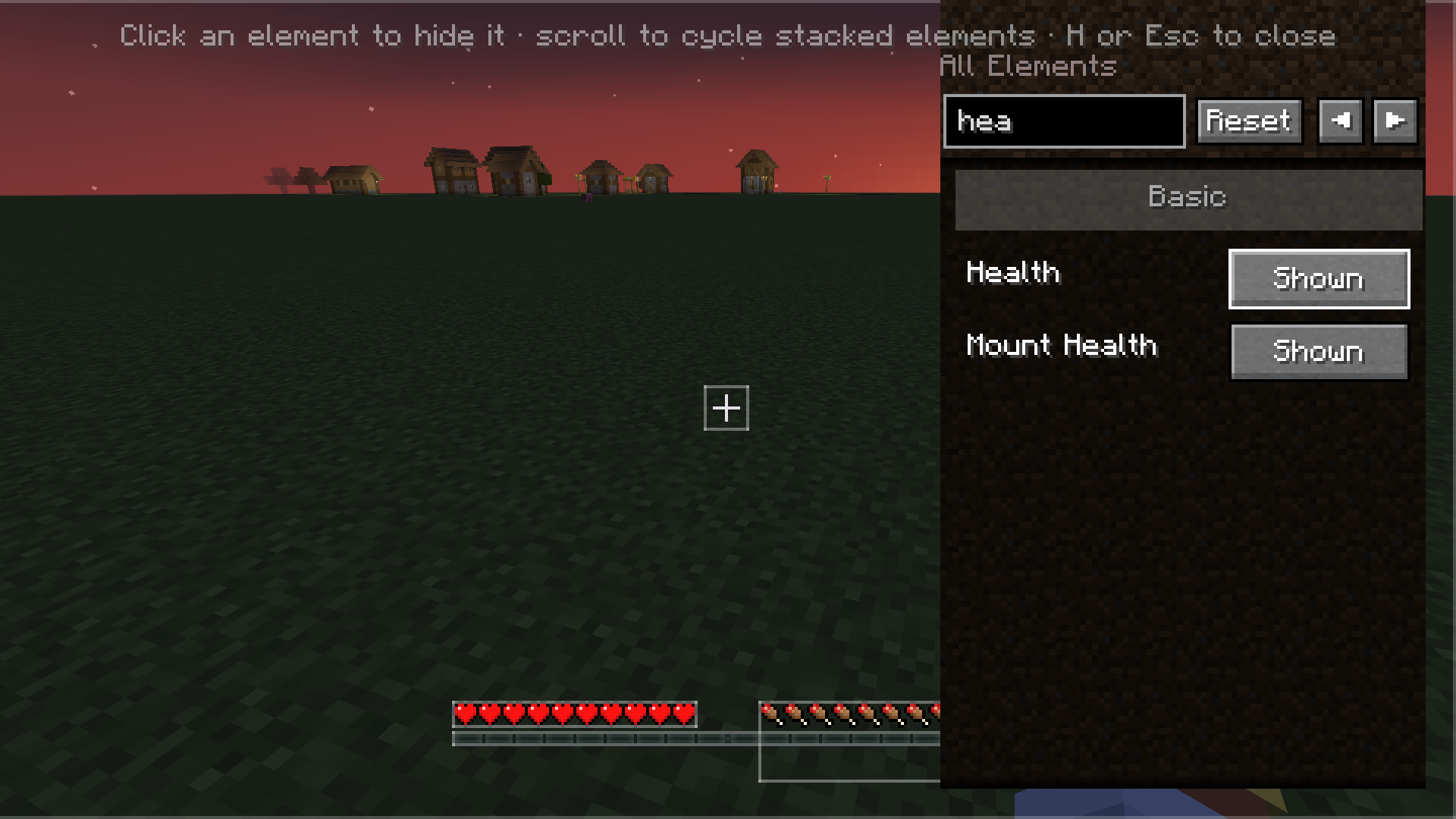
- Use the search box and Basic/Advanced category filter to find specific elements.
- Click Reset to restore all hidden elements.
- Press H or Esc to close.
- Config is also editable via Forge's Mods screen → HUD Toggle → Config.
Features
- Toggle any vanilla HUD overlay — hotbar, crosshair, health, hunger, chat, scoreboard, boss bars, debug text, and more.
- Detects modded overlays — including unregistered
RenderGuiEvent.Postrenderers, attributed automatically to their source mod. - Click-to-hide editor — press H in-game, click any highlighted element to hide it, scroll to cycle stacked elements.
- Search, Basic/Advanced categories, Reset — find elements fast, filter by complexity, restore everything with one click.
- Per-element persistence — choices saved to
config/hudtoggle.json, survives restarts and mod updates. - Client-side only — no server install needed. Works on any server.
Installation
- Forge 47.2.0+ on Minecraft 1.20.1
- Download the latest
.jarfrom Modrinth or CurseForge - Drop it into your
mods/folder
Usage
- Press H in-game (rebindable in Controls → HUD Toggle).
- The HUD Editor overlay opens — every HUD element is highlighted with a translucent box.
- Click an element to hide/show it. Scroll to cycle through stacked elements under the cursor.
- Use the search box and Basic/Advanced category filter to find specific elements.
- Click Reset to restore all hidden elements.
- Press H or Esc to close.
- Config is also editable via Forge's Mods screen → HUD Toggle → Config.
Screenshots
Gallery
-
 Pasted image (5).png Pasted image (5).png
 -
 Pasted image (2).png Pasted image (2).png
 -
 Pasted image (3).png Pasted image (3).png
 -
 Pasted image (4).png Pasted image (4).png
 -
 Pasted image (4).png Pasted image (4).png
Versions
Files
Relations
Project Relations
More like this
Similar Mods
Suggestions use data such as tags, dependencies, dependents, descriptions, titles, and more to rank how much they overlap with this mod.
On ModDex
Community snapshot
By the numbers
Statistics
Want to reach Minecraft players?
We're looking for a server hosting partner to feature here and other parts of the site. Interested? Send us a message!
Get in touchGet it on
Available Platforms
On ModDex
Community snapshot
By the numbers
Statistics
Resources