
Community listing page, reviews here may not be monitored by the author.
Infinity Item Editor


No reviews yet
Customized GUIs for nearly all items. Usable on any Creative Server!

Community voices
Reviews
No reviews yet. Be the first to review this project!
Get it on
Available Platforms
Compatibility
Supported Environments
Runs entirely on the client. Works on vanilla servers.
About
Project Details
For authors
Embed Badge
If you're the author of this project, you can embed a live badge anywhere that supports HTML or Markdown. It updates automatically whenever ratings change.
Use HTML for any page that supports it, or Markdown for README files and Markdown-based descriptions.
Identifiers
Platform IDs
About
Description


An unofficial update made by the community is available here: [Infinity Item Editor Re](https://modrinth.com/project/vpuqAhZt)
Description
Infinity Item Editor editor is a mod for server admins, map makers, modpack makers, and creative players. It aims to allow you to customize items down to the smallest details, such as the inventory of the chest on the mule in your spawnegg. Even if you don't need to edit to such a degree, the ability to quickly rename items and their lore might be useful.
Features
Completely clientside, which means you can use it on most servers, as long as you have creative mode.
Customized GUIs for nearly every item. You won't have to edit any NBT manually.
Attribute, Enchantment, and Potion editors, which allows you to make items that surpass the limits of vanilla crafting.
Dynamic Interface. The GUI changes based on the item you are editing, just press the button and you'll see which options are available for that item.
Head Collection. Spawn a head from the collection of more than 20.000 heads. (Thanks to minecraft-heads.com API)
Custom Creative Tabs. Items that aren't normally available in any creative tab, such as barriers and commands blocks. Supports modded items too.
Copy Equipment Keybinding. Will copy the armor and items in the hand of the player, you are targeting.
NBT Browser, even if you don't have creative or don't want to edit any items, you can use the mod to explore the NBT data of an item.
FAQ
How do I edit an item
Press U to edit the selected hotbar item or the inventory slot under your mouse. (Can be changed in controls)
Does the mod use commands?
No. Creative mode let's the client spawn item directly into their inventory. However, the request must be accepted by the server. For example the server will deny any requests for stack over 64.
The head collection is not loading
Make sure the mod is up to date, and that your launcher is using a recent version of Java. Some launchers force an old java version, and are unsupported. The F3 debug screen will show which Java version the game is using.
Will the mod be updated?
I don't have enough time to port the mod in its current state. I will, however, fix any game-breaking bugs that come up. A lot of things are hardcoded specifically for that minecraft version, which makes it difficult to support more versions. A rewrite from scratch would also take too much time. I might work on an editor in a less time-consuming format.
How can I disable this mod on my server?
The mod doesn't let you do anything that you couldn't do by spawning edited items in singleplayer, saving them to your vanilla "saved toolbars" and then spawning them on your server. Most non-vanilla servers come built-in with protection against some potentially malicious items like books and signs that can trigger commands on right click.
If you want to restrict creative mode and/or protect against unwanted items you have the following options:
- Use plugins like: ItemFixer, Restricted Creative, Strict Creative. I don't know the best ones, but I know there are some available.
- For developers: Modify how your server handles the packet.
- Don't give users creative - find other methods of giving them access to items.
Recommended mods and alternatives
- Advanced Creative Tab - Similar goal to this mod
- FZMM - A mod with inspirations from IIE and some pretty cool unique features.
- NBT Void - Collects and saves items you encounter on servers, inspired by my feature of the same name.
- Simple Item Editor - A command based item editor by the same author as NBT Void.
- IBE Editor - A different take on an item editor with some of the same features.
- NBT Editor
- Jacks Server Side Tweaks - Server Side item editor and more.
Screenshots
Gallery
-
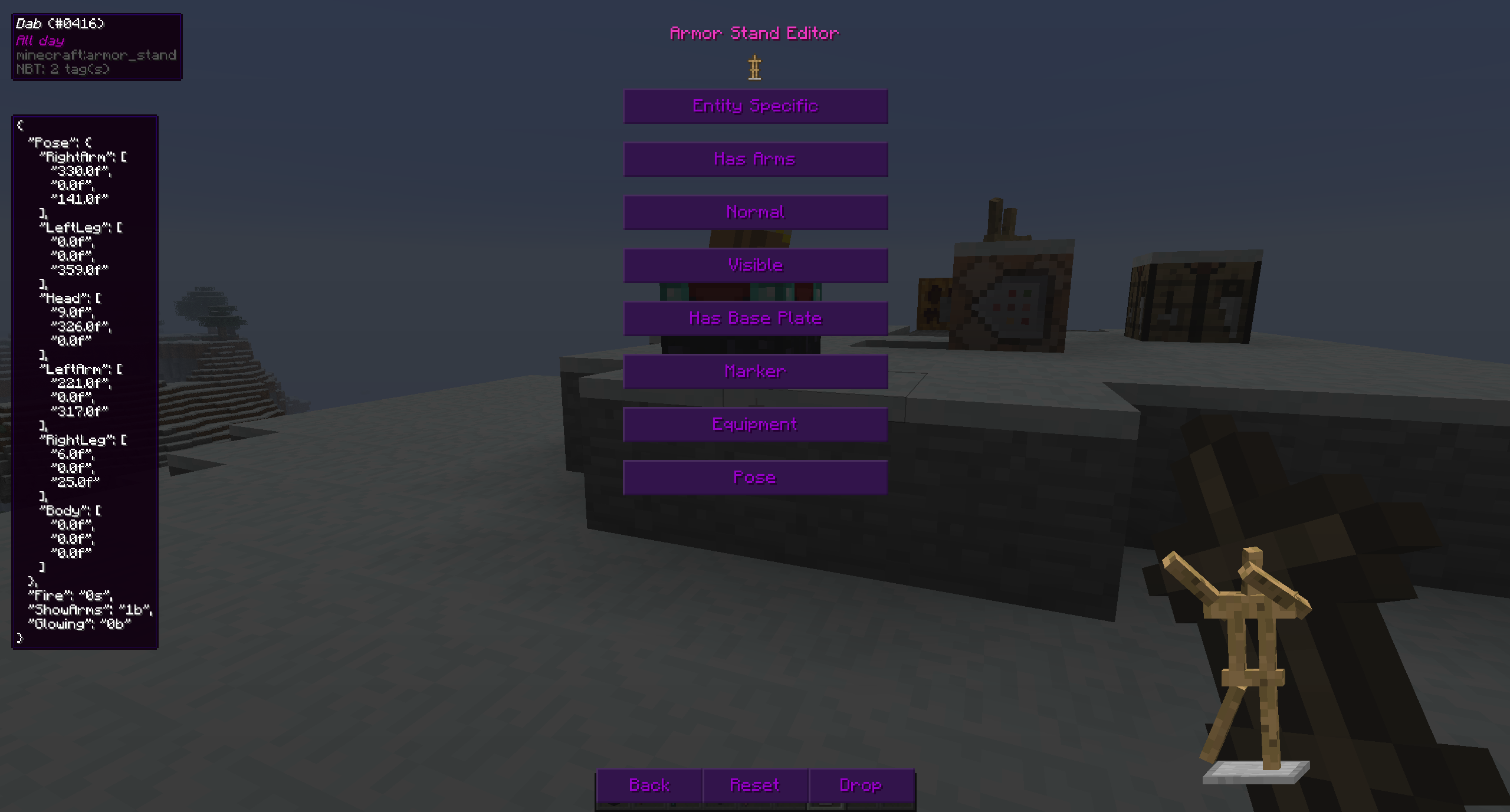 Dab
Dab -
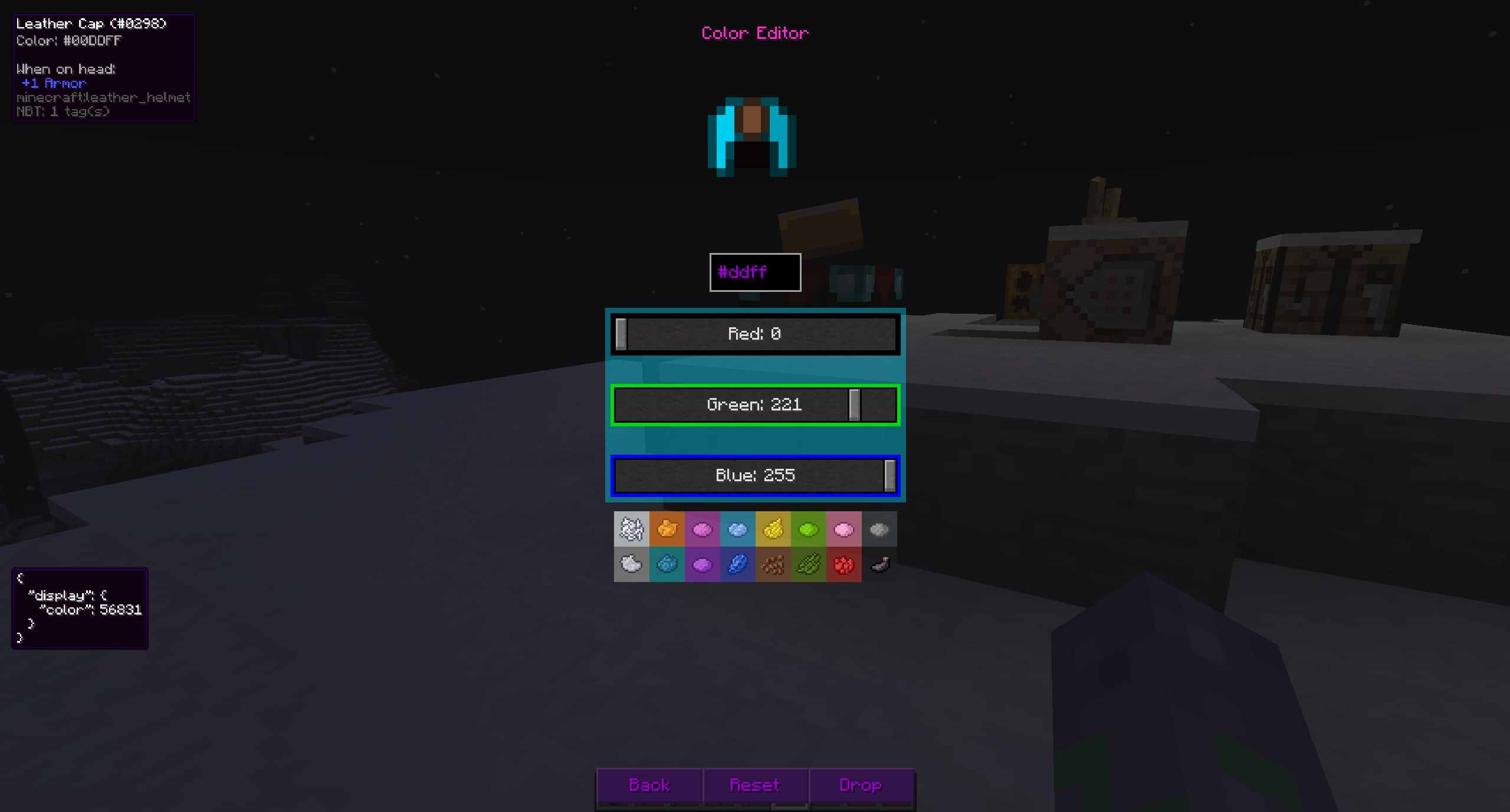 Colors
 -
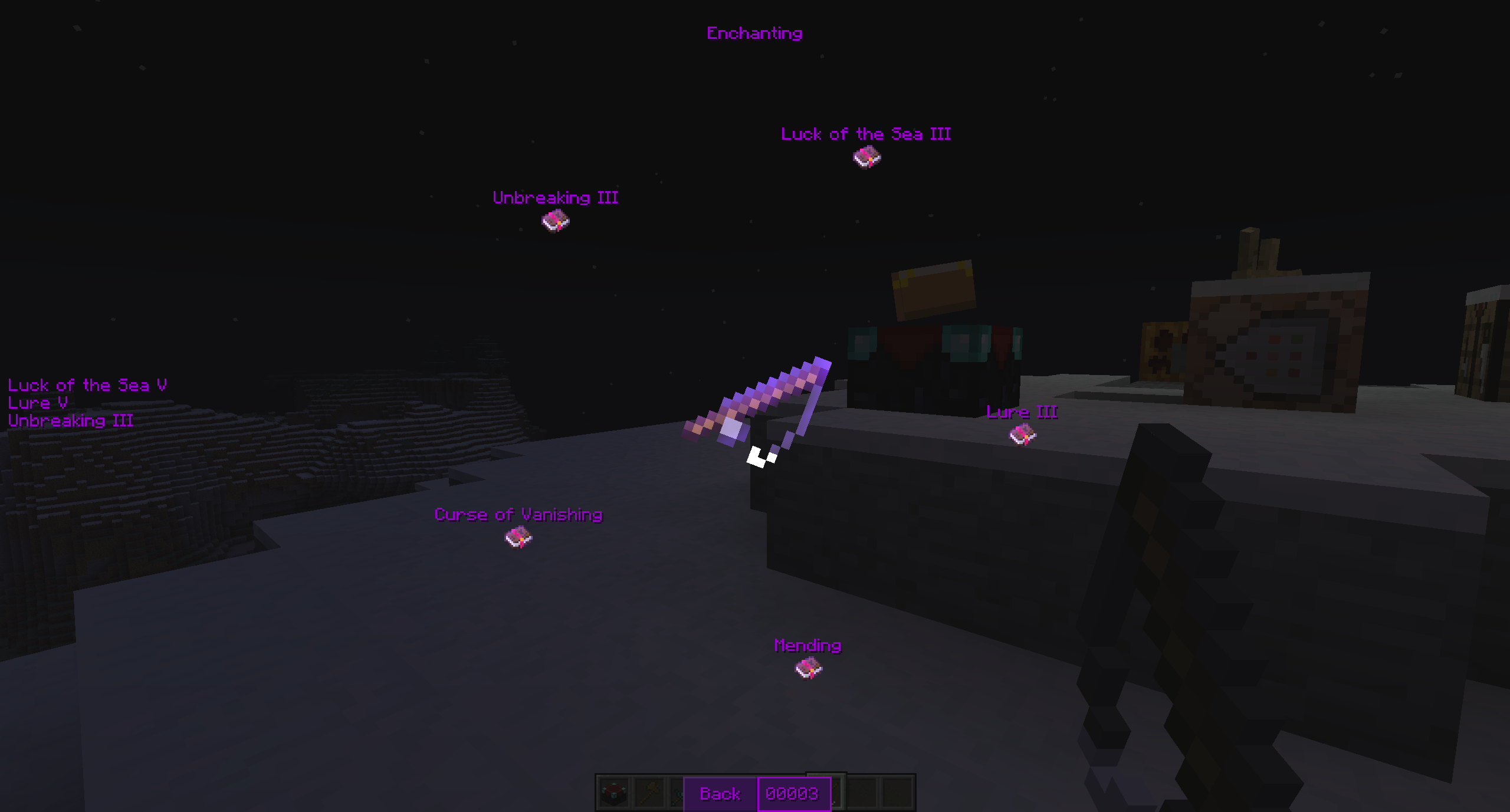 Enchanting
 -
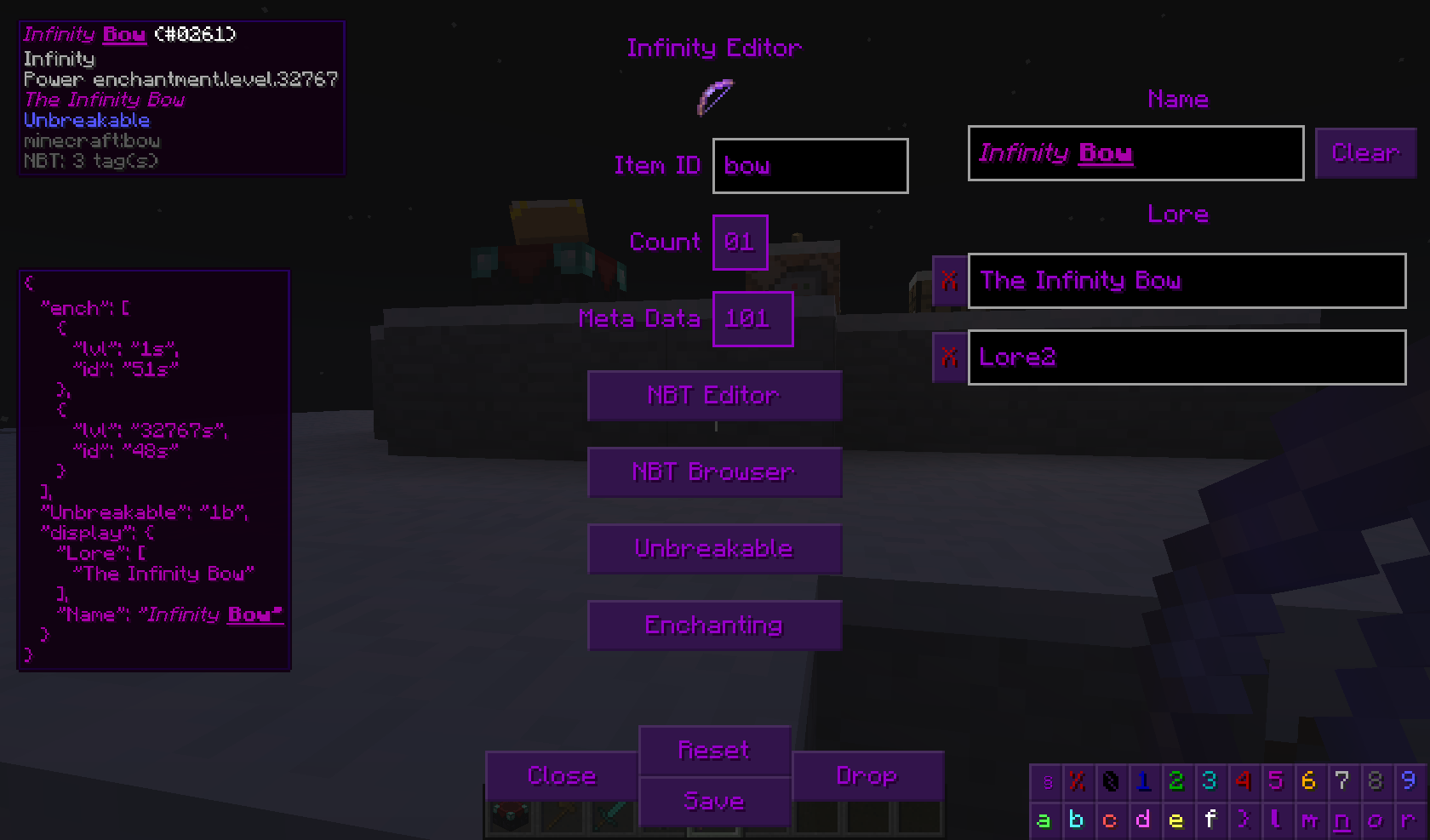 New Main Editor
 -
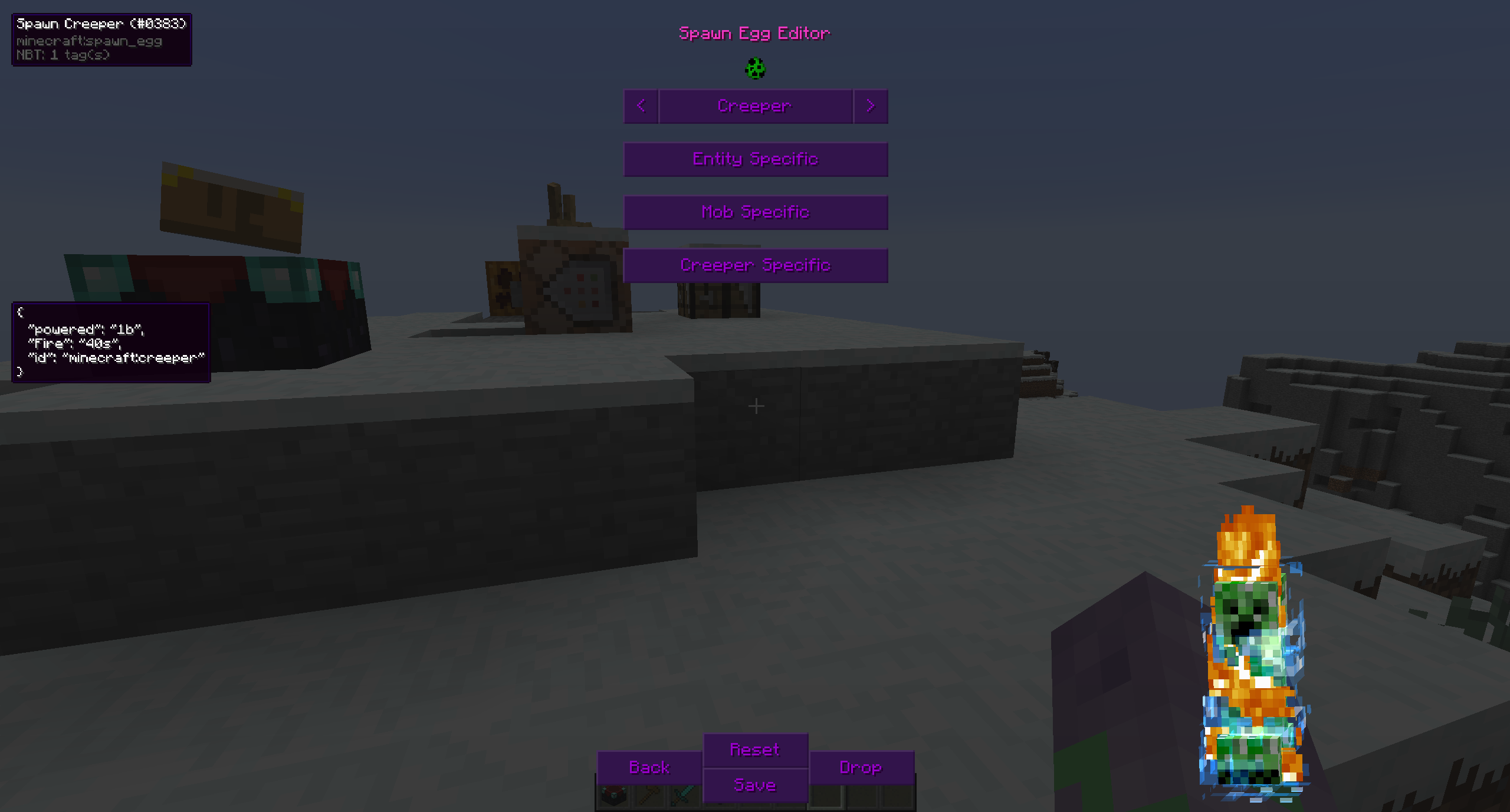 Customized Spawn Eggs
-
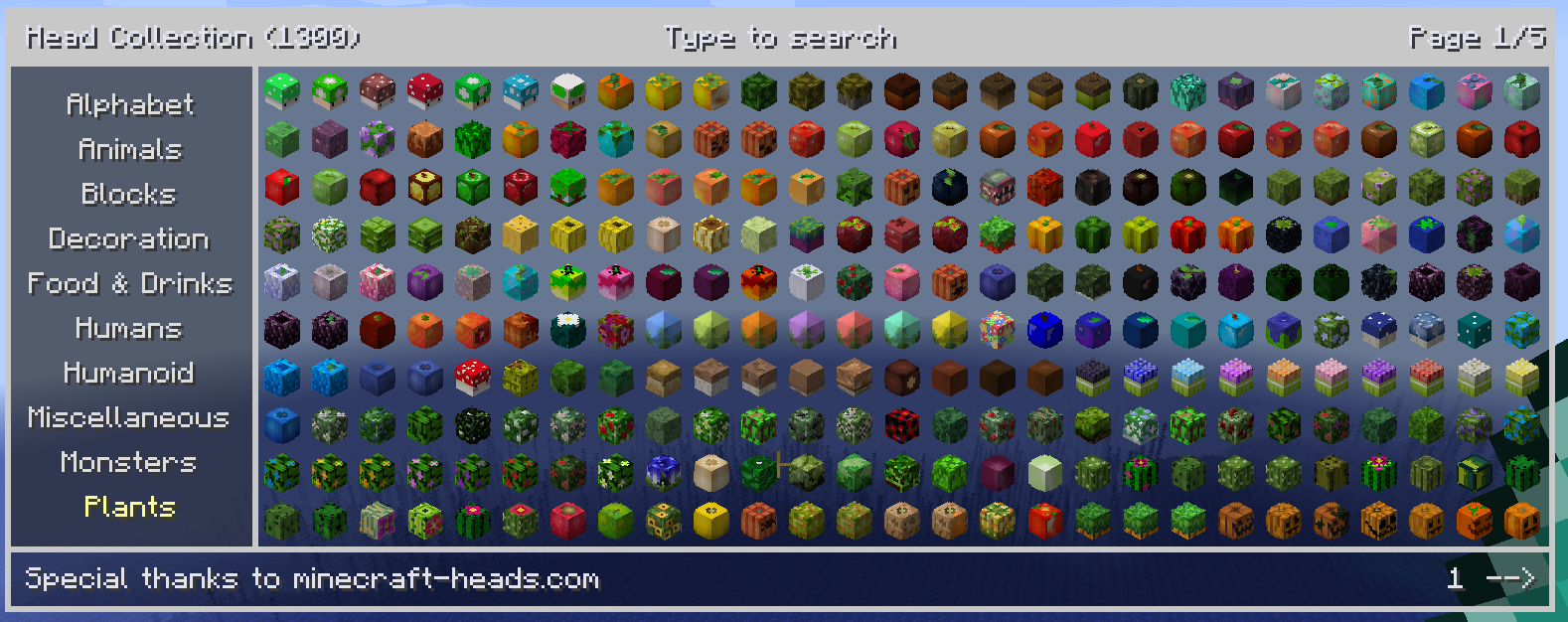 Head Collection More than 50k heads in different categories
 -
 Enchanting Wheel This let's you add any enchantments to any item. You can search and filter relevant enchantment and choose whether or not to go over vanilla limit.
 -
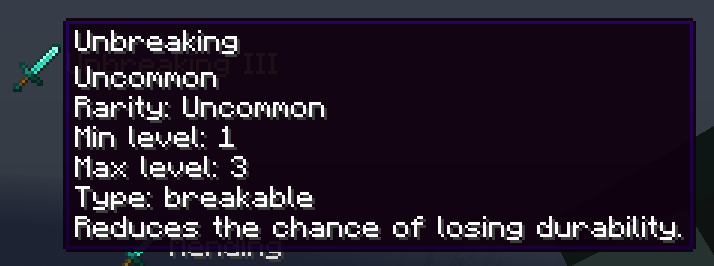 Enchantment toolitp Tooltips will show info about the enchantment
 -
 Color Editor Easily select the color you want, without mixing dyes
 -
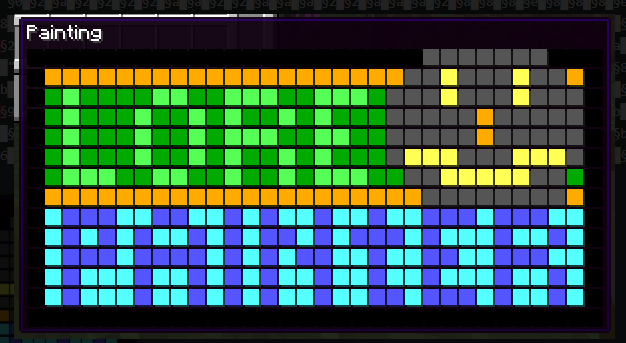 Lore Painting Paint colored "pixels" in the lore of your items (available for 1.12.2)
Versions
Files
Relations
Project Relations
More like this
Similar Mods
Suggestions use data such as tags, dependencies, dependents, descriptions, titles, and more to rank how much they overlap with this mod.
On ModDex
Community snapshot
By the numbers
Statistics
 (opens in a new tab)
Get it on
Available Platforms
On ModDex
Community snapshot
By the numbers