
Community listing page, reviews here may not be monitored by the author.
NBT Editor


No reviews yet
Edit items, blocks, and entities in-game.

Community voices
Reviews
No reviews yet. Be the first to review this project!
Get it on
Available Platforms
Compatibility
Supported Environments
Required on the client. Installing it on the server adds functionality.
About
Project Details
For authors
Embed Badge
If you're the author of this project, you can embed a live badge anywhere that supports HTML or Markdown. It updates automatically whenever ratings change.
Use HTML for any page that supports it, or Markdown for README files and Markdown-based descriptions.
Identifiers
Platform IDs
About
Description
If optionally installed on the server, this mod allows you OPed players to edit the NBT of items, blocks, and entities. If only installed on the client, you can still edit items in creative mode, even without OP.
List of Every Feature
https://github.com/mega12345mega/NBT-Editor/wiki/List-of-Every-Feature
Main Features
- A gui for editing the NBT of items, blocks, and entities
- A client chest; think of it like a multi-page enderchest across any server or singleplayer world
- Editing container contents, including block items, blocks, entities, and your enderchest
- A /get command to let you easily get items, create blocks, and spawn entities
- A factory system to make common NBT edits easier
- The ability to export and import items, blocks, and entities to commands, block items, spawn eggs, and .nbt files
Commands
- /nbt [new <item> | export <format> | import | config]: Edit, export, or import the NBT of something, or open the config
- /chest [<page> | <name>]: Open the client chest
- /open [echest]: Open the container you're holding, looking at, or your enderchest, with no item restrictions
- /get <item | block | entity | potion | soup | skull | hdb | preset | lostitem | help | credits> [<args>]: Get an item, place a block, spawn an entity, or get information
- /factory <attributes | blockstates | book | display | enchantments | max | maxstacksize | randomuuid | signature | signboard | unbindskull | unbreakable> [<args>]: Utilities for enchantments, attributes, etc.
/get Command
- /get item <item> [<count>]: Get an item (like /give @s)
- /get block [<pos>] <block>: Get a block item or set a block (like /setblock)
- /get entity <entity> [<pos>] [<nbt>]: Get a spawn egg or summon an entity (like /summon)
- /get potion (normal | splash | lingering) <effects>: Get a potion with specific effects
- /get soup <effect> [<duration>]: Get a suspicious stew with the specific effect
- /get skull <username>: Get the player head for a player
- /get hdb [<args>]: Access the Minecraft Heads database via a port of the plugin HeadDB by UnlimitedNinjas
- /get preset <item>: Get a built-in item
- /get lostitem [history]: Get an accidentally deleted item
- /get help [nbteditor | clientchest | open | get | factories | textformat]: Get help, including for specific features
- /get credits: Get the credits
Factories
- /factory attributes: Edit attribute modifiers (for items) and attribute bases (for entities)
- /factory blockstates: Edit block states
- /factory book [new | make_writable]: Edit books (including in lecterns)
- /factory display [name | lore | hideflags] [<args>]: Edit names, lore, and hideflags
- /factory enchantments: Edit enchantments
- /factory max [cursed] [all] [<level>]: Max an item's enchantments
- /factory maxstacksize (default | <size>): Set an item's max stack size (1.20.5+ only)
- /factory randomuuid [add | remove]: Add a random UUID to an item
- /factory signature (add | remove | edit <new signature>): Add a signature to items
- /factory signboard [new <type>]: Edit signs
- /factory unbindskull: Remove a skull's link to the original owner
- /factory unbreakable: Toggle an item's unbreakable tag
Shortcuts
- Space: Edit an item's NBT
- Shift + Space: Open the factory list for an item
- Ctrl + Space: Open a container item
- Delete: Delete an item, even if it is in a locked slot
- Extra tabs in the bottom left (configurable) of the inventory screen to access your client chest and enderchest
- Group shortcuts (using /name instead of /factory display name) and aliases (using /f instead of /factory) are configurable in /nbt config
Languages
- Simplified Chinese (zh_cn) by hyplant, Clexus, & GTedd
- Polish (pl_pl) by Xantrisse & papa_louie09
- Russian (ru_ru) by TheFaceJD
- French (fr_fr) by Darukshock
- Hebrew (he_il) by inon13 & RedVortexDev
- Czech (cs_cz) by Kulihrasek1101
- Traditional Chinese (zh_tw) by dirtTW & GTedd
Discord Server
Outdated Showcase
If optionally installed on the server, this mod allows you OPed players to edit the NBT of items, blocks, and entities. If only installed on the client, you can still edit items in creative mode, even without OP.
List of Every Feature
https://github.com/mega12345mega/NBT-Editor/wiki/List-of-Every-Feature
Main Features
- A gui for editing the NBT of items, blocks, and entities
- A client chest; think of it like a multi-page enderchest across any server or singleplayer world
- Editing container contents, including block items, blocks, entities, and your enderchest
- A /get command to let you easily get items, create blocks, and spawn entities
- A factory system to make common NBT edits easier
- The ability to export and import items, blocks, and entities to commands, block items, spawn eggs, and .nbt files
Commands
- /nbt [new | export | import | config]: Edit, export, or import the NBT of something, or open the config
- /chest [ | ]: Open the client chest
- /open [echest]: Open the container you're holding, looking at, or your enderchest, with no item restrictions
- /get <item | block | entity | potion | soup | skull | hdb | preset | lostitem | help | credits> []: Get an item, place a block, spawn an entity, or get information
- /factory <attributes | blockstates | book | display | enchantments | max | maxstacksize | randomuuid | signature | signboard | unbindskull | unbreakable> []: Utilities for enchantments, attributes, etc.
/get Command
- /get item []: Get an item (like /give @s)
- /get block [] : Get a block item or set a block (like /setblock)
- /get entity [] []: Get a spawn egg or summon an entity (like /summon)
- /get potion (normal | splash | lingering) : Get a potion with specific effects
- /get soup []: Get a suspicious stew with the specific effect
- /get skull : Get the player head for a player
- /get hdb []: Access the Minecraft Heads database via a port of the plugin HeadDB by UnlimitedNinjas
- /get preset : Get a built-in item
- /get lostitem [history]: Get an accidentally deleted item
- /get help [nbteditor | clientchest | open | get | factories | textformat]: Get help, including for specific features
- /get credits: Get the credits
Factories
- /factory attributes: Edit attribute modifiers (for items) and attribute bases (for entities)
- /factory blockstates: Edit block states
- /factory book [new | make_writable]: Edit books (including in lecterns)
- /factory display [name | lore | hideflags] []: Edit names, lore, and hideflags
- /factory enchantments: Edit enchantments
- /factory max [cursed] [all] []: Max an item's enchantments
- /factory maxstacksize (default | ): Set an item's max stack size (1.20.5+ only)
- /factory randomuuid [add | remove]: Add a random UUID to an item
- /factory signature (add | remove | edit ): Add a signature to items
- /factory signboard [new ]: Edit signs
- /factory unbindskull: Remove a skull's link to the original owner
- /factory unbreakable: Toggle an item's unbreakable tag
Shortcuts
- Space: Edit an item's NBT
- Shift + Space: Open the factory list for an item
- Ctrl + Space: Open a container item
- Delete: Delete an item, even if it is in a locked slot
- Extra tabs in the bottom left (configurable) of the inventory screen to access your client chest and enderchest
- Group shortcuts (using /name instead of /factory display name) and aliases (using /f instead of /factory) are configurable in /nbt config
Languages
- Simplified Chinese (zh_cn) by hyplant, Clexus, & GTedd
- Polish (pl_pl) by Xantrisse & papa_louie09
- Russian (ru_ru) by TheFaceJD
- French (fr_fr) by Darukshock
- Hebrew (he_il) by inon13 & RedVortexDev
- Czech (cs_cz) by Kulihrasek1101
- Traditional Chinese (zh_tw) by dirtTW & GTedd
Discord Server
Outdated Showcase
Screenshots
Gallery
-
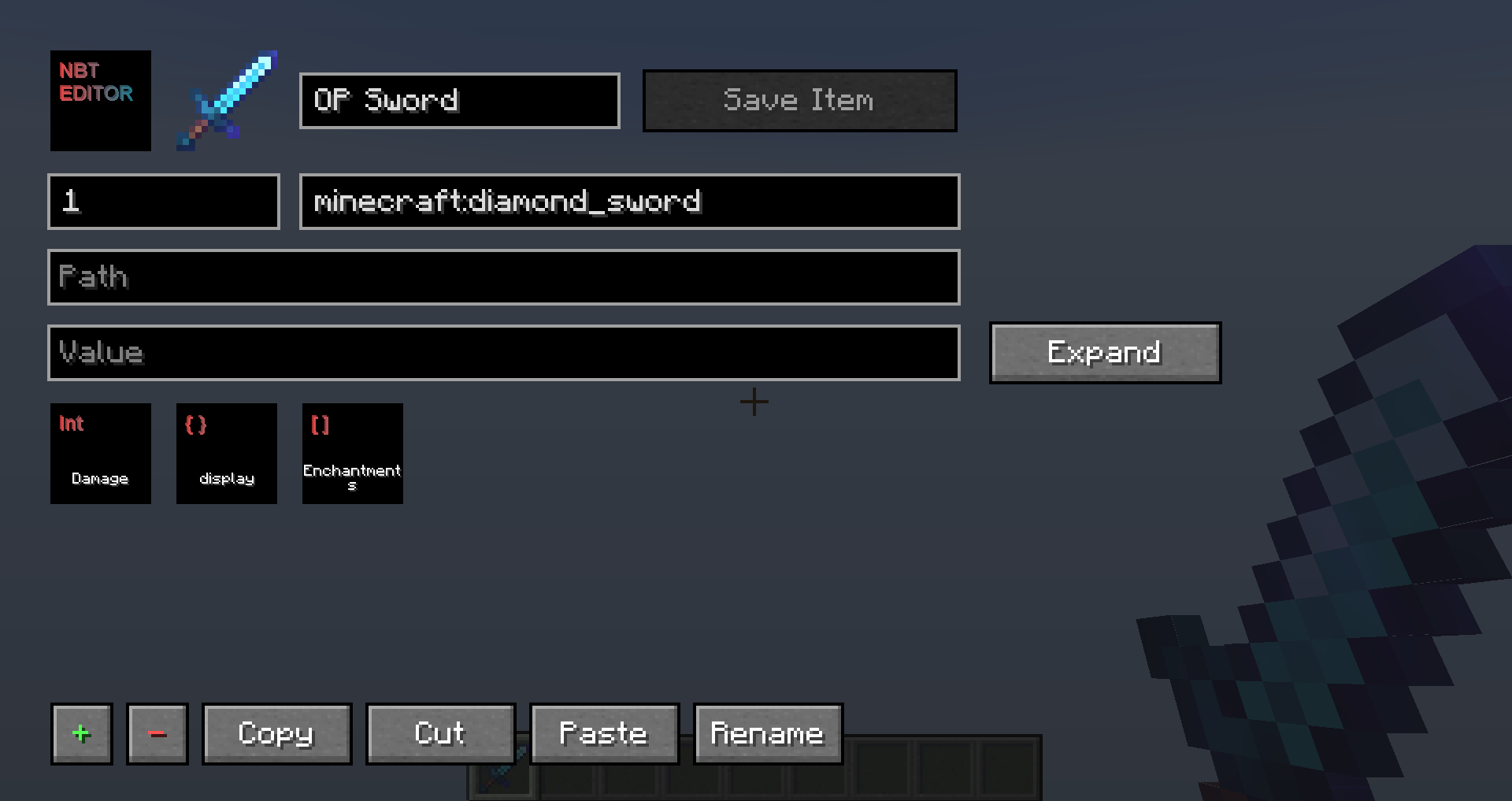 Item Editor /nbt
 -
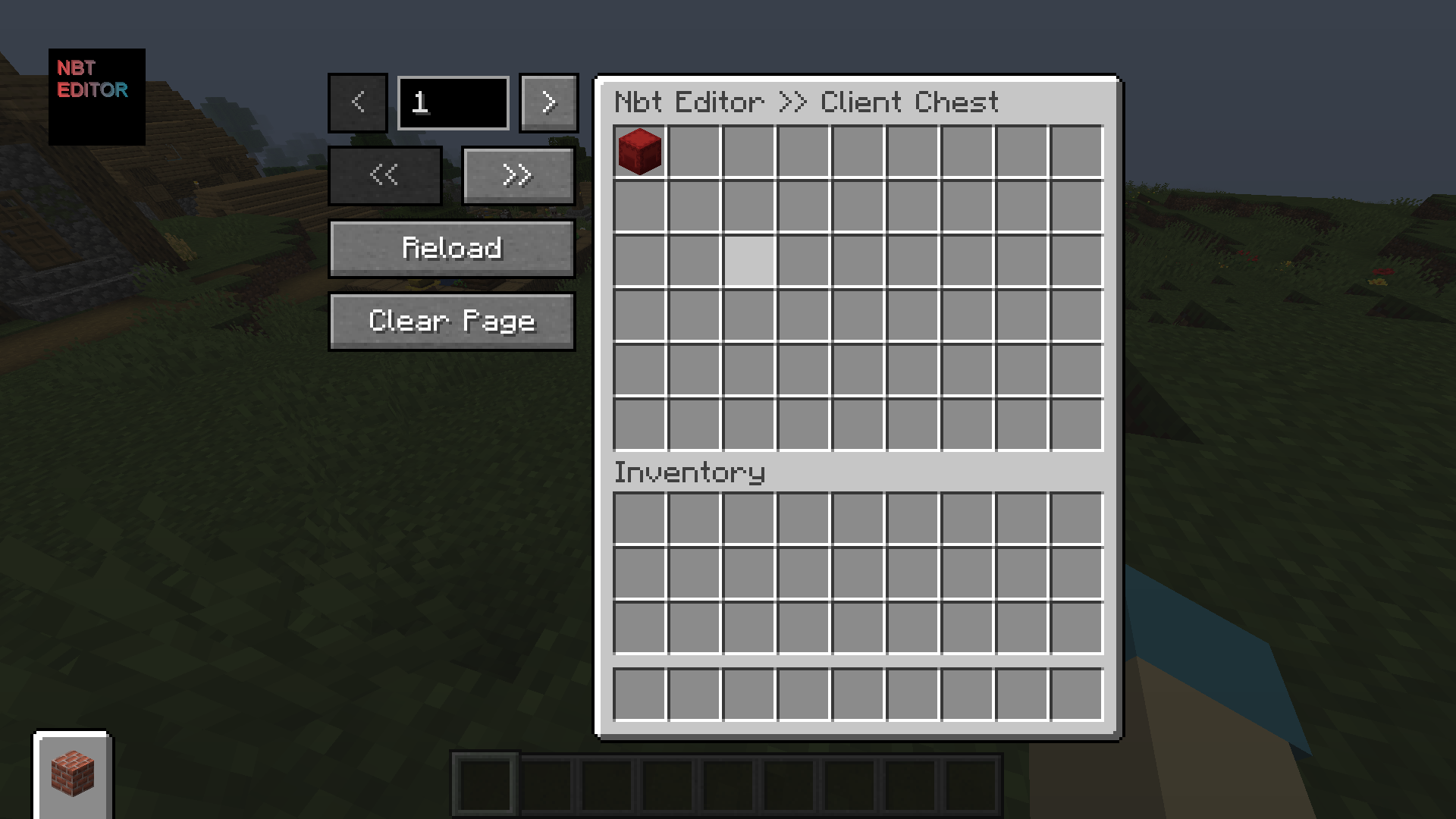 Client Chest /storage
 -
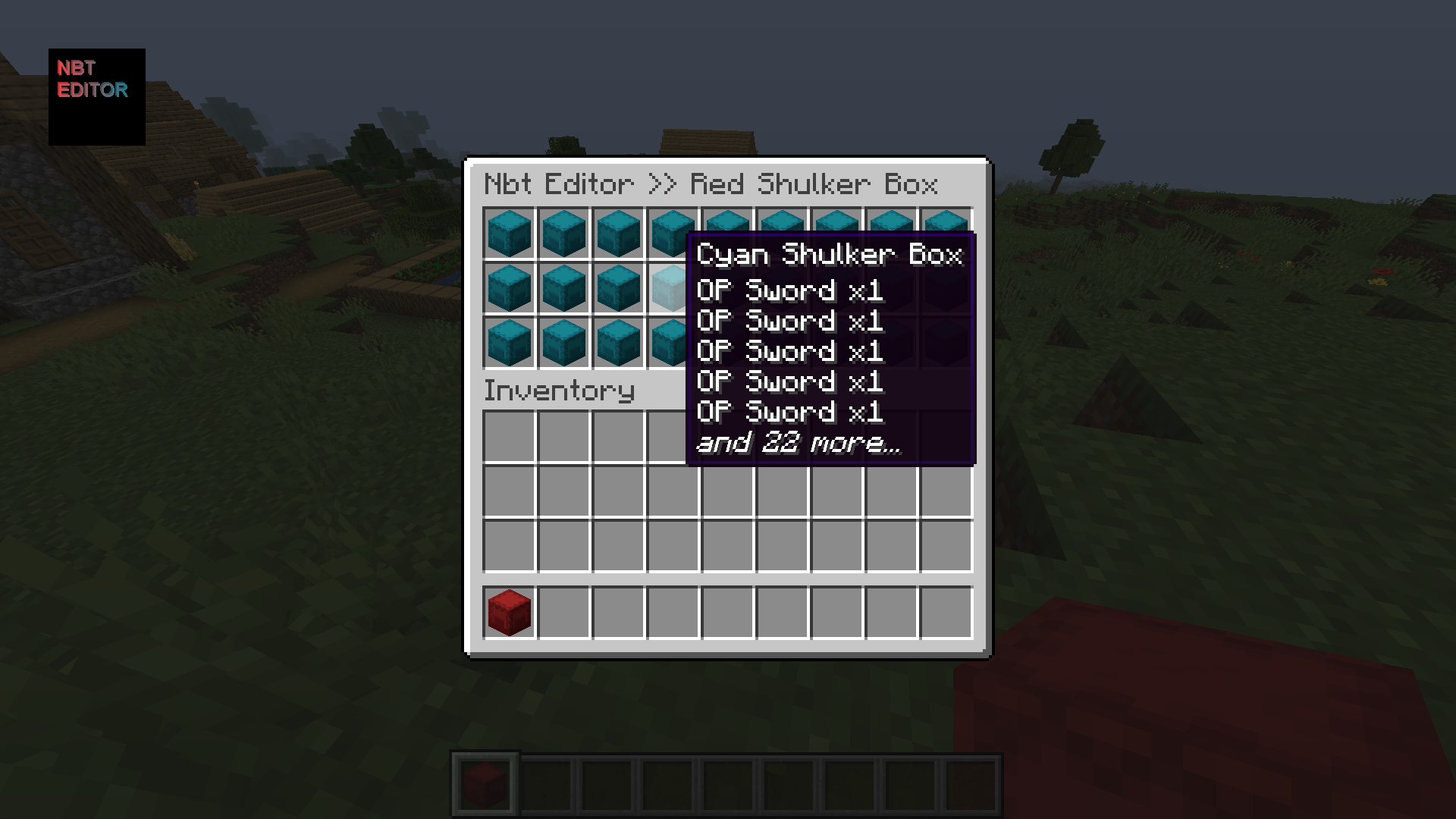 Container Menu /open - You can put shulker boxes inside a shulker box
 -
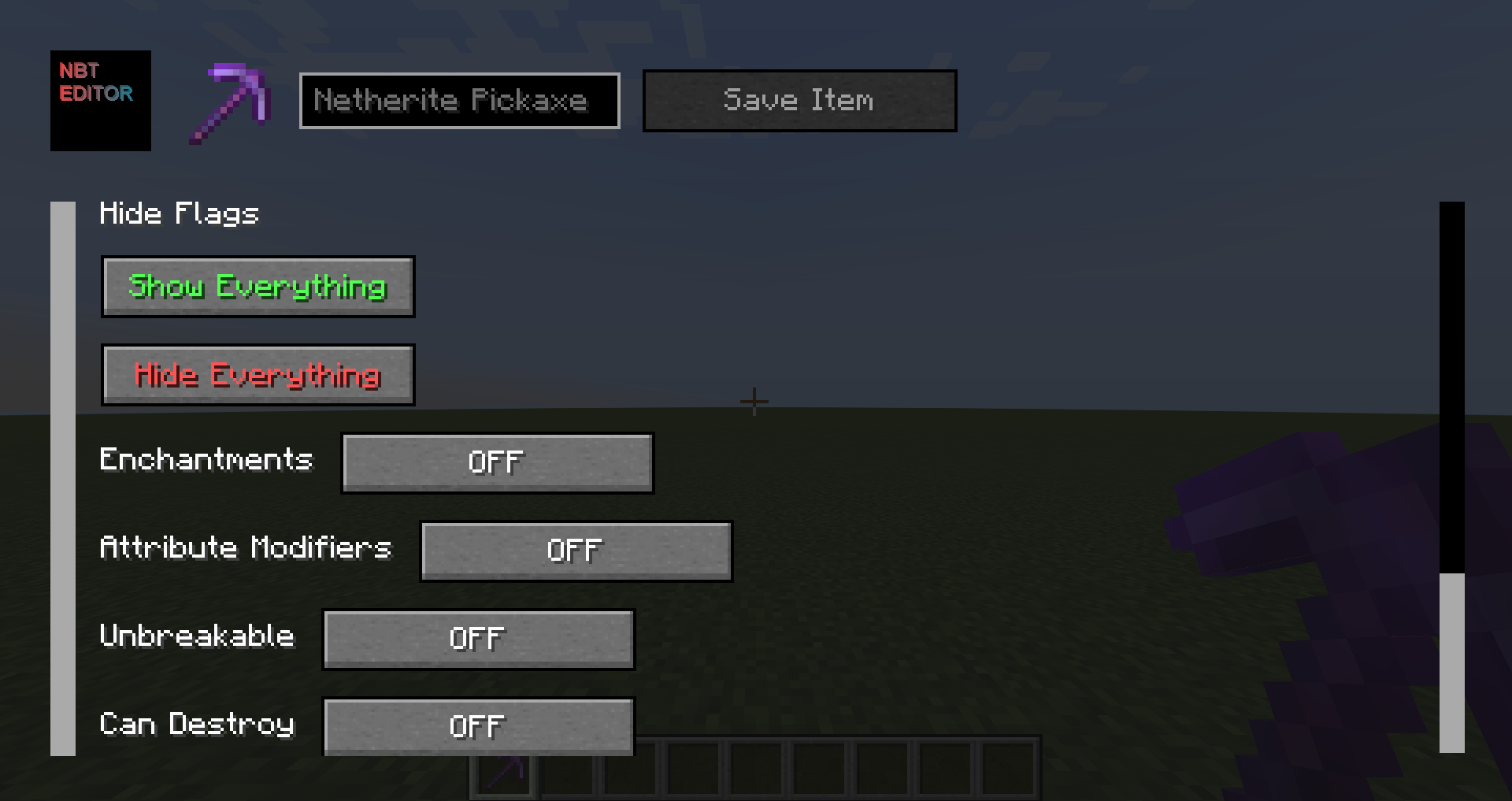 Hide Flags Menu /itemfactory hideflags
-
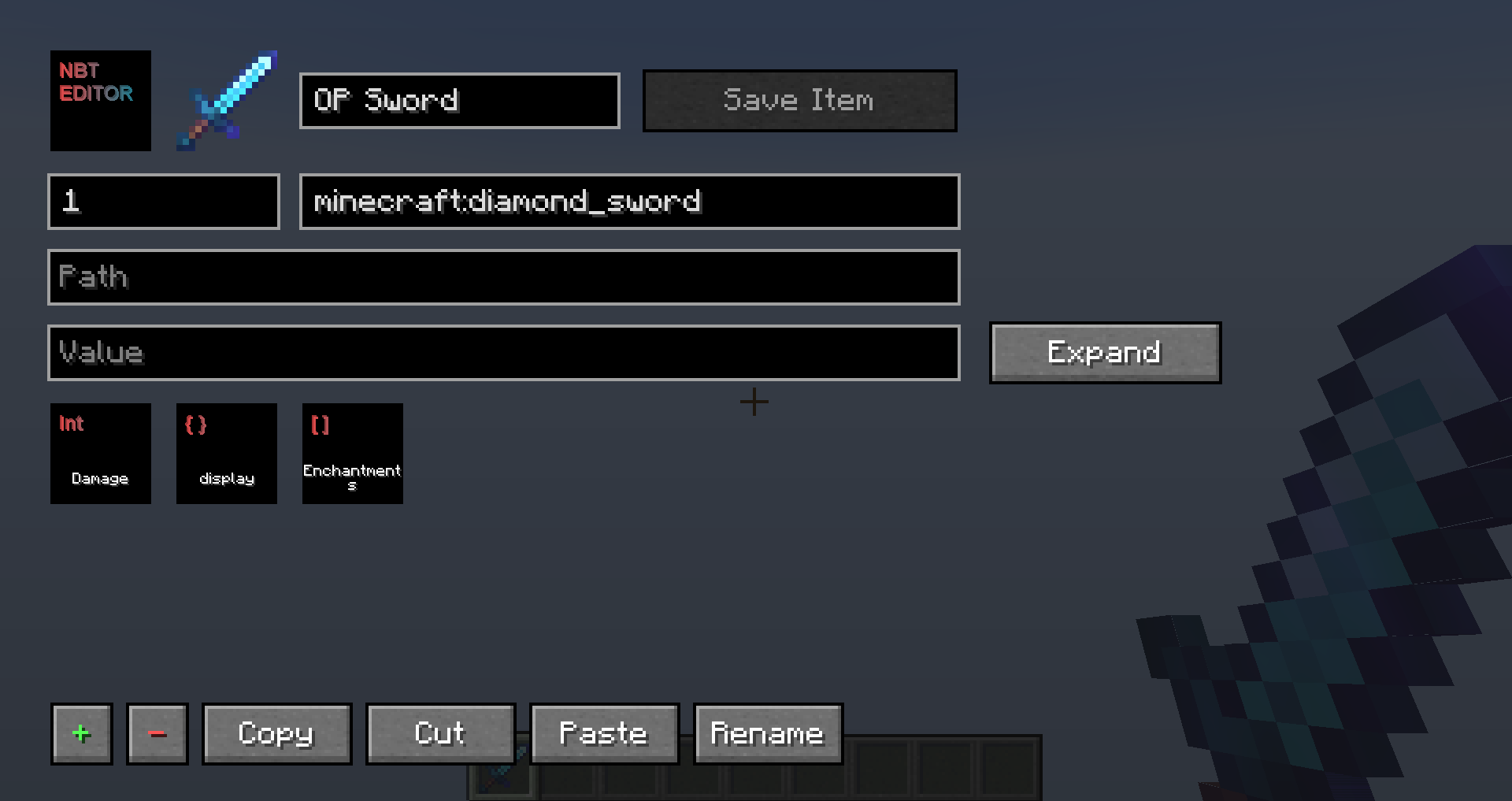 Item Editor /nbt
 -
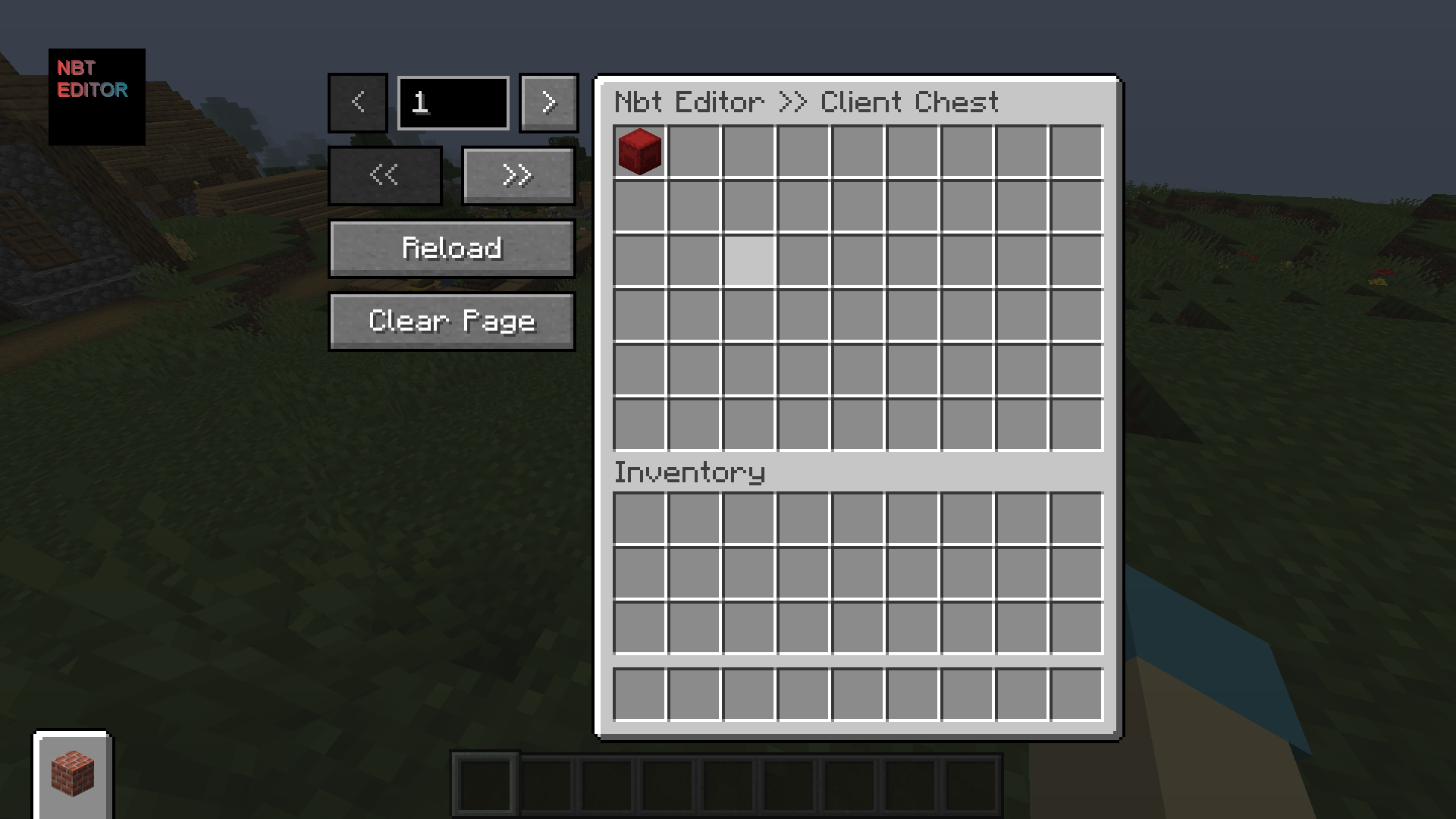 Client Chest /storage
 -
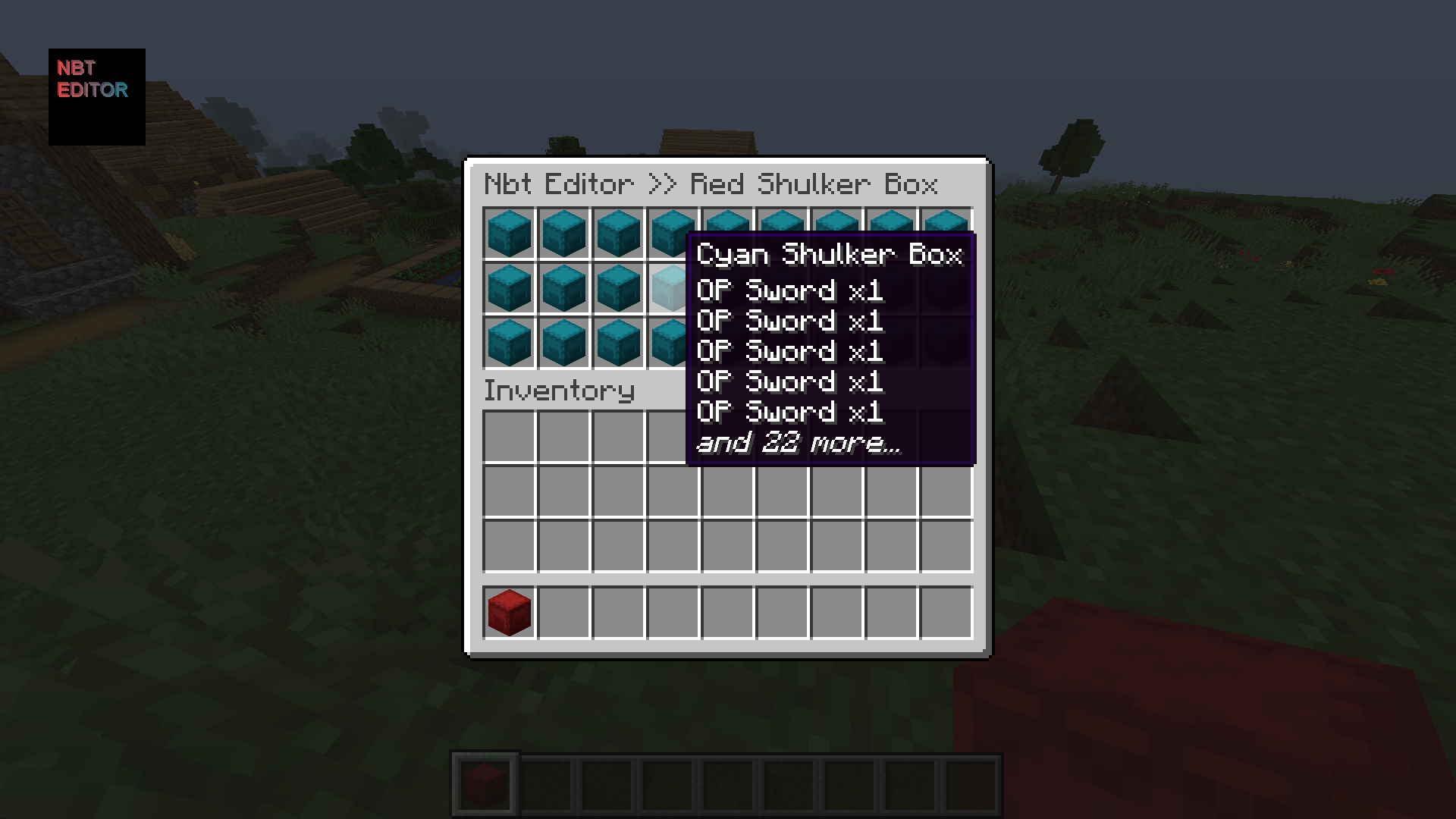 Putting shulker boxes inside a shulker box /open
Versions
Files
Relations
Project Relations
More like this
Similar Mods
Suggestions use data such as tags, dependencies, dependents, descriptions, titles, and more to rank how much they overlap with this mod.
On ModDex
Community snapshot
By the numbers
Statistics
 (opens in a new tab)
Get it on
Available Platforms
On ModDex
Community snapshot
By the numbers