
Community listing page, reviews may not be monitored by the author.
InfoPlus+ 📑


No reviews yet
Displays detailed server system info (CPU, RAM, GPU, OS, Java, Minecraft, Loader) directly in-game. Useful for debugging, tech support, and verifying server/client environments

Community voices
Reviews
No reviews yet. Be the first to review this project!
Get it on
Available Platforms
Compatibility
Supported Environments
Required on the client. Installing it on the server adds functionality.
About
Project Details
For authors
Embed Badge
If you're the author of this project, you can embed a live badge anywhere that supports HTML or Markdown. It updates automatically whenever ratings change.
Use HTML for any page that supports it, or Markdown for README files and Markdown-based descriptions.
Identifiers
Platform IDs
About
Description

InfoPlus
Show detailed system information directly in Minecraft chat.
View CPU, RAM, GPU, OS,
Java, Minecraft, and Loader details.
Built for debugging, player support, server checks, and modpack troubleshooting.
Features
- View CPU information, including model, vendor, cores, threads, frequency, and usage
- View RAM usage, including total, used, available, and swap/virtual memory
- View GPU details, including model, vendor, VRAM, device ID, and version info
- View operating system information, uptime, process count, and boot time
- View Java runtime information, Minecraft version, loader name, and loader version
- View disk, network, battery, firmware, motherboard, and file system information when using full mode
- Supports both local client checks and multiplayer player checks
- Outputs information in a clear chat-friendly format
Screenshot
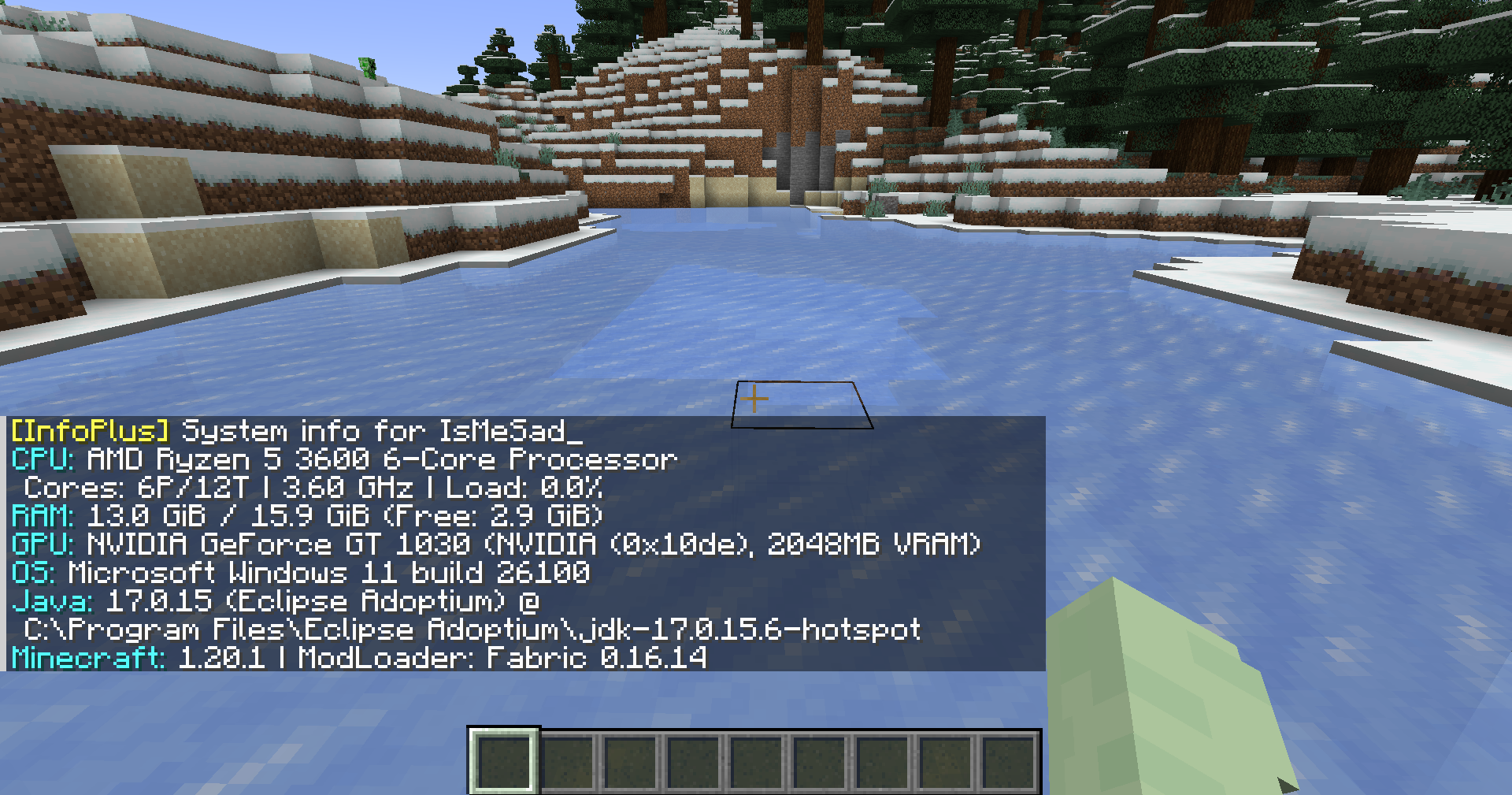
Usage
Local system info
Run the command in Minecraft chat:
/infoBasic system information:
/info basicFull system information:
/info fullYou can also use the alias:
/infoplusMultiplayer player info
Request system information from another player:
/info <player>Request basic information from another player:
/info <player> basicRequest full information from another player:
/info <player> fullAlias:
/infoplus <player> fullServer-side player requests require permission level 2.
Command Summary
| Command | Description |
|---|---|
/info |
Shows your basic system information |
/info basic |
Shows your basic system information |
/info full |
Shows your full system information |
/info <player> |
Requests basic system information from a player |
/info <player> basic |
Requests basic system information from a player |
/info <player> full |
Requests full system information from a player |
/infoplus |
Alias for /info |
Privacy Notice
InfoPlus can display hardware and runtime information such as CPU, RAM, GPU, operating system, Java version, Minecraft version, loader version, and other system details.
Full mode may include more detailed information depending on the enabled options. Server-side player requests are limited to users with the required permission level.
Use this mod responsibly and avoid sharing sensitive system information publicly.
Requirements
- Minecraft 1.20.1
- Fabric Loader
- Fabric API
- Java 17
Download
Source Code
The source code is available on GitHub:
https://github.com/TamKungZ/infoplus
License
This project is licensed under the MIT License.
See the LICENSE file for more details.

InfoPlus
Show detailed system information directly in Minecraft chat.
View CPU, RAM, GPU, OS, Java, Minecraft, and Loader details.
Built for debugging, player support, server checks, and modpack troubleshooting.
Features
- View CPU information, including model, vendor, cores, threads, frequency, and usage
- View RAM usage, including total, used, available, and swap/virtual memory
- View GPU details, including model, vendor, VRAM, device ID, and version info
- View operating system information, uptime, process count, and boot time
- View Java runtime information, Minecraft version, loader name, and loader version
- View disk, network, battery, firmware, motherboard, and file system information when using full mode
- Supports both local client checks and multiplayer player checks
- Outputs information in a clear chat-friendly format
Screenshot
Usage
Local system info
Run the command in Minecraft chat:
/info
Basic system information:
/info basic
Full system information:
/info full
You can also use the alias:
/infoplus
Multiplayer player info
Request system information from another player:
/info <player>
Request basic information from another player:
/info <player> basic
Request full information from another player:
/info <player> full
Alias:
/infoplus <player> full
Server-side player requests require permission level 2.
Command Summary
| Command | Description |
|---|---|
/info |
Shows your basic system information |
/info basic |
Shows your basic system information |
/info full |
Shows your full system information |
/info <player> |
Requests basic system information from a player |
/info <player> basic |
Requests basic system information from a player |
/info <player> full |
Requests full system information from a player |
/infoplus |
Alias for /info |
Privacy Notice
InfoPlus can display hardware and runtime information such as CPU, RAM, GPU, operating system, Java version, Minecraft version, loader version, and other system details.
Full mode may include more detailed information depending on the enabled options. Server-side player requests are limited to users with the required permission level.
Use this mod responsibly and avoid sharing sensitive system information publicly.
Requirements
- Minecraft 1.20.1
- Fabric Loader
- Fabric API
- Java 17
Download
Source Code
The source code is available on GitHub:
https://github.com/TamKungZ/infoplus
License
This project is licensed under the MIT License.
See the LICENSE file for more details.
Screenshots
Gallery
-
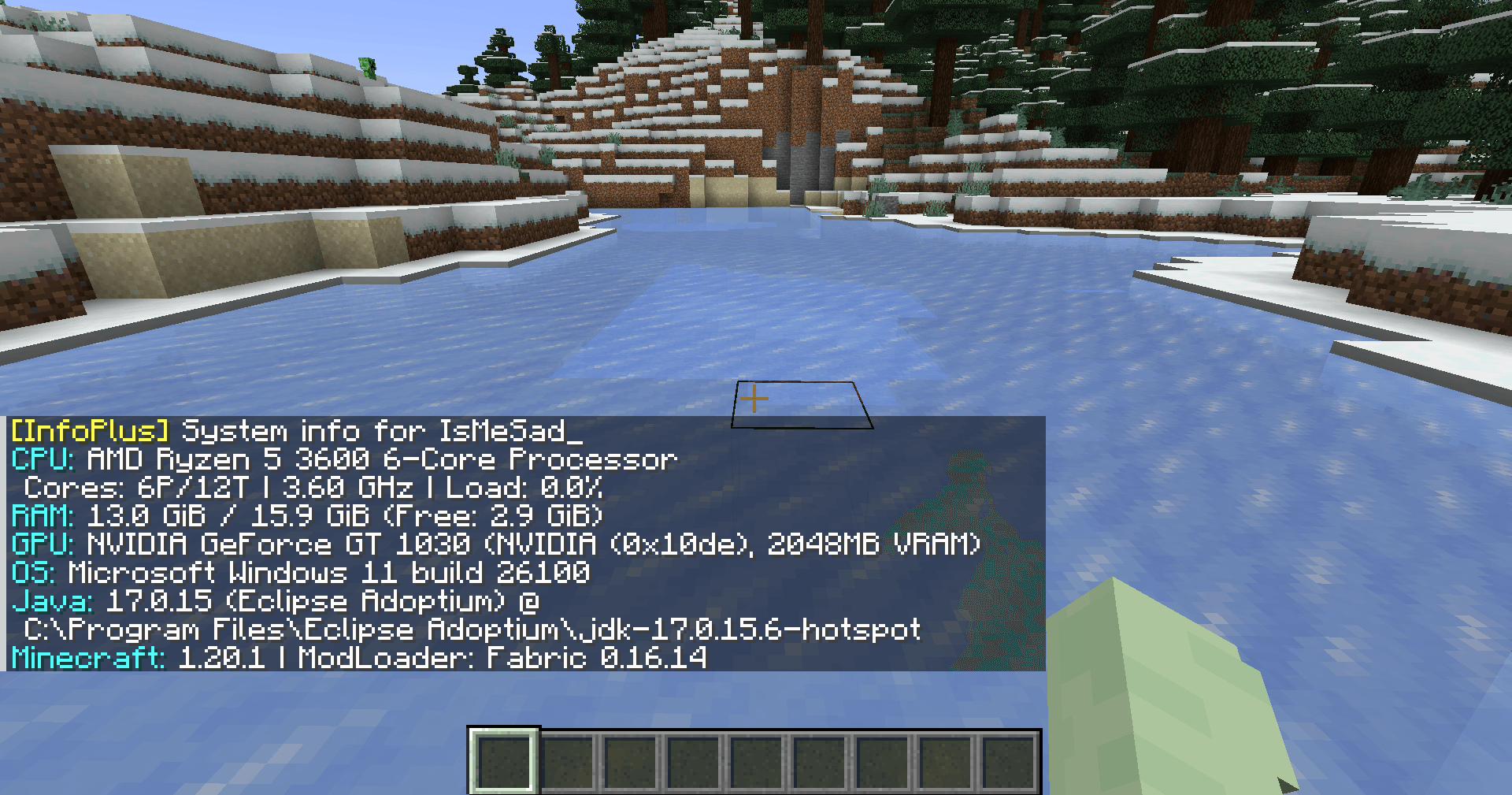 screenshot screenshot
-
screenshot
Versions
Files
Relations
Project Relations
More like this
Similar Mods
Suggestions use data such as tags, dependencies, dependents, descriptions, titles, and more to rank how much they overlap with this mod.
On ModDex
Community snapshot
By the numbers
Statistics
 (opens in a new tab)
Get it on
Available Platforms
On ModDex
Community snapshot
By the numbers