
Community listing page, reviews here may not be monitored by the author.
Instant Build

No reviews yet
This mod can help you quickly place a large number of blocks. View and modify data of the world, entities, blocks, and items, or manipulate them.
Community voices
Reviews
No reviews yet. Be the first to review this project!
Get it on
Available Platforms
Compatibility
Supported Environments
Must be installed on both the client and the server.
About
Project Details
For authors
Embed Badge
If you're the author of this project, you can embed a live badge anywhere that supports HTML or Markdown. It updates automatically whenever ratings change.
Use HTML for any page that supports it, or Markdown for README files and Markdown-based descriptions.
Identifiers
Platform IDs
Resources
External Links
About
Description
Godlike Building Powers!
This mod offers a comprehensive suite of building assistance tools that enable godlike creation capabilities. It includes management systems for blocks, items, entities, and world editing. With regular updates introducing new features, the mod continuously enhances construction efficiency and creative possibilities.
Additionally, no commands are required – extremely intuitive to operate.
Building Function
Menu / Build
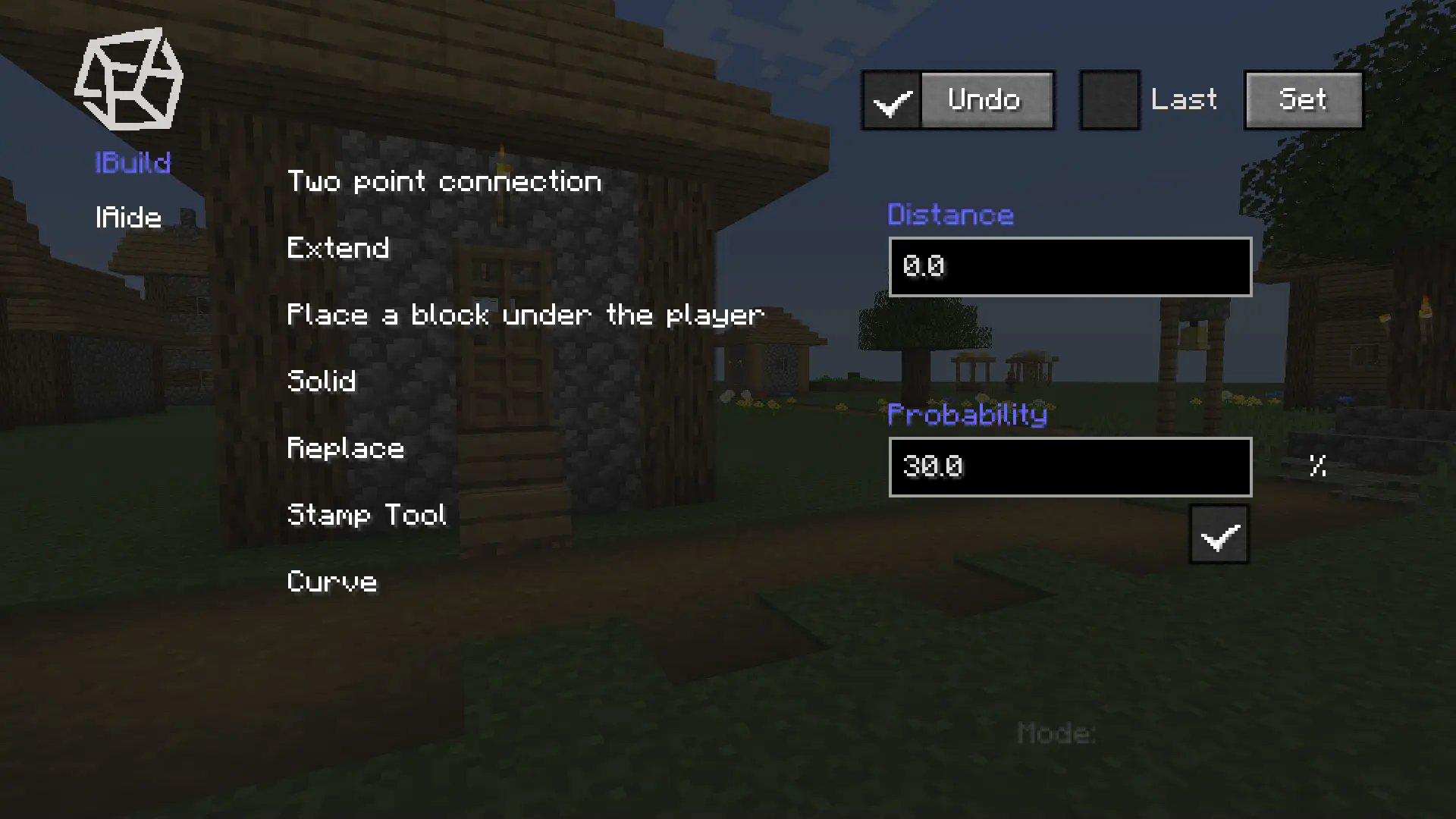
Use the B key to open the menu, select the placement mode, and place blocks in the game to determine points for batch placement.
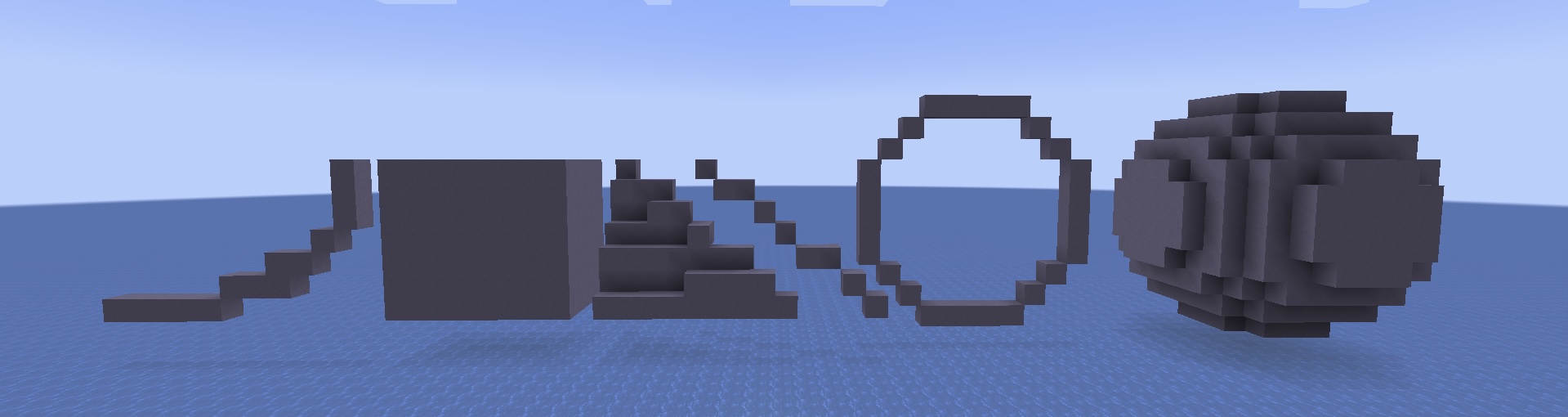
Some modes require numerical values such as radius, which need to be filled in the corresponding text box.
Stamp Tool
Menu / Build / Stamp Tool
You can find the button for the stamp tool in the main menu, click on it, and enter the stamp tool menu.
- Click the New button, and you will exit the menu.
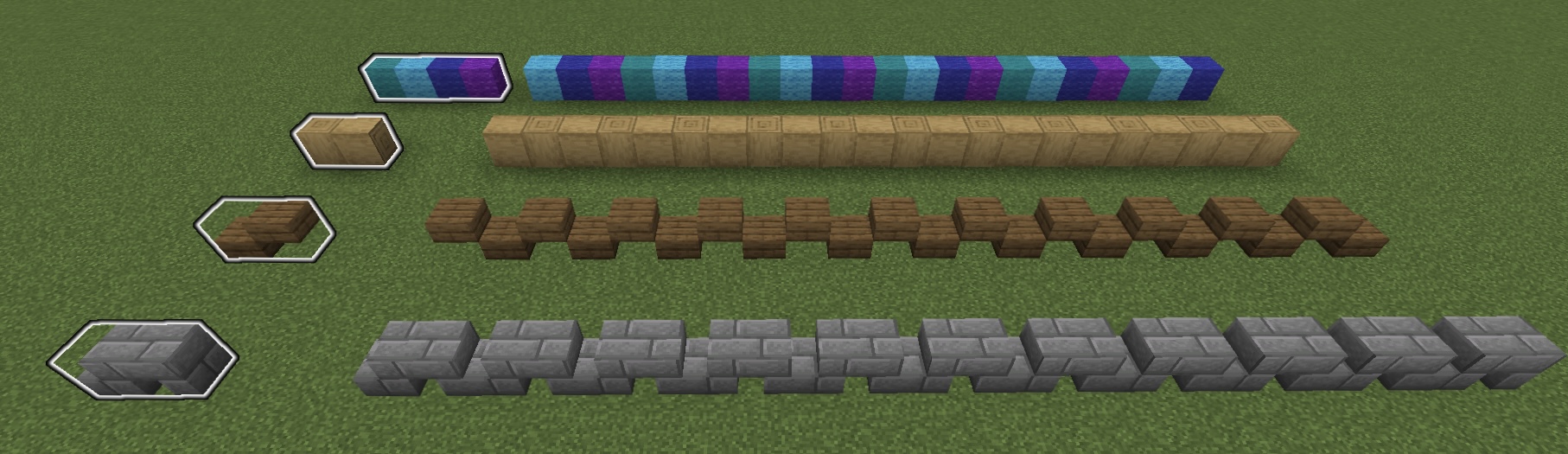
- Select blocks in order using the Mark(an item). (this set of blocks will be placed in a loop when using the Stamp Tool)
- Fill in the name of this stamp in the text box and click Save.
- When you need to use it, select the saved stamp and check it in the main menu to enable the stamp.
When using Two point connection mode, it will be placed in stamp order.
Supporting Function
Menu / Aide
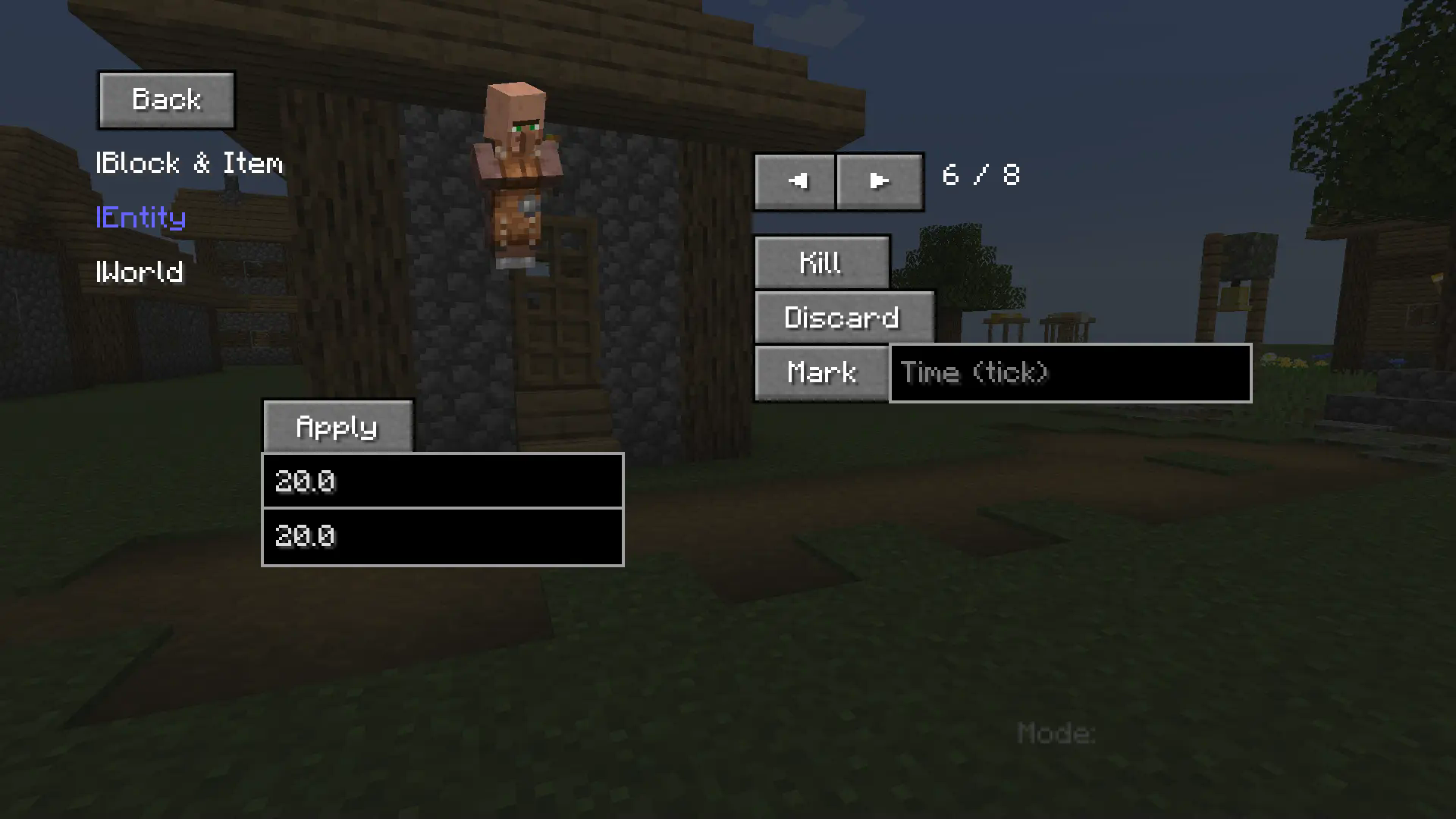
Aide helps players better manage Marks, easily access special items like command blocks, and manipulate the world with advanced tools.
Query and Operation
Menu / Aide / Query and Operation
This part enables players to:
- Query detailed block/item metadata.
- Inspect specific entity attributes / Manipulate entities (e.g. modify max health values).
- Retrieve world diagnostics / Execute advanced world operations.
Additional Notes
Shortcut Key
- B - open menu.
- V - place a block under your feet.
- C - inherit the previous mode.
- G - exit preview and complete placement.
- Backspace - exit current mode/preview.
The mod is continuously updating and adding new features.
- The version 1.0.3 may contain bugs - please report any issues immediately.
Screenshots
Gallery
-
 Instant Build This is a giant hollow sphere placed with the assistance of Instant Build.
 -
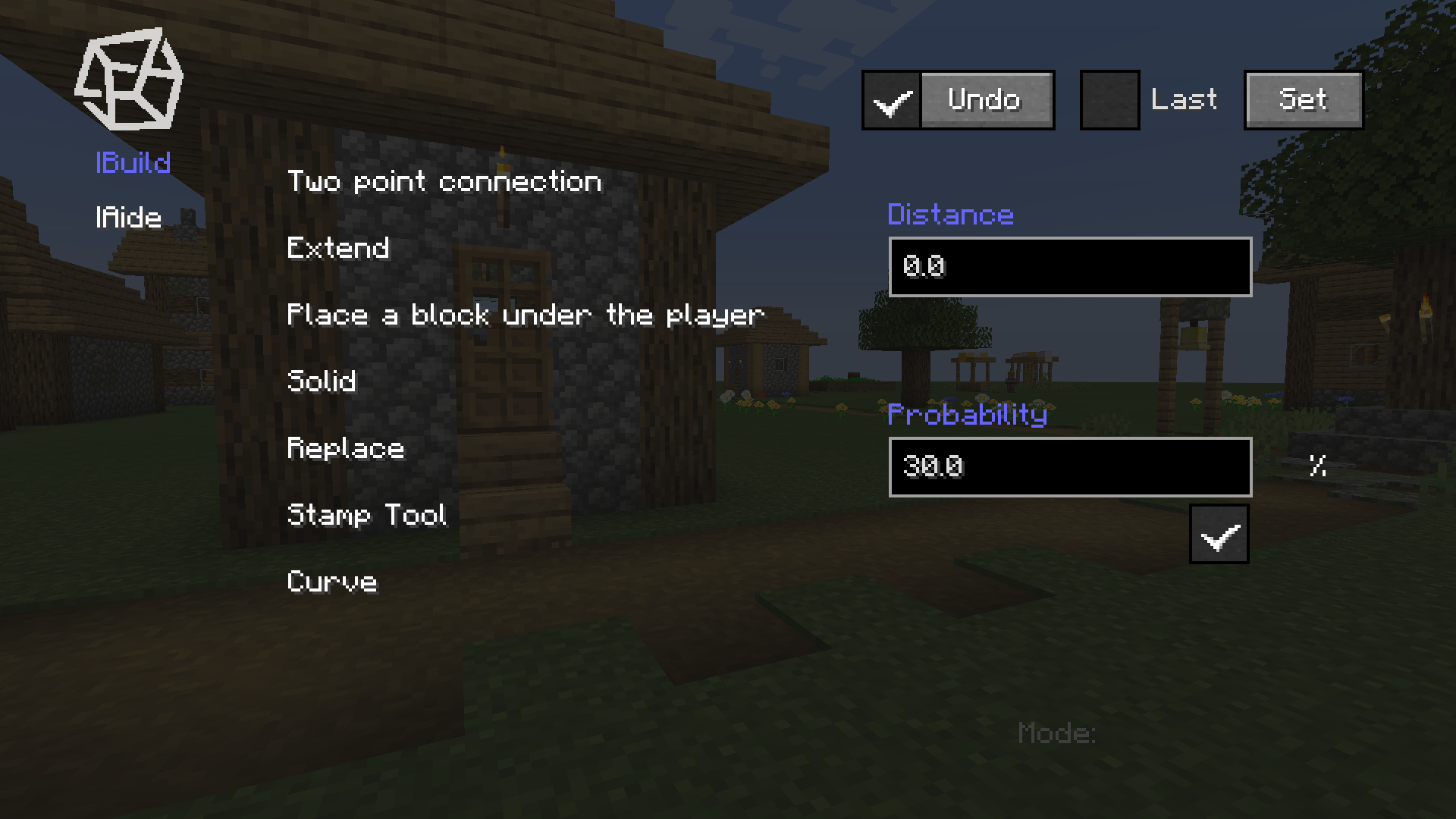 The Menu These are the most basic functions of Instant Build.
 -
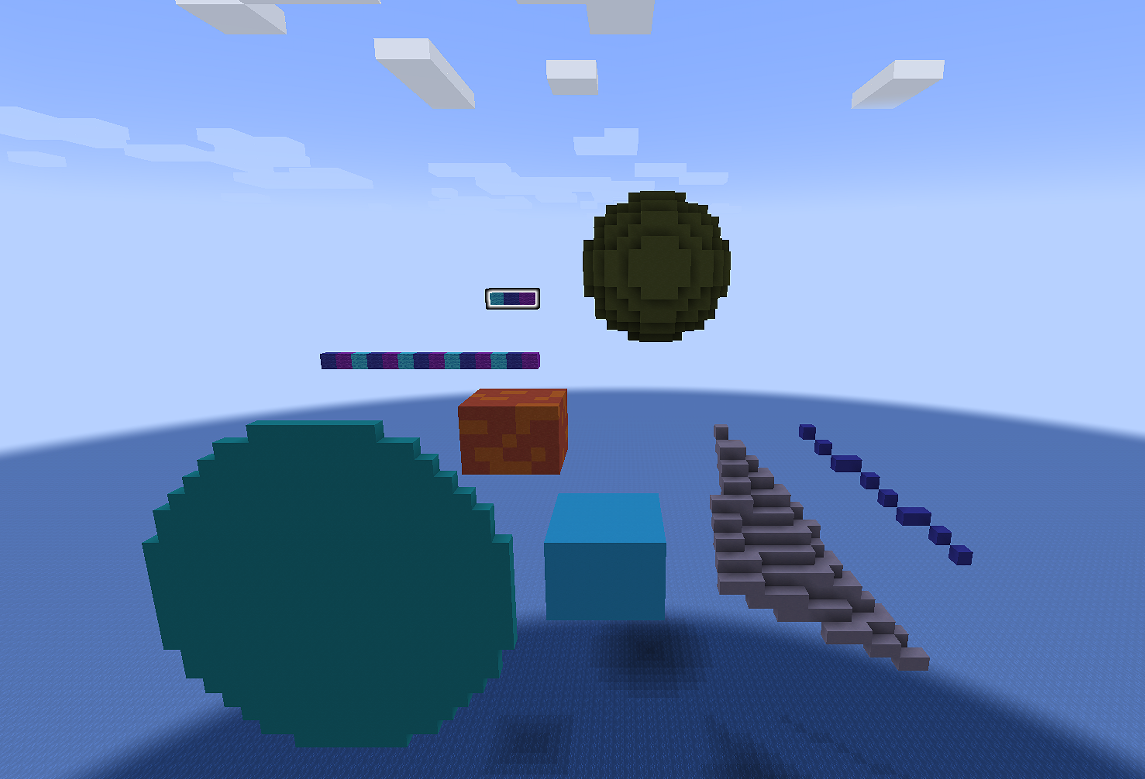 Placement Modes Examples of different placement modes.
 -
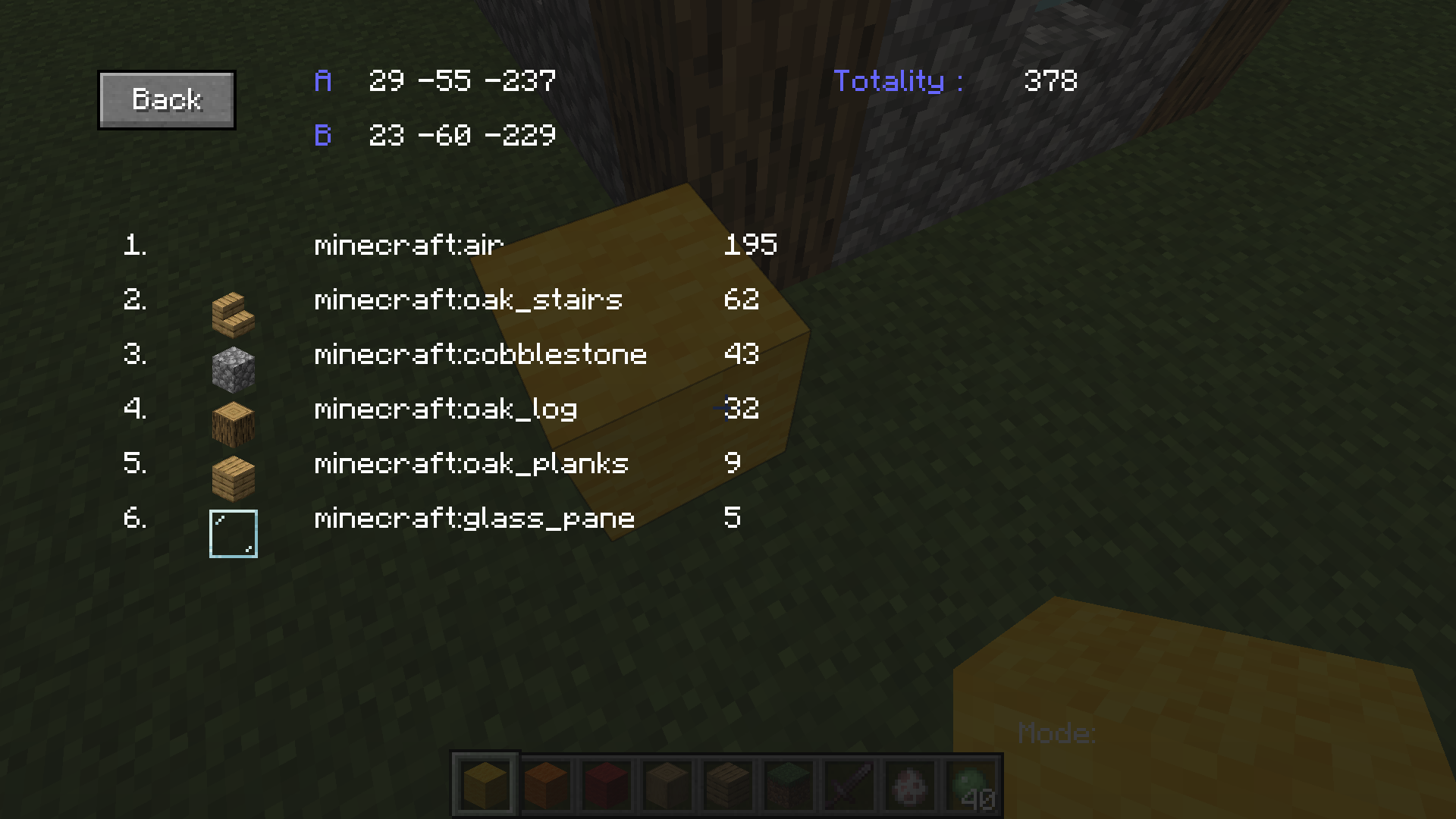 Block Statistics A useful feature - block statistics
Versions
Files
Relations
Project Relations
More like this
Similar Mods
Suggestions use data such as tags, dependencies, dependents, descriptions, titles, and more to rank how much they overlap with this mod.
On ModDex
Community snapshot
By the numbers
Statistics

Want to reach Minecraft players?
We're looking for a server hosting partner to feature here and other parts of the site. Interested? Send us a message!
Get in touchGet it on
Available Platforms
On ModDex
Community snapshot
By the numbers
Statistics
Resources