Community listing page, reviews here may not be monitored by the author.
Interaction Manager


No reviews yet
Customize how you interact with blocks and mobs to prevent accidents and improve your Minecraft experience.
Community voices
Reviews
No reviews yet. Be the first to review this project!
Get it on
Available Platforms
Compatibility
Supported Environments
Runs entirely on the client. Works on vanilla servers.
About
Project Details
For authors
Embed Badge
If you're the author of this project, you can embed a live badge anywhere that supports HTML or Markdown. It updates automatically whenever ratings change.
Use HTML for any page that supports it, or Markdown for README files and Markdown-based descriptions.
Identifiers
Platform IDs
About
Description
Interaction Manager
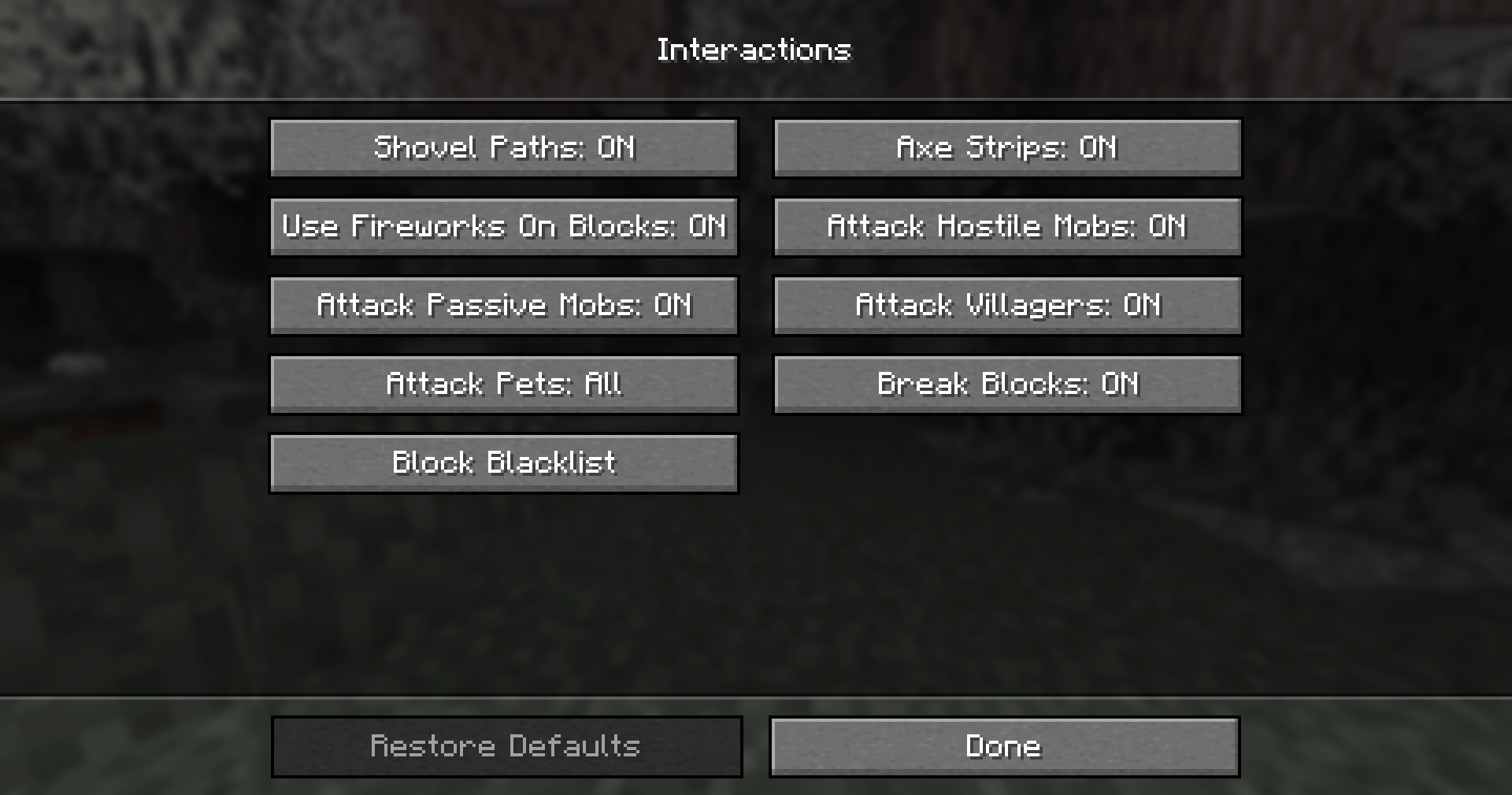
Interaction Manager is a client side mod allowing you to toggle certain block and mob interactions. This mod aims to streamline the player experience, as some may find many vanilla features annoying or unnecessary. By default, vanilla behaviour is preserved.
Simply Enable or Disable
- Shovels creating paths
- Axes stripping blocks
- Fireworks working on blocks
- Attacking hostile mobs
- Attacking passive mobs
- Attacking villagers
- Breaking blocks
It also gives you the option to stop the player from attacking your pets, others' pets or all tamable mobs. You can blacklist blocks, so that you can't break them.
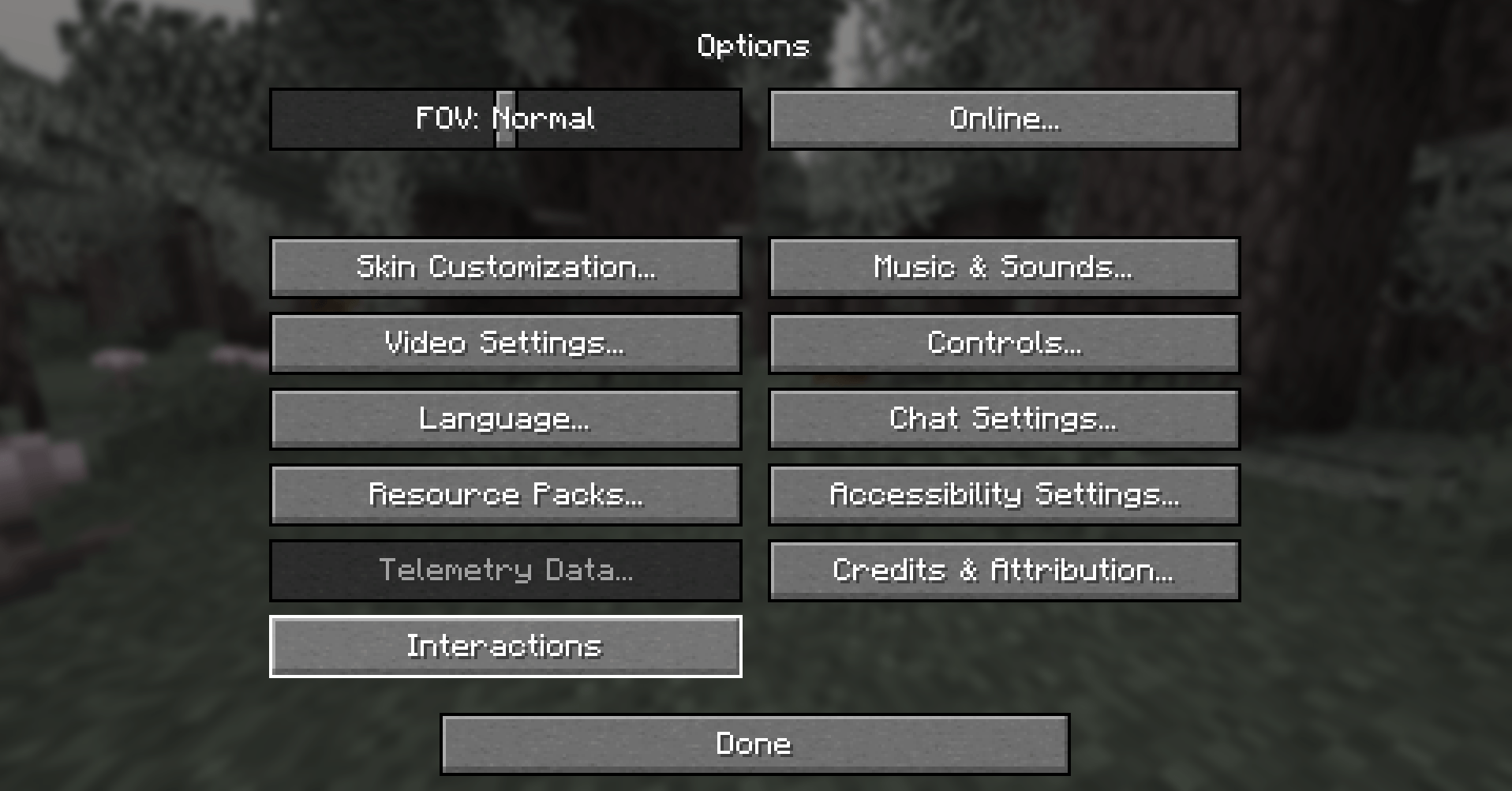
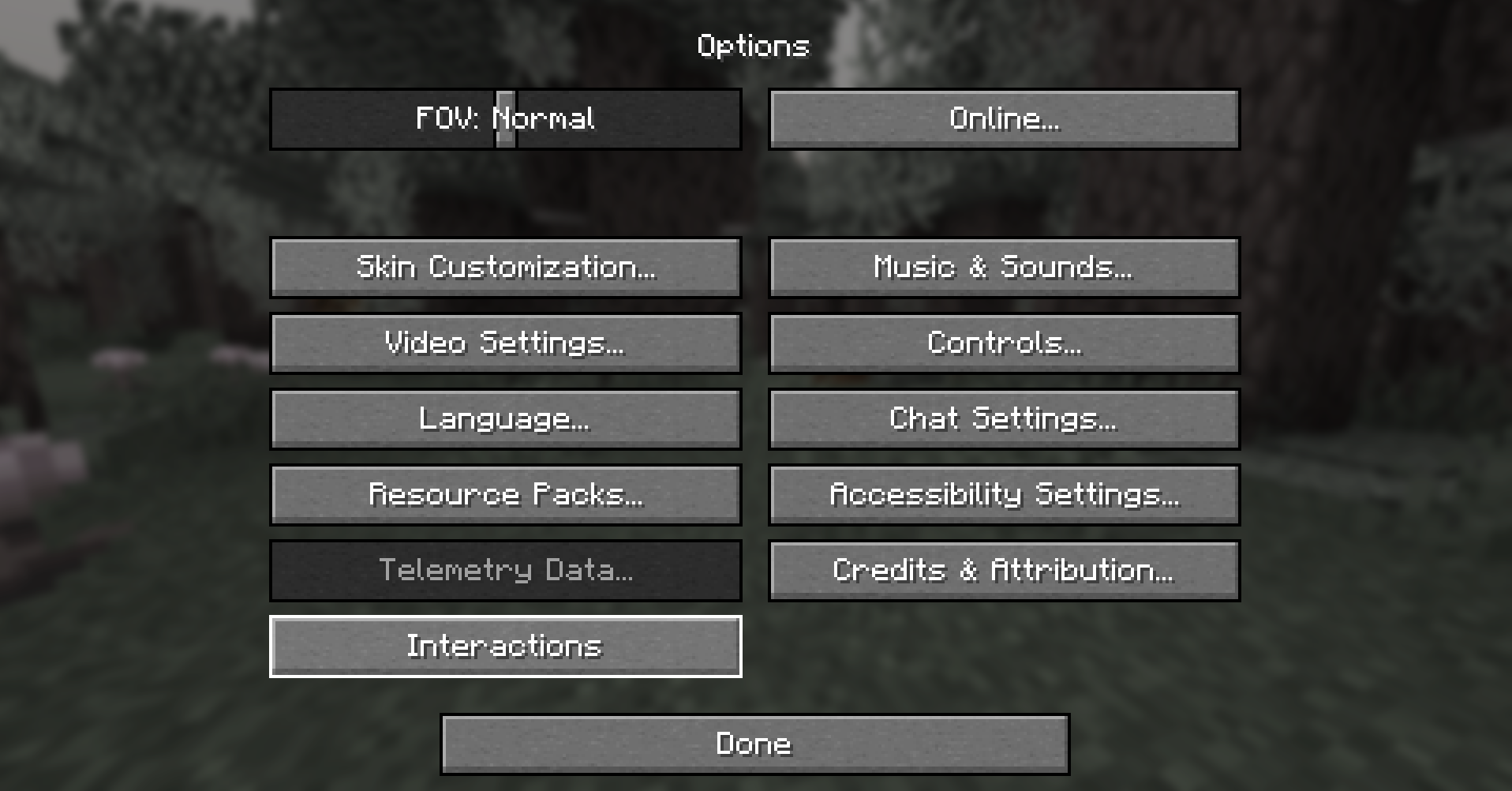
These options are easily found in the in game _Interactions_ menu. To access them go to _Options_>_Interactions_
If Mod Menu is installed, by default the Interactions button is hidden. And the settings can be accessed using Mod Menu. To show the Interacions button if Mod Menu is installed see the Config Section.
Config
If you don't intend to change more advanced options feel free to skip this section. Options related to player behaviour (block and mob interactions) are accessible in the in game options menu. The configuration file allows for more fine-tuning and isn't necessary to edit. It's located in `config/interactionmanager.json`. It's stored in JSON, which is easy to read and modify.
Options only available in the config file
- should_add_interactions_button - The mod settings can be opened using Mod Menu, as such this option controls if the button should be added.
- always - Always show the Interactions button.
- default only_if_mod_menu_is_not_installed - Hide the Interactions button if mod menu is installed.
- never - Hide the Interactions button.
See Change Log
Suggestions and Issues
If you have any suggestions or run into some issues please create a new ticket on the Issue Tracker.
Open source
This mod's code is free to view and modify, publicly available on GitHub.
Interaction Manager
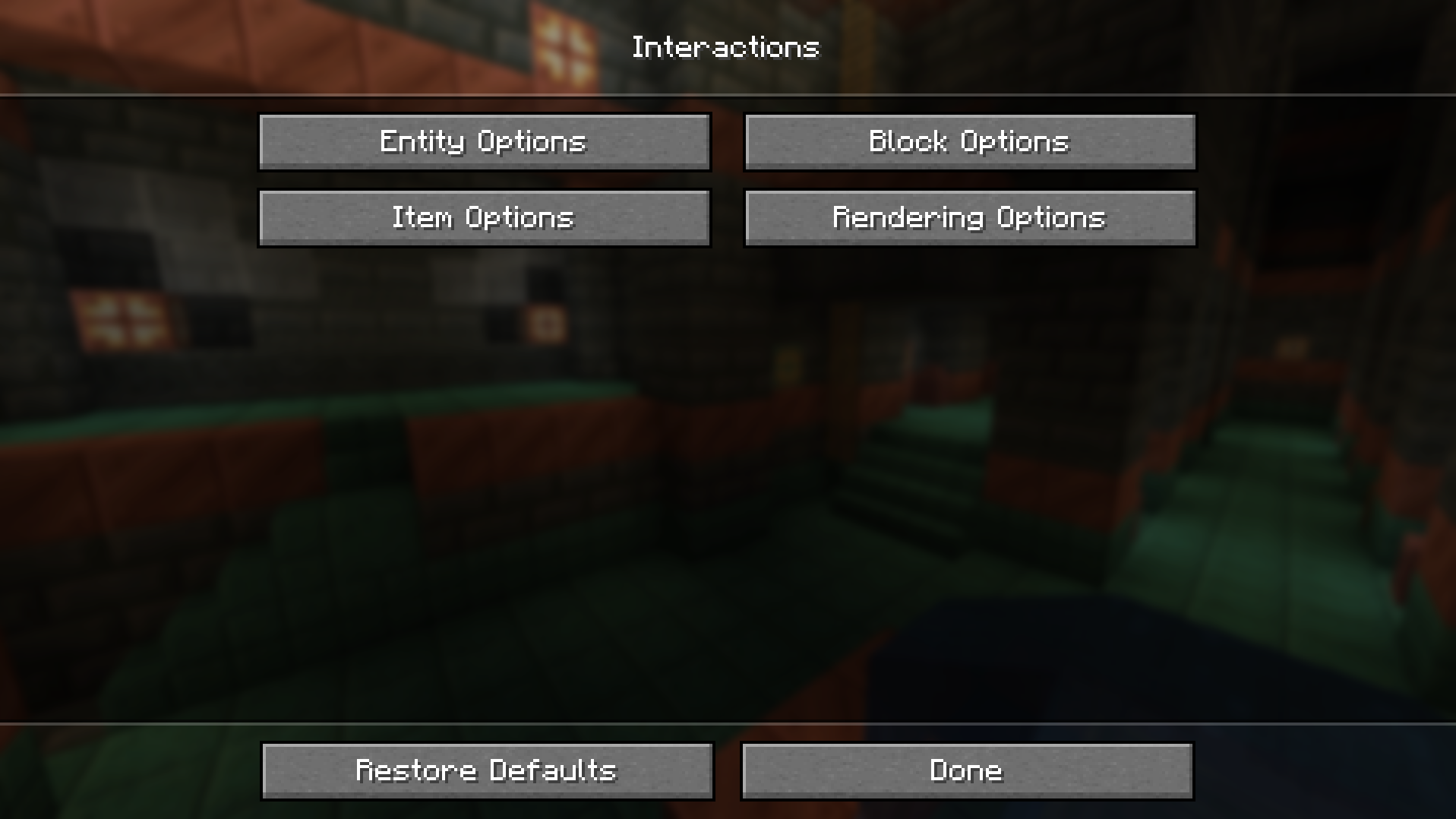
Interaction Manager is a client side mod allowing you to toggle certain block, item and mob interactions. This mod aims to streamline the player experience, as some may find many vanilla features annoying or unnecessary. By default, vanilla behavior is preserved.
Entity Options
- Attacking players
- Attacking hostile mobs
- Attacking passive mobs
- Attacking villagers
- Attacking vehicles
- Attacking pets
- Sweeping-edge protection
- Interacting with mobs
- Villager trading
- Entity deny list (Deny listed entities can't be attacked)
Block Options
- Breaking blocks
- Placing blocks
- Opening (block) GUIs
- Opening doors
- Replacing blocks (with offhand)
- Block deny list (Deny listed blocks can't be broken)
Item Options
- Shovels creating paths
- Axes striping
- Allow eating
- Allow drinking potions
- Dropping items
- Locking hot bar
- Item interactions
- Search for an item and select it
- Toggle interacting with it on blocks or 'in the air,' as in not on blocks
Rendering Options/Misc
- Drawing Protected Mobs
- Draw Protected Blocks
- Add (
Interactions) Button - Render items, in mod options
- Animate block replace
- Draw denied block placement
These options are easily found in the in game Interactions menu.
To access them, go to Options>Interactions
If Mod Menu is installed, by default the Interactions button is hidden. And the settings can be accessed using Mod Menu.
To show the Interacions button if Mod Menu is installed see the Config Section.
Show Image
Config
Expand Configuration Information
If you don't intend to change more advanced options, feel free to skip this section.
Options related to player behavior (block and mob interactions) are accessible in the in game options menu.
The configuration file allows for more fine-tuning and isn't strictly necessary to edit.
It's located in config/interactionmanager.json.
It's stored in JSON, which is straightforward to read and modify.
Currently, all config options are accessible through the in-game menu.
See Change Log
Suggestions and Issues
If you have any suggestions or run into some issues please create a new ticket on the Issue Tracker. If the issue is a bug or a crash please include game logs alongside a description of how to reproduce the issue.
Credits and Attribution
Special thanks to EvarikaArkana for a lot of feedback and ideas.
Checkout their Mod, it's fully compatible with Interaction Manager.
Config inspired by Mod Menu
Search inspired by JustEnoughItems and Alessandro Bahgat Shehata
Screenshots
Gallery
-
interactions_menu interactions_menu.png
-
interactions_button interactions_button.png
-
Interaction options Shows default values, working exactly like vanilla minecraft
-
New Option Button Features a new button in the game options menu.
Versions
Files
Relations
Project Relations
More like this
Similar Mods
Suggestions use data such as tags, dependencies, dependents, descriptions, titles, and more to rank how much they overlap with this mod.
On ModDex
Community snapshot
By the numbers
Statistics
Want to reach Minecraft players?
We're looking for a server hosting partner to feature here and other parts of the site. Interested? Send us a message!
Get in touchGet it on
Available Platforms
On ModDex
Community snapshot
By the numbers