Community listing page, reviews here may not be monitored by the author.
Inventory Tabs

No reviews yet
Allows swapping to other in-world screens (blocks, entities, etc) via tabs. A fourth-generation rewrite of CakeWhip's InventoryTabs.
Community voices
Reviews
No reviews yet. Be the first to review this project!
Get it on
Available Platforms
Compatibility
Supported Environments
Runs entirely on the client. Works on vanilla servers.
About
Project Details
For authors
Embed Badge
If you're the author of this project, you can embed a live badge anywhere that supports HTML or Markdown. It updates automatically whenever ratings change.
Use HTML for any page that supports it, or Markdown for README files and Markdown-based descriptions.
Identifiers
Platform IDs
Resources
External Links
About
Description
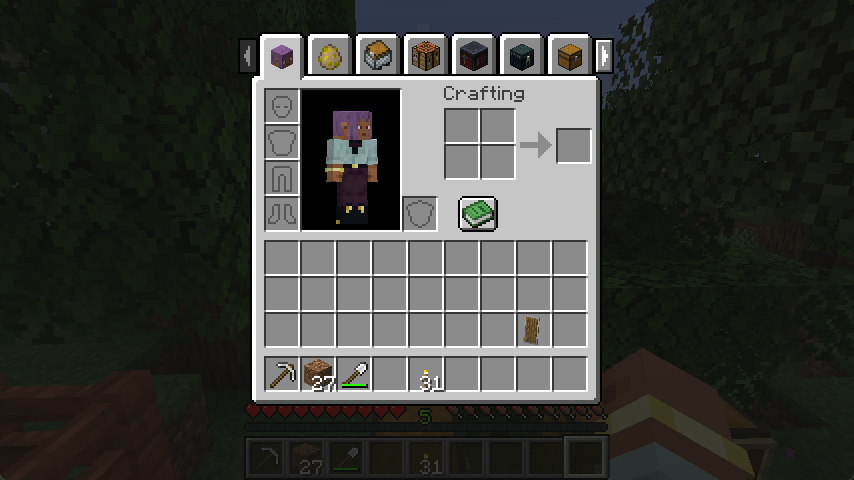
A fourth-generation rewrite of Inventory Tabs by CakeWhip, as continued by Andrew6rant.
Requires Connector and FFAPI on forge. For creative mode, try Sidekick!
Inventory Tabs is a client-side mod that displays tabs on screens, each representing nearby blocks and entities.
Tap tab to cycle forward screens, shift+tab to cycle back, or just click around!
Features
- Swap between crafting stations, storage, and your inventory without leaving their screens.
- Works out of the box with many modded blocks - with configuration in case anything goes wrong.
- Storage tabs can be labelled using signs, item frames, or (w/ server) anvil-renaming for organisation.
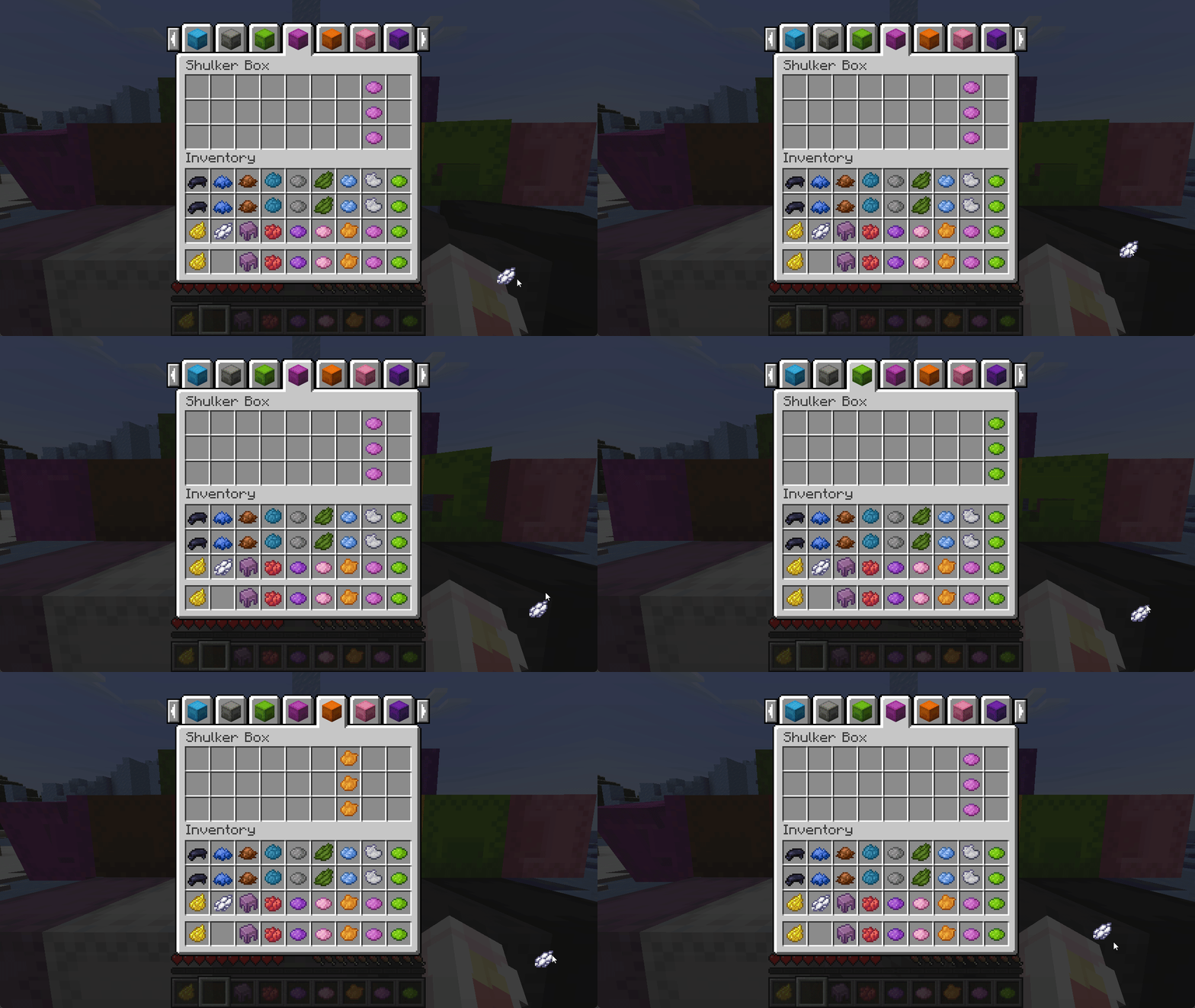
- Stacks held on your cursor carry over to the next screen as long as your inventory isn't full.
- Container screens are realigned with other screens, instead of being 1 pixel lower.
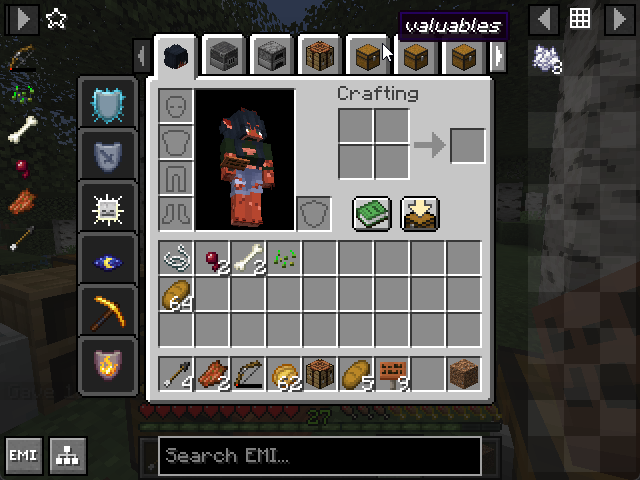
- Fits on-screen with EMI, even on very high GUI scales - Use
Left (Compressed)effects.
Anti-Cheat & Fairness
Inventory Tabs offers no guarantees or defence against server moderation or anti-cheat - tabs provide an unfair advantage, and look outwardly suspicious to onlookers in multiplayer.
Notably, the mod allows some usually impossible actions for the sake of convenience, e.g.
- The full player inventory can be accessed while riding a horse or chest boat.
- Sneak-interact inventories can be accessed without dismounting from a vehicle.
Modpack Configuration
Inventory Tabs 4 is designed from the ground up to be friendlier to modpacks.
It's configured via config/inventory_tabs.toml, which includes comments providing extra context - like what each tab provider does.
By default, helpful information for setting up the mod for your modpack is logged when loading into a world. Toggle configLogging to disable this.
If tabs are appearing on a screen they don't fit well with, the screen can be blacklisted:
[screenOverrides]
	"fwaystones:waystone" = false
If tabs are being made for an inappropriate block, you can manually disable their tab provider:
[blockProviderOverrides]
	"cool_mod:incompatible_block" = ""
	"really_cool_mod:*" = ""
Or manually override it to a relevant one:
[blockProviderOverrides]
	"#cool_mod:crafting_stations" = "inventory_tabs:block_unique"
	"cool_mod:single_chest" = "inventory_tabs:block_simple"
	"cool_mod:*_cabinet" = "inventory_tabs:block_simple_storage"
	"cool_mod:doubleable_chest" = "inventory_tabs:block_chest"
Make sure you test your configuration! These options are not intended to be crash-proof.
Overrides also work for entities and items, via [entityProviderOverrides] and [itemProviderOverrides] respectively.
If too many inappropriate blocks are being matched, you may want to disable the default matching logic for a provider entirely:
[registryProviderDefaults]
	"inventory_tabs:block_simple" = false
The block_simple provider uses a blacklist instead of a whitelist, so it generates a lot of false-positive tabs. It's enabled by default to help with finding good/bad tabs.
For a full-pack example, check out the config in Tinkerer's Quilt Modded.
Mod Architecture
Each visible tab on the screen is a Tab, which is responsible for rendering itself, knowing how to be opened, and knowing when it should be removed from the list of tabs (e.g. when no longer in range).
These tabs are held by the Tab Manager, which is effectively the "Tab Screen". It adds onto regular screen methods to do its own rendering, ticking, and mouse click handling. It's also responsible for checking if any new tabs should be added.
Tabs are added via registered Tab Providers. Basic providers like Vehicle Inventory check simple conditions and add a special tab. The more advanced Registry Providers are designed to be assigned a specific set of blocks, entity types, or items that they're responsible for providing tabs for - which is frozen at reload time - and then searching for those around the player every tick. Using these generics, simpler concrete providers are made (Ender Chests, Unique Block.)
Addons
repositories {
	maven { url "https://repo.sleeping.town/" }
}
dependencies {
   modImplementation "folk.sisby:inventory-tabs:1.2.0"
}
Addons for Inventory Tabs 4 can add new tab types and tab providers, and add advanced matching logic to current providers, provide custom tab layouts for their screens (including inverted tabs), and signal when specific tabs should be marked as open.
For a practical example, check out Portable Crafting!
Afterword
All mods are built on the work of many others - We're the fourth set of maintainers of this mod!
This version is a partial rewrite, following the work of CakeWhip, LiamMCW, and Andrew6rant.
This mod is included in Tinkerer's Quilt - our modpack about rediscovering vanilla.
We're open to better ways to implement our mods. If you see something odd and have an idea, let us know!
Loveletters: Tabs - Atlas - Portable Crafting - Drogstyle
Others: Switchy - Crunchy - Starcaller
Screenshots
Gallery
-
Shulker Box Symphony Seamless cursor stack carrying between screens.
-
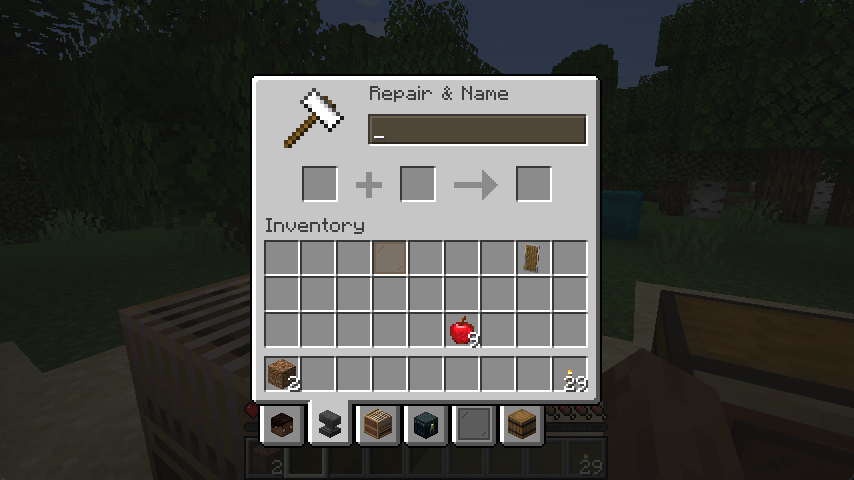 Bottom-Screen Rendering
 -
EMI VGA Preview 640x480 GUI Scale 2 with EMI. Status Effects set to Left (Compressed). The mod Quickstack is also shown.
-
Preview
Versions
Files
Relations
Project Relations
More like this
Similar Mods
Suggestions use data such as tags, dependencies, dependents, descriptions, titles, and more to rank how much they overlap with this mod.
On ModDex
Community snapshot
By the numbers
Statistics

Want to reach Minecraft players?
We're looking for a server hosting partner to feature here and other parts of the site. Interested? Send us a message!
Get in touchGet it on
Available Platforms
On ModDex
Community snapshot
By the numbers
Statistics
Resources