Community listing page, reviews here may not be monitored by the author.
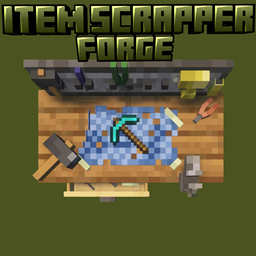
Item Scrapper

No reviews yet
Adds a scrapping workbench (Fully configureble with JSON data)

Community voices
Reviews
No reviews yet. Be the first to review this project!
Get it on
Available Platforms
About
Project Details
For authors
Embed Badge
If you're the author of this project, you can embed a live badge anywhere that supports HTML or Markdown. It updates automatically whenever ratings change.
Use HTML for any page that supports it, or Markdown for README files and Markdown-based descriptions.
Identifiers
Platform IDs
Resources
External Links
About
Description

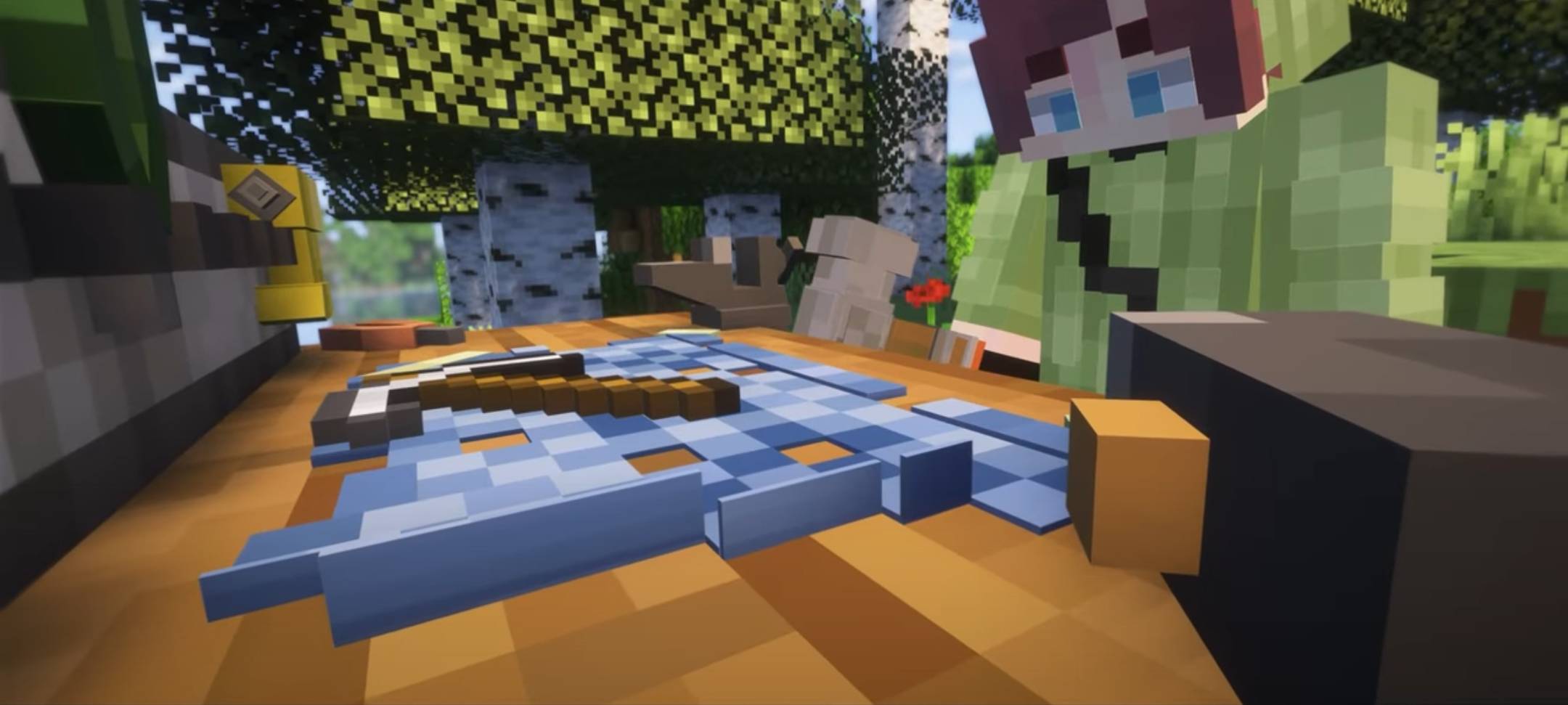
The Item Scrapper mod introduces a specialized crafting station for scrapping items. With this mod, players gain access to a system that allows dismantling items into their core components in a configurable and immersive way.
SHOWCASE VIDEO: Enderverse's Top 20 Mods Showcase
SHOWCASE CLIP (FROM ENDERVERSES VIDEO): Short Showcase Clip From Enderverses Video
New Datapack System
Item Scrapper now uses a modern datapack-based configuration system! This means:
- Better mod compatibility - other mods can provide their own Item Scrapper configurations
- Ready-to-use content packs - we provide official packs for popular mods
- Template generation - the mod can generate configuration templates to help you create custom datapacks
- Reloading - use
/reloadto update configurations without restarting (if its a datapack does not work if its packed as a mod/jar)
Content Pack Required
⚠️ Important: You need a compatible content pack/datapack to use this mod! The mod will warn you if no configurations are detected.
Official Content Packs Available:
Community Content Packs Available:
- Item scrapper pack - Marbled arsenal (by Marbled)
- Item scrapper pack - TACZ ZC (by awesome_hippo)
- Item scrapper MrCrayfish's Furniture Mod: Refurbished Pack (by LeFroshEh)
- Note: If you create a content pack, please leave a comment with a link and I'll add it to this list! :D
Other Options:
- Modpack-specific configurations
- Community-created datapacks
- Auto-generated configs (see below)
Key Features
Scrapping Workbench
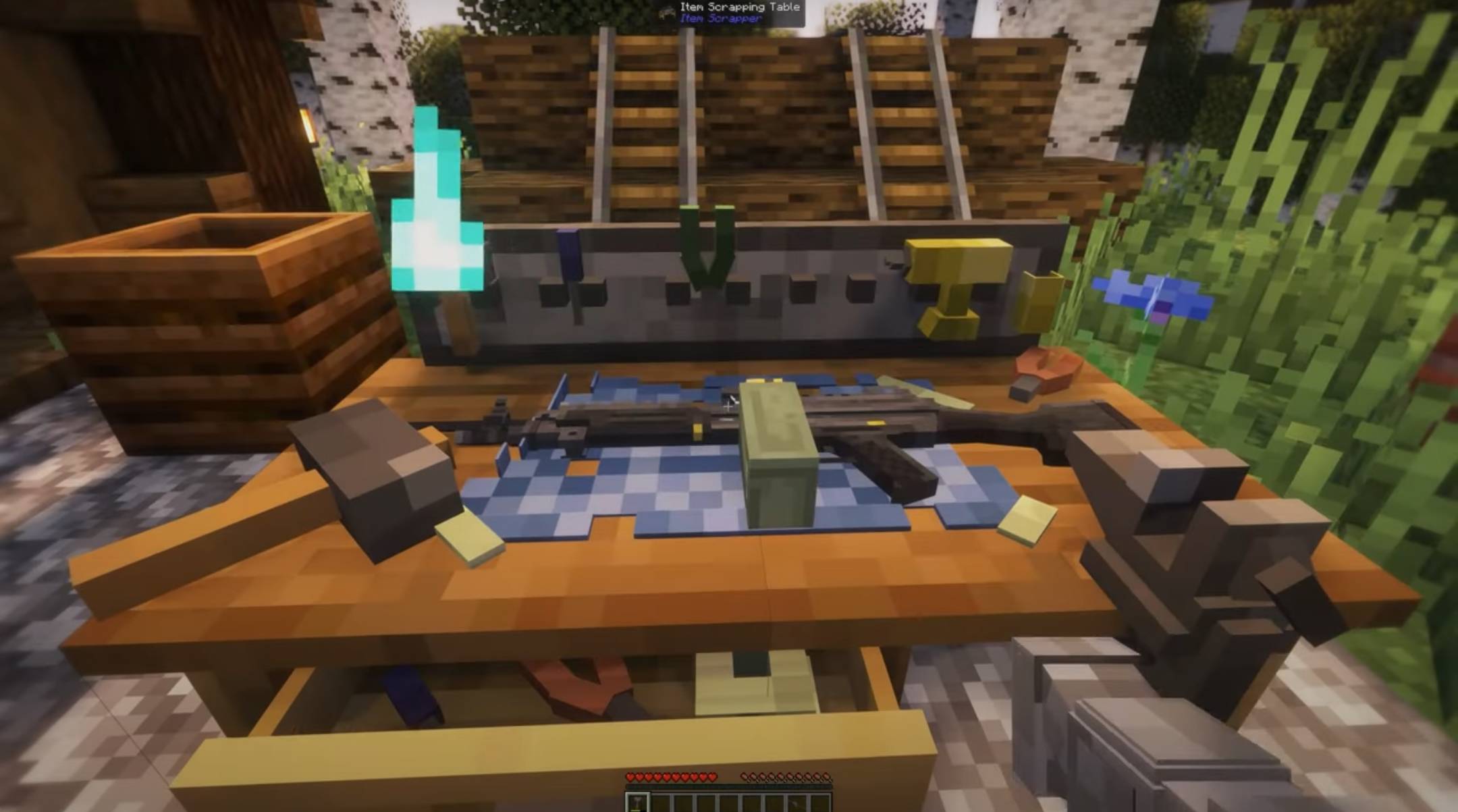
- Multiblock Structure: 2x1 scrapping table that items are placed on top of
- Visual Item Rendering: See your items laid out on the table surface with realistic positioning
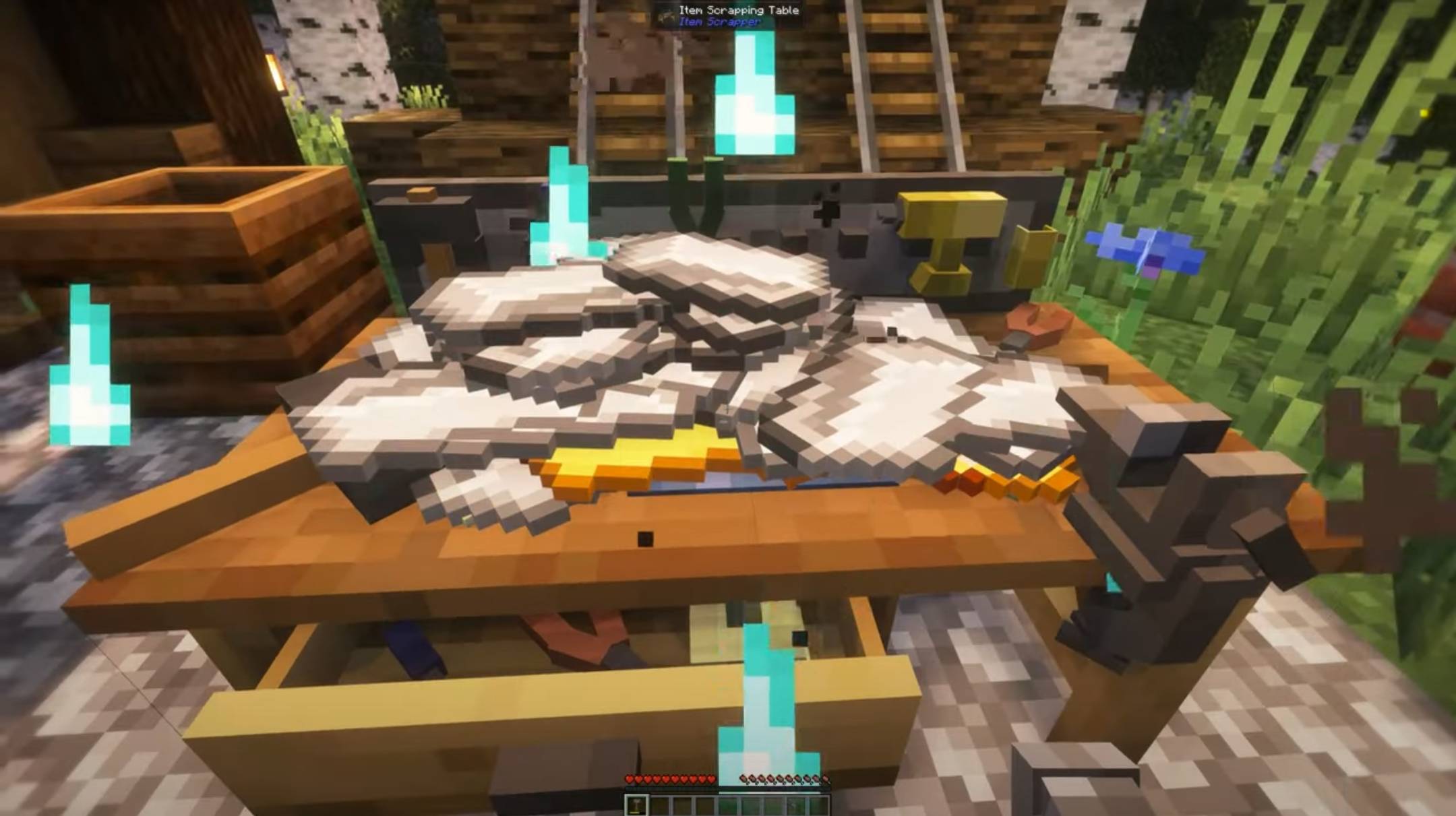
- Scrapping Hammer: Use the included hammer tool to break down items
- Progress System: Visual feedback shows scrapping progress with particles and effects
Datapack Configuration System
- Recipe-Based Loot: Automatically generate materials from item crafting recipes
- Custom Loot Tables: Use Minecraft's loot table system for unique drops
- Multi-Recipe Support: Items can reference multiple recipes for complex materials
- NBT Matching: Different variants of the same item (like modded guns) can have unique configs
Enhanced User Experience
- Keybind Support: Press
P(configurable) to place items directly onto the scrapper - Smart Tooltips: Configurable item tooltips show scrapping information
- Visual Effects: Particle effects, sounds, and animations enhance the scrapping experience
- Durability System: Item condition affects material recovery rates
Advanced Features
- Explosion System: Items can have explosion chances during scrapping
- Rounding Options: Choose how fractional materials are handled (Standard/Floor/Ceiling)
- Mod Integration: Built-in support for TACZ guns and PointBlank weapons
- Auto-Generation: Automatically creates configurations for tagged items
- Debug System: Comprehensive logging for troubleshooting
Datapack Structure
Configurations are stored in datapacks under your pack's namespace. Each content pack uses its own namespace to avoid conflicts with other packs.
JAR/Mod Structure (lowcodefml):
item-scrapper-pack-example-1.0.0.jar
├── META-INF/
│   └── mods.toml
├── pack.mcmeta
└── data/
    └── item_scrapper_pack_example/    # Your pack's mod ID
        └── item_scrapper/             # Target mod namespace
            ├── recipes/
            │   ├── iron_sword_result.json
            │   └── iron_pickaxe_result.json
            └── transforms/
                ├── iron_sword_transform.json
                └── iron_pickaxe_transform.json
ZIP/Datapack Structure:
item-scrapper-example-datapack.zip
├── pack.mcmeta
└── data/
    └── item_scrapper_pack_example/    # Your pack's namespace
        └── item_scrapper/             # Target mod namespace
            ├── recipes/
            │   ├── iron_sword_result.json
            │   └── iron_pickaxe_result.json
            └── transforms/
                ├── iron_sword_transform.json
                └── iron_pickaxe_transform.json
Structure Explanation:
- First Level: Your content pack's unique namespace (prevents conflicts between different packs)
- Second Level:
item_scrappernamespace (tells Item Scrapper mod to load these configs) - recipes/: Contains scrapping behavior configurations for items
- transforms/: Contains visual positioning data for items on the scrapping table
Examples:
data/item_scrapper_pack_vpb/item_scrapper/data/item_scrapper_pack_armor_tools/item_scrapper/data/my_custom_pack/item_scrapper/

Recipe Configuration
{
  "minecraft:diamond_pickaxe": [
    {
      "lootable": {
        "autoGenerateFromRecipe": true,
        "recipeId": "minecraft:diamond_pickaxe",
        "returnAmount": {
          "min": 25.0,
          "max": 35.0
        },
        "amountForMaxReturn": 1
      },
      "requiredHits": 4.0,
      "explosionChance": 0.0,
      "explosionPower": 0.0,
      "useDurabilityMultiplier": true,
      "roundingType": "STANDARD"
    }
  ]
}
Transform Configuration
{
  "minecraft:diamond_pickaxe": [
    {
      "xLocation": 0.0,
      "yLocation": 0.0,
      "zLocation": 0.0,
      "layingRotation": 0.0,
      "scale": 1.0
    }
  ]
}
Advanced NBT Matching (for modded items)
{
  "tacz:modern_kinetic_gun": [
    {
      "requiredNbt": "{GunId:\"tacz:glock_17\"}",
      "lootable": {
        "autoGenerateFromRecipe": true,
        "recipeId": "tacz:glock_17",
        "returnAmount": {
          "min": 45.0,
          "max": 70.0
        }
      },
      "requiredHits": 2.0
    }
  ]
}
Configuration Options
Recipe Fields
lootable: Defines how materials are generatedautoGenerateFromRecipe: Generate from item's crafting reciperecipeId/recipeIds: Which recipe(s) to use (supports arrays)returnAmount: Min/max percentage of materials returnedamountForMaxReturn: How many items needed for full efficiencylootTable: Alternative - use a custom loot table
requiredHits: Number of hammer hits neededexplosionChance: Percentage chance of explosion (0-100)explosionPower: Explosion strength if triggereduseDurabilityMultiplier: Whether item condition affects outputroundingType: How to handle fractional amounts (STANDARD/FLOOR/CEILING)requiredNbt: NBT data required for this configuration
Transform Fields
xLocation: X-axis position offset on the tableyLocation: Y-axis position offset on the tablezLocation: Z-axis position offset on the tablelayingRotation: Rotation angle of the itemscale: Size scaling of the rendered itemrequiredNbt: NBT data required for this transform
Auto-Generation System
The mod can automatically generate configuration templates for:
- Item Tags: Configure
forge:armors,tacz:guns,pointblank:all, etc. - Individual Items: Specify exact items like
minecraft:diamond_sword - TACZ Integration: Auto-detect and configure gun recipes
- PointBlank Integration: Support for PointBlank weapon recipes
How it works: Generated configs are placed in generated_datapacks/item_scrapper_generated/ as templates. You need to manually copy this folder to your world's datapacks folder or use it as a base for creating your own content pack.
Tip: For plug-and-play experience, use our official content packs instead:
VPB Pack | Armor & Tools Pack | TACZ Pack
Controls & Interface
- Place Item:
Pkey (configurable) - Place held item directly onto scrapper - Collect Items: Right-click scrapper to collect output, Shift+Right-click to collect all
- Scrapping: Left-click with Scrapping Hammer when items are on the table
- Config Screen: Access through Mod Menu for client-side settings
Client Customization
Configure visual and interface options:
- Rendering Limits: Max items to render (performance)
- Tooltip Options: Show/hide scrapping information
- Debug Logging: Enable detailed console output
Mod Integration
TACZ (Timeless and Classics Zero)
- Automatic detection of gun recipes
- Support for both old and new TACZ formats
- NBT-based gun variant matching
PointBlank
- Native support for PointBlank weapon recipes
- Automatic ingredient extraction
- Full mod compatibility
For Datapack/Modpack Creators
Create your own content packs just like our official ones:
- VPB Pack - Example of mod-specific configurations
- Armor & Tools Pack - Example of comprehensive vanilla/modded support
- TACZ Pack - Example of complex NBT-based configurations
Development Features:
- Template Generation: Use the auto-generation system to create starting templates for your datapacks
- Easy Integration: Add your mod's items by creating simple JSON files
- Recipe Compatibility: Works with any mod that uses standard recipe formats
- Flexible System: Support complex items with NBT data
- Performance Optimized: Efficient loading and caching system
Getting Started
- Install the mod - Item Scrapper core mod
- Get a content pack - Choose one option:
- VPB Pack for VPB mod items
- Armor & Tools Pack for vanilla/modded equipment
- TACZ Pack for TACZ weapons
- Or use the auto-generation feature to create templates, then manually install them as datapacks
- Craft the blocks - Scrapping Table and Scrapping Hammer
- Place items - Use the P key or right-click to place items on the table
- Start scrapping - Hit items with the hammer to break them down!
Pro Tips
- Multiple Items: Stack multiple items for bulk processing
- Durability Matters: Repair items before scrapping for better yields
- Explosion Safety: Some items may explode - keep your distance!
- Config Templates: Auto-generated configs need to be manually copied to
saves/[world]/datapacks/to work - Quick Testing: Use
/reloadto test configuration changes quickly - Performance: Adjust rendering limits if experiencing lag with many items

Special thanks to Corrineduck, Plazuk, Raph and MC7
This mod was originally made for the CW modpack but anyone can use it.
Screenshots
Gallery
-
 Pictures from EnderVerses video Pictures from EnderVerses video
 -
 Pictures from EnderVerses video Pictures from EnderVerses video
 -
 Pictures from EnderVerses video Pictures from EnderVerses video
 -
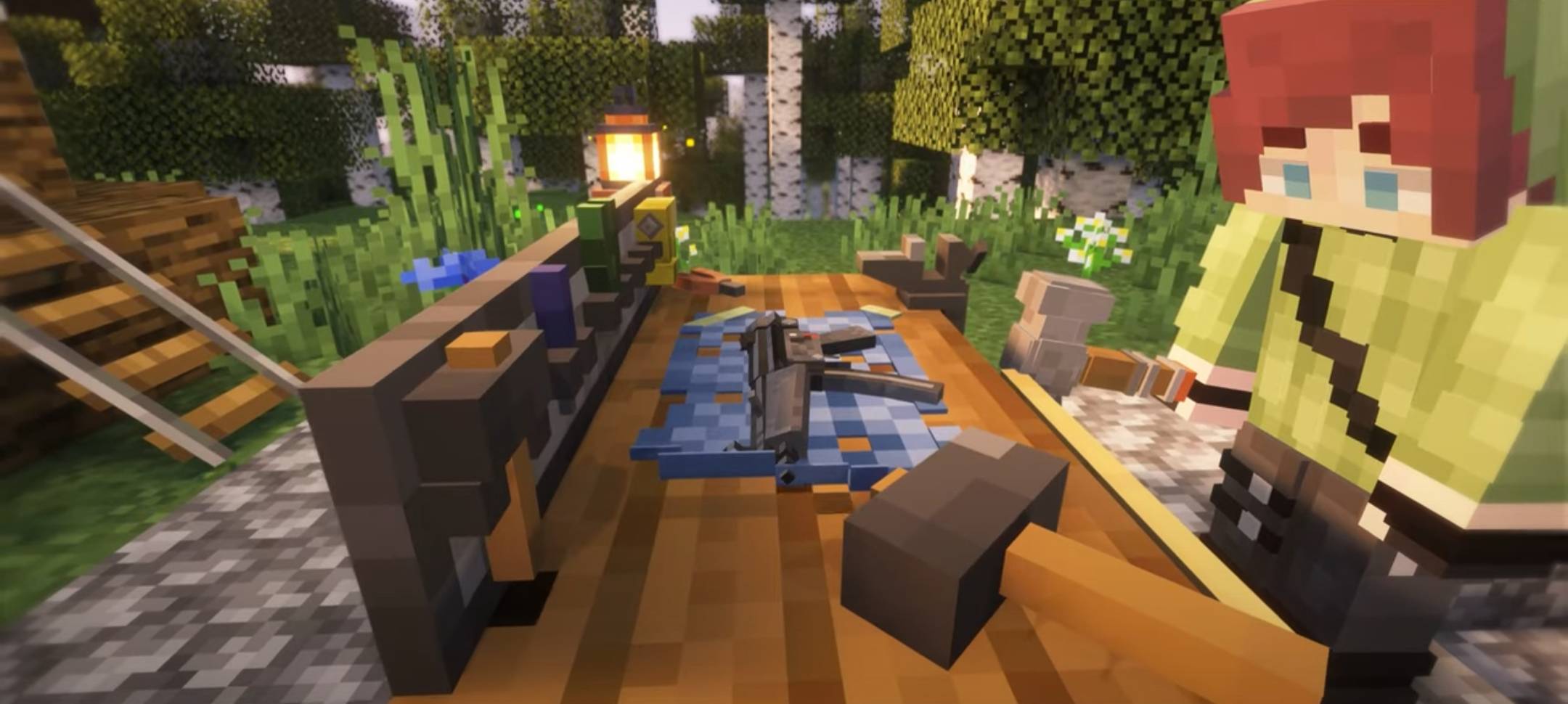 Pictures from EnderVerses video Pictures from EnderVerses video
Versions
Files
Relations
Project Relations
More like this
Similar Mods
Suggestions use data such as tags, dependencies, dependents, descriptions, titles, and more to rank how much they overlap with this mod.
On ModDex
Community snapshot
By the numbers
Statistics
 (opens in a new tab)
Get it on
Available Platforms
On ModDex
Community snapshot
By the numbers
Statistics
Resources