
Community listing page, reviews may not be monitored by the author.
Item Transform Helper

No reviews yet
A Minecraft helper tool to interactively adjust the rotation, position, and scale of Items.

Community voices
Reviews
No reviews yet. Be the first to review this project!
Get it on
Available Platforms
Compatibility
Supported Environments
Works in singleplayer only; does not function in multiplayer.
About
Project Details
For authors
Embed Badge
If you're the author of this project, you can embed a live badge anywhere that supports HTML or Markdown. It updates automatically whenever ratings change.
Use HTML for any page that supports it, or Markdown for README files and Markdown-based descriptions.
Identifiers
Platform IDs
About
Description
Item Transform Helper
Missing Versions
This mod is missing some versions (1.1 and 1.2 for MC 1.8 and 1.0.0 up to 1.3 deobfuscated for MC 1.8, 1.10.2a and most likely also some other ones). If you still have access to these "missing" versions, please contact me and I will gladly add them to this project as an archive!
Description
When you create a custom item, you need to provide ItemCameraTransforms for it. This project is an interactive tool to help you get the transforms right by interactively adjusting them.
How to use:
- Place the Camera item somewhere in the player's hotbar
- Hold the Item you want to modify in the player's hand
- Use the up/down keys to move up and down the menu.
- Use the left/right keys to edit the value (e.g. scaleX)
- To select a different view (e.g. first person, third person) use left/right to change the VIEW menu item.
- To modify the transform for an item on the ground:
- Throw your Item onto the ground, and then put another copy of your Item into the player's hand
- Use left/right to change the VIEW menu item to grnd
Use the same technique for items in the gui, on your head (eg pumpkin), fixed (in picture frames), or in the player's left hand.
- To reset the parameters for the current view, select the RESET menu item and press left or right. Use RESET ALL (RSTALL) to reset the parameters for all views.
You can also copy parameters from a vanilla item to your custom item:- Hold the vanilla item in your hand
- Select RESET or RSTALL, press left or right.
- Hold your custom item in your hand.
- When your item looks right, select PRINT and press left or right to print the current parameters to the console
- Copy the appropriate lines from the console to your item model json file
The item will appear in the Helpers tab in the creative inventory.
For background information on
- Items: see here https://greyminecraftcoder.blogspot.com/2013/12/items.html
- Rendering items: see here https://greyminecraftcoder.blogspot.com/2014/12/item-rendering-18.html
- This link describes the structure of the JSON Item Model file (see the Item Models section halfway down):
- https://minecraft.fandom.com/wiki/Model#Item_models
As an alternative to the Item Transform Helper, you can also use BlockBench (https://blockbench.net/) to determine the correct transforms for your model, i.e. either
- Create a new model in BlockBench; or
- Import an existing model (either the json model file, or the item "generated" texture)
Thanks to TheGreyGhost for creating the mod and maintaining it until 1.16.1, ThexXTURBOXx for updating to 1.11.2 and Architectury (Forge + Fabric + Quilt) 1.16.5+, Romejanic for updating to 1.12.2, and to lehrj for updating to 1.16.1!
Original Video Showcase

Other Links
Screenshots
Gallery
-
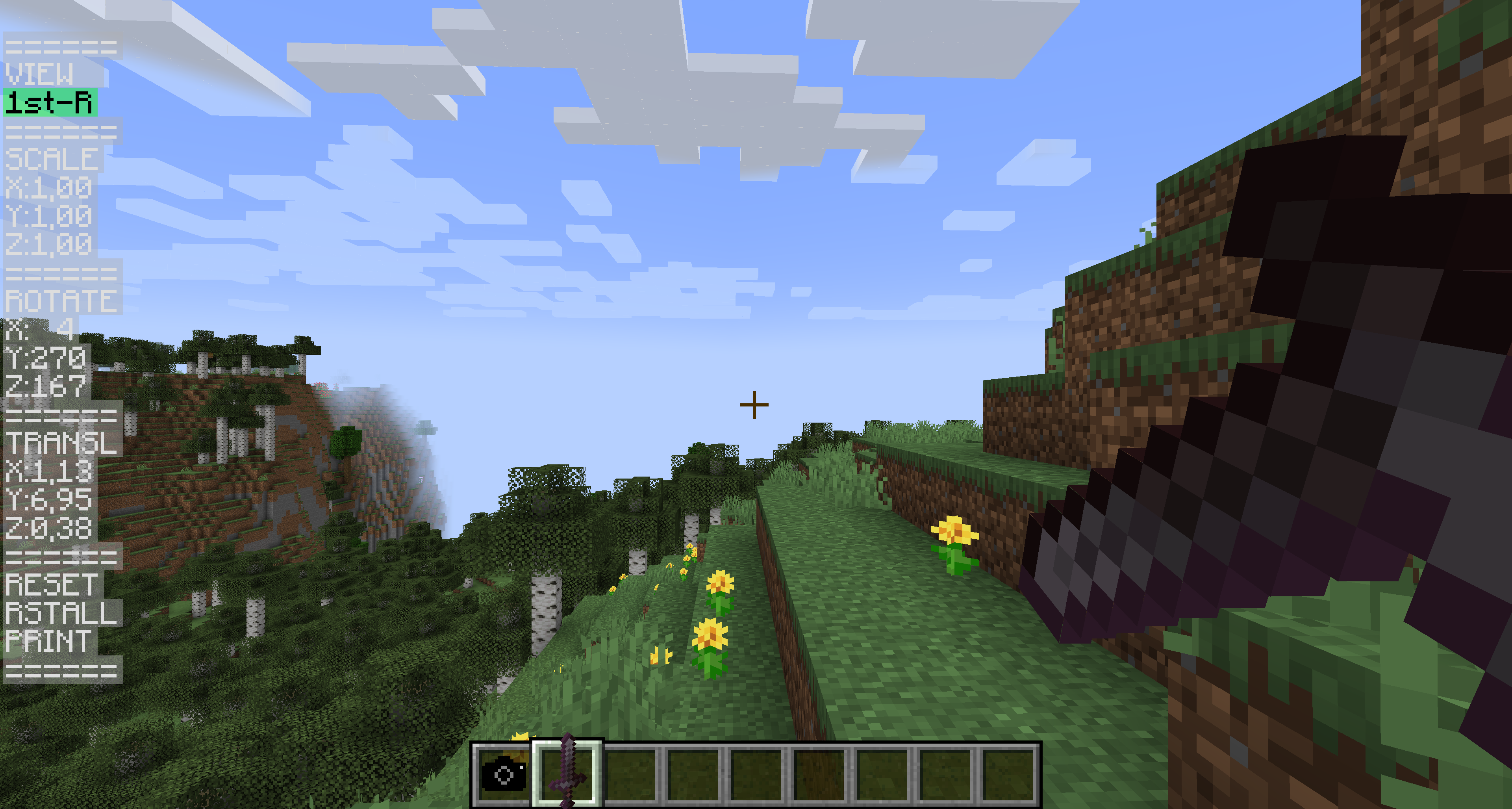 The in-game GUI The in-game GUI in action: Modifying the transforms of a Netherite Sword in first person
 -
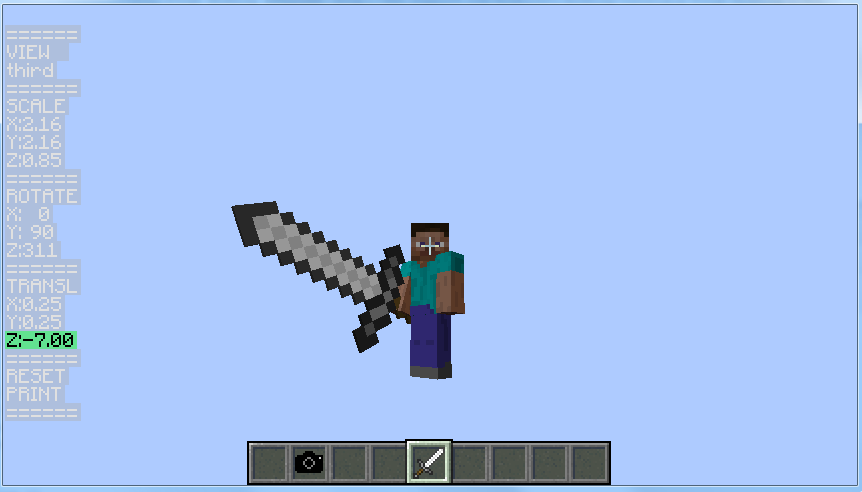 TheGreyGhost showcasing the mod TheGreyGhost showcasing the mod in third person
Versions
Files
Relations
Project Relations
More like this
Similar Mods
Suggestions use data such as tags, dependencies, dependents, descriptions, titles, and more to rank how much they overlap with this mod.
On ModDex
Community snapshot
By the numbers
Statistics


Get it on
Available Platforms
On ModDex
Community snapshot
By the numbers