Community listing page, reviews may not be monitored by the author.
Just Enough Crafting Tables

No reviews yet
This simple mod just adds dyeable crafting tables that keeps its grid content, shows the items on top, and lets you craft from connected inventories. You can search, store, & repeat craft and JEI/EMI transfer from storage.

Community voices
Reviews
No reviews yet. Be the first to review this project!
Get it on
Available Platforms
About
Project Details
For authors
Embed Badge
If you're the author of this project, you can embed a live badge anywhere that supports HTML or Markdown. It updates automatically whenever ratings change.
Use HTML for any page that supports it, or Markdown for README files and Markdown-based descriptions.
Identifiers
Platform IDs
About
Description
Just Enough Crafting Tables
Adds dyeable crafting tables that keep what you put in it and lets you craft straight out of the storage next to it.
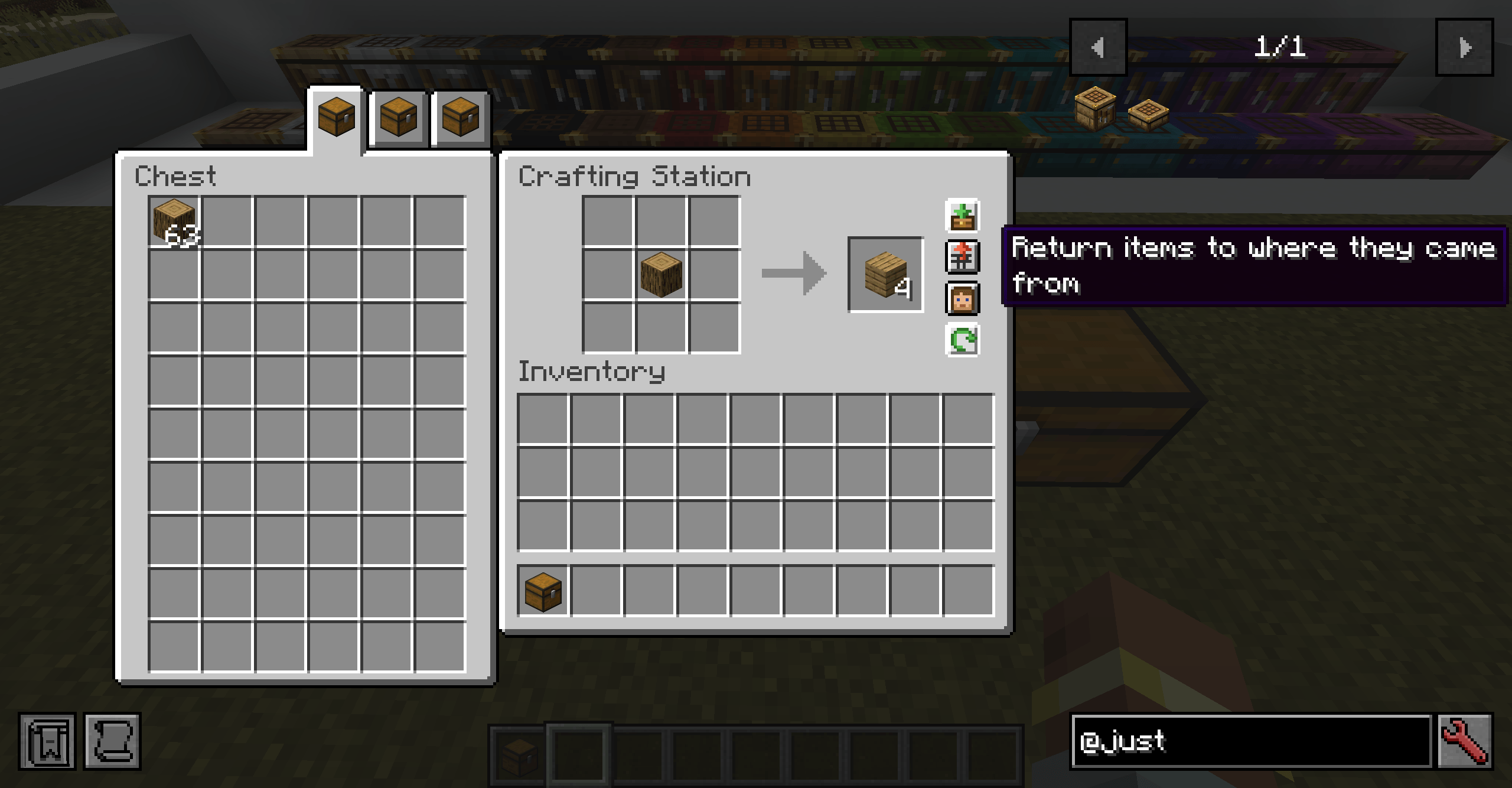
Place a Crafting Station beside your chests, barrels or drawers etc and open it. A panel beside the crafting grid shows what is in them. Grab what you need, craft, and put the rest back without leaving the crafting screen.
NeoForge, Minecraft 1.21.1.
Getting one
- Put a vanilla crafting table in any crafting grid to get a Crafting Station.
- Put a Crafting Station in a crafting grid to get two Crafting Station Slabs. Two slabs turn back into a station.
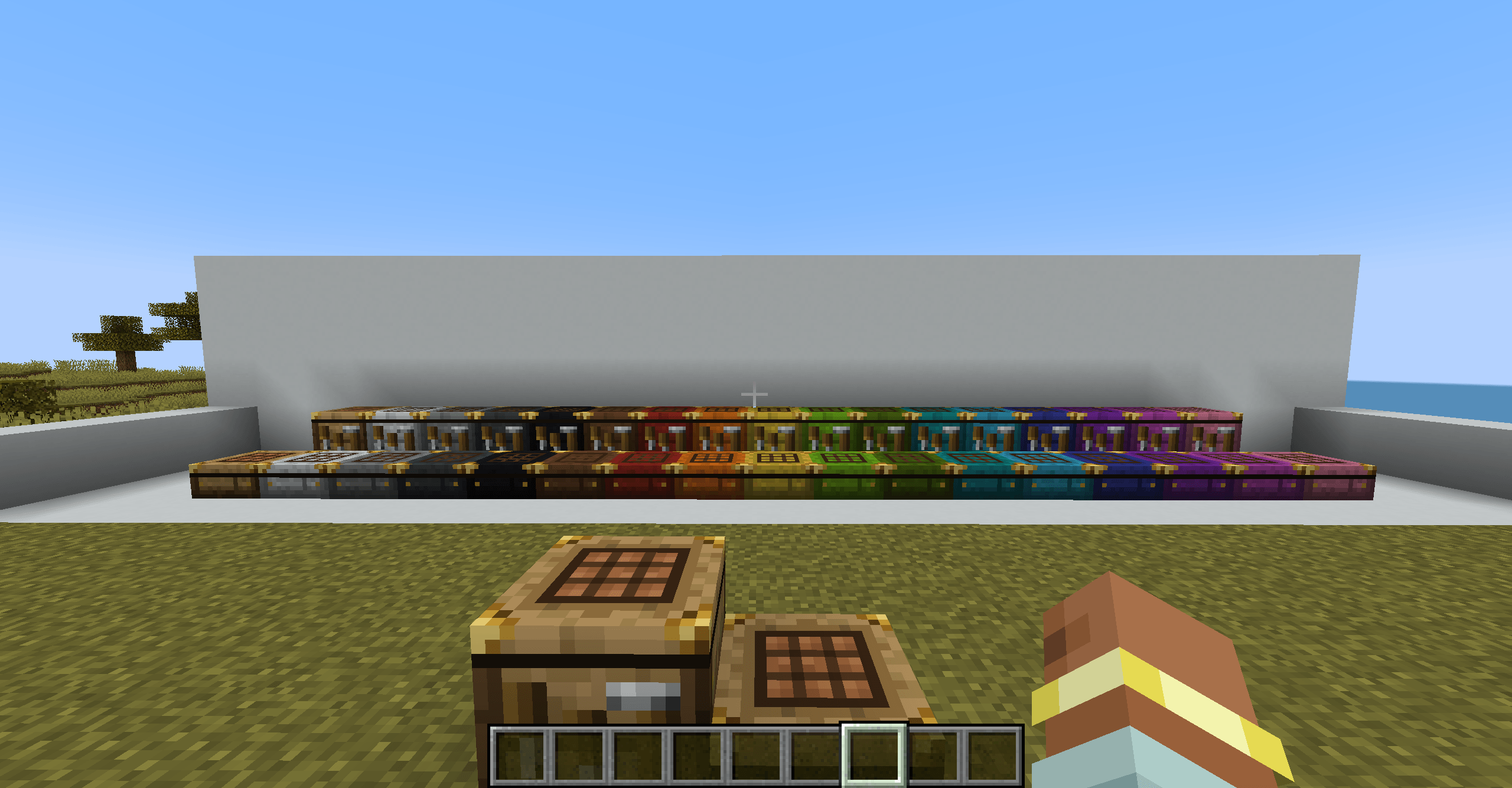
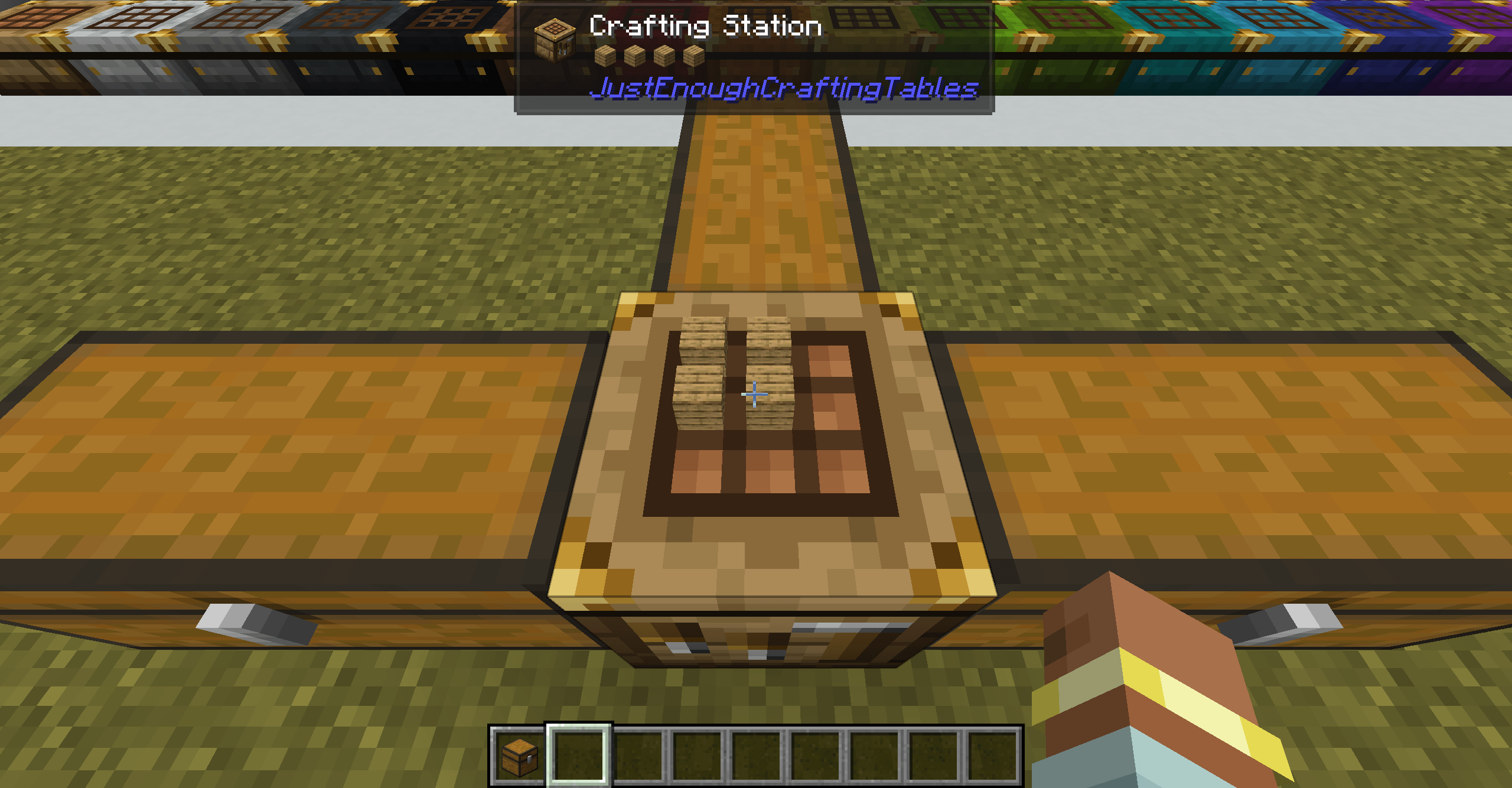
The station looks like a crafting table with brass corner fittings, so you can tell it apart from a vanilla one. The slab is a half-height version that does everything the full station does, and it can be placed in water. Both of them can be dyed any of the vanilla dye colors by sneak+right clicking a dye onto them.
Features
Keeps your grid
Items left in the crafting grid stay there when you close the screen, and they are rendered on top of the table so you can see what a station is set up for. Breaking the station makes the items drop.
Uses the inventories around it
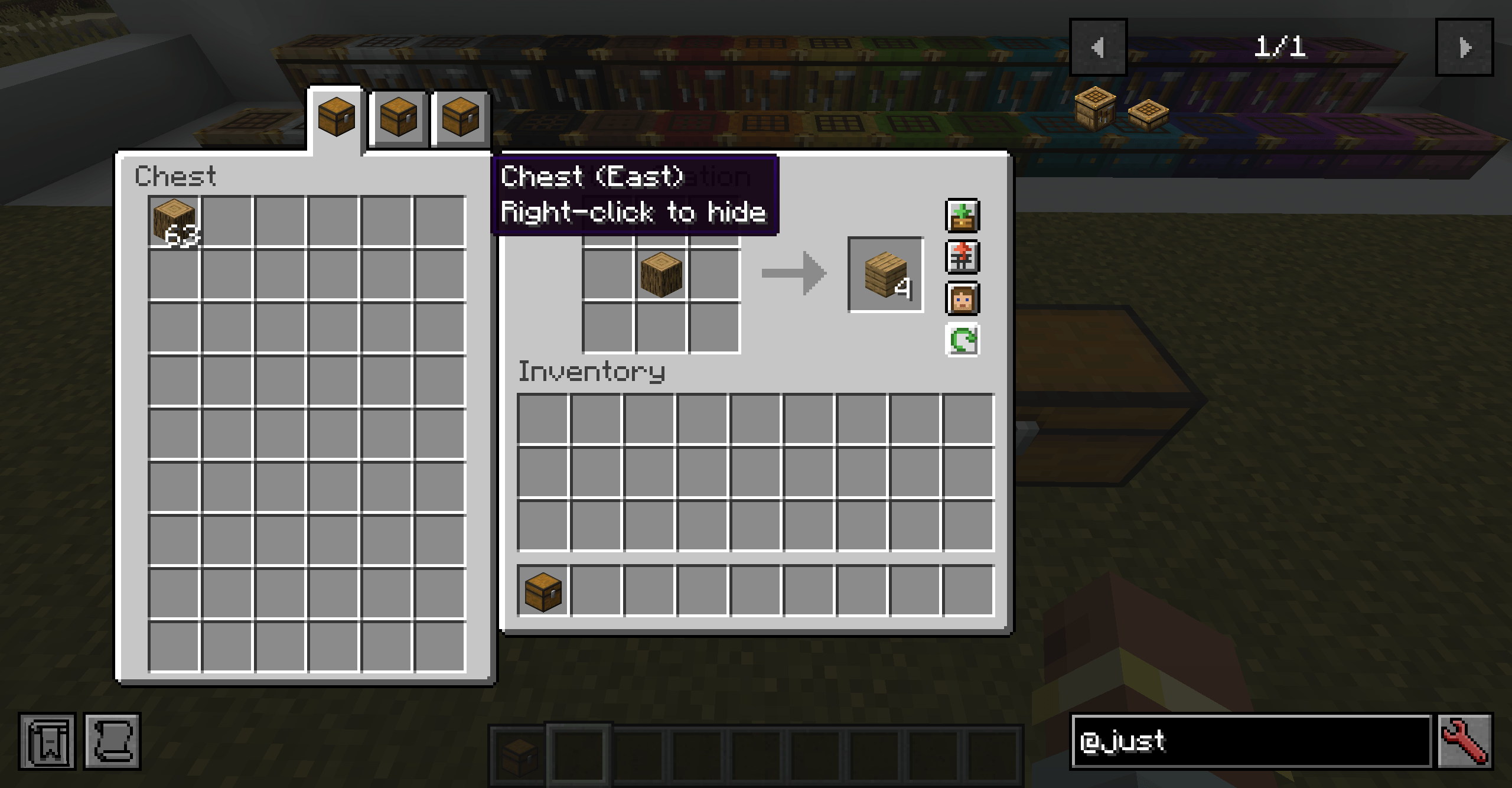
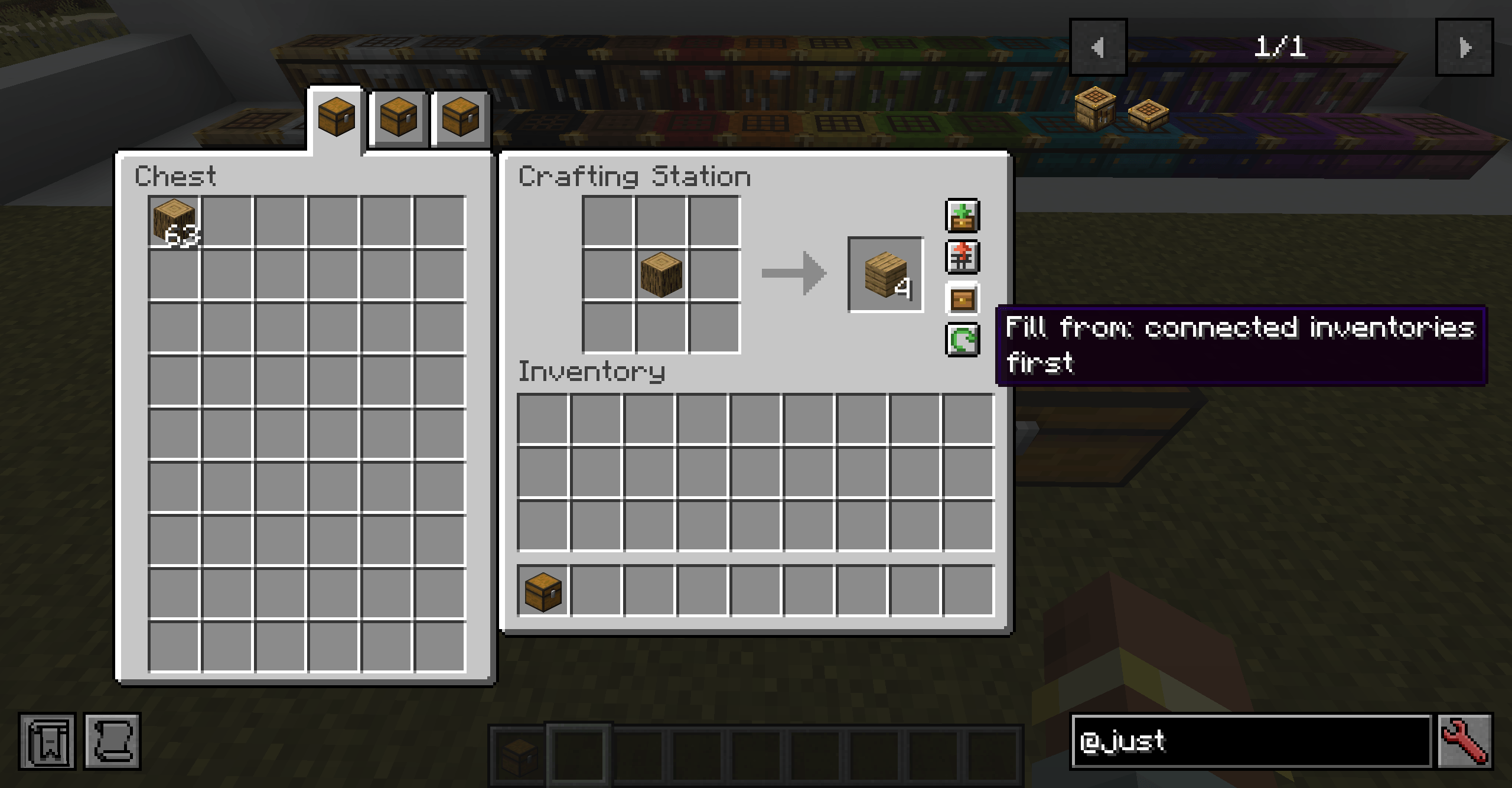
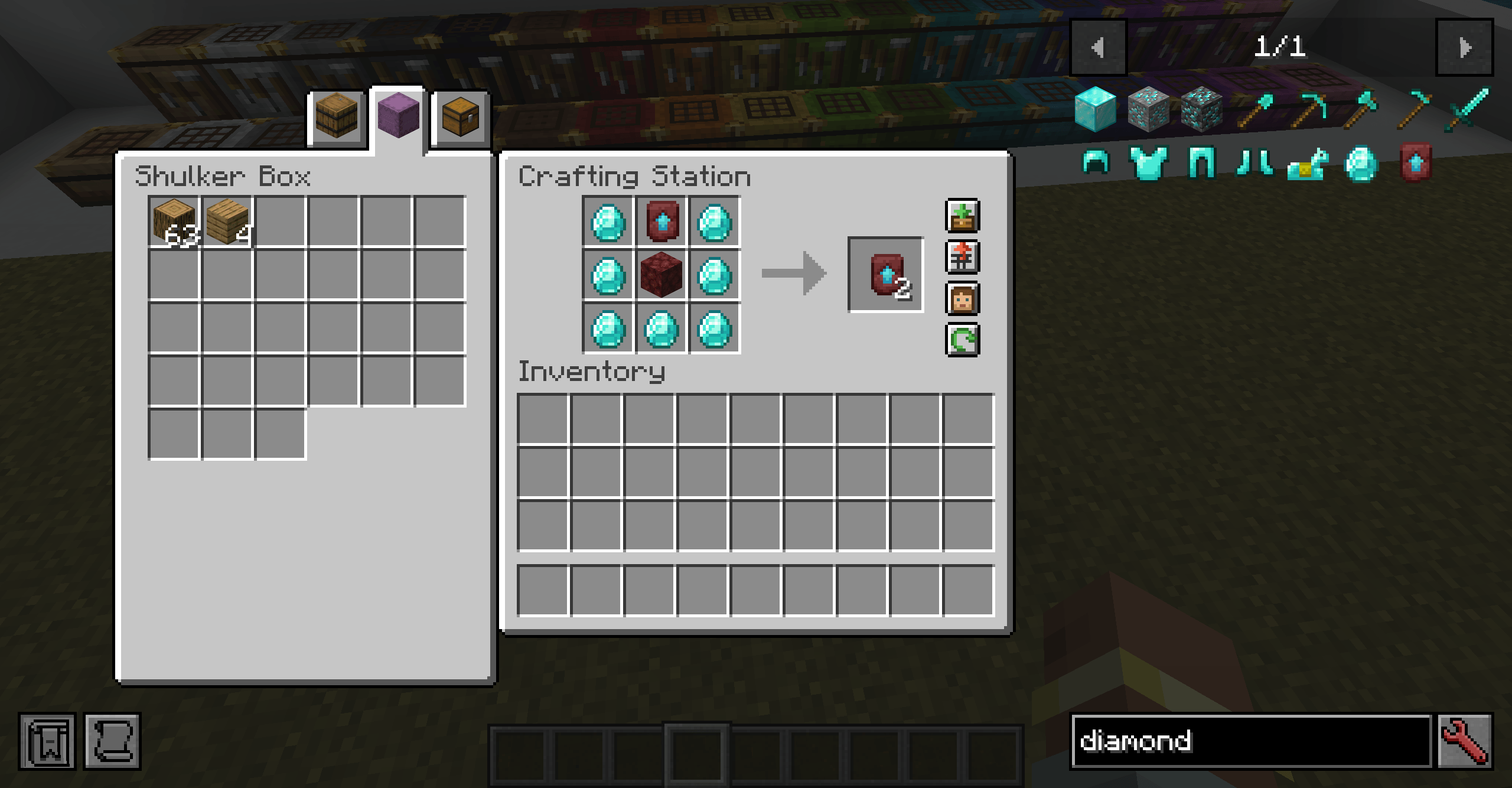
Any block that stores items and touches the station (above, below or on any side) gets its own tab. Chests, barrels, drawers, backpacks, machines: if it holds items, it can show up.
- Each side of the station always uses the same tab position, so the tab tells you where that inventory is.
- Take items out, put items in, and shift-click them into your inventory, just like a chest.
- Shift-clicking from your own inventory puts the item into the crafting grid.
- Place or break a chest while the screen is open and its tab appears or disappears straight away.
- Right-click a tab to hide that inventory, handy for a furnace that happens to sit next to the station. Hidden sides are saved on the station.
Handles huge storage
Storage controllers and drawer walls with thousands of slots are shown a page at a time, with a scrollbar per page and page buttons.
- Mouse wheel scrolls, Shift + wheel or Page Up / Page Down flips pages, Home and End jump to the first and last page.
- A search box finds items across every connected inventory at once. Use
@modto search by mod and#tagto search by tag. - While searching, each tab shows how many matches it holds, and tabs with none fade out.
- Ctrl+F jumps to the search box, Esc to clear it.
Store and Clear
- Store sends every item in the grid back where it came from: items from a chest go back to that chest, items from your inventory go back to your inventory.
- Clear moves everything in the grid into your inventory.
Recipe transfer from storage
With JEI or EMI, the recipe transfer button fills the grid from your inventory and from every connected inventory, including tabs and pages you are not looking at. Recipes show as craftable when the ingredients are in a chest next to the station. This works even when the server does not have JEI installed.
A toggle lets you pick where ingredients come from first, either your inventory, or the connected inventories. Items already in the grid are always used first.
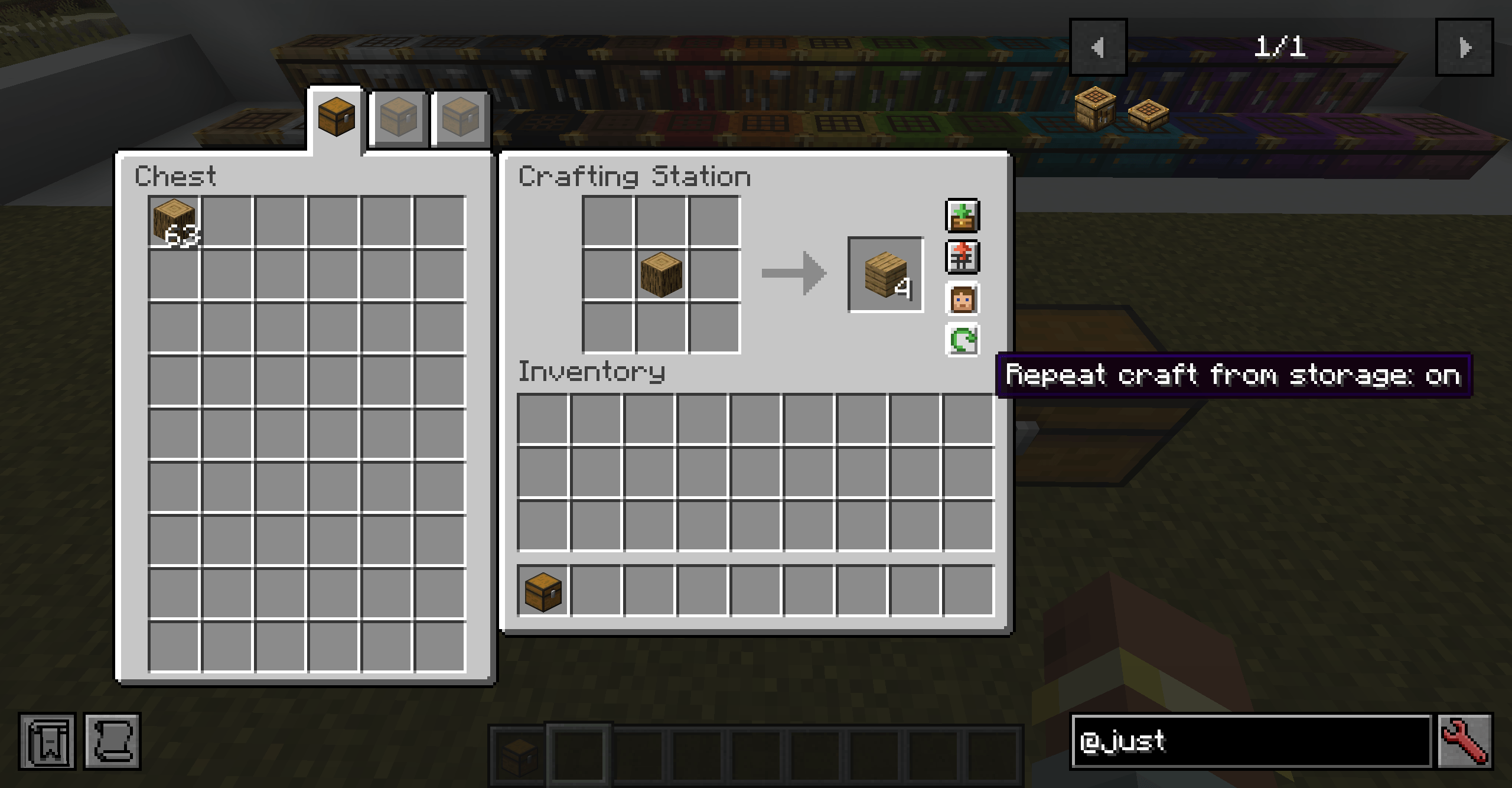
Repeat crafting
Turn on repeat craft and shift-clicking the result keeps crafting, refilling the grid from your inventory and the connected storage each time an ingredient runs out. Leftovers like empty buckets are put away so crafting can carry on.
Dyeing
Sneak and right-click a station or slab with any dye to paint the wood. Dyes from other mods work too. The color stays when you break and replace it, carries over to slabs crafted from it, and washes off in a water cauldron.
Compatibility
- JEI and EMI: recipe transfer straight from your storage
- Crafting Tweaks: rotate, balance and clear work on the station grid
- Polymorph: pick between recipes that share ingredients
- Jade: shows a station's colour and what is on its grid
- Mouse Tweaks: scroll and drag tricks work on the panel's slots
The tabs, buttons and search box work with Minecraft's narrator.
Settings
Players can move the panel to the right side of the screen, turn off the items drawn on the table, and change how the mouse wheel scrolls. Button positions can be moved for packs where other mods put their own buttons on crafting screens.
Server owners can set page size, scan speed for large storage, the repeat craft limit, and whether players are allowed to put items into connected inventories from the station.
Coming from Crafting Station
Just Enough Crafting Tables is an optional replacement for many of the Crafting Station forks and loads worlds made with it. Blocks, slabs, saved grids and items in inventories all carry over.
- Stations become full crafting-table blocks instead of tables on legs.
- Items on slabs now face the right way.
The switch is one way. Back up your world first. Once the world has been saved with this mod, going back to Crafting Station will lose your stations. The two mods cannot be installed together.
Good to know
- Stations do not connect through other stations, so two side by side do not chain.
- Hoppers and pipes can't pipe into the block, consider a minecraft crafter for that use case.
- A station only sees blocks it is touching, not diagonals.
License
PolyForm Shield 1.0.0 and PolyForm Perimeter 1.0.0.
Screenshots
Gallery
-
 2026-10-20_12.28.13.png 2026-10-20_12.28.13.png
 -
 2026-10-20_12.29.20.png 2026-10-20_12.29.20.png
 -
 2026-10-20_12.29.33.png 2026-10-20_12.29.33.png
 -
 2026-10-20_12.29.44.png 2026-10-20_12.29.44.png
 -
 2026-10-20_12.30.06.png 2026-10-20_12.30.06.png
 -
 2026-10-20_12.30.30.png 2026-10-20_12.30.30.png
 -
 2026-10-20_12.34.44.png 2026-10-20_12.34.44.png
Versions
Files
Relations
Project Relations
More like this
Similar Mods
Suggestions use data such as tags, dependencies, dependents, descriptions, titles, and more to rank how much they overlap with this mod.
On ModDex
Community snapshot
By the numbers
Statistics

Get it on
Available Platforms
On ModDex
Community snapshot
By the numbers