
Community listing page, reviews here may not be monitored by the author.
Just Enough Effect Descriptions (JEED)


JEI/REI/EMI plugin that displays information on all potion and status effects

Community voices
Reviews
No reviews yet. Be the first to review this project!
Get it on
Available Platforms
Compatibility
Supported Environments
Runs entirely on the client. Works on vanilla servers.
About
Project Details
For authors
Embed Badge
If you're the author of this project, you can embed a live badge anywhere that supports HTML or Markdown. It updates automatically whenever ratings change.
Use HTML for any page that supports it, or Markdown for README files and Markdown-based descriptions.
Identifiers
Platform IDs
About
Description
Just Enough Effect Descriptions




📖 About 📖
Just Enough Effect Descriptions (JEED) is a JEI/REI/EMI plugin that provides useful information regarding status effects.
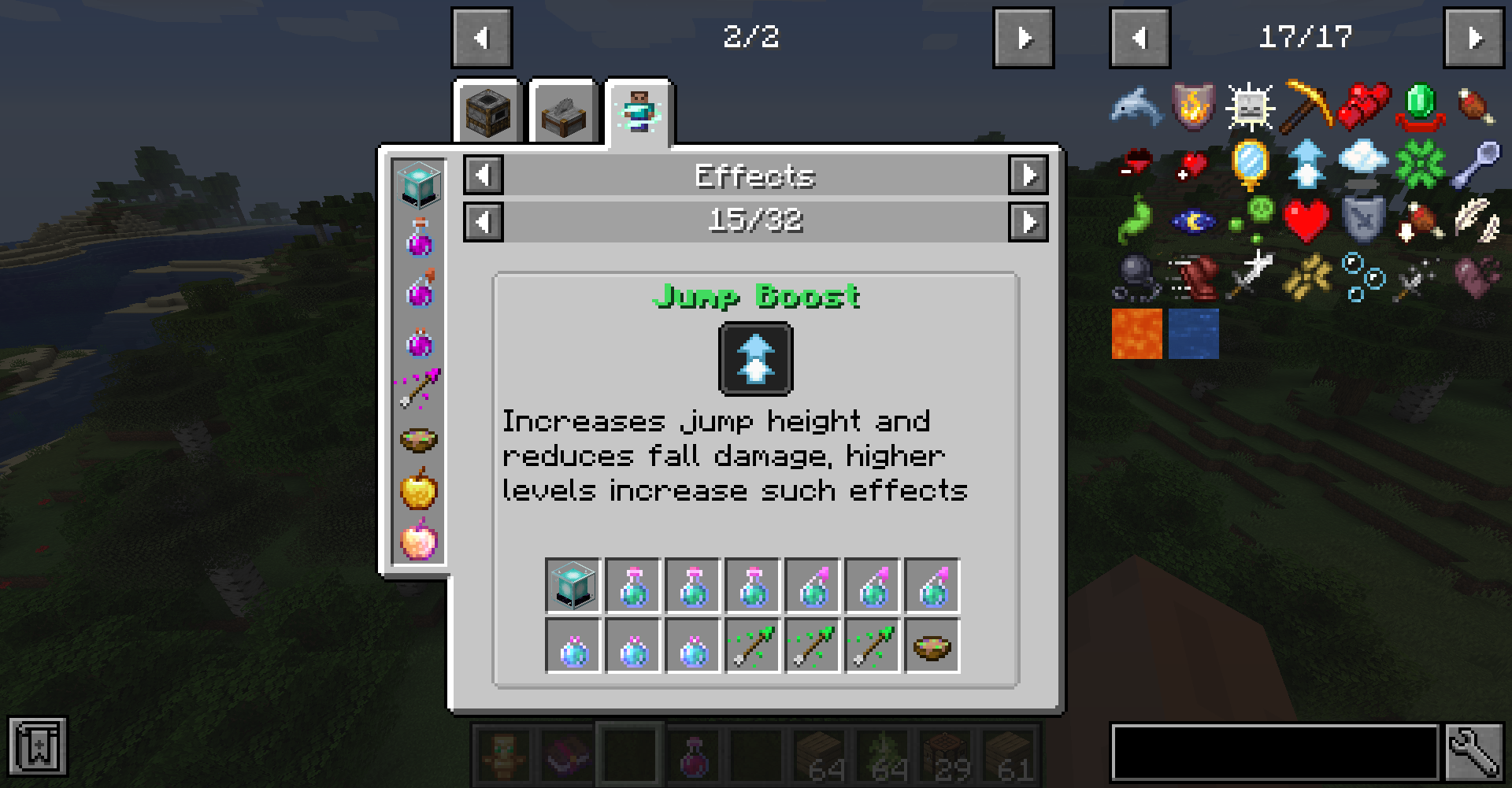
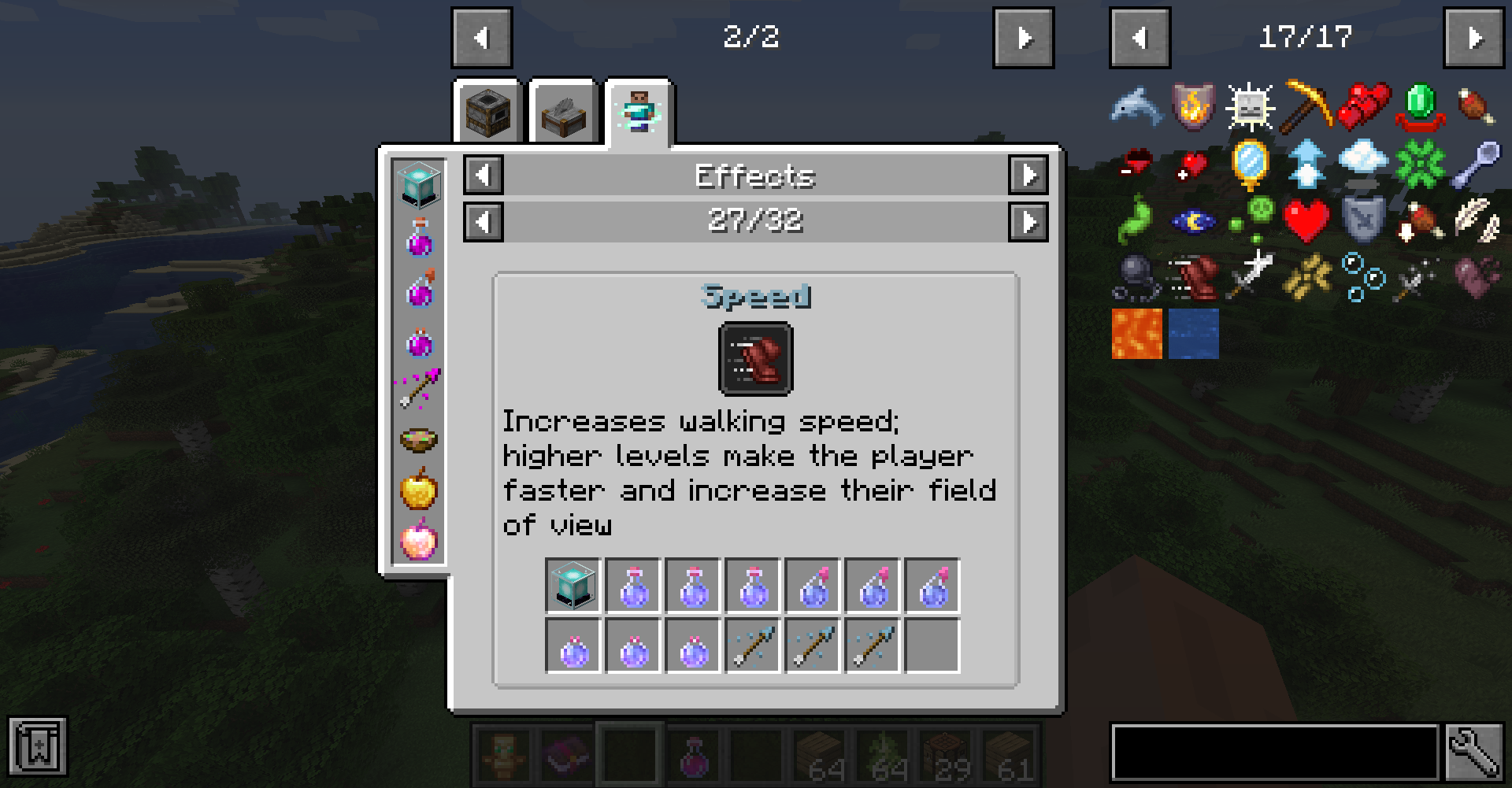
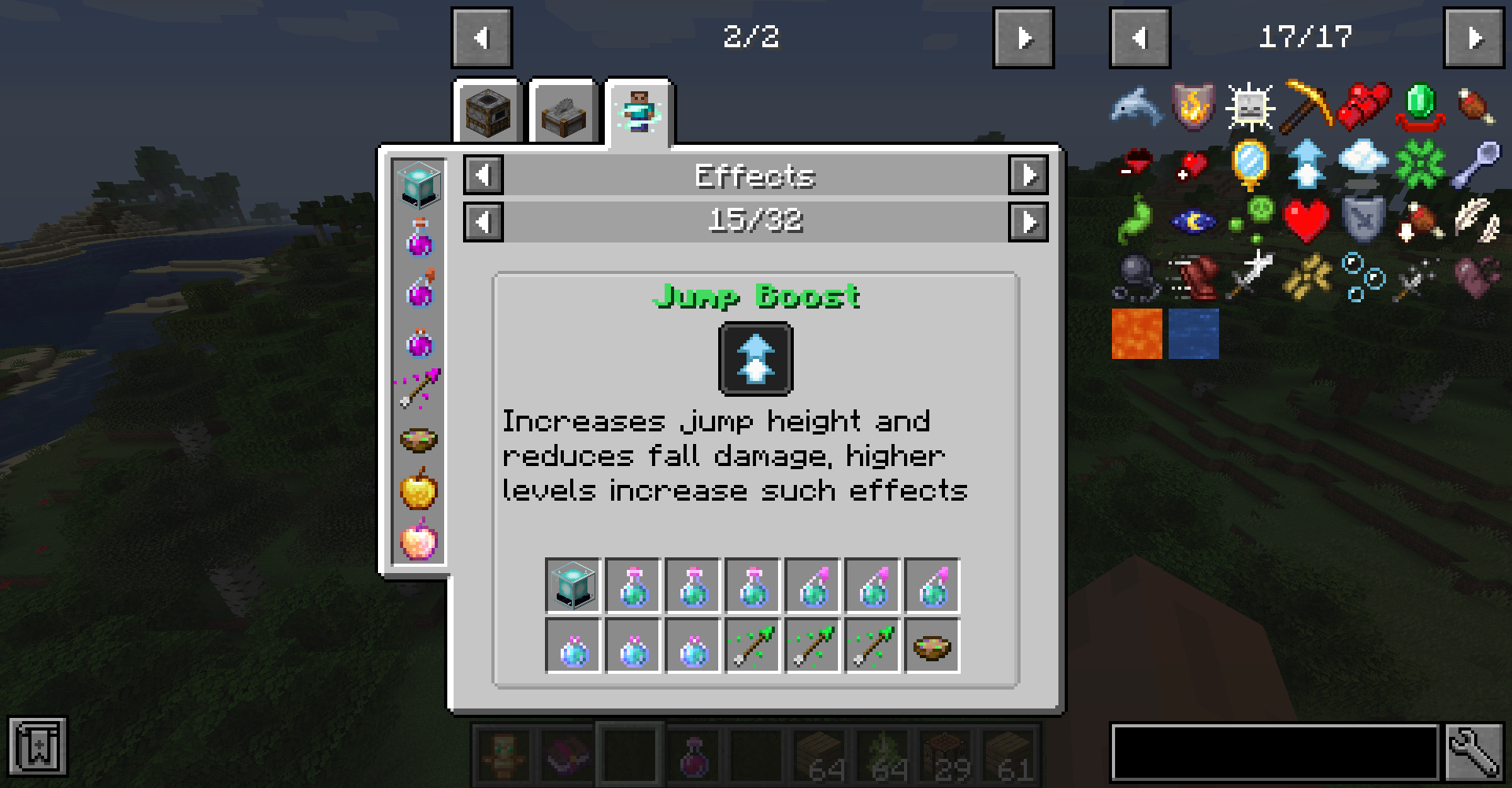
The mod adds a new Effects recipe category accessed either by clicking any of the newly added status effect icons on the JEI item screen or by clicking an active effect from its box on the inventory screen.
Here you'll be able to view information regarding such status effect such as items that can provide it or its description as well as which mod it's from or its effect color.


🧪 Customization🧪
The mod automatically adds all registered status effect to its page, however modded effects won't had a description.
Anyone can easily add such descriptions to their effect by adding the string "effect.[mod_id].[effect_name].description" to their language file in their Resource Pack. Ideallu this should be done by modders themselves.
As a Modded you can also use the JeedAPI class to register screen extension for your screen or vanilla classes to tell Jeed where effects are rendered to make them clickable
Since the mod can only automatically detect food items as effect providing ones, mod developers can also easily add support to their custom effect or effect providing items by adding some recipes into their mod.
To do so one can simply use one of the two newly added recipes categoris:
- "jeed:effect_provider", which allows one to specify an item that can provide an effect in the following format:
{
  "type": "jeed:effect_provider",
  "effect":  "minecraft:haste",
  "providers": [
    {
      "item": "minecraft:beacon"
    }
  ]
}
The Json can also contain the keys "fluid_providers" and "effect_providers", both of which can too hold a tag or list of fluids and effects respectively
- "jeed:potion_provider", which allows one to specify an item that can contain any registered potion like tipped arrows for example:
{
  "type": "jeed:potion_provider",
  "providers": [
    {
      "item": "minecraft:splash_potion"
    },
    {
      "item": "minecraft:tipped_arrow"
    }
  ]
}
If you would like to help me provide build in description support for many modded effect be sure to contact me on my discord!
❤️Support Me❤️
Modding is taking a lot of my time, so if you like what I do, and you would like to support me, you can do so here. If you do, you'll receive a custom Globe and or Statue just for you! This also applies if you purchase a server from Akliz using "supplementaries" code.

Use code "supplementaries" to get 20% off and also support me in the process!

🦉 Our Mods🦉










Just Enough Effect Descriptions
📖About 📖
Just Enough Effect Descriptions (JEED) is a JEI plugin that provides useful information regarding status effects.
The mod adds a new Effects recipe category accessed either by clicking any of the newly added status effect icons on the JEI item screen or by clicking an active effect from its box on the inventory screen.
Here you'll be able to view information regarding such status effect such as items that can provide it or its description as well as which mod it's from or its effect color.
🧪 Customization 🧪
The mod automatically adds all registered status effect to its page, however modded effects won't had a description.
Modders can easily add such descriptions to their effect by adding the string "effect.[mod_id].[effect_name].description" to their language file.
Since the mod can only automatically detect food items as effect providing ones, mod developers can also easily add support to their custom effect or effect providing items by adding some recipes into their mod.
To do so one can simply use one of the two newly added recipes categories:
- "jeed:effect_provider", which allows one to specify an item that can provide an effect in the following format:
{
  "type": "jeed:effect_provider",
  "effect":{
    "id": "minecraft:haste"
  },
  "providers": [
    {
      "item": "minecraft:beacon"
    }
  ]
}
- "jeed:potion_provider", which allows one to specify an item that can contain any registered potion like tipped arrows for example:
{
  "type": "jeed:potion_provider",
  "providers": [
    {
      "item": "minecraft:splash_potion"
    },
    {
      "item": "minecraft:tipped_arrow"
    }
  ]
}
If you would like to help me provide build in description support for many modded effect be sure to contact me on my discord!
❤️Support Me❤️
Modding is taking a lot of my time, so if you like what I do, and you would like to support me, you can do so here. If you do, you'll receive a custom Globe and or Statue just for you! This also applies if you purchase a server from Akliz using "supplementaries" code.
Need a server? Check out Akliz, they have top brand servers just for modded minecraft. They really have a cozy community with great support and the servers wonderfully
Use code "supplementaries" to get 20% off and also support me in the process!
🦉 Our Mods🦉










Screenshots
Gallery
-
 example
 -
 tab
tab
-
 example
 -
 tab
tab
Versions
Files
Relations
Project Relations
More like this
Similar Mods
Suggestions use data such as tags, dependencies, dependents, descriptions, titles, and more to rank how much they overlap with this mod.
On ModDex
Community snapshot
By the numbers
Statistics
 (opens in a new tab)
Get it on
Available Platforms
On ModDex
Community snapshot
By the numbers