Community listing page, reviews here may not be monitored by the author.
KeyBind Bundles


No reviews yet
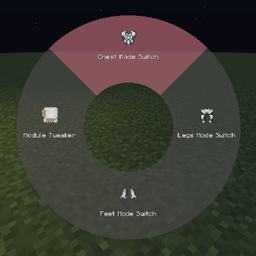
Do you have too many keybinds but not enough keys? With this mod you create add your own key bundles, collapsing a set of keys into an easy-to-use radial menu

Community voices
Reviews
No reviews yet. Be the first to review this project!
Get it on
Available Platforms
Compatibility
Supported Environments
Runs entirely on the client. Works on vanilla servers.
About
Project Details
For authors
Embed Badge
If you're the author of this project, you can embed a live badge anywhere that supports HTML or Markdown. It updates automatically whenever ratings change.
Use HTML for any page that supports it, or Markdown for README files and Markdown-based descriptions.
Identifiers
Platform IDs
About
Description
Do you have too many keybinds but not enough physical keys for all of them? Are you tired of constantly changing rarely used keys to other bindings? Is it too hard to remember what each key does? Then this mod is for you.
This mod adds key bundles, which are basically multiple keybinds in one key.
Creating bundles
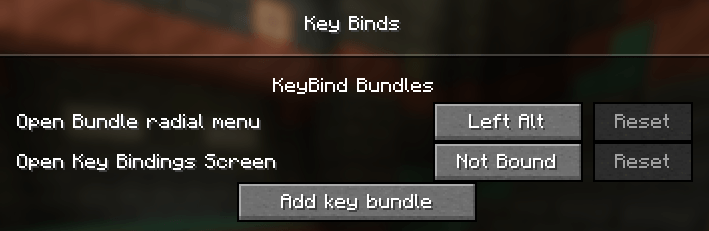
To create a new bundle, open the keybinds screen and under the KeyBind Bundles category (which should be the first) click the Add key bundle button, and then enter a name for your bundle.
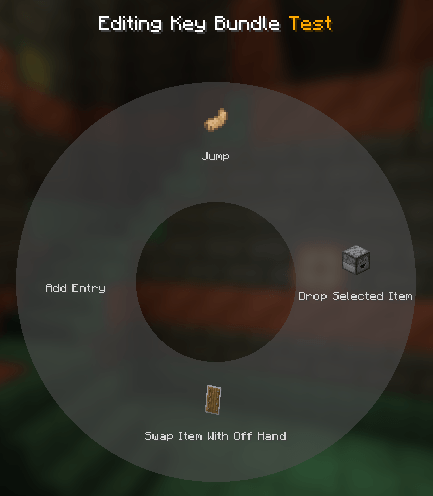
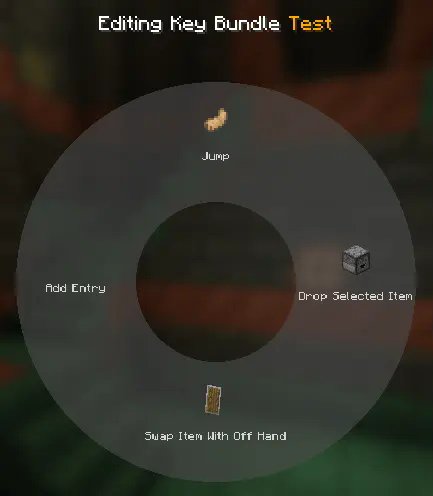
After that, click the Edit button on the bundle. In the new screen hover over the radial menu in the middle and click on Add entry. This will open the keybinds screen again but now each keybind has a select button. Here you can select the bindings you want to add to the bundle.
After selecting the bindings you may edit each entry in the radial menu and give it a custom name and item icon.
Using bundles
Exit the edit menu by pressing escape and bind the bundle to a key. Afterwards, while in-game you can press and hold the key you assigned to bring up the radial menu. Hover and left click over an entry to trigger that keybind. It's that simple!
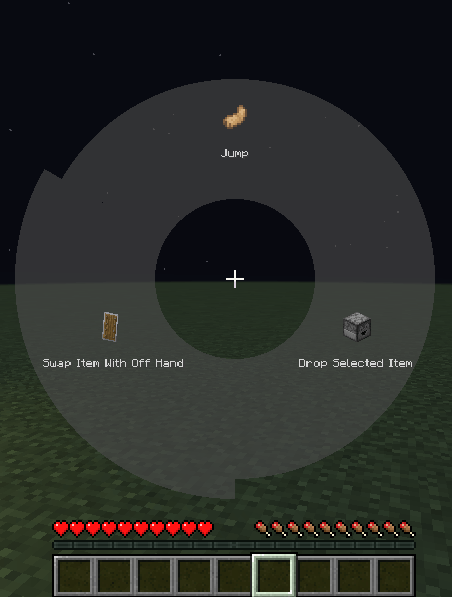
You can also bookmark a key mapping by right clicking it. Once bookmarked, pressing the key assigned to the bundle will immediately trigger that mapping without opening the radial menu. When a key is bookmarked, the radial menu can be opened again by holding the Radial menu modifier, which is Left alt by default. The current bookmarked key will be highlighted red in the radial menu.
This mod is compatible with Controlling
Do you have too many keybinds but not enough physical keys for all of them? Are you tired of constantly changing rarely used keys to other bindings? Is it too hard to remember what each key does? Then this mod is for you.
This mod adds key bundles, which are basically multiple keybinds in one key.
Creating bundles
To create a new bundle, open the keybinds screen and under the KeyBind Bundles category (which should be the first) click the Add key bundle button, and then enter a name for your bundle.
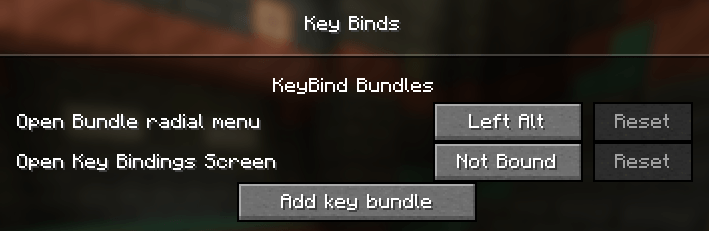
After that, click the Edit button on the bundle. In the new screen hover over the radial menu in the middle and click on Add entry. This will open the keybinds screen again but now each keybind has a select button. Here you can select the bindings you want to add to the bundle.
After selecting the bindings you may edit each entry in the radial menu and give it a custom name and item icon.
Using bundles
Exit the edit menu by pressing escape and bind the bundle to a key. Afterwards, while in-game you can press and hold the key you assigned to bring up the radial menu. Hover and left click over an entry to trigger that keybind. It's that simple!
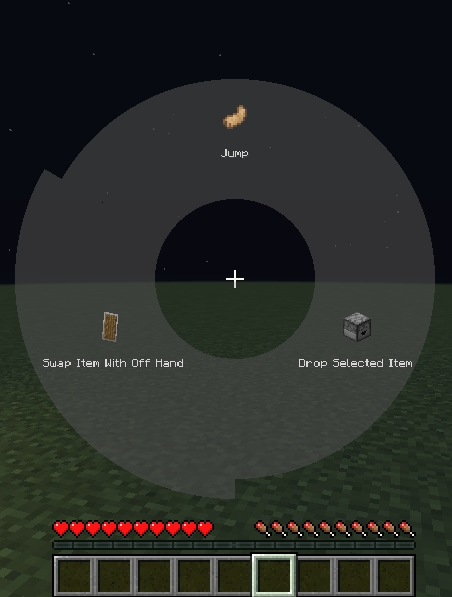
You can also bookmark a key mapping by right clicking it. Once bookmarked, pressing the key assigned to the bundle will immediately trigger that mapping without opening the radial menu. When a key is bookmarked, the radial menu can be opened again by holding the Radial menu modifier, which is Left alt by default. The current bookmarked key will be highlighted red in the radial menu.
This mod is compatible with Controlling
Screenshots
Gallery
Versions
Files
Relations
Project Relations
More like this
Similar Mods
Suggestions use data such as tags, dependencies, dependents, descriptions, titles, and more to rank how much they overlap with this mod.
On ModDex
Community snapshot
By the numbers
Statistics
 (opens in a new tab)
Get it on
Available Platforms
On ModDex
Community snapshot
By the numbers