
Community listing page, reviews here may not be monitored by the author.
Key Disabler!

No reviews yet
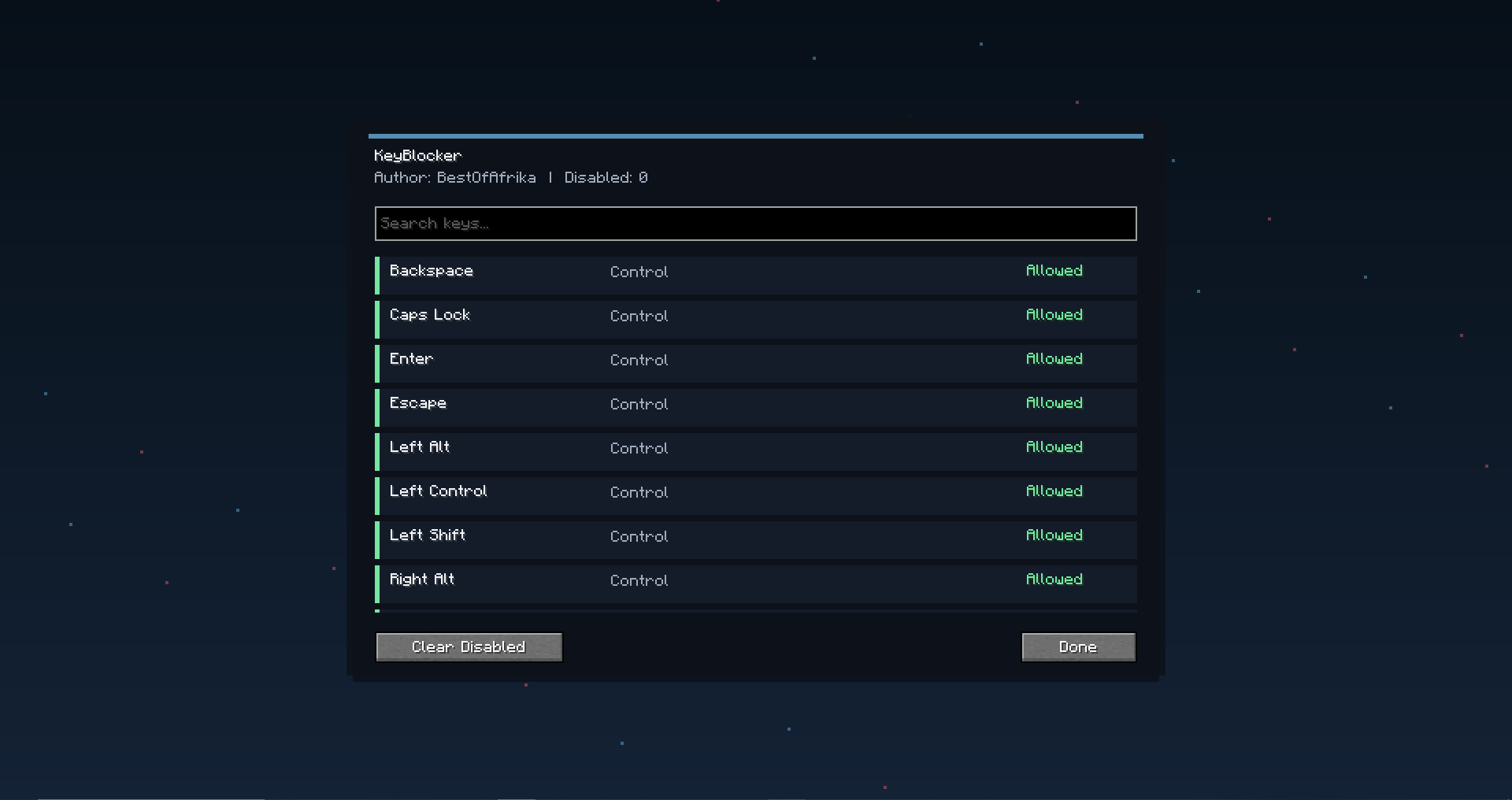
KeyBlocker lets you choose specific keyboard keys to disable while playing Minecraft. Configure it through Mod Menu, search the full key list, and toggle keys between allowed and disabled without affecting chat or other menus.
Community voices
Reviews
No reviews yet. Be the first to review this project!
Get it on
Available Platforms
Compatibility
Supported Environments
Runs entirely on the client. Works on vanilla servers.
About
Project Details
For authors
Embed Badge
If you're the author of this project, you can embed a live badge anywhere that supports HTML or Markdown. It updates automatically whenever ratings change.
Use HTML for any page that supports it, or Markdown for README files and Markdown-based descriptions.
Identifiers
Platform IDs
Resources
External Links
About
Description
KeyBlocker
KeyBlocker is a client-side Fabric mod that lets you disable specific keyboard keys while you are playing Minecraft. It is made for players who want more control over their keyboard, whether that means blocking keys they press by accident, stopping unwanted movement inputs, disabling annoying binds, or making their setup feel cleaner during gameplay.
The mod is fully configurable through Mod Menu. Inside the config screen, you get a clean searchable list of keyboard keys. Each key can be toggled between Allowed and Disabled with one click. When a key is disabled, KeyBlocker prevents it from working during normal gameplay.
KeyBlocker is designed to be safe and simple to use. Disabled keys are only blocked while you are actively playing in-game. They still work normally in chat, menus, inventory screens, settings screens, and the KeyBlocker config itself, so you do not lock yourself out of typing or changing settings.
Features
- Disable individual keyboard keys
- Searchable key list
- One-click toggle for each key
- Clean Mod Menu config screen
- Shows each key as Allowed or Disabled
- Blocks keys only during gameplay
- Still allows typing in chat and menus
- Works client-side
- Saves your disabled key list automatically
- Includes a custom logo
- Made for Minecraft 1.21.11
How It Works
Open Mod Menu, find KeyBlocker, and open the config screen. Search for the key you want to block, then click it to disable it. Click it again to allow it.
Once disabled, that key will no longer trigger normal gameplay actions while you are playing. If you open chat, a menu, or another screen, the key works normally again.
Important
This mod is client-side and affects only your own controls. It does not change server behavior and does not affect other players.
Info
- Mod name: KeyBlocker
- Minecraft version: 1.21.11
- Loader: Fabric
- Author: BestOfAfrika
Screenshots
Gallery
Versions
Files
Relations
Project Relations
More like this
Similar Mods
Suggestions use data such as tags, dependencies, dependents, descriptions, titles, and more to rank how much they overlap with this mod.
On ModDex
Community snapshot
By the numbers
Statistics

Want to reach Minecraft players?
We're looking for a server hosting partner to feature here and other parts of the site. Interested? Send us a message!
Get in touchGet it on
Available Platforms
On ModDex
Community snapshot
By the numbers
Statistics
Resources