
Community listing page, reviews here may not be monitored by the author.
KeyMap HUD

No reviews yet
A visual keybinding manager for Minecraft that helps you find conflicts, discover unused keys, rebind controls, add custom key labels, and save or share keybinding profiles.
Community voices
Reviews
No reviews yet. Be the first to review this project!
Get it on
Available Platforms
Compatibility
Supported Environments
Runs entirely on the client. Works on vanilla servers.
About
Project Details
For authors
Embed Badge
If you're the author of this project, you can embed a live badge anywhere that supports HTML or Markdown. It updates automatically whenever ratings change.
Use HTML for any page that supports it, or Markdown for README files and Markdown-based descriptions.
Identifiers
Platform IDs
Resources
External Links
About
Description
KeyMap HUD
A visual keybinding manager for Minecraft Fabric.
KeyMap HUD provides an interactive keyboard and mouse overlay that makes it easy to see, understand, and manage your Minecraft keybindings. Quickly find conflicting keybinds, discover unused keys, search through actions, and organize different control setups with profiles.
▶ See a showcase of the features of KeyMap HUD on YouTube
Features
Visual Keyboard & Mouse HUD
View your keybindings directly on a complete visual keyboard and mouse layout.
Keys are color-coded to make your controls easy to understand at a glance:
- Green — Unused key
- Amber — One action bound
- Red — Conflicting bindings
Hover over a key to see its assigned actions and additional information.
Conflict Detection
Immediately identify keys assigned to multiple actions, making it much easier to resolve conflicts in large modpacks.
Search & Filtering
Search your controls and filter keybindings by:
- Conflicts
- Free/unused keys
- Bound keys
- Mouse buttons
- Categories
- Individual mods
KeyMap HUD also supports search prefixes such as mod: and cat: for more targeted searches.
Key Rebinding
Select an action and visually choose the key you want to assign to it. Available keys are highlighted to make finding a good binding easier while still allowing you to intentionally create conflicting bindings when desired.
Safe Conflicts
Not every keybinding conflict is actually a problem. KeyMap HUD lets you mark intentional conflicts as safe, changing the key from red to amber so it no longer appears as an active conflict.
Safe conflicts are automatically cleared if one of the bindings is reassigned or if another binding is added to the key, ensuring new conflicts are still brought to your attention. You can also manually clear the safe status at any time.
Custom Key Labels
Give individual keys custom labels that appear directly on the KeyMap HUD keyboard.
Custom labels make it easy to identify important controls at a glance without needing to remember what every key is assigned to. Labels can be added, edited, or removed directly from the key tooltip and are saved as part of your KeyMap HUD configuration.
This is especially useful for large modpacks where a key's function may not be obvious from the key itself.
Keybinding Profiles
Create and manage multiple keybinding profiles for different playstyles or mod setups.
Profiles can be:
- Created
- Renamed
- Duplicated
- Deleted
- Switched without manually rebuilding your entire control layout
Designed for Modded Minecraft
KeyMap HUD is especially useful for large modpacks where dozens—or even hundreds—of actions may compete for a limited number of convenient keys.
Current version
- Minecraft 1.21.1
Additional version support may be considered in the future.
Requirements
- Fabric API
- Mod Menu
- Cloth Config API
License
All Rights Reserved.
KeyMap HUD and its source code are publicly available for viewing and reference purposes only.
You may use the mod for personal use and include it in modpacks. Redistribution, rehosting, modification, or publication of modified or ported versions of the mod is not permitted without explicit permission from the author.
© 2026 Itinerant Mods
Support
If you enjoy my mods and would like to support future development, you can find Itinerant Mods on Ko-fi.
Author

Created by Itinerant Mods.
Screenshots
Gallery
-
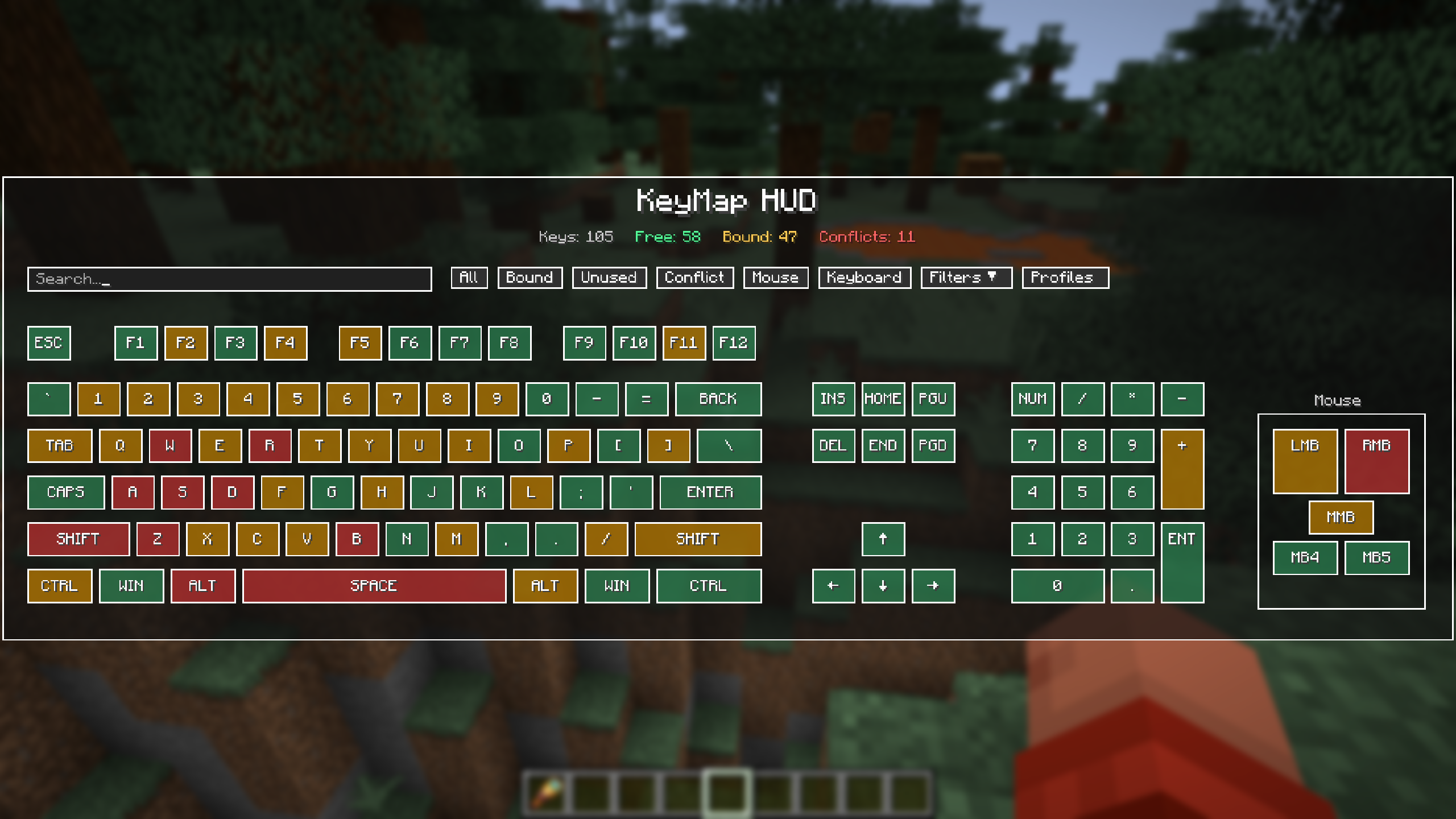 Main screen Pressing the KeyMap HUD button during gameplay brings up the KeyMap screen, allowing you to quickly find keybindings.
 -
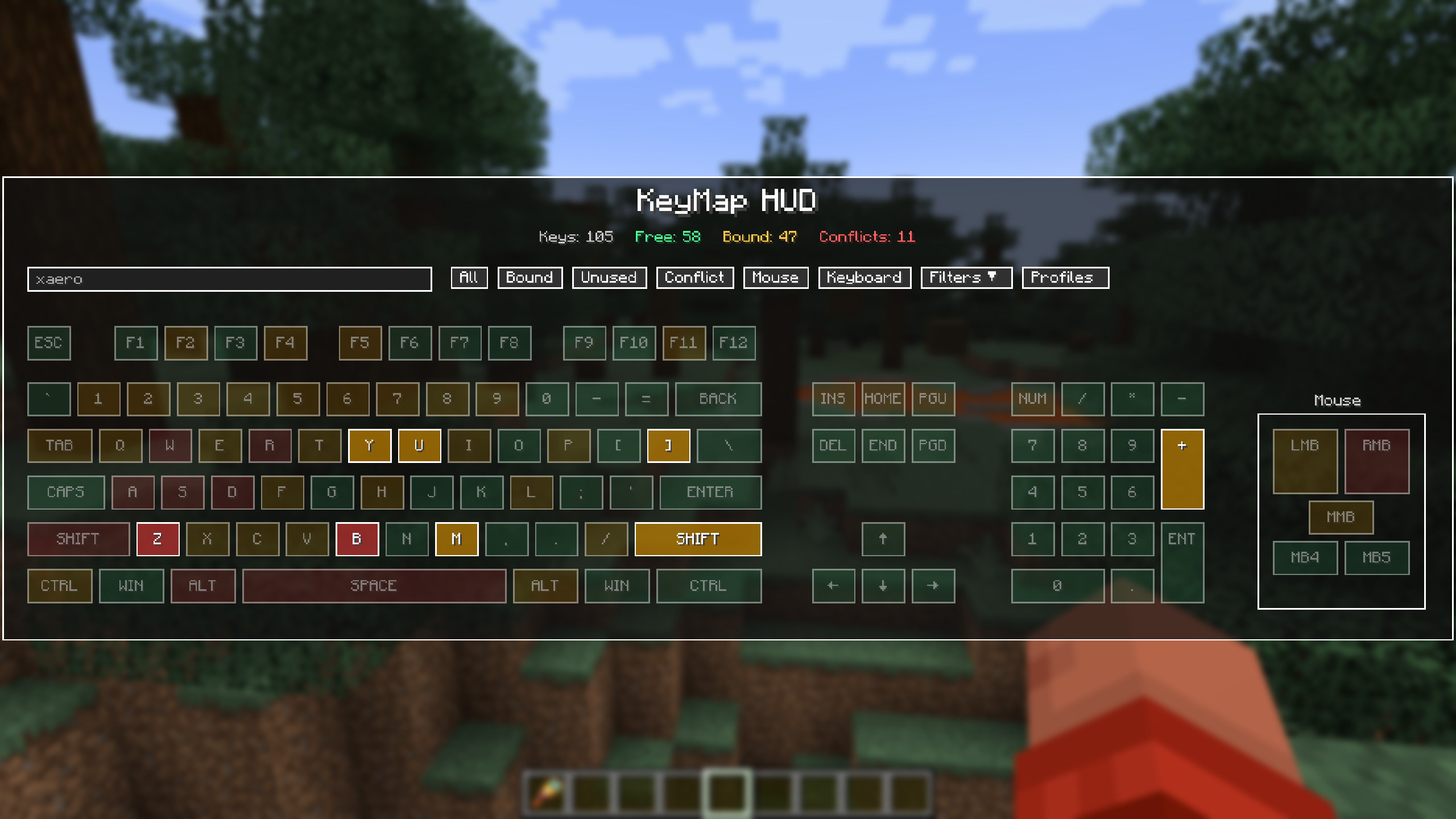 Search for actions, keys, categories or mods Quickly search your keybindings to find specific controls, keys, conflicts, or bindings across Minecraft and installed mods. Matching keys are highlighted while unrelated bindings fade into the background.
 -
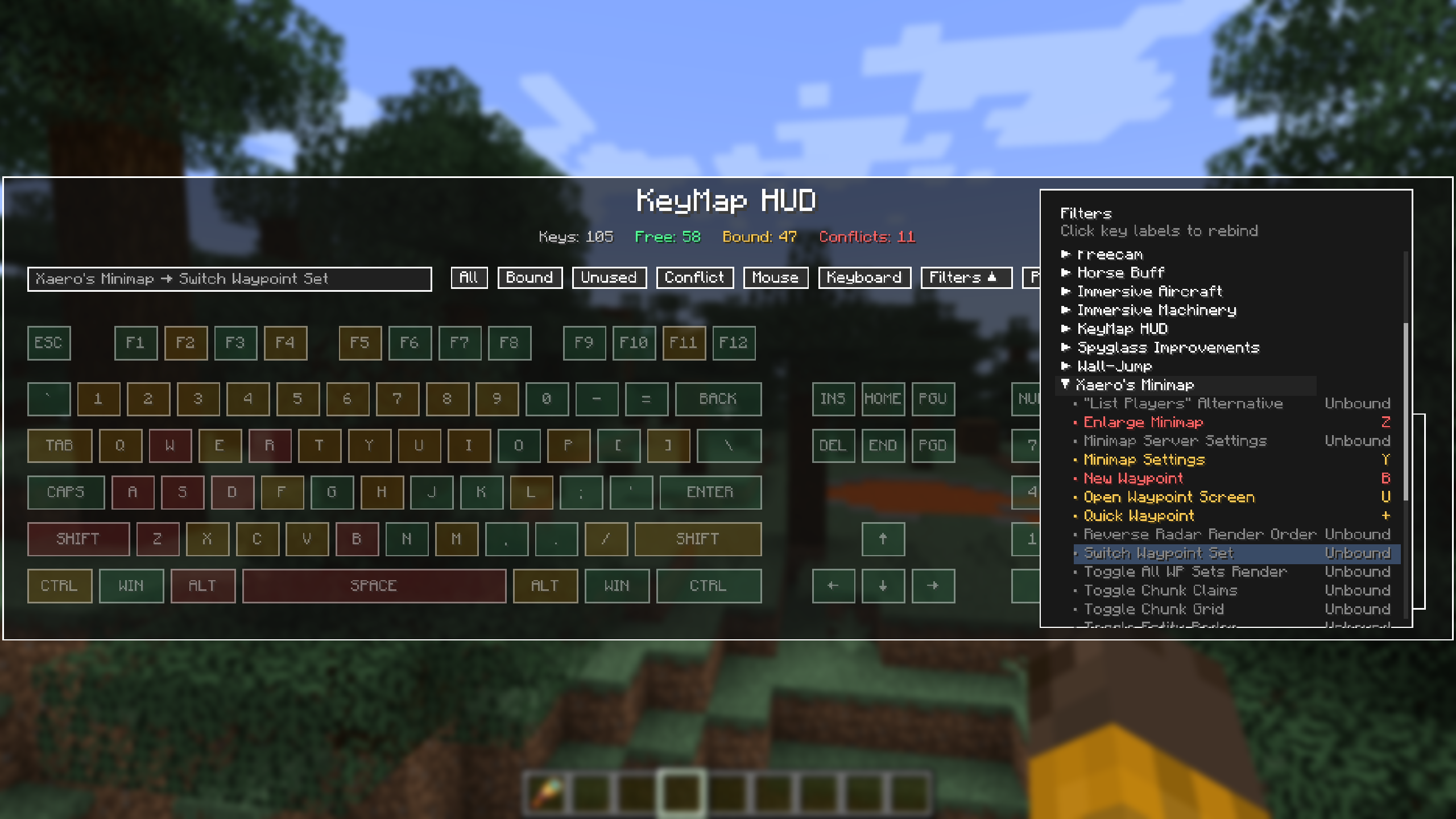 Filter Drawer Browse keybindings by category or installed mod using the expandable filter drawer. Quickly isolate the controls you want to review, identify conflicts and unbound actions, and rebind controls directly from the list.
 -
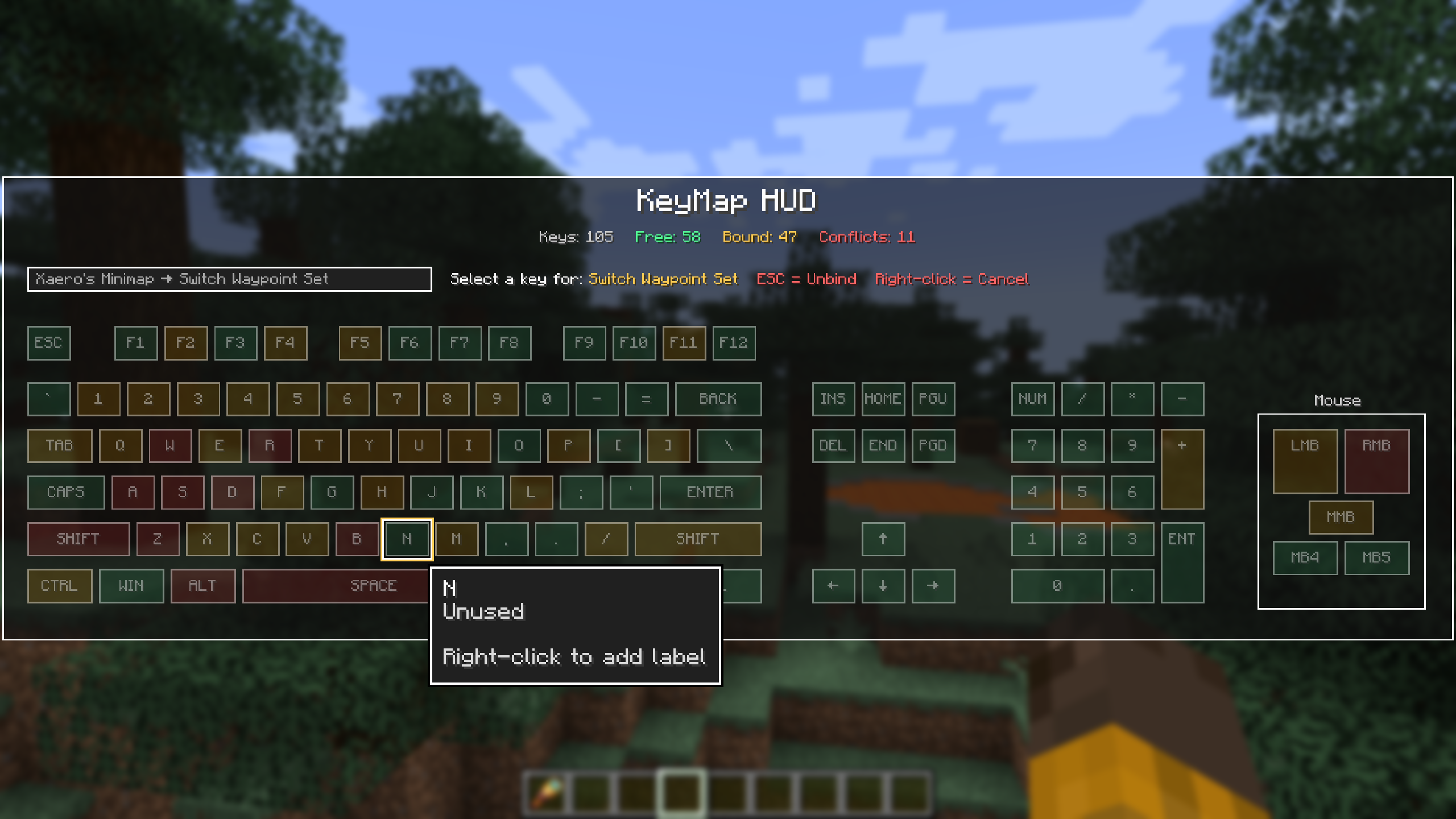 Rebind keys Rebind controls directly from the visual keyboard. Select an action, choose a new key, and immediately see how the change affects your keymap—including any new conflicts—all without digging through Minecraft's controls menu.
 -
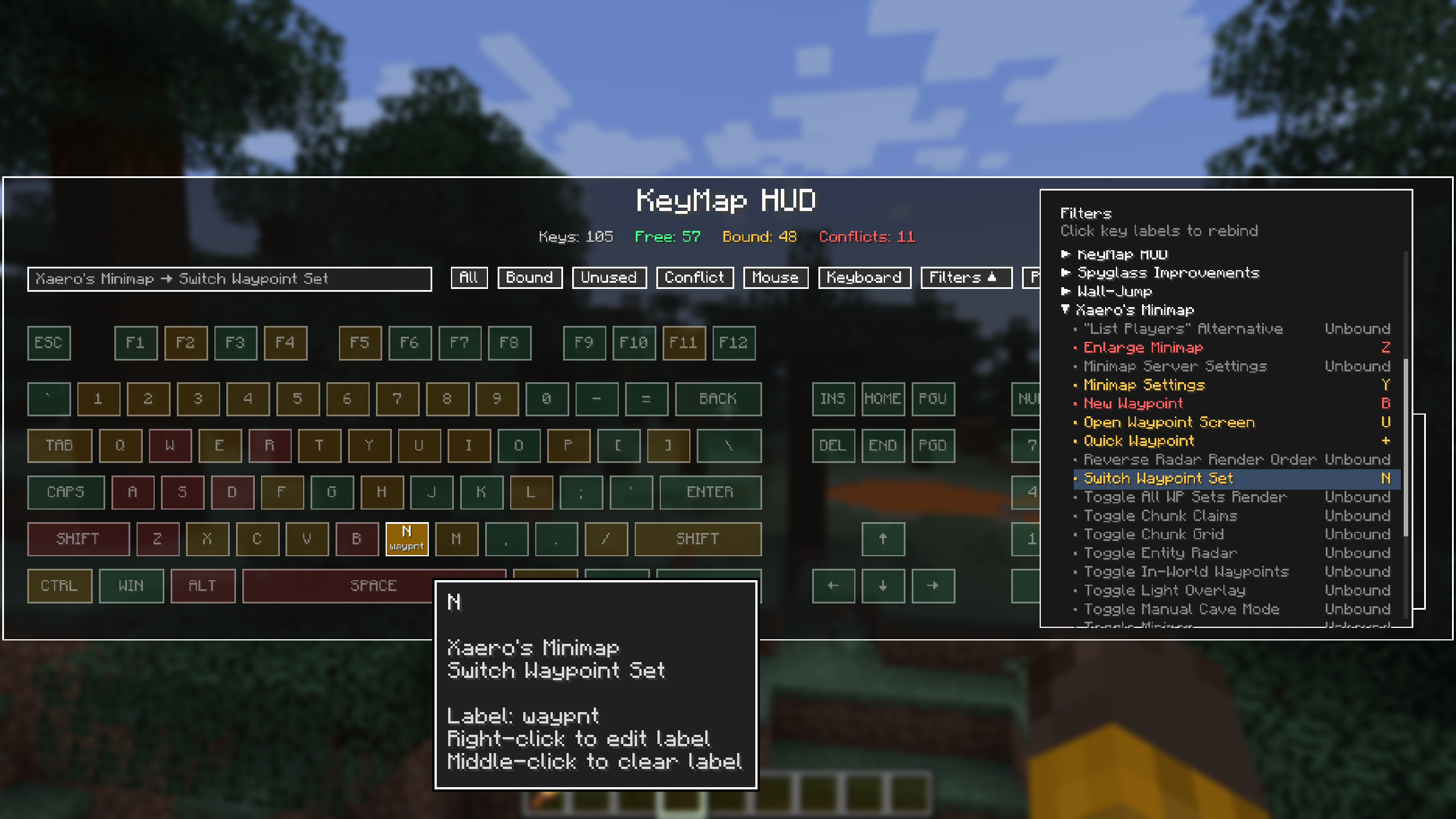 Add labels to keys Add custom labels directly to keys so important controls are recognizable at a glance. Labels appear on the visual keyboard and can be easily edited or removed as your keybinding setup changes.
 -
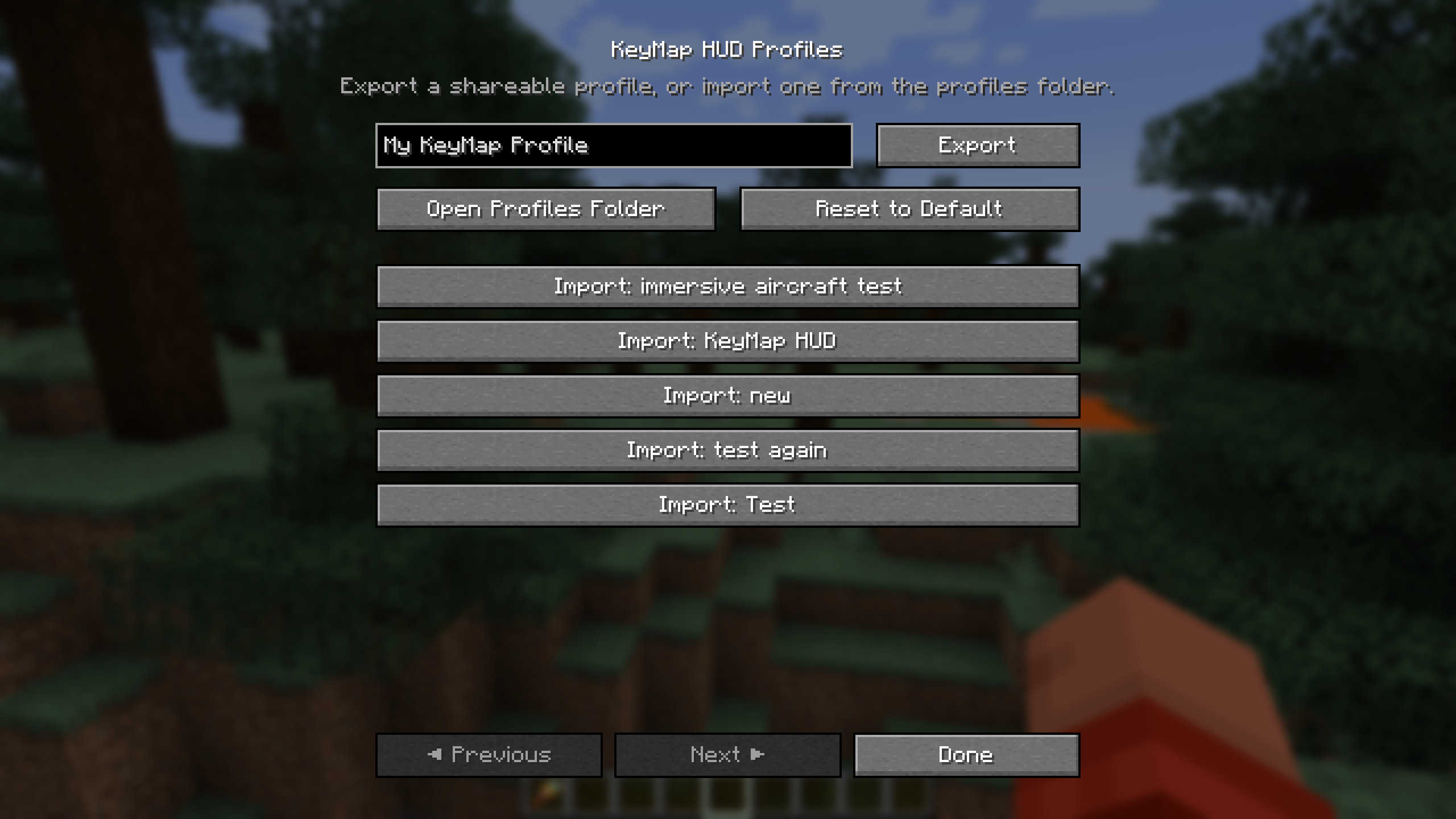 Store Profiles Save and manage multiple keybinding profiles for different modpacks, playstyles, or control setups. Quickly switch between configurations, create backups, and export or import profiles to move your keybindings between installations.
Versions
Files
Relations
Project Relations
More like this
Similar Mods
Suggestions use data such as tags, dependencies, dependents, descriptions, titles, and more to rank how much they overlap with this mod.
On ModDex
Community snapshot
By the numbers
Statistics

Want to reach Minecraft players?
We're looking for a server hosting partner to feature here and other parts of the site. Interested? Send us a message!
Get in touchGet it on
Available Platforms
On ModDex
Community snapshot
By the numbers
Statistics
Resources